ClonErase Camera 2.6
ClonErase Camera: Automatically clone or remove people and objects!
Download
12.96 MB
11downloads
2this week
FreeCommercial
0reviews
Screenshots
About ClonErase Camera
ClonErase Camera: Automatically clone or remove people and objects!
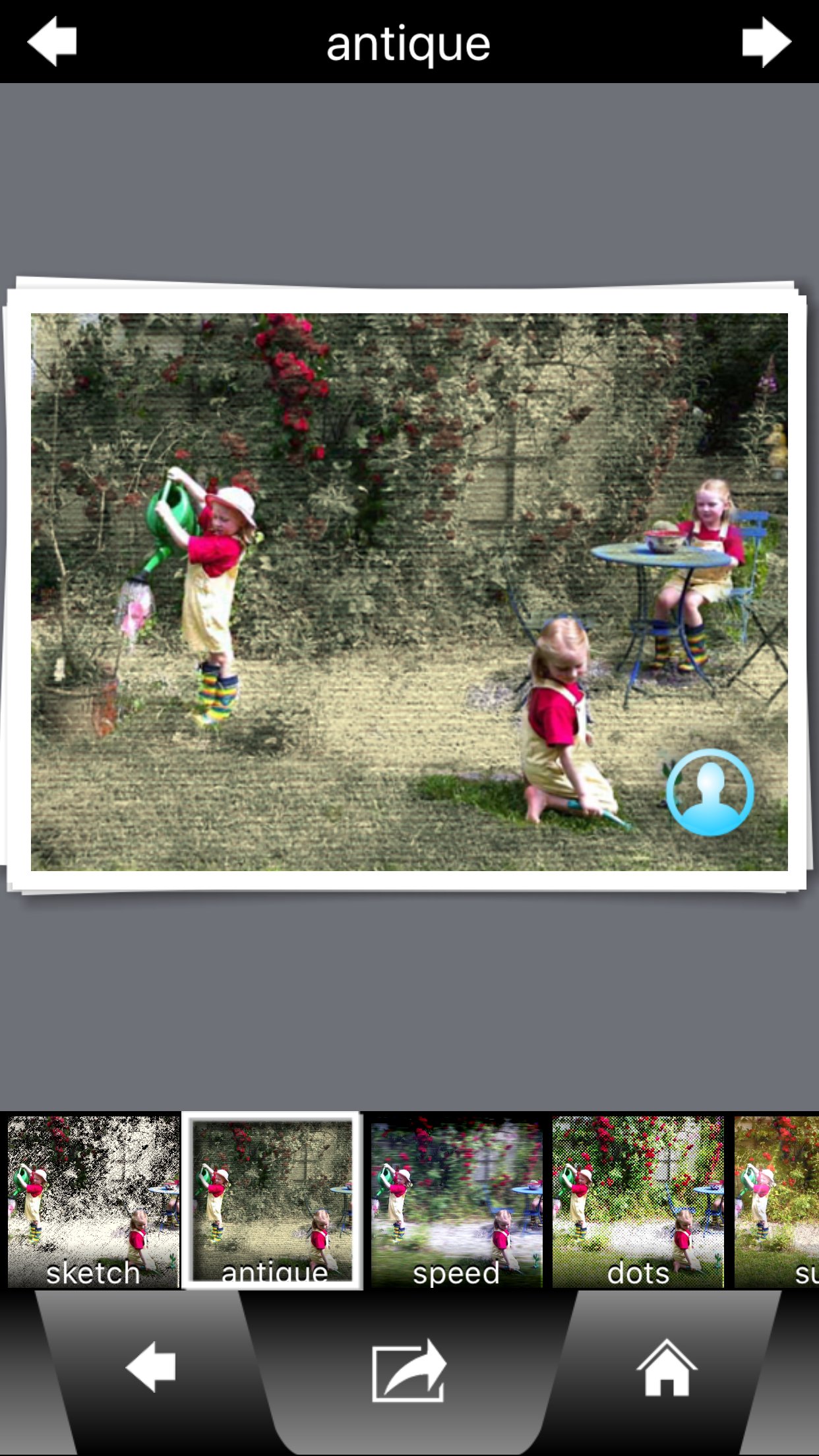
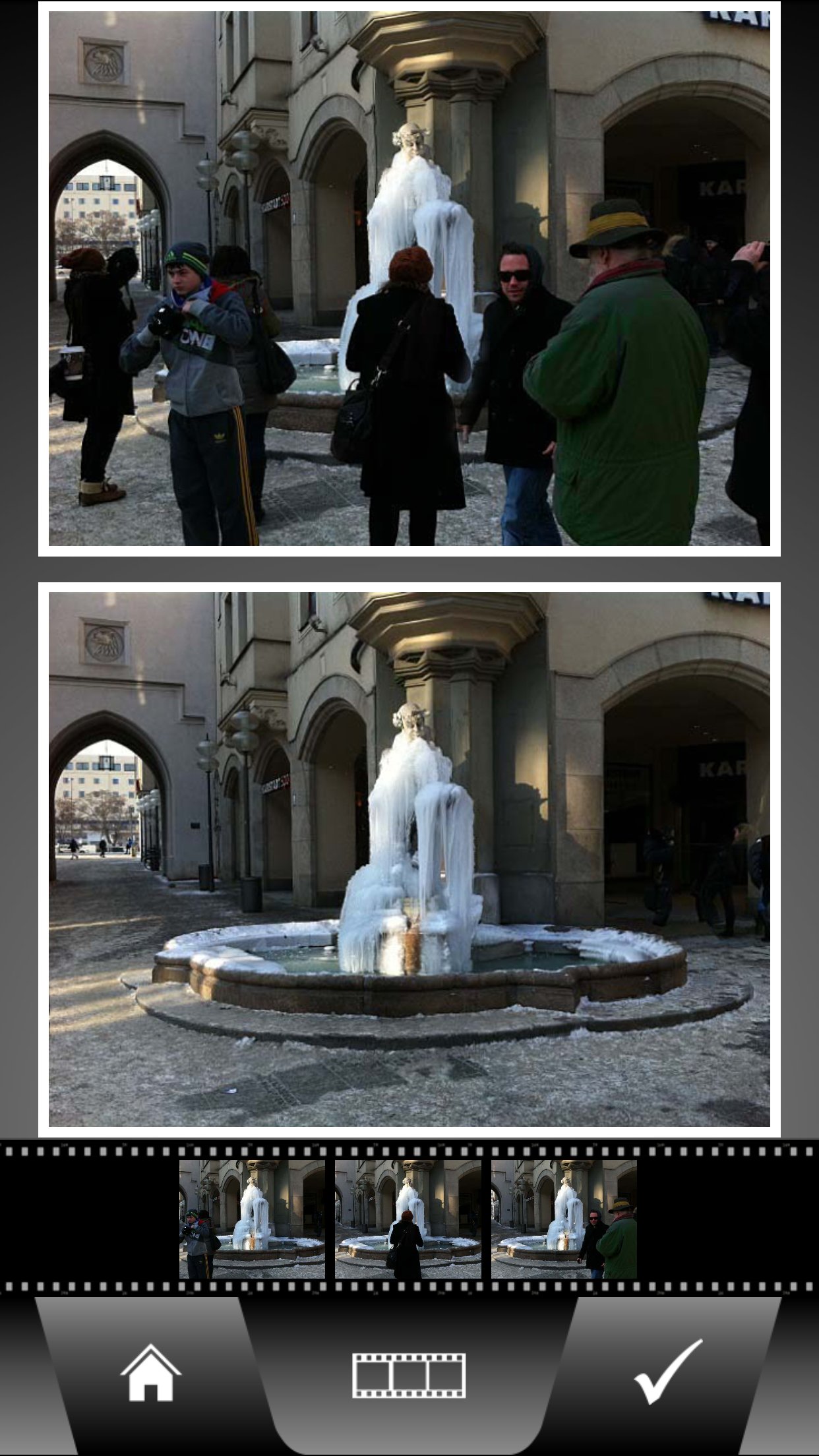
With ClonErase Camera you can make people appear multiple times on the same picture - or remove unwanted passersby from your shots.
Add one of 11 imposing effects that additionally highlight the clones or selectively modify the background
ClonErase works fully automatically: No need for any marking of clone areas or selecting a split layout! It's so easy to produce stunning results!
Examples of use:
- A funny picture presenting you several times in various poses
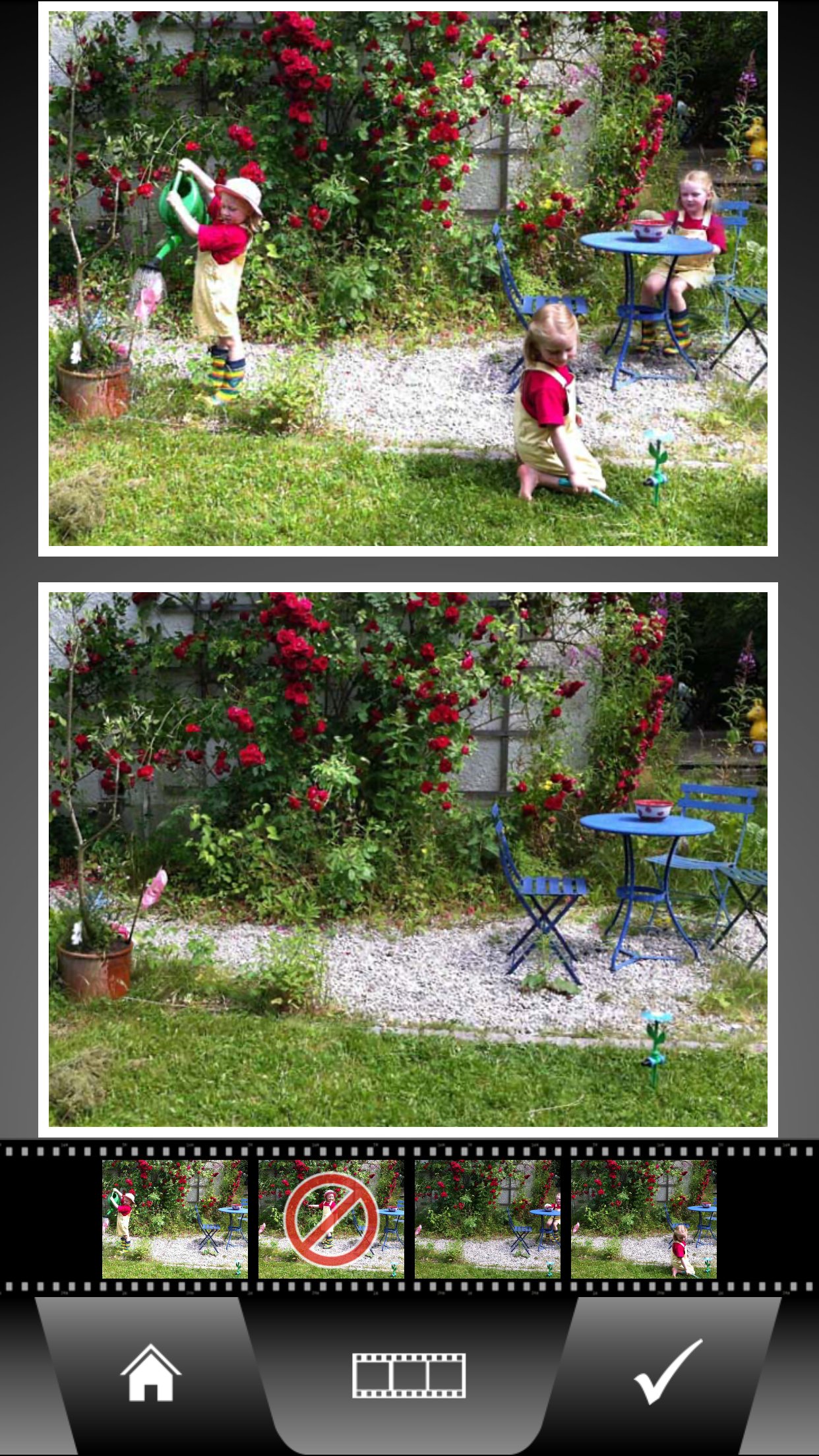
- You don't want any pedestrians on your photo of a monument? Easily remove them with ClonErase by taking several shots, it combines all uncovered image parts to a new photo.
- Action shots - combine several stills of a motion sequence into a single image
- You climbed the mountain peak together but there's nobody to take a picture with both of you? Just take two photos each with one of you, ClonErase creates a picture showing both.
How it works:
1) Shoot up to eight almost identical pictures of the same scene - optionally with self-timer
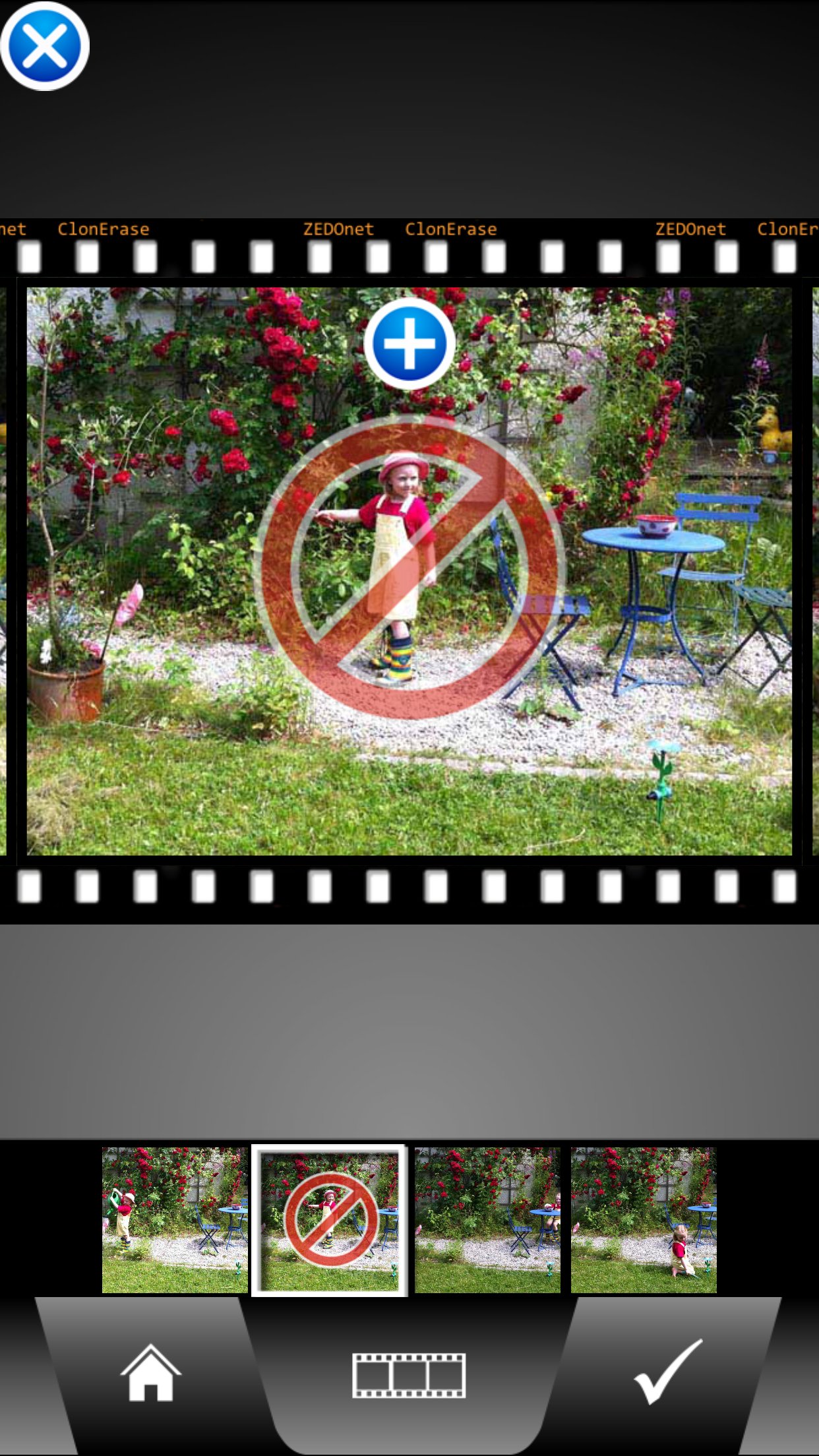
2) Make people or objects move between the shots
3) ClonErase Camera detects image differences and automatically creates a new image:
4) Choose between "Clone" or "Erase" result image
5) Add effects: stunning clone-effects make your images sensational
With the self-timer of ClonErase Camera you can even clone yourself!
Easier to use than other clone apps - and better results!
What is not possible with ClonErase:
copy people / objects from one image into a completely different image
remove people / objects from a single image (multiple images needed!)
Find more information and our video at:
[link removed]
Check out funny ClonErase images posted from users on Instagram: search for hash-tag #clonerase
License: Commercial
| Release info | New Release on Apr 14, 2020 |
|---|---|
| Release notes | Problem with saving images under current iOS is fixed |
| Listing data | App Store |
Reviews
No reviews yet. Be the first to review ClonErase Camera.
Used ClonErase Camera? Tell other visitors what you thought.
Log in to write a reviewOther products by this publisher
- "No Distractions" for YouTube 4.10 ----
- #Bible 11.6.1 "Incredible App - My sister shared this app with me a few weeks ago and it is truly incredible.
- #filmphotography 1.4.2 So, you decided to shoot on film?
- #LookBusy Fake Calendar Events 1.0.6 Look Busy scans your work calendar for open time slots and fills them with realistic-looking (but secretly fake) work events.
- #Small Talk Is Canceled 1.0.2 #Small Talk Is Canceled — Conversations That Matter
Most viewed iOS Photo & Video
-
1
 ShortDiShow 2.0
Drama Quest Island — An offline interactive short-drama adventure.
-
2
 Face Witness 1.0.3
FaceWitness lets you create a face by putting together individual features.
-
3
 Infuse 8.5.10
Infuse: Enterprise provides the same great features as the standard version of Infuse and includes permanent access to all Pro features via a traditional paid app.
-
4
 AI Video Generator 2.0.3
Vixel – AI Video Generator
- 5 #filmphotography 1.4.2 So, you decided to shoot on film?
-
6
 OPlayer 4.8
Play all your videos directly without having to convert them!
-
7
 CapCut 20.2.0
CapCut offers easy-to-use video editing functions, in-APP fonts and effects, advanced features such as keyframe animation, smooth slow-motion, chroma key, and stabilization, to help you capture and snip moments.
-
8
 Necrometer II 1.3
Necrometer II is a paranormal investigation companion designed for ghost hunters and researchers.
-
9
 Ai Photo 1.1.2
AI Photo Retouch – BG Eraser
-
10
 Analog Radio 3.0
The iPhone and iPad devices don't have the FM/AM radio antenna installed.
Most downloaded iOS Photo & Video
-
1
 DJI Fly 1.21.18
DJI Fly is designed to help pilots fly drones with ease.
-
2
Infuse 8.5.10
Infuse: Enterprise provides the same great features as the standard version of Infuse and includes permanent access to all Pro features via a traditional paid app.
-
3
 TurboCollage Automatic 1.2.4
#1 Easy automatic photo collage maker for iPhone & iPad.
-
4
 ReelyGo 1.1.60
ReelyGo: Your Daily Drama Escape
-
5
Analog Radio 3.0
The iPhone and iPad devices don't have the FM/AM radio antenna installed.
-
6
 Rozeta Sequencer Suite 1.3.16
Rozeta is a suite of MIDI sequencers and controllers that lets you explore a new, freeform approach to sequencing and controlling mobile music apps.
-
7
 AGAIN. Rehearsal Notes 2.0.1
AGAIN. is the rehearsal app that remembers why the band stopped — and, new in Version 2, who said what in a writing session or a table read.
-
8
 Pop Dot Comics 1.48
Create a comic worthy of the Sunday newspaper or your favorite pulp-fiction cover.
-
9
 Treblo 1.6.6
Make songs with the world's best AI music model.
-
10
 Sun Scout 1.5.0
If your work or play requires sunlight, Sun Scout is built for you.