Clean Your TV 0.4.8
Switch off TV bloat and get a calm home screen, from a phone over Wi-Fi
Download
7.15 MB · cleanyourtv-0.4.8.apk
15downloads
1this week
FreeFreeware
0reviews
Screenshots
About Clean Your TV
Clean up your Android TV from your phone. No laptop, no coding agent, no cables. Open the app, tap Start, and in about five minutes your TV has a calm home screen and the clutter nobody asked for is switched off.
Clean Your TV is a community-built phone app for Clean Your TV, the open-source project that gives Android TVs a clean home screen. The app uses the project's name with its creator's permission and does the whole job over your Wi-Fi.
HOW IT WORKS IN THREE STEPS
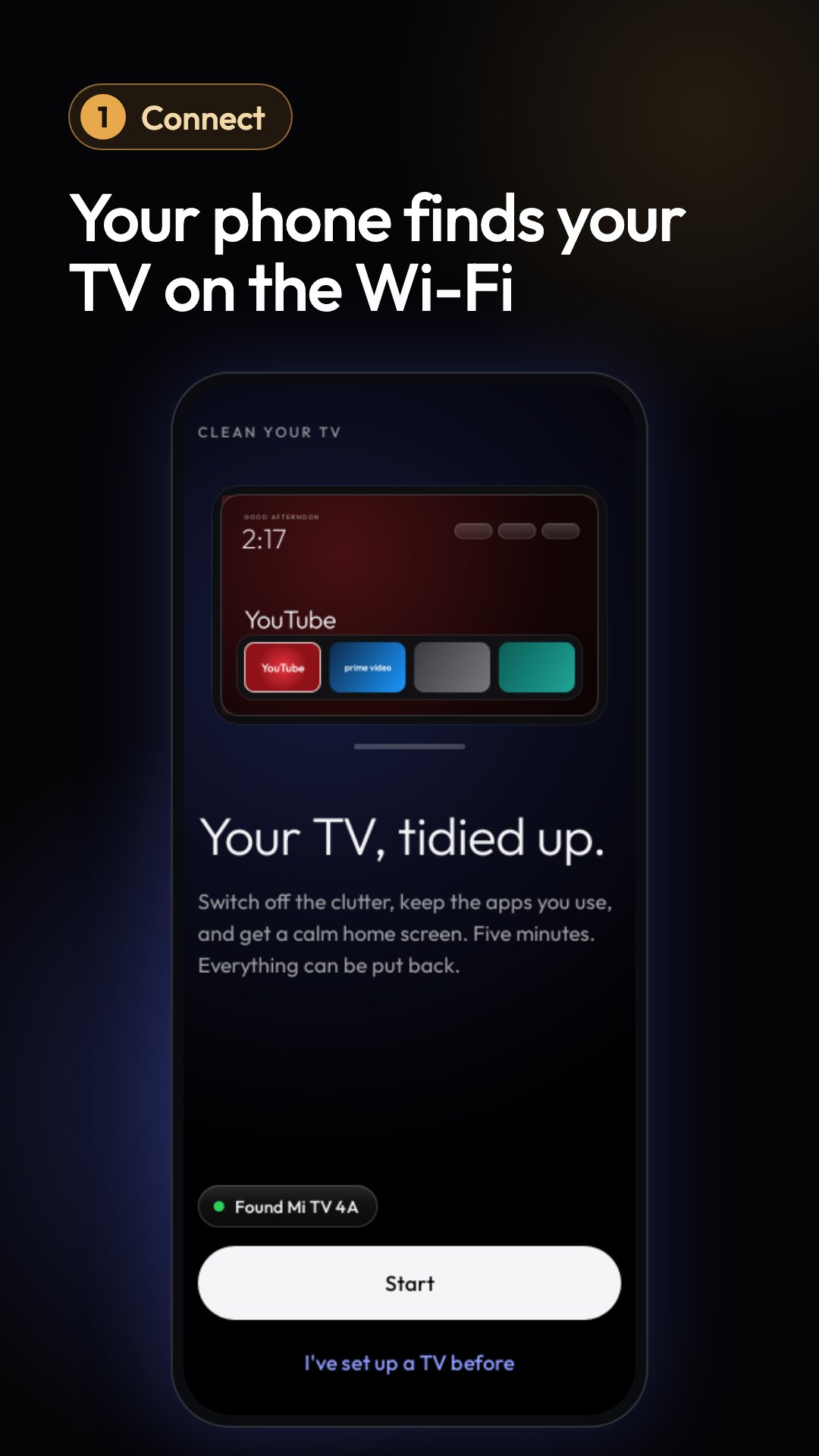
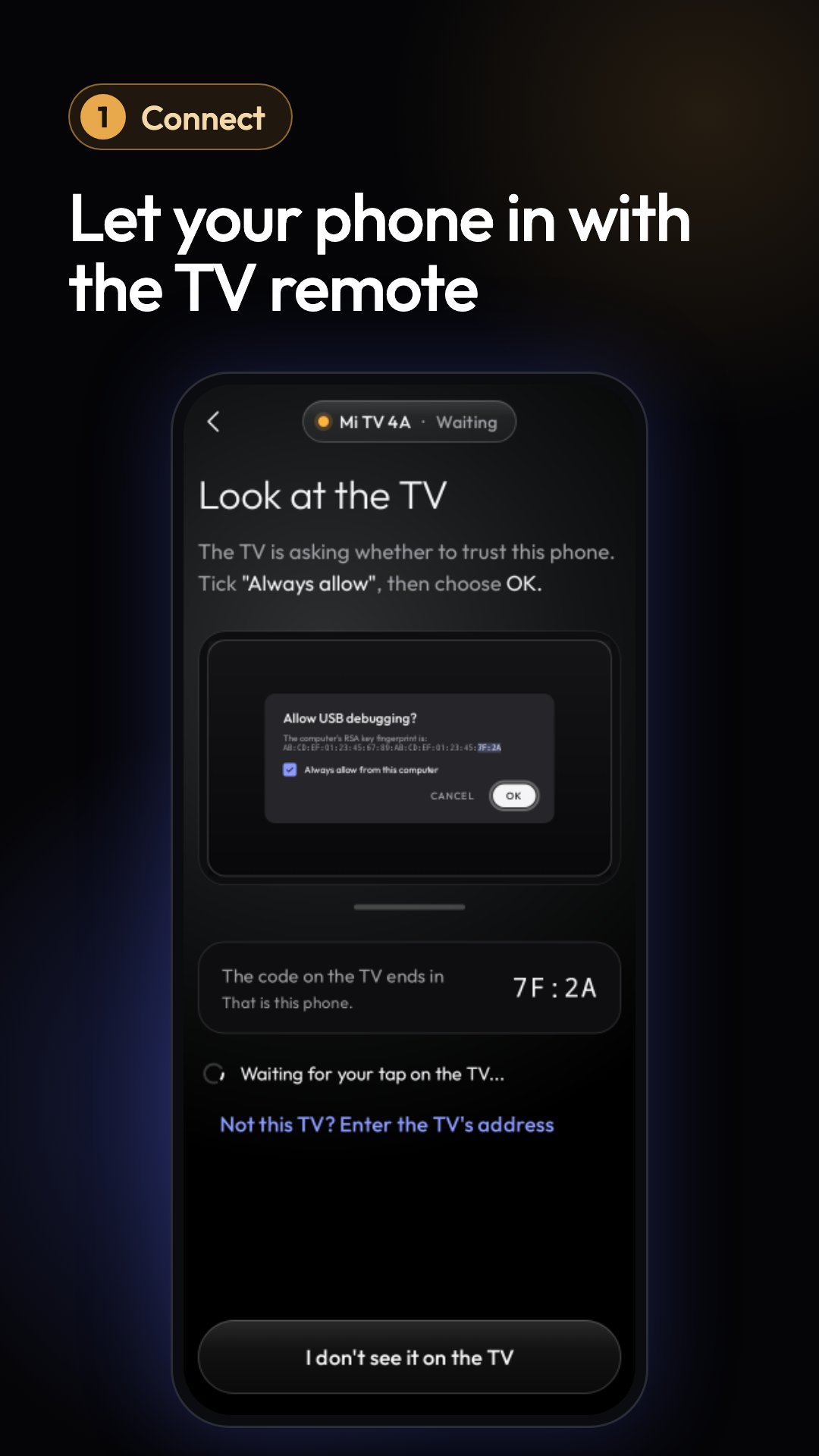
1. Connect. The app finds your TV on the Wi-Fi and shows you, with pictures, how to let your phone in using the TV remote. It takes about a minute.
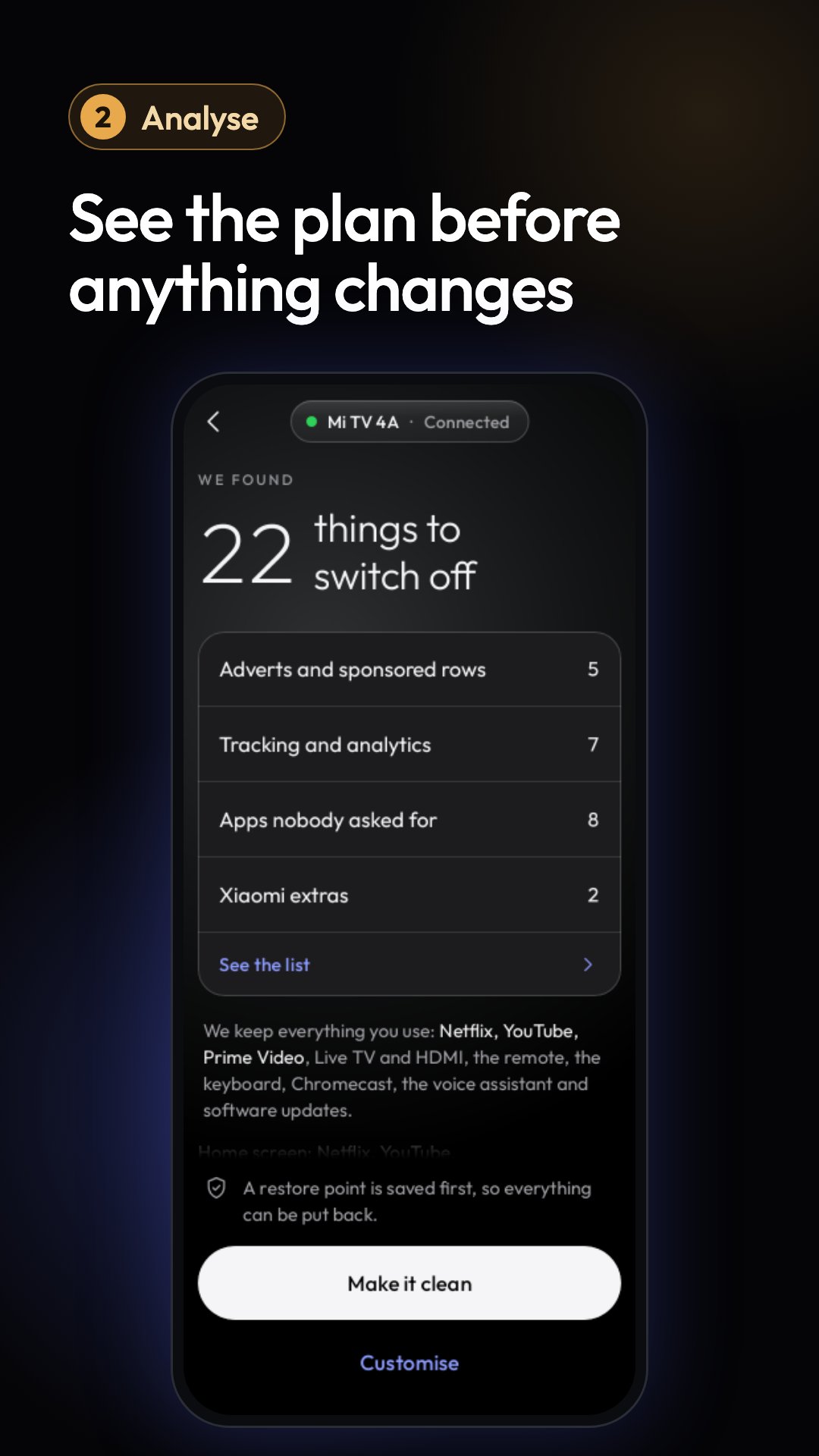
2. Analyse. The app reads what is on your TV and shows you the plan: what it would switch off and, just as clearly, what stays. Nothing changes yet. You can look at every step, and change the list if you like.
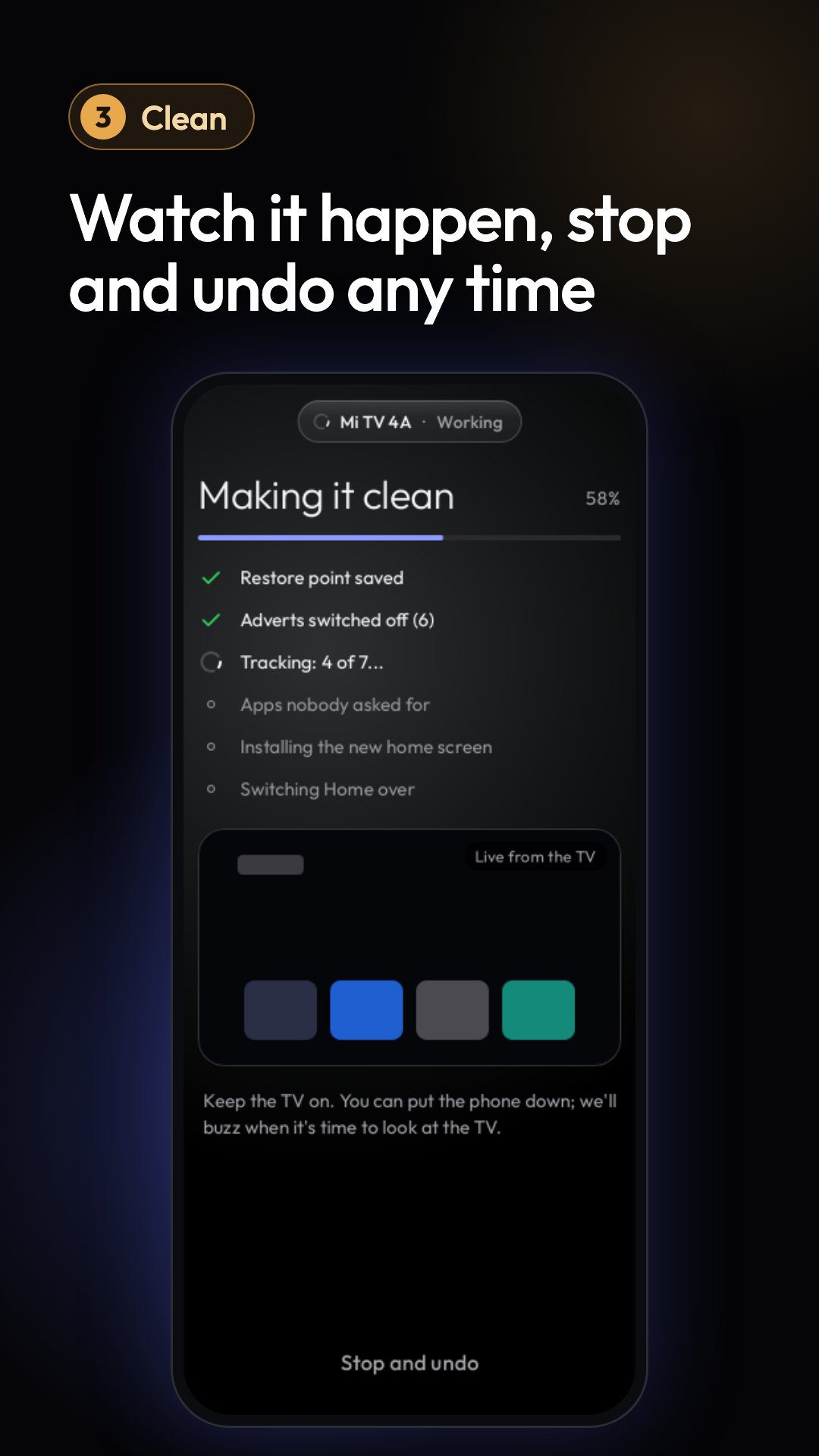
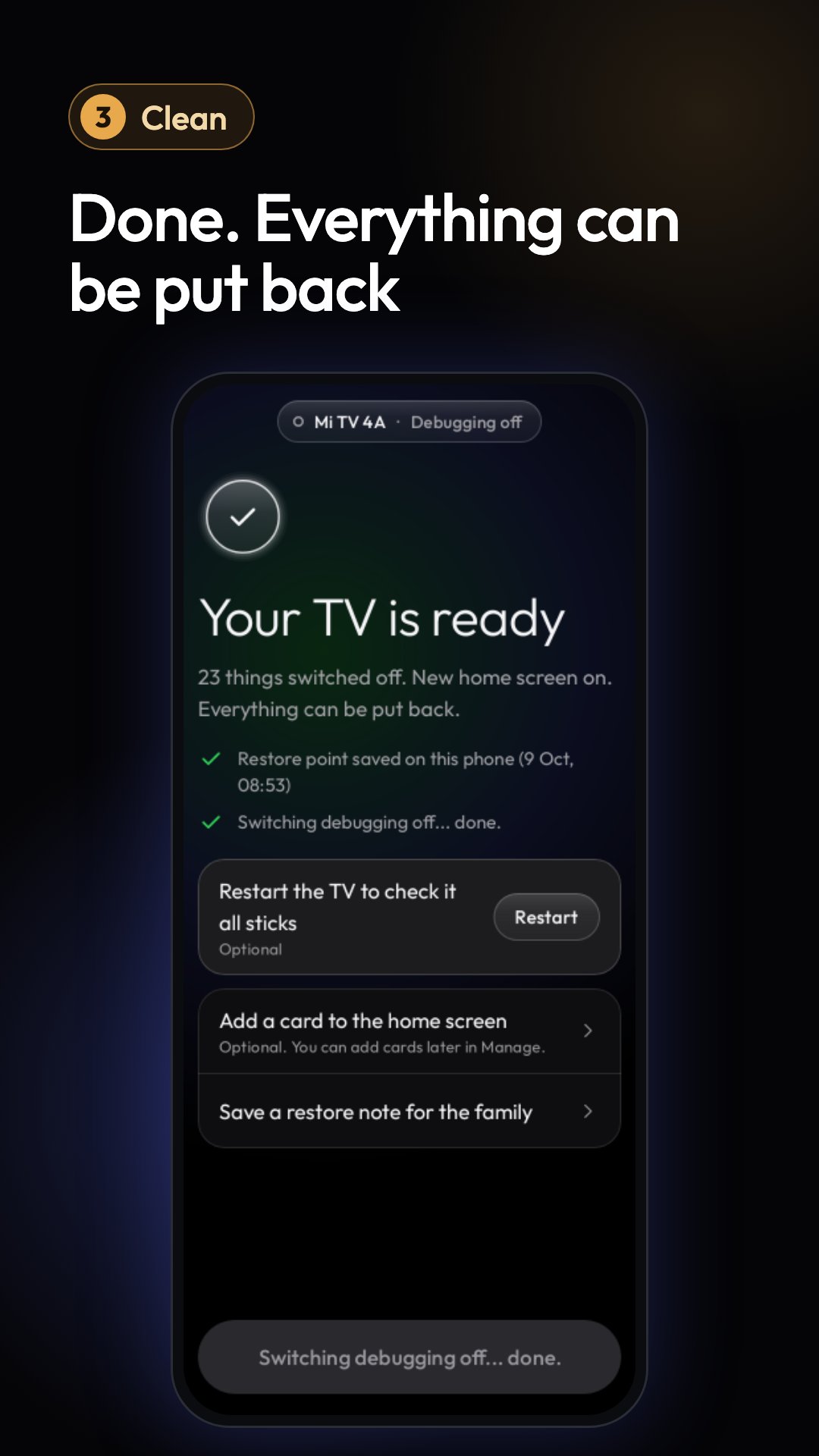
3. Clean. Tap "Make it clean". The app saves a restore point first, then switches off the pre-installed apps you don't use and turns on a clean home screen with the apps you do use. Your phone shows the progress, and so does your TV.
WHAT IT KEEPS
The apps you use stay: Netflix, YouTube, Prime Video, live TV and the HDMI inputs. So do Wi-Fi, the remote, the keyboard and the parts Android needs to run; the app never touches them. Casting, the voice assistant and software updates stay on too. You can still switch off casting or the voice assistant under Customise if you like.
SAFE BY DESIGN
- You see the plan first. Nothing runs until you tap.
- A restore point is saved on your phone before the first change.
- Nothing is uninstalled. Apps are only switched off, so every one can come back.
- Undo anything: put back a single app, or everything, from the restore point. You can also save a copy as plain restore scripts that work from a computer.
- A watchdog on the TV: if the phone does not confirm the new home screen within 150 seconds (the Wi-Fi drops, the phone dies), the TV puts its own home screen back by itself.
- On TVs where changing the home screen is known to cause trouble, the app does the clean-up only and tells you why.
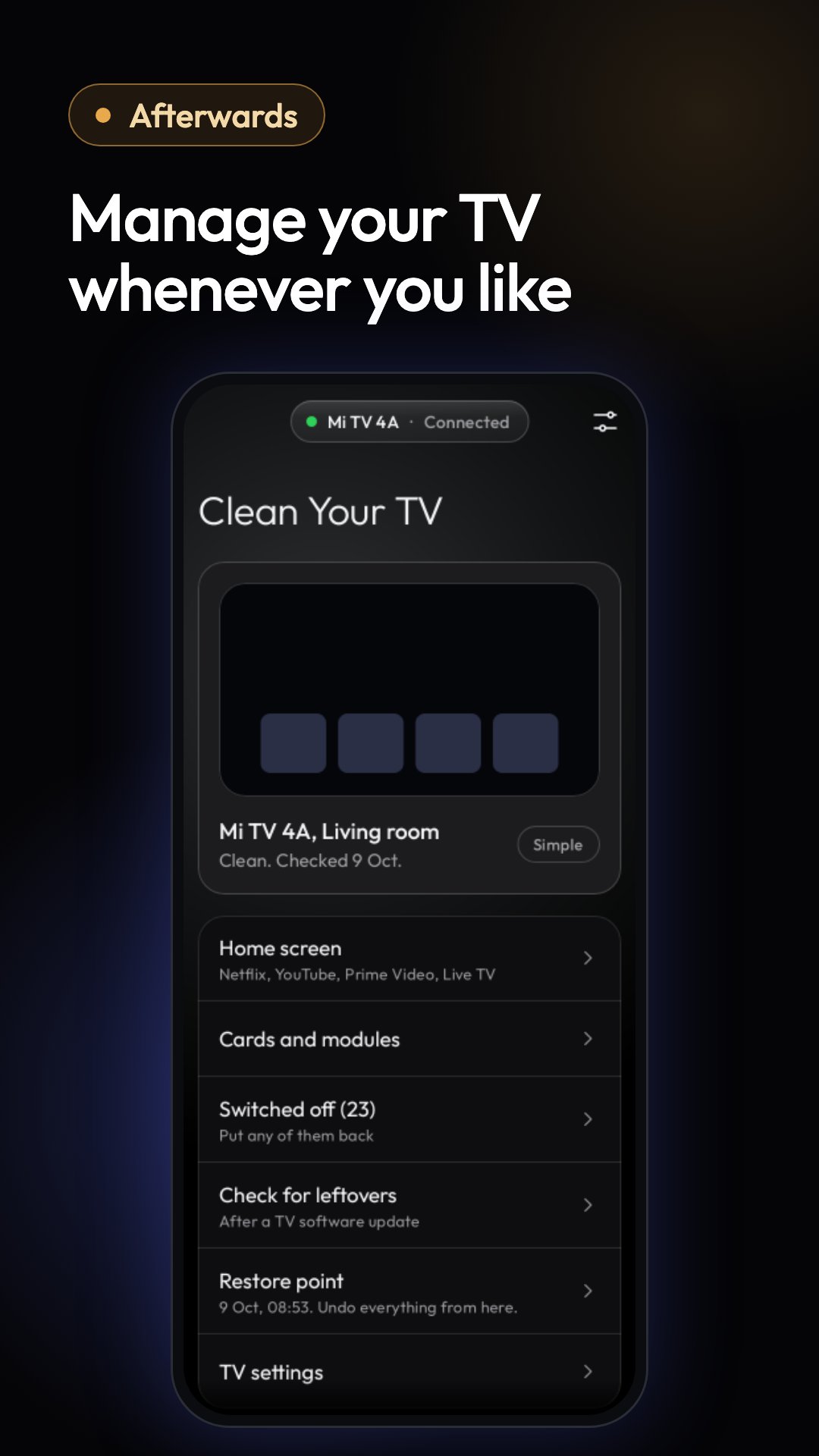
- Come back any time to put an app back, check for leftovers after a TV software update, change the dock or the look, or undo everything.
WHAT YOU NEED
- An Android phone with Android 9 or newer and a screen lock.
- An Android TV or Google TV on the same Wi-Fi as the phone.
- Network debugging switched on in the TV's settings. The app shows you where, step by step, and switches it off again at the end unless you keep it on.
SUPPORTED TVS
173 TV lists from 47 brands, including TCL, Sony, Xiaomi, Hisense, Philips, Panasonic, XGIMI, BenQ, NVIDIA Shield, onn and Google, on Android TV, Google TV and Fire OS. A model nobody has listed yet still gets a careful clean-up based on its brand. Samsung, LG and Roku TVs do not run Android, so this app does not work on them.
PRIVATE
No accounts, no analytics, no tracking. The app talks to the TV you pick on your home network. The version from GitHub and F-Droid contacts GitHub only when you ask it to: when you tap Check for updates, or when you choose to browse and add optional add-ons. The Google Play version makes no internet connections of its own. The key your TV trusts stays in your phone's secure storage, and restore points stay on your phone. Diagnostics are shared only if you choose to share them, and only after you have seen a preview.
OPEN SOURCE
Built by the community on Gathin's Clean Your TV, with permission, and released under the MIT licence. Source code and issues: github.com/udhaykumarbala/cleanyourtv-app. Website: [link removed]. Privacy policy: [link removed]
| Release info | Update on Nov 03, 2026 |
|---|---|
| Release notes | Clean Your TV app 0.4.8 fixes the new home screen's install on Google TVs, brings the new home screen to four more TVs, and makes Check for updates work again. Thank you to everyone who tested the 0.4.8 test builds, sent reports and told us what happened after a restart. Your answers decided which TVs get the new home screen in this release, and you're on our testers page. To see what the app does on your TV, search the TV list. What's new The new home screen installs again on Google TVs. On Google TVs with Android 11 and 12 (Sony BRAVIA, TCL, Xiaomi, Hisense, the TiVo Stream 4K and others), the switch could stop at "Install com.gathin.tvhome" with "got no readable apk", run after run. The new home screen was on the TV but not installed for the TV's main user. The app now installs it for that user (#2743, #1918, #1510 and many more). If the check still can't read the app, the report says why. The new home screen on four more TVs, with the setup wizard left on: • the Xiaomi MiTV-MOEU1 on Android 14 • the MI MiProjM05 projector on Android 9 • the Strong LEAP-S1 box on Android 14 • the Toshiba Smart TV (hamamatsucho) on Android 11 Each one was confirmed by two testers whose new home screen was still there after a restart, and nobody said it didn't hold. Only these models: other models of these brands keep their own home screen until their own testers confirm it. Clearer stops. • When the TV ends the install part way ("the TV closed the stream"), the app reads the TV's free storage and says when there isn't enough space (#2851, #3221). • When Android shows its "which home screen?" chooser, the card names the other home screen apps on the TV, so you know which to remove (#3301). • On Google TVs other than TCL, the app says before the switch that the remote's Settings button may stop opening the TV's own settings panel (#3059). Use the TV's own home screen in Manage brings it back. Connecting. Enter the TV's address on the waiting screen works. When the TV turns… |
| Listing data | F-Droid |
Reviews
No reviews yet. Be the first to review Clean Your TV.
Used Clean Your TV? Tell other visitors what you thought.
Log in to write a reviewOther products by this publisher
- "No Distractions" for YouTube 4.10 ----
- #Bible 11.6.1 "Incredible App - My sister shared this app with me a few weeks ago and it is truly incredible.
- #filmphotography 1.4.2 So, you decided to shoot on film?
- #LookBusy Fake Calendar Events 1.0.6 Look Busy scans your work calendar for open time slots and fills them with realistic-looking (but secretly fake) work events.
- #Small Talk Is Canceled 1.0.2 #Small Talk Is Canceled — Conversations That Matter
Most viewed Android App Manager
- 1 Universal Installer 1.21.0 APK/XAPK installer with silent installs via Shizuku, Root or Dhizuku.
- 2 Hail 1.11.0 Freeze Android apps
- 3 Amaze File Manager 3.11.4 An open-source file manager following the Material Design guidelines
- 4 Arcade 1.2 A minimal game launcher with a twist
-
5
 AppShelf 1.38.3
List of installed apps with sources — save, sync and restore on a new phone
- 6 Amarok 0.10.1 Hide your private Files and APPs with a single click.
- 7 ClassyShark3xodus - Scan apps for warnings 2.0-34 Checks apk(s) for known trackers (provided by Exodus) +other warnings and specs.
- 8 Operator 2.3 List and kill processes that consume a lot of resources
-
9
 Canta 4.1.0
Canta Debloater lets you uninstall any(*) app without root (updated version).
-
10
 SD Maid 2/SE - System Cleaner 2.2.2-rc0
A trusted assistant for your Android, to keep it clean and tidy.
Most downloaded Android App Manager
-
1
 Pixel Tag Drawer 0.1.7
Organize and launch Android apps with tags and usage-based sorting.
- 2 Arcade 1.2 A minimal game launcher with a twist
- 3 AppStow 3.0.3 Organize and launch apps, websites, web apps and deep links
-
4
 Permission Manager X 1.34-pro
eXtended Permission Manager - a small app to manage permissions and AppOps
- 5 De1984 2.8.4 Privacy-focused Firewall and Package Manager for Android devices
- 6 Amarok 0.10.1 Hide your private Files and APPs with a single click.
-
7
 Blocker 2.0.6447
A component controller for Android applications
-
8
 Package Manager v8.0
A powerful application to manage your apps!
-
9
Canta 4.1.0
Canta Debloater lets you uninstall any(*) app without root (updated version).
- 10 Universal Installer 1.21.0 APK/XAPK installer with silent installs via Shizuku, Root or Dhizuku.