
17downloads
2this week
FreeCommercial
0reviews
Screenshots
About ClawTalk
Have a real, hands-free conversation with your AI agents. ClawTalk is a native iOS client for OpenClaw, the open-source AI agent framework — and it's built around voice.
CONVERSATION MODE
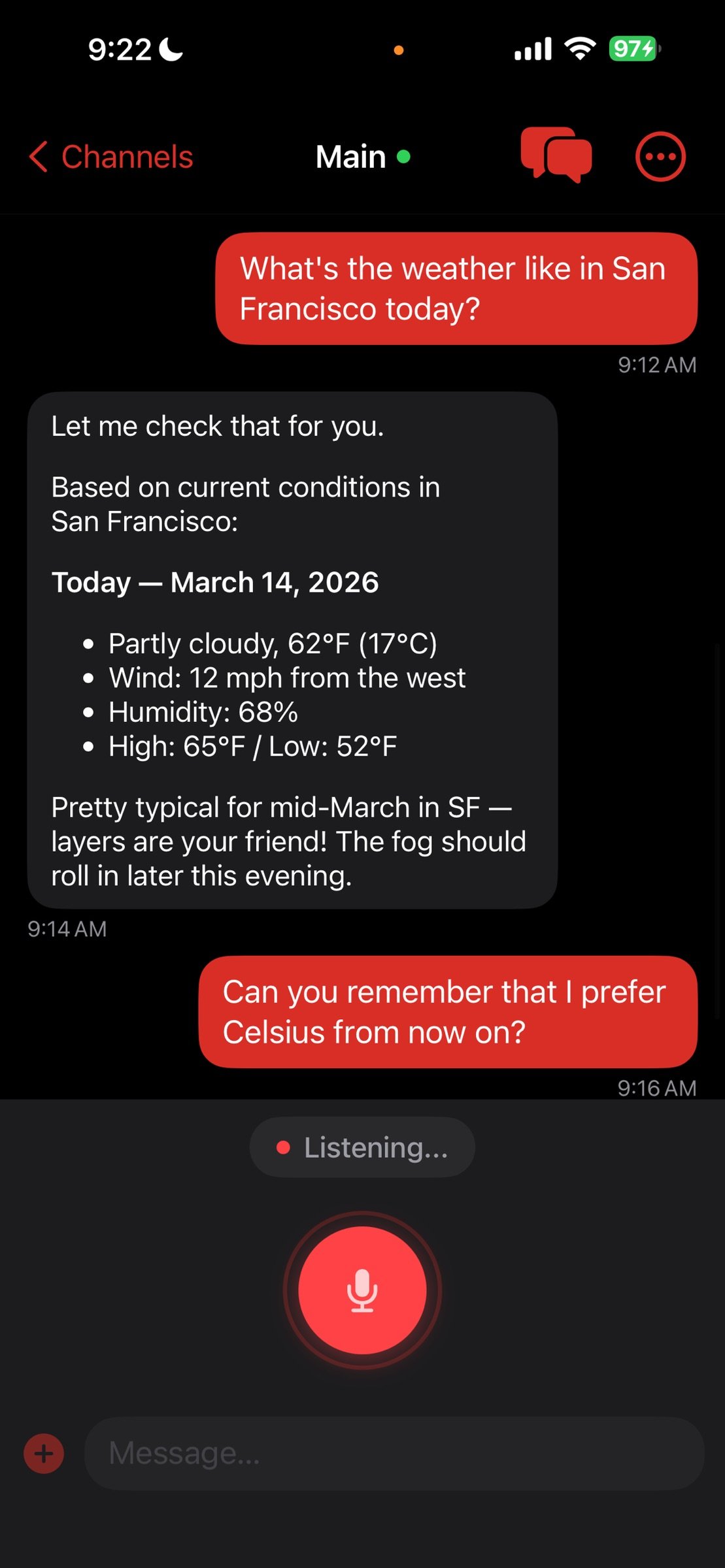
Tap once and start talking. ClawTalk listens for the end of your sentence, transcribes it on-device with WhisperKit on the Apple Neural Engine, sends it to your agent, streams the reply, and speaks it back to you. Then it starts listening again — automatically. No buttons, no taps between turns. iOS voice processing (the same audio pipeline Zoom and FaceTime use) handles echo cancellation, automatic gain, and noise suppression, so the agent's own voice never re-triggers the mic.
Your audio never leaves the device. Only the resulting text is sent to your gateway.
PUSH-TO-TALK
Prefer to just dictate a single message? Press and hold the mic. Release to send.
STREAMING RESPONSES
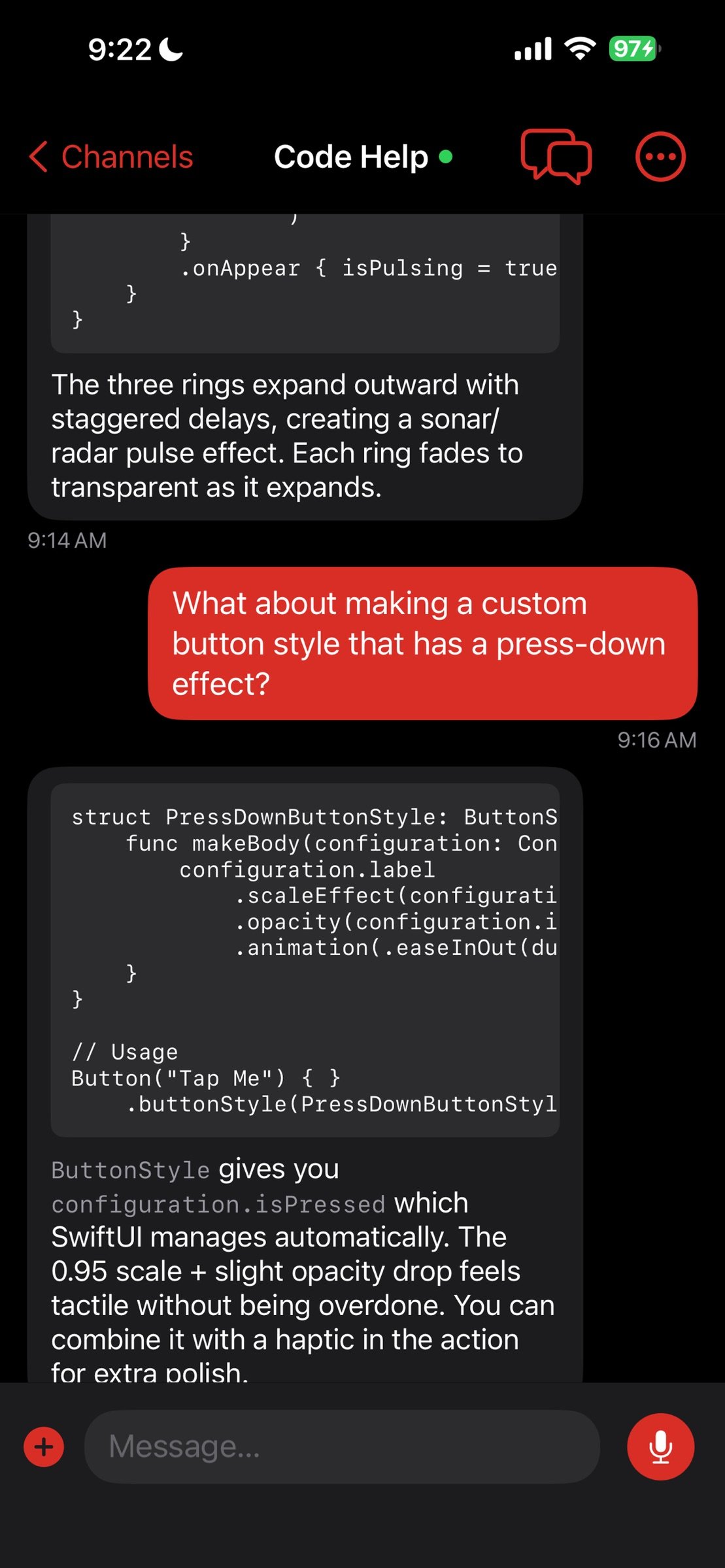
Text streams in real-time as your agent generates it. Full markdown support: code blocks, tables, lists, inline formatting.
TEXT-TO-SPEECH
Choose how the agent speaks back:
- ElevenLabs — highest quality, most natural voices
- OpenAI — great quality, cost-effective
- Apple — free, works offline, no API key needed
MULTI-AGENT CHANNELS
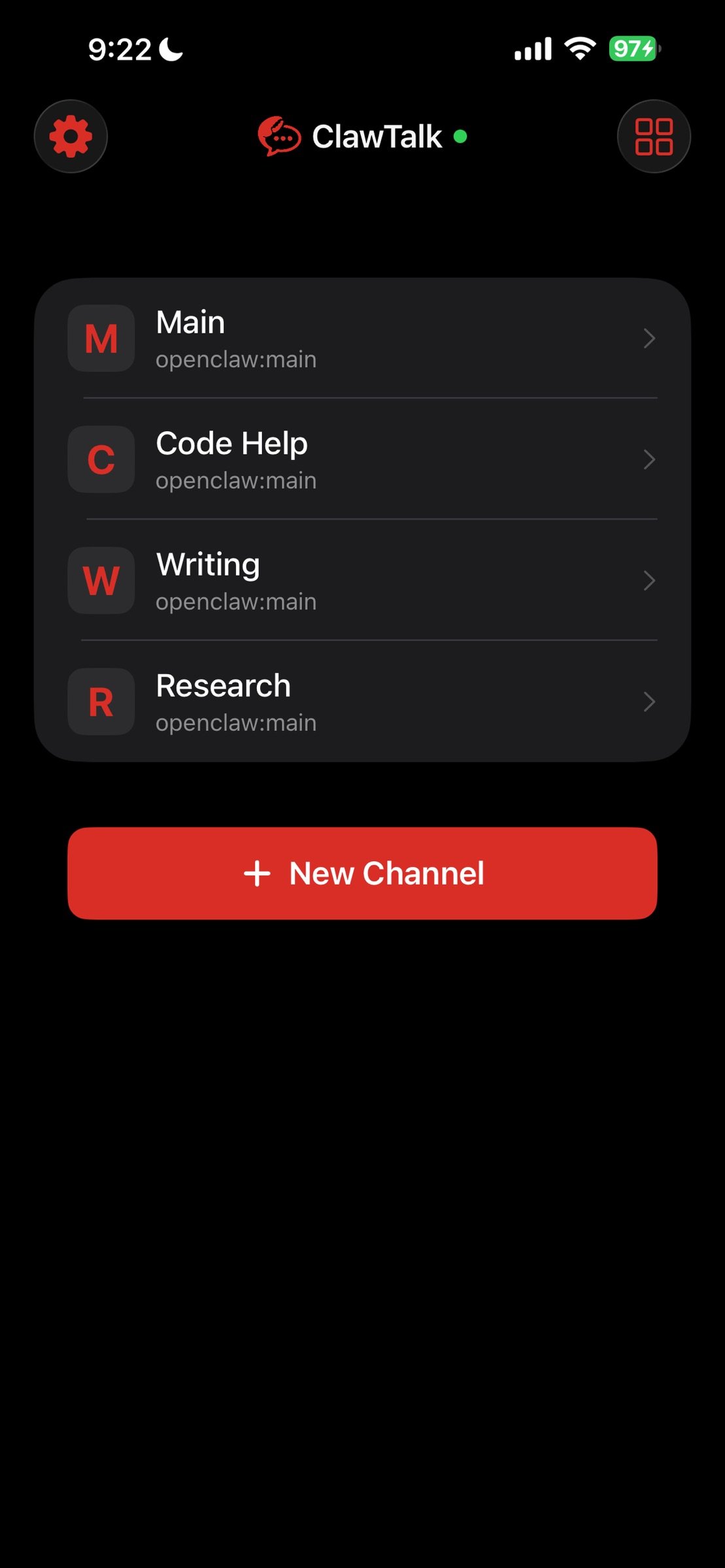
Separate channels for separate agents. Each channel keeps its own conversation history. Browse the agents on your gateway, or type an agent ID manually.
IMAGE SENDING
Attach up to 8 photos per message. Your agent can see and respond to images.
TOOLS DASHBOARD
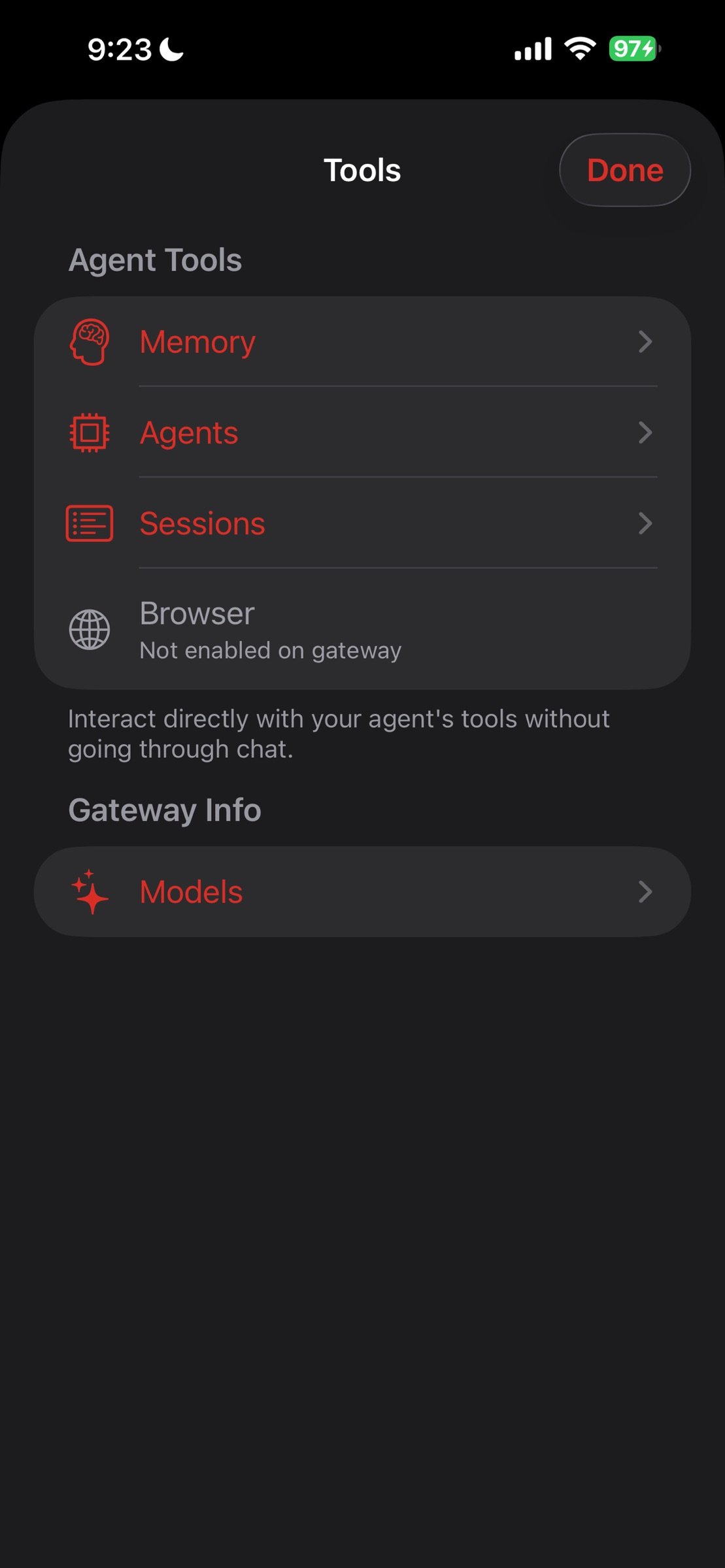
Reach into your agent's internals without going through chat — memory, sessions, available agents, browser status, models.
SECURITY FIRST
- Credentials live in the iOS Keychain (encrypted by the Secure Enclave)
- HTTPS enforced on every connection — plain HTTP is rejected
- On-device speech-to-text — audio never reaches any server
- Chat history encrypted at rest with iOS Data Protection
- TLS 1.2 minimum
WHAT YOU NEED
ClawTalk connects to your own OpenClaw gateway over HTTPS. You'll want:
1. A running OpenClaw instance with the HTTP API enabled
2. A secure path to it — Cloudflare Tunnel, Tailscale, or similar
3. A gateway token
ClawTalk ships no AI models and no cloud services. It's a client for your self-hosted OpenClaw setup. The GitHub repo has setup instructions.
OPEN SOURCE
ClawTalk is MIT-licensed and fully open source on GitHub. Build it yourself for free, or buy from the App Store to support ongoing development and get automatic updates.
License: Commercial
CONVERSATION MODE
Tap once and start talking. ClawTalk listens for the end of your sentence, transcribes it on-device with WhisperKit on the Apple Neural Engine, sends it to your agent, streams the reply, and speaks it back to you. Then it starts listening again — automatically. No buttons, no taps between turns. iOS voice processing (the same audio pipeline Zoom and FaceTime use) handles echo cancellation, automatic gain, and noise suppression, so the agent's own voice never re-triggers the mic.
Your audio never leaves the device. Only the resulting text is sent to your gateway.
PUSH-TO-TALK
Prefer to just dictate a single message? Press and hold the mic. Release to send.
STREAMING RESPONSES
Text streams in real-time as your agent generates it. Full markdown support: code blocks, tables, lists, inline formatting.
TEXT-TO-SPEECH
Choose how the agent speaks back:
- ElevenLabs — highest quality, most natural voices
- OpenAI — great quality, cost-effective
- Apple — free, works offline, no API key needed
MULTI-AGENT CHANNELS
Separate channels for separate agents. Each channel keeps its own conversation history. Browse the agents on your gateway, or type an agent ID manually.
IMAGE SENDING
Attach up to 8 photos per message. Your agent can see and respond to images.
TOOLS DASHBOARD
Reach into your agent's internals without going through chat — memory, sessions, available agents, browser status, models.
SECURITY FIRST
- Credentials live in the iOS Keychain (encrypted by the Secure Enclave)
- HTTPS enforced on every connection — plain HTTP is rejected
- On-device speech-to-text — audio never reaches any server
- Chat history encrypted at rest with iOS Data Protection
- TLS 1.2 minimum
WHAT YOU NEED
ClawTalk connects to your own OpenClaw gateway over HTTPS. You'll want:
1. A running OpenClaw instance with the HTTP API enabled
2. A secure path to it — Cloudflare Tunnel, Tailscale, or similar
3. A gateway token
ClawTalk ships no AI models and no cloud services. It's a client for your self-hosted OpenClaw setup. The GitHub repo has setup instructions.
OPEN SOURCE
ClawTalk is MIT-licensed and fully open source on GitHub. Build it yourself for free, or buy from the App Store to support ongoing development and get automatic updates.
License: Commercial
| Release info | New Release on May 18, 2026 |
|---|---|
| Release notes | Conversation Mode is here. Tap once, talk, and ClawTalk handles the rest — on-device transcription, streaming reply, and a spoken response. Then it keeps listening for your next turn. Hands-free, end-to-end. Push-to-talk and text input still work the same. |
| Listing data | App Store |
Reviews
No reviews yet. Be the first to review ClawTalk.
Used ClawTalk? Tell other visitors what you thought.
Log in to write a reviewOther products by this publisher
- "No Distractions" for YouTube 4.10 ----
- #Bible 11.6 "Incredible App - My sister shared this app with me a few weeks ago and it is truly incredible.
- #filmphotography 1.4.2 So, you decided to shoot on film?
- $quirrel 1.5.1 $quirrel Budget & Finance helps you plan each paycheck, track spending, manage debt, and see what is safe to spend before the next payday.
- % Percentage Calculator Pro 1.41 This is the Pro version of % Percentage Calculator.
Most viewed iOS Productivity
-
1
 WordPress 27.4
Manage or create your WordPress blog or website right from your iOS device: create and edit posts and pages, upload your favorite photos and videos, view stats and reply to comments.
- 2 Voice Translator - Alive 1.6 Translation app that turns your iPhone into an interpreter instantly.
-
3
 Claude by Anthropic 1.261113.19
Meet Claude, your AI problem solver and thinking partner.
-
4
 Life360 26.43.5
Whether at home, online, or on the move, our comprehensive family safety features bring peace of mind to your loved ones AND help safeguard your personal belongings.
-
5
 WristMemo 2.0
WristMemo turns your Apple Watch into an all-day voice recorder.
- 6 "No Distractions" for YouTube 4.10 ----
-
7
 Colicine 1.3.0
Have you ever been there—
- 8 (beat) for iOS 0.5.10 An elegant Fountain screenwriting app, created by a screenwriter for screenwriters.
-
9
 DeepSeek 2.8.0
Experience seamless interaction with DeepSeek's official AI assistant for free!
-
10
 Howbout 16.7.2
The shared calendar for friends, couples, and family
Most downloaded iOS Productivity
- 1 Voice Translator - Alive 1.6 Translation app that turns your iPhone into an interpreter instantly.
-
2
DeepSeek 2.8.0
Experience seamless interaction with DeepSeek's official AI assistant for free!
-
3
 SessionsAI 1.2.1
Sessions AI is a private AI workspace that runs entirely on your iPhone, iPad, or Mac.
-
4
 Voices AI 1.16.15
Discover Voices, the premier voice transformation app designed exclusively for iOS.
-
5
 Block Distracting Websites 1.11
"It's a great way to save time, and stop browsing Reddit when you should be doing coursework."
-
6
 Plot Digitizer 1.4.1
Plot Digitizer is an app to extract numerical data from plot images.
-
7
 Google Docs 1.2026.46102
Create, edit, and collaborate on online documents with the Google Docs app.
-
8
 MyHyundai with Bluelink 5.4.5
The MyHyundai app makes getting information about your Hyundai vehicle easier than ever.
-
9
 Pixy Mood Tracker 1.110.0
Track your mood, one pixel at a time.
-
10
 Chatbot App 9.2.8
Chatbot App brings advanced AI models together in one intuitive app for writing, learning, coding, creativity, and productivity.