Cine Meter II 8.1
Cine Meter II measures light and color, so you can light and shoot and know what you'll get.
Download
3.47 MB
15downloads
1this week
FreeCommercial
0reviews
Screenshots
About Cine Meter II
Cine Meter II measures light and color, so you can light and shoot and know what you'll get.
“Cine Meter II is an essential app for every cinematographer.”
— Jon Fauer, ASC
“[T]he perfect app to have with you at all times.”
— Roberto “Ganzo” Schaefer, ASC, AIC
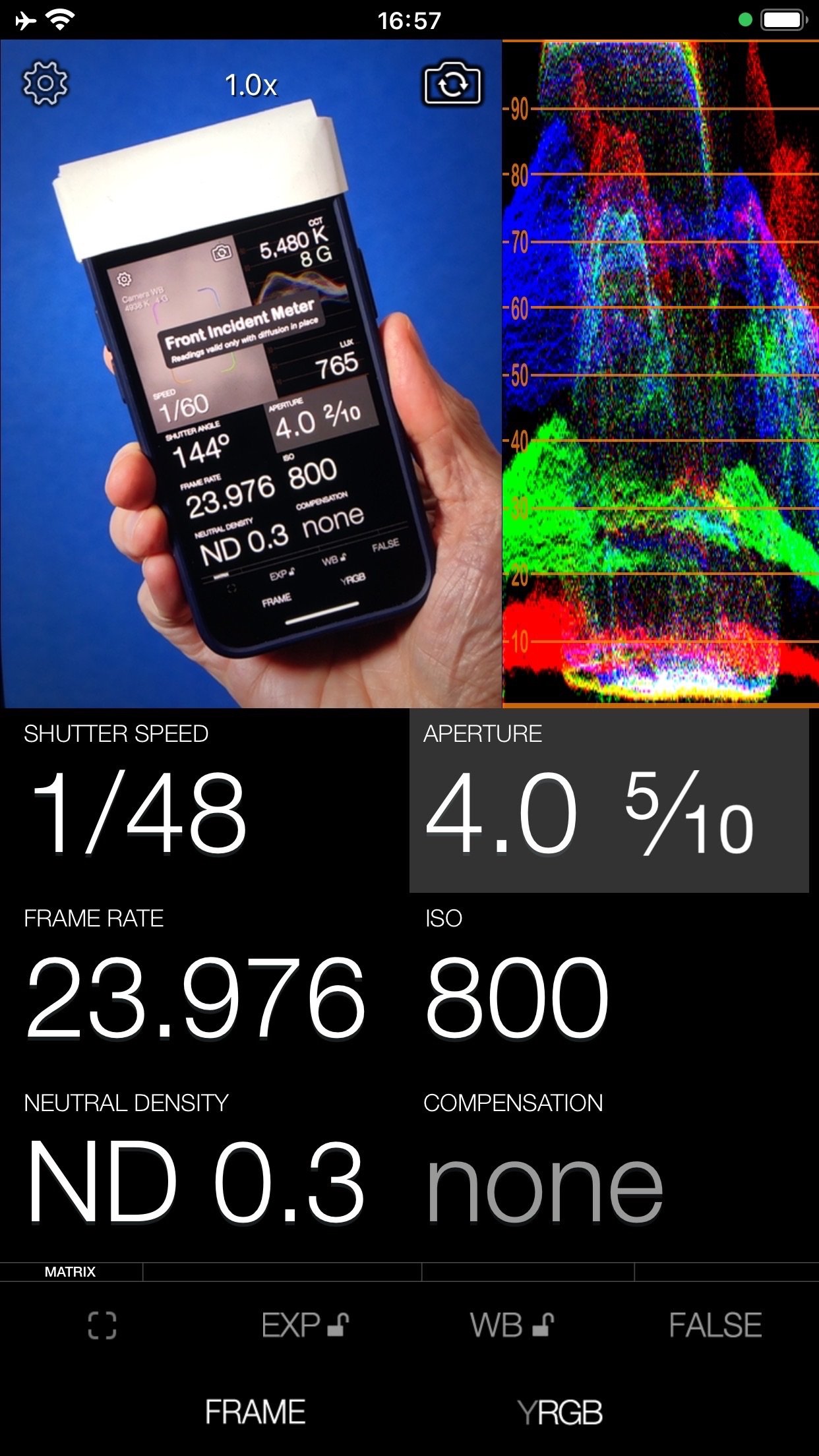
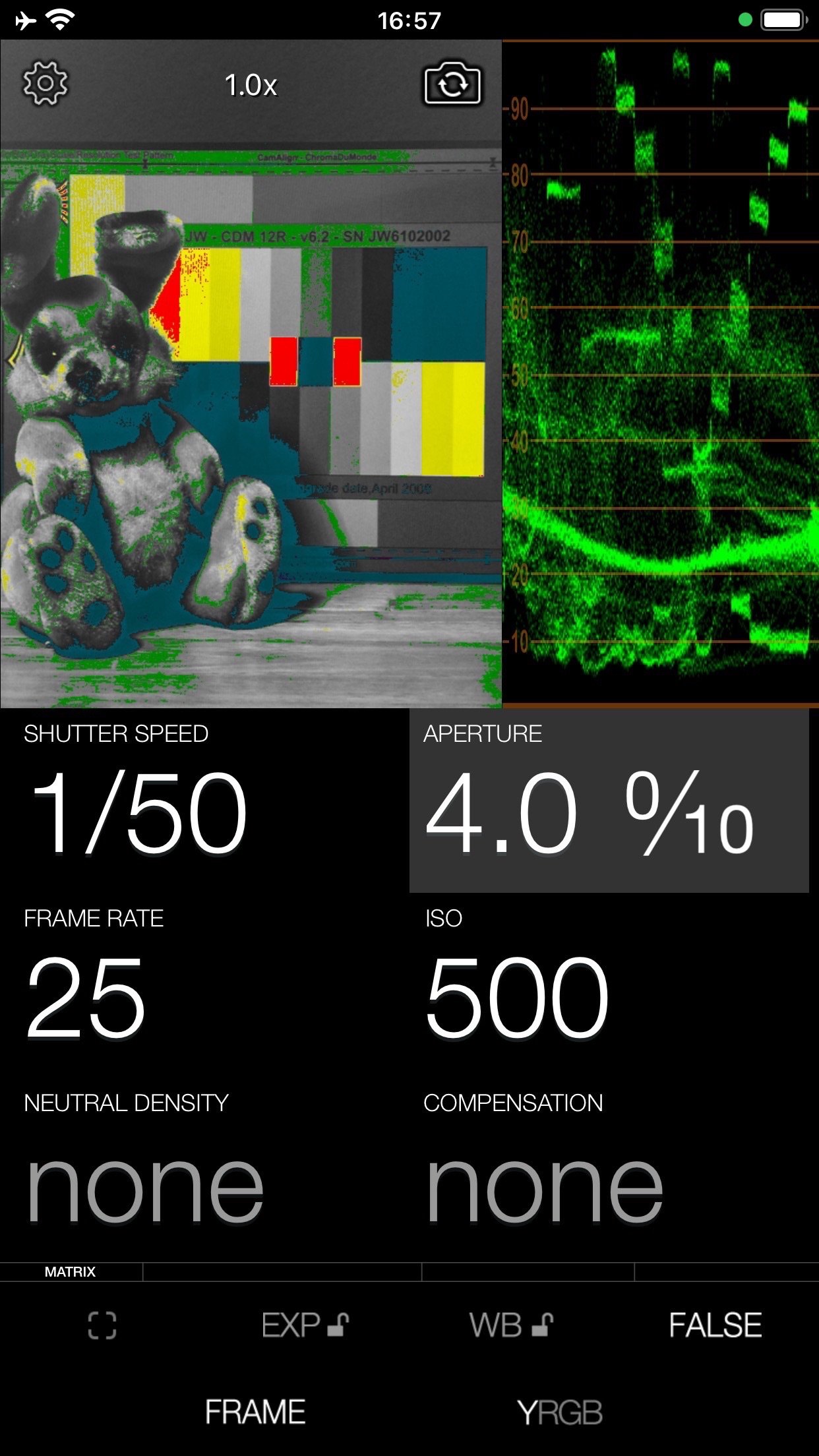
It's a zoomable spotmeter with an RGB waveform monitor and a false-color picture.
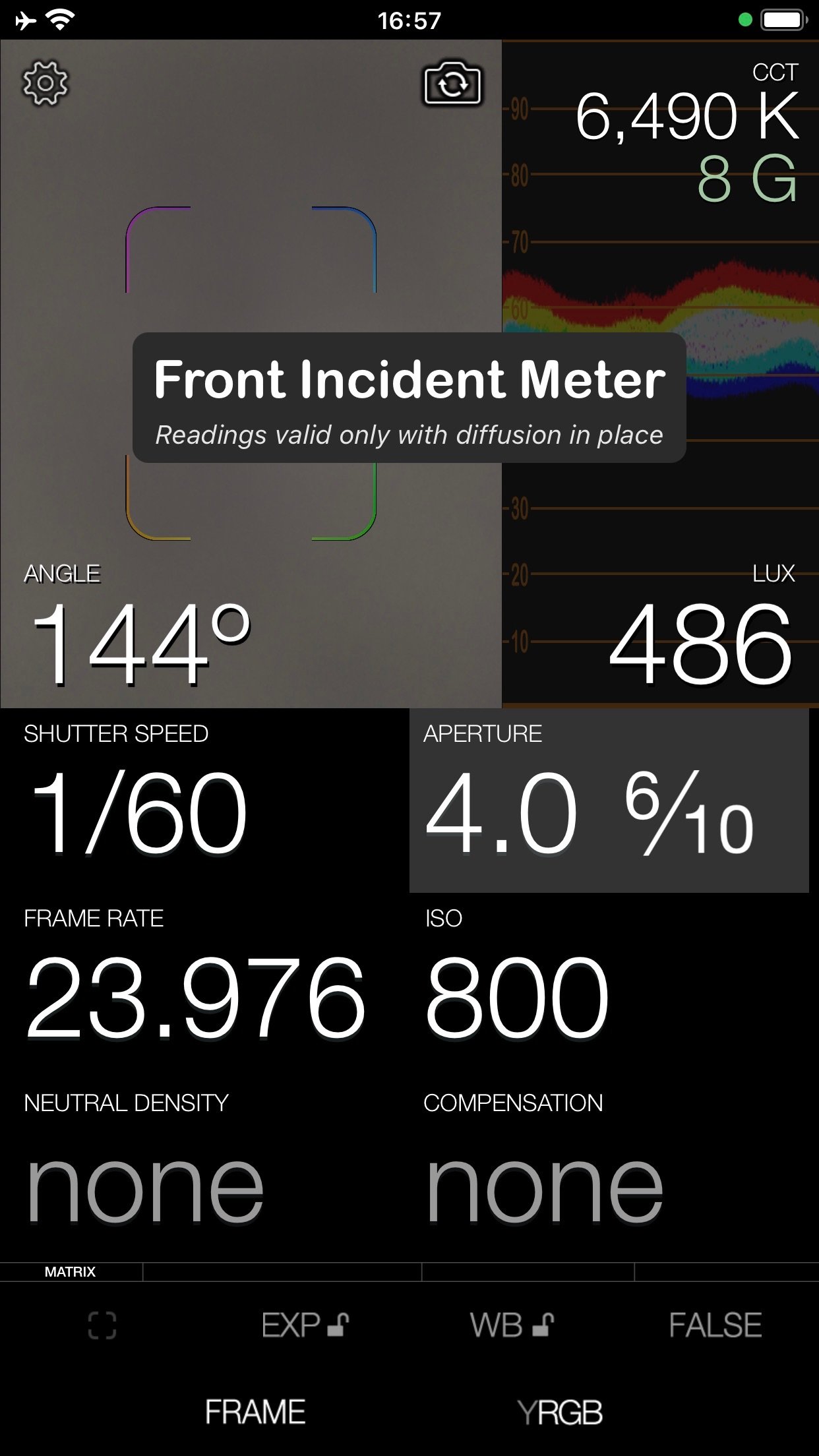
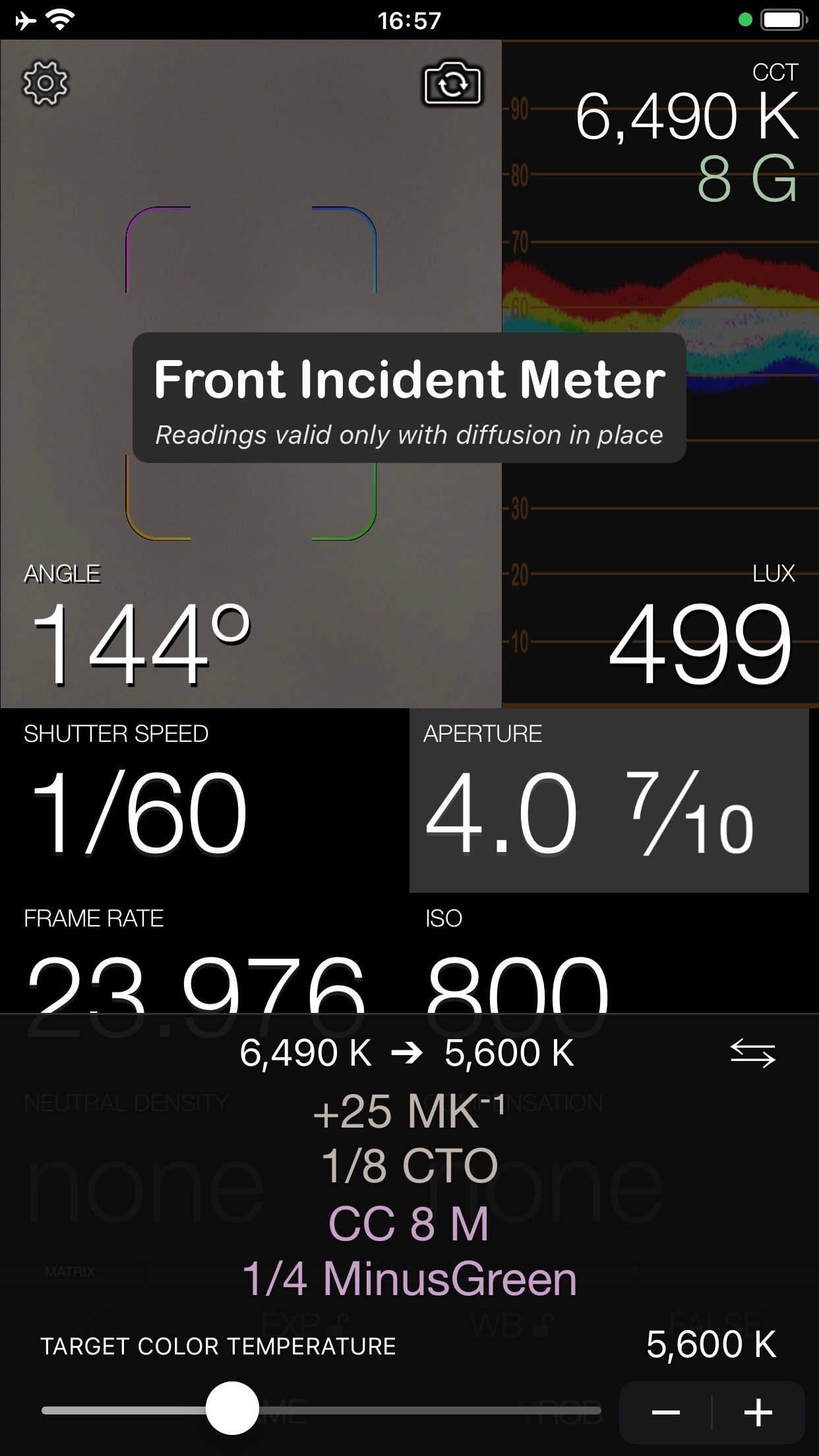
It's an incident meter using a Lenny Hat or other diffusion, or Lumu™ Lite attachment, with lux and foot-candle readouts. (Lumu Power is NOT supported, and flash metering is NOT possible.)
It's a color meter, showing color temperature and green/magenta tint, and giving you corrections to or from your target color.
Measure more than just shutter-priority or aperture-priority: calculate shutter speed, shutter angle, aperture, ND, or ISO directly.
• The exposure meter shows your stop as a decimal value (for cameras with EVF iris readouts) or as a full stop and fraction (for cine lenses with marked iris rings). Cine Meter II lets you use shutter angles – ideal for Digital Bolex and Blackmagic cameras – as well as speeds, and you can dial in ND filters and arbitrary exposure compensations. The spotmeter is zoomable up to 15x magnification (on devices that support camera zooming), using either the front or back camera.
• The waveform monitor shows you how light levels vary across a scene. You'll see how smooth and even the lighting is on a greenscreen or background, and find subtle hotspots and shadows at a glance. The waveform’s RGB mode shows you color imbalances in the image and gives you a handy way to check color purity and separation for chroma-keying.
• False-color mode lets you define allowable contrast ranges, and see instantly which shadows are underexposed and what highlights risk clipping.
_______________________
READ BEFORE YOU BUY:
Cine Meter II is NOT a flash meter; it can't measure strobes.
Cine Meter II does NOT work with Lumu Power (the Lightning port Lumu), only Lumu Lite (the headphone jack Lumu).
Cine Meter II gives you *absolute* light meter readings, but *relative* picture and waveform monitor levels: Cine Meter II’s picture and waveform monitor do not use the *exact* exposure shown by the light meter (they are close to the meter reading, but can differ from it slightly). The picture and waveform monitor show you *relative* levels within a scene, not *absolute* levels based on the meter reading.
Shutter speeds, apertures, and ISOs shown in Cine Meter II are for metering purposes only and do not control the shutter speed, aperture, and ISO of the iPhone camera. The iPhone camera uses whatever exposure settings it needs to capture a reading. Cine Meter II is a light and color meter only; it is *not* a camera simulator.
See [link removed] for details.
License: Commercial
| Release info | Update on Nov 06, 2026 |
|---|---|
| Release notes | • Fixed minor bugs with the Help and Information displays. |
| Listing data | App Store |
Reviews
No reviews yet. Be the first to review Cine Meter II.
Used Cine Meter II? Tell other visitors what you thought.
Log in to write a reviewOther products by this publisher
- "No Distractions" for YouTube 4.10 ----
- #Bible 11.6.1 "Incredible App - My sister shared this app with me a few weeks ago and it is truly incredible.
- #filmphotography 1.4.2 So, you decided to shoot on film?
- #LookBusy Fake Calendar Events 1.0.6 Look Busy scans your work calendar for open time slots and fills them with realistic-looking (but secretly fake) work events.
- #Small Talk Is Canceled 1.0.2 #Small Talk Is Canceled — Conversations That Matter
Most viewed iOS Photo & Video
-
1
 ShortDiShow 2.0
Drama Quest Island — An offline interactive short-drama adventure.
-
2
 Face Witness 1.0.3
FaceWitness lets you create a face by putting together individual features.
-
3
 Infuse 8.5.10
Infuse: Enterprise provides the same great features as the standard version of Infuse and includes permanent access to all Pro features via a traditional paid app.
-
4
 AI Video Generator 2.0.3
Vixel – AI Video Generator
- 5 #filmphotography 1.4.2 So, you decided to shoot on film?
-
6
 OPlayer 4.8
Play all your videos directly without having to convert them!
-
7
 CapCut 20.2.0
CapCut offers easy-to-use video editing functions, in-APP fonts and effects, advanced features such as keyframe animation, smooth slow-motion, chroma key, and stabilization, to help you capture and snip moments.
-
8
 Necrometer II 1.3
Necrometer II is a paranormal investigation companion designed for ghost hunters and researchers.
-
9
 Ai Photo 1.1.2
AI Photo Retouch – BG Eraser
-
10
 Analog Radio 3.0
The iPhone and iPad devices don't have the FM/AM radio antenna installed.
Most downloaded iOS Photo & Video
-
1
 DJI Fly 1.21.18
DJI Fly is designed to help pilots fly drones with ease.
-
2
Infuse 8.5.10
Infuse: Enterprise provides the same great features as the standard version of Infuse and includes permanent access to all Pro features via a traditional paid app.
-
3
 TurboCollage Automatic 1.2.4
#1 Easy automatic photo collage maker for iPhone & iPad.
-
4
 ReelyGo 1.1.42
ReelyGo: Your Daily Drama Escape
-
5
Analog Radio 3.0
The iPhone and iPad devices don't have the FM/AM radio antenna installed.
-
6
 Rozeta Sequencer Suite 1.3.16
Rozeta is a suite of MIDI sequencers and controllers that lets you explore a new, freeform approach to sequencing and controlling mobile music apps.
-
7
 AGAIN. Rehearsal Notes 2.0.1
AGAIN. is the rehearsal app that remembers why the band stopped — and, new in Version 2, who said what in a writing session or a table read.
-
8
 Treblo 1.6.6
Make songs with the world's best AI music model.
-
9
 Pop Dot Comics 1.48
Create a comic worthy of the Sunday newspaper or your favorite pulp-fiction cover.
-
10
 Sun Scout 1.5.0
If your work or play requires sunlight, Sun Scout is built for you.