
13downloads
1this week
FreeCommercial
0reviews
Screenshots
About Choppa
Record into your mic. Chop it to pads. Play it like an instrument. Now scratch them like vinyl and play in chord progressions.
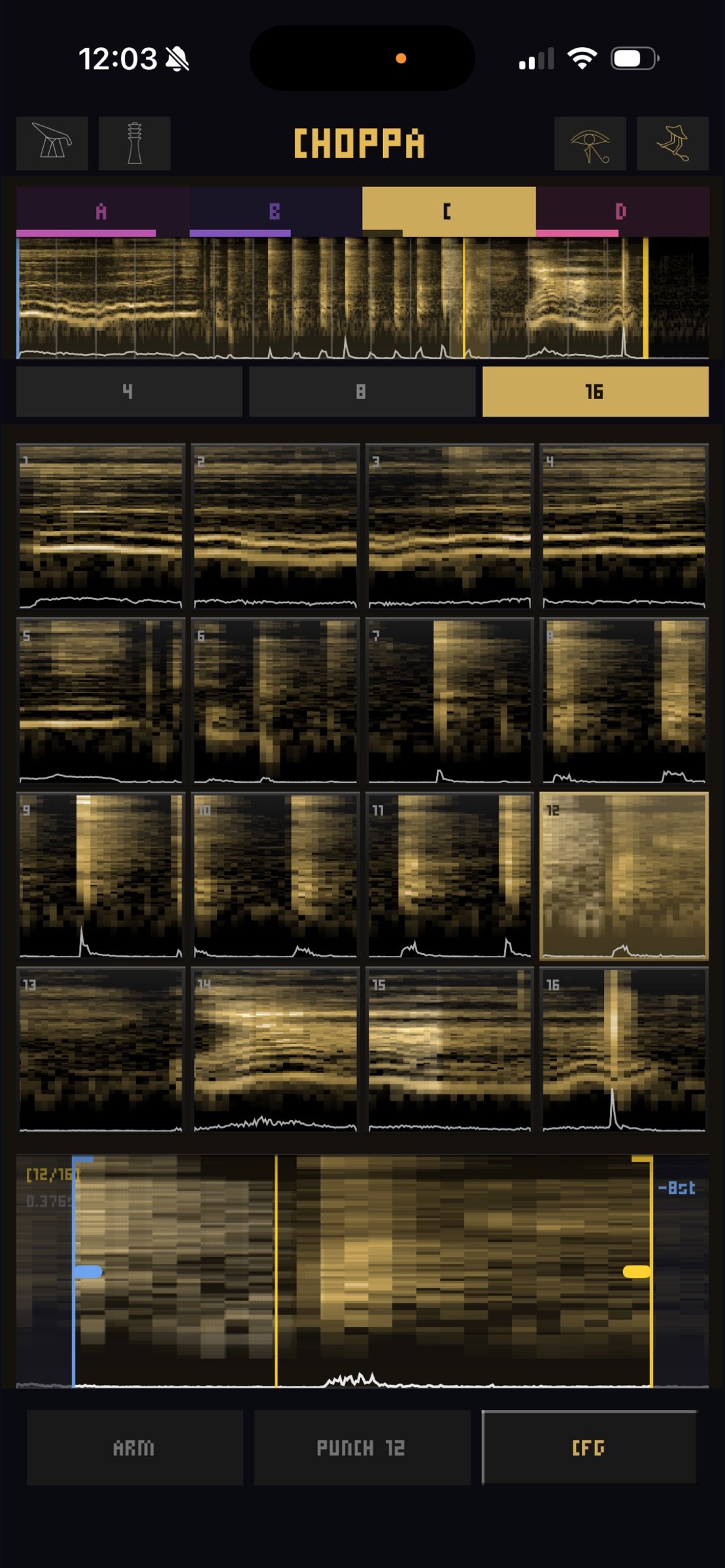
Choppa is a lightning-fast audio sampler and slicing tool built for songwriters, beatmakers, and live performers. Record through your mic and instantly map audio across playable trigger pads. Auto-chop on transient or pitch detection — switch between 4 / 8 / 16 pad layouts without losing any of their per-chop settings.
PERFORMANCE GESTURES
Tap to trigger. Hold to sustain. Drag a single finger up and down on a pad to slide pitch in real time — ±2 octaves without lifting.
Drop a second finger anywhere on the screen and any held chop slows like a record being touched. Move the second finger and you scratch in either direction. Lift to release the platter — a force-based exponential inertia model (modeled on real turntable physics, not a linear fade) ramps back to nominal speed. Spread your fingers wider and the scratch responds more gently — a "grip pressure" metaphor borrowed from real decks.
The chop view and minimap both work as scrub surfaces. The minimap ignores chop boundaries entirely — drag freely across the whole loop as one continuous tape.
CHORD PLAY
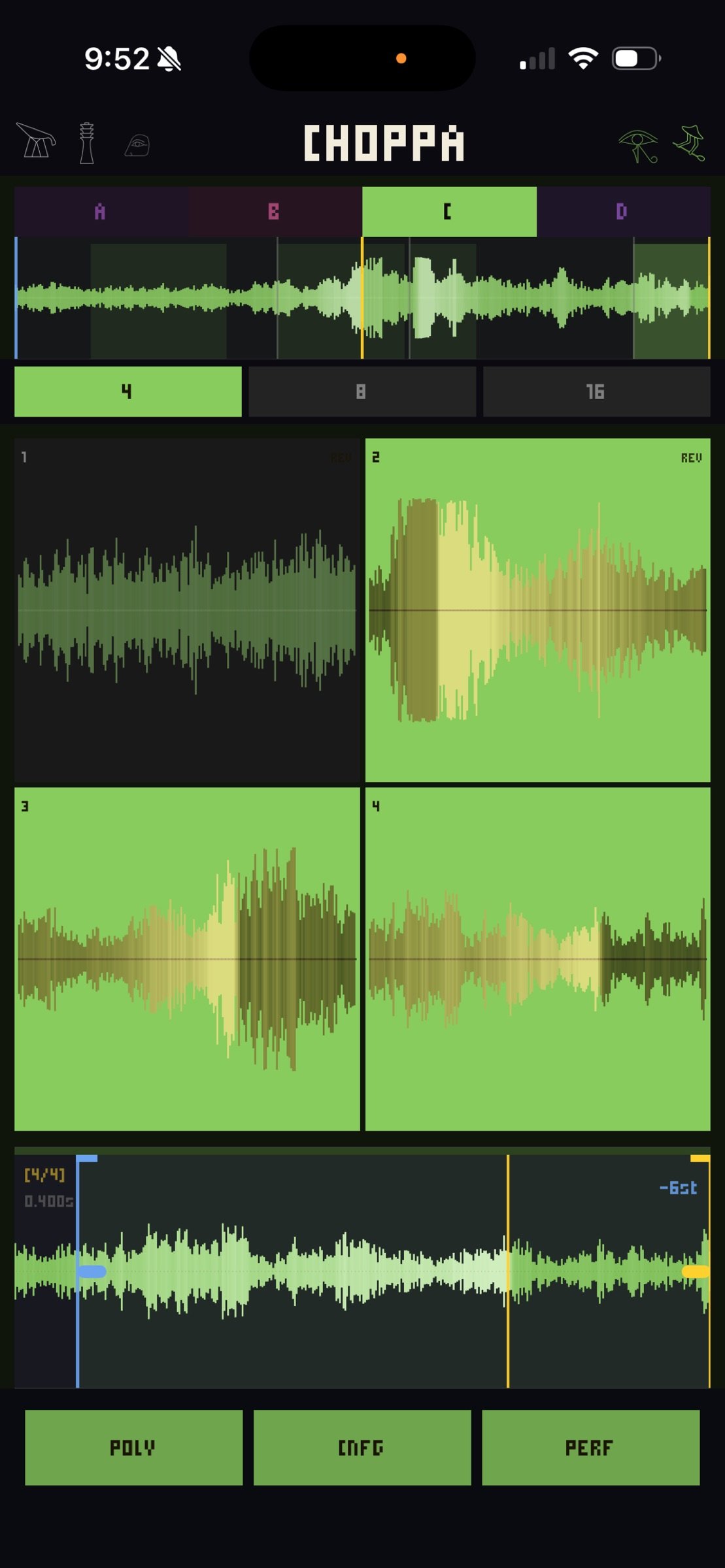
PERF mode has two flavours: SCRATCH for turntable gestures and CNFG for chord play. CNFG's MONO/POLY toggle controls whether each pad press chokes the previous (one voice at a time) or lets multiple voices stack while held — piano-key hold-to-play for chord progressions, sustained harmonies, and layered counter-melodies.
CHOPPING
Auto-chop detects transients or pitch boundaries automatically when you record or import a sample, with sensitivity knobs for each. Drag chop edges manually, set per-section pitch and gain, enable reverse, and pick between off / forward loop / ping-pong on any chop. Three pad-count layers (4 / 8 / 16) are fully independent — switch between them and all per-chop settings stay intact.
INPUT SOURCES
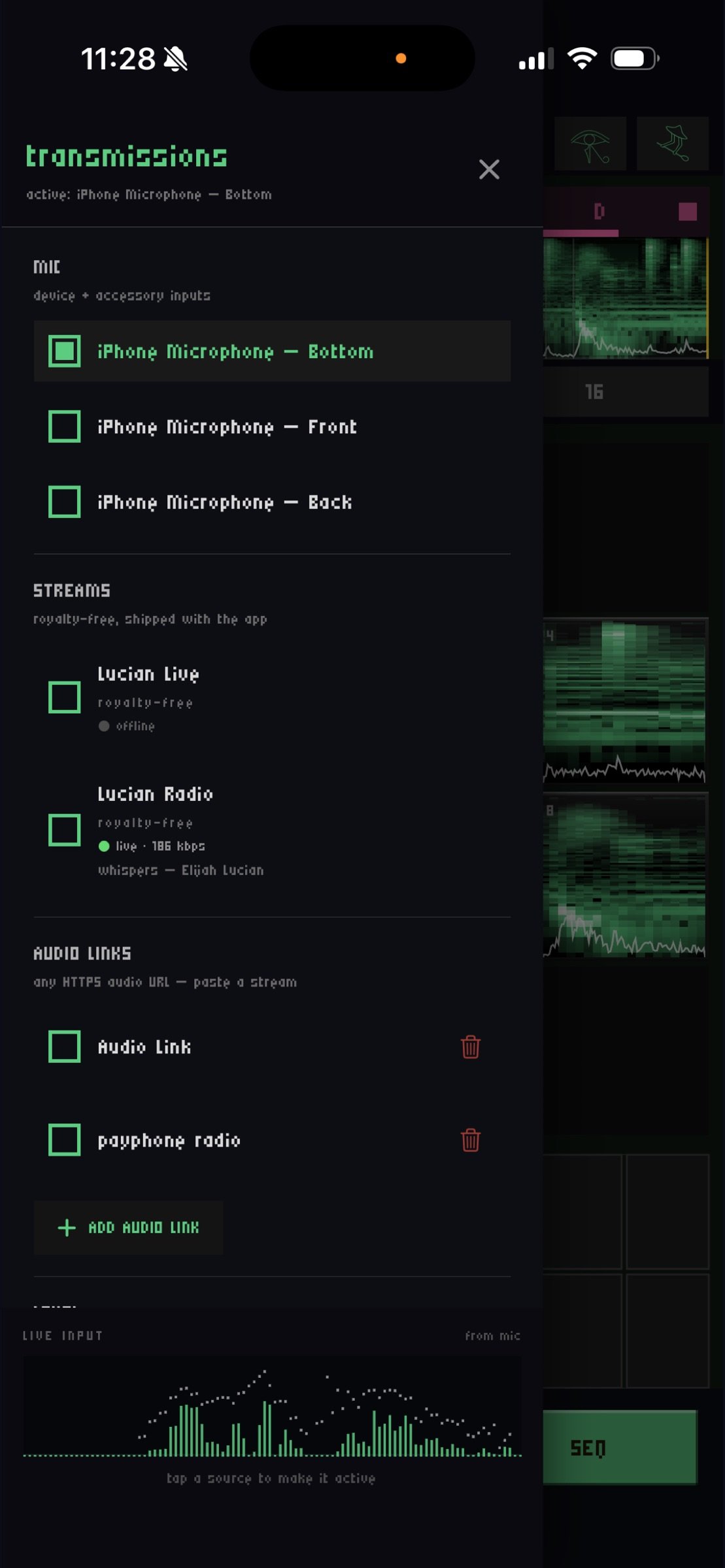
Pick what feeds Choppa: any mic capsule (front / back / bottom / USB / AirPods), the two royalty-free streams that ship with the app, or any HTTPS audio URL you paste in. Record from any of them.
RECORD MODE
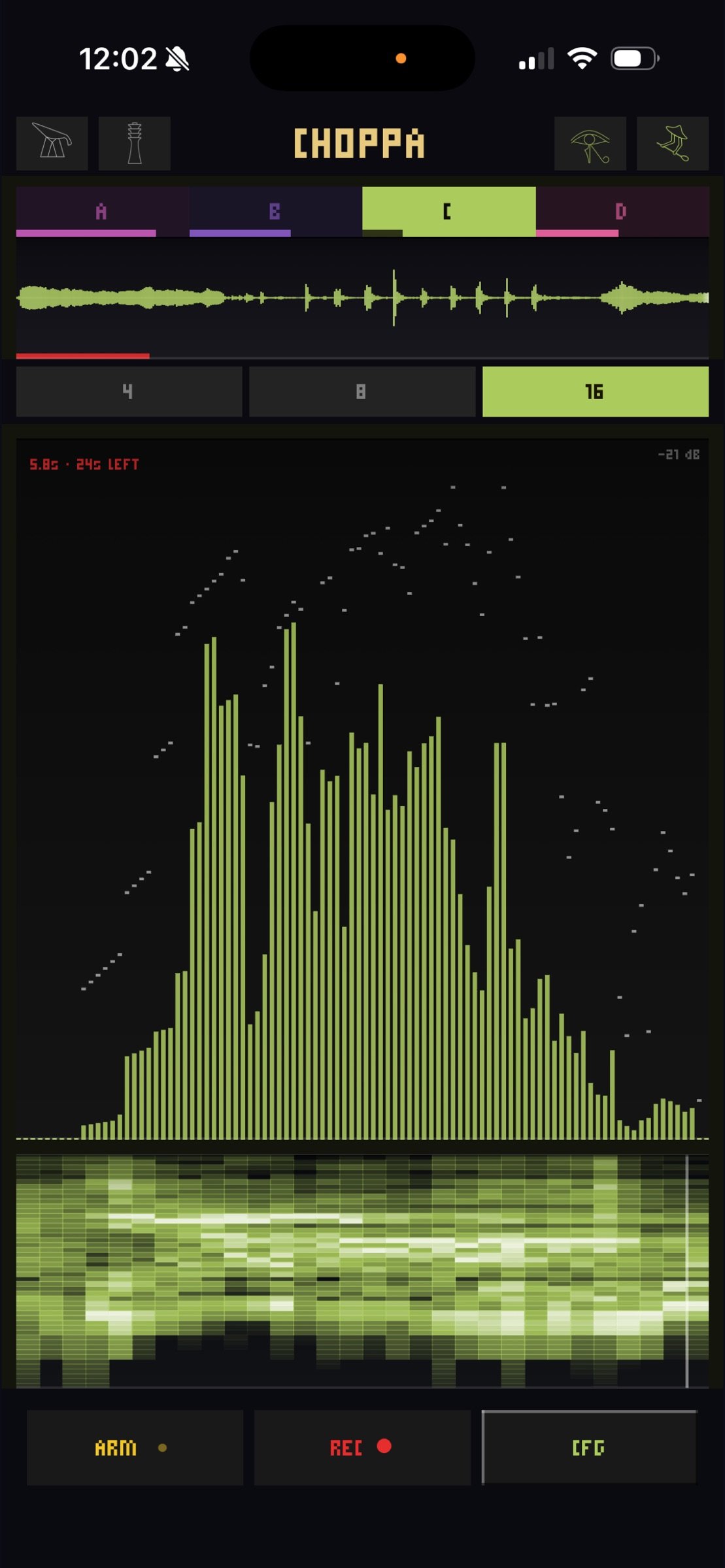
A dedicated REC mode for capture work, with an ARM safety pin — destructive full re-record requires a deliberate ARM tap so a stray REC press can't write over a take. Punch-in records into a single chop's region only, with single-level undo — perfect for fixing a flubbed beat without losing the rest.
WIRELESS TO YOUR DAW
Ableton Link Audio — Choppa's master mix appears as a track-input source in Live, Loopy Pro, AUM, GarageBand iOS, and any Link 4 peer on the same Wi-Fi. Tempo syncs at the same time. No USB cable, no virtual audio device.
PLUGIN INSIDE YOUR DAW
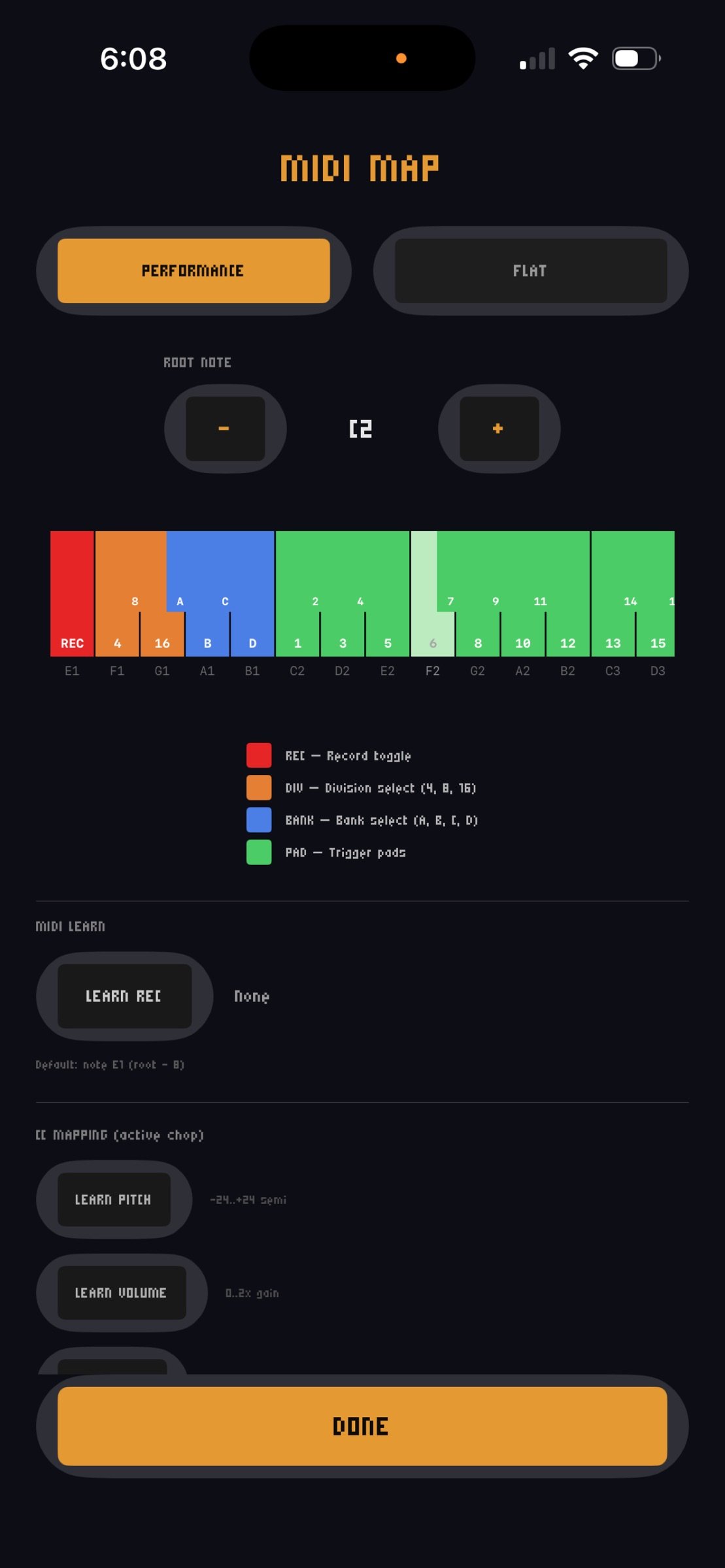
Full AUv3 plugin support — load Choppa inside GarageBand, Logic Pro for iPad, AUM, Loopy Pro, or any Audio Unit host as either an Instrument (play chops via host MIDI) or an FX (capture the host's audio for chopping). MIDI mappings persist per host.
LIBRARY + SHARE
Every recording auto-saves into an App Group library shared between Choppa standalone and the AUv3 plugin — record a sample on your phone, load it in your DAW the next time you open it. Share to Choppa from any other app and pick which bank receives the sample, plus the chop count, before it lands.
EXPORT
Export source WAV, individual chops, .choppa single-bank presets, or full .choppap multi-bank projects. Import from other Choppa users or any audio file.
Built by WaveLoop. Get off the grid.
License: Commercial
| Release info | Update on Oct 14, 2026 |
|---|---|
| Release notes | See your input. Set the threshold. - INPUT in the inputs panel is a live meter of what is coming in, with the loudest moment held. - THRESHOLD sets how loud the input must get before an armed REC starts. A tick on the meter shows where it is. OFF records the moment you tap REC. - LEVEL now shows its value. - Fixed: a quiet input could sit under a fixed threshold, and a take would never start. |
| Listing data | App Store |
Reviews
No reviews yet. Be the first to review Choppa.
Used Choppa? Tell other visitors what you thought.
Log in to write a reviewOther products by this publisher
- "No Distractions" for YouTube 4.10 ----
- #Bible 11.6.1 "Incredible App - My sister shared this app with me a few weeks ago and it is truly incredible.
- #filmphotography 1.4.2 So, you decided to shoot on film?
- #LookBusy Fake Calendar Events 1.0.6 Look Busy scans your work calendar for open time slots and fills them with realistic-looking (but secretly fake) work events.
- #Small Talk Is Canceled 1.0.2 #Small Talk Is Canceled — Conversations That Matter
Most viewed iOS Photo & Video
-
1
 ShortDiShow 2.0
Drama Quest Island — An offline interactive short-drama adventure.
-
2
 Face Witness 1.0.3
FaceWitness lets you create a face by putting together individual features.
-
3
 Infuse 8.5.10
Infuse: Enterprise provides the same great features as the standard version of Infuse and includes permanent access to all Pro features via a traditional paid app.
-
4
 AI Video Generator 2.0.3
Vixel – AI Video Generator
- 5 #filmphotography 1.4.2 So, you decided to shoot on film?
-
6
 OPlayer 4.8
Play all your videos directly without having to convert them!
-
7
 CapCut 20.2.0
CapCut offers easy-to-use video editing functions, in-APP fonts and effects, advanced features such as keyframe animation, smooth slow-motion, chroma key, and stabilization, to help you capture and snip moments.
-
8
 Necrometer II 1.3
Necrometer II is a paranormal investigation companion designed for ghost hunters and researchers.
-
9
 Ai Photo 1.1.2
AI Photo Retouch – BG Eraser
-
10
 Analog Radio 3.0
The iPhone and iPad devices don't have the FM/AM radio antenna installed.
Most downloaded iOS Photo & Video
-
1
 DJI Fly 1.21.18
DJI Fly is designed to help pilots fly drones with ease.
-
2
Infuse 8.5.10
Infuse: Enterprise provides the same great features as the standard version of Infuse and includes permanent access to all Pro features via a traditional paid app.
-
3
 TurboCollage Automatic 1.2.4
#1 Easy automatic photo collage maker for iPhone & iPad.
-
4
 ReelyGo 1.1.42
ReelyGo: Your Daily Drama Escape
-
5
Analog Radio 3.0
The iPhone and iPad devices don't have the FM/AM radio antenna installed.
-
6
 Rozeta Sequencer Suite 1.3.16
Rozeta is a suite of MIDI sequencers and controllers that lets you explore a new, freeform approach to sequencing and controlling mobile music apps.
-
7
 AGAIN. Rehearsal Notes 2.0.1
AGAIN. is the rehearsal app that remembers why the band stopped — and, new in Version 2, who said what in a writing session or a table read.
-
8
 Treblo 1.6.6
Make songs with the world's best AI music model.
-
9
 Pop Dot Comics 1.48
Create a comic worthy of the Sunday newspaper or your favorite pulp-fiction cover.
-
10
 Sun Scout 1.5.0
If your work or play requires sunlight, Sun Scout is built for you.