Chiptune 1.3.6
Chiptune is a step sequencer for writing music in a style of old game consoles.
Download
2.17 MB
12downloads
2this week
FreeCommercial
0reviews
Screenshots
About Chiptune
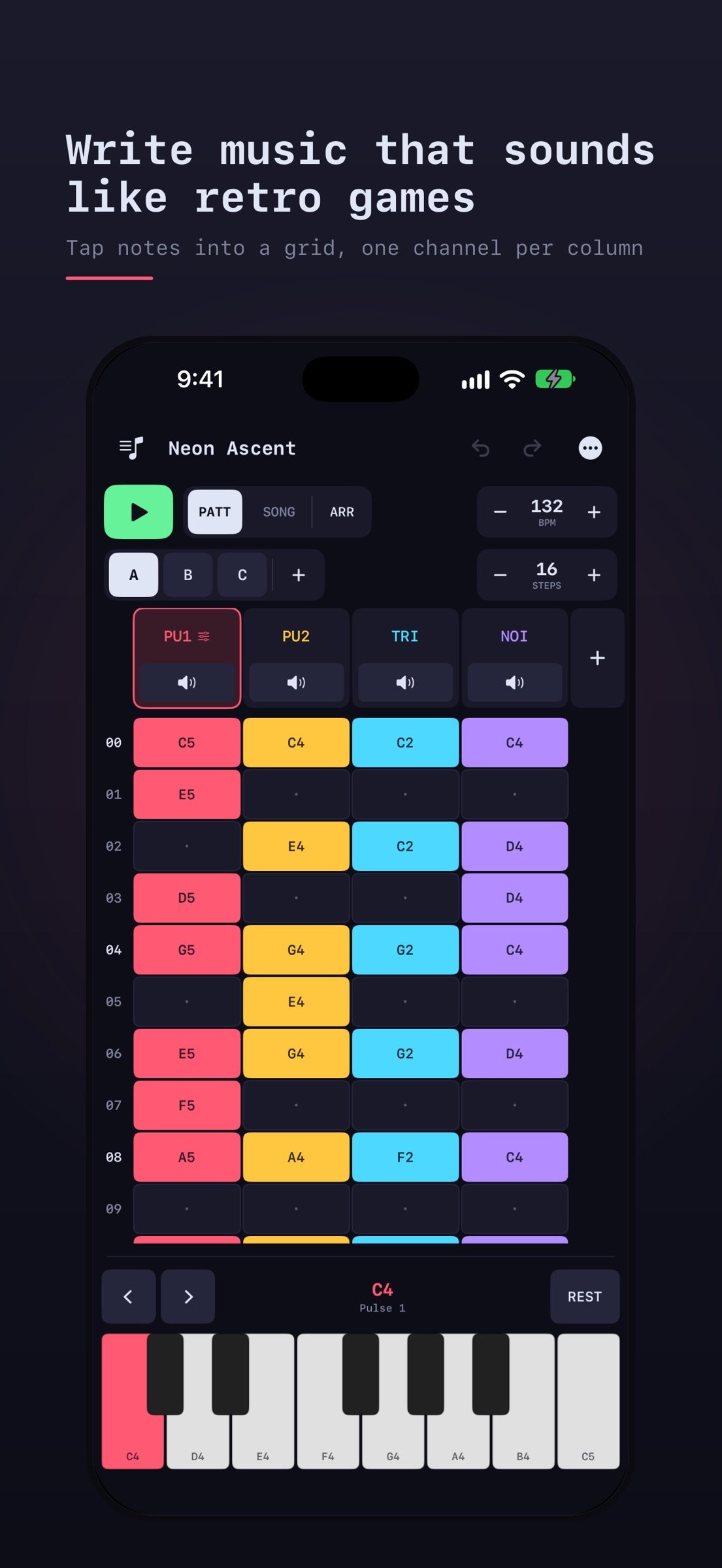
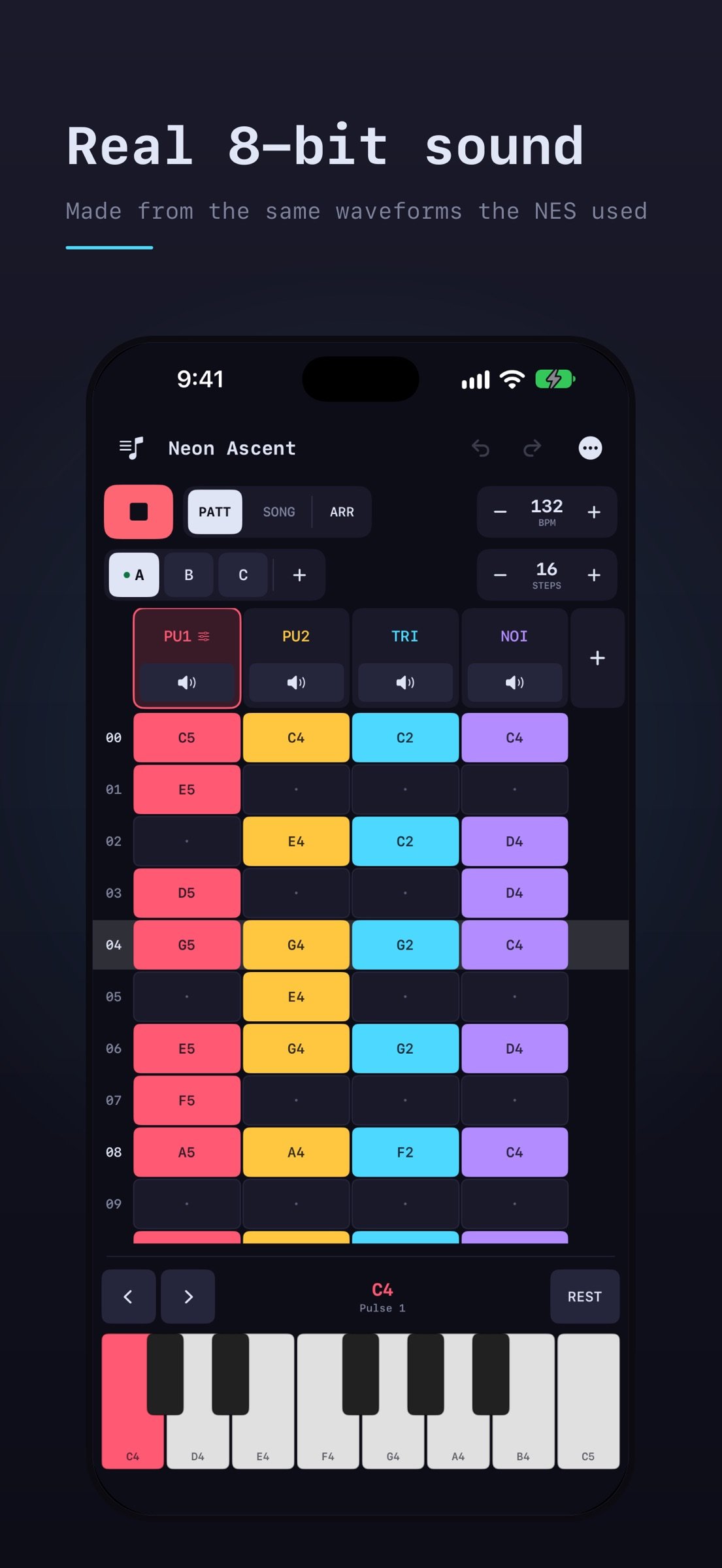
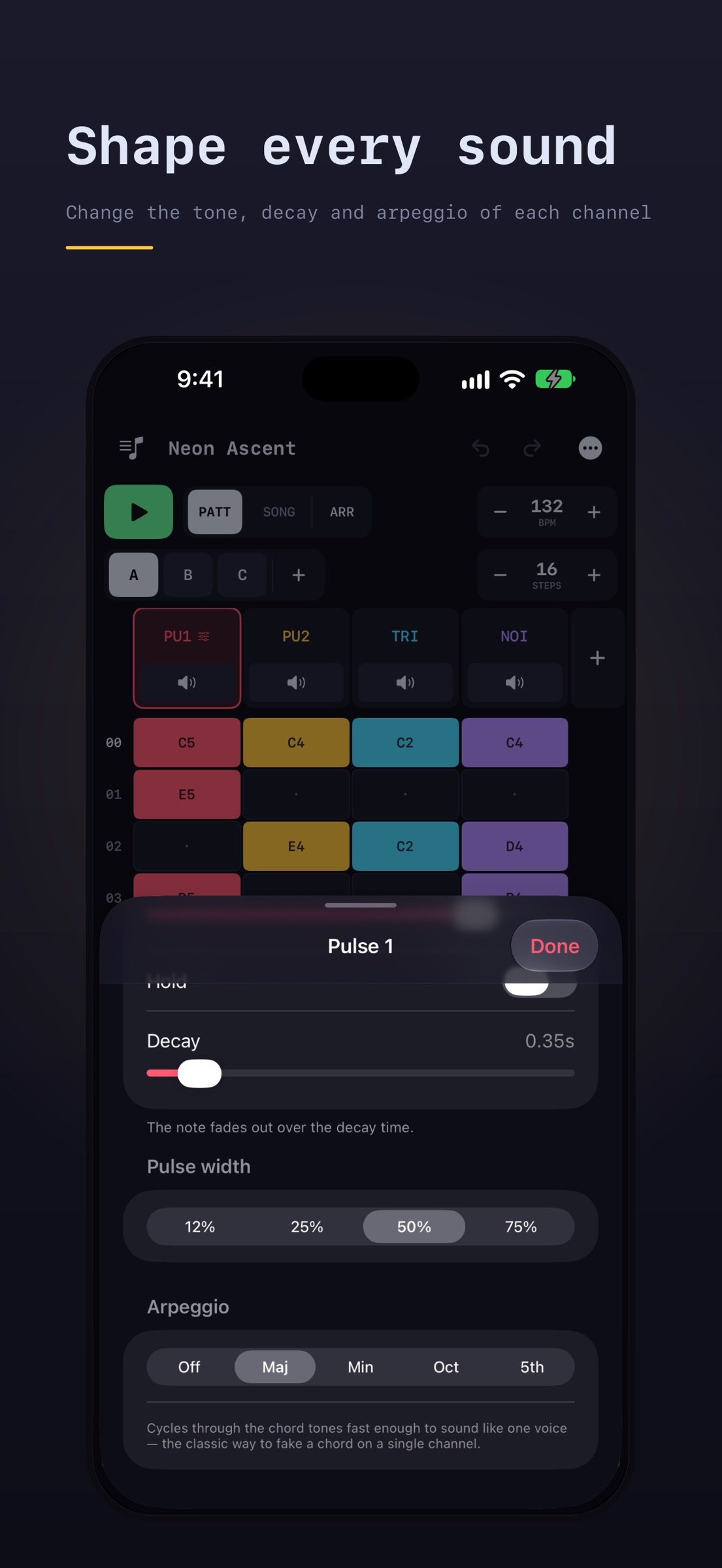
Chiptune is a step sequencer for writing music in a style of old game consoles. Simply tap a note, tap a cell in the grid, and it will play sounds from one of four NES-style channels. Chiptune has two pulses, a triangle and noise. Each channel is synthesized live rather than sampled.
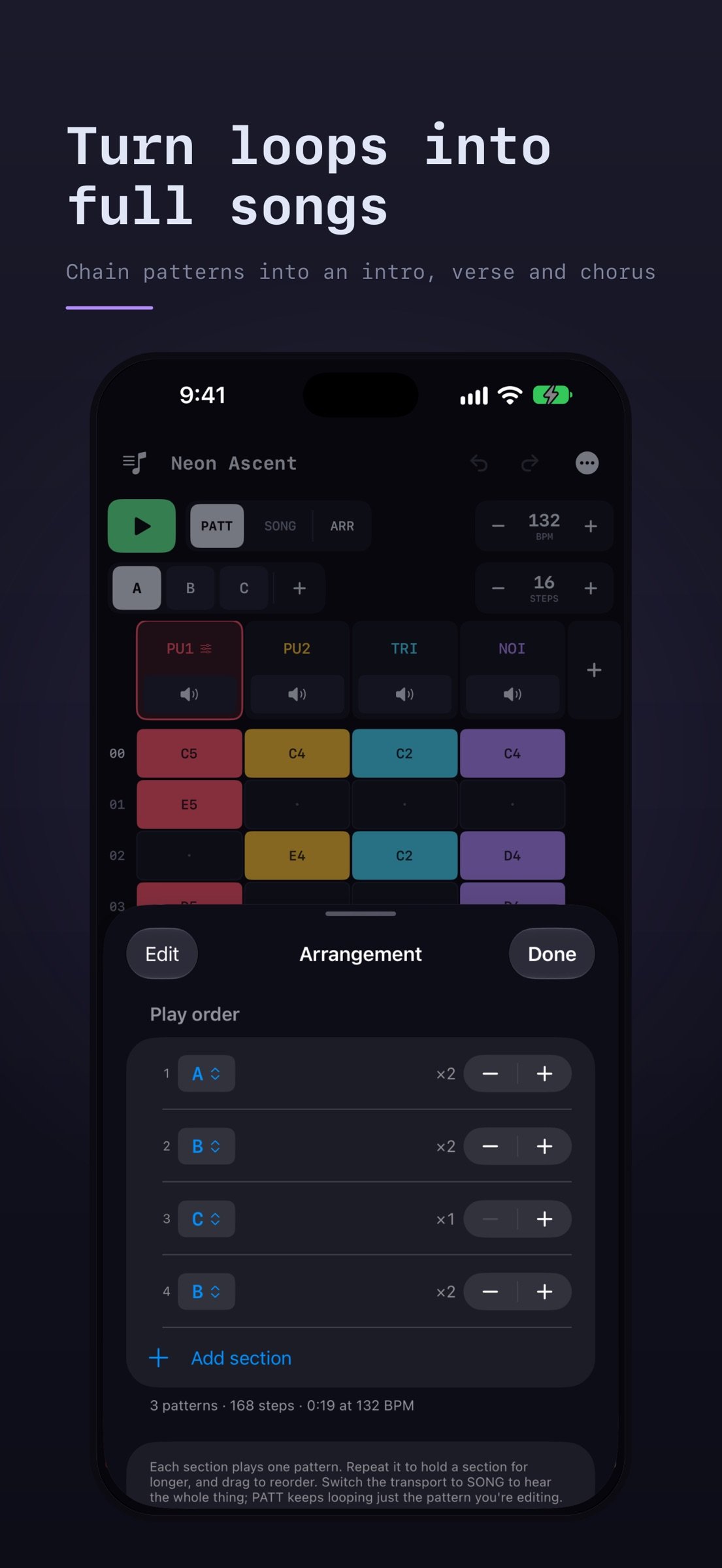
Patterns are customizable from 4 to 64 steps and can be chained into an arrangement. This lets a piece go from just a single loop into a full song with intros, verses, choruses, etc.
WRITE
• Compose on a grid of notes with 4 to 64 steps per pattern
• Customize your track to cut notes short or let them ring
• Set the tempo by typing it or nudging it a step at a time
• Easily undo any changes
• Three sample songs to play and take apart
• A How it works guide explains the controls
SOUND
• Two pulse channels with four pulse widths, from thin and nasal to full square
• A triangle channel ideal for basslines
• Tunable noise for drums like a hi-hat or a low rumble
• Volume, decay, and arpeggio controls per channel, so one channel can fake a chord
• Sounds come with basic presets
ARRANGE
• Create sections with a named pattern and a repeat count
• Loop one pattern while editing or play the whole song
• Add multiple tracks of any sound when four channels aren't enough
• Custom iPad specific layout in portrait and landscape
SAVE AND SHARE
• Songs autosave as you work so you never lose anything
• Duplicate a song to try something slightly different
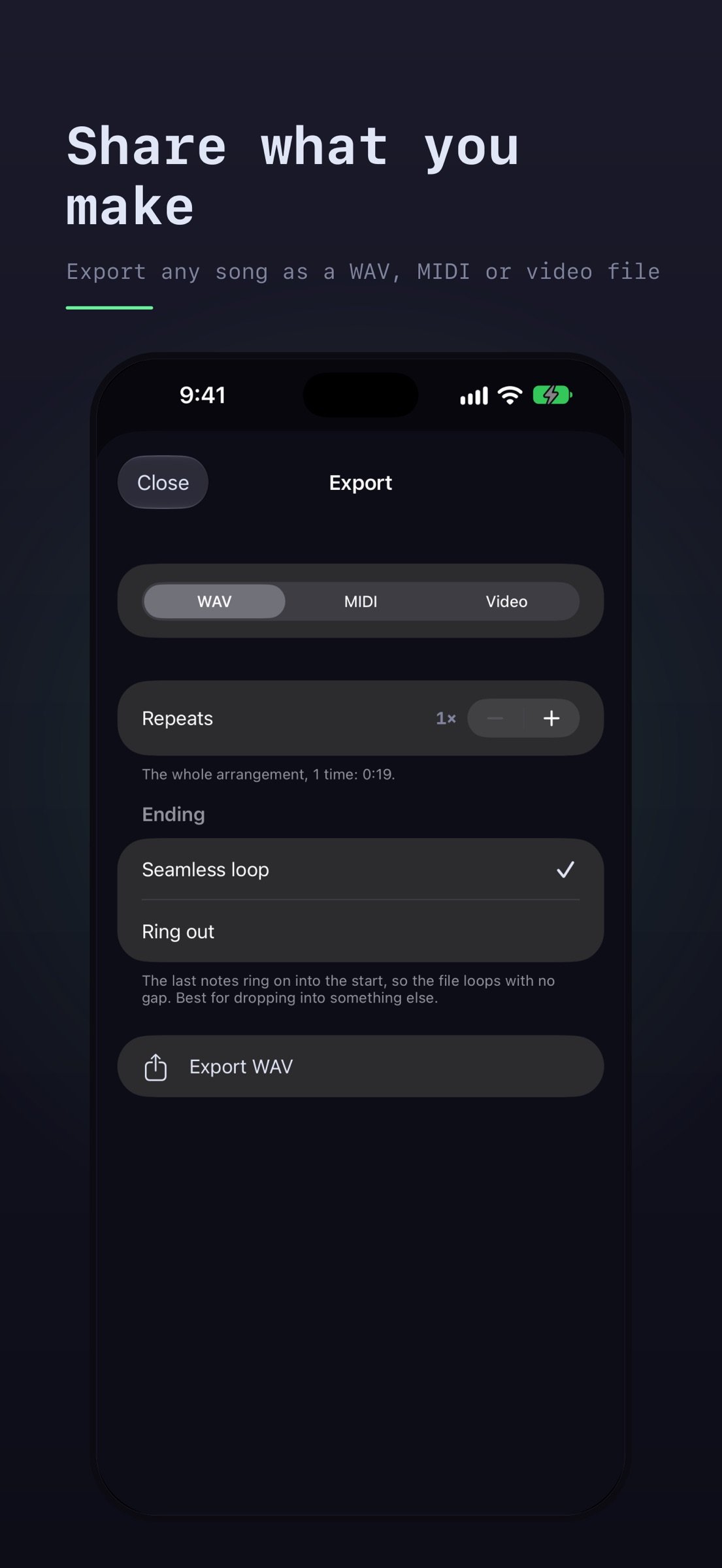
• Export any song as a WAV file with a seamless loop or with the last notes ringing out
• Export as a MIDI file to keep working on your notes in another music app
• Export a video of your song playing, as a scrolling grid or a game cartridge, to post on Instagram, TikTok or YouTube
Chiptune works fully offline and never asks for a subscription. No account, no ads, no tracking.
License: Commercial
Patterns are customizable from 4 to 64 steps and can be chained into an arrangement. This lets a piece go from just a single loop into a full song with intros, verses, choruses, etc.
WRITE
• Compose on a grid of notes with 4 to 64 steps per pattern
• Customize your track to cut notes short or let them ring
• Set the tempo by typing it or nudging it a step at a time
• Easily undo any changes
• Three sample songs to play and take apart
• A How it works guide explains the controls
SOUND
• Two pulse channels with four pulse widths, from thin and nasal to full square
• A triangle channel ideal for basslines
• Tunable noise for drums like a hi-hat or a low rumble
• Volume, decay, and arpeggio controls per channel, so one channel can fake a chord
• Sounds come with basic presets
ARRANGE
• Create sections with a named pattern and a repeat count
• Loop one pattern while editing or play the whole song
• Add multiple tracks of any sound when four channels aren't enough
• Custom iPad specific layout in portrait and landscape
SAVE AND SHARE
• Songs autosave as you work so you never lose anything
• Duplicate a song to try something slightly different
• Export any song as a WAV file with a seamless loop or with the last notes ringing out
• Export as a MIDI file to keep working on your notes in another music app
• Export a video of your song playing, as a scrolling grid or a game cartridge, to post on Instagram, TikTok or YouTube
Chiptune works fully offline and never asks for a subscription. No account, no ads, no tracking.
License: Commercial
| Release info | Update on Nov 14, 2026 |
|---|---|
| Release notes | You can now rate Chiptune from the ••• menu. Thanks for making songs with it. |
| Listing data | App Store |
Reviews
No reviews yet. Be the first to review Chiptune.
Used Chiptune? Tell other visitors what you thought.
Log in to write a reviewOther products by this publisher
- "No Distractions" for YouTube 4.10 ----
- #Bible 11.6 "Incredible App - My sister shared this app with me a few weeks ago and it is truly incredible.
- #filmphotography 1.4.2 So, you decided to shoot on film?
- $quirrel 1.5.1 $quirrel Budget & Finance helps you plan each paycheck, track spending, manage debt, and see what is safe to spend before the next payday.
- % Percentage Calculator Pro 1.41 This is the Pro version of % Percentage Calculator.
Most viewed iOS Photo & Video
-
1
 ShortDiShow 2.0
Drama Quest Island — An offline interactive short-drama adventure.
-
2
 Infuse 8.5.10
Infuse: Enterprise provides the same great features as the standard version of Infuse and includes permanent access to all Pro features via a traditional paid app.
-
3
 AI Video Generator 2.0.2
Vixel – AI Video Generator
-
4
 OPlayer 4.8
Play all your videos directly without having to convert them!
-
5
 Necrometer II 1.2
Necrometer II is a paranormal investigation companion designed for ghost hunters and researchers.
-
6
 CapCut 20.1.0
CapCut offers easy-to-use video editing functions, in-APP fonts and effects, advanced features such as keyframe animation, smooth slow-motion, chroma key, and stabilization, to help you capture and snip moments.
-
7
 Ai Photo 1.1.2
AI Photo Retouch – BG Eraser
- 8 #filmphotography 1.4.2 So, you decided to shoot on film?
-
9
 Treblo 1.6.5
Make songs with the world's best AI music model.
-
10
 Pop Dot Comics 1.48
Create a comic worthy of the Sunday newspaper or your favorite pulp-fiction cover.
Most downloaded iOS Photo & Video
-
1
Infuse 8.5.10
Infuse: Enterprise provides the same great features as the standard version of Infuse and includes permanent access to all Pro features via a traditional paid app.
-
2
 DJI Fly 1.21.18
DJI Fly is designed to help pilots fly drones with ease.
-
3
 Analog Radio 3.0
The iPhone and iPad devices don't have the FM/AM radio antenna installed.
-
4
 TurboCollage Automatic 1.2.4
#1 Easy automatic photo collage maker for iPhone & iPad.
-
5
Treblo 1.6.5
Make songs with the world's best AI music model.
-
6
 ReelyGo 1.1.42
ReelyGo: Your Daily Drama Escape
-
7
 Rozeta Sequencer Suite 1.3.16
Rozeta is a suite of MIDI sequencers and controllers that lets you explore a new, freeform approach to sequencing and controlling mobile music apps.
-
8
 AGAIN. Rehearsal Notes 2.0.1
AGAIN. is the rehearsal app that remembers why the band stopped — and, new in Version 2, who said what in a writing session or a table read.
-
9
Pop Dot Comics 1.48
Create a comic worthy of the Sunday newspaper or your favorite pulp-fiction cover.
-
10
 Sun Scout 1.5.0
If your work or play requires sunlight, Sun Scout is built for you.