
6downloads
1this week
FreeCommercial
0reviews
Screenshots
About ChartMe
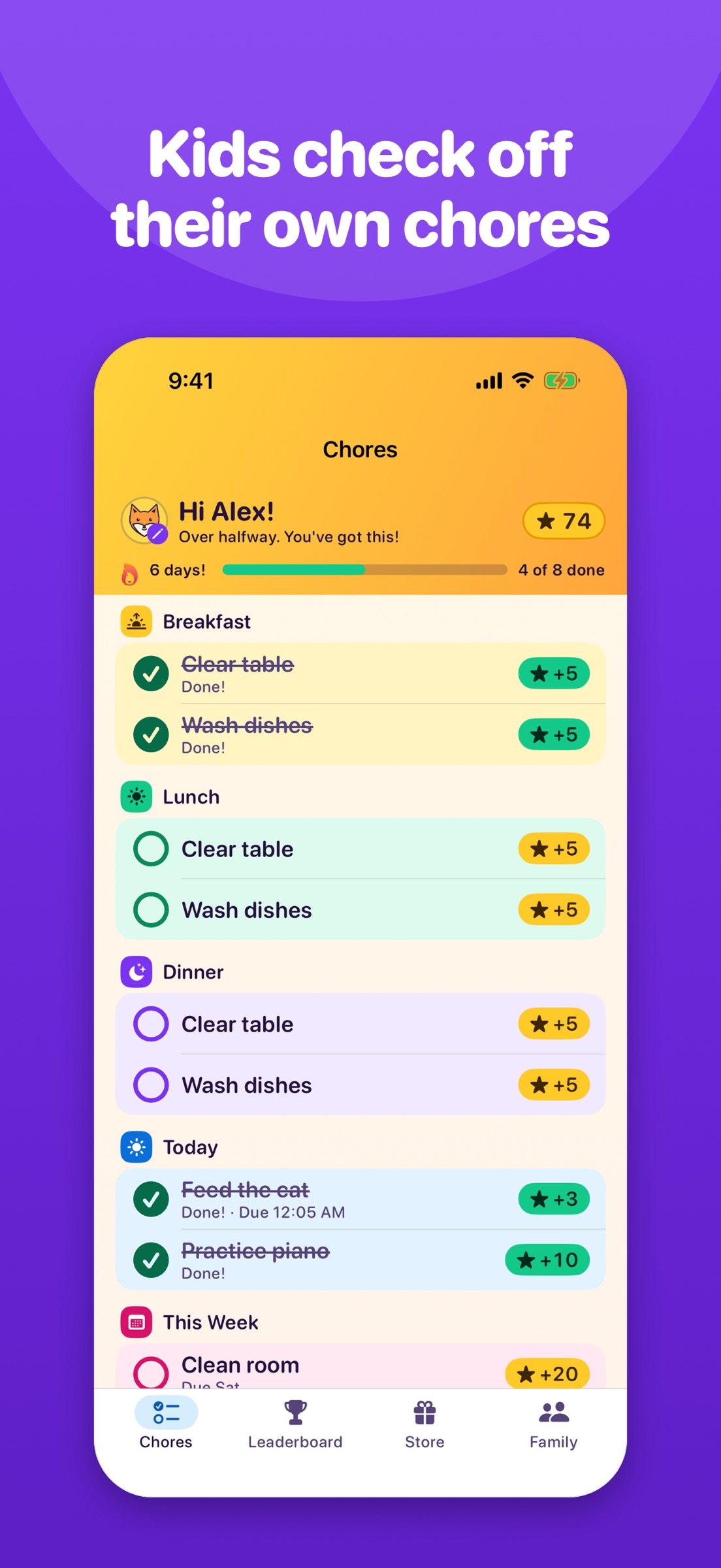
ChartMe is a chore chart for the whole family. Kids check off their chores on their own iPhone or iPad, earn points, and spend them on rewards you set up. Parents manage everything from their own device, and the household stays in sync through iCloud.
FOR KIDS
- A bright chart of today's chores, grouped by breakfast, lunch, dinner, the day, and the week.
- Tap a chore to check it off and see the points land.
- Streaks for doing every chore, day after day, with bonus points at milestones and streak freezes to cover a missed day.
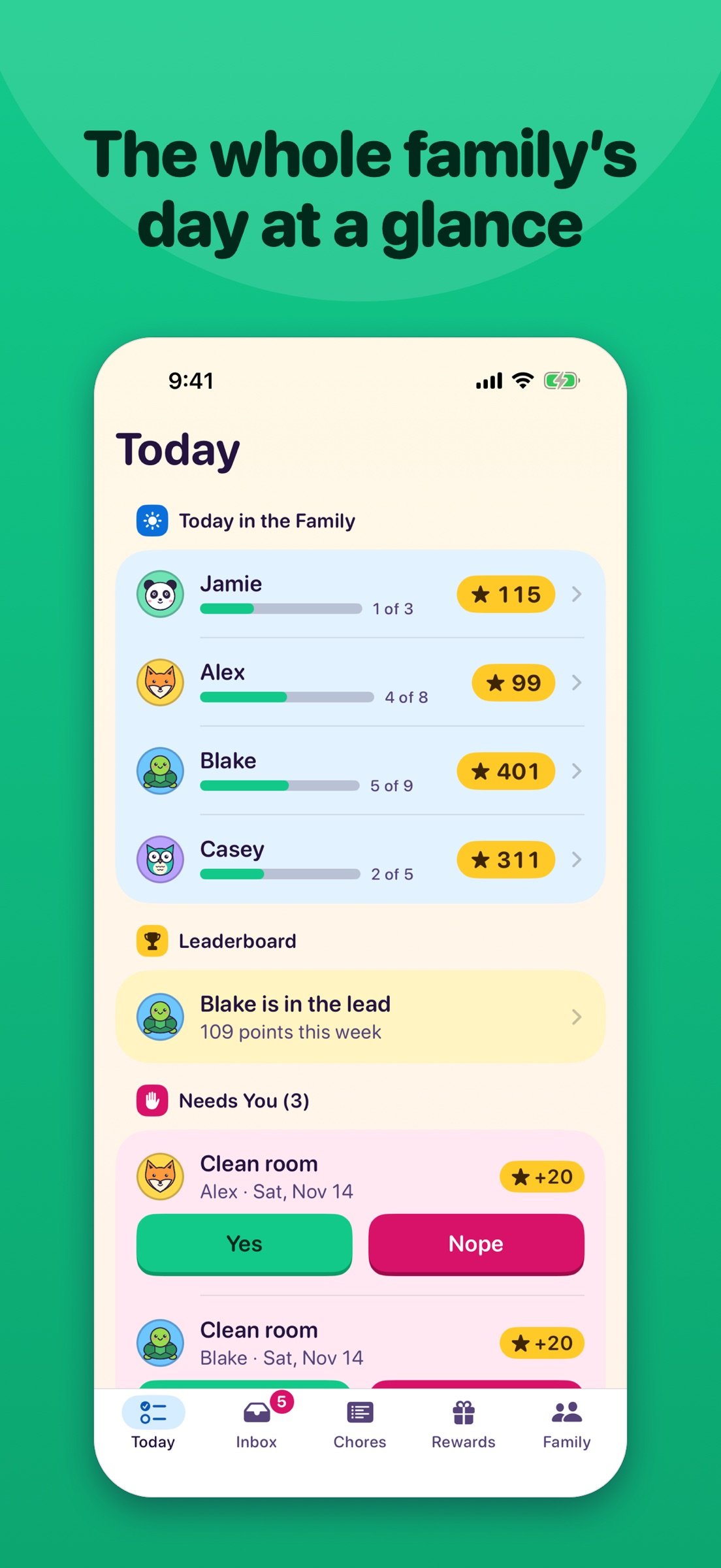
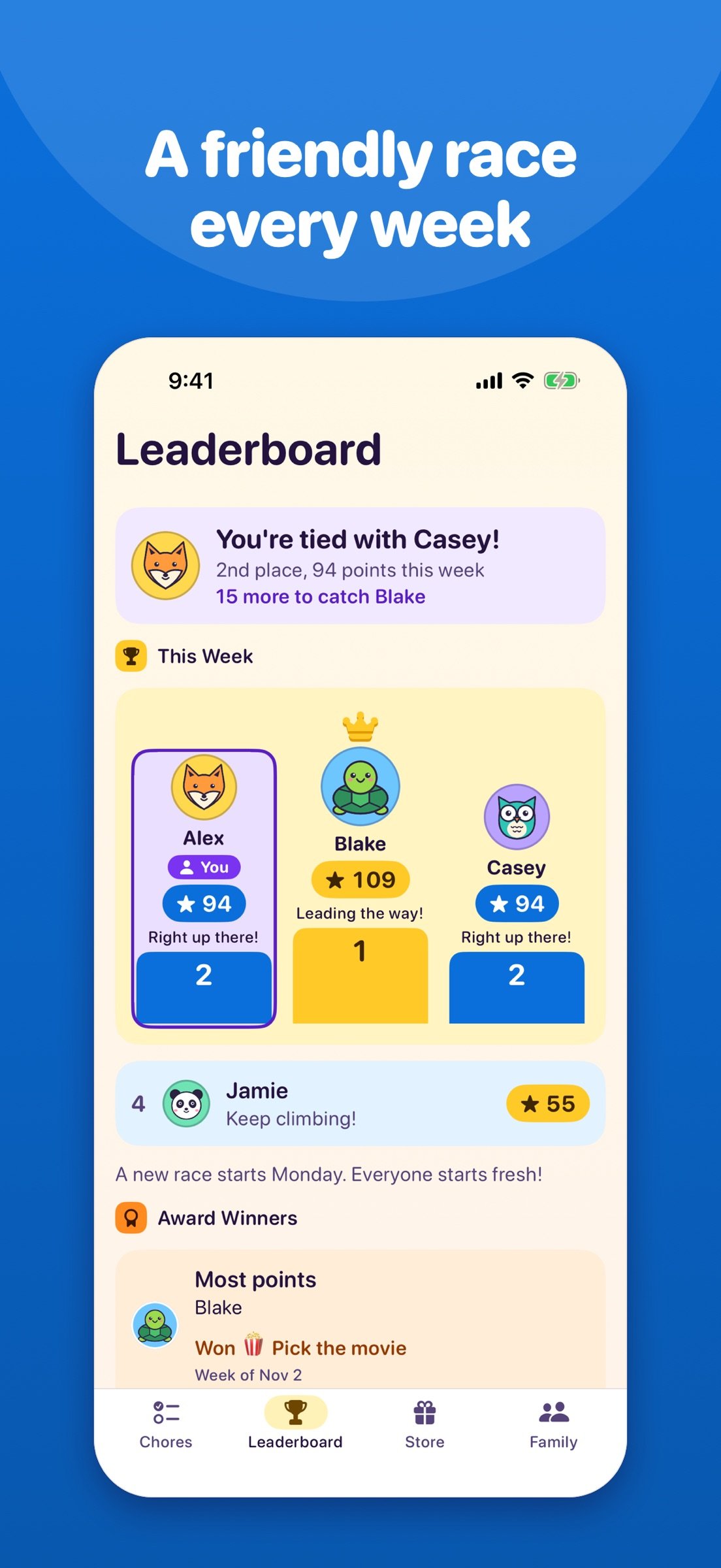
- A weekly leaderboard that says where you stand and who to catch next. Everyone starts fresh on Monday.
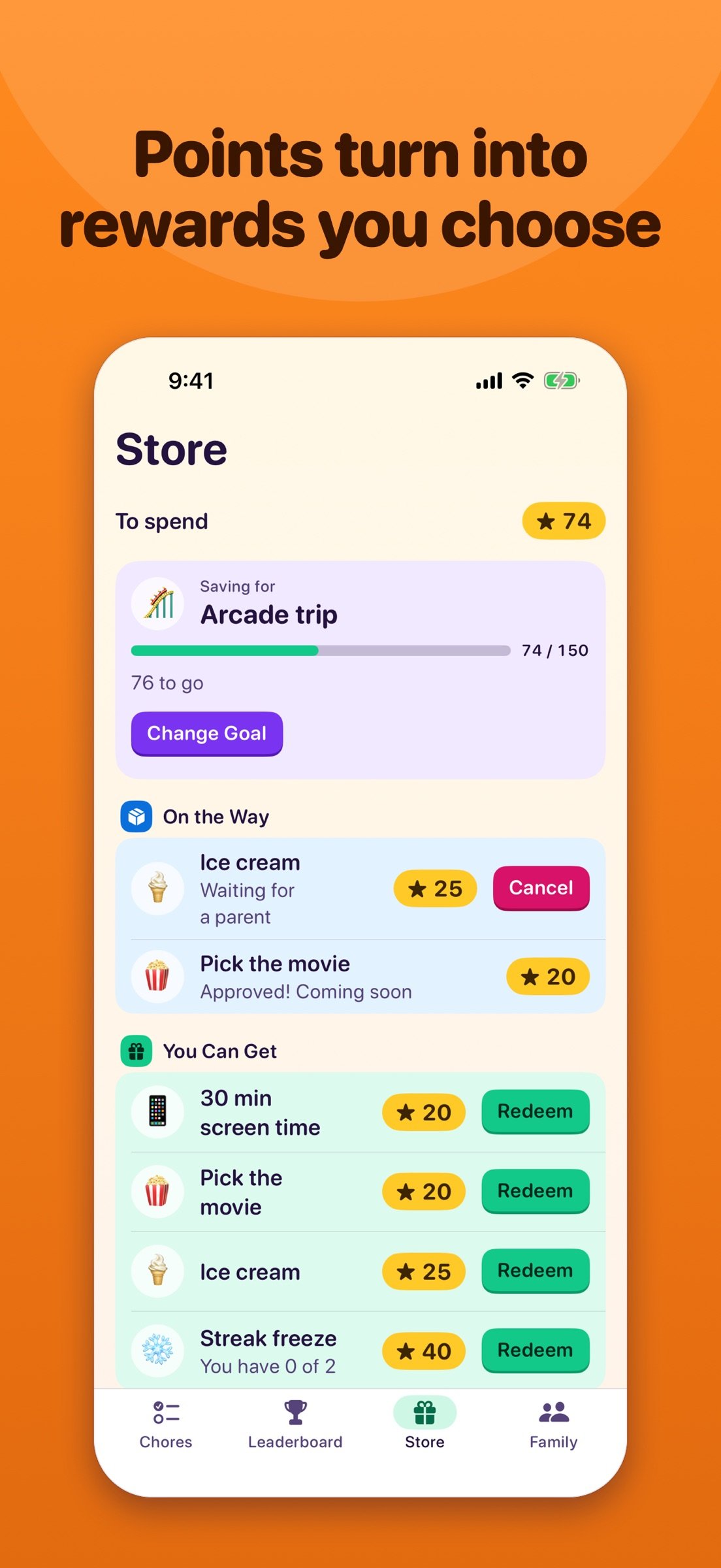
- A Store for spending points: pick a reward, save up for a goal, and see what's on the way.
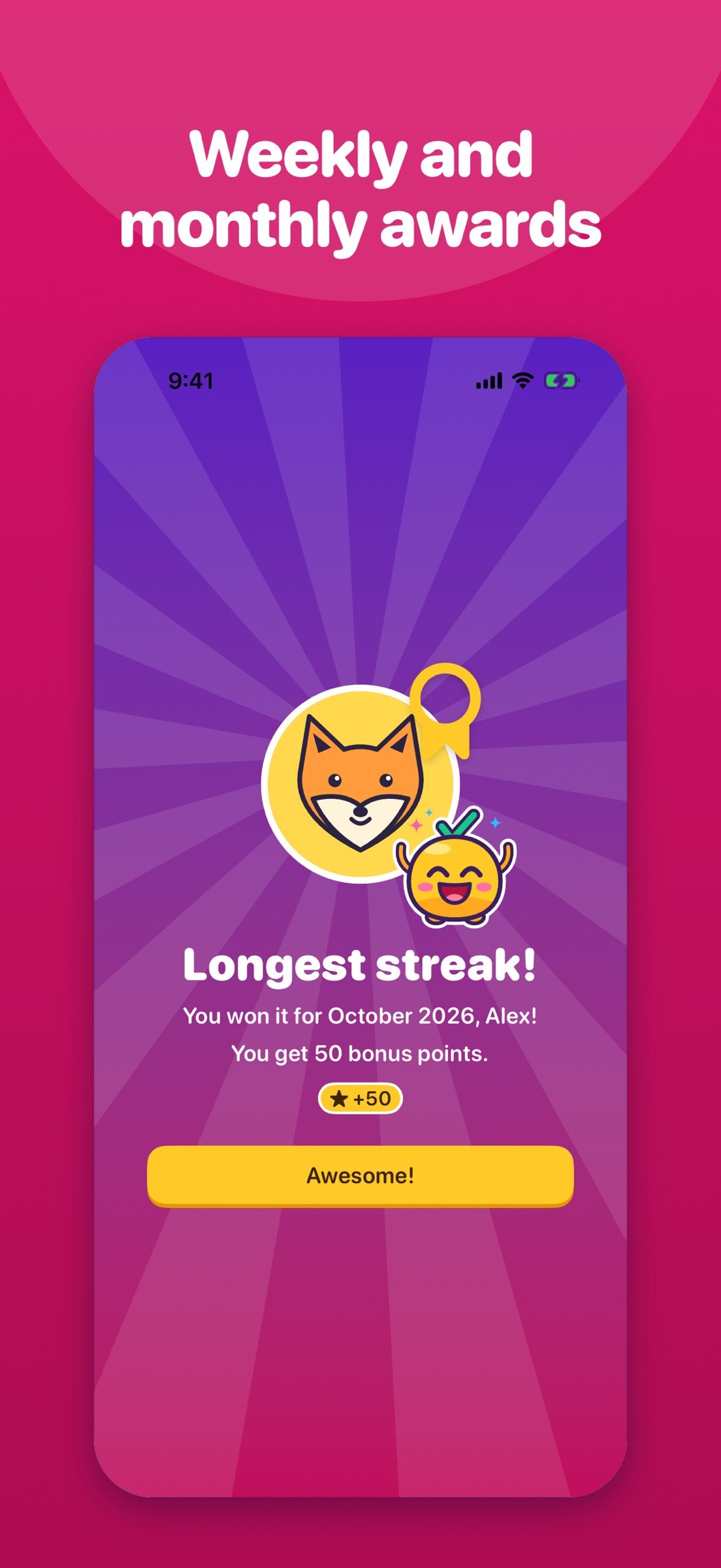
- Celebrations for finishing the day, reaching a streak milestone, or winning an award.
- A character of your own to pick, from foxes and robots to dragons and tacos.
FOR PARENTS
- Today shows how each kid's day is going, what's been missed, and what needs you.
- Add chores that happen daily, weekly, or at each meal, with points, deadlines, and bonus chores anyone can take.
- Rotations share jobs like dishes and sweeping fairly, turn by turn, and show which jobs need someone when a kid is away.
- Turn on approval for a chore, then approve or send it back from the Inbox.
- Mark a chore done for a kid, adjust points, or excuse time off without breaking a streak.
- Set up rewards with a cost, who can get them, and how often. Approve requests and mark them given.
- Weekly and monthly awards that give themselves out: most points, most improved, longest streak, or a perfect week or month, with points or a reward as the prize.
- A parent gate, with a multiplication question or a 4-digit PIN, keeps kids out of the parent screens on a shared device.
- Two parents can share the work, and a parent can do chores too.
REMINDERS AND ALERTS
- Reminders on a kid's device before a chore is due.
- Alerts for parents when a chore is waiting for approval or a reward is requested, and an evening summary of missed chores.
- Quiet hours hold everything until morning.
YOUR FAMILY'S DATA STAYS WITH YOUR FAMILY
ChartMe has no accounts to create, no ads, and no analytics. Your household is kept in the iCloud account of the parent who creates it, and shared with the family through an invite link. We don't run a server and can't see your family's data.
GETTING STARTED
One parent creates the household and adds each person. Then they send the invite link, and everyone opens it on their own device and chooses their name. Each person needs to be signed in to iCloud.
ChartMe works on iPhone and iPad.
License: Commercial
| Release info | Update on Nov 16, 2026 |
|---|---|
| Release notes | New in ChartMe 1.2: • Leaderboard filters. See who's ahead today, this week, this month, or of all time. • Award races. The leaderboard now shows every award your family has turned on, like Most Points, Longest Streak, Most Improved, and Perfect Week, with who's in the lead right now. Kids can see what they can still win before the week or month is over. • How streaks work. Parents can see exactly what builds a streak and what breaks one, right where they set up streak rewards and chores. • Works on iOS 16. Older iPhones and iPads can now join the family chart. • Easier on a second device. Open ChartMe on another iPhone or iPad signed in to the same Apple Account, and it finds your family and takes you straight to your own chart. No invite link needed. Plus smaller fixes and polish throughout. |
| Listing data | App Store |
Reviews
No reviews yet. Be the first to review ChartMe.
Used ChartMe? Tell other visitors what you thought.
Log in to write a reviewOther products by this publisher
- "No Distractions" for YouTube 4.10 ----
- #Bible 11.6.1 "Incredible App - My sister shared this app with me a few weeks ago and it is truly incredible.
- #filmphotography 1.4.2 So, you decided to shoot on film?
- #LookBusy Fake Calendar Events 1.0.6 Look Busy scans your work calendar for open time slots and fills them with realistic-looking (but secretly fake) work events.
- #Small Talk Is Canceled 1.0.2 #Small Talk Is Canceled — Conversations That Matter
Most viewed iOS Productivity
-
1
 WordPress 27.4
Manage or create your WordPress blog or website right from your iOS device: create and edit posts and pages, upload your favorite photos and videos, view stats and reply to comments.
- 2 Voice Translator - Alive 1.6 Translation app that turns your iPhone into an interpreter instantly.
-
3
 Life360 26.44.0
Whether at home, online, or on the move, our comprehensive family safety features bring peace of mind to your loved ones AND help safeguard your personal belongings.
-
4
 Claude by Anthropic 1.261119.19
Meet Claude, your AI problem solver and thinking partner.
-
5
 WristMemo 2.0
WristMemo turns your Apple Watch into an all-day voice recorder.
- 6 "No Distractions" for YouTube 4.10 ----
-
7
 Colicine 1.3.0
Have you ever been there—
- 8 (beat) for iOS 0.5.10 An elegant Fountain screenwriting app, created by a screenwriter for screenwriters.
-
9
 DeepSeek 2.9.0
Experience seamless interaction with DeepSeek's official AI assistant for free!
-
10
 Howbout 16.8.0
The shared calendar for friends, couples, and family
Most downloaded iOS Productivity
- 1 Voice Translator - Alive 1.6 Translation app that turns your iPhone into an interpreter instantly.
-
2
 SessionsAI 1.2.1
Sessions AI is a private AI workspace that runs entirely on your iPhone, iPad, or Mac.
-
3
DeepSeek 2.9.0
Experience seamless interaction with DeepSeek's official AI assistant for free!
-
4
 Voices AI 1.16.15
Discover Voices, the premier voice transformation app designed exclusively for iOS.
-
5
 Block Distracting Websites 1.11
"It's a great way to save time, and stop browsing Reddit when you should be doing coursework."
-
6
 Plot Digitizer 1.4.1
Plot Digitizer is an app to extract numerical data from plot images.
-
7
 Google Docs 1.2026.47103
Create, edit, and collaborate on online documents with the Google Docs app.
-
8
 MyHyundai with Bluelink 5.4.6
The MyHyundai app makes getting information about your Hyundai vehicle easier than ever.
-
9
 Pixy Mood Tracker 1.110.0
Track your mood, one pixel at a time.
-
10
 Minder 1.4
Minder turns your phone into a pair of eyes that watch you work.