
17downloads
1this week
FreeCommercial
0reviews
Screenshots
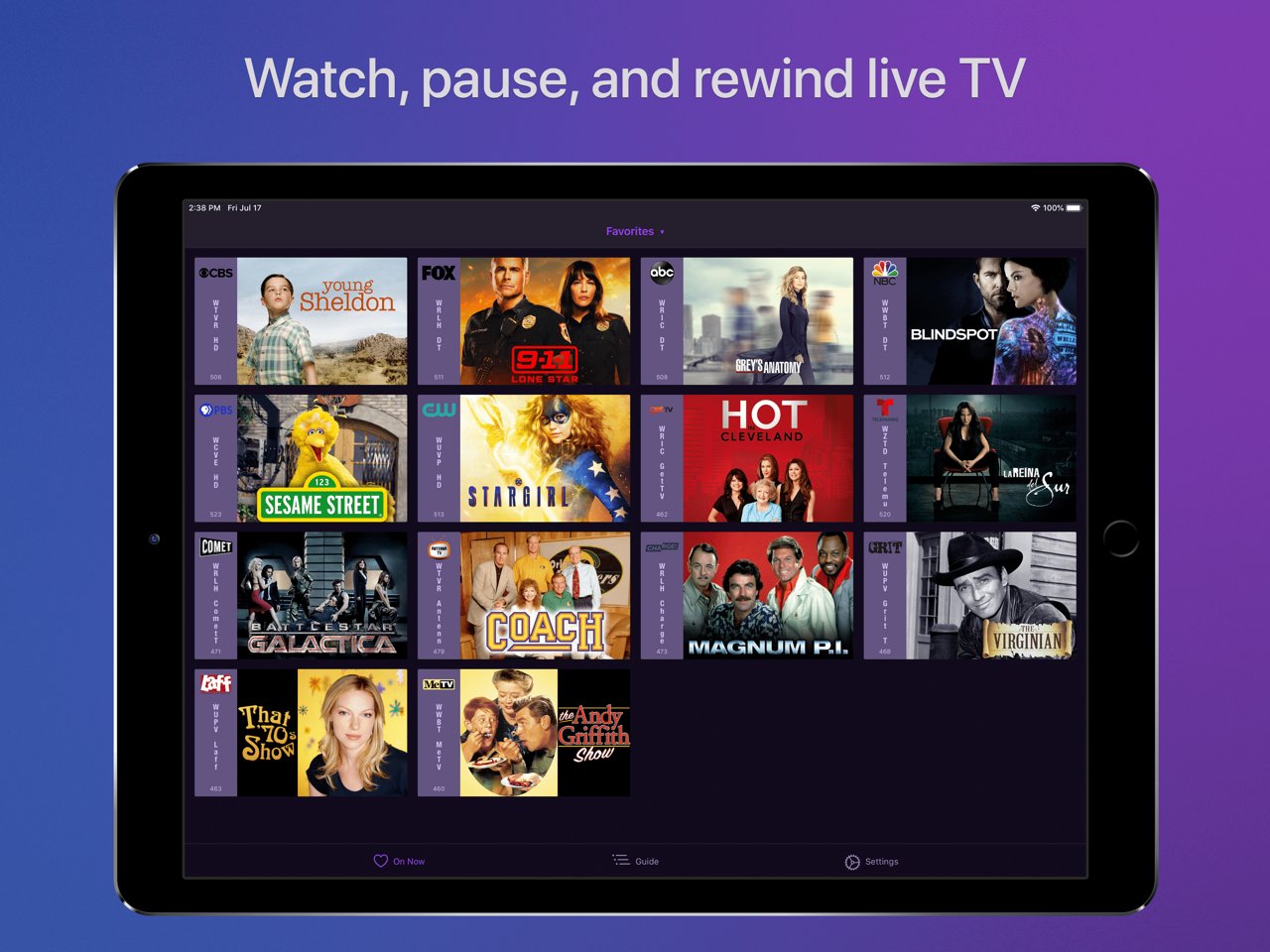
About Channels for HDHomeRun!
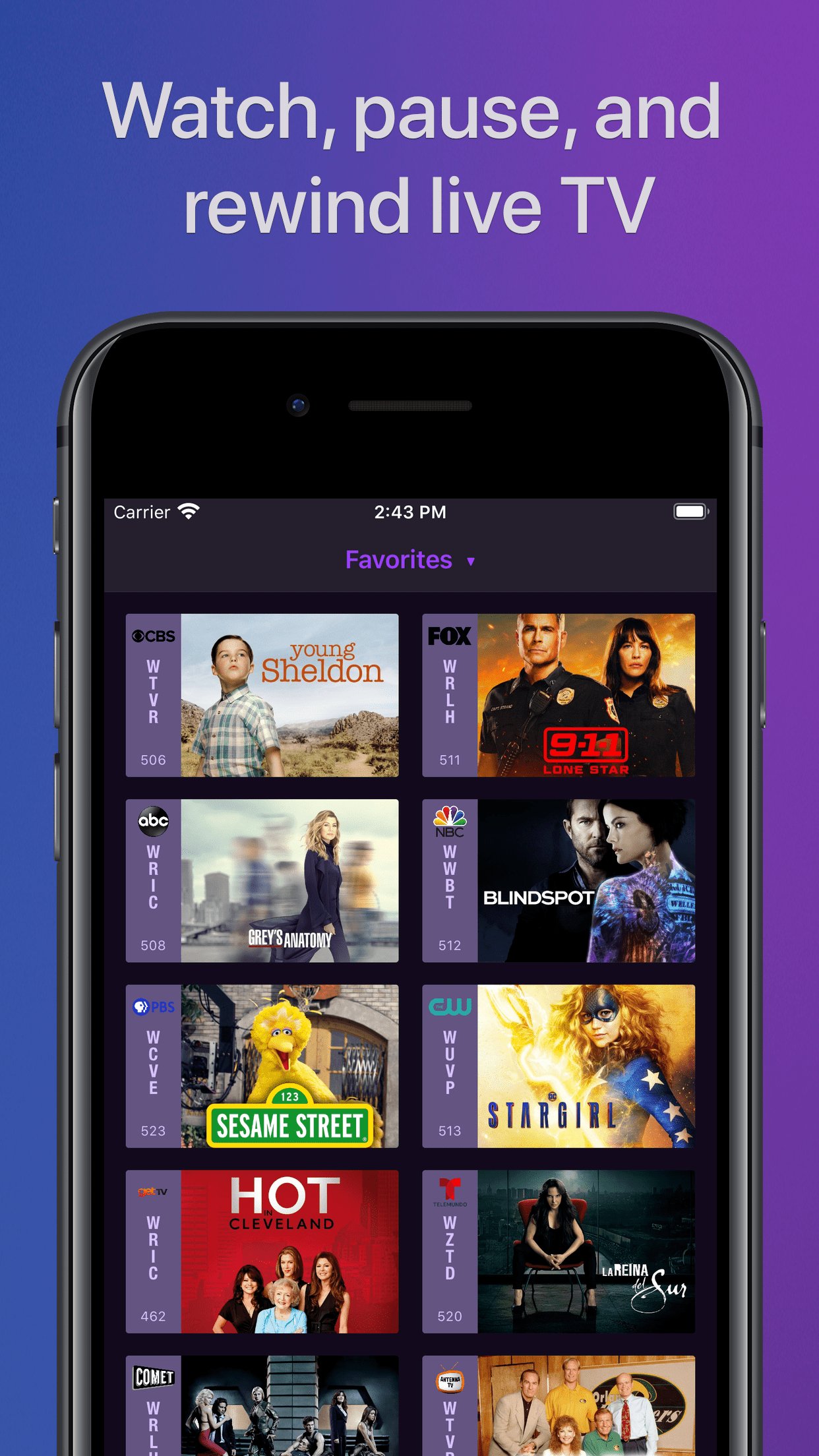
Watch live TV, right next to your apps. Channels lets you play, pause, and rewind local or cable TV directly on your Apple TV with your HDHomeRun TV tuner.
If you are a Channels Plus subscriber with DVR Service, search for the free app: Channels: Whole Home DVR.
Channels requires an HDHomeRun networked TV tuner to watch live TV on your iPhone, iPad, or iPod Touch. Learn more about how this works below.
• Pause, rewind, and fast forward live TV
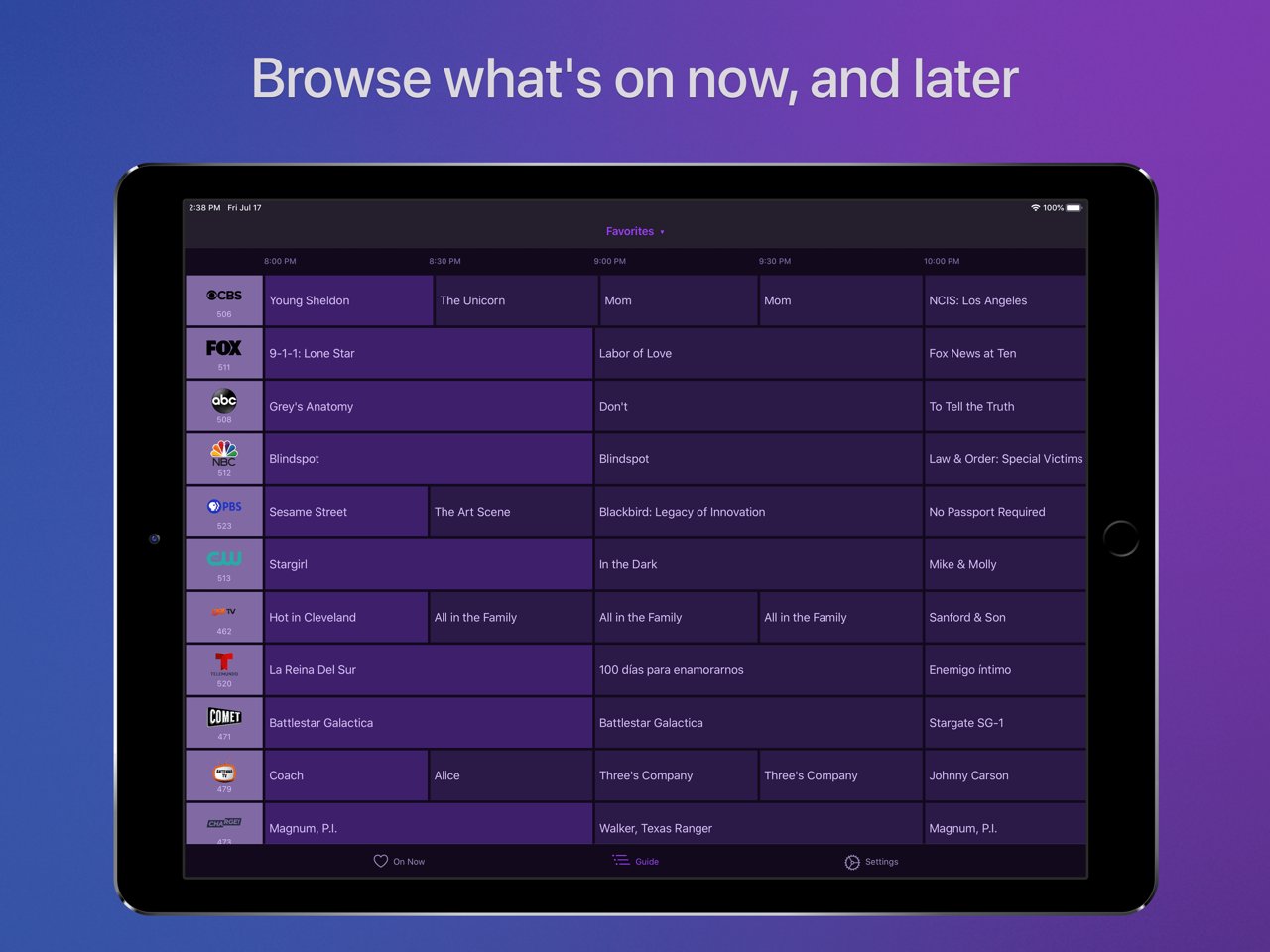
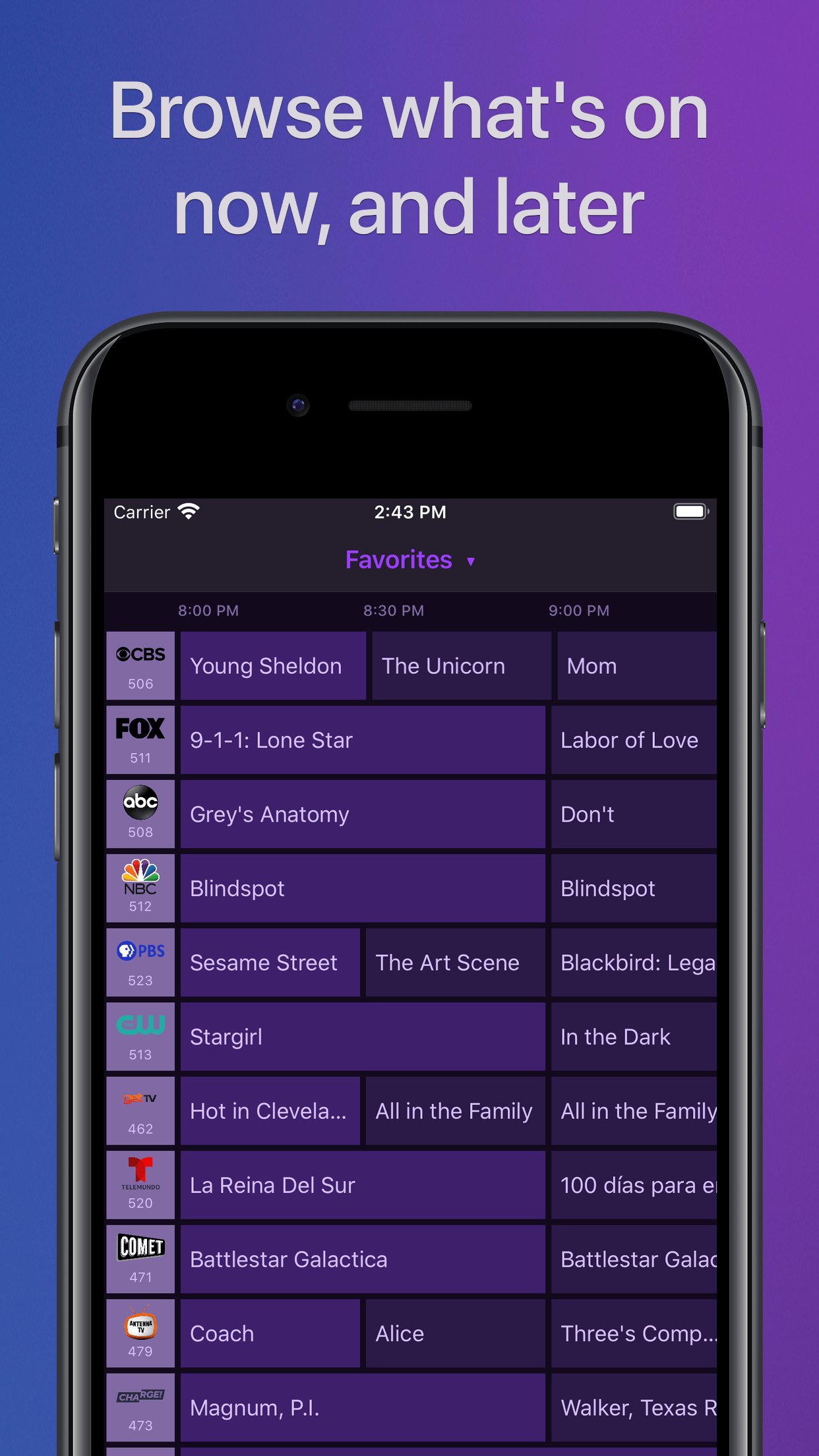
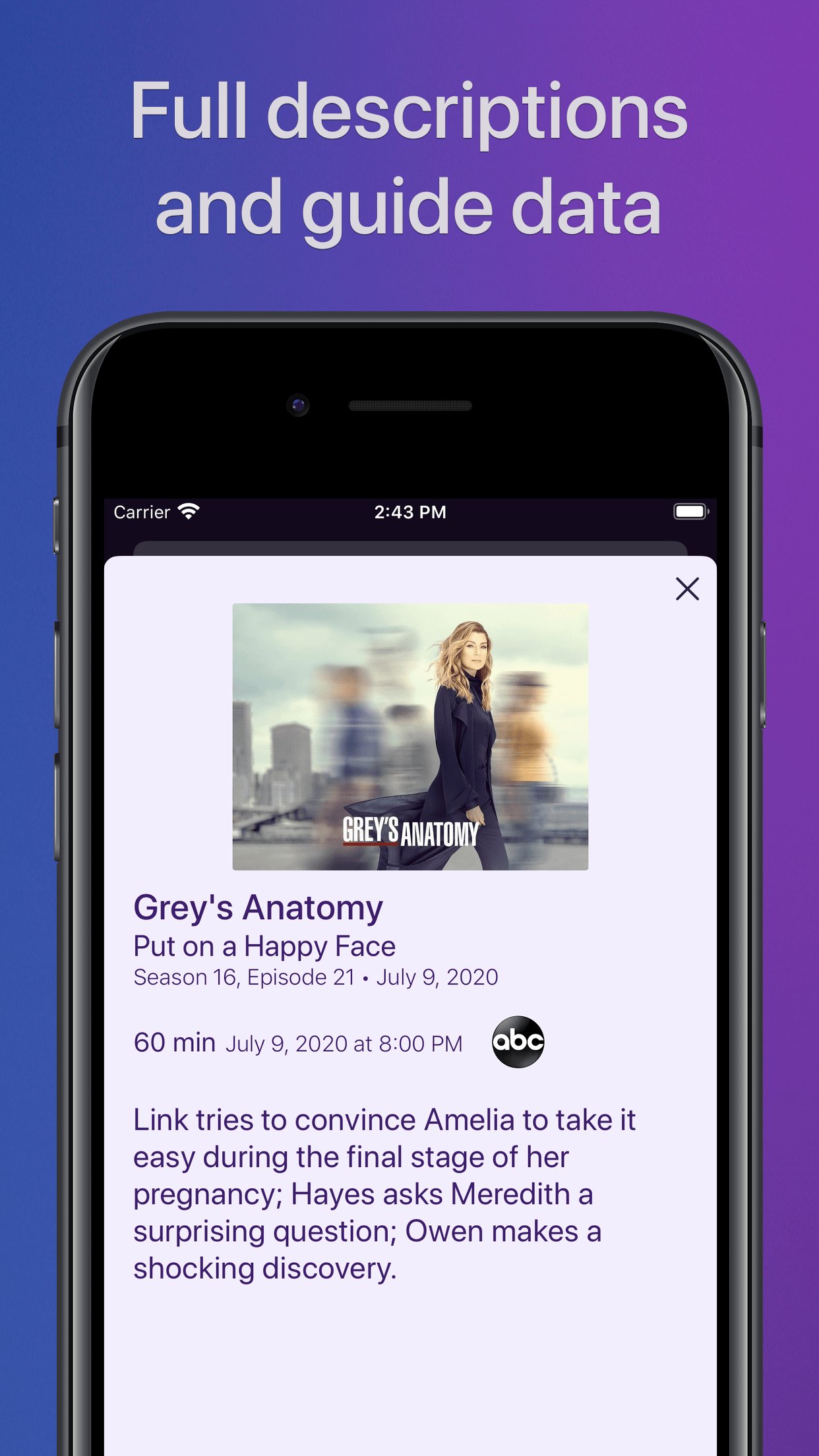
• Guide Data
• Full grid guide
• Full HD streaming (bandwidth permitting)
• 5.1 Surround Sound
• Closed captioning
• Full support for VoiceOver
• Channel favoriting
• Jump back to last channel
• Auto Discovery
• Browse what's on other channels while watching TV
• Manage your HDHomeRun devices from Channels
"If you’re a cord cutter, then Channels coupled with an HDHomeRun and antenna is one of the best purchases you can make." — 9to5mac
"If live television has been a missing or irritating-to-use piece for your viewing pleasure, Channels plus a networked tuner pulls it neatly into your iPhone, iPod touch, or iPad." — Macworld
Channels requires modern iOS devices and 802.11AC wireless for HD streaming. But as usual, your milage may vary.
Supported devices: All iOS devices with an A7 chip and up.
Note: Channels does not support Picture in Picture mode on the iPad or AirPlay on any device due to the video format provided by the HDHomeRun tuners. This is an iOS limitation.
-- Why Use Channels? --
Channels is the missing piece of your puzzle. If you already watch everything through streaming apps, Channels lets you finally watch sports, award shows, local news, and other live events on your same device.
• Watch live primetime TV, local news, and sports on your Apple TV.
• Netflix, Hulu, Movies, Games, AirPlay, and now live TV on the same device.
• Already using antenna for live TV? Channels lets you use one antenna to watch TV on all the devices in your home.
• Want sports on your porch? News in the kitchen? Channels lets you watch these anywhere in the home. Let your TV watching follow you around the house.
-- How Does It Work? --
An HDHomeRun is a simple TV tuner that can broadcast television over your home network. Channels streams that video directly to your device.
1. Plug an HD antenna or your cable into your HDHomeRun.
2. Plug your HDHomeRun into your router.
3. Watch live TV via the Channels app.
-- How Do You Use It? --
Here's some protips on how to get the most out of Channels.
• Pick your favorite channels by selecting your HDHomeRun device in the Settings tab and tapping on a channel.
• See quickly what’s currently on your favorite channels with the On Now tab.
• Tap on a channel to view more info about it (or just 3D Touch it).
• Live TV buffer works for ~90 mins or less depending on how much storage is available on your device.
• Skip ahead 30s by swiping right. Skip back 7s by swiping left.
• Double-tap with 2 fingers to switch to the previous channel.
• Swipe up/down on the Quick Guide to see what else is on your favorite channels. Tap it to change to that channel.
-- HDHomeRun Device Support --
All HDHomeRun devices are supported by Channels.
• HDHomeRun PRIME
• HDHomeRun EXTEND
• HDHomeRun EXPAND
• HDHomeRun CONNECT
• HDHomeRun CONNECT DUO
• HDHomeRun CONNECT QUATRO
• HDHomeRun DUAL
• HDHomeRun ORIGINAL (blue and white tuners)
Learn more about HDHomeRun tuners on silicondust.com. Simply plug a compatible tuner into your home network router and start watching Live TV with Channels today!
• DRM protected streams are *not* currently supported.
• Channels does *not* work outside of your home. It only works when connected to the same network as your HDHomeRun Device
For questions, concerns, bug reports, and feature requests, contact us on twitter @getchannels or via email support@getchannels.com. You can talk about everything Channels on our community site at: [link removed].
License: Commercial
| Release info | New Release on Sep 15, 2026 |
|---|---|
| Release notes | • IMPROVED: startup time of the app • IMPROVED: guide performance when navigating and behavior when opening the guide • IMPROVED: handling of low disk space situations with remote streaming • IMPROVED: guide scroll behavior • IMPROVED: handling of remote streaming caches • FIXED: crash when opening PiP on the iPad app running on macOS • FIXED: Layout bug on tvOS causing items to render off the screen |
| Listing data | App Store |
Reviews
No reviews yet. Be the first to review Channels for HDHomeRun!.
Used Channels for HDHomeRun!? Tell other visitors what you thought.
Log in to write a reviewOther products by this publisher
- "No Distractions" for YouTube 4.10 ----
- #Bible 11.6.1 "Incredible App - My sister shared this app with me a few weeks ago and it is truly incredible.
- #filmphotography 1.4.2 So, you decided to shoot on film?
- #LookBusy Fake Calendar Events 1.0.6 Look Busy scans your work calendar for open time slots and fills them with realistic-looking (but secretly fake) work events.
- #Small Talk Is Canceled 1.0.2 #Small Talk Is Canceled — Conversations That Matter
Most viewed iOS Photo & Video
-
1
 ShortDiShow 2.0
Drama Quest Island — An offline interactive short-drama adventure.
-
2
 Face Witness 1.0.3
FaceWitness lets you create a face by putting together individual features.
-
3
 Infuse 8.5.10
Infuse: Enterprise provides the same great features as the standard version of Infuse and includes permanent access to all Pro features via a traditional paid app.
-
4
 AI Video Generator 2.0.3
Vixel – AI Video Generator
- 5 #filmphotography 1.4.2 So, you decided to shoot on film?
-
6
 OPlayer 4.8
Play all your videos directly without having to convert them!
-
7
 CapCut 20.2.0
CapCut offers easy-to-use video editing functions, in-APP fonts and effects, advanced features such as keyframe animation, smooth slow-motion, chroma key, and stabilization, to help you capture and snip moments.
-
8
 Necrometer II 1.3
Necrometer II is a paranormal investigation companion designed for ghost hunters and researchers.
-
9
 Ai Photo 1.1.2
AI Photo Retouch – BG Eraser
-
10
 Analog Radio 3.0
The iPhone and iPad devices don't have the FM/AM radio antenna installed.
Most downloaded iOS Photo & Video
-
1
 DJI Fly 1.21.18
DJI Fly is designed to help pilots fly drones with ease.
-
2
Infuse 8.5.10
Infuse: Enterprise provides the same great features as the standard version of Infuse and includes permanent access to all Pro features via a traditional paid app.
-
3
 TurboCollage Automatic 1.2.4
#1 Easy automatic photo collage maker for iPhone & iPad.
-
4
 ReelyGo 1.1.42
ReelyGo: Your Daily Drama Escape
-
5
Analog Radio 3.0
The iPhone and iPad devices don't have the FM/AM radio antenna installed.
-
6
 Rozeta Sequencer Suite 1.3.16
Rozeta is a suite of MIDI sequencers and controllers that lets you explore a new, freeform approach to sequencing and controlling mobile music apps.
-
7
 AGAIN. Rehearsal Notes 2.0.1
AGAIN. is the rehearsal app that remembers why the band stopped — and, new in Version 2, who said what in a writing session or a table read.
-
8
 Pop Dot Comics 1.48
Create a comic worthy of the Sunday newspaper or your favorite pulp-fiction cover.
-
9
 Treblo 1.6.6
Make songs with the world's best AI music model.
-
10
 Sun Scout 1.5.0
If your work or play requires sunlight, Sun Scout is built for you.