
8downloads
1this week
FreeFreeware
0reviews
Screenshots
About Carvia
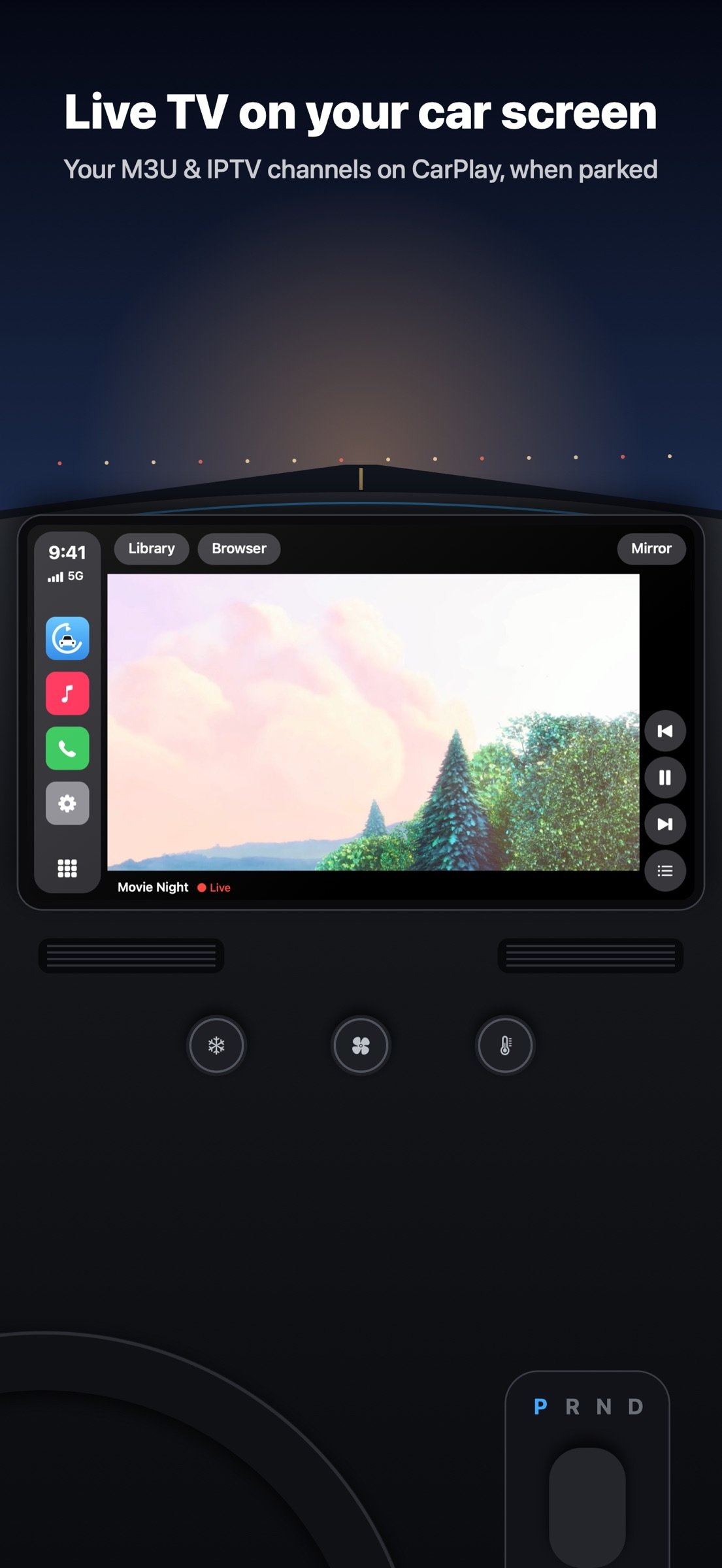
Carvia brings your own M3U / M3U8 playlists to the car. Add a playlist link once, then watch your live channels and videos on your iPhone — and, when the car is parked, right on the CarPlay screen.
ON THE CAR SCREEN
• Opens in every CarPlay car, including cars without CarPlay video support.
• Library, Browser and Mirror sit in a top bar on the car display, just like the tabs on your iPhone.
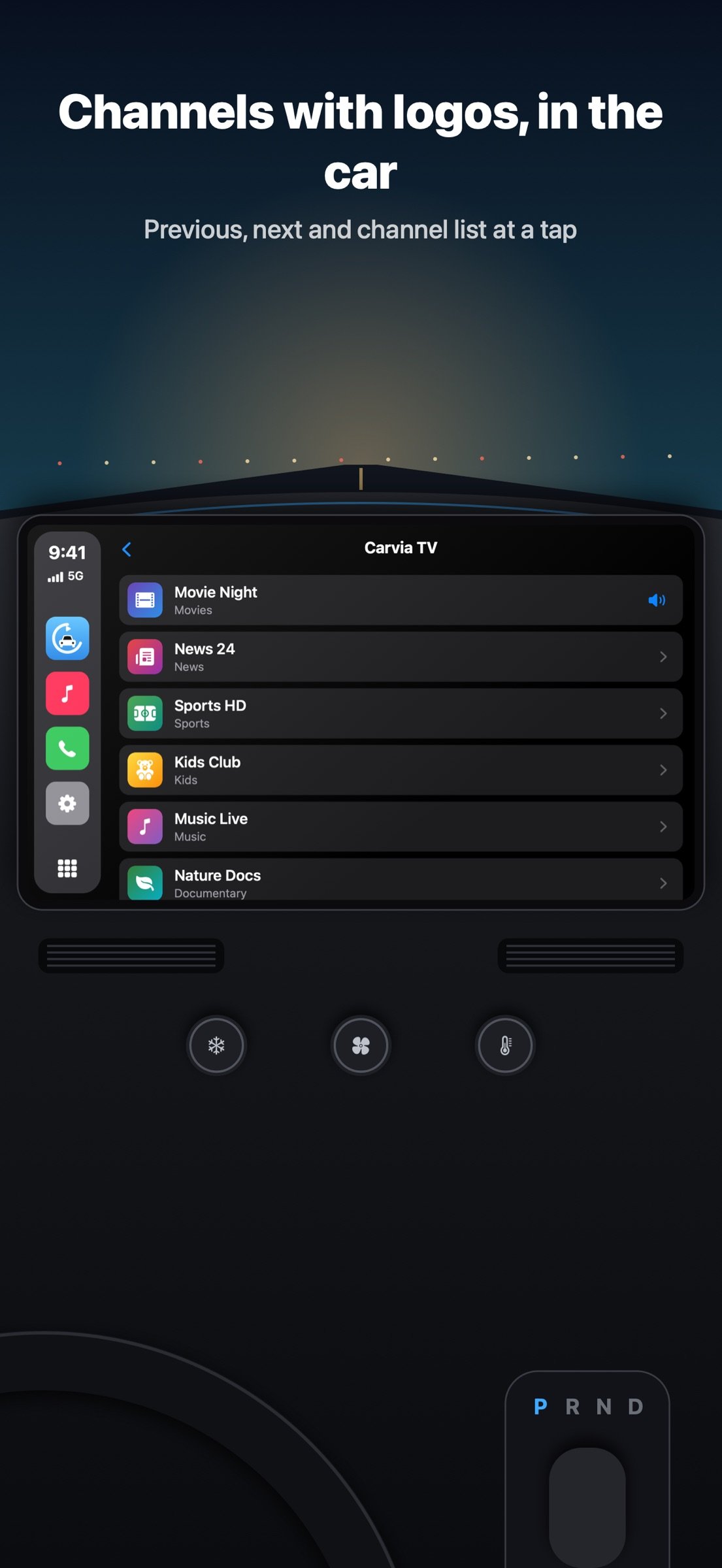
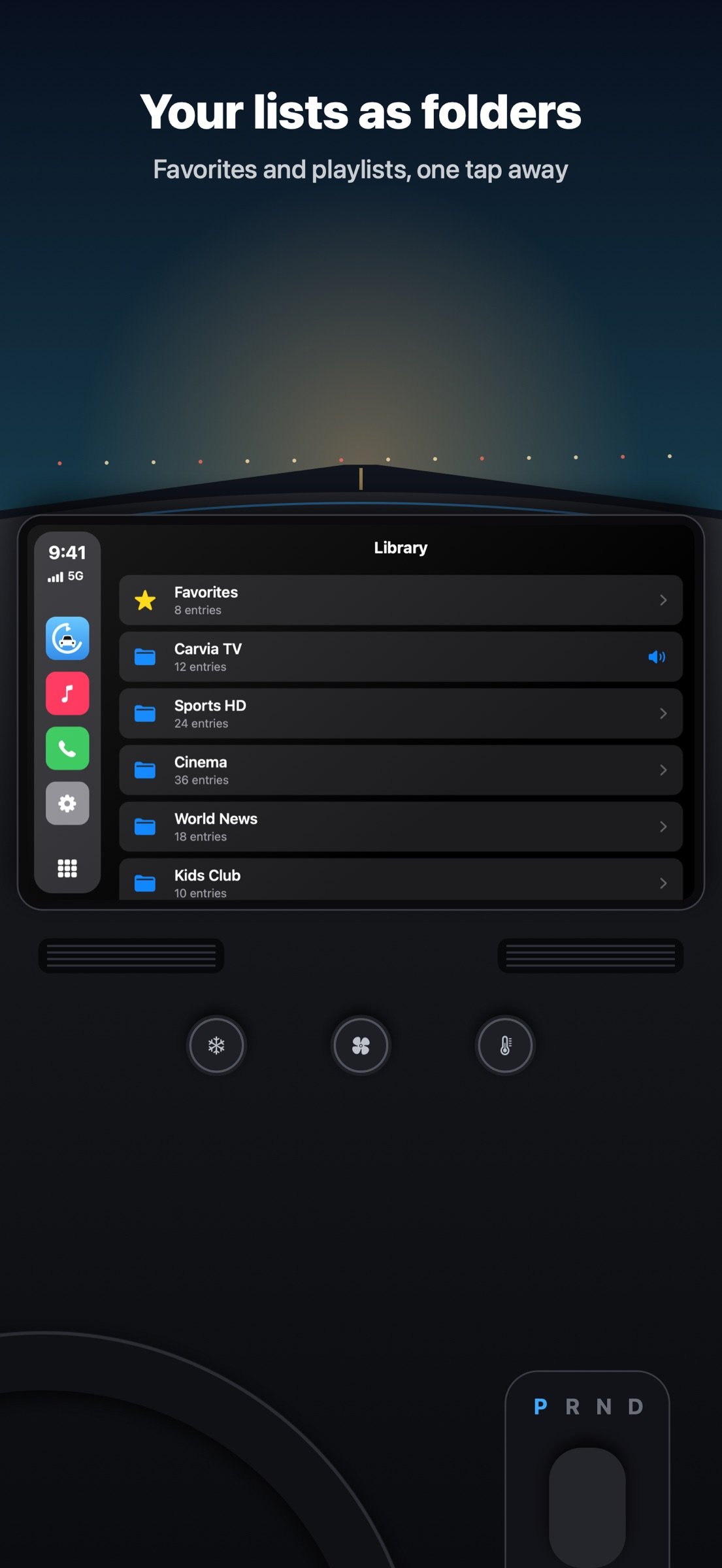
• Your playlists appear as folders and your channels as a list with logos. Favorites are always at the top.
• Tap a channel and it plays on the car screen in a clean player: previous, play/pause, next and a channel list button. The picture fits the screen and the buttons never cover it.
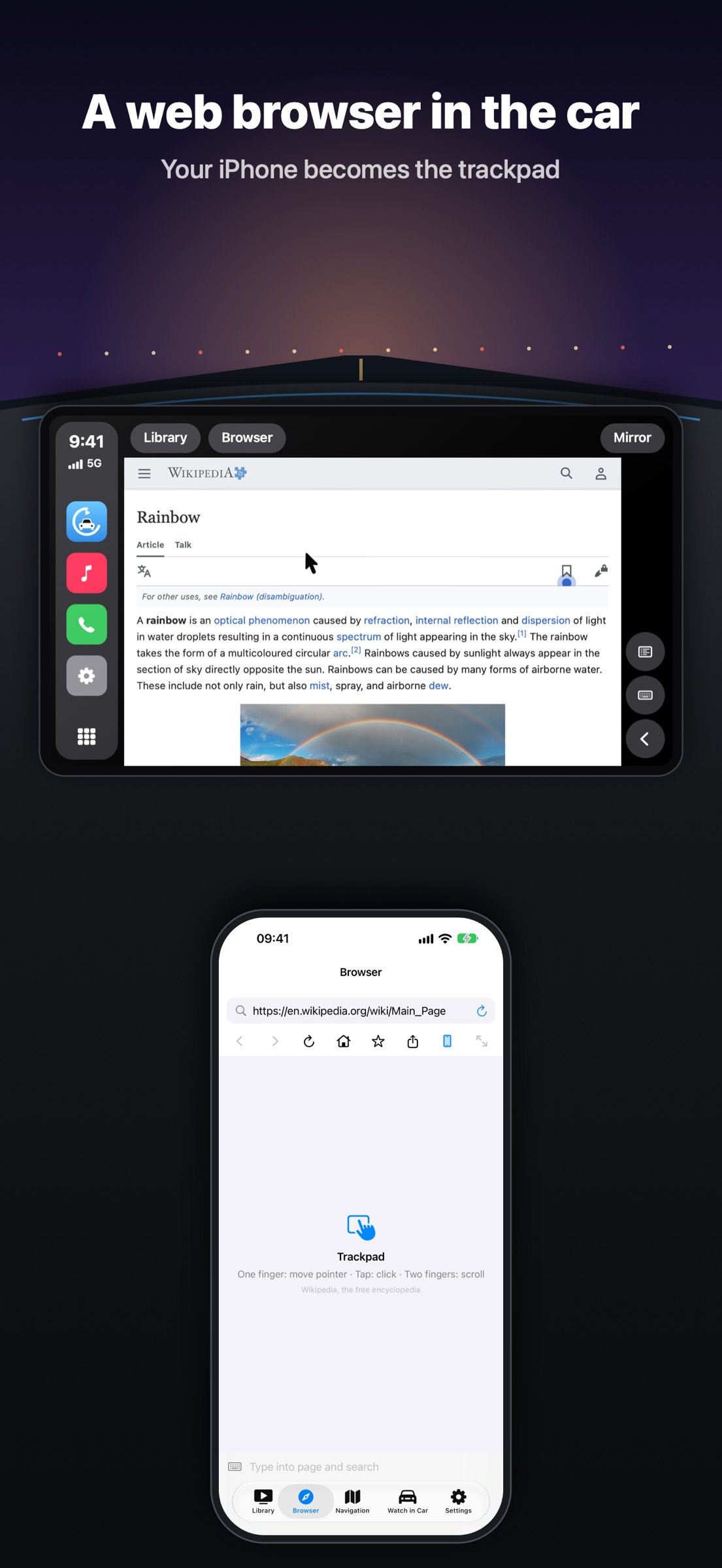
• Web browser on the car screen: open your favorite sites; your iPhone becomes a trackpad. Move the pointer with one finger, tap to click, scroll with two fingers, and type with the iPhone keyboard.
• Videos in the browser go fullscreen on the car display.
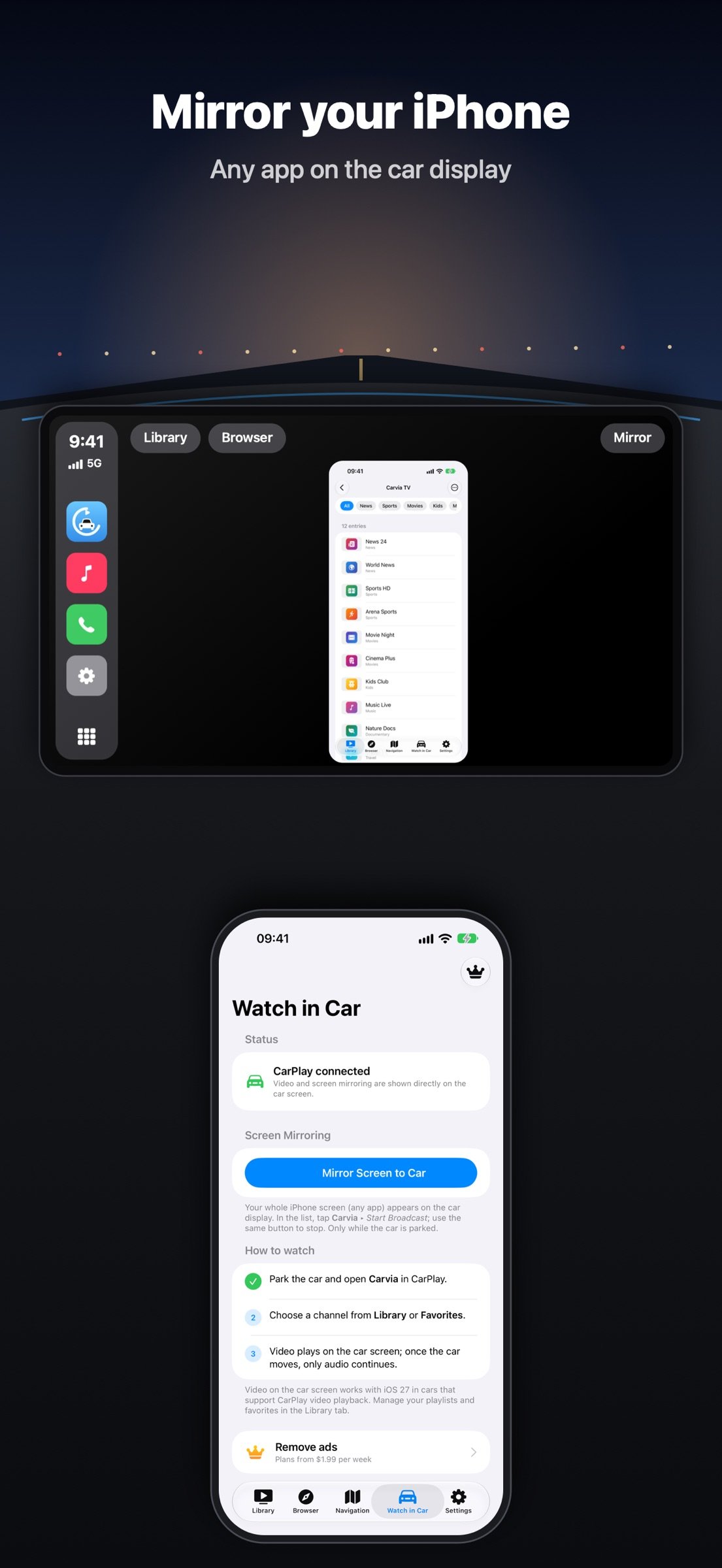
• Screen mirroring: show your whole iPhone screen — any app — on the car display, in portrait or landscape.
ON YOUR IPHONE
• M3U, M3U8, HLS and HTTP streams
• Reads group-title and tvg-logo; sorts channels into groups
• Playlists as folders: refresh, rename, delete
• Favorites, search across all lists, resume where you left off
• Import video files from your device and play them offline
• Add playlists by pasting a link or scanning a QR code
• Turn-by-turn navigation built on Apple Maps, with spoken guidance and automatic rerouting
• 21 languages
PREMIUM
Go ad-free with a weekly, monthly or yearly subscription, or a one-time lifetime purchase. Subscriptions renew automatically at the end of each period unless cancelled at least 24 hours before; manage or cancel anytime in your App Store account settings.
PRIVACY
Everything you add stays on your iPhone. No account needed.
SAFETY
Video, browser and mirroring on the car screen are for passengers and parked vehicles only. Never watch video or use the browser while driving, and always follow local traffic laws.
Carvia is a player only. It does not provide, host or recommend any content. You supply your own playlists and are responsible for having the right to use them.
Terms of Use: [link removed]
Privacy Policy: [link removed]
| Release info | Update on Nov 09, 2026 |
|---|---|
| Release notes | • New car home screen: 30 designs and any color you like (Premium). • Folders for local videos. • YouTube fixes in the car browser: full screen, pause and the seek bar. • Live TV is more stable on iPhone. • Added Persian, Hebrew and Greek. • Bug fixes and improvements. |
| Listing data | App Store |
Reviews
No reviews yet. Be the first to review Carvia.
Used Carvia? Tell other visitors what you thought.
Log in to write a reviewOther products by this publisher
- "No Distractions" for YouTube 4.10 ----
- #Bible 11.6.1 "Incredible App - My sister shared this app with me a few weeks ago and it is truly incredible.
- #filmphotography 1.4.2 So, you decided to shoot on film?
- #LookBusy Fake Calendar Events 1.0.6 Look Busy scans your work calendar for open time slots and fills them with realistic-looking (but secretly fake) work events.
- #Small Talk Is Canceled 1.0.2 #Small Talk Is Canceled — Conversations That Matter
Most viewed iOS Photo & Video
-
1
 ShortDiShow 2.0
Drama Quest Island — An offline interactive short-drama adventure.
-
2
 Face Witness 1.0.3
FaceWitness lets you create a face by putting together individual features.
-
3
 Infuse 8.5.10
Infuse: Enterprise provides the same great features as the standard version of Infuse and includes permanent access to all Pro features via a traditional paid app.
-
4
 AI Video Generator 2.0.3
Vixel – AI Video Generator
-
5
 OPlayer 4.8
Play all your videos directly without having to convert them!
- 6 #filmphotography 1.4.2 So, you decided to shoot on film?
-
7
 CapCut 20.2.0
CapCut offers easy-to-use video editing functions, in-APP fonts and effects, advanced features such as keyframe animation, smooth slow-motion, chroma key, and stabilization, to help you capture and snip moments.
-
8
 Necrometer II 1.3
Necrometer II is a paranormal investigation companion designed for ghost hunters and researchers.
-
9
 Ai Photo 1.1.2
AI Photo Retouch – BG Eraser
-
10
 Analog Radio 3.0
The iPhone and iPad devices don't have the FM/AM radio antenna installed.
Most downloaded iOS Photo & Video
-
1
 DJI Fly 1.21.18
DJI Fly is designed to help pilots fly drones with ease.
-
2
Infuse 8.5.10
Infuse: Enterprise provides the same great features as the standard version of Infuse and includes permanent access to all Pro features via a traditional paid app.
-
3
 TurboCollage Automatic 1.2.4
#1 Easy automatic photo collage maker for iPhone & iPad.
-
4
 ReelyGo 1.1.42
ReelyGo: Your Daily Drama Escape
-
5
Analog Radio 3.0
The iPhone and iPad devices don't have the FM/AM radio antenna installed.
-
6
 Rozeta Sequencer Suite 1.3.16
Rozeta is a suite of MIDI sequencers and controllers that lets you explore a new, freeform approach to sequencing and controlling mobile music apps.
-
7
 AGAIN. Rehearsal Notes 2.0.1
AGAIN. is the rehearsal app that remembers why the band stopped — and, new in Version 2, who said what in a writing session or a table read.
-
8
 Pop Dot Comics 1.48
Create a comic worthy of the Sunday newspaper or your favorite pulp-fiction cover.
-
9
 Sun Scout 1.5.0
If your work or play requires sunlight, Sun Scout is built for you.
-
10
 Treblo 1.6.6
Make songs with the world's best AI music model.