
14downloads
1this week
FreeCommercial
0reviews
Screenshots
About Camera1
Camera1 is the dedicated Black & White manual camera for iPhone. No colour, no compromise — just pure monochrome photography with full creative control.
DEVELOP YOUR CREATIVITY
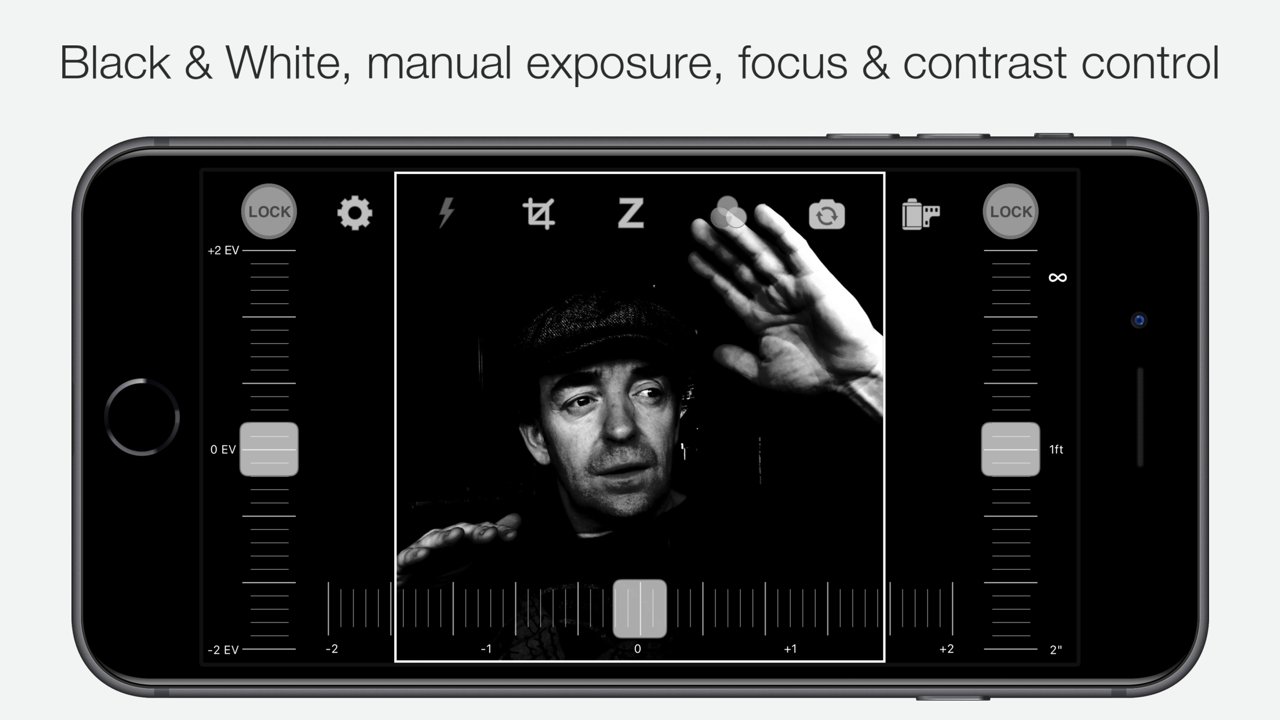
Learn to "see" in Black & White through Camera1 unique simultaneous contrast and exposure adjustments. Explore the infinite black and white image possibilities in real-time, such as high-key/low-key right in the viewfinder, before taking the shot. Use the Zen mode to focus all your creative attention on the picture, and not the camera or technique.
TAKE CONTROL
Take control of the camera, with manual overrides of exposure and focus. Super easy access to focus lock using the manual focusing slider, for ultra-fast shooting - as the camera won’t need to re-focus between shots.
PROFESSIONAL OUTPUT
Camera1 takes full advantage of your camera hardware and saves in a variety of different file formats, including JPEG, TIFF, RAW & ProRAW / DNG, allowing for maximum editing flexibility in applications like Photoshop and Lightroom later in your workflow. Advanced iOS image processing such as Deep Fusion and Smart HDR is used on supported devices.
Live histograms, flash, grid views and a range of manual controls allow you to get the perfect shot, every time.
Features
• Black & white photography only: commit to Black and White at shooting time.
• High-quality image processing engine. Take full advantage of your device camera hardware.
• Manual focus (with magnification of the center focusing area), focus lock, spot focus, auto-focus
• Manual exposure compensation, or use Auto exposure
• Live histogram, when adjusting exposure, optional over-exposure warning indicator (zebras)
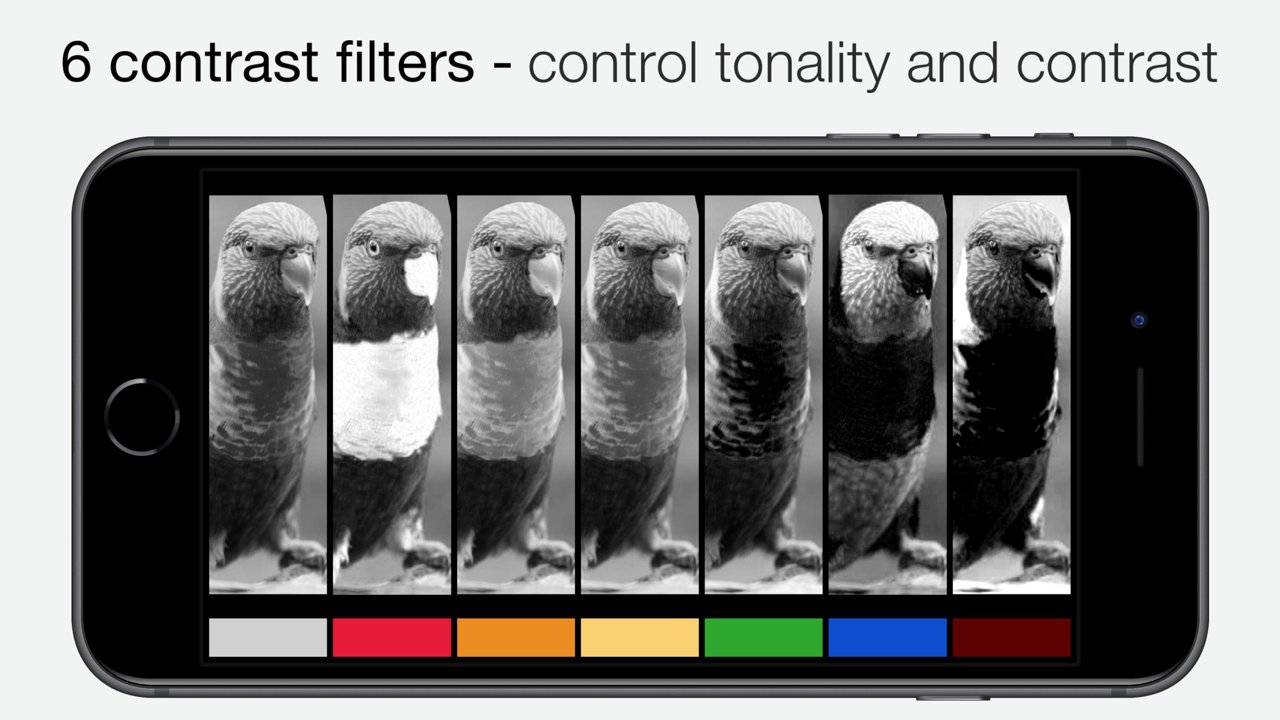
• 6 contrast/color filters for Black & White: red, orange, yellow, green, blue, infrared (simulated)
• Manual contrast control
• High-resolution capture (48MP) (*)
• Support for multi-lens devices - standard, telephoto and ultra wide-angle (*)
• ProRAW, RAW, JPEG, HEIC, TIFF file formats. DNG files contain colour information, allowing later editing. A full-resolution JPEG, processed to Black and White by Camera1 is saved alongside the DNG file, to the camera roll
• Support for iOS Deep Fusion and Smart HDR (*)
• Tap on the picture to take the shot
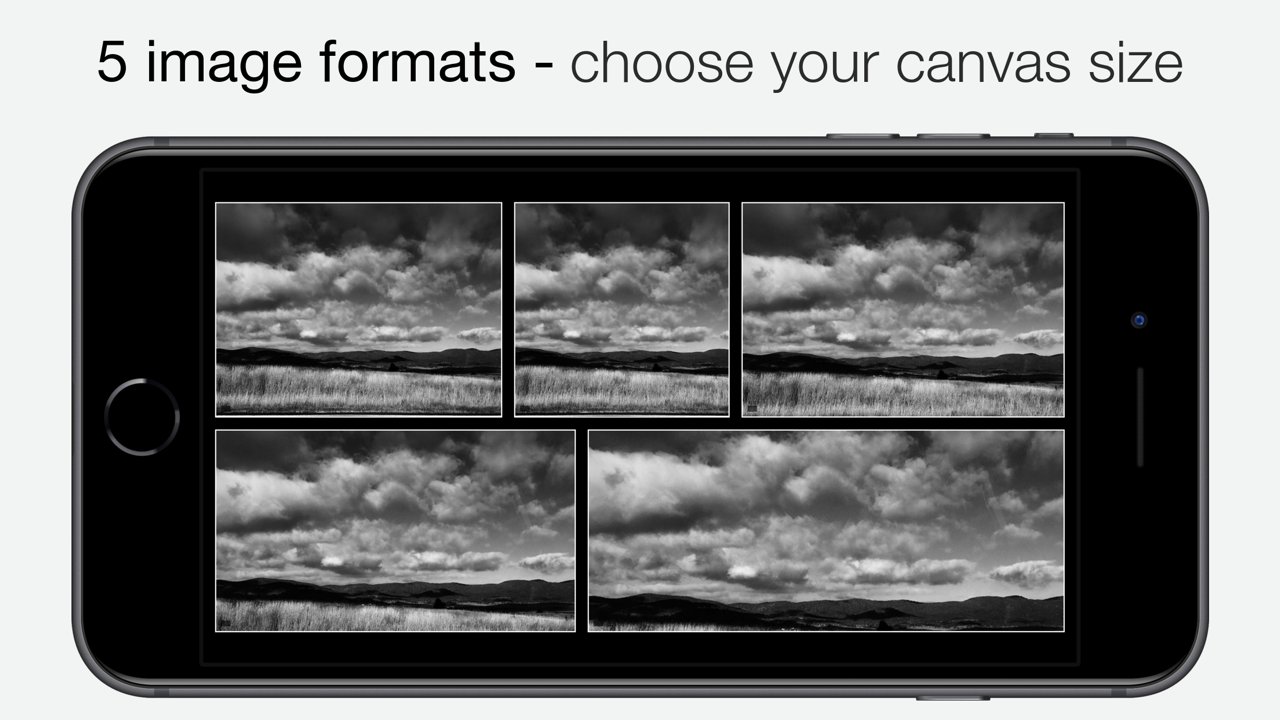
• 5 crop formats: 3:2, 4:3 (native), 1:1, 16:9, 2.35:1 (panorama)
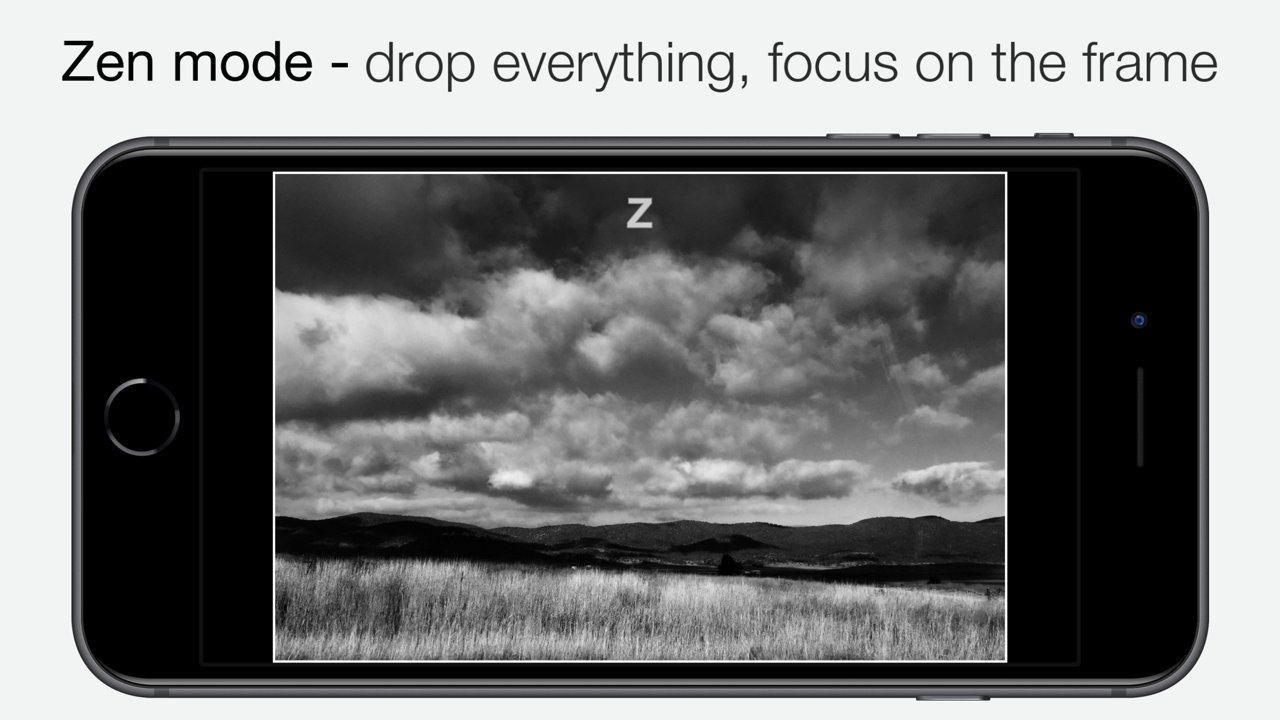
• Zen mode: all controls disappear, leaving only the viewfinder on the screen for the ultimate picture-taking experience
• 3 flash modes: On, Off, Torch
• 2 framing grid types: Rule of Thirds and Golden Triangles
• Live view of all controls above
• iOS Widget - quickly launch the app from your lock or home screen
• Camera Control: use hardware camera control to launch Camera1, or to take shots (iPhone 16 Pro & Pro Max)
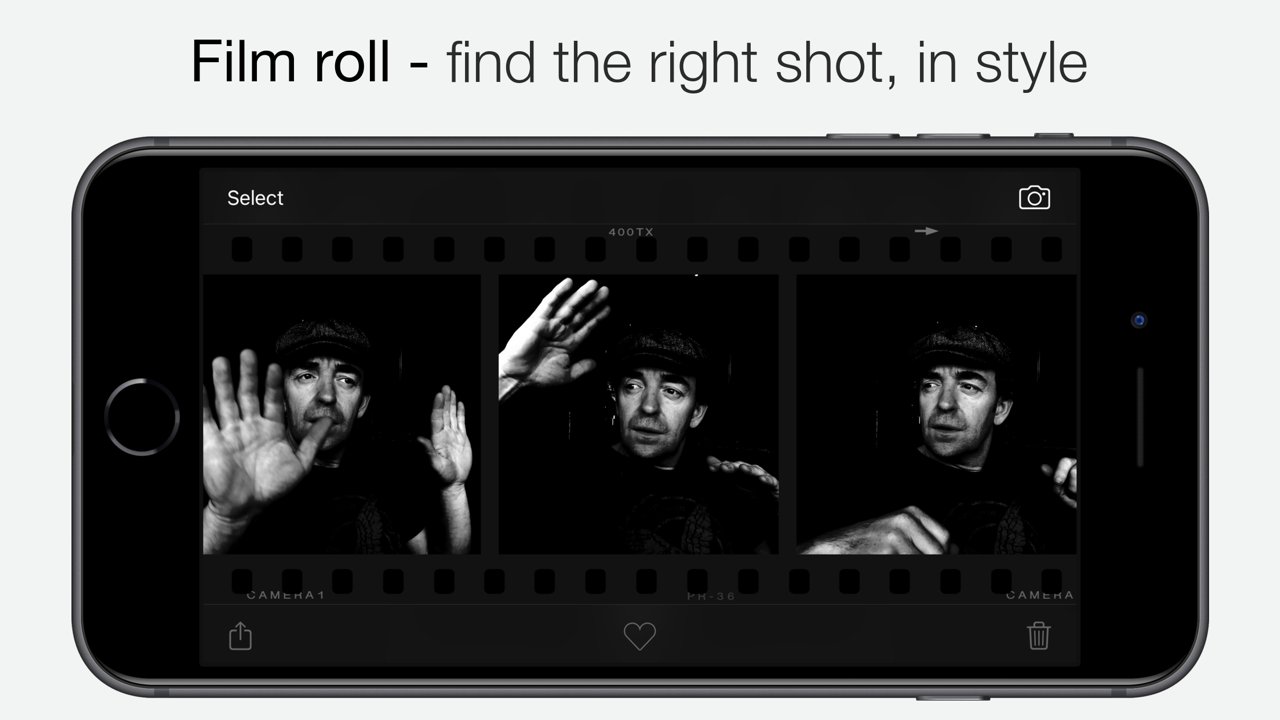
• Black and White camera roll, image viewer at full resolution
"The most brilliant Camera App in recent years" -- Keisuke Takahashi
"I like the results-a bit like film (Tri-X) with a slight grain pattern. Lots of latitude" -- Eric Mencher @emencher
Don't forget to tag your pictures with #camera1app !
Privacy-first
• Camera1 does not embed any tracking / third-party SDKs
(*) Compatibility Notes
Camera1 features depend on the capabilities of your iOS device:
• High-resolution (48MP) capture: iPhone 14 Pro and later Pro models
• ProRAW capture: iPhone 12 Pro and later Pro models
• RAW capture: iPhone 6S and later, iPad Pro
• Smart HDR & Deep Fusion: iPhone 11 and later
• Multi-lens support (standard, telephoto, ultra wide): devices with multiple rear cameras
• Ultra Wide lens may not support RAW or manual focus/exposure on some devices
License: Commercial
DEVELOP YOUR CREATIVITY
Learn to "see" in Black & White through Camera1 unique simultaneous contrast and exposure adjustments. Explore the infinite black and white image possibilities in real-time, such as high-key/low-key right in the viewfinder, before taking the shot. Use the Zen mode to focus all your creative attention on the picture, and not the camera or technique.
TAKE CONTROL
Take control of the camera, with manual overrides of exposure and focus. Super easy access to focus lock using the manual focusing slider, for ultra-fast shooting - as the camera won’t need to re-focus between shots.
PROFESSIONAL OUTPUT
Camera1 takes full advantage of your camera hardware and saves in a variety of different file formats, including JPEG, TIFF, RAW & ProRAW / DNG, allowing for maximum editing flexibility in applications like Photoshop and Lightroom later in your workflow. Advanced iOS image processing such as Deep Fusion and Smart HDR is used on supported devices.
Live histograms, flash, grid views and a range of manual controls allow you to get the perfect shot, every time.
Features
• Black & white photography only: commit to Black and White at shooting time.
• High-quality image processing engine. Take full advantage of your device camera hardware.
• Manual focus (with magnification of the center focusing area), focus lock, spot focus, auto-focus
• Manual exposure compensation, or use Auto exposure
• Live histogram, when adjusting exposure, optional over-exposure warning indicator (zebras)
• 6 contrast/color filters for Black & White: red, orange, yellow, green, blue, infrared (simulated)
• Manual contrast control
• High-resolution capture (48MP) (*)
• Support for multi-lens devices - standard, telephoto and ultra wide-angle (*)
• ProRAW, RAW, JPEG, HEIC, TIFF file formats. DNG files contain colour information, allowing later editing. A full-resolution JPEG, processed to Black and White by Camera1 is saved alongside the DNG file, to the camera roll
• Support for iOS Deep Fusion and Smart HDR (*)
• Tap on the picture to take the shot
• 5 crop formats: 3:2, 4:3 (native), 1:1, 16:9, 2.35:1 (panorama)
• Zen mode: all controls disappear, leaving only the viewfinder on the screen for the ultimate picture-taking experience
• 3 flash modes: On, Off, Torch
• 2 framing grid types: Rule of Thirds and Golden Triangles
• Live view of all controls above
• iOS Widget - quickly launch the app from your lock or home screen
• Camera Control: use hardware camera control to launch Camera1, or to take shots (iPhone 16 Pro & Pro Max)
• Black and White camera roll, image viewer at full resolution
"The most brilliant Camera App in recent years" -- Keisuke Takahashi
"I like the results-a bit like film (Tri-X) with a slight grain pattern. Lots of latitude" -- Eric Mencher @emencher
Don't forget to tag your pictures with #camera1app !
Privacy-first
• Camera1 does not embed any tracking / third-party SDKs
(*) Compatibility Notes
Camera1 features depend on the capabilities of your iOS device:
• High-resolution (48MP) capture: iPhone 14 Pro and later Pro models
• ProRAW capture: iPhone 12 Pro and later Pro models
• RAW capture: iPhone 6S and later, iPad Pro
• Smart HDR & Deep Fusion: iPhone 11 and later
• Multi-lens support (standard, telephoto, ultra wide): devices with multiple rear cameras
• Ultra Wide lens may not support RAW or manual focus/exposure on some devices
License: Commercial
| Release info | New Release on Jul 23, 2026 |
|---|---|
| Release notes | This release improves compatibility with iOS 26 and iPhone 17 & Pro models, with support for lockscreen launch and support for iPhone 16 and later Pro camera controls. Fix an issue preventing from capturing TIFF files in some cases. Camera roll UI improvements. Introducing support for high resolution capture (48MP) on supported devices, a new lock screen widget, fixes a few bugs and adds some performance improvements. If you enjoy Camera1, please consider writing a review on the App Store every time you upgrade the app. Positive reviews improve our ranking and help new users learn about the app so we greatly appreciate them. If you have feedback or a question about the app, email us at feedback@camera1.app and we'll get back to you. --- Camera1 v2.12.0 - Improved color accuracy on some devices Camera1 v2.11.0 - Improved compatility with iOS 26 and iPhone 17 models - Bug Fixes and Performance improvements Camera1 v2.10.0 - Fix capture resolution not restored in some cases - Add setting to disable shutter sound if possible Camera1 v2.9.1 - Fix widget display issue Camera1 v2.9.0 - Support iOS 18 lockscreen widget, and Camera Control button on iPhone 16 Pros Camera1 v2.8.2 - Support iOS 17 zero shutter lag, responsive capture. Minor bug fixes. Camera1 v2.8.1 - Minor bug fix related to HEIF / JPEG file format selection Camera1 v2.8.0 - support for high-resolution capture (48MP) on supported devices, lock screen widget, bug fixes Camera1 v2.7.0 - iOS widget Camera1 v2.6.2 - Fix several issues related to settings restoration Camera1 v2.6.1 - Fix issue with front / back camera switching on some device models Camera1 v2.6.0 - ProRAW, deep fusion and Smart HDR on supported devices. Improved camera roll experience. Camera1 v2.5.2 - Fix an issue with switching between front and back cameras Camera1 v2.5.1 - Fix an issue with image display when using image formats Camera1 v2.5.0 - Overexposure warning (zebras) - Fix RAW image sharing from camera roll - Bug fi |
| Listing data | App Store |
Reviews
No reviews yet. Be the first to review Camera1.
Used Camera1? Tell other visitors what you thought.
Log in to write a reviewOther products by this publisher
- "No Distractions" for YouTube 4.10 ----
- #Bible 11.6 "Incredible App - My sister shared this app with me a few weeks ago and it is truly incredible.
- #filmphotography 1.4.2 So, you decided to shoot on film?
- $quirrel 1.5.1 $quirrel Budget & Finance helps you plan each paycheck, track spending, manage debt, and see what is safe to spend before the next payday.
- % Percentage Calculator Pro 1.41 This is the Pro version of % Percentage Calculator.
Most viewed iOS Photo & Video
-
1
 ShortDiShow 2.0
Drama Quest Island — An offline interactive short-drama adventure.
-
2
 Infuse 8.5.9
Infuse: Enterprise provides the same great features as the standard version of Infuse and includes permanent access to all Pro features via a traditional paid app.
-
3
 AI Video Generator 2.0.2
Vixel – AI Video Generator
-
4
 OPlayer 4.8
Play all your videos directly without having to convert them!
-
5
 Necrometer II 1.2
Necrometer II is a paranormal investigation companion designed for ghost hunters and researchers.
-
6
 CapCut 20.0.0
CapCut offers easy-to-use video editing functions, in-APP fonts and effects, advanced features such as keyframe animation, smooth slow-motion, chroma key, and stabilization, to help you capture and snip moments.
-
7
 Ai Photo 1.1.2
AI Photo Retouch – BG Eraser
-
8
 Treblo 1.6.0
Make songs with the world's best AI music model.
-
9
 TouchSiren Delta 3.1
--------------------------------------------------------------
-
10
 CNU 3.0.12
CNU?????????????????????,???????????????
Most downloaded iOS Photo & Video
-
1
Infuse 8.5.9
Infuse: Enterprise provides the same great features as the standard version of Infuse and includes permanent access to all Pro features via a traditional paid app.
-
2
 DJI Fly 1.21.18
DJI Fly is designed to help pilots fly drones with ease.
-
3
 TurboCollage Automatic 1.2.4
#1 Easy automatic photo collage maker for iPhone & iPad.
-
4
 ReelyGo 1.1.42
ReelyGo: Your Daily Drama Escape
-
5
 Analog Radio 3.0
The iPhone and iPad devices don't have the FM/AM radio antenna installed.
-
6
 AGAIN. Rehearsal Notes 2.0.1
AGAIN. is the rehearsal app that remembers why the band stopped — and, new in Version 2, who said what in a writing session or a table read.
-
7
Treblo 1.6.0
Make songs with the world's best AI music model.
-
8
 Rozeta Sequencer Suite 1.3.16
Rozeta is a suite of MIDI sequencers and controllers that lets you explore a new, freeform approach to sequencing and controlling mobile music apps.
-
9
 Pop Dot Comics 1.48
Create a comic worthy of the Sunday newspaper or your favorite pulp-fiction cover.
-
10
 SSS IPTV, Simple, Smart Super 1.0.2
An Easiest way to watch TV Online or Movies or Series, Bring your Own list M3u,