Camera M 10.0
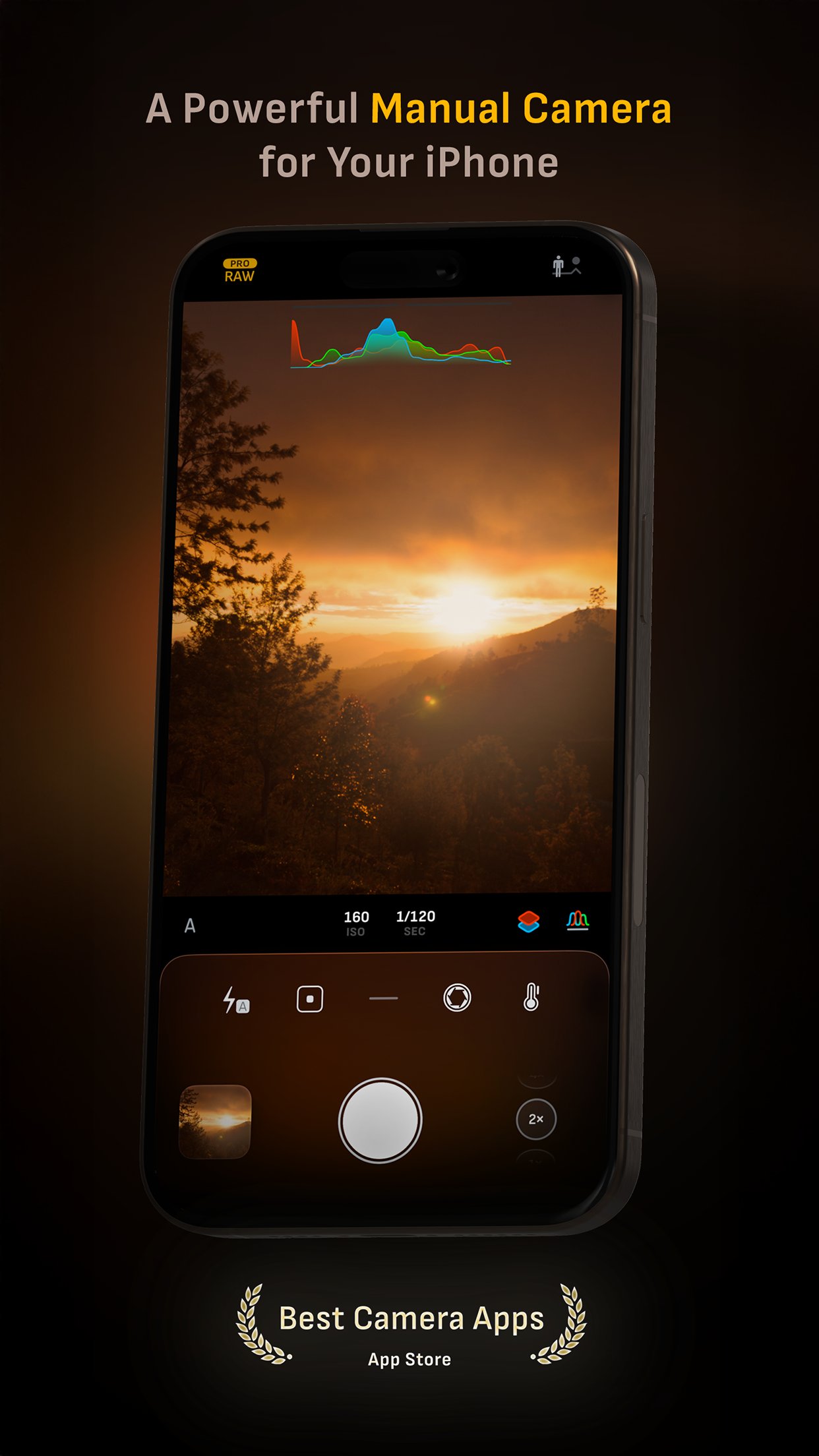
Camera M is a professional manual camera app designed to do one thing exceptionally well — help you capture beautiful photos at the highest possible quality with powerful, precise manual controls akin to a DSLR.
Download
31.63 MB
9downloads
0this week
FreeCommercial
0reviews
Screenshots
About Camera M
Camera M is a professional manual camera app designed to do one thing exceptionally well — help you capture beautiful photos at the highest possible quality with powerful, precise manual controls akin to a DSLR.
HIGHLIGHTS
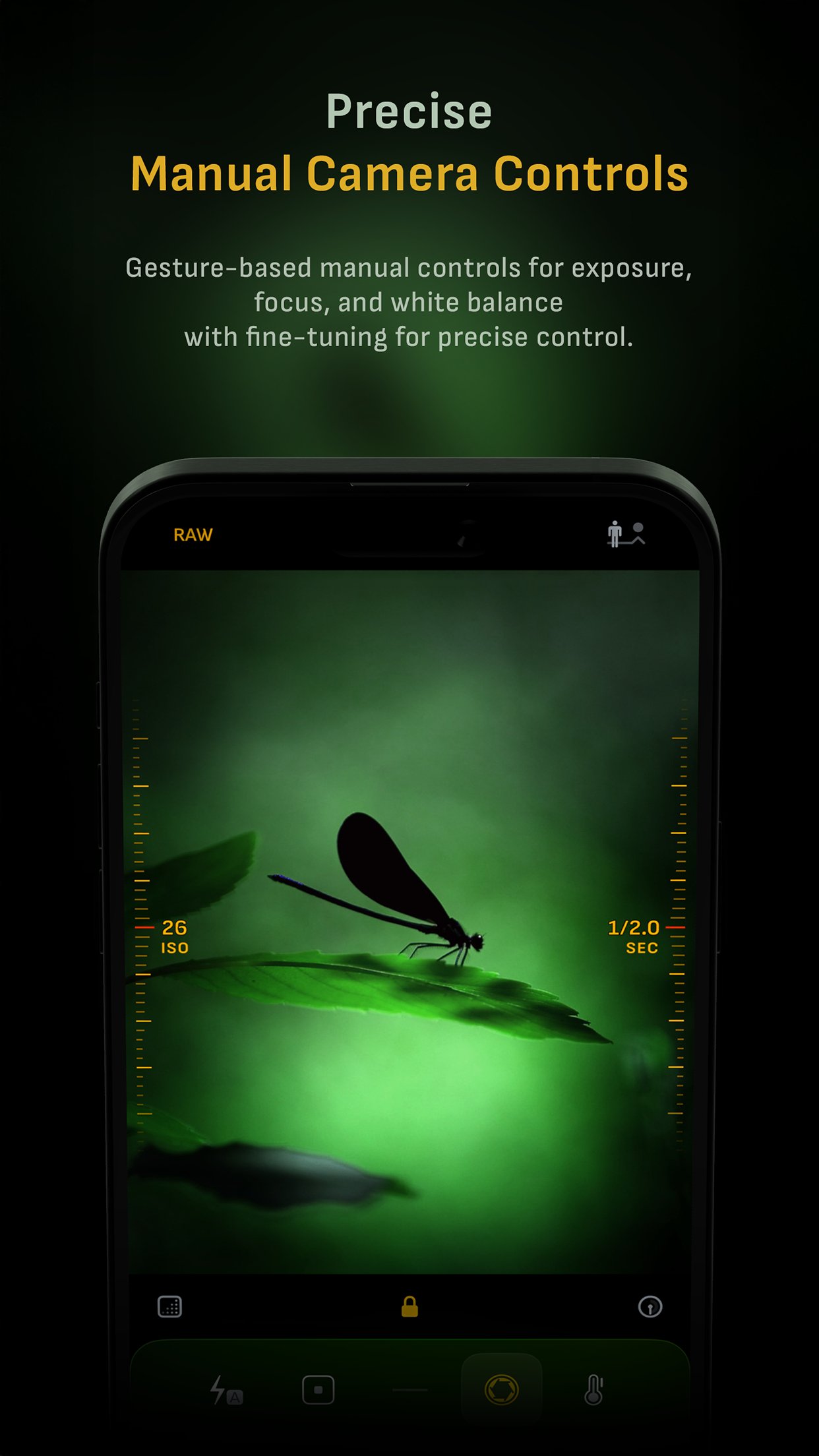
• Fluid gesture-based native manual controls with Fine-Tuning feature
• iOS 27 optimization with Liquid Glass design
• Optimized for iPhone 18 Pro, with aperture control
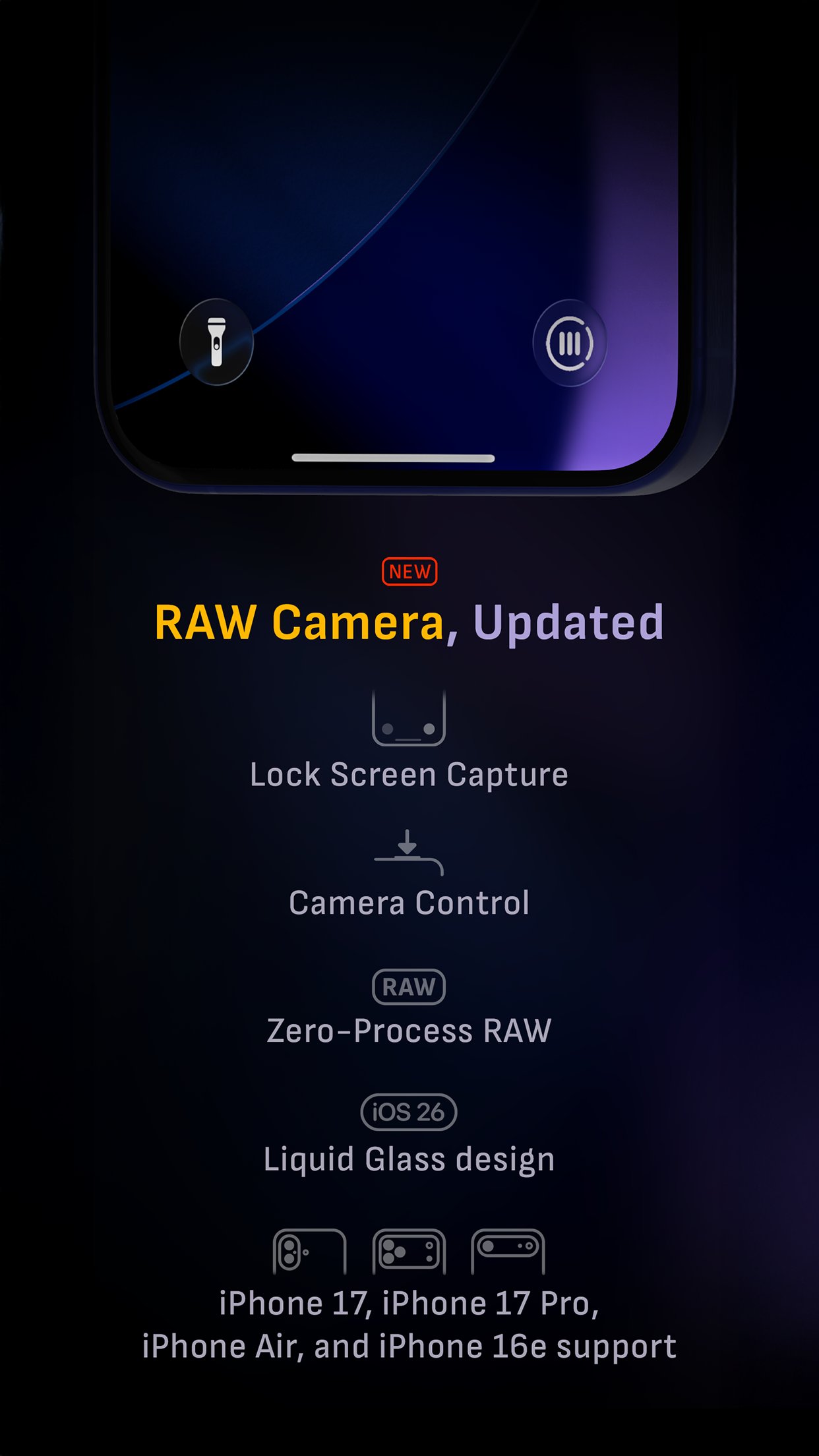
• Zero-process RAW support for the most natural look
• Max Image Processing to ensure the absolute best image quality
• ProRAW*, RAW, HEIF, JPEG, TIFF, and PNG image formats
• Single, Burst, Timer, Live, Depth*, Dual Photo*, and Bracket shooting modes
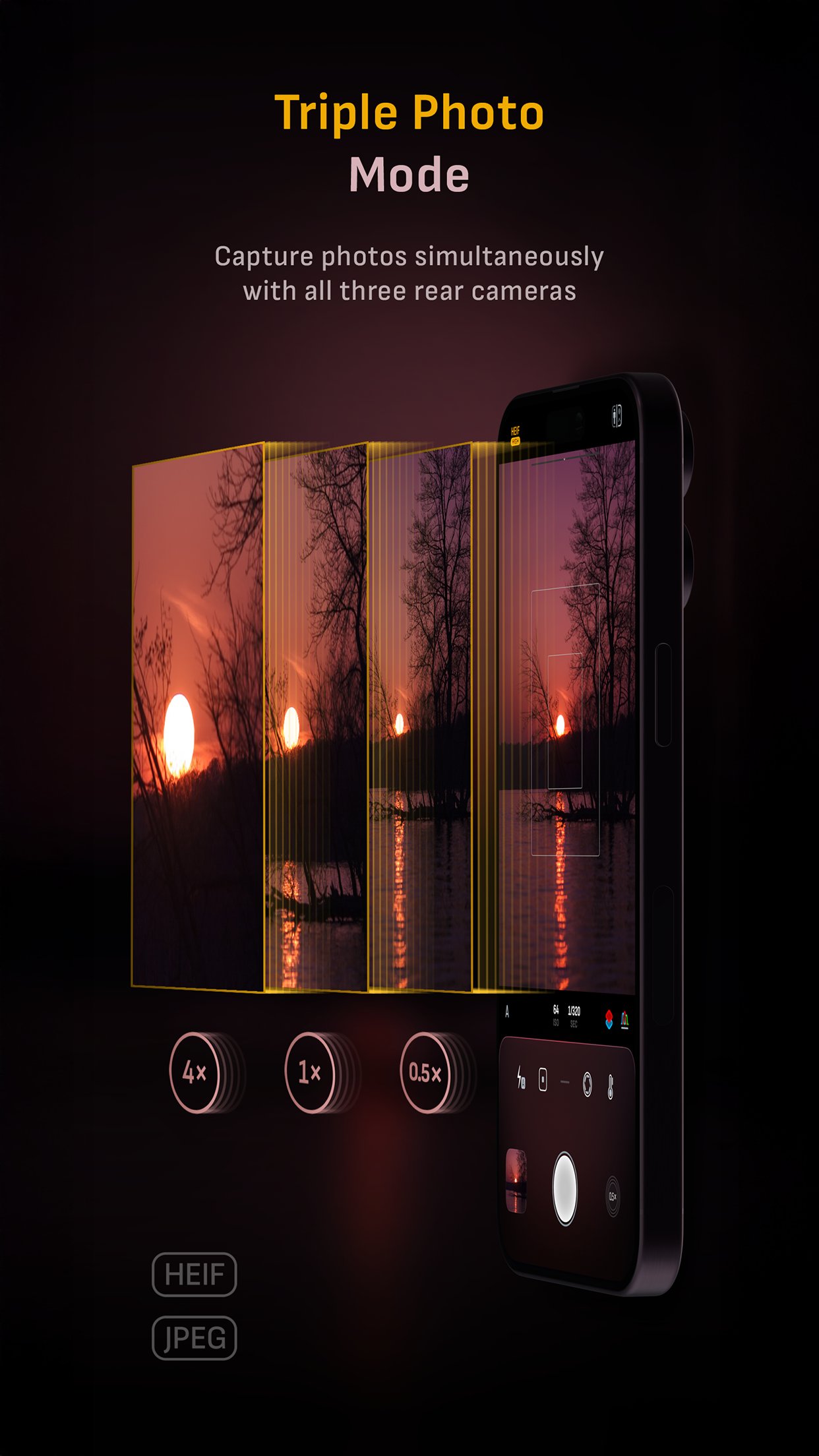
• Triple Photo mode with simultaneous ultra-wide, wide-angle, and telephoto camera capture*
• Minimum focus distance display for macro photography
• Intelligent Focus Tracking
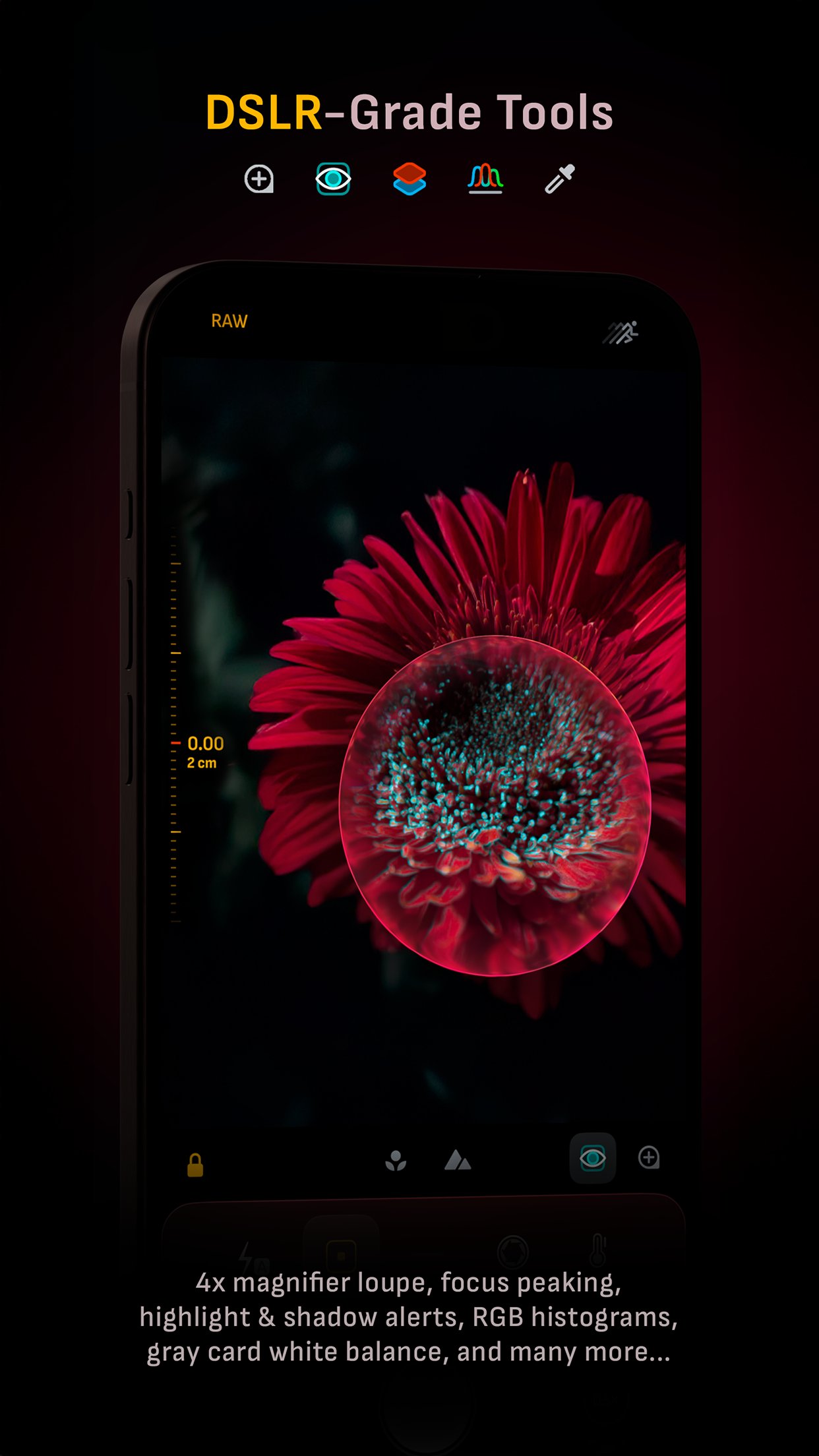
• Focus Peaking and 4x magnifier loupe with panning function
• Live RGB and RGB luminance histograms
• Manual gray card calibration
• Great widgets for photography
• Darkroom integration
CAMERA CONTROLS
– Manual focus
– Macro and Scene focus presets
– Exposure bias
– Manual ISO & exposure duration adjustments
– ISO & exposure duration semi-priority modes
– Manual white balance temperature and tint
– White balance presets
– Gray card white balance calibration
– Auto, on, and off flash modes
– Manual torch brightness level
– Manual switching between Ultra Wide, Wide, and Telephoto cameras*
– Digital pinch zoom with 10x range
– Camera Control support for all manual controls
– Lock Screen camera capture support
IMAGE FORMATS
– Apple ProRAW*
– RAW with stabilization
– HEIF with optional minimum compression
– JPEG with optional minimum compression
– TIFF
– PNG
– Live Photo
– P3 wide color support*
SHOOTING MODES
– Single
– Burst
– Timer
– Depth*
– Dual/Triple Photo*
– Live Photo*
– Bracket
TOOLS
– Exposure offset gauge
– Intelligent Focus Tracking
– Live focus peaking assistant
– 4x magnifier loupe with panning function
– Minimum focus distance display
– Live RGB and RGB luminance histograms
– Highlight & shadow alert display
– Horizon level with available pitch tracking and flat options
– Rule of Thirds, Golden Ratio, Quadrant, and Square grids
– Siri Shortcuts and App Shortcuts
– Detailed camera specifications display with PDF export
MAX IMAGE PROCESSING
– Deep Fusion and Smart HDR support for iPhone 11 and later.
– Ensures maximum image quality with better noise reduction, image stabilization, and additional processing for all other iPhones and iPads
ZERO-PROCESS RAW
– Capture standard RAW files with no extra processing
PHOTO LIBRARY
– Summarized and full EXIF metadata display
– Location data display with compass and elevation
– RGB and RGB luminance histogram displays
– Access to all photo albums and folders
WIDGETS
– Home Screen: Golden Hour, EXIF, and Cameras
– Lock Screen: Cameras and Golden Hour
– Control Center: Focus, exposure, and white balance
APPLE WATCH SUPPORT
– Shutter button control
– Sunrise, sunset, and Golden Hour display with sun position indicator
ERGONOMICS
– True one-handed control on all iPhones
– An uncompromising approach to user experience in landscape orientation
ACCESSIBILITY
– Dynamic Type support
– Bold Text support
– Increase Contrast support
TECHNOLOGY
Camera M is powered exclusively by native APIs and frameworks. There are absolutely no dependencies on any outside sources. This makes it responsive and efficient — from its small download size to its quick app launch times.
We hope you enjoy taking amazing photos with Camera M!
Website: www.camera-m.com
User manual: www.camera-m.com/manual
Get in touch: contact@camera-m.com
Follow us: @CameraMApp
#CameraM
* These features are available on supported devices only.
* Depth capture for selfies requires an iPhone or an iPad with a TrueDepth camera system.
* Apple ProRAW capture requires iPhone 12 Pro or later.
* For more information on device and feature compatibility: www.camera-m.com/compatibility
License: Commercial
HIGHLIGHTS
• Fluid gesture-based native manual controls with Fine-Tuning feature
• iOS 27 optimization with Liquid Glass design
• Optimized for iPhone 18 Pro, with aperture control
• Zero-process RAW support for the most natural look
• Max Image Processing to ensure the absolute best image quality
• ProRAW*, RAW, HEIF, JPEG, TIFF, and PNG image formats
• Single, Burst, Timer, Live, Depth*, Dual Photo*, and Bracket shooting modes
• Triple Photo mode with simultaneous ultra-wide, wide-angle, and telephoto camera capture*
• Minimum focus distance display for macro photography
• Intelligent Focus Tracking
• Focus Peaking and 4x magnifier loupe with panning function
• Live RGB and RGB luminance histograms
• Manual gray card calibration
• Great widgets for photography
• Darkroom integration
CAMERA CONTROLS
– Manual focus
– Macro and Scene focus presets
– Exposure bias
– Manual ISO & exposure duration adjustments
– ISO & exposure duration semi-priority modes
– Manual white balance temperature and tint
– White balance presets
– Gray card white balance calibration
– Auto, on, and off flash modes
– Manual torch brightness level
– Manual switching between Ultra Wide, Wide, and Telephoto cameras*
– Digital pinch zoom with 10x range
– Camera Control support for all manual controls
– Lock Screen camera capture support
IMAGE FORMATS
– Apple ProRAW*
– RAW with stabilization
– HEIF with optional minimum compression
– JPEG with optional minimum compression
– TIFF
– PNG
– Live Photo
– P3 wide color support*
SHOOTING MODES
– Single
– Burst
– Timer
– Depth*
– Dual/Triple Photo*
– Live Photo*
– Bracket
TOOLS
– Exposure offset gauge
– Intelligent Focus Tracking
– Live focus peaking assistant
– 4x magnifier loupe with panning function
– Minimum focus distance display
– Live RGB and RGB luminance histograms
– Highlight & shadow alert display
– Horizon level with available pitch tracking and flat options
– Rule of Thirds, Golden Ratio, Quadrant, and Square grids
– Siri Shortcuts and App Shortcuts
– Detailed camera specifications display with PDF export
MAX IMAGE PROCESSING
– Deep Fusion and Smart HDR support for iPhone 11 and later.
– Ensures maximum image quality with better noise reduction, image stabilization, and additional processing for all other iPhones and iPads
ZERO-PROCESS RAW
– Capture standard RAW files with no extra processing
PHOTO LIBRARY
– Summarized and full EXIF metadata display
– Location data display with compass and elevation
– RGB and RGB luminance histogram displays
– Access to all photo albums and folders
WIDGETS
– Home Screen: Golden Hour, EXIF, and Cameras
– Lock Screen: Cameras and Golden Hour
– Control Center: Focus, exposure, and white balance
APPLE WATCH SUPPORT
– Shutter button control
– Sunrise, sunset, and Golden Hour display with sun position indicator
ERGONOMICS
– True one-handed control on all iPhones
– An uncompromising approach to user experience in landscape orientation
ACCESSIBILITY
– Dynamic Type support
– Bold Text support
– Increase Contrast support
TECHNOLOGY
Camera M is powered exclusively by native APIs and frameworks. There are absolutely no dependencies on any outside sources. This makes it responsive and efficient — from its small download size to its quick app launch times.
We hope you enjoy taking amazing photos with Camera M!
Website: www.camera-m.com
User manual: www.camera-m.com/manual
Get in touch: contact@camera-m.com
Follow us: @CameraMApp
#CameraM
* These features are available on supported devices only.
* Depth capture for selfies requires an iPhone or an iPad with a TrueDepth camera system.
* Apple ProRAW capture requires iPhone 12 Pro or later.
* For more information on device and feature compatibility: www.camera-m.com/compatibility
License: Commercial
| Release info | Update on Oct 19, 2026 |
|---|---|
| Release notes | Welcome to Camera M 10! As Camera M celebrates its ninth year, we’re excited to introduce version 10 — featuring aperture control and exposure priority modes. • iPhone 18 Pro Aperture Control Camera M has always been about camera controls. This year, we complete the exposure triangle by bringing aperture control to the exposure screen. Drag left or right on the exposure screen to adjust the aperture from f/1.48 to f/4.0, including any value in between. For slower, more precise adjustments, drag farther from the gauge as usual. You can also turn on presets and let Camera M choose the recommended aperture value closest to your selection. Available only the 1× and 2× cameras on iPhone 18 Pro. You can even adjust the aperture with Camera Control! • iPhone 18 Pro Exposure Priority Modes We’ve been eagerly awaiting exposure priority modes, and they’re finally here: Aperture Priority and Shutter Priority. In Aperture Priority, you set the aperture while the auto-exposure system adjusts ISO and shutter speed as needed. In Shutter Priority, you set the shutter speed while the system adjusts ISO and aperture. We’ve kept the familiar exposure screen, with ISO on the left and shutter speed on the right, and added horizontal aperture control. Rather than requiring dedicated priority modes, you can choose which settings to lock and which to leave on Auto: ISO, aperture, and shutter speed. Values that are locked are shown in orange - simple. These modes also support 48 MP capture with ProRAW, HEIF, and JPEG. Following combinations are supported on iPhone 18 Pro: ISO auto | Aperture auto | Shutter auto ISO auto | Aperture auto | Shutter locked ISO auto | Aperture locked | Shutter auto ISO auto | Aperture locked | Shutter locked ISO locked | Aperture locked | Shutter locked • More for iPhone 18 Pro Some of these new controls extend to other capture modes: Depth and Triple Photo now support Aperture Priority, Shutter Priority, and manual focus in some situations. OTHER IMPRO |
| Listing data | App Store |
Reviews
No reviews yet. Be the first to review Camera M.
Used Camera M? Tell other visitors what you thought.
Log in to write a reviewOther products by this publisher
- "No Distractions" for YouTube 4.10 ----
- #Bible 11.6 "Incredible App - My sister shared this app with me a few weeks ago and it is truly incredible.
- #filmphotography 1.4.2 So, you decided to shoot on film?
- $quirrel 1.5.1 $quirrel Budget & Finance helps you plan each paycheck, track spending, manage debt, and see what is safe to spend before the next payday.
- % Percentage Calculator Pro 1.41 This is the Pro version of % Percentage Calculator.
Most viewed iOS Photo & Video
-
1
 ShortDiShow 2.0
Drama Quest Island — An offline interactive short-drama adventure.
-
2
 Infuse 8.5.10
Infuse: Enterprise provides the same great features as the standard version of Infuse and includes permanent access to all Pro features via a traditional paid app.
-
3
 AI Video Generator 2.0.2
Vixel – AI Video Generator
-
4
 OPlayer 4.8
Play all your videos directly without having to convert them!
-
5
 Necrometer II 1.2
Necrometer II is a paranormal investigation companion designed for ghost hunters and researchers.
-
6
 CapCut 20.1.0
CapCut offers easy-to-use video editing functions, in-APP fonts and effects, advanced features such as keyframe animation, smooth slow-motion, chroma key, and stabilization, to help you capture and snip moments.
-
7
 Ai Photo 1.1.2
AI Photo Retouch – BG Eraser
- 8 #filmphotography 1.4.2 So, you decided to shoot on film?
-
9
 Treblo 1.6.5
Make songs with the world's best AI music model.
-
10
 Pop Dot Comics 1.48
Create a comic worthy of the Sunday newspaper or your favorite pulp-fiction cover.
Most downloaded iOS Photo & Video
-
1
Infuse 8.5.10
Infuse: Enterprise provides the same great features as the standard version of Infuse and includes permanent access to all Pro features via a traditional paid app.
-
2
 DJI Fly 1.21.18
DJI Fly is designed to help pilots fly drones with ease.
-
3
 Analog Radio 3.0
The iPhone and iPad devices don't have the FM/AM radio antenna installed.
-
4
 TurboCollage Automatic 1.2.4
#1 Easy automatic photo collage maker for iPhone & iPad.
-
5
 ReelyGo 1.1.42
ReelyGo: Your Daily Drama Escape
-
6
Treblo 1.6.5
Make songs with the world's best AI music model.
-
7
 Rozeta Sequencer Suite 1.3.16
Rozeta is a suite of MIDI sequencers and controllers that lets you explore a new, freeform approach to sequencing and controlling mobile music apps.
-
8
 AGAIN. Rehearsal Notes 2.0.1
AGAIN. is the rehearsal app that remembers why the band stopped — and, new in Version 2, who said what in a writing session or a table read.
-
9
Pop Dot Comics 1.48
Create a comic worthy of the Sunday newspaper or your favorite pulp-fiction cover.
-
10
 SSS IPTV, Simple, Smart Super 1.0.2
An Easiest way to watch TV Online or Movies or Series, Bring your Own list M3u,