11downloads
1this week
FreeFreeware
0reviews
Screenshots
About Calpaper
A Lock Screen calendar that redraws itself every morning.
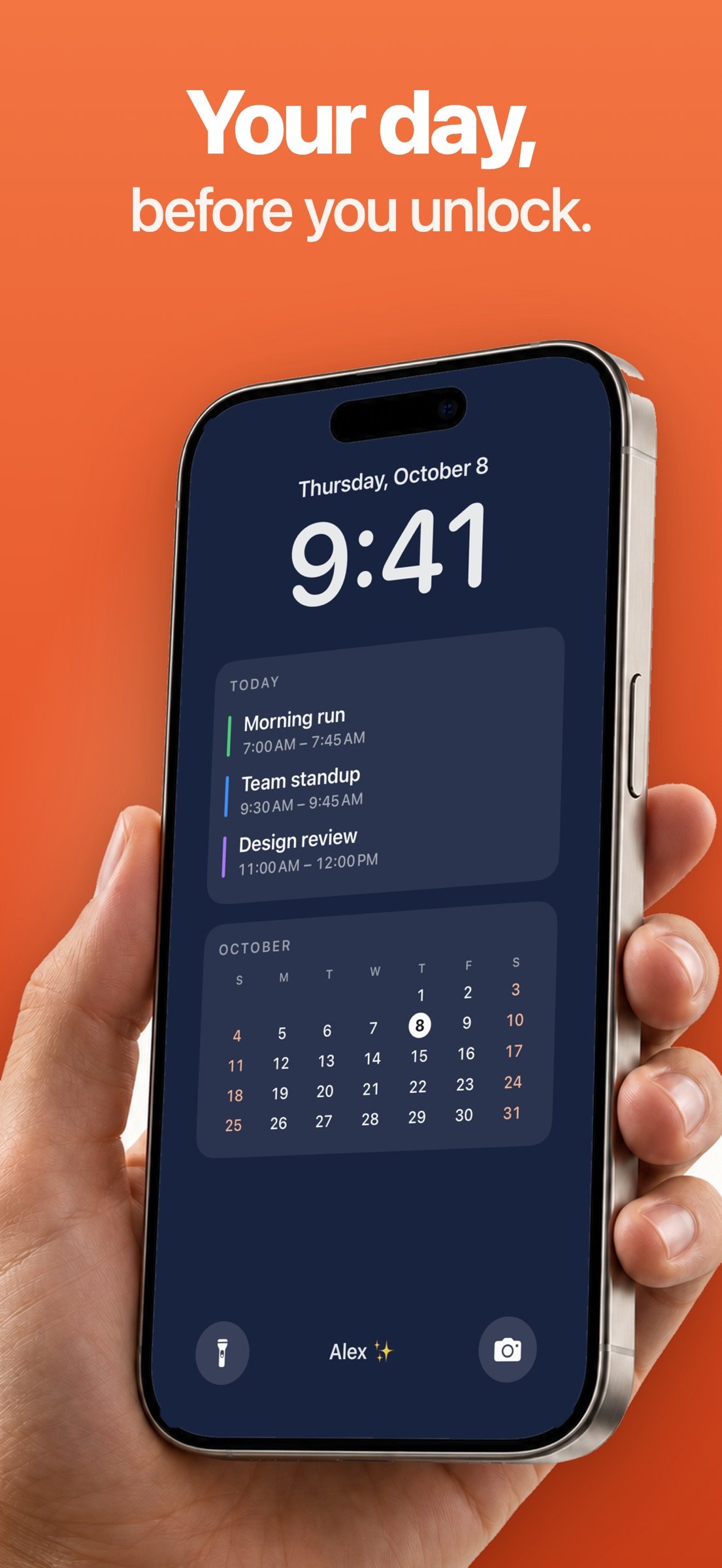
Calpaper turns today's schedule into your Lock Screen wallpaper: today's events, your open reminders, a note or a list, countdowns to the dates you're waiting for, this month or this week at a glance, the day's weather, and a photo you love. Your day is there before you unlock.
WHAT YOU CAN PUT ON IT
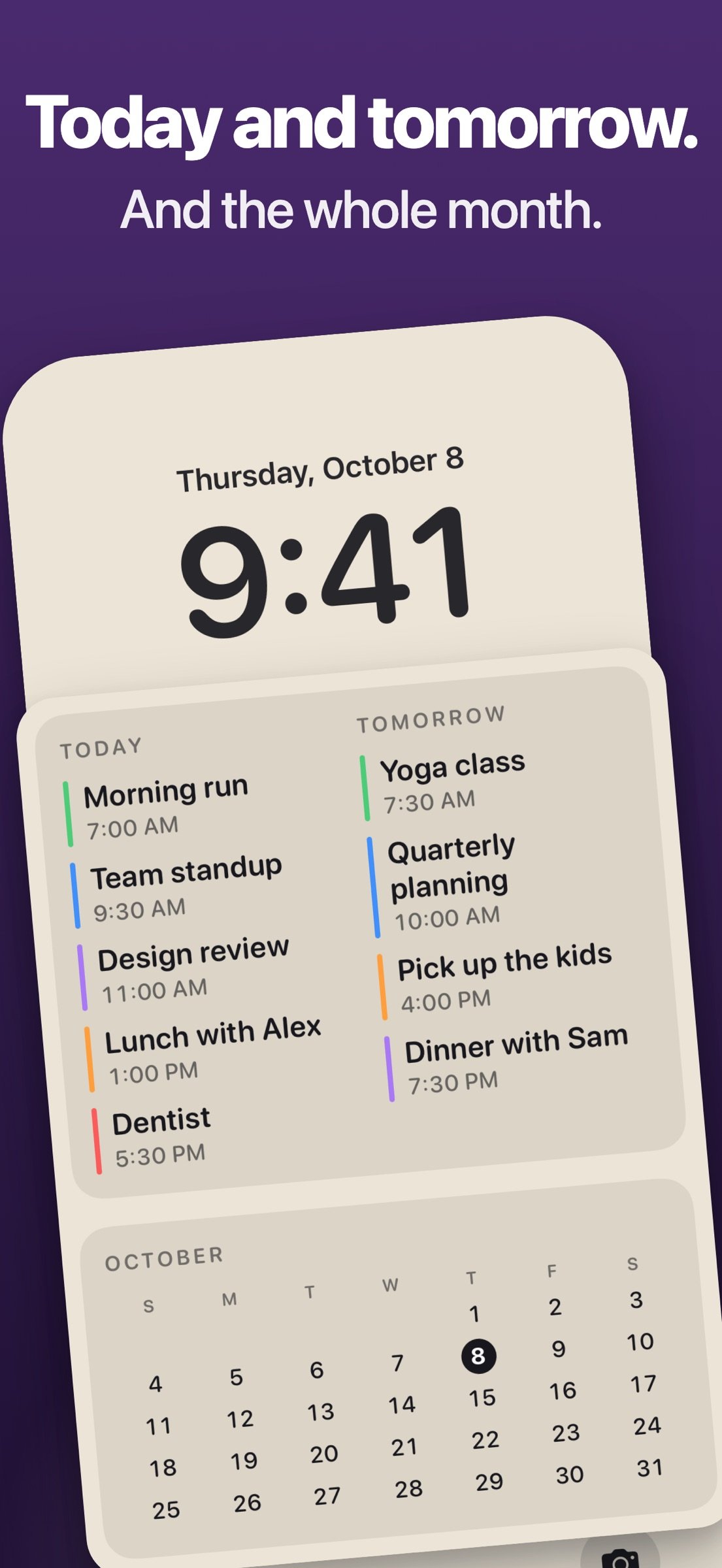
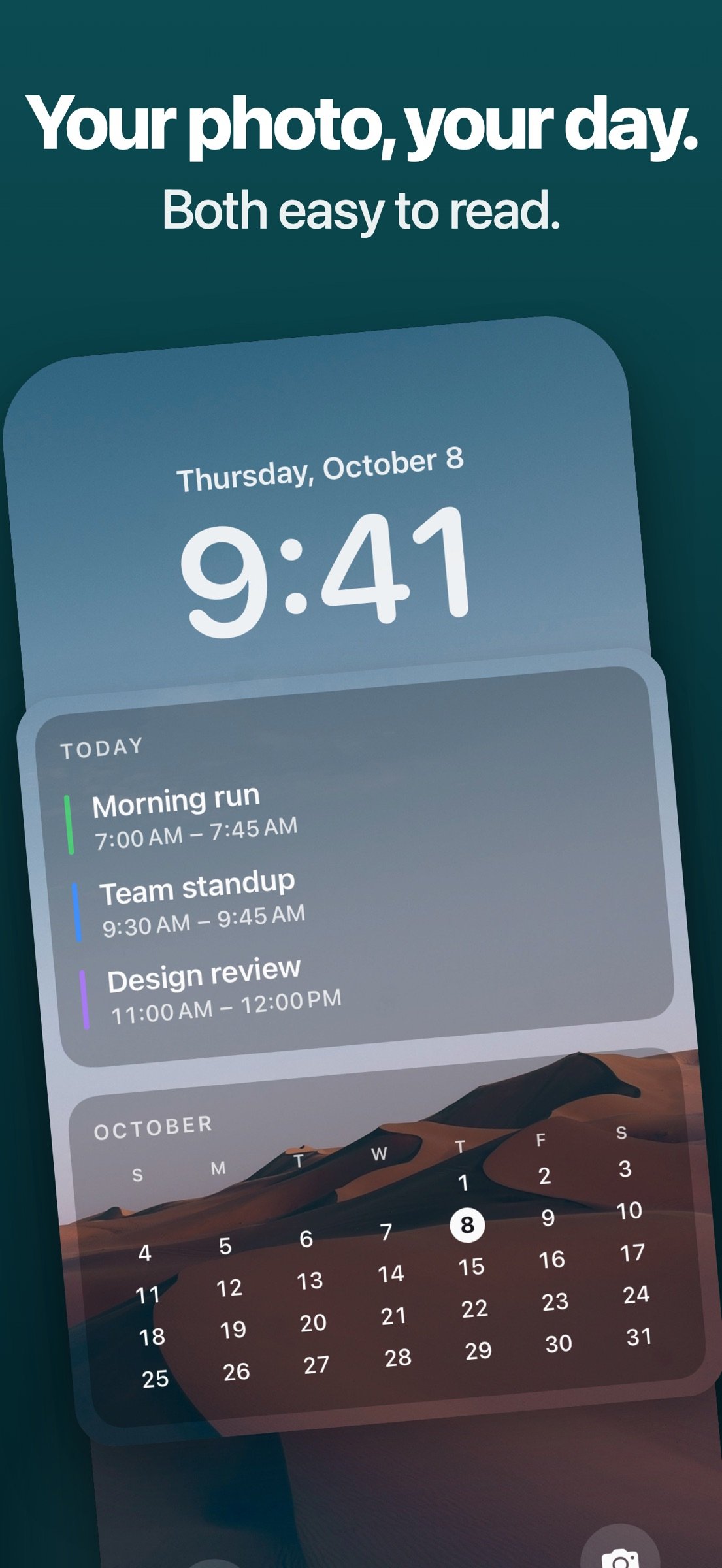
• Today's events from the calendars on your iPhone (iCloud, Google, Outlook), as a list or a timeline. Once today's are done, tomorrow's. Or keep tomorrow's beside today's all day (Calpaper Pro).
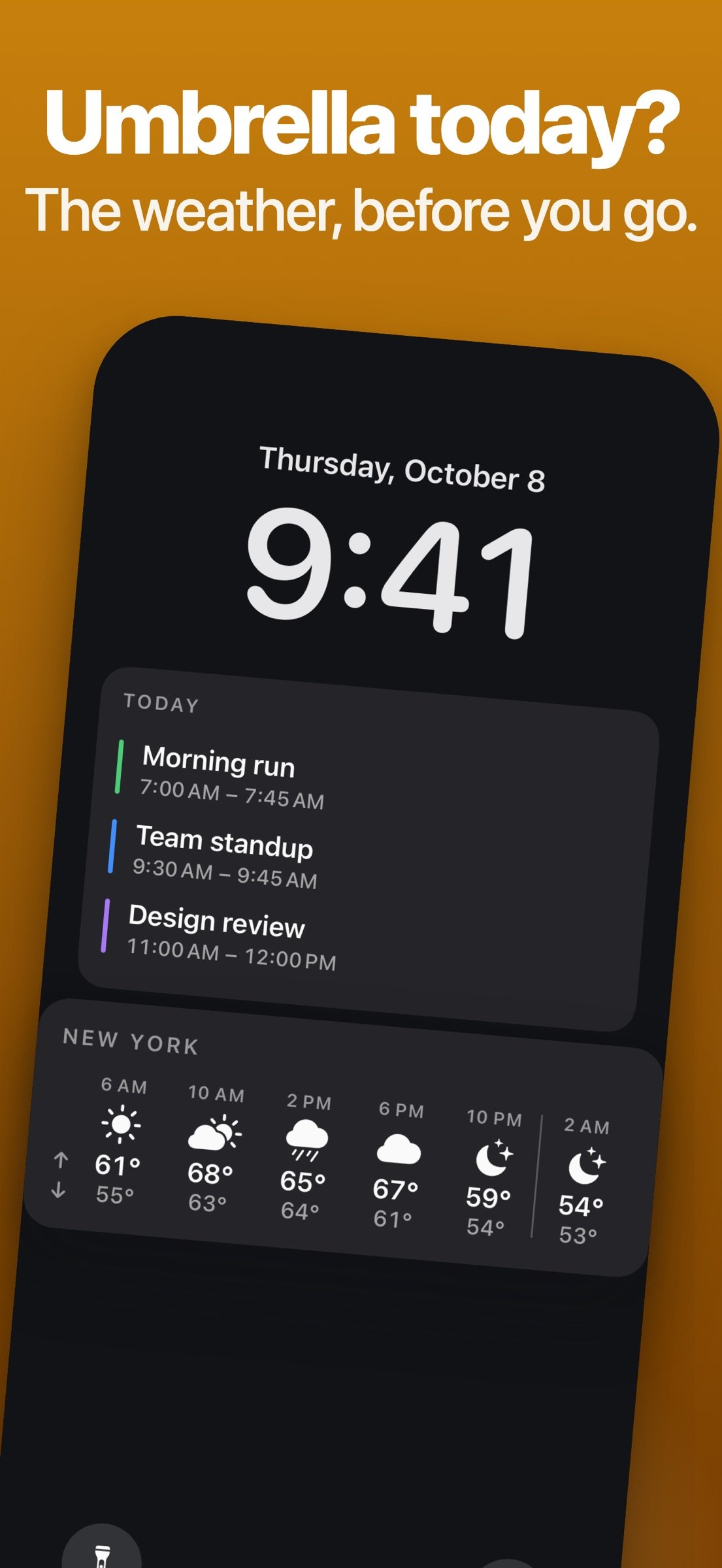
• The weather for the next 24 hours in the place you choose: the sky, the high and the low, beside your events (Calpaper Pro).
• Your Reminders lists, what's due today first, as many as fit. Tick one off and it's gone at the next update.
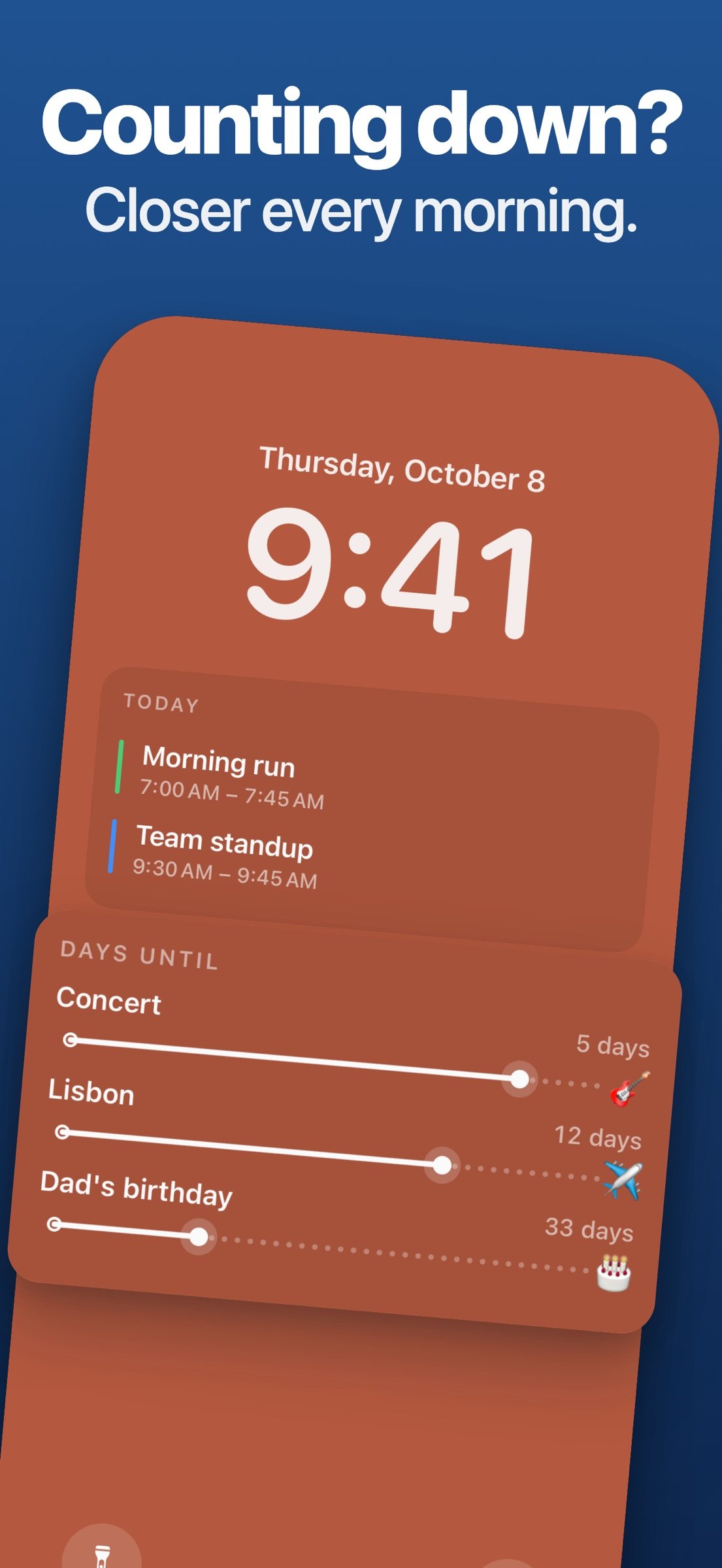
• Countdowns to the dates you're waiting for, a step closer every morning, and days since a date that matters. One of each is free; more come with Calpaper Pro.
• A note to yourself or a list, one item a line, like your groceries, and a photo card.
• This month with today marked, or this week in one short row with the number of events each day, on its own or over the month (Calpaper Pro).
• Your name and a few emoji between the flashlight and the camera (Calpaper Pro).
MAKE IT YOURS
• Ten calm colors. With Calpaper Pro: gradients, your own photos (a new one every morning if you like), three more typefaces, emoji, and cards that are transparent, frosted or a color of your own.
• Save the looks you make as designs and switch between them in one tap, or start from a ready-made one: an agenda, a planner, a grocery list, a to-do list. One design is free; Calpaper Pro keeps as many as you like.
• Reorder or hide any block, and pick one of seven text sizes: smaller to fit more, larger to read at a glance. Try every Pro feature on the preview first.
QUESTIONS PEOPLE ASK
How do I put my calendar on my iPhone Lock Screen?
Install Calpaper, allow access to your calendars and add the ready-made shortcut the app offers. Calpaper draws today's events into a wallpaper and Apple's Shortcuts app sets it on your Lock Screen. The guide shows every tap and takes a few minutes.
Does the wallpaper update by itself every day?
Yes. A daily automation in Shortcuts makes a fresh wallpaper every morning at the time you choose. Changed something? Tap Update in the app, or long-press its icon.
Can I see a countdown on my Lock Screen?
Yes. Add the dates you're waiting for, like a trip or a birthday, and each shows the days left on a track that moves a step closer every morning.
Can I see the weather on my Lock Screen?
Yes, with Calpaper Pro. Pick a place and the Weather block shows the next 24 hours, sky, high and low, as forecast when the wallpaper updates.
Can I put my grocery list on my Lock Screen?
Yes. Type it in the note, one item a line, or show your Reminders lists. Both grow into the room the other blocks leave.
Does it work with Google Calendar or Outlook?
Yes. Calpaper shows any calendar on your iPhone, Google, Outlook, iCloud and shared calendars included, and you choose which ones.
Is it a widget?
No. Calpaper changes the wallpaper itself, so your day fills the Lock Screen, with either Lock Screen clock and next to your widgets.
Is my calendar private?
Yes. Everything is read and drawn on your iPhone. Your events, notes and photos never leave it, and there's no account.
Free to download, with the daily wallpaper included. Calpaper Pro is one purchase: no subscription, no ads, no account. Works with VoiceOver, Dynamic Type and Reduce Motion.
Available in English, Spanish, Portuguese, German, French, Italian, Japanese, Korean, Traditional Chinese, Simplified Chinese and Turkish.
| Release info | Update on Nov 20, 2026 |
|---|---|
| Release notes | Calpaper 1.10.2: fixes and improvements. • On iOS 27 outside Central Europe, the ready-made shortcut arrived set to another hour, so your wallpaper could change at night or midday. The setup guide now has you set 6:00. Already set up? In Shortcuts, open Calpaper and set its time to 6:00. • The “What's new” card after an update now waits until you open Calpaper. Before, it could show during the morning update, in the background, where you never saw it. • Weather: Content › Weather › Place now finds Berlin, Vienna, Tokyo, Taipei and other big cities, and districts too. Before, it showed other places with the same name, or nothing. Calpaper 1.10.1: fixes and improvements. • Reminders due later now show on your wallpaper too: after today's, the overdue and the ones without a date, each marked Tomorrow or with its day. Before, the reminders block left them out. • Widgets under the clock: if your Lock Screen has a row of widgets under the time, switch on Canvas › Widgets under the clock, and the blocks start below the widgets instead of behind them. Calpaper 1.10: the weather beside your day. • Weather: a new block shows the next 24 hours in the place you choose, in six parts of four hours, each with its sky, its high and its low. Pick the place in Content › Weather. It comes with Calpaper Pro: try it on first. • Whole photos: a photo of another shape than your screen no longer has to lose its edges. In Canvas, double-tap the preview, or pinch it smaller, to see all of it; the space around it takes the colors of its edges. • A new app icon. The other colors in Settings › App icon change to match. • Setup: before you go to Settings, the first step asks whether you've added a Photos wallpaper, the only kind Shortcuts can set. If the wallpaper can't be used, Show me how starts from that step. • Try it on first, on the Calpaper Pro page, now opens Between the buttons, ready for your name. Calpaper 1.9.1: fixes and improvements. • The last page of setup now says the shortcu |
| Listing data | App Store |
Reviews
No reviews yet. Be the first to review Calpaper.
Used Calpaper? Tell other visitors what you thought.
Log in to write a reviewOther products by this publisher
- "No Distractions" for YouTube 4.10 ----
- #Bible 11.6.1 "Incredible App - My sister shared this app with me a few weeks ago and it is truly incredible.
- #filmphotography 1.4.2 So, you decided to shoot on film?
- #LookBusy Fake Calendar Events 1.0.6 Look Busy scans your work calendar for open time slots and fills them with realistic-looking (but secretly fake) work events.
- #Small Talk Is Canceled 1.0.2 #Small Talk Is Canceled — Conversations That Matter
Most viewed iOS Productivity
-
1
 WordPress 27.4
Manage or create your WordPress blog or website right from your iOS device: create and edit posts and pages, upload your favorite photos and videos, view stats and reply to comments.
- 2 Voice Translator - Alive 1.6 Translation app that turns your iPhone into an interpreter instantly.
-
3
 Life360 26.44.0
Whether at home, online, or on the move, our comprehensive family safety features bring peace of mind to your loved ones AND help safeguard your personal belongings.
-
4
 Claude by Anthropic 1.261119.19
Meet Claude, your AI problem solver and thinking partner.
-
5
 WristMemo 2.0
WristMemo turns your Apple Watch into an all-day voice recorder.
- 6 "No Distractions" for YouTube 4.10 ----
-
7
 Colicine 1.3.0
Have you ever been there—
- 8 (beat) for iOS 0.5.10 An elegant Fountain screenwriting app, created by a screenwriter for screenwriters.
-
9
 DeepSeek 2.9.0
Experience seamless interaction with DeepSeek's official AI assistant for free!
-
10
 Howbout 16.8.0
The shared calendar for friends, couples, and family
Most downloaded iOS Productivity
- 1 Voice Translator - Alive 1.6 Translation app that turns your iPhone into an interpreter instantly.
-
2
 SessionsAI 1.2.1
Sessions AI is a private AI workspace that runs entirely on your iPhone, iPad, or Mac.
-
3
DeepSeek 2.9.0
Experience seamless interaction with DeepSeek's official AI assistant for free!
-
4
 Voices AI 1.16.15
Discover Voices, the premier voice transformation app designed exclusively for iOS.
-
5
 Block Distracting Websites 1.11
"It's a great way to save time, and stop browsing Reddit when you should be doing coursework."
-
6
 Plot Digitizer 1.4.1
Plot Digitizer is an app to extract numerical data from plot images.
-
7
 Google Docs 1.2026.47103
Create, edit, and collaborate on online documents with the Google Docs app.
-
8
 MyHyundai with Bluelink 5.4.6
The MyHyundai app makes getting information about your Hyundai vehicle easier than ever.
-
9
 Pixy Mood Tracker 1.110.0
Track your mood, one pixel at a time.
-
10
 Minder 1.4
Minder turns your phone into a pair of eyes that watch you work.