CalenGoo Calendar 1.5.106
CalenGoo gives you a fast and easy way to access and modify your Google Calendar with your iPhone, iPhone Duo or iPad.
Download
29.29 MB
28downloads
2this week
FreeCommercial
0reviews
Screenshots
About CalenGoo Calendar
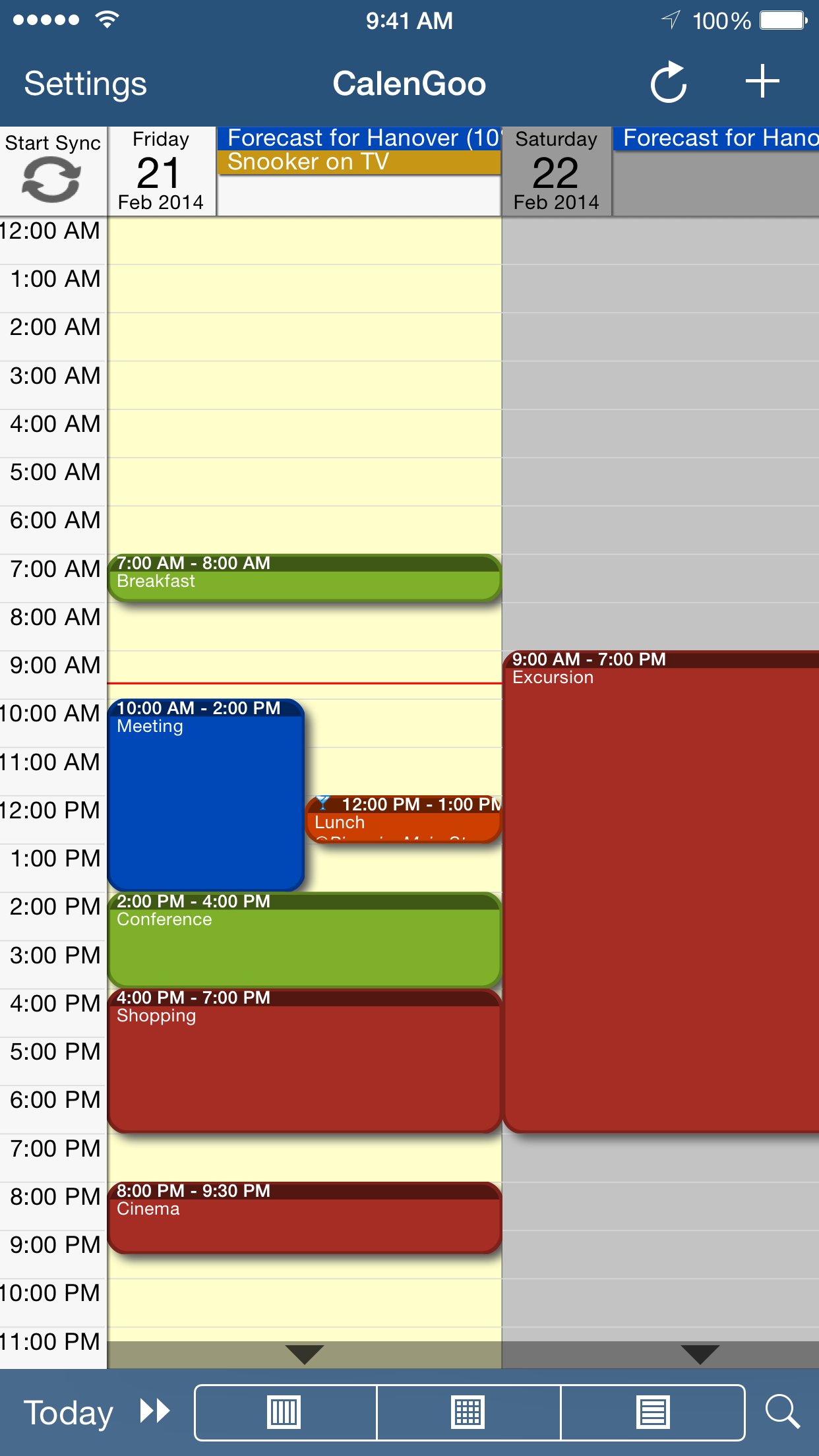
CalenGoo gives you a fast and easy way to access and modify your Google Calendar with your iPhone, iPhone Duo or iPad. It can also be used when you have no Internet connection, using the cached data. Changes are saved and uploaded the next time you are connected.
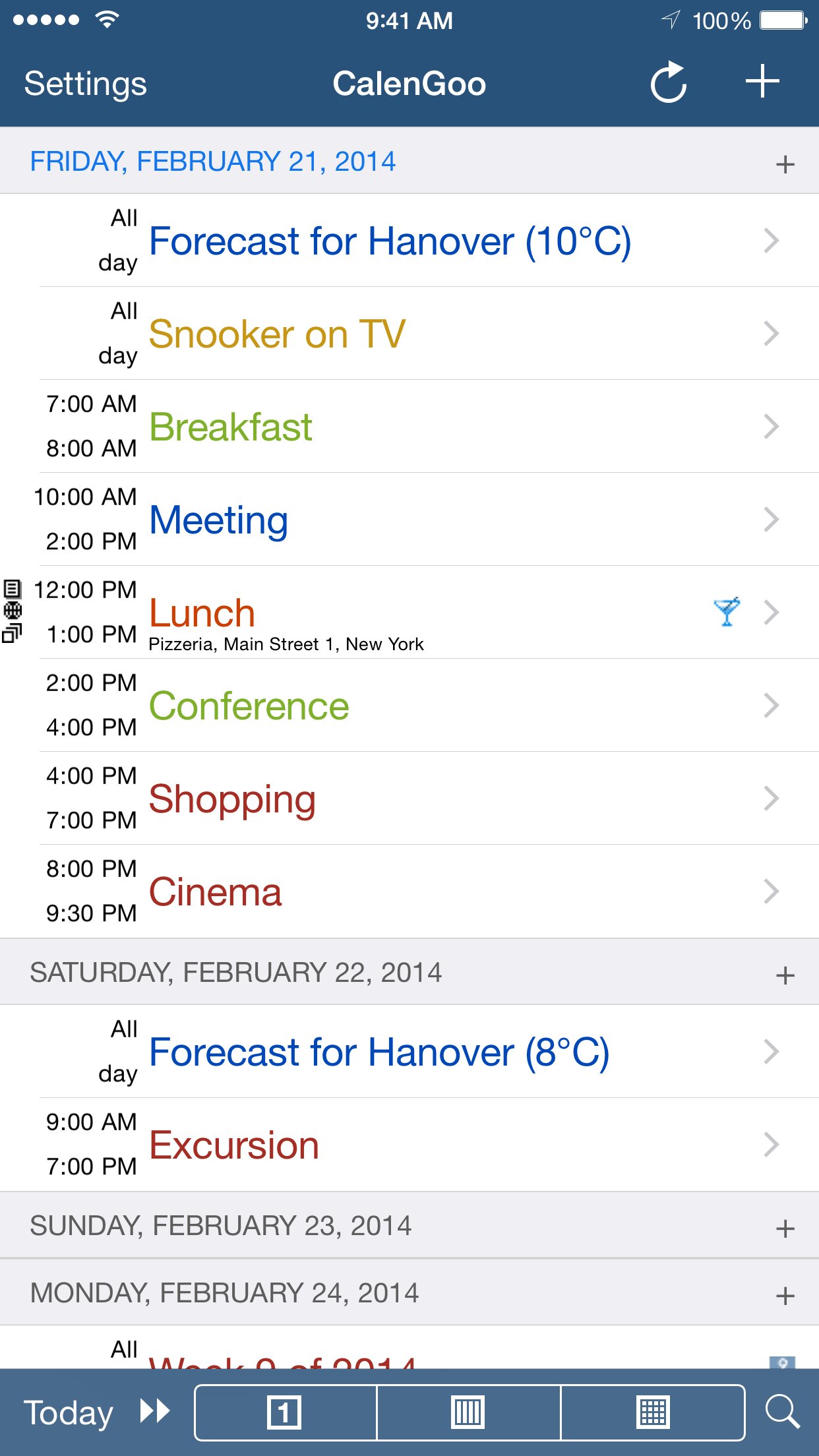
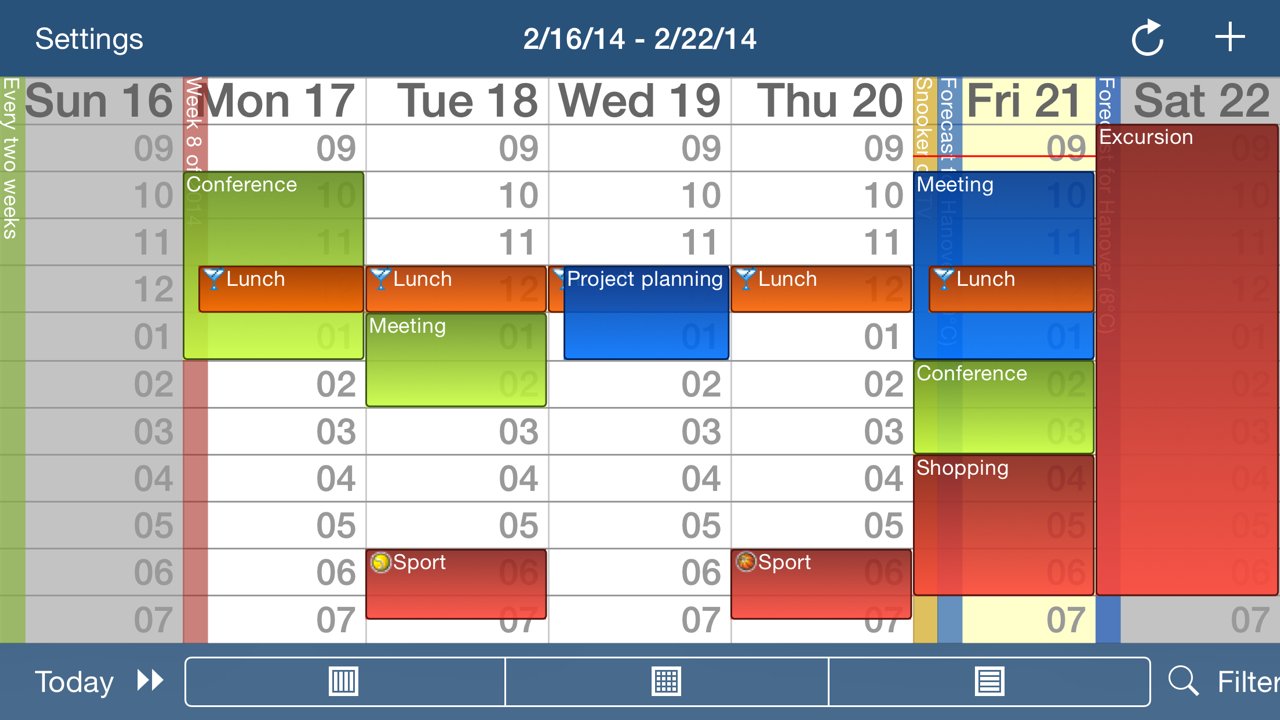
The calendar view is similar to the web view of Google Calendar. Events are displayed using the same calendar colors that you use in your Google Calendar, even Google's event colors are supported. It also recognizes which calendars are visible and which are hidden. So the view should match the view of your Google Calendar as much as possible.
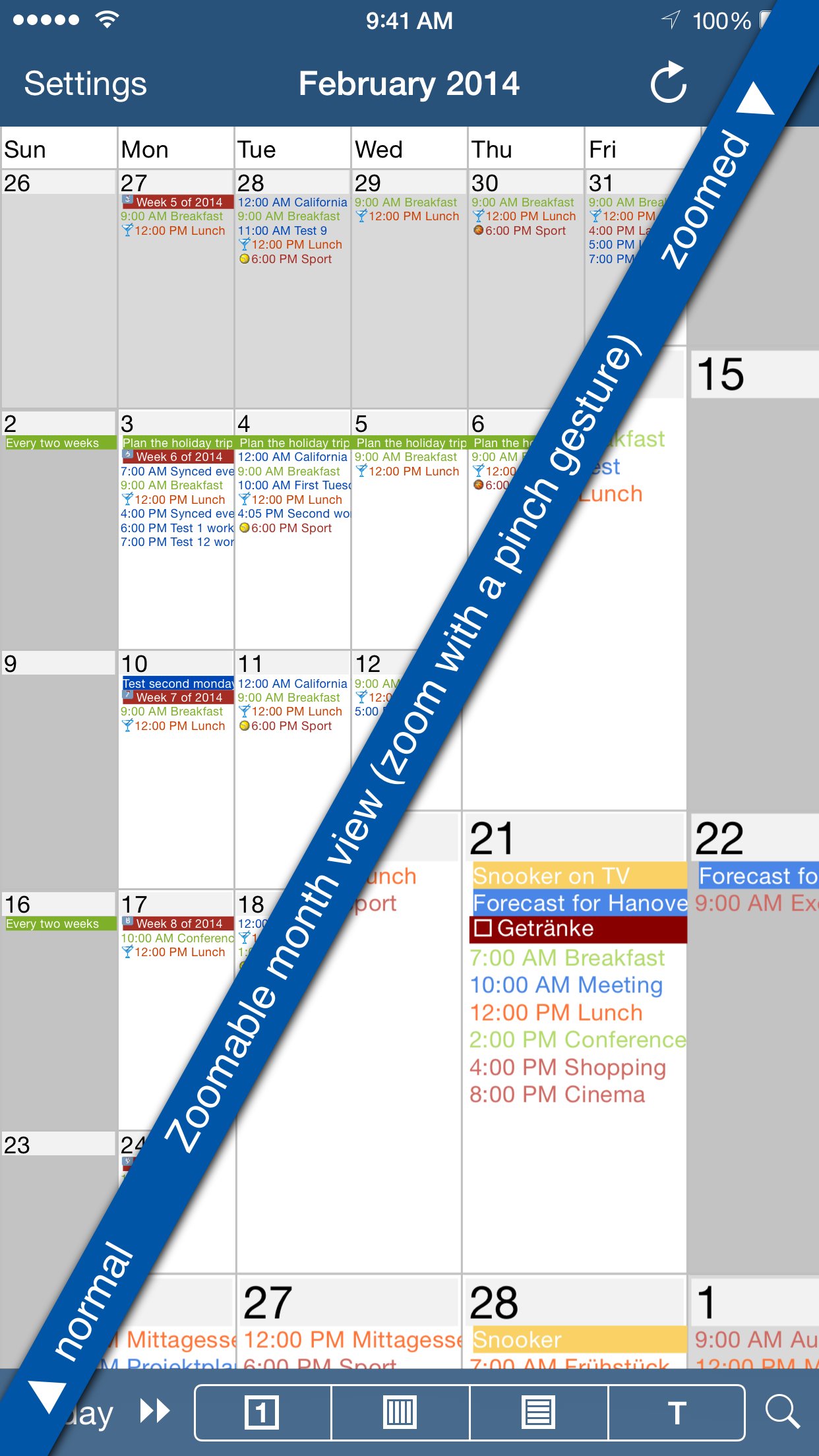
CalenGoo also has a month view similar to that of Google Calendar. It can be zoomed and panned to quickly get an overview over the events of a month. Zooming the month is done by using the two-finger-zoom gesture that you know from Safari and the photo application. A double tap opens the tapped day.
It also supports the same kinds of recurrence rules as Google Calendar and displays recurring events correctly even when you are offline or scroll far into the future.
You can also use Google Calendar's feature to invite people to events and see their status (accepted, declined, maybe, no answer). They will get an invitation email with links to e.g. accept or decline the invitation.
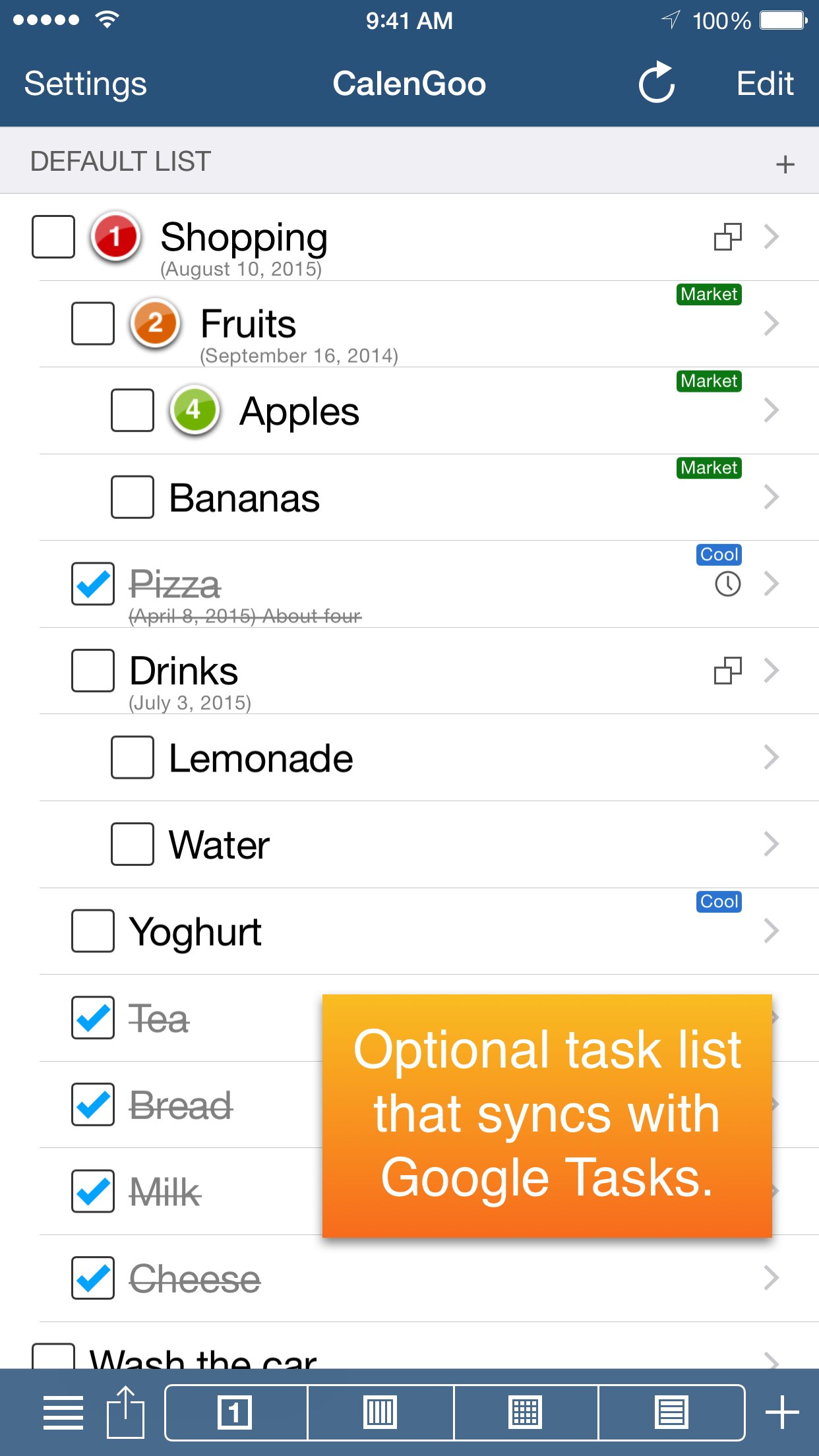
Google Calendar has an integrated task list, called Google Tasks. Tasks with a due date are displayed on the corresponding days of the calendar. CalenGoo can do the same, it can sync this list, display your tasks in the calendar views and in a list view and it even makes your tasks available offline. You can edit and add tasks and the changes will be synced with Google Tasks.
You either need a (free) Google Calendar account to use this app or you can use it with your iOS calendars. However using it with Google Calendar has a few advantages.
To get more information, screenshots and a tutorial, please go to [link removed]
If you have any problems or suggestions, please send an email to ios@calengoo.com or use "Settings > Support" in the app or take a look at CalenGoo's support website to get help.
If you think the font is too small and hard to read, you can increase the font size of all calendar views in the settings under "Settings > Display and Use".
Features ( [link removed] ):
- Drag&drop to quickly copy and move events
- Templates to quickly create similar events again. They can even be combined, e.g. one template for the location of an event and another for the attendees
- Print/PDF function to print the day, week, month or agenda view via AirPrint or to email it as a PDF file
- Supports the same recurrence rules as Google Calendar
- Supports Google Calendar's event colors when syncing via OAuth2
- Icons can be assigned to Google Calendar events
- Date/time can be entered using the iOS wheels or by using a keypad
- Fast search function
- Show/edit iOS calendars in addition to Google calendars (or instead of Google calendars)
- Sync with Google Tasks and iOS Reminders
- Reminders can be snoozed and they can be (optionally) repeated every minute
- Birthdays and anniversaries of your contacts can be displayed
- Zoomable month view, which can be configured to scroll horizontally (month by month) or vertically (week by week)
- Events can be linked to contacts
- Floating events and completable events
- Photos and PDF files can be created and attached to events (via Google Drive)
- Calendar selection bar to quickly show and hide single calendars
- The location of an event can be opened with Apple Maps, Google Maps, Navigon, TomTom, Skobbler, Sygic, iGo or Waze
- View/edit calendars that are shared with others via Google Calendar
- Many configuration options to change the way the app looks and works
License: Commercial
| Release info | Update on Nov 22, 2026 |
|---|---|
| Release notes | - Support for new Google Calendar event colors - Due times and custom repeat rules for Apple Reminders - Customizable Apple Watch complication with all-day events - Flat and glass toolbar design options on iOS 27 - Half-open layouts for iPhone Duo - Bug fixes |
| Listing data | App Store |
Reviews
No reviews yet. Be the first to review CalenGoo Calendar.
Used CalenGoo Calendar? Tell other visitors what you thought.
Log in to write a reviewOther products by this publisher
- "No Distractions" for YouTube 4.10 ----
- #Bible 11.6.1 "Incredible App - My sister shared this app with me a few weeks ago and it is truly incredible.
- #filmphotography 1.4.2 So, you decided to shoot on film?
- #LookBusy Fake Calendar Events 1.0.6 Look Busy scans your work calendar for open time slots and fills them with realistic-looking (but secretly fake) work events.
- #Small Talk Is Canceled 1.0.2 #Small Talk Is Canceled — Conversations That Matter
Most viewed iOS Productivity
-
1
 WordPress 27.5
Manage or create your WordPress blog or website right from your iOS device: create and edit posts and pages, upload your favorite photos and videos, view stats and reply to comments.
- 2 Voice Translator - Alive 1.6 Translation app that turns your iPhone into an interpreter instantly.
-
3
 Life360 26.45.0
Whether at home, online, or on the move, our comprehensive family safety features bring peace of mind to your loved ones AND help safeguard your personal belongings.
-
4
 Claude by Anthropic 1.261123.51
Meet Claude, your AI problem solver and thinking partner.
-
5
 WristMemo 2.0
WristMemo turns your Apple Watch into an all-day voice recorder.
- 6 "No Distractions" for YouTube 4.10 ----
-
7
 Colicine 1.3.0
Have you ever been there—
- 8 (beat) for iOS 0.5.10 An elegant Fountain screenwriting app, created by a screenwriter for screenwriters.
-
9
 DeepSeek 2.10.0
Experience seamless interaction with DeepSeek's official AI assistant for free!
-
10
 Howbout 16.8.0
The shared calendar for friends, couples, and family
Most downloaded iOS Productivity
- 1 Voice Translator - Alive 1.6 Translation app that turns your iPhone into an interpreter instantly.
-
2
 SessionsAI 1.2.1
Sessions AI is a private AI workspace that runs entirely on your iPhone, iPad, or Mac.
-
3
DeepSeek 2.10.0
Experience seamless interaction with DeepSeek's official AI assistant for free!
-
4
 Voices AI 1.16.18
Discover Voices, the premier voice transformation app designed exclusively for iOS.
-
5
 Block Distracting Websites 1.11
"It's a great way to save time, and stop browsing Reddit when you should be doing coursework."
-
6
 Google Docs 1.2026.47103
Create, edit, and collaborate on online documents with the Google Docs app.
-
7
 Plot Digitizer 1.4.1
Plot Digitizer is an app to extract numerical data from plot images.
-
8
 MyHyundai with Bluelink 5.4.6
The MyHyundai app makes getting information about your Hyundai vehicle easier than ever.
-
9
 Pixy Mood Tracker 1.110.0
Track your mood, one pixel at a time.
-
10
 Minder 1.4
Minder turns your phone into a pair of eyes that watch you work.