
Calendaria 1.1.4
Calendaria shows your calendar as one continuous list, from January to December, and helps you plan it.
Download
101.14 MB
6downloads
1this week
FreeCommercial
0reviews
Screenshots
About Calendaria
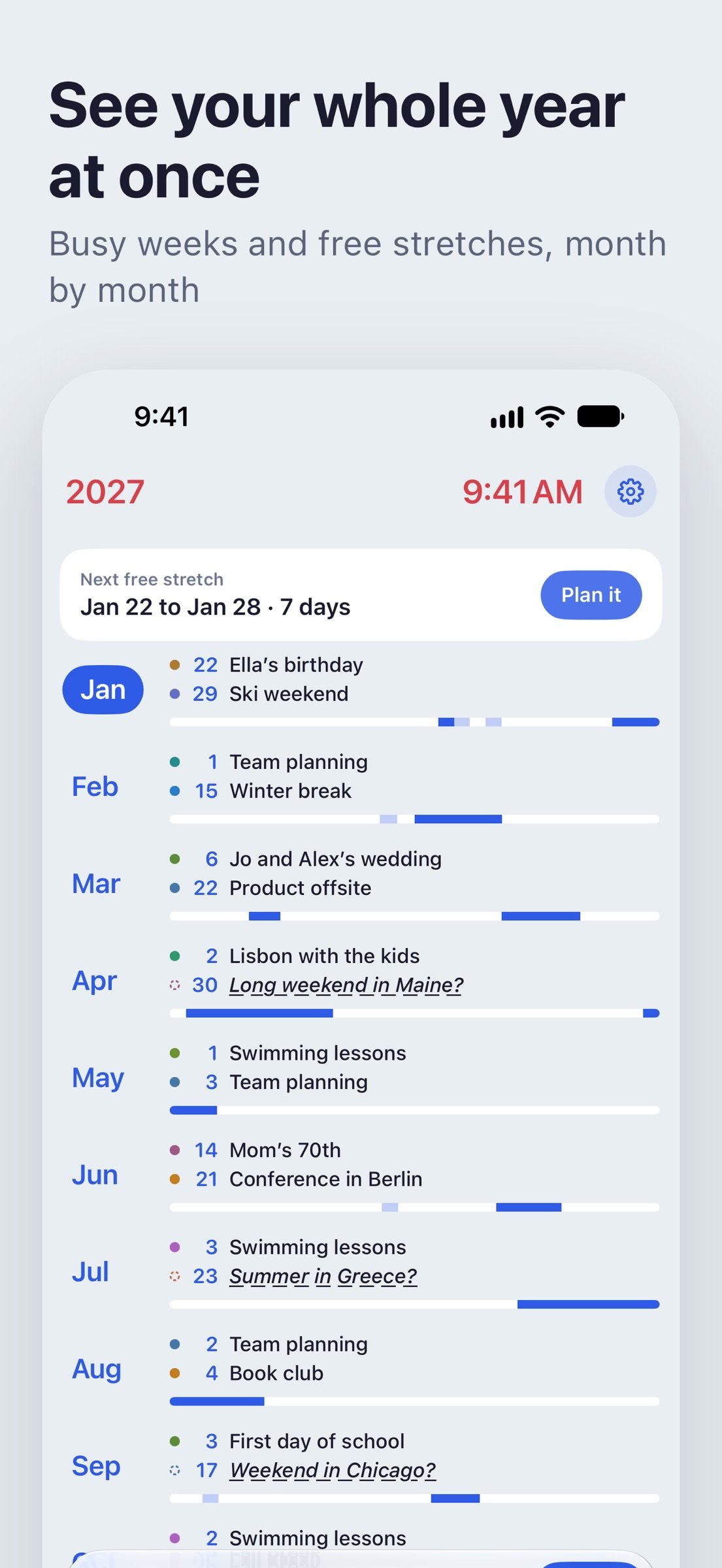
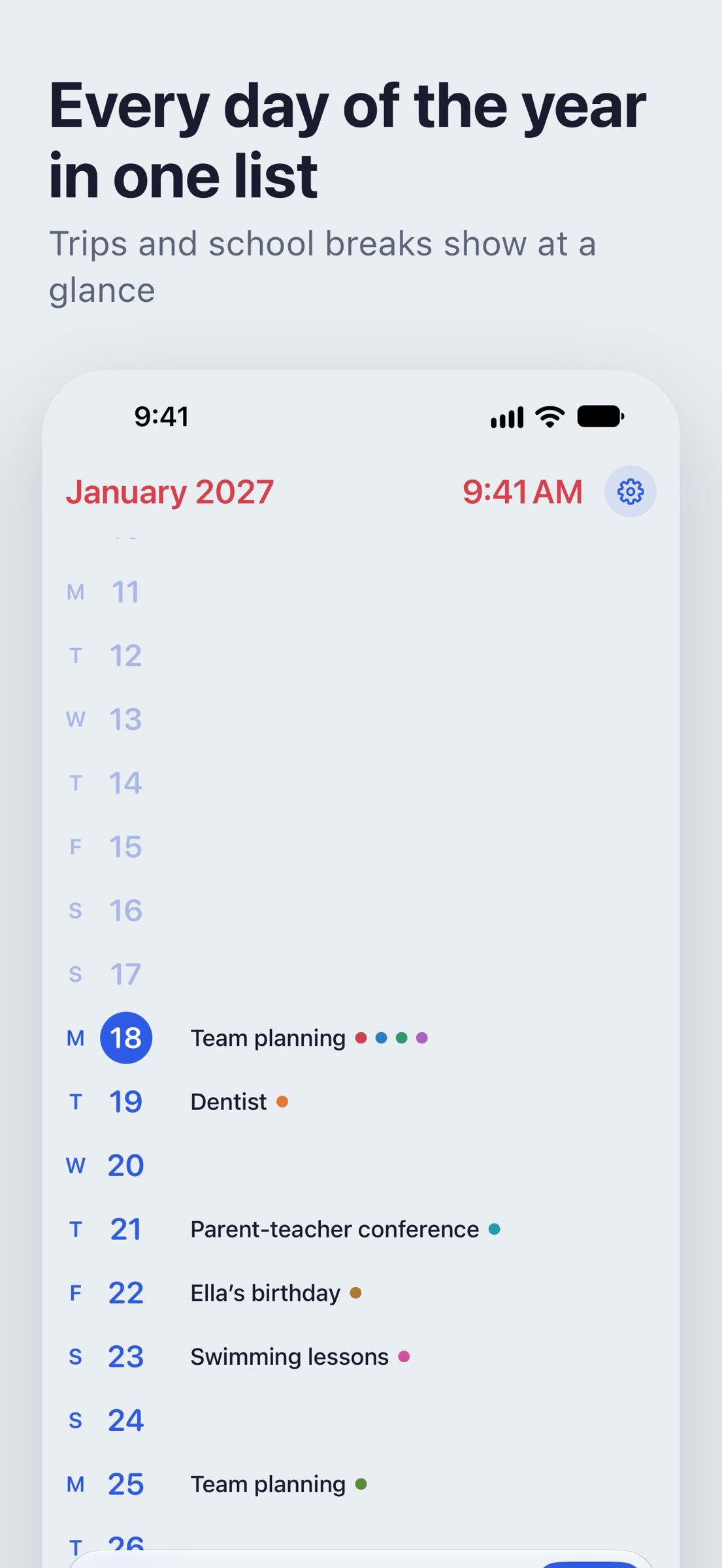
Calendaria shows your calendar as one continuous list, from January to December, and helps you plan it. Scroll through the year and the days that matter stand out, each with its most notable event next to the date.
SEE THE YEAR
Drag across the screen or tap the tabs to move between three levels. Months shows the highlights of each month and a bar for every week, so busy weeks and free ones stand out. Days shows every date and what's on it. Hours shows each day in full, with longer events drawn as a single block. Pull past the end of the year to go to the next.
PLAN IT YOUR WAY
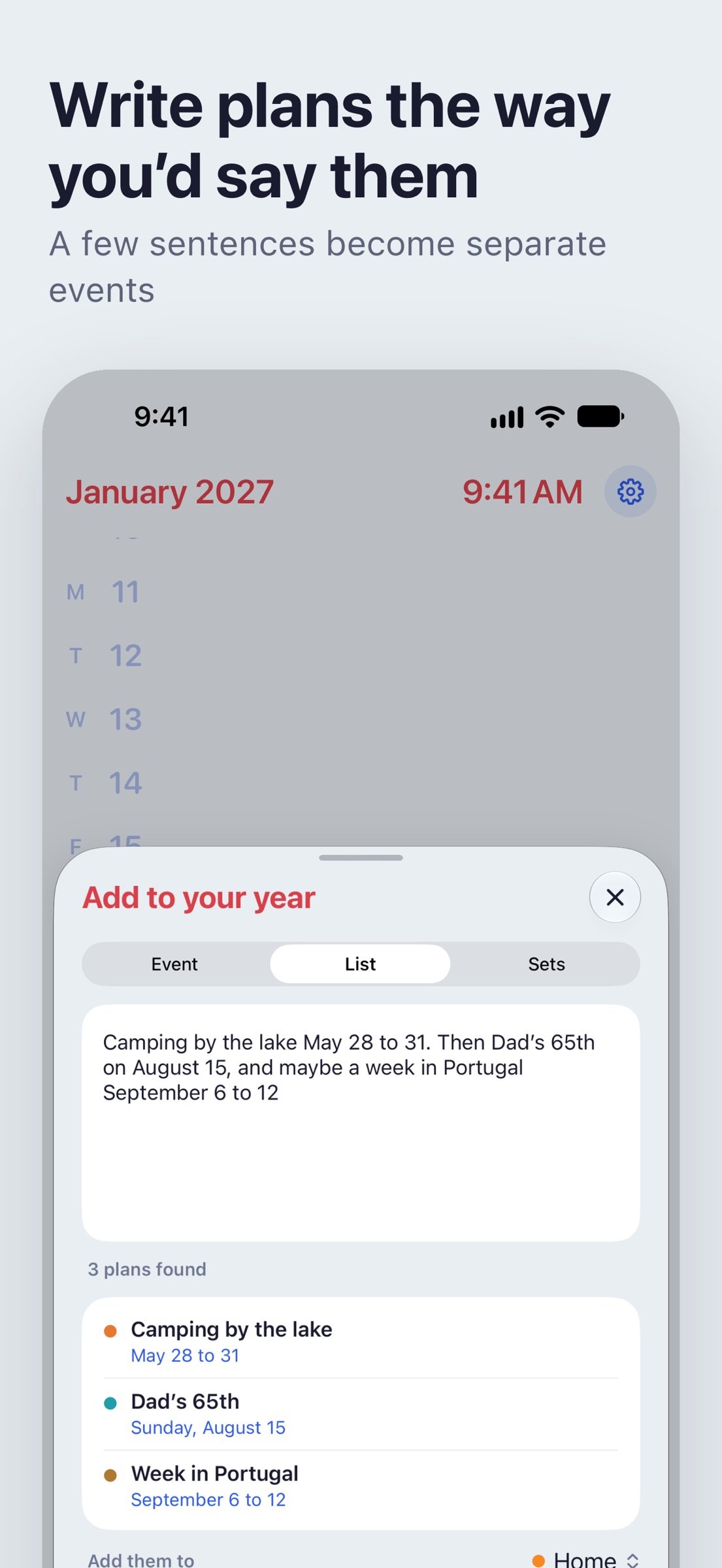
• Write plans the way you'd say them: "Lisbon with the kids April 2 to 10, then pizza night every third Wednesday". With Apple Intelligence, Calendaria reads whole paragraphs in any of its languages, right on your iPhone.
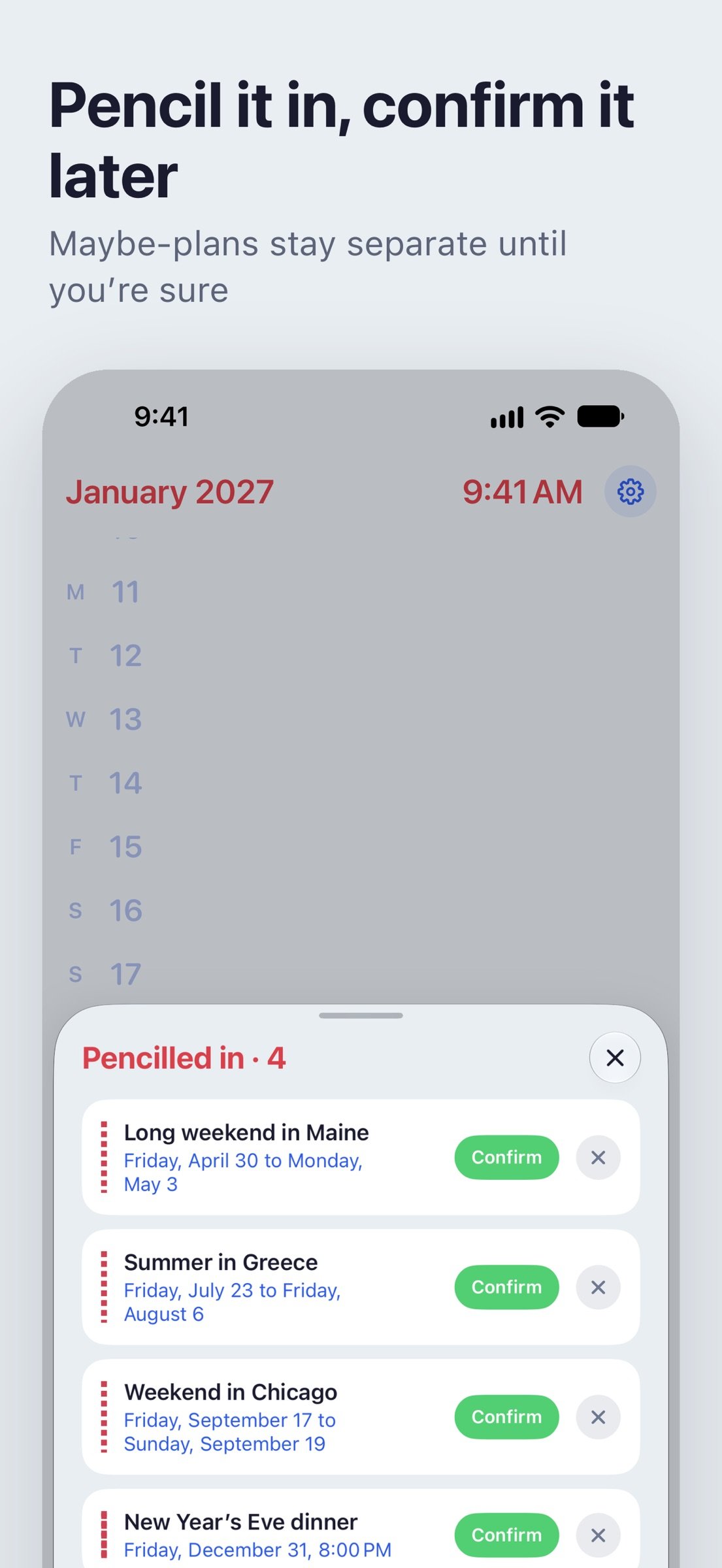
• Pencil in the maybes. They show dashed in your year until you confirm them, even from a widget.
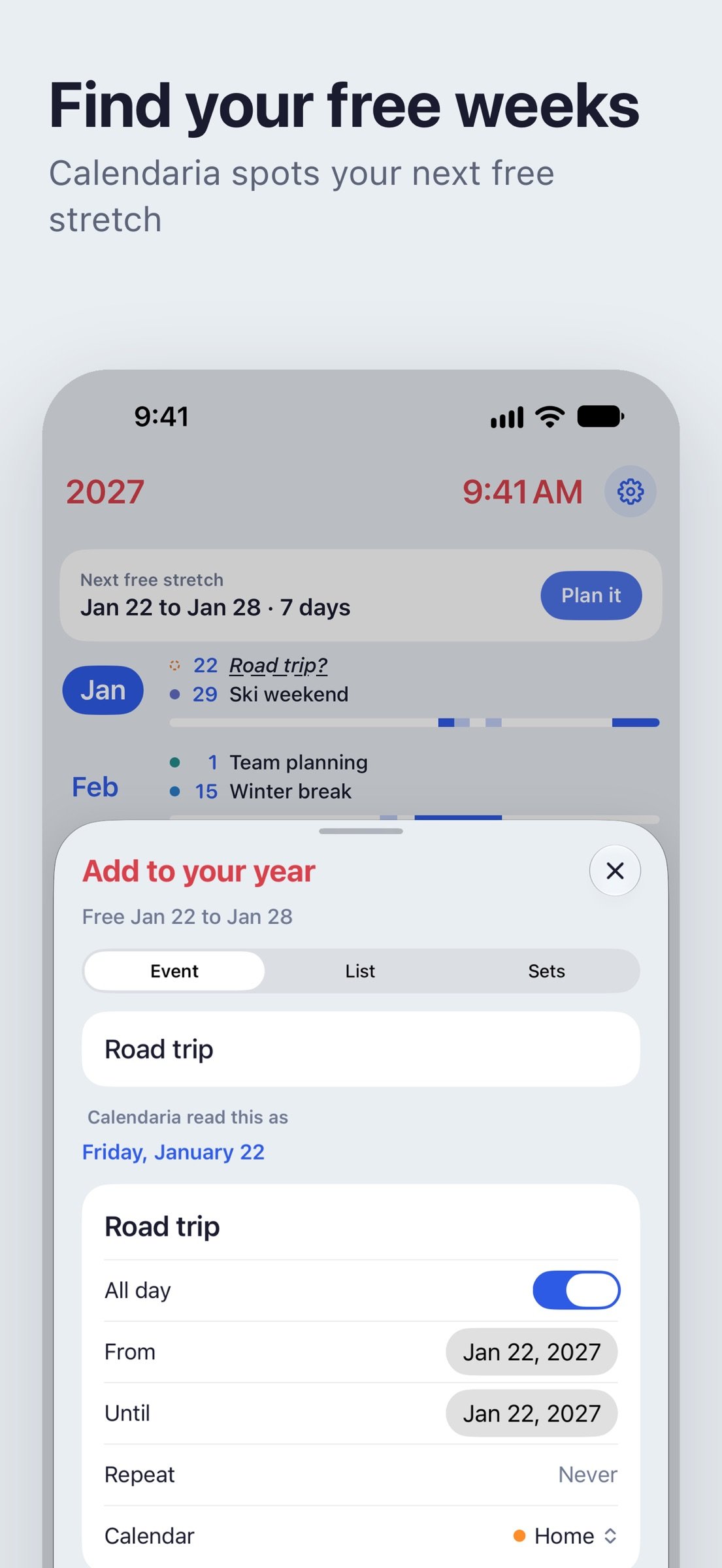
• Find your free weeks. Calendaria shows the longest free stretch ahead; hold and drag across days to plan a trip and see what's already on.
• Add a set in one go: bank holidays for England and Wales, new and full moons, birthdays from Contacts, or school term dates pasted from your school's website.
CHOOSE YOUR LOOK
• Lume: bright color on black, inspired by the Apple Watch.
• StandBy: big, easy-to-read type, with a red night mode after dark.
• Duet: soft paper tones with a large numeral of the day you're looking at.
• Battersea: clean and familiar, in light and dark.
Each look has its own options, and Calendaria can switch between two of them to follow your iPhone's light and dark setting.
WIDGETS
See today, your year in dots, what's coming up or your next free stretch on the Home Screen and Lock Screen, and add a plan from Control Center.
MADE FOR IPHONE DUO
Open it like a book: your days on one page, the hours of whichever day you pick on the other. See which weeks are filling up, and exactly when, without switching views. Fold it shut and the whole year is still there on the cover screen.
PRIVATE BY DESIGN
Calendaria reads the calendars you already use, including iCloud, Google and Exchange accounts added in Settings, and you choose which ones appear. Your events stay on your iPhone, and reading your plans happens on your iPhone too. No accounts, no tracking.
License: Commercial
SEE THE YEAR
Drag across the screen or tap the tabs to move between three levels. Months shows the highlights of each month and a bar for every week, so busy weeks and free ones stand out. Days shows every date and what's on it. Hours shows each day in full, with longer events drawn as a single block. Pull past the end of the year to go to the next.
PLAN IT YOUR WAY
• Write plans the way you'd say them: "Lisbon with the kids April 2 to 10, then pizza night every third Wednesday". With Apple Intelligence, Calendaria reads whole paragraphs in any of its languages, right on your iPhone.
• Pencil in the maybes. They show dashed in your year until you confirm them, even from a widget.
• Find your free weeks. Calendaria shows the longest free stretch ahead; hold and drag across days to plan a trip and see what's already on.
• Add a set in one go: bank holidays for England and Wales, new and full moons, birthdays from Contacts, or school term dates pasted from your school's website.
CHOOSE YOUR LOOK
• Lume: bright color on black, inspired by the Apple Watch.
• StandBy: big, easy-to-read type, with a red night mode after dark.
• Duet: soft paper tones with a large numeral of the day you're looking at.
• Battersea: clean and familiar, in light and dark.
Each look has its own options, and Calendaria can switch between two of them to follow your iPhone's light and dark setting.
WIDGETS
See today, your year in dots, what's coming up or your next free stretch on the Home Screen and Lock Screen, and add a plan from Control Center.
MADE FOR IPHONE DUO
Open it like a book: your days on one page, the hours of whichever day you pick on the other. See which weeks are filling up, and exactly when, without switching views. Fold it shut and the whole year is still there on the cover screen.
PRIVATE BY DESIGN
Calendaria reads the calendars you already use, including iCloud, Google and Exchange accounts added in Settings, and you choose which ones appear. Your events stay on your iPhone, and reading your plans happens on your iPhone too. No accounts, no tracking.
License: Commercial
| Release info | Update on Nov 09, 2026 |
|---|---|
| Release notes | See the year a season at a time. Turn on Quarters, and Months gathers your plans into four, with the free weekends left in each and room for more of what's coming. Months and Days now each choose their own highlights. Color events by their calendar, pick a softer accent, and keep your next plan in the line above the Lock Screen clock. Penciling in works with Google calendars too. |
| Listing data | App Store |
Reviews
No reviews yet. Be the first to review Calendaria.
Used Calendaria? Tell other visitors what you thought.
Log in to write a reviewOther products by this publisher
- "No Distractions" for YouTube 4.10 ----
- #Bible 11.6.1 "Incredible App - My sister shared this app with me a few weeks ago and it is truly incredible.
- #filmphotography 1.4.2 So, you decided to shoot on film?
- $quirrel 1.5.1 $quirrel Budget & Finance helps you plan each paycheck, track spending, manage debt, and see what is safe to spend before the next payday.
- % Percentage Calculator Pro 1.41 This is the Pro version of % Percentage Calculator.
Most viewed iOS Productivity
-
1
 WordPress 27.4
Manage or create your WordPress blog or website right from your iOS device: create and edit posts and pages, upload your favorite photos and videos, view stats and reply to comments.
- 2 Voice Translator - Alive 1.6 Translation app that turns your iPhone into an interpreter instantly.
-
3
 Claude by Anthropic 1.261116.19
Meet Claude, your AI problem solver and thinking partner.
-
4
 Life360 26.44.0
Whether at home, online, or on the move, our comprehensive family safety features bring peace of mind to your loved ones AND help safeguard your personal belongings.
-
5
 WristMemo 2.0
WristMemo turns your Apple Watch into an all-day voice recorder.
- 6 "No Distractions" for YouTube 4.10 ----
-
7
 Colicine 1.3.0
Have you ever been there—
- 8 (beat) for iOS 0.5.10 An elegant Fountain screenwriting app, created by a screenwriter for screenwriters.
-
9
 DeepSeek 2.8.0
Experience seamless interaction with DeepSeek's official AI assistant for free!
-
10
 Howbout 16.7.2
The shared calendar for friends, couples, and family
Most downloaded iOS Productivity
- 1 Voice Translator - Alive 1.6 Translation app that turns your iPhone into an interpreter instantly.
-
2
DeepSeek 2.8.0
Experience seamless interaction with DeepSeek's official AI assistant for free!
-
3
 SessionsAI 1.2.1
Sessions AI is a private AI workspace that runs entirely on your iPhone, iPad, or Mac.
-
4
 Voices AI 1.16.15
Discover Voices, the premier voice transformation app designed exclusively for iOS.
-
5
 Block Distracting Websites 1.11
"It's a great way to save time, and stop browsing Reddit when you should be doing coursework."
-
6
 Plot Digitizer 1.4.1
Plot Digitizer is an app to extract numerical data from plot images.
-
7
 Google Docs 1.2026.46102
Create, edit, and collaborate on online documents with the Google Docs app.
-
8
 MyHyundai with Bluelink 5.4.5
The MyHyundai app makes getting information about your Hyundai vehicle easier than ever.
-
9
 Pixy Mood Tracker 1.110.0
Track your mood, one pixel at a time.
-
10
 Chatbot App 9.2.8
Chatbot App brings advanced AI models together in one intuitive app for writing, learning, coding, creativity, and productivity.