6downloads
0this week
FreeCommercial
0reviews
Screenshots
About BusyCal
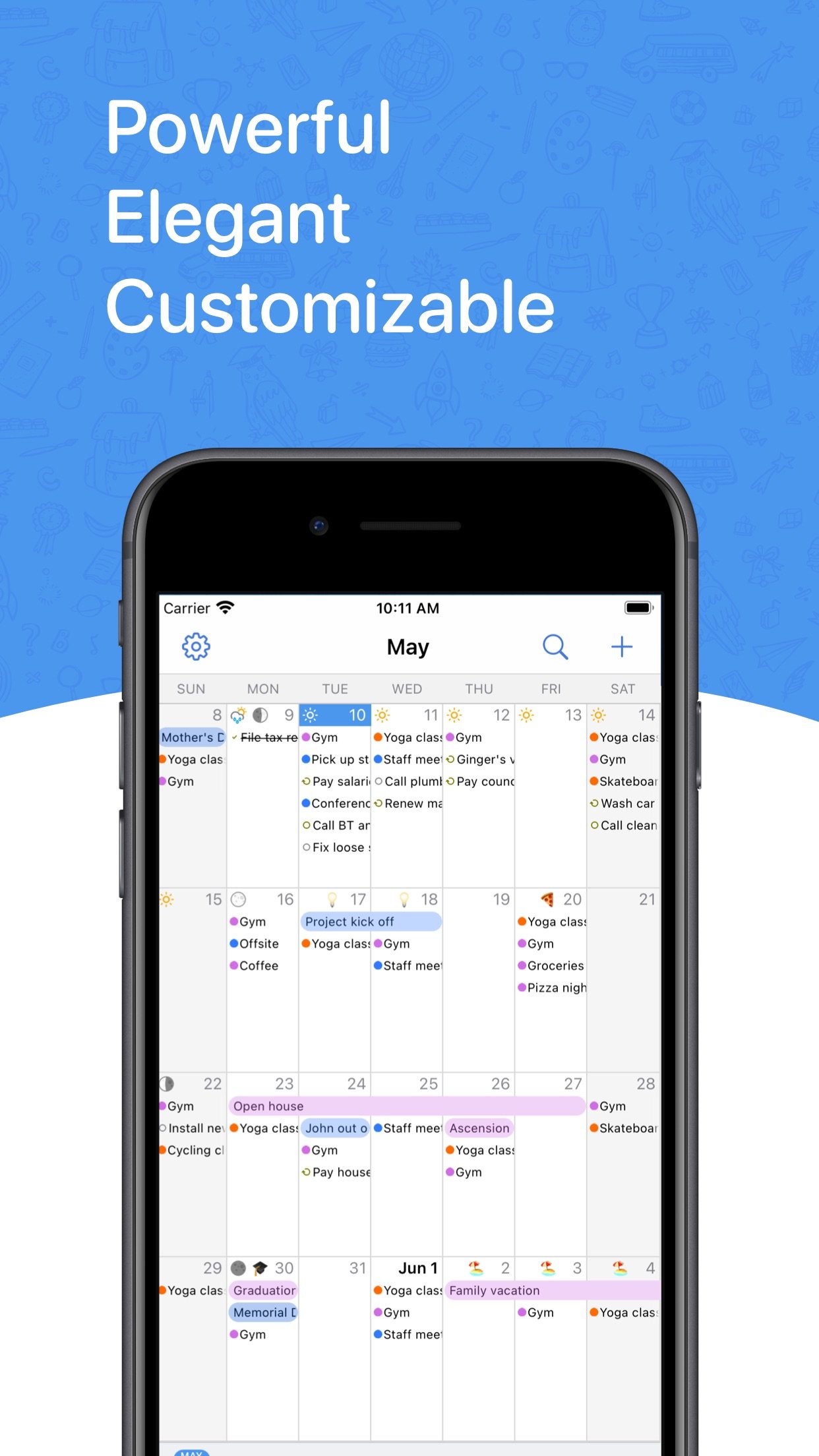
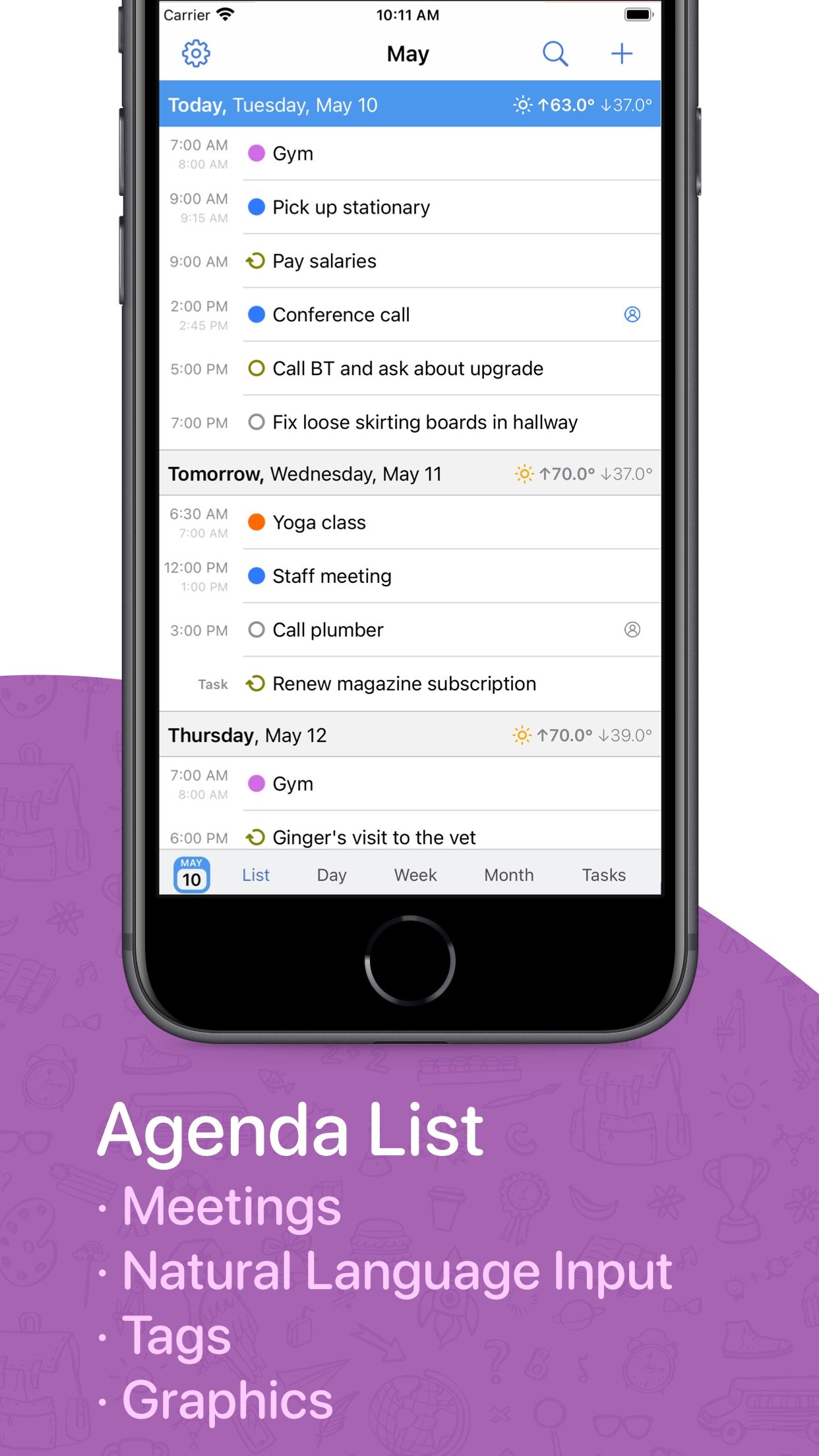
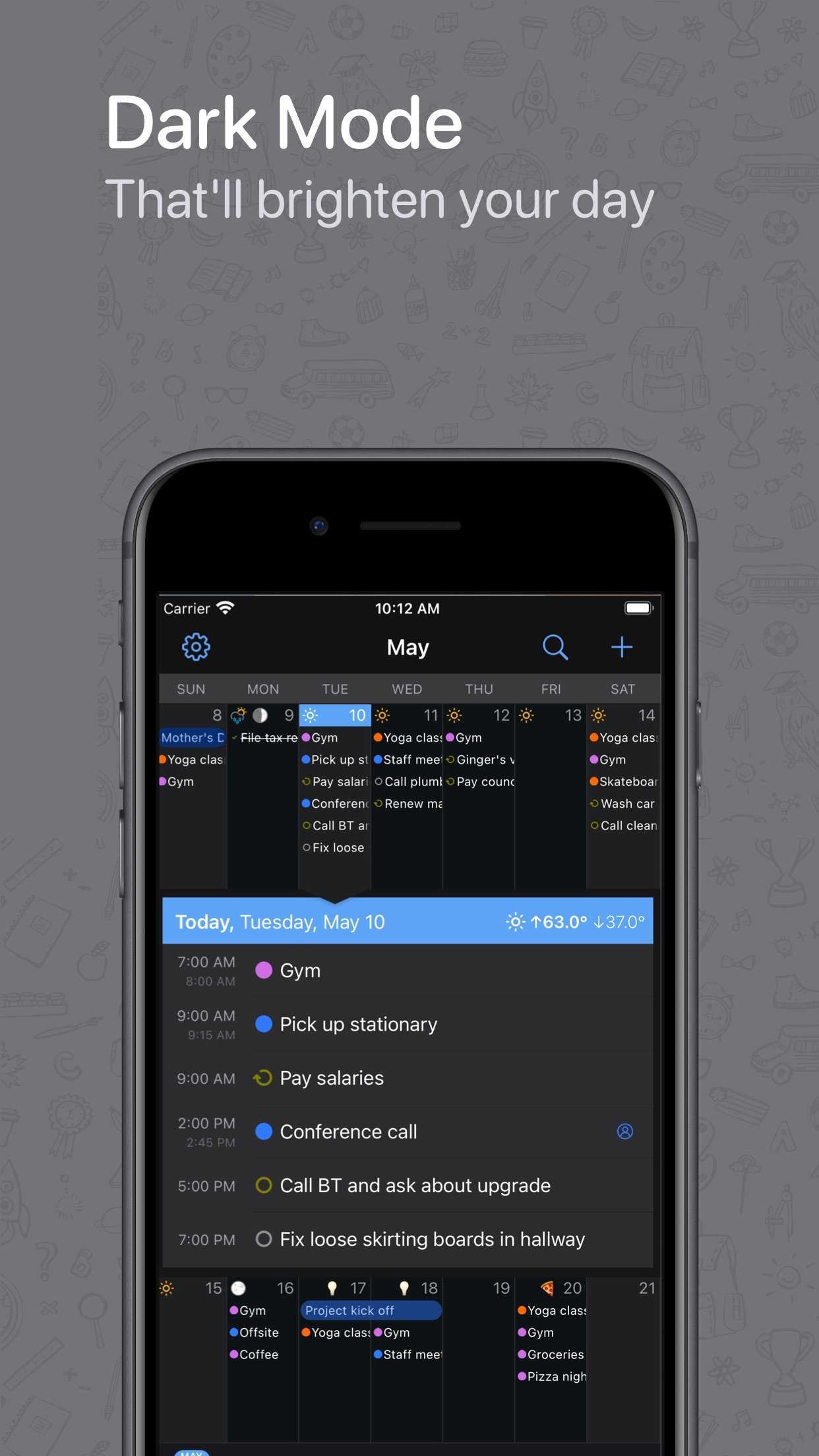
BusyCal is a calendar and task planner built for busy schedules. It connects to every account you already use, shows your events and tasks side by side, and bends to the way you work: pinch to see more days or weeks, type events the way you would say them, and keep everything in sync with BusyCal for Mac.
One-time purchase. No subscription.
YOUR CALENDAR, YOUR WAY
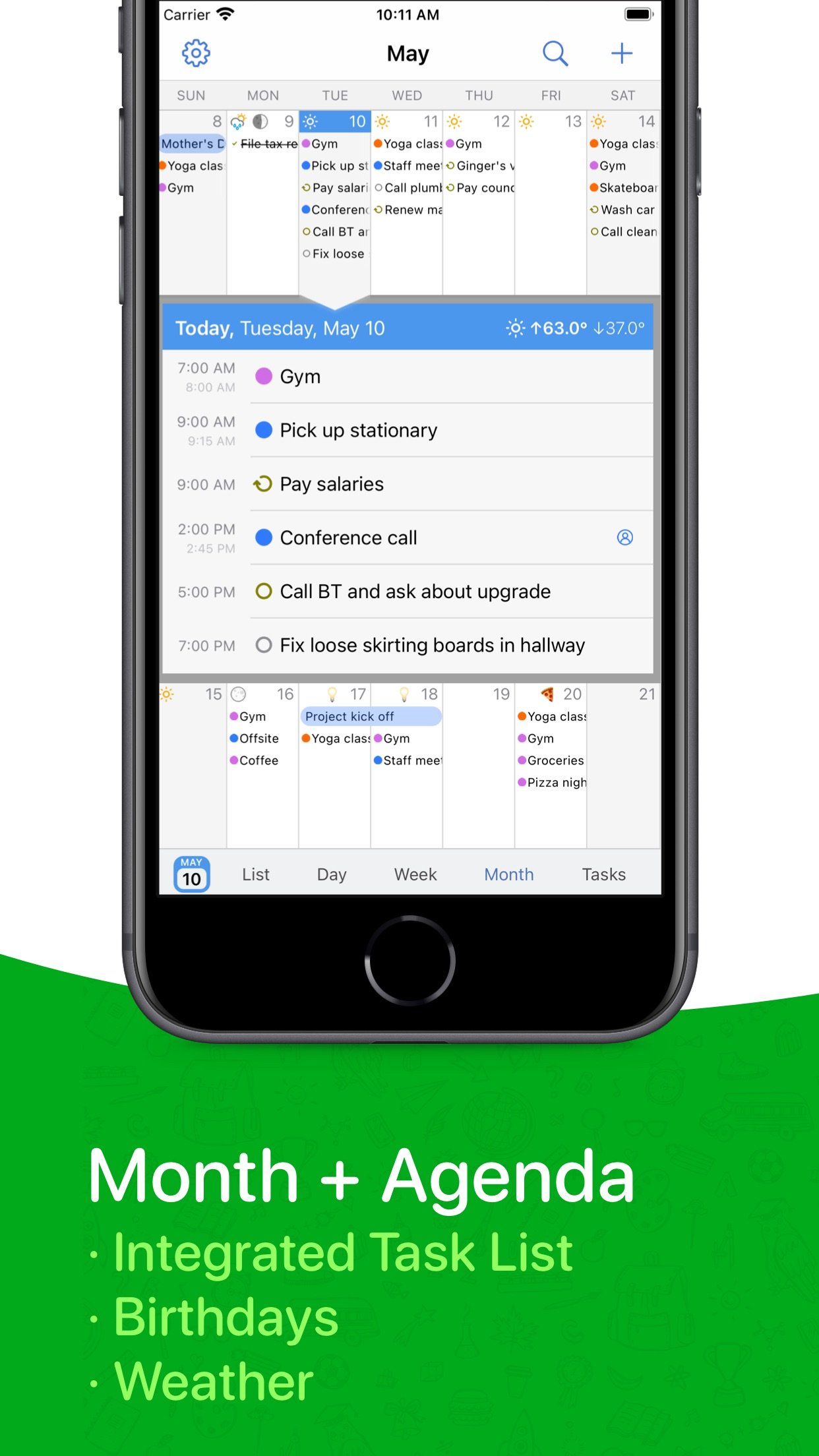
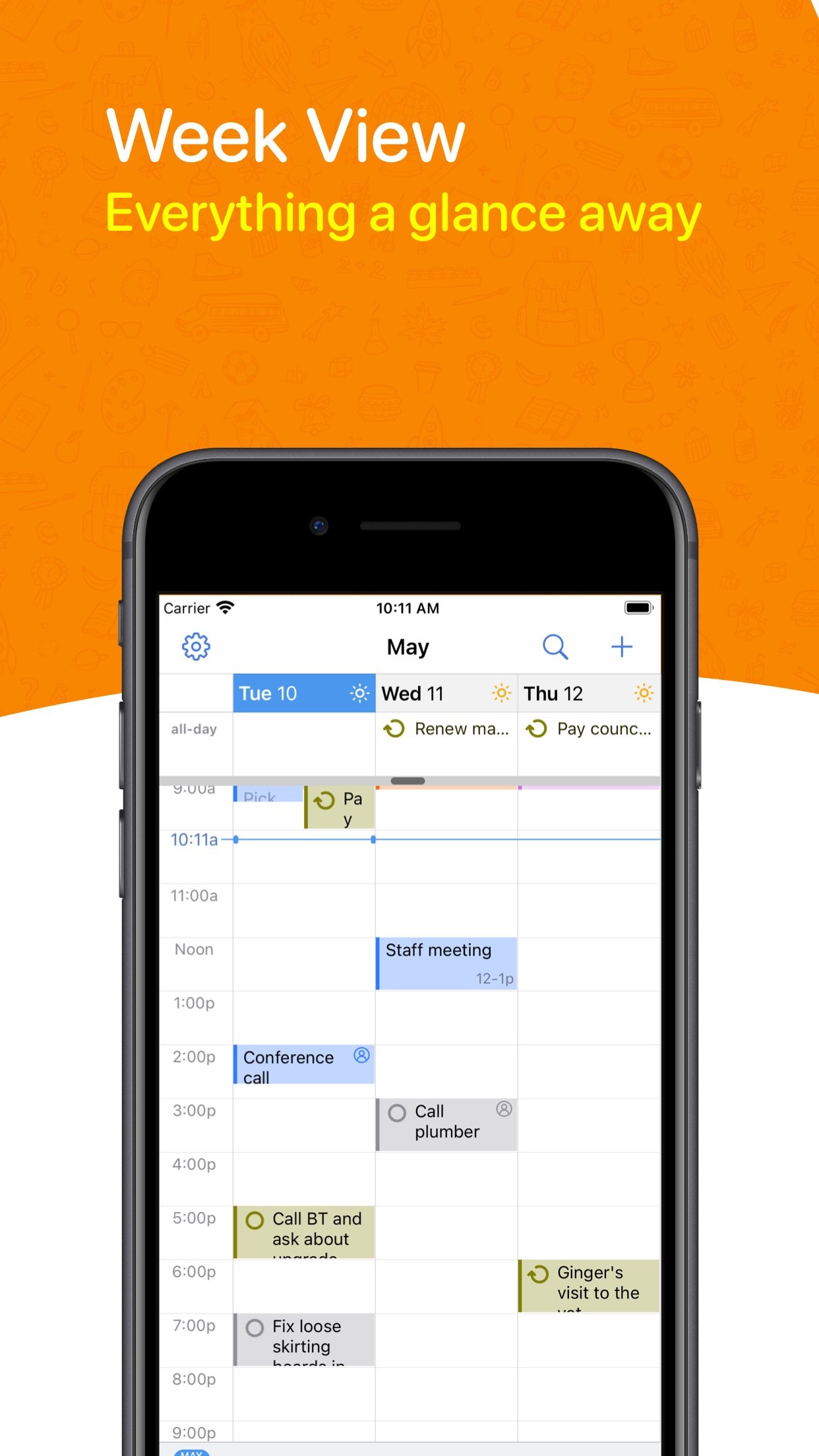
• Day, Week, Month, Year and List views, plus a dedicated Task list
• Pinch to zoom: 2 to 14 days per week and 2 to 8 weeks per month, with separate portrait and landscape layouts
• Customize colors, text size, weekend shading, week numbers and working hours, or show a Chinese, Hebrew, Islamic or Japanese calendar alongside
• Year view as a wall planner or heat map, with Highlights that reveal your busiest months, top calendars and meeting stats
TYPE IT THE WAY YOU WOULD SAY IT
• Type "Lunch with Sam next Tuesday at noon" or "Standup every weekday at 9:30" and BusyCal fills in the date, time and repeat as you type
• Understands alarms, time zones, calendars (/work) and links, in English, German, French, Italian, Spanish, Dutch, Japanese, Korean and Simplified Chinese
TASKS IN YOUR CALENDAR
• Dated, timed and undated tasks appear right in your calendar and carry forward until done
• Priorities, repeats, and a Task list you can sort by due date, priority, calendar, tag or by hand
• Works with Apple Reminders, iCloud, Google Tasks, Todoist and Fastmail
EVERY ACCOUNT, ONE APP
• iCloud, Google Calendar, Microsoft 365, Outlook.com, Exchange, Yahoo, Fastmail, Fruux and any CalDAV server, plus WebDAV subscriptions for holidays and sports
• Push updates where your server supports them, and accounts you add once are offered to your other devices
• Syncs with BusyCal for Mac, Apple Calendar and any other app on the same accounts
MEETINGS AND INVITES
• Invite attendees, and accept, decline or reply Maybe straight from the Inbox
• Zoom, Microsoft Teams, Google Meet, Webex and GoTo links become one-tap join buttons, and you can create Zoom and Teams meetings from inside the app
• Block time on a second calendar in a couple of taps, with or without the details
WIDGETS, WATCH, SIRI AND SHORTCUTS
• Home Screen widgets for what is next, your agenda, the week, two weeks, three weeks, and tasks you can complete from the widget
• Lock Screen widgets and Control Center buttons for new events and tasks
• Apple Watch app with calendar, today, up next and tasks views, plus complications for your watch face
• Siri: "Add lunch with Sam tomorrow at noon", "What's coming up", "When am I free"
• Shortcuts actions to find, create, move, defer and complete items, and a Focus filter that switches calendar sets
TRAVEL TIME, MAPS AND TIME ZONES
• Add travel time to an event and get a leave-now alert based on real driving or walking time
• Maps inside event details, with directions in Apple Maps, Google Maps, Waze, Citymapper or TomTom GO
• Favorite time zones, and events that start and end in different zones
TAGS, CALENDAR SETS AND PRIVACY
• Color-coded tags to track projects, people and priorities across calendars
• Calendar sets: named groups of calendars, each with its own default calendars and preferred view, synced across your devices
• Lock the app, or just certain calendar sets, with Face ID or Touch ID
AND MORE
• Weather and moon phases on your calendar
• Birthdays and anniversaries from Contacts, with age and years
• Search titles, locations, notes and tags across past and future
BusyCal has been trusted by Mac users for more than a decade. The iPhone and iPad app is its full-featured companion, made by the same team.
Questions? Visit busymac.com/docs or write to us from within the app.
License: Commercial
One-time purchase. No subscription.
YOUR CALENDAR, YOUR WAY
• Day, Week, Month, Year and List views, plus a dedicated Task list
• Pinch to zoom: 2 to 14 days per week and 2 to 8 weeks per month, with separate portrait and landscape layouts
• Customize colors, text size, weekend shading, week numbers and working hours, or show a Chinese, Hebrew, Islamic or Japanese calendar alongside
• Year view as a wall planner or heat map, with Highlights that reveal your busiest months, top calendars and meeting stats
TYPE IT THE WAY YOU WOULD SAY IT
• Type "Lunch with Sam next Tuesday at noon" or "Standup every weekday at 9:30" and BusyCal fills in the date, time and repeat as you type
• Understands alarms, time zones, calendars (/work) and links, in English, German, French, Italian, Spanish, Dutch, Japanese, Korean and Simplified Chinese
TASKS IN YOUR CALENDAR
• Dated, timed and undated tasks appear right in your calendar and carry forward until done
• Priorities, repeats, and a Task list you can sort by due date, priority, calendar, tag or by hand
• Works with Apple Reminders, iCloud, Google Tasks, Todoist and Fastmail
EVERY ACCOUNT, ONE APP
• iCloud, Google Calendar, Microsoft 365, Outlook.com, Exchange, Yahoo, Fastmail, Fruux and any CalDAV server, plus WebDAV subscriptions for holidays and sports
• Push updates where your server supports them, and accounts you add once are offered to your other devices
• Syncs with BusyCal for Mac, Apple Calendar and any other app on the same accounts
MEETINGS AND INVITES
• Invite attendees, and accept, decline or reply Maybe straight from the Inbox
• Zoom, Microsoft Teams, Google Meet, Webex and GoTo links become one-tap join buttons, and you can create Zoom and Teams meetings from inside the app
• Block time on a second calendar in a couple of taps, with or without the details
WIDGETS, WATCH, SIRI AND SHORTCUTS
• Home Screen widgets for what is next, your agenda, the week, two weeks, three weeks, and tasks you can complete from the widget
• Lock Screen widgets and Control Center buttons for new events and tasks
• Apple Watch app with calendar, today, up next and tasks views, plus complications for your watch face
• Siri: "Add lunch with Sam tomorrow at noon", "What's coming up", "When am I free"
• Shortcuts actions to find, create, move, defer and complete items, and a Focus filter that switches calendar sets
TRAVEL TIME, MAPS AND TIME ZONES
• Add travel time to an event and get a leave-now alert based on real driving or walking time
• Maps inside event details, with directions in Apple Maps, Google Maps, Waze, Citymapper or TomTom GO
• Favorite time zones, and events that start and end in different zones
TAGS, CALENDAR SETS AND PRIVACY
• Color-coded tags to track projects, people and priorities across calendars
• Calendar sets: named groups of calendars, each with its own default calendars and preferred view, synced across your devices
• Lock the app, or just certain calendar sets, with Face ID or Touch ID
AND MORE
• Weather and moon phases on your calendar
• Birthdays and anniversaries from Contacts, with age and years
• Search titles, locations, notes and tags across past and future
BusyCal has been trusted by Mac users for more than a decade. The iPhone and iPad app is its full-featured companion, made by the same team.
Questions? Visit busymac.com/docs or write to us from within the app.
License: Commercial
| Release info | Update on Nov 04, 2026 |
|---|---|
| Release notes | · [NEW] Added support for joining Feishu and DingTalk meetings · Improved recognition of supported meeting links pasted without https:// · Improved Day and Week layouts to keep event titles, Join buttons, times, and controls clear · Improved search matching for straight and curly quotes, hyphens, and dashes · Improved Canadian time-zone support for Microsoft calendar events, recurrence, and alarms · Improved sync reliability when saving changes or recovering from interrupted CalDAV uploads · Fixed duplicate events when importing edited recurring events from Apple Calendar · Fixed missing details and recurrence errors when importing meeting invitations into Microsoft 365 · Fixed time-zone handling for recurring all-day Microsoft 365 events and edited occurrences · Fixed Google calendar metadata refresh after resubscribing to a calendar · Fixed unnecessary repeat sign-in prompts after a CalDAV connection recovers · Fixed overdue tasks failing to carry forward at midnight · Fixed Todoist reminder times around daylight-saving changes · Fixed time-blocking prompts for recurring events on read-only calendars · Ongoing stability and performance enhancements |
| Listing data | App Store |
Reviews
No reviews yet. Be the first to review BusyCal.
Used BusyCal? Tell other visitors what you thought.
Log in to write a reviewOther products by this publisher
- "No Distractions" for YouTube 4.10 ----
- #Bible 11.5 "Incredible App - My sister shared this app with me a few weeks ago and it is truly incredible.
- #filmphotography 1.4.2 So, you decided to shoot on film?
- $quirrel 1.5.1 $quirrel Budget & Finance helps you plan each paycheck, track spending, manage debt, and see what is safe to spend before the next payday.
- % Percentage Calculator Pro 1.41 This is the Pro version of % Percentage Calculator.
Most viewed iOS Productivity
- 1 Voice Translator - Alive 1.6 Translation app that turns your iPhone into an interpreter instantly.
-
2
 WordPress 27.4
Manage or create your WordPress blog or website right from your iOS device: create and edit posts and pages, upload your favorite photos and videos, view stats and reply to comments.
-
3
 Claude by Anthropic 1.261104.19
Meet Claude, your AI problem solver and thinking partner.
- 4 "No Distractions" for YouTube 4.10 ----
- 5 (beat) for iOS 0.5.10 An elegant Fountain screenwriting app, created by a screenwriter for screenwriters.
-
6
 DeepSeek 2.7.2
Experience seamless interaction with DeepSeek's official AI assistant for free!
-
7
 Life360 26.42.0
Whether at home, online, or on the move, our comprehensive family safety features bring peace of mind to your loved ones AND help safeguard your personal belongings.
-
8
 Howbout 16.6.0
The shared calendar for friends, couples, and family
-
9
 Plot Digitizer 1.4.1
Plot Digitizer is an app to extract numerical data from plot images.
-
10
 Voices AI 1.16.11
Discover Voices, the premier voice transformation app designed exclusively for iOS.
Most downloaded iOS Productivity
- 1 Voice Translator - Alive 1.6 Translation app that turns your iPhone into an interpreter instantly.
-
2
DeepSeek 2.7.2
Experience seamless interaction with DeepSeek's official AI assistant for free!
-
3
 SessionsAI 1.2.1
Sessions AI is a private AI workspace that runs entirely on your iPhone, iPad, or Mac.
-
4
Voices AI 1.16.11
Discover Voices, the premier voice transformation app designed exclusively for iOS.
-
5
 Block Distracting Websites 1.11
"It's a great way to save time, and stop browsing Reddit when you should be doing coursework."
-
6
Plot Digitizer 1.4.1
Plot Digitizer is an app to extract numerical data from plot images.
-
7
 Google Docs 1.2026.43105
Create, edit, and collaborate on online documents with the Google Docs app.
-
8
 VPN 2.60.0
VPN - Super Unlimited Proxy is a free VPN and proxy app for iPhone, iPad, Mac and Apple Vision Pro.
- 9 (beat) for iOS 0.5.10 An elegant Fountain screenwriting app, created by a screenwriter for screenwriters.
-
10
Life360 26.42.0
Whether at home, online, or on the move, our comprehensive family safety features bring peace of mind to your loved ones AND help safeguard your personal belongings.