
Brusfri 1.2.1
Brusfri* is a highly advanced audio noise reducer, packed into a simple and straight-forward interface.
Download
40.95 MB
10downloads
3this week
FreeCommercial
0reviews
Screenshots
About Brusfri
Brusfri* is a highly advanced audio noise reducer, packed into a simple and straight-forward interface. It is very well suited for cleaning up noisy audio recordings, while retaining sound quality. Unlike many other noise reducers on the market, Brusfri doesn't mess with audio phasing to suppress noise (a technique that often comes with audible side effects). Instead, multiple fine-tuned gates are used to silence unwanted noise.
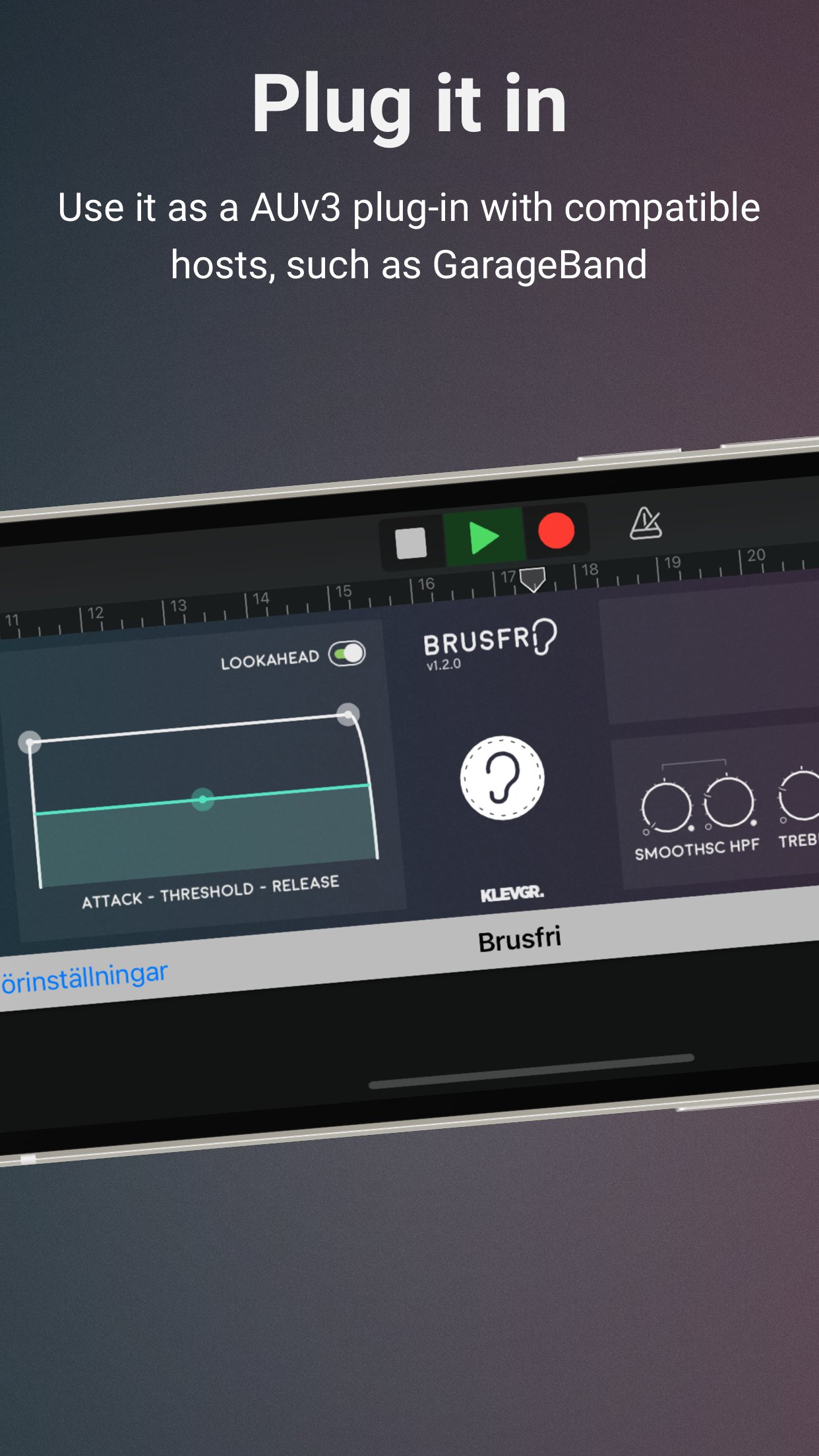
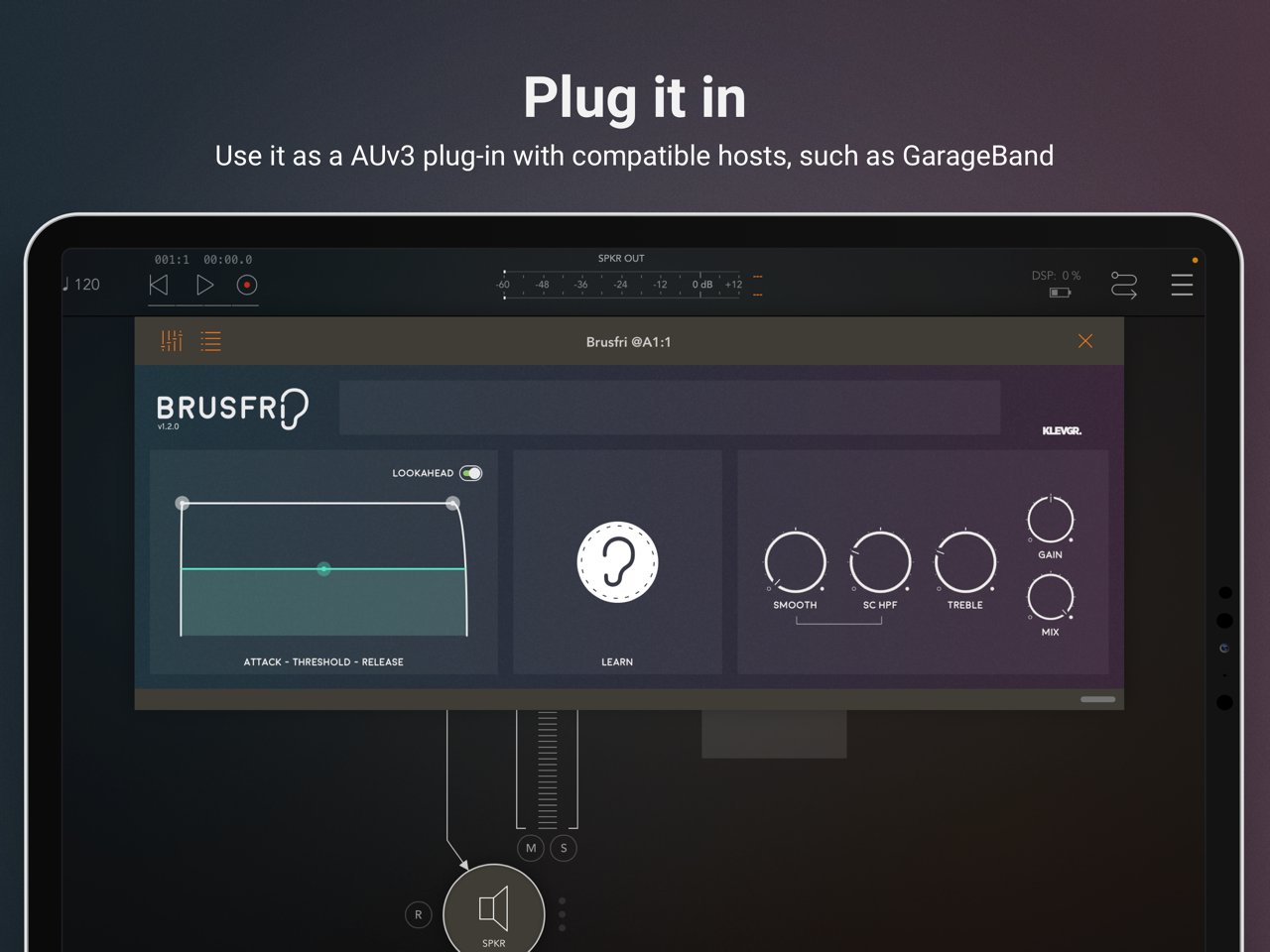
Brusfri can also be used as a AUv3 plug-in in compatible hosts, for example in GarageBand.
*Brusfri means "Noise free" in Swedish.
Here are some examples of sound conditions that Brusfri handles well:
* Guitar amp
* Noisy vintage gear
* Boosted pre-amp
* iPhone/iPad and external mic hiss
* Room reverb removal
* Fan noise
* Background ambiance
* Mains hum / Electric hum
Usage
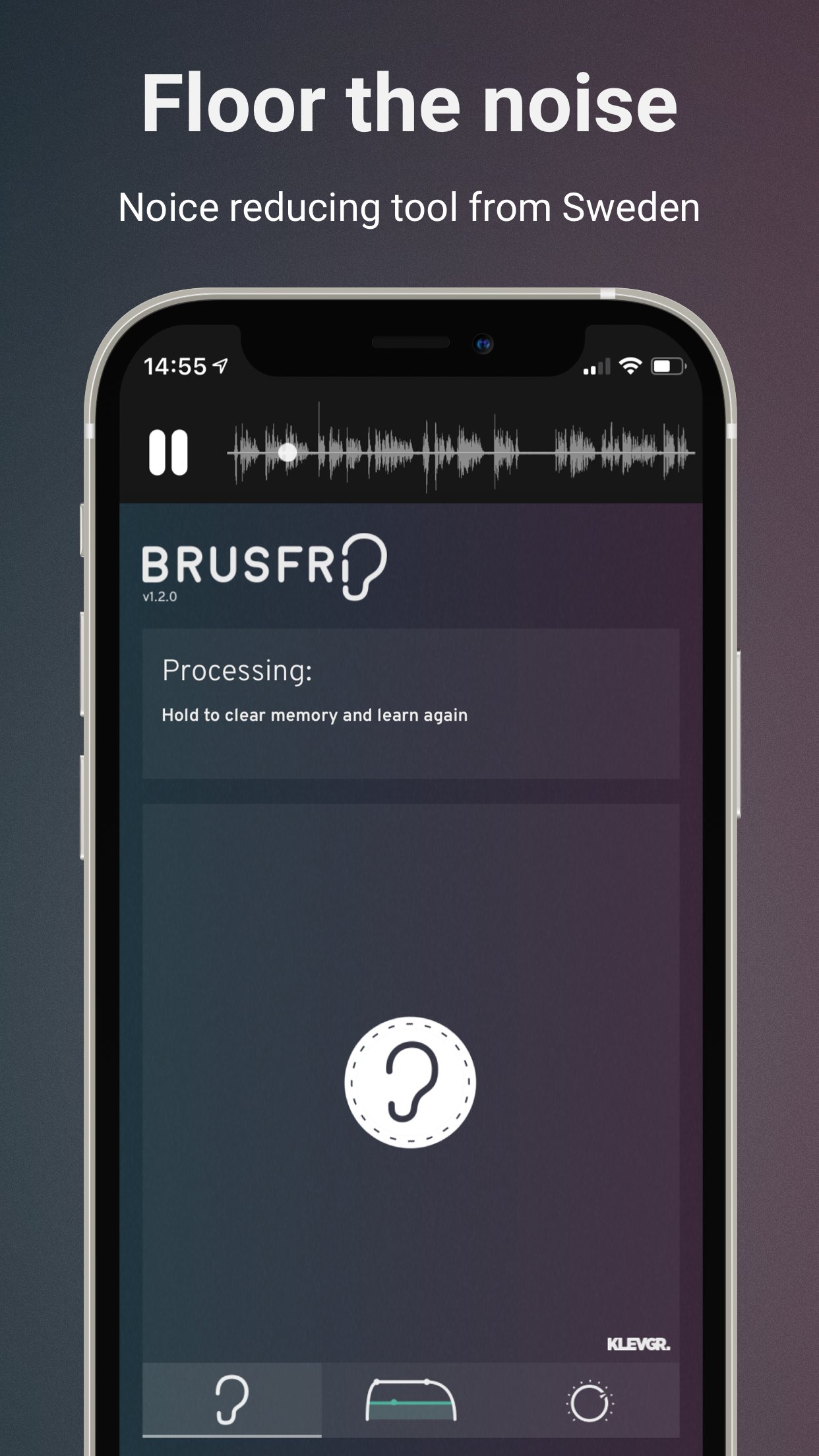
In short, press “Learn” during a couple of seconds of isolated noise to create a "profile" for noise. This may be all you need to do.
Brusfri can be used in two ways, either standalone or as a AUv3 plug-in.
Standalone
Import the audio, either by extracting audio from a video, by importing from iTunes, or by using the “Open In…” option in any other app that can export audio. Press and hold the Learn button (the ear) while playing unwanted noise. (It’s important that the Ear is only fed with isolated noise). When Learn is released, Brusfri will start reducing noise.
AUv3 plug-in
Open Brusfri in any AUv3 compatible host.
Find a region in the recording that only contains noise and play it.
Tap and hold the “LEARN” button for a short while (a second will be enough). When the LEARN button is released, Brusfri will start reducing noise.
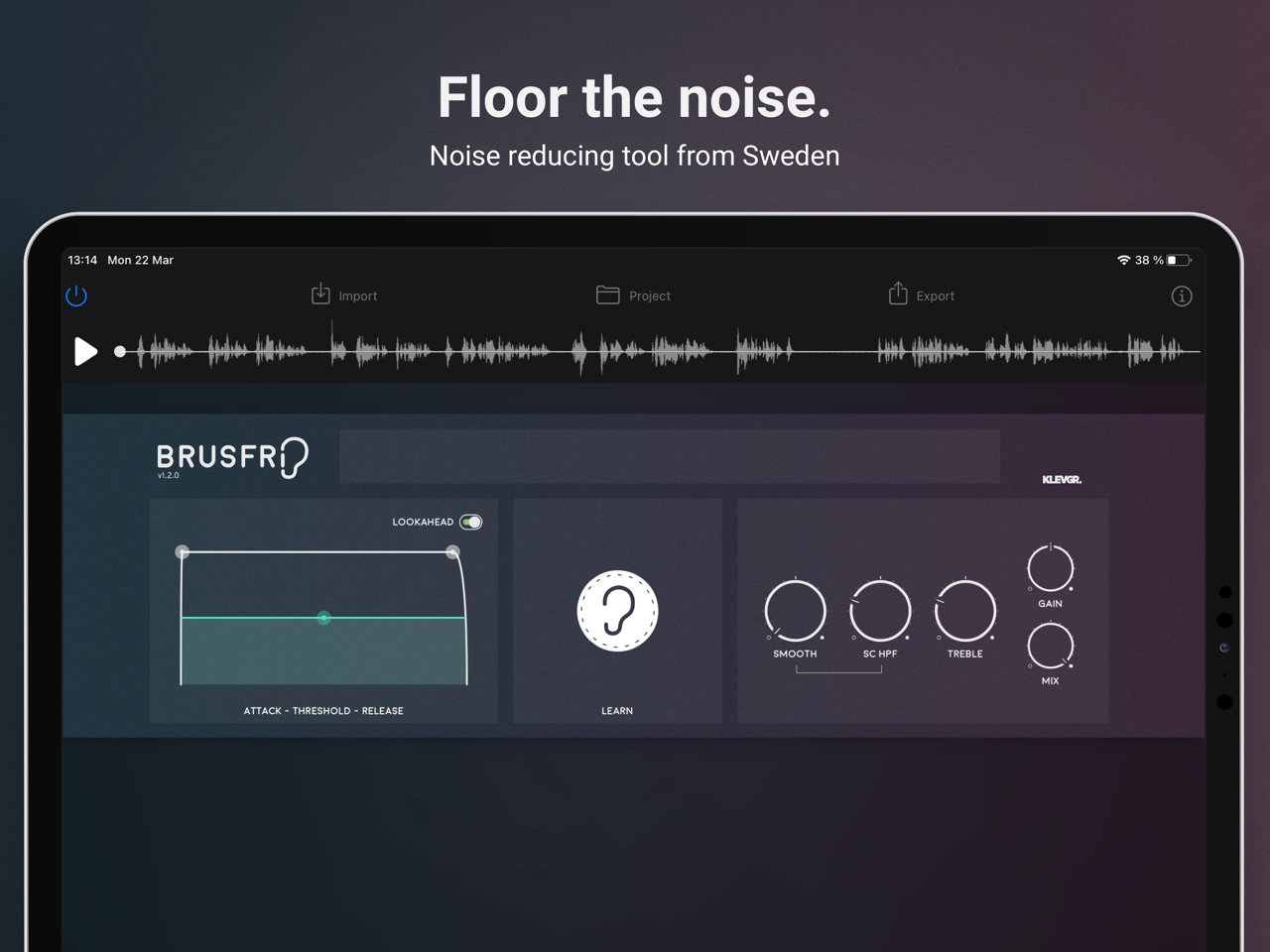
There are a bunch of parameters available that affect the noise reduction algorithm:
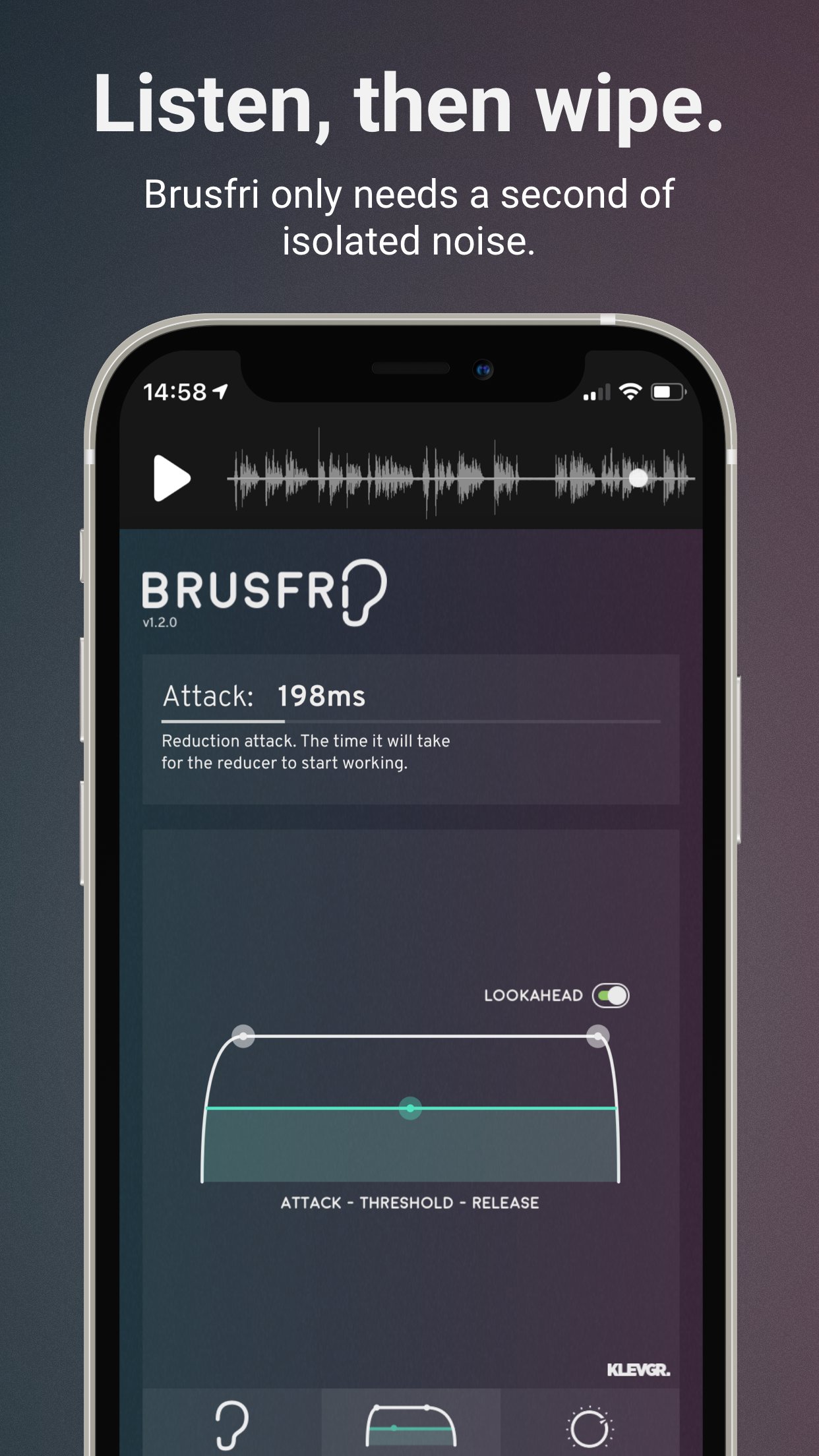
ATK / THRS / REL (Attack Time / Threshold / Release Time)
Threshold - basically determines how much noise to be removed. A lower value means more reduction.
Attack and Release sets the time it will take for the reducer to start working.
LOOKAHEAD
Makes transient processing a bit smoother.
EDGE
Controls the reduction aggressivity. A lower value gives a smoother reduction.
HPF
Reduces low frequencies.
HIGH
Compensates high frequencies by boosting them.
MIX
Mixes between dry and noise reduced signal.
NOTE! Brusfri is CPU intensive and iPhone 6 / iPad AIR 2 or better is recommended. When used as an AUv3 plug-in, we highly recommend freezing/bouncing tracks to reduce CPU usage.
License: Commercial
Brusfri can also be used as a AUv3 plug-in in compatible hosts, for example in GarageBand.
*Brusfri means "Noise free" in Swedish.
Here are some examples of sound conditions that Brusfri handles well:
* Guitar amp
* Noisy vintage gear
* Boosted pre-amp
* iPhone/iPad and external mic hiss
* Room reverb removal
* Fan noise
* Background ambiance
* Mains hum / Electric hum
Usage
In short, press “Learn” during a couple of seconds of isolated noise to create a "profile" for noise. This may be all you need to do.
Brusfri can be used in two ways, either standalone or as a AUv3 plug-in.
Standalone
Import the audio, either by extracting audio from a video, by importing from iTunes, or by using the “Open In…” option in any other app that can export audio. Press and hold the Learn button (the ear) while playing unwanted noise. (It’s important that the Ear is only fed with isolated noise). When Learn is released, Brusfri will start reducing noise.
AUv3 plug-in
Open Brusfri in any AUv3 compatible host.
Find a region in the recording that only contains noise and play it.
Tap and hold the “LEARN” button for a short while (a second will be enough). When the LEARN button is released, Brusfri will start reducing noise.
There are a bunch of parameters available that affect the noise reduction algorithm:
ATK / THRS / REL (Attack Time / Threshold / Release Time)
Threshold - basically determines how much noise to be removed. A lower value means more reduction.
Attack and Release sets the time it will take for the reducer to start working.
LOOKAHEAD
Makes transient processing a bit smoother.
EDGE
Controls the reduction aggressivity. A lower value gives a smoother reduction.
HPF
Reduces low frequencies.
HIGH
Compensates high frequencies by boosting them.
MIX
Mixes between dry and noise reduced signal.
NOTE! Brusfri is CPU intensive and iPhone 6 / iPad AIR 2 or better is recommended. When used as an AUv3 plug-in, we highly recommend freezing/bouncing tracks to reduce CPU usage.
License: Commercial
| Release info | New Release on Apr 29, 2021 |
|---|---|
| Release notes | - AUv3 state save/restore bug fixed. - Fixed an issue where a couple of user interface components wouldn’t always react on automation changes. - "Export" replaced "save" and "open in" buttons. - Minor graphical tweaks. |
| Listing data | App Store |
Reviews
No reviews yet. Be the first to review Brusfri.
Used Brusfri? Tell other visitors what you thought.
Log in to write a reviewOther products by this publisher
- "No Distractions" for YouTube 4.10 ----
- #Bible 11.6 "Incredible App - My sister shared this app with me a few weeks ago and it is truly incredible.
- #filmphotography 1.4.2 So, you decided to shoot on film?
- $quirrel 1.5.1 $quirrel Budget & Finance helps you plan each paycheck, track spending, manage debt, and see what is safe to spend before the next payday.
- % Percentage Calculator Pro 1.41 This is the Pro version of % Percentage Calculator.
Most viewed iOS Photo & Video
-
1
 ShortDiShow 2.0
Drama Quest Island — An offline interactive short-drama adventure.
-
2
 Infuse 8.5.10
Infuse: Enterprise provides the same great features as the standard version of Infuse and includes permanent access to all Pro features via a traditional paid app.
-
3
 AI Video Generator 2.0.2
Vixel – AI Video Generator
-
4
 OPlayer 4.8
Play all your videos directly without having to convert them!
-
5
 Necrometer II 1.2
Necrometer II is a paranormal investigation companion designed for ghost hunters and researchers.
-
6
 CapCut 20.1.0
CapCut offers easy-to-use video editing functions, in-APP fonts and effects, advanced features such as keyframe animation, smooth slow-motion, chroma key, and stabilization, to help you capture and snip moments.
-
7
 Ai Photo 1.1.2
AI Photo Retouch – BG Eraser
- 8 #filmphotography 1.4.2 So, you decided to shoot on film?
-
9
 Treblo 1.6.0
Make songs with the world's best AI music model.
-
10
 Pop Dot Comics 1.48
Create a comic worthy of the Sunday newspaper or your favorite pulp-fiction cover.
Most downloaded iOS Photo & Video
-
1
Infuse 8.5.10
Infuse: Enterprise provides the same great features as the standard version of Infuse and includes permanent access to all Pro features via a traditional paid app.
-
2
 DJI Fly 1.21.18
DJI Fly is designed to help pilots fly drones with ease.
-
3
 Analog Radio 3.0
The iPhone and iPad devices don't have the FM/AM radio antenna installed.
-
4
 TurboCollage Automatic 1.2.4
#1 Easy automatic photo collage maker for iPhone & iPad.
-
5
Treblo 1.6.0
Make songs with the world's best AI music model.
-
6
 ReelyGo 1.1.42
ReelyGo: Your Daily Drama Escape
-
7
 Rozeta Sequencer Suite 1.3.16
Rozeta is a suite of MIDI sequencers and controllers that lets you explore a new, freeform approach to sequencing and controlling mobile music apps.
-
8
 AGAIN. Rehearsal Notes 2.0.1
AGAIN. is the rehearsal app that remembers why the band stopped — and, new in Version 2, who said what in a writing session or a table read.
-
9
Pop Dot Comics 1.48
Create a comic worthy of the Sunday newspaper or your favorite pulp-fiction cover.
-
10
 SSS IPTV, Simple, Smart Super 1.0.2
An Easiest way to watch TV Online or Movies or Series, Bring your Own list M3u,