
Blackmagic BlueConnect 1.0.11
BlueConnect is simple yet powerful app to control Blackmagic Pocket Cinema Camera 4K, 6K or 6K Pro from iPhone or iPad.
Download
63.41 MB
24downloads
7this week
FreeCommercial
0reviews
Screenshots
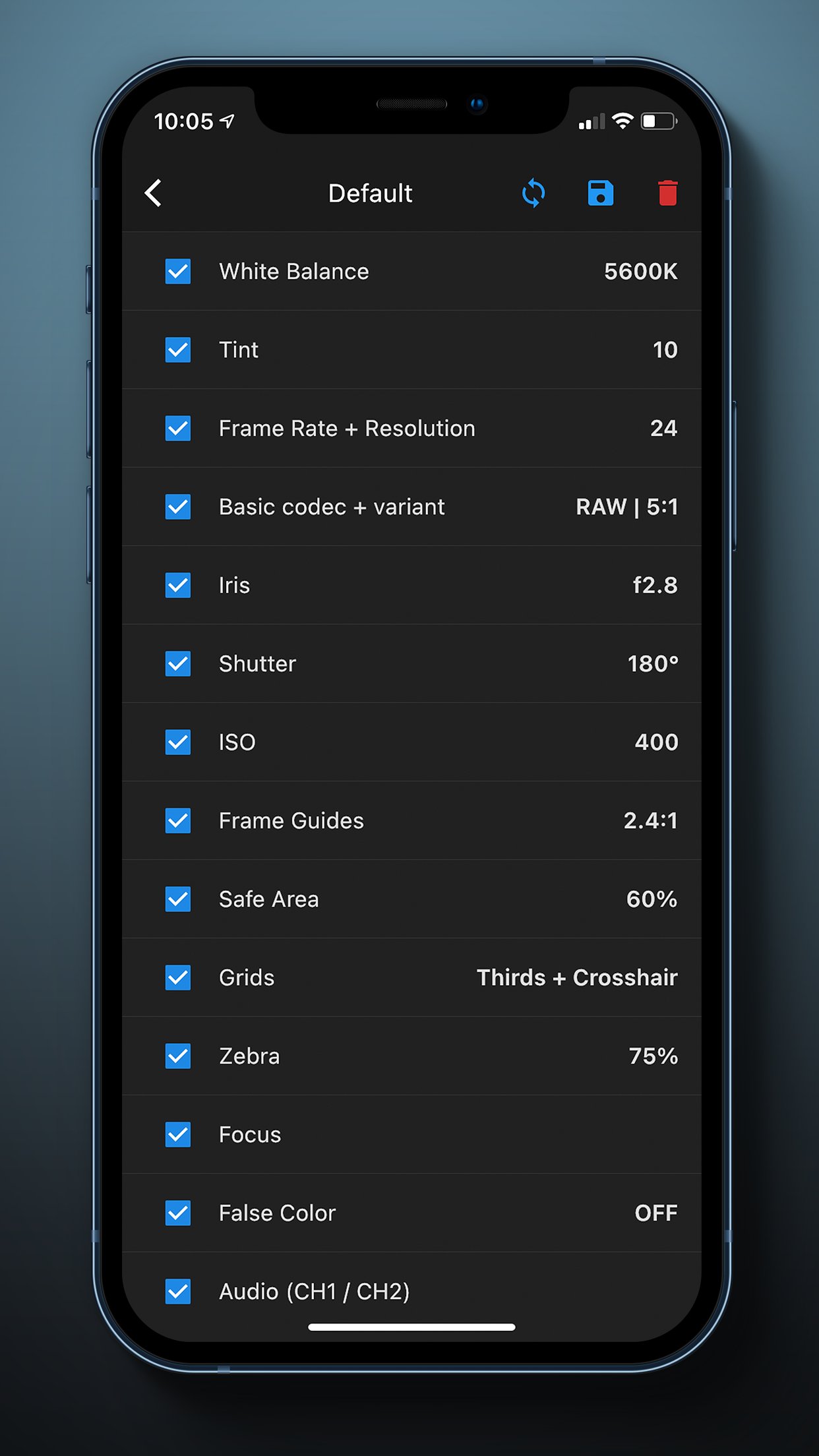
About Blackmagic BlueConnect
BlueConnect is simple yet powerful app to control Blackmagic Pocket Cinema Camera 4K, 6K or 6K Pro from iPhone or iPad.
BlueConnect allows you to control all the features of camera that Blackmagic offers, including :
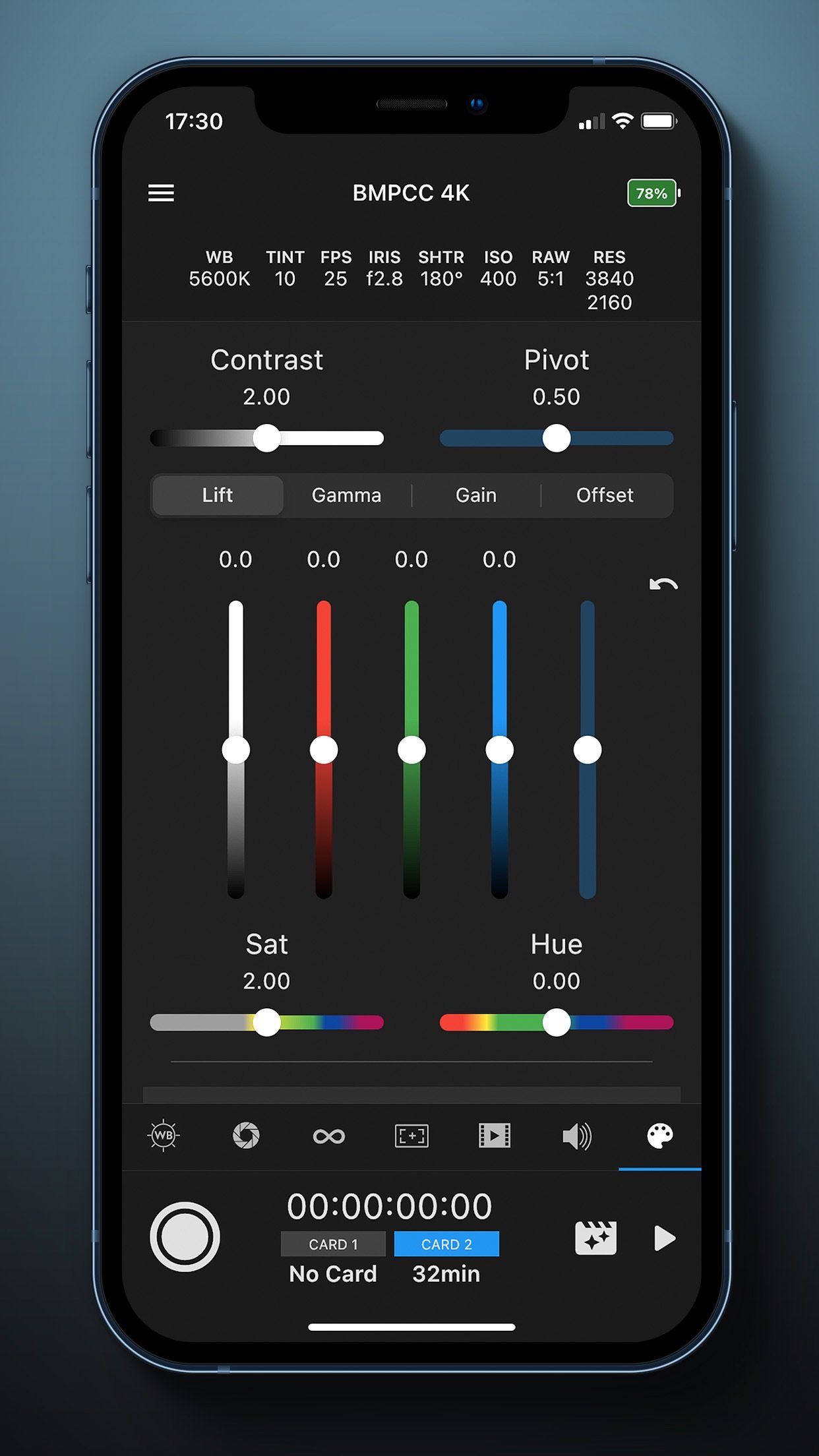
- Colour Corrector :
• Built-in colour correction tools that reflects in camera and HDMI Output
• Davinci Resolve-like control
• RGB Bars for Lift, Gamma, Gain and Offset
• Pulling sliders for Contrast, Pivot, Saturation and Hue
• Ability to reset to default camera colour correction settings
• Similar settings that can be controlled from Atem Mini Pro switchers
- Other devices support :
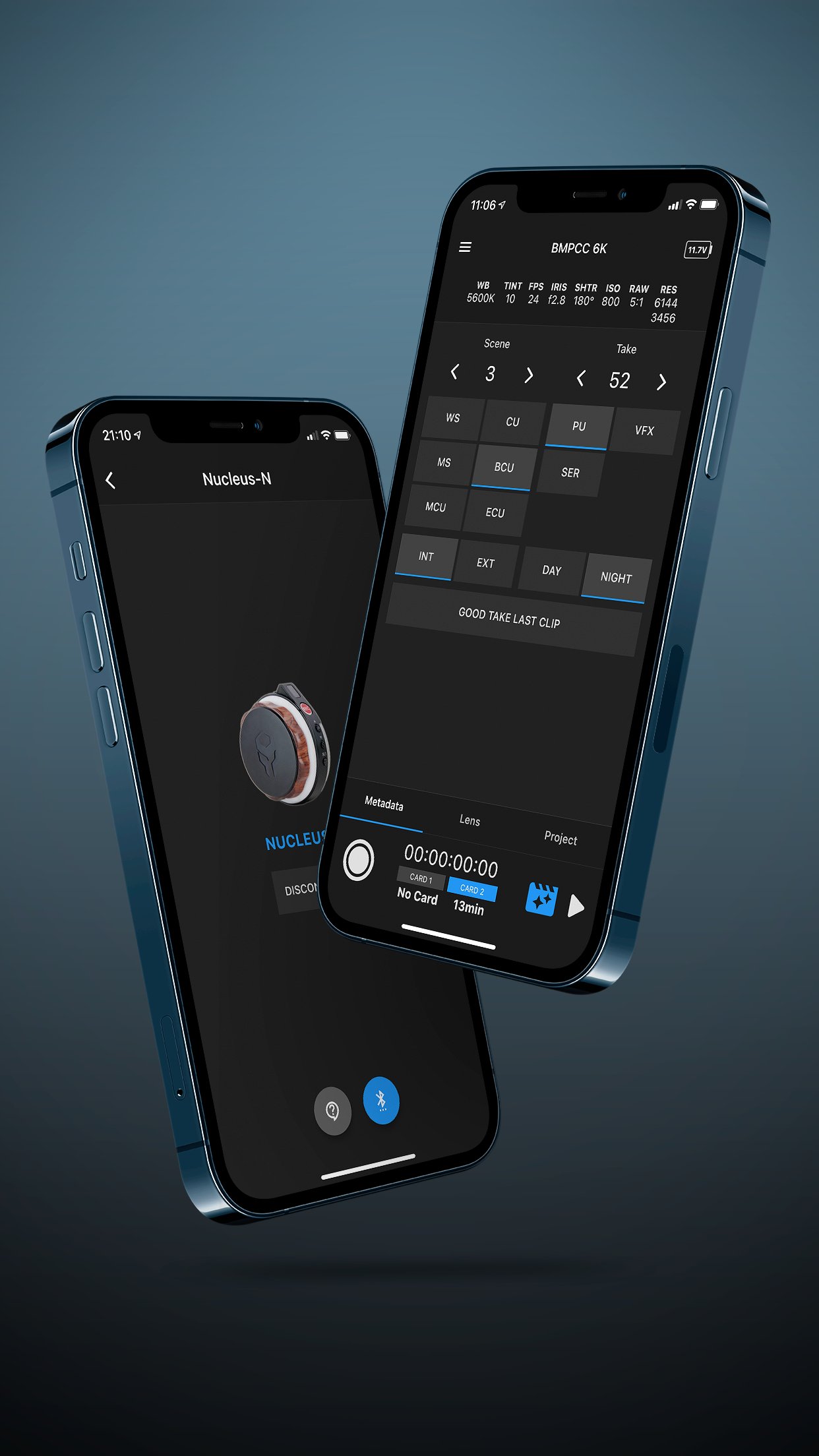
• Control from Tilta Nucleus-N handwheel - Start / Stop recording
• Control from Tilta Nucleus-M FIZ Unit - Start / Stop recording
- General controls :
• Trigger Start/Stop recording ( Ability to use Volume buttons )
• Trigger stills
• Battery indicator
• Active card indicator
• Remaining recording time
• Timecode
• Settings indicators
• Lock-while-recording mode
- Playback control :
• Switch from recording mode into playback and back ( displayed are only clips with same resolution )
• Play / Pause, navigate forward, navigate backward through clips
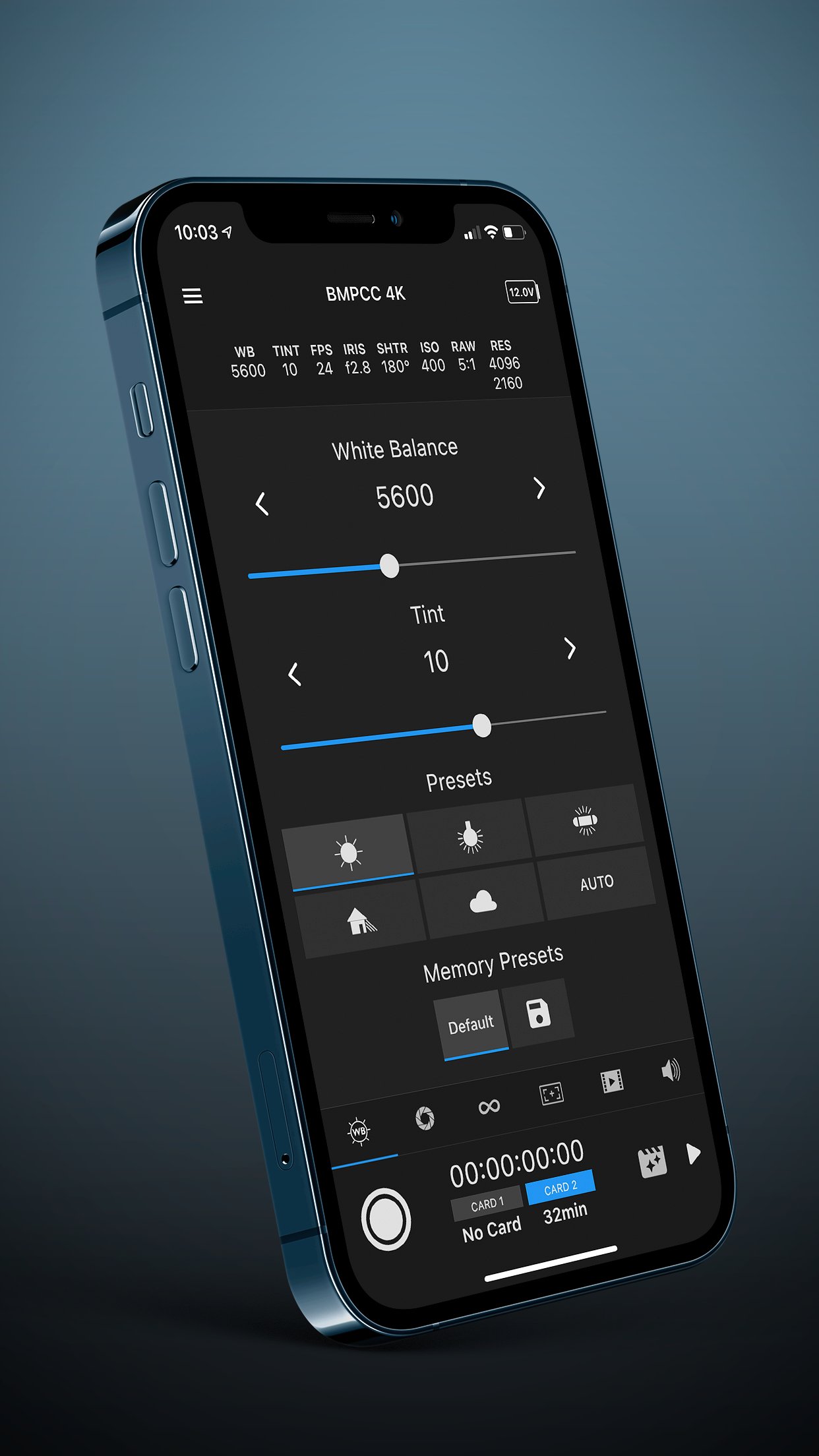
- White Balance controls :
• White Balance
• Tint
• WB Presets
- Exposure and Frame rate controls :
• Project frame rate
• Frame rate
• Off-speed frame rate toggle
• Iris
• Shutter speed / angle
• ISO
• Auto Exposure modes
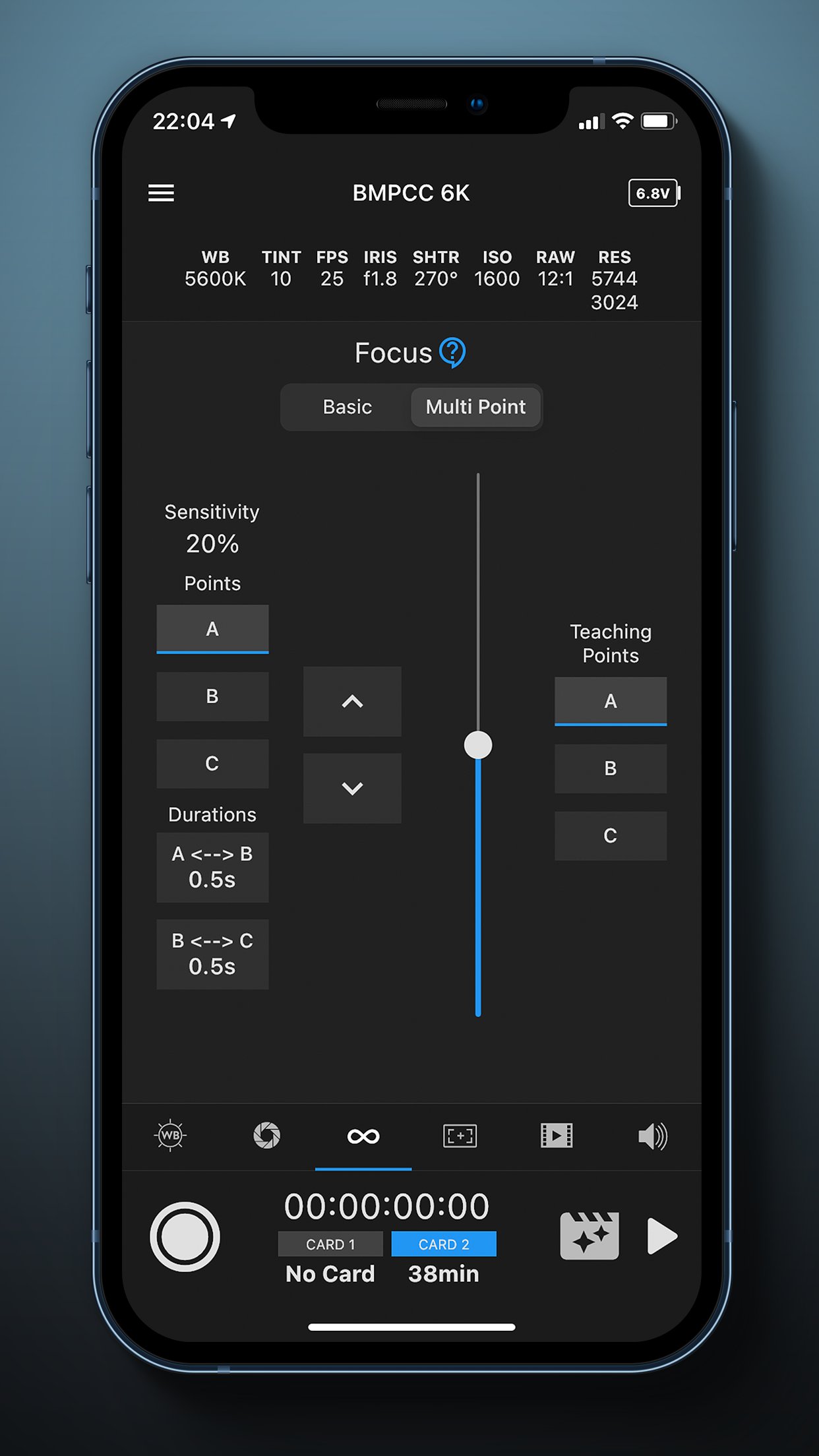
- Focus control
• Slide-to-adjust control
• Multiple focus points (Rack focus using focus sensitivity and duration)
• Multiple focus points (Rack focus using focus-movement teaching)
• Auto-focus toggle
- Monitor overlays
• Zebra Level
• Frame guides
• Safe Area
• Grids
• Exposure and focus tools (zebra, focus assist and false color toggles)
- Codecs and Quality
• Codec option
• Bitrate option
• Resolution
- Audio controls
• Channel 1 / 2 gain
• Headphones volume
• Speaker volume
We continue to work on another exciting features to be released in the near future including but not limited to :
- MultiCam mode with an option to trigger recording on multiple cameras
- Control of TILTA products
Requirements:
- Minimum Camera Firmware version 6.2
- Bluetooth Enabled on your Camera
- Bluetooth Enabled on your Phone
- Location Enabled on your Phone
Tested on:
– BMPCC 4K
– BMPCC 6K
- BMPCC 6K Pro
Getting started :
[link removed]
Issues we know about :
[link removed]
Troubleshooting :
[link removed]
License: Commercial
BlueConnect allows you to control all the features of camera that Blackmagic offers, including :
- Colour Corrector :
• Built-in colour correction tools that reflects in camera and HDMI Output
• Davinci Resolve-like control
• RGB Bars for Lift, Gamma, Gain and Offset
• Pulling sliders for Contrast, Pivot, Saturation and Hue
• Ability to reset to default camera colour correction settings
• Similar settings that can be controlled from Atem Mini Pro switchers
- Other devices support :
• Control from Tilta Nucleus-N handwheel - Start / Stop recording
• Control from Tilta Nucleus-M FIZ Unit - Start / Stop recording
- General controls :
• Trigger Start/Stop recording ( Ability to use Volume buttons )
• Trigger stills
• Battery indicator
• Active card indicator
• Remaining recording time
• Timecode
• Settings indicators
• Lock-while-recording mode
- Playback control :
• Switch from recording mode into playback and back ( displayed are only clips with same resolution )
• Play / Pause, navigate forward, navigate backward through clips
- White Balance controls :
• White Balance
• Tint
• WB Presets
- Exposure and Frame rate controls :
• Project frame rate
• Frame rate
• Off-speed frame rate toggle
• Iris
• Shutter speed / angle
• ISO
• Auto Exposure modes
- Focus control
• Slide-to-adjust control
• Multiple focus points (Rack focus using focus sensitivity and duration)
• Multiple focus points (Rack focus using focus-movement teaching)
• Auto-focus toggle
- Monitor overlays
• Zebra Level
• Frame guides
• Safe Area
• Grids
• Exposure and focus tools (zebra, focus assist and false color toggles)
- Codecs and Quality
• Codec option
• Bitrate option
• Resolution
- Audio controls
• Channel 1 / 2 gain
• Headphones volume
• Speaker volume
We continue to work on another exciting features to be released in the near future including but not limited to :
- MultiCam mode with an option to trigger recording on multiple cameras
- Control of TILTA products
Requirements:
- Minimum Camera Firmware version 6.2
- Bluetooth Enabled on your Camera
- Bluetooth Enabled on your Phone
- Location Enabled on your Phone
Tested on:
– BMPCC 4K
– BMPCC 6K
- BMPCC 6K Pro
Getting started :
[link removed]
Issues we know about :
[link removed]
Troubleshooting :
[link removed]
License: Commercial
| Release info | New Release on Sep 13, 2021 |
|---|---|
| Release notes | In the update 1.0.11 we implemented colour correction tools present in Atem Mini Pro switchers, added full 6K Pro support and we also fixed reported bugs : - Bug fix where audio gain / speaker volume are offsetted by 1% after crossing 40% gain. - General stability improvements |
| Listing data | App Store |
Reviews
No reviews yet. Be the first to review Blackmagic BlueConnect.
Used Blackmagic BlueConnect? Tell other visitors what you thought.
Log in to write a reviewOther products by this publisher
- "No Distractions" for YouTube 4.10 ----
- #Bible 11.6 "Incredible App - My sister shared this app with me a few weeks ago and it is truly incredible.
- #filmphotography 1.4.2 So, you decided to shoot on film?
- $quirrel 1.5.1 $quirrel Budget & Finance helps you plan each paycheck, track spending, manage debt, and see what is safe to spend before the next payday.
- % Percentage Calculator Pro 1.41 This is the Pro version of % Percentage Calculator.
Most viewed iOS Photo & Video
-
1
 ShortDiShow 2.0
Drama Quest Island — An offline interactive short-drama adventure.
-
2
 Infuse 8.5.10
Infuse: Enterprise provides the same great features as the standard version of Infuse and includes permanent access to all Pro features via a traditional paid app.
-
3
 AI Video Generator 2.0.2
Vixel – AI Video Generator
-
4
 OPlayer 4.8
Play all your videos directly without having to convert them!
-
5
 Necrometer II 1.2
Necrometer II is a paranormal investigation companion designed for ghost hunters and researchers.
-
6
 CapCut 20.1.0
CapCut offers easy-to-use video editing functions, in-APP fonts and effects, advanced features such as keyframe animation, smooth slow-motion, chroma key, and stabilization, to help you capture and snip moments.
-
7
 Ai Photo 1.1.2
AI Photo Retouch – BG Eraser
-
8
 Treblo 1.6.0
Make songs with the world's best AI music model.
-
9
 TouchSiren Delta 3.1
--------------------------------------------------------------
-
10
 CNU 3.0.12
CNU?????????????????????,???????????????
Most downloaded iOS Photo & Video
-
1
Infuse 8.5.10
Infuse: Enterprise provides the same great features as the standard version of Infuse and includes permanent access to all Pro features via a traditional paid app.
-
2
 DJI Fly 1.21.18
DJI Fly is designed to help pilots fly drones with ease.
-
3
 Analog Radio 3.0
The iPhone and iPad devices don't have the FM/AM radio antenna installed.
-
4
 TurboCollage Automatic 1.2.4
#1 Easy automatic photo collage maker for iPhone & iPad.
-
5
 ReelyGo 1.1.42
ReelyGo: Your Daily Drama Escape
-
6
 AGAIN. Rehearsal Notes 2.0.1
AGAIN. is the rehearsal app that remembers why the band stopped — and, new in Version 2, who said what in a writing session or a table read.
-
7
 Rozeta Sequencer Suite 1.3.16
Rozeta is a suite of MIDI sequencers and controllers that lets you explore a new, freeform approach to sequencing and controlling mobile music apps.
-
8
Treblo 1.6.0
Make songs with the world's best AI music model.
-
9
 Pop Dot Comics 1.48
Create a comic worthy of the Sunday newspaper or your favorite pulp-fiction cover.
-
10
 SSS IPTV, Simple, Smart Super 1.0.2
An Easiest way to watch TV Online or Movies or Series, Bring your Own list M3u,