
Batch Videos Edit 1.2
Batch Videos Edit – A powerful tool for iPhone and iPad that lets you resize, crop, change the aspect ratio, or rotate your videos and movies in bulk—quickly and easily.
Download
1.80 MB
31downloads
4this week
FreeCommercial
0reviews
Screenshots
About Batch Videos Edit
Batch Videos Edit – A powerful tool for iPhone and iPad that lets you resize, crop, change the aspect ratio, or rotate your videos and movies in bulk—quickly and easily.
With Batch Videos Edit, you can save your data plan and bandwidth since all video processing happens directly on your device. Once resized, you can effortlessly upload your videos to your favorite social media platforms like YouTube, Facebook, Tiktok, Instagram and X.
Features:
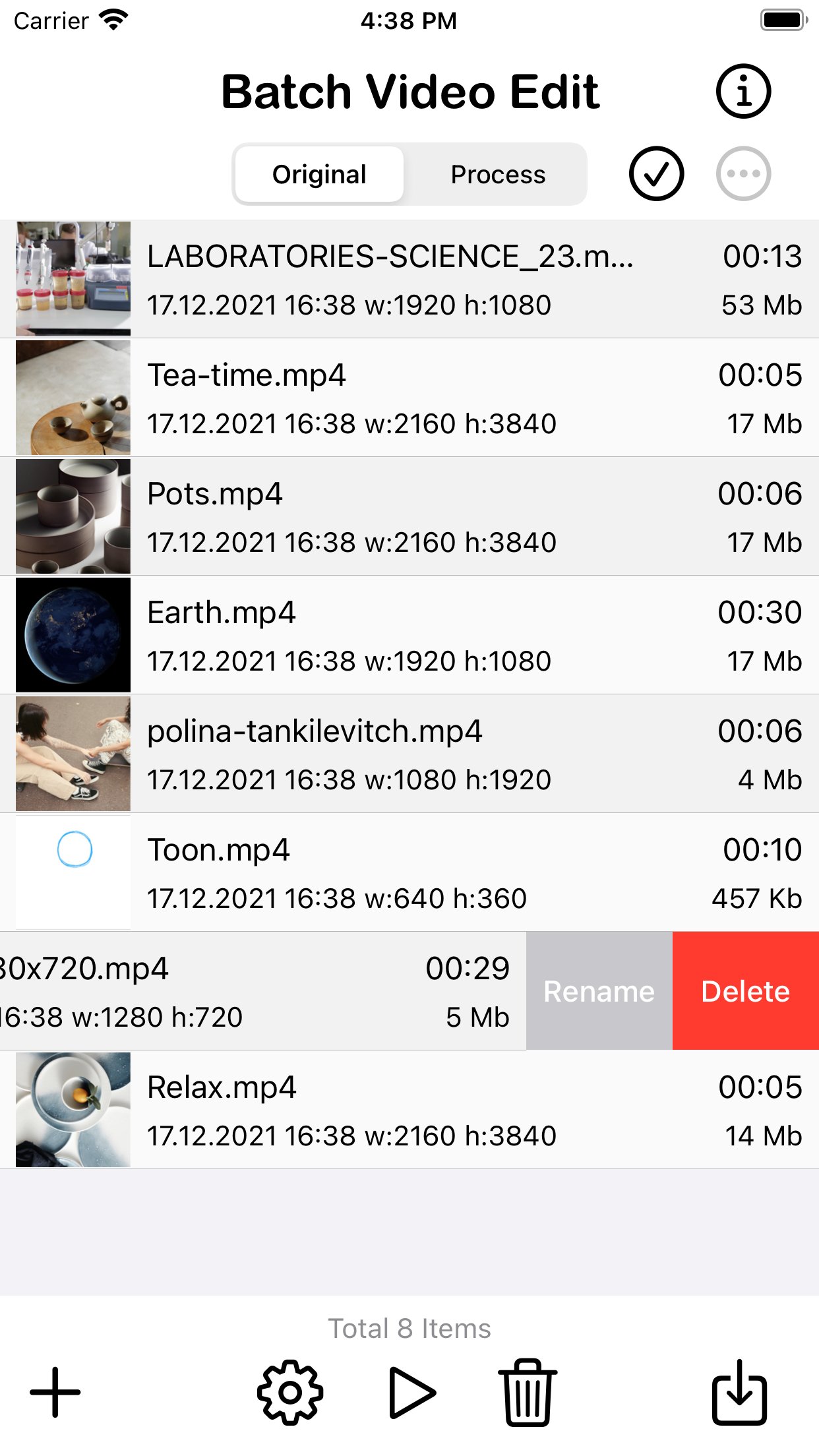
• Load multiple videos/clips from your library.
• Rename or delete videos easily.
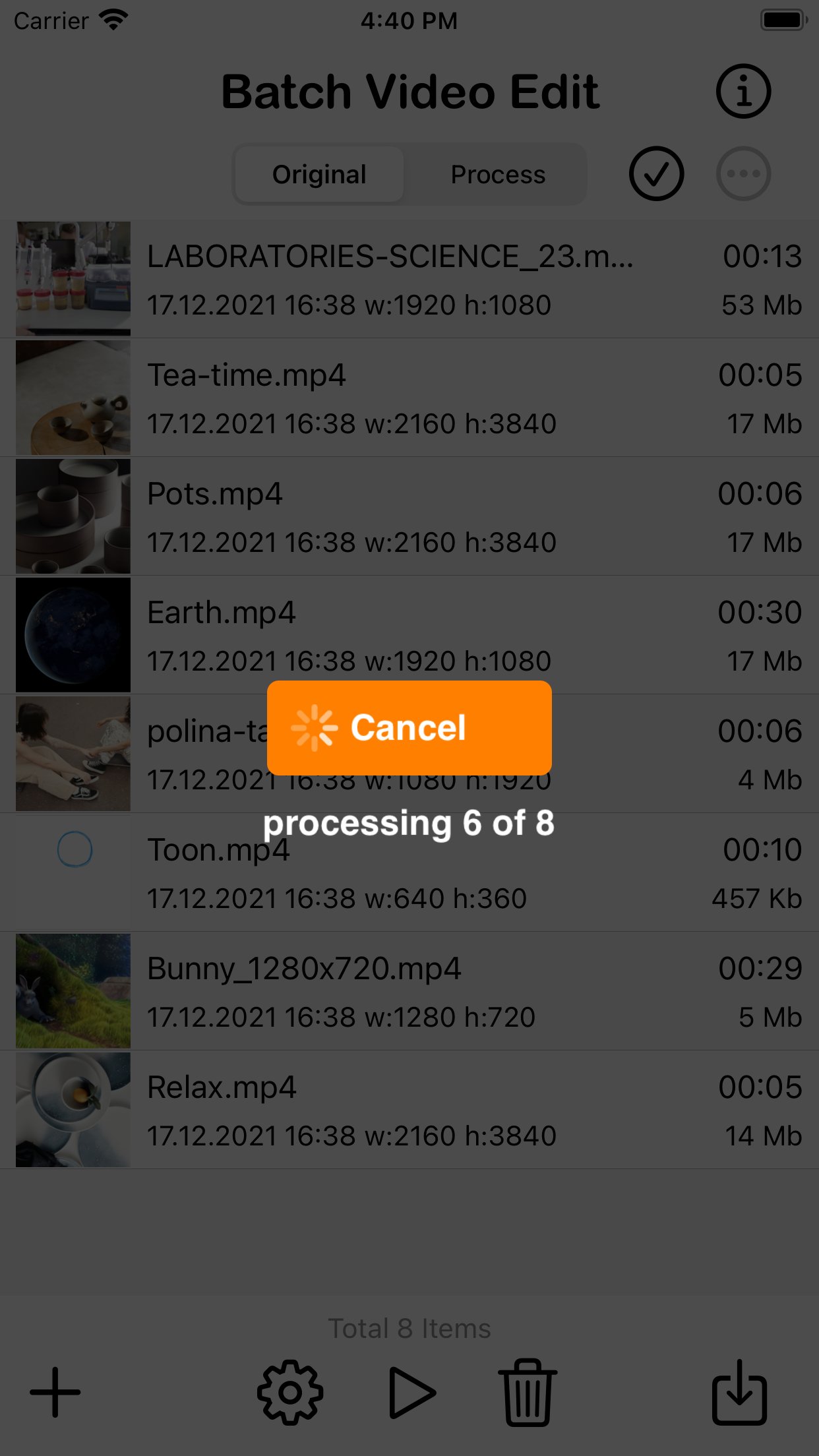
• View detailed video info (name, date, duration, dimensions, and file size).
• Review and remove videos before proceeding.
• Preview each video/clip individually.
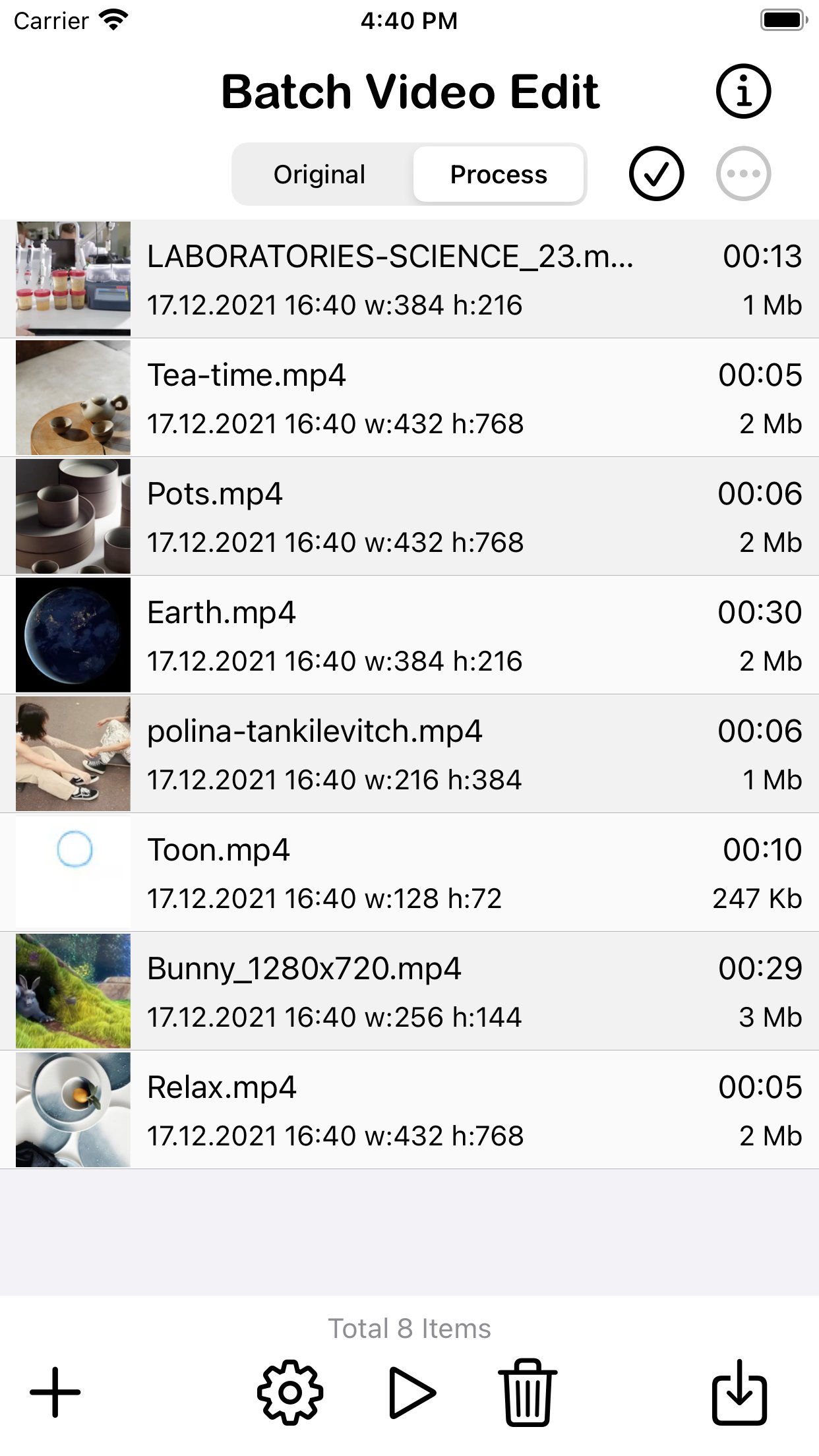
• Organized storage – View original and processed videos in separate folders.
• One-tap cleanup – Clear all videos in a single press.
• Save all processed videos directly to your Camera Roll.
• Works seamlessly on both iPhone and iPad.
• Lightweight, compact app optimized for everyday use.
• Ad-free and built with privacy in mind.
Setting:
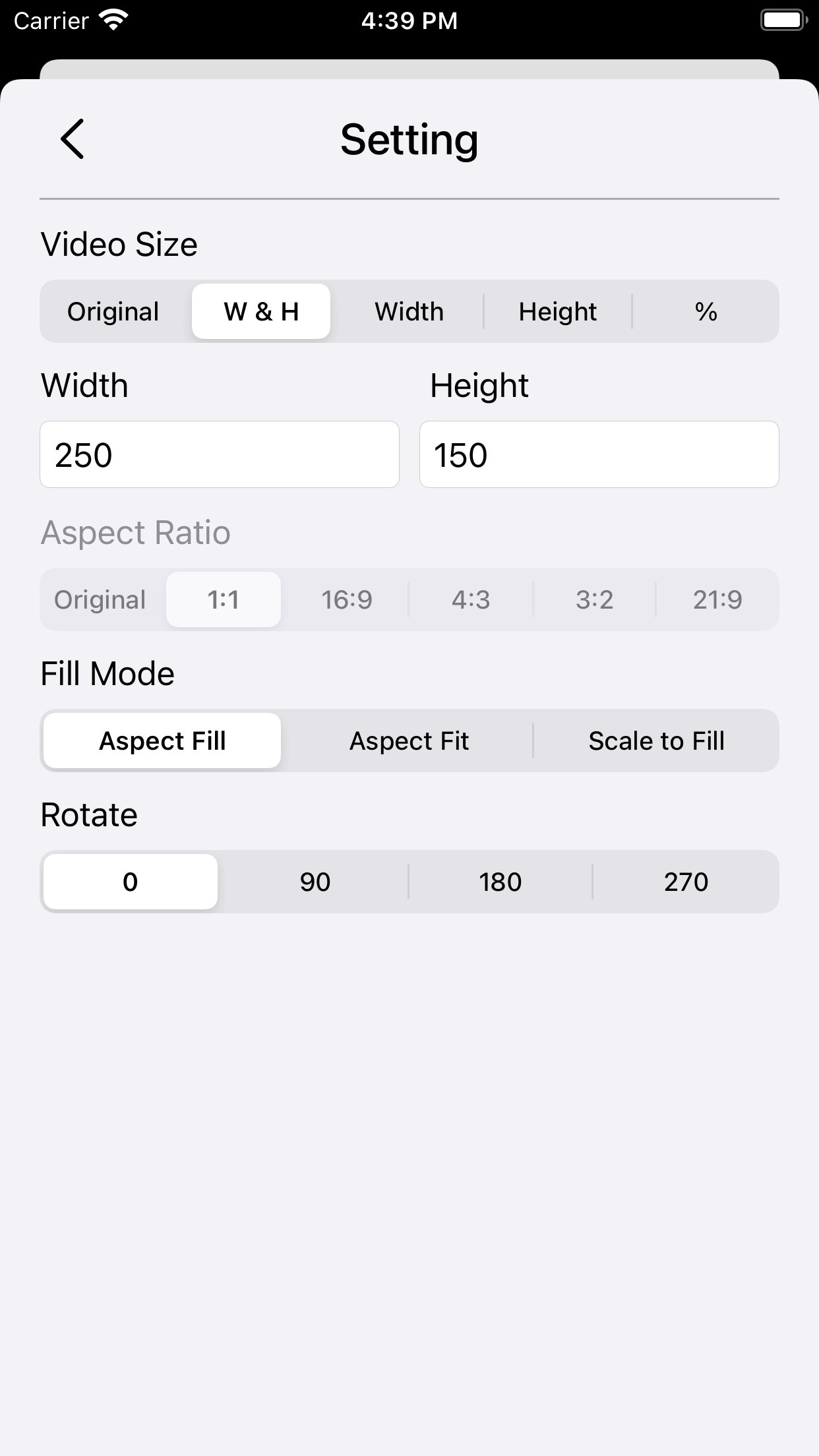
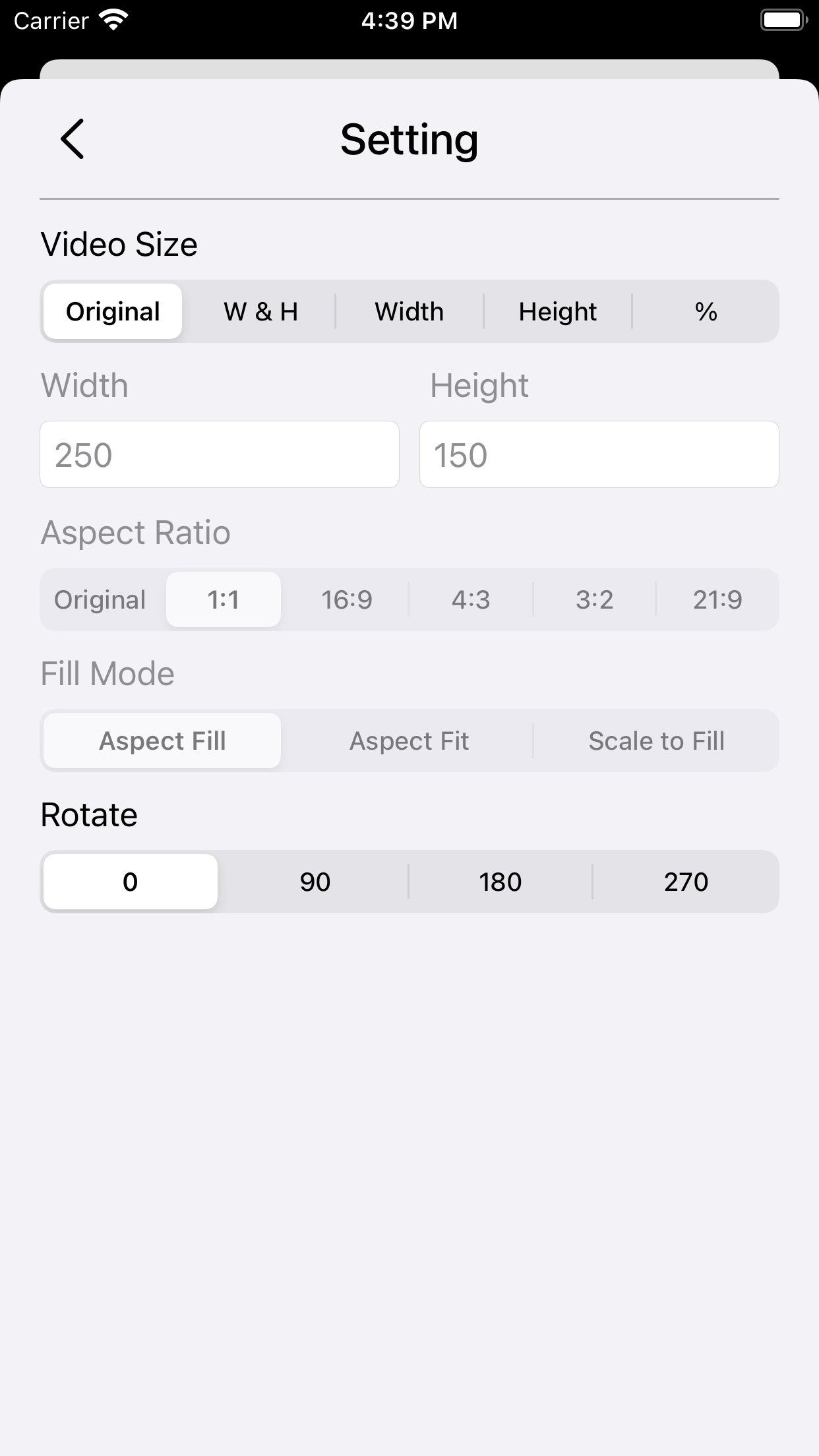
- Set Video Size
-- Original, By Width and Height, By Width, by Height and By percentage.
- Set Aspect Ratio
-- Original, 1:1, 16:9, 4:3, 3:2, 21:9
- Set Fill Mode
-- Aspect Fill, Aspect Fit and Scale to fill
- Set Video Rotation
-- 0, 90, 180 and 270 degree.
Quick Guide:
1. Tap the [+] icon and select the videos you want to batch edit.
2. Tap the Settings icon for detailed adjustments.
3. Let's assume we want to resize all videos to 640x320.
4. Tap on W & H (Width and Height).
5. Set the width to 640 and the height to 320.
6. Once finished, tap the Back button.
7. Tap the Run icon and wait for the process to complete.
8. Tap the Process tab at the top to check the processed videos.
9. Tap the Save icon to save all processed videos to the Camera Roll.
10. After saving, clear all videos by tapping the Bin icon.
* After picking videos from the gallery, you can reselect any videos you missed by tapping the [+] icon again.
* When selecting videos from the gallery, duplicate videos (videos with the same name) will be skipped.
* Remember to clear all videos before starting a new process.
Batch Videos Edit makes it easy to resize multiple videos at once. It is incredibly fast because your videos are resized directly on your device, without needing to be uploaded or transmitted to any servers. This makes it easier to send and share them with your family and friends.
Thanks for your support and do visit nitrio.com for more apps for your iOS devices.
License: Commercial
| Release info | New Release on Feb 05, 2026 |
|---|---|
| Release notes | - Updated for the newest devices. - Minor bugs fixed. |
| Listing data | App Store |
Reviews
No reviews yet. Be the first to review Batch Videos Edit.
Used Batch Videos Edit? Tell other visitors what you thought.
Log in to write a reviewOther products by this publisher
- "No Distractions" for YouTube 4.10 ----
- #Bible 11.6.1 "Incredible App - My sister shared this app with me a few weeks ago and it is truly incredible.
- #filmphotography 1.4.2 So, you decided to shoot on film?
- #LookBusy Fake Calendar Events 1.0.6 Look Busy scans your work calendar for open time slots and fills them with realistic-looking (but secretly fake) work events.
- #Small Talk Is Canceled 1.0.2 #Small Talk Is Canceled — Conversations That Matter
Most viewed iOS Photo & Video
-
1
 Restore Old Photos 1.1.0
Bring old family photos back to life, privately on your iPhone or iPad.
-
2
 Infrared Developer 1.2
Infrared Developer is a photo editor built for infrared photography.
-
3
 ShortDiShow 2.0
Drama Quest Island — An offline interactive short-drama adventure.
-
4
 Face Witness 1.0.4
FaceWitness lets you create a face by putting together individual features.
-
5
 makeART Coloring Book 1.0
Color something beautiful.
-
6
 Infuse 8.5.11
Infuse: Enterprise provides the same great features as the standard version of Infuse and includes permanent access to all Pro features via a traditional paid app.
-
7
 AI Video Generator 2.0.3
Vixel – AI Video Generator
-
8
 OPlayer 4.8
Play all your videos directly without having to convert them!
- 9 #filmphotography 1.4.2 So, you decided to shoot on film?
-
10
 CapCut 20.3.0
CapCut is an all-in-one video editing solution that offers essential editing features, creative effects, AI tools, filters, stickers, and fonts, and a wide range of video templates to empower users to easily create incredible videos regardless of th…
Most downloaded iOS Photo & Video
-
1
 DJI Fly 1.21.18
DJI Fly is designed to help pilots fly drones with ease.
-
2
Infuse 8.5.11
Infuse: Enterprise provides the same great features as the standard version of Infuse and includes permanent access to all Pro features via a traditional paid app.
-
3
 ReelyGo 1.1.60
ReelyGo: Your Daily Drama Escape
-
4
 Analog Radio 3.0
The iPhone and iPad devices don't have the FM/AM radio antenna installed.
-
5
 TurboCollage Automatic 1.2.4
#1 Easy automatic photo collage maker for iPhone & iPad.
-
6
 Rozeta Sequencer Suite 1.3.16
Rozeta is a suite of MIDI sequencers and controllers that lets you explore a new, freeform approach to sequencing and controlling mobile music apps.
-
7
 Treblo 1.6.7
Make songs with the world's best AI music model.
-
8
 Pop Dot Comics 1.48
Create a comic worthy of the Sunday newspaper or your favorite pulp-fiction cover.
-
9
 Sun Scout 1.5.0
If your work or play requires sunlight, Sun Scout is built for you.
-
10
 AGAIN. Rehearsal Notes 2.0.1
AGAIN. is the rehearsal app that remembers why the band stopped — and, new in Version 2, who said what in a writing session or a table read.