
13downloads
2this week
FreeCommercial
0reviews
Screenshots
About BamFleet
BamFleet puts your 3D-print fleet in your pocket. It's a fast, native iPhone and iPad client for BamBuddy and PrintBuddy — the open-source managers for 3D printers — so you can watch and control every printer without walking back to the workshop.
Connect to your own BamBuddy or PrintBuddy server and get a live view of the whole fleet: what's printing, how far along, and what's coming next.
MONITOR EVERY PRINTER
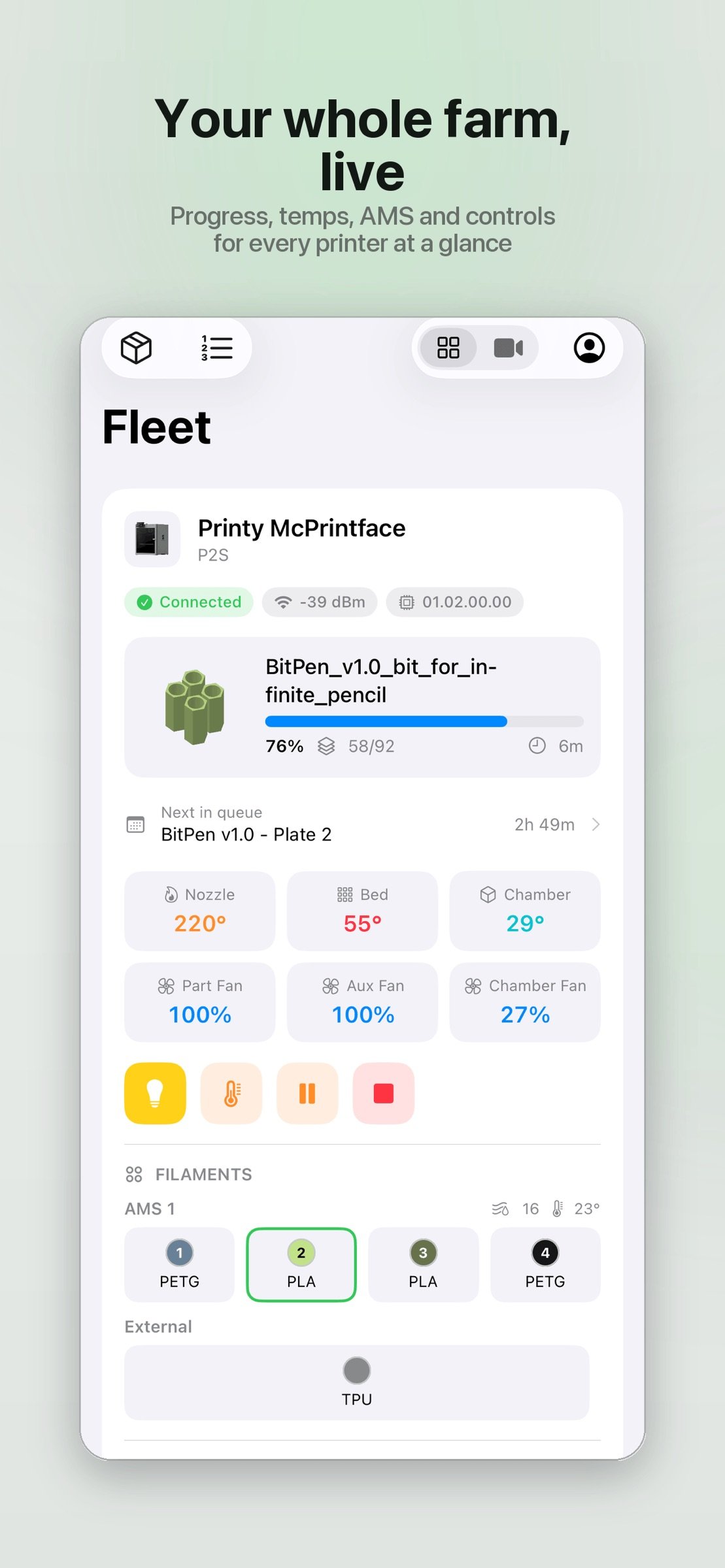
• Live status for each printer — progress, layer count and time remaining
• Nozzle, bed and chamber temperatures, plus part, aux and chamber fans
• Cover image of the current print and a live camera view
• AMS units at a glance: material, colour and remaining amount per tray, plus external spools
• Plain-English HMS alerts — error codes are translated into readable explanations, not just numbers
STAY IN CONTROL
• Pause, resume and stop prints
• Toggle the chamber light and set temperature and fan targets
• "Clear plate" when a finished print is waiting, so the queue keeps moving
• Smart-plug power control with live draw and energy usage, where a plug is assigned
• Control AMS Filament: load, unload, re-read and configure
MANAGE THE QUEUE
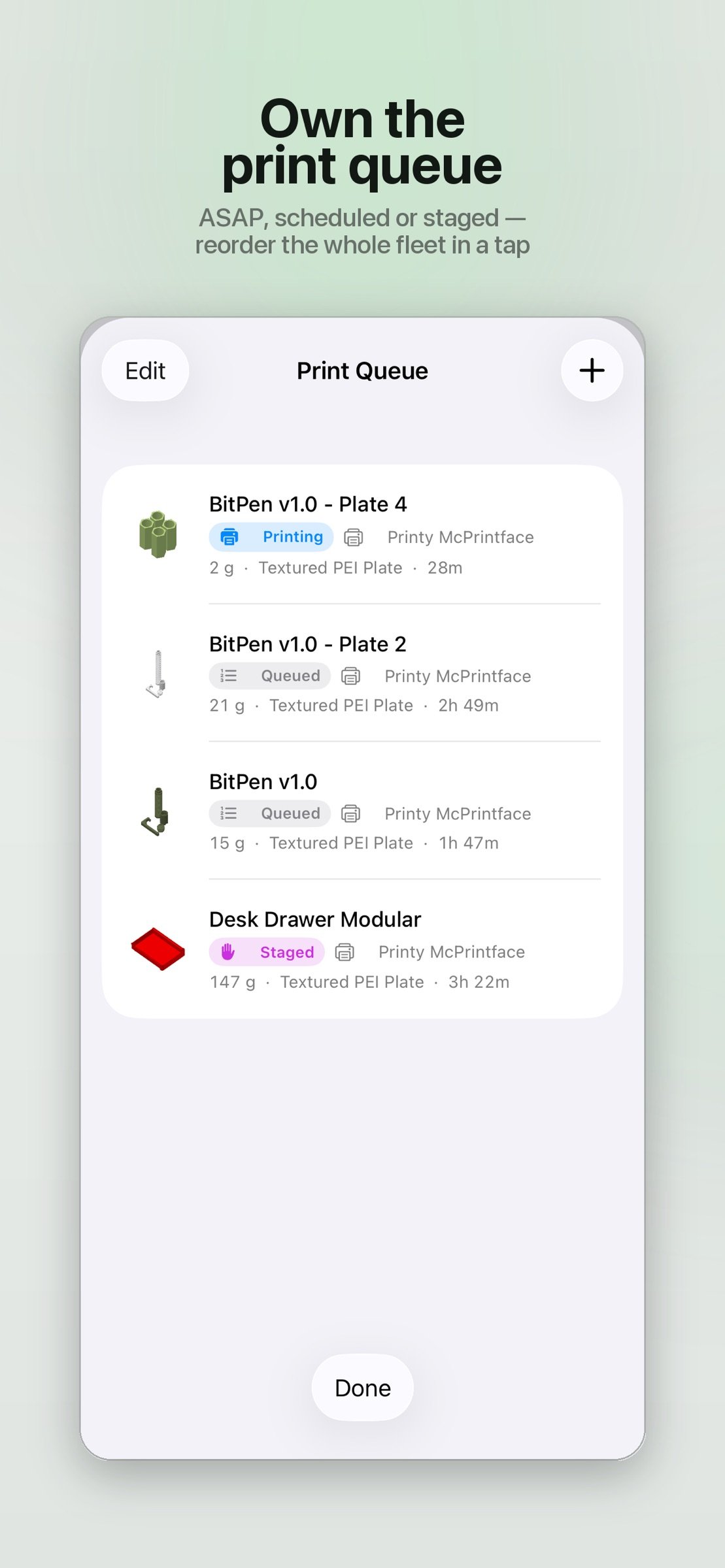
• See the whole fleet's queue with each job's printer, filament weight and plate type
• Timing at a glance — ASAP, Scheduled or Staged (manual start)
• Reorder by dragging, start now, cancel or delete
• Edit any queued job: assign it to a specific printer or any idle printer of a model
• Map each filament to an AMS slot — pulled from the printer's live AMS — or leave it on Auto
• Tune advanced options: bed levelling, flow and vibration calibration, first-layer inspection, timelapse and preheat
TRACK YOUR FILAMENT
• Full spool inventory with material, colour, remaining weight and storage location
• Add, edit, assign, archive or delete spools
• Low-stock indicators so you reorder in time
BROWSE YOUR ARCHIVE
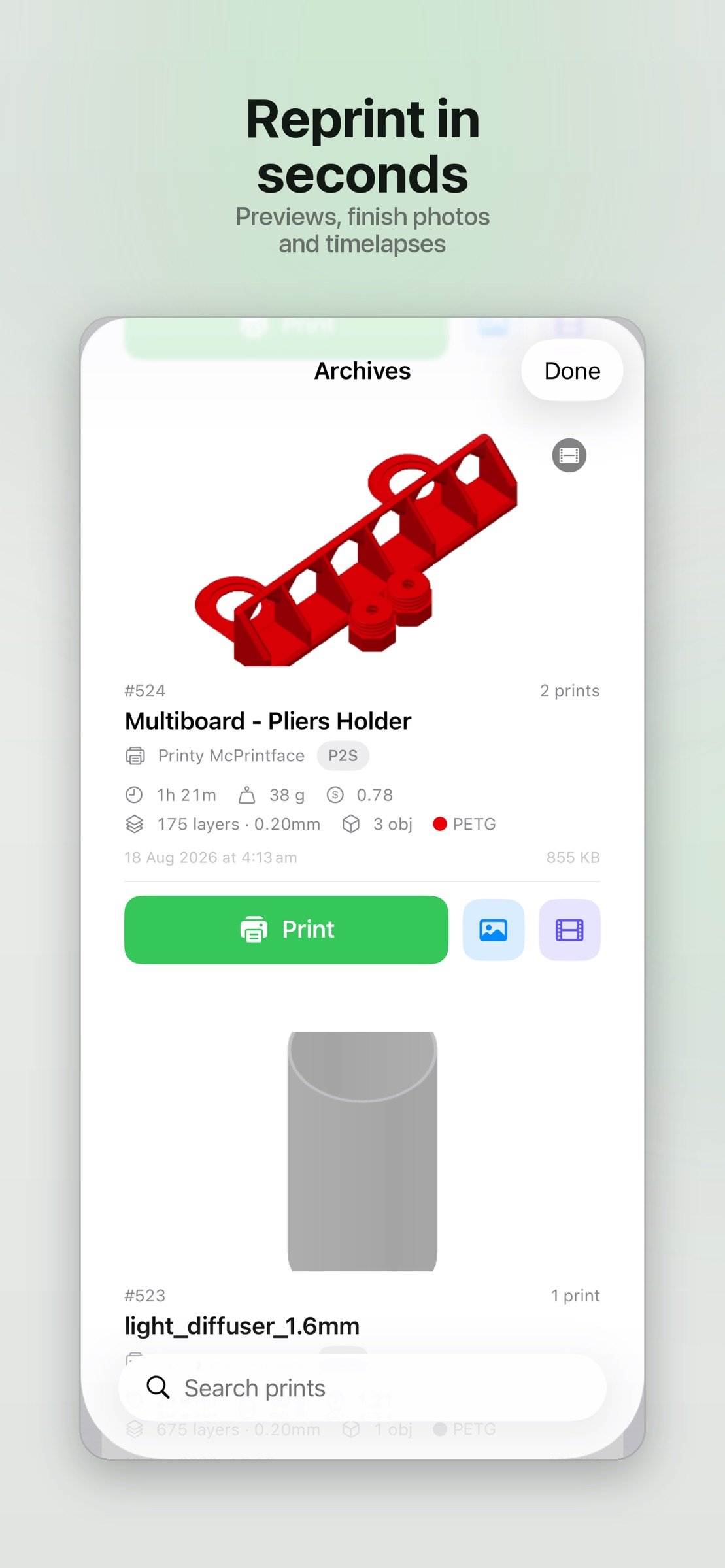
• Every archived print with its render, stats and metadata
• Send any archived print back to the queue in a couple of taps
• View finish photos and timelapses, and save them to Photos
AND MORE
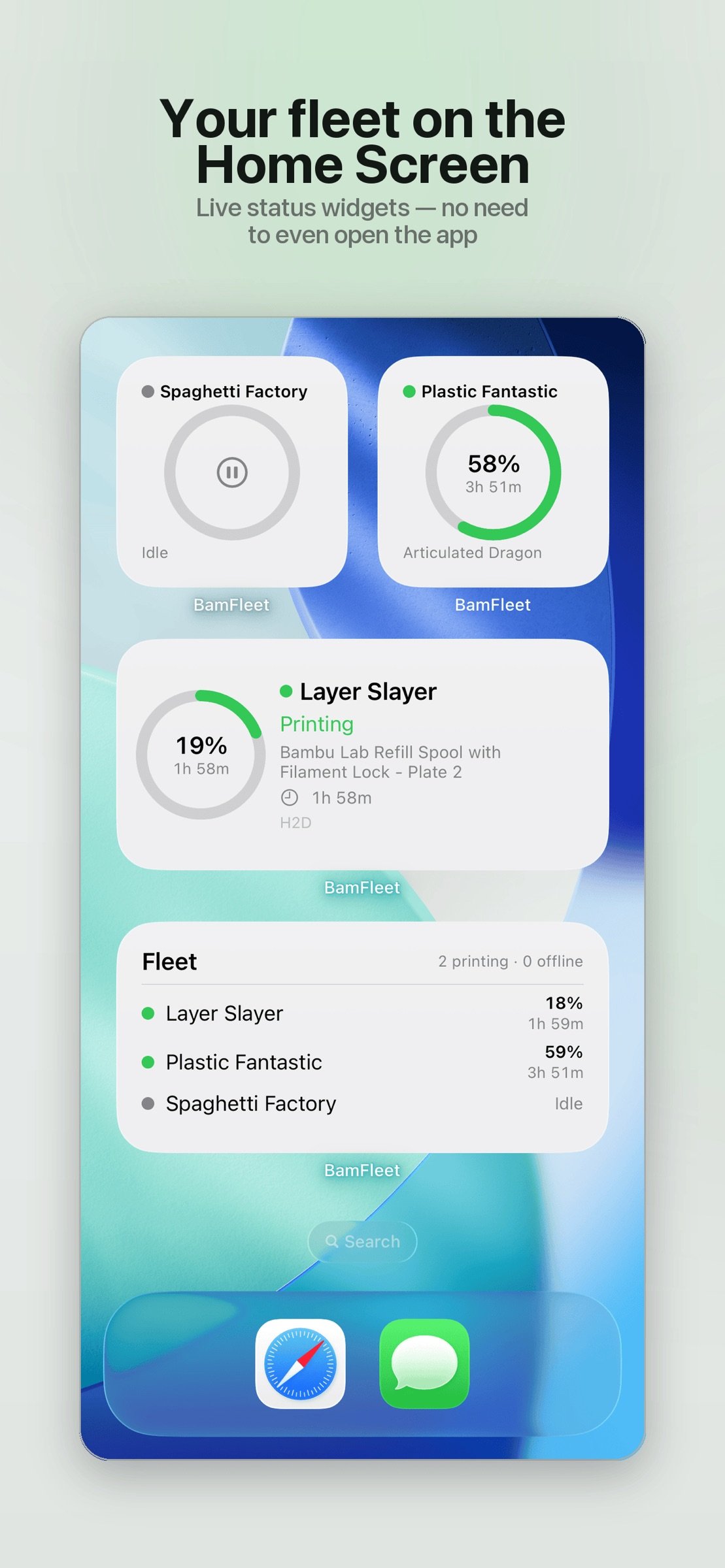
• Home Screen widgets — a fleet overview, and a "Now Printing" widget for any printer you pick
• Print history and statistics — success rate, print time, filament and cost
• Light and dark themes
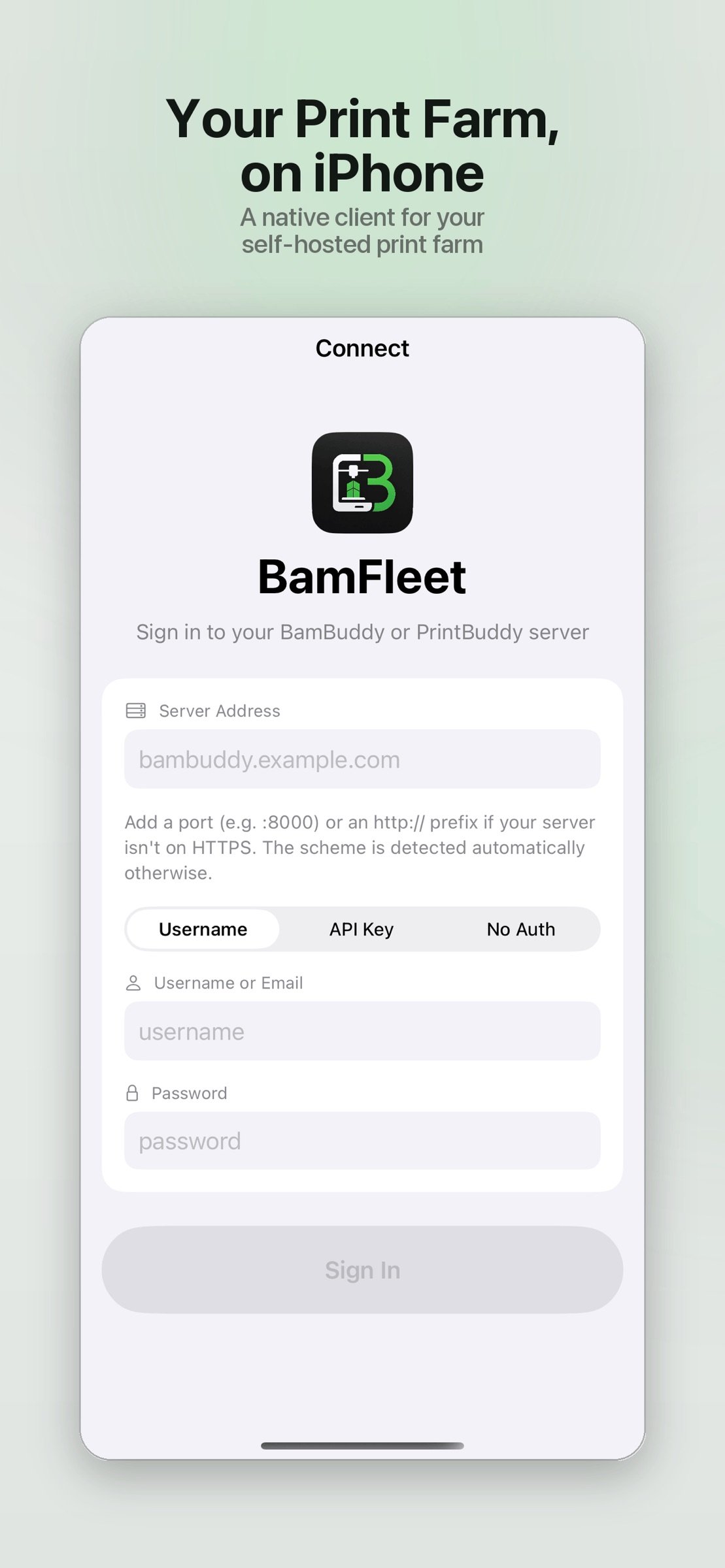
• Flexible sign-in: API key, or username and password with two-factor (TOTP) support — plus servers that have authentication disabled
• Permission-aware: BamFleet only shows the actions your account is allowed to perform
REQUIRES A BAMBUDDY OR PRINTBUDDY SERVER
BamFleet is a client app. You need your own running BamBuddy or PrintBuddy server (self-hosted) to sign in — it does not include or provide a server. Connections go only to the server you configure, over your own network or the address you provide.
BamFleet is an independent client and is not affiliated with, authorised by, or endorsed by Bambu Lab, BamBuddy, or PrintBuddy.
PRIVACY
Your credentials are stored securely in the iOS Keychain and used only to talk to your server. BamFleet doesn't track you.
Point BamFleet at your server and your whole fleet is a tap away.
License: Commercial
Connect to your own BamBuddy or PrintBuddy server and get a live view of the whole fleet: what's printing, how far along, and what's coming next.
MONITOR EVERY PRINTER
• Live status for each printer — progress, layer count and time remaining
• Nozzle, bed and chamber temperatures, plus part, aux and chamber fans
• Cover image of the current print and a live camera view
• AMS units at a glance: material, colour and remaining amount per tray, plus external spools
• Plain-English HMS alerts — error codes are translated into readable explanations, not just numbers
STAY IN CONTROL
• Pause, resume and stop prints
• Toggle the chamber light and set temperature and fan targets
• "Clear plate" when a finished print is waiting, so the queue keeps moving
• Smart-plug power control with live draw and energy usage, where a plug is assigned
• Control AMS Filament: load, unload, re-read and configure
MANAGE THE QUEUE
• See the whole fleet's queue with each job's printer, filament weight and plate type
• Timing at a glance — ASAP, Scheduled or Staged (manual start)
• Reorder by dragging, start now, cancel or delete
• Edit any queued job: assign it to a specific printer or any idle printer of a model
• Map each filament to an AMS slot — pulled from the printer's live AMS — or leave it on Auto
• Tune advanced options: bed levelling, flow and vibration calibration, first-layer inspection, timelapse and preheat
TRACK YOUR FILAMENT
• Full spool inventory with material, colour, remaining weight and storage location
• Add, edit, assign, archive or delete spools
• Low-stock indicators so you reorder in time
BROWSE YOUR ARCHIVE
• Every archived print with its render, stats and metadata
• Send any archived print back to the queue in a couple of taps
• View finish photos and timelapses, and save them to Photos
AND MORE
• Home Screen widgets — a fleet overview, and a "Now Printing" widget for any printer you pick
• Print history and statistics — success rate, print time, filament and cost
• Light and dark themes
• Flexible sign-in: API key, or username and password with two-factor (TOTP) support — plus servers that have authentication disabled
• Permission-aware: BamFleet only shows the actions your account is allowed to perform
REQUIRES A BAMBUDDY OR PRINTBUDDY SERVER
BamFleet is a client app. You need your own running BamBuddy or PrintBuddy server (self-hosted) to sign in — it does not include or provide a server. Connections go only to the server you configure, over your own network or the address you provide.
BamFleet is an independent client and is not affiliated with, authorised by, or endorsed by Bambu Lab, BamBuddy, or PrintBuddy.
PRIVACY
Your credentials are stored securely in the iOS Keychain and used only to talk to your server. BamFleet doesn't track you.
Point BamFleet at your server and your whole fleet is a tap away.
License: Commercial
| Release info | New Release on Oct 12, 2026 |
|---|---|
| Release notes | Adds support for auto power off when printing complete, for non api key authentications |
| Listing data | App Store |
Reviews
No reviews yet. Be the first to review BamFleet.
Used BamFleet? Tell other visitors what you thought.
Log in to write a reviewOther products by this publisher
- "No Distractions" for YouTube 4.10 ----
- #Bible 11.5 "Incredible App - My sister shared this app with me a few weeks ago and it is truly incredible.
- #filmphotography 1.4.2 So, you decided to shoot on film?
- $quirrel 1.5.1 $quirrel Budget & Finance helps you plan each paycheck, track spending, manage debt, and see what is safe to spend before the next payday.
- % Percentage Calculator Pro 1.41 This is the Pro version of % Percentage Calculator.
Most viewed iOS Productivity
- 1 Voice Translator - Alive 1.6 Translation app that turns your iPhone into an interpreter instantly.
-
2
 WordPress 27.4
Manage or create your WordPress blog or website right from your iOS device: create and edit posts and pages, upload your favorite photos and videos, view stats and reply to comments.
-
3
 Claude by Anthropic 1.261104.19
Meet Claude, your AI problem solver and thinking partner.
- 4 "No Distractions" for YouTube 4.10 ----
- 5 (beat) for iOS 0.5.10 An elegant Fountain screenwriting app, created by a screenwriter for screenwriters.
-
6
 DeepSeek 2.7.2
Experience seamless interaction with DeepSeek's official AI assistant for free!
-
7
 Life360 26.42.0
Whether at home, online, or on the move, our comprehensive family safety features bring peace of mind to your loved ones AND help safeguard your personal belongings.
-
8
 Howbout 16.6.0
The shared calendar for friends, couples, and family
-
9
 Plot Digitizer 1.4.1
Plot Digitizer is an app to extract numerical data from plot images.
-
10
 Voices AI 1.16.11
Discover Voices, the premier voice transformation app designed exclusively for iOS.
Most downloaded iOS Productivity
- 1 Voice Translator - Alive 1.6 Translation app that turns your iPhone into an interpreter instantly.
-
2
DeepSeek 2.7.2
Experience seamless interaction with DeepSeek's official AI assistant for free!
-
3
 SessionsAI 1.2.1
Sessions AI is a private AI workspace that runs entirely on your iPhone, iPad, or Mac.
-
4
Voices AI 1.16.11
Discover Voices, the premier voice transformation app designed exclusively for iOS.
-
5
 Block Distracting Websites 1.11
"It's a great way to save time, and stop browsing Reddit when you should be doing coursework."
-
6
Plot Digitizer 1.4.1
Plot Digitizer is an app to extract numerical data from plot images.
-
7
 Google Docs 1.2026.43105
Create, edit, and collaborate on online documents with the Google Docs app.
-
8
 VPN 2.60.0
VPN - Super Unlimited Proxy is a free VPN and proxy app for iPhone, iPad, Mac and Apple Vision Pro.
- 9 (beat) for iOS 0.5.10 An elegant Fountain screenwriting app, created by a screenwriter for screenwriters.
-
10
Life360 26.42.0
Whether at home, online, or on the move, our comprehensive family safety features bring peace of mind to your loved ones AND help safeguard your personal belongings.