
13downloads
1this week
FreeCommercial
0reviews
Screenshots
About AutoFill
AutoFill - Flash Checkout
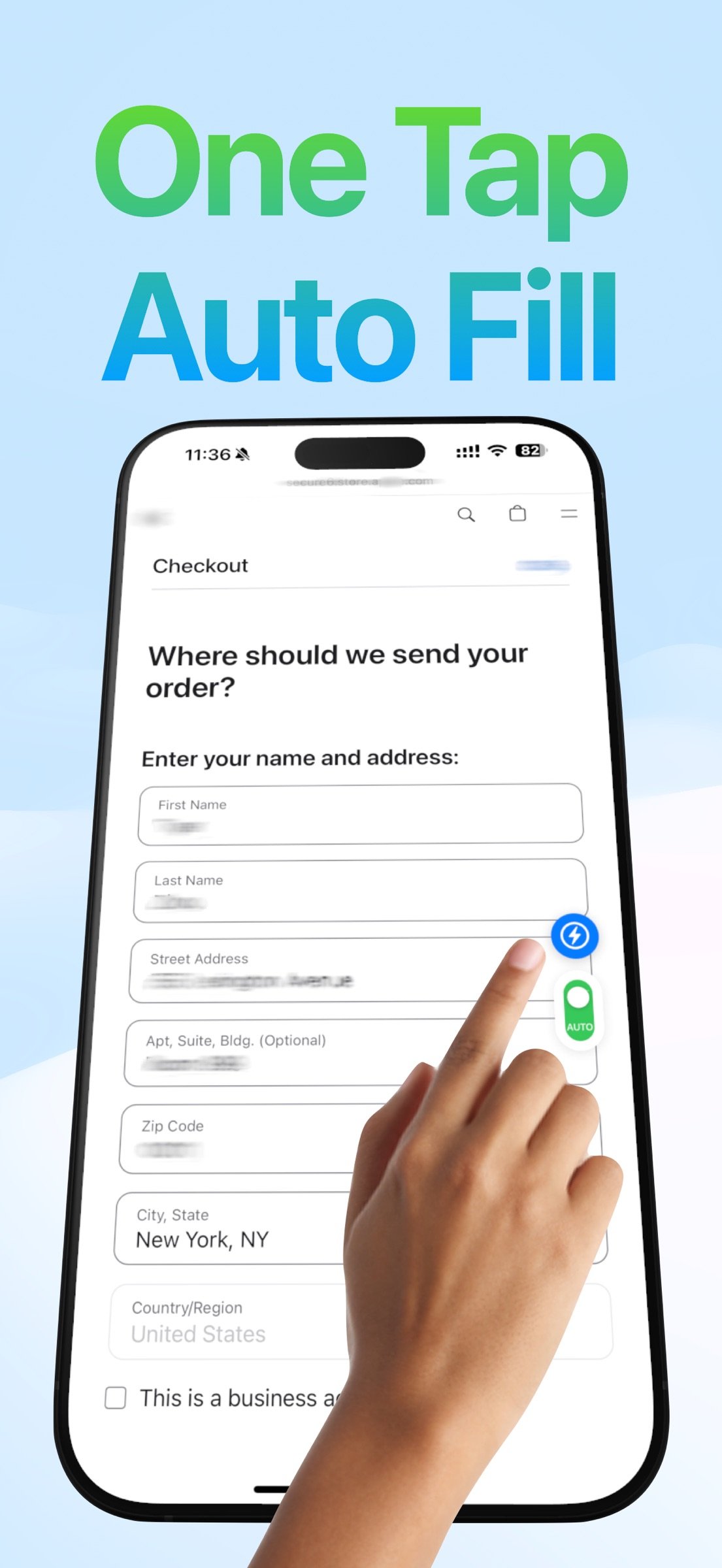
A Safari extension purpose-built for Apple's online store, engineered to streamline checkout on iPhone, iPad, and Mac. Cut the steps to a minimum and secure your order faster. Supports both "Ship to Home" and "Pick-up at Store" order types, auto-filling every required field in one click.
Key Features
o One-Tap Auto-Fill
Pre-save shipping addresses, payment details, in-store pickup contact, name, phone, email, etc. Launch-day checkout is now a single tap away.
oMulti-Profile Management (NEW)
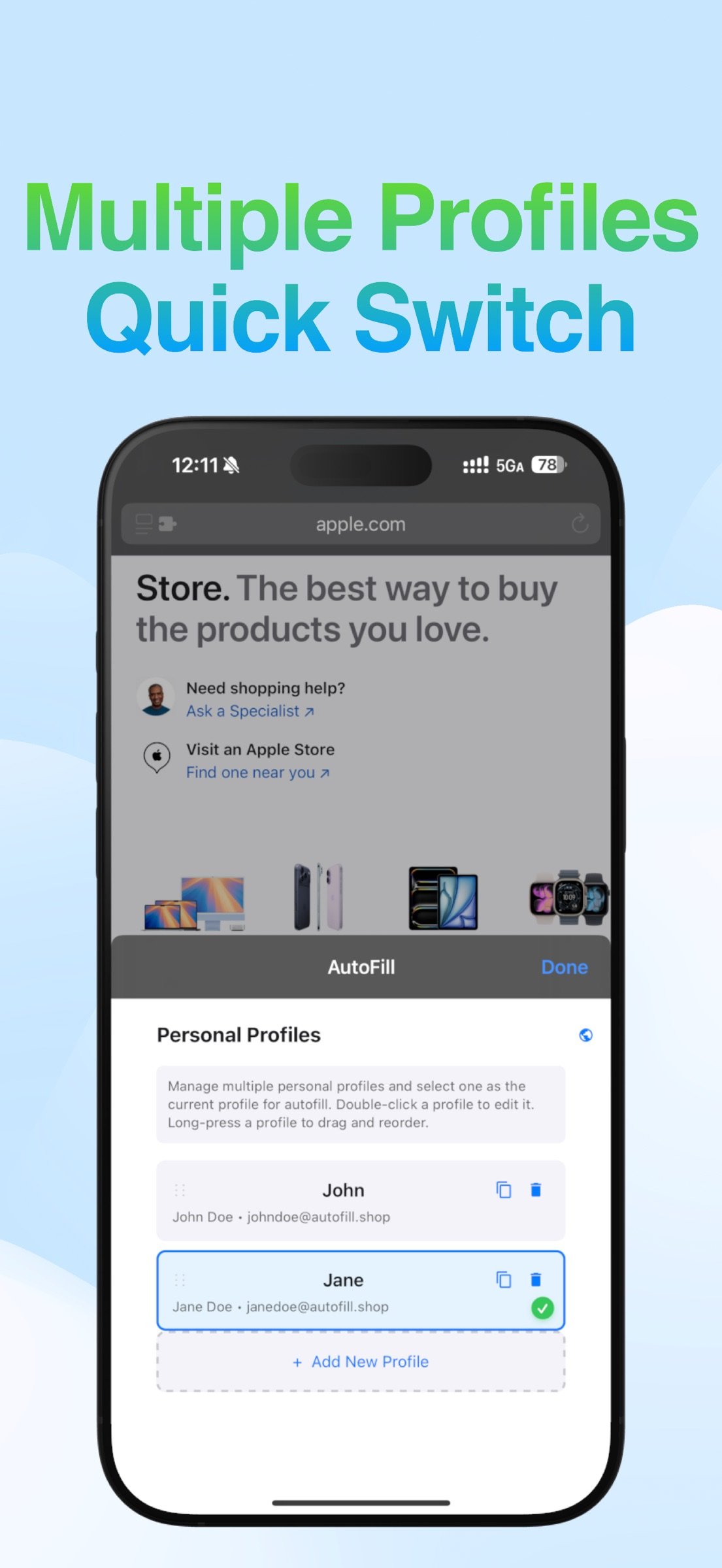
Create and store multiple independent personal profiles. Profiles can be duplicated, deleted, and reordered by drag-and-drop. AutoFill always uses the currently selected profile, enabling instant switching between personal, family, or friends' information.
o Smart Field Mapping
Recognizes the exact fields for "Ship to Home" or "Pick-up at Store" forms, cutting down on omissions and format errors.
o Manual / Auto Dual Mode
o Manual: tap the floating button on the right edge of Safari or press Command+Shift+L to trigger a one-time fill.
o Auto: fills the form automatically once the page loads; switch to Manual if you need to edit any fields.
Toggle between modes instantly with the switch on the right edge of Safari.
o Full Localization
UI, labels, and prompts are fully localized in:
English . ???? . ???? . ??? . ??? . Deutsch . Francais . Italiano . Espanol . ??????? . ???????
o Privacy First
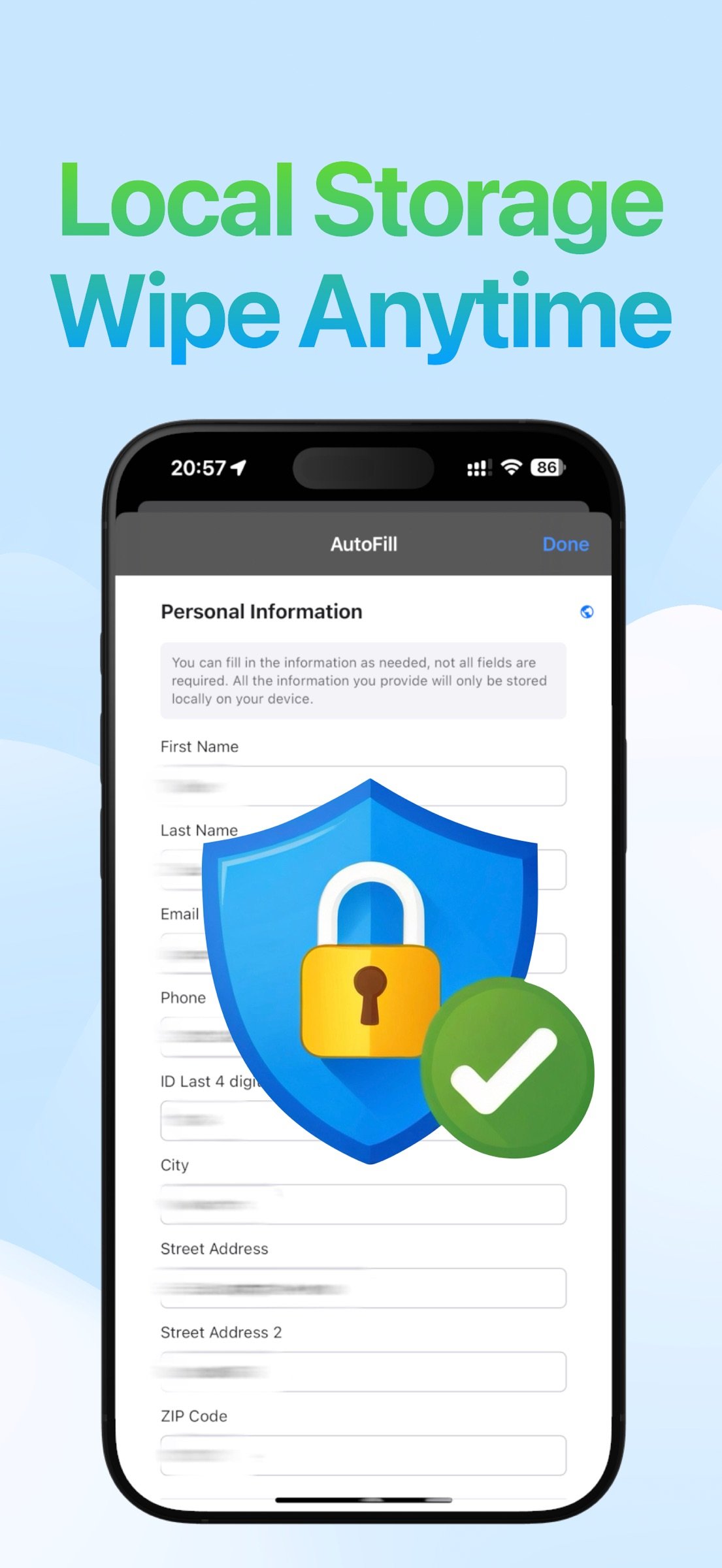
All data is stored locally and can be edited or deleted at any time.
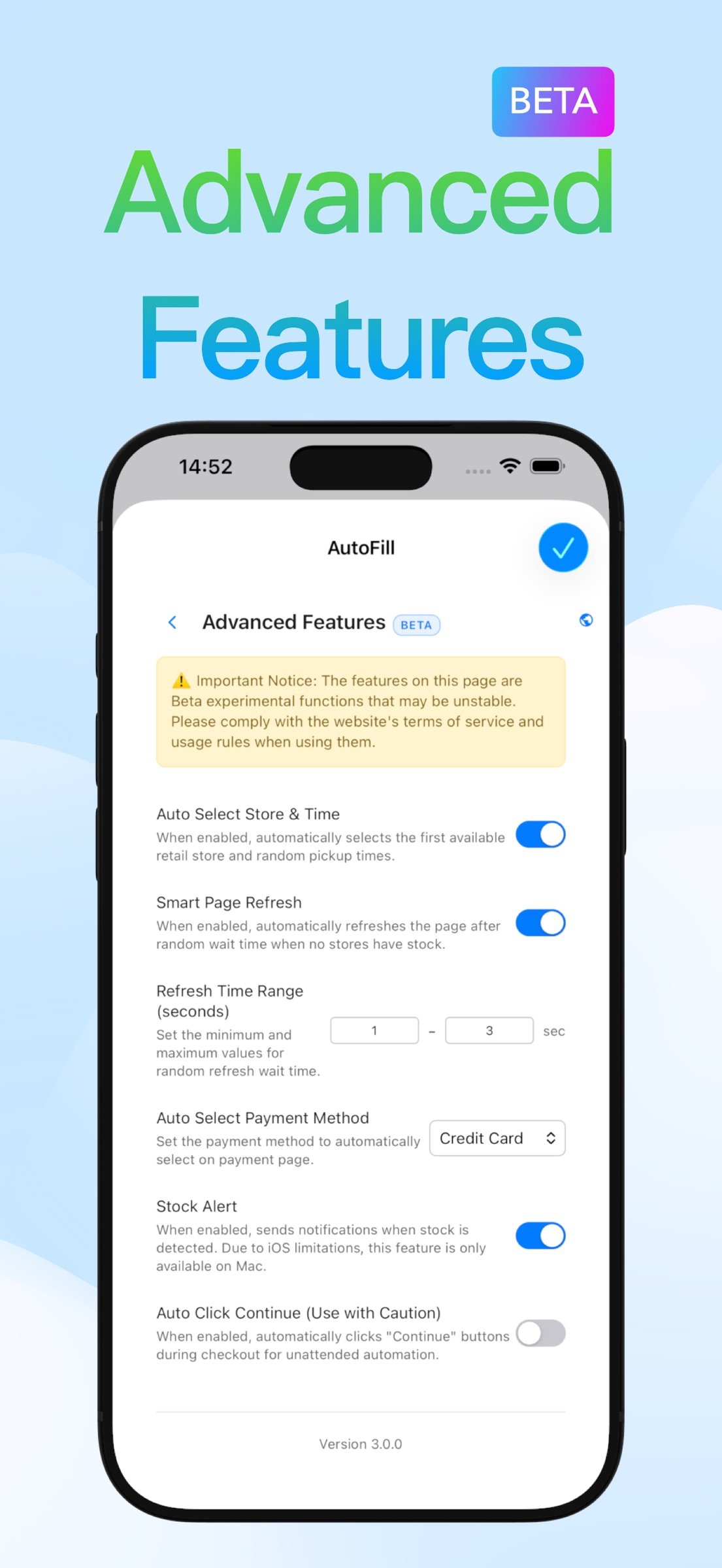
New Advanced Features (BETA):
. Auto select retail store and pickup time
. Smart page refresh
. Auto select payment method
. Stock alert
. Auto click "Continue"
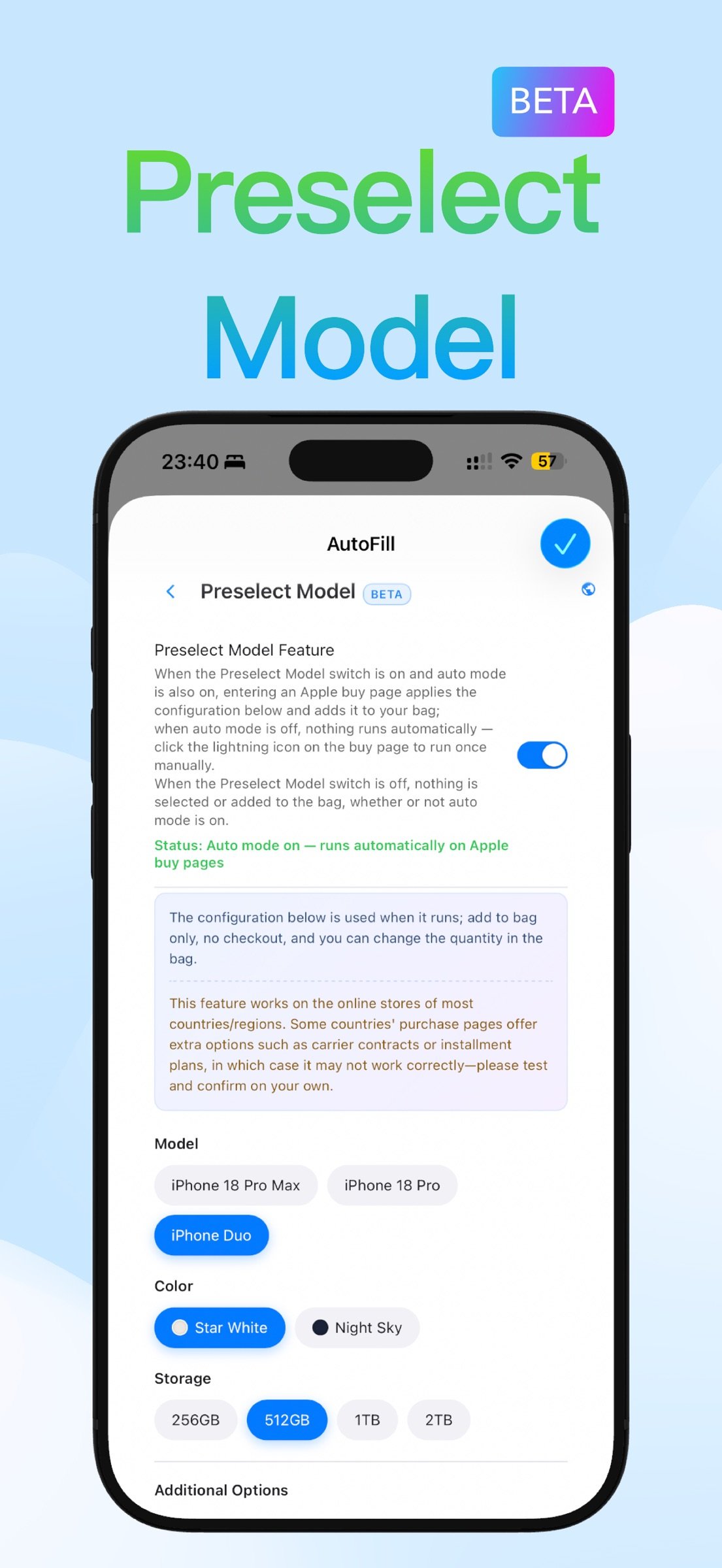
. Preselect model
How to Use
1. Before launch: open the Safari AutoFill extension and store your "Ship to Home" or "Pick-up at Store" templates.
2. At launch: visit Apple's online store, choose the order type, and let AutoFill populate every field instantly.
Usage Scope
o This extension only optimizes the checkout flow within Safari on Apple's online store.
o Supports both "Ship to Home" and "Pick-up at Store" order types.
o Does not support other e-commerce sites or in-app purchases.
Important Notes
AutoFill does not guarantee product availability or successful checkout; success depends on stock levels, network conditions, and Apple's site rules.
AutoFill is not affiliated with, endorsed by, or representative of Apple Inc.
Privacy Policy
[link removed]
Terms of Use
[link removed]
License: Commercial
| Release info | Update on Nov 10, 2026 |
|---|---|
| Release notes | Fixed some bugs and added support for iPhone Duo. |
| Listing data | App Store |
Reviews
No reviews yet. Be the first to review AutoFill.
Used AutoFill? Tell other visitors what you thought.
Log in to write a reviewOther products by this publisher
- "No Distractions" for YouTube 4.10 ----
- #Bible 11.6.1 "Incredible App - My sister shared this app with me a few weeks ago and it is truly incredible.
- #filmphotography 1.4.2 So, you decided to shoot on film?
- #LookBusy Fake Calendar Events 1.0.6 Look Busy scans your work calendar for open time slots and fills them with realistic-looking (but secretly fake) work events.
- #Small Talk Is Canceled 1.0.2 #Small Talk Is Canceled — Conversations That Matter
Most viewed iOS Productivity
-
1
 WordPress 27.4
Manage or create your WordPress blog or website right from your iOS device: create and edit posts and pages, upload your favorite photos and videos, view stats and reply to comments.
- 2 Voice Translator - Alive 1.6 Translation app that turns your iPhone into an interpreter instantly.
-
3
 Life360 26.45.0
Whether at home, online, or on the move, our comprehensive family safety features bring peace of mind to your loved ones AND help safeguard your personal belongings.
-
4
 Claude by Anthropic 1.261119.19
Meet Claude, your AI problem solver and thinking partner.
-
5
 WristMemo 2.0
WristMemo turns your Apple Watch into an all-day voice recorder.
- 6 "No Distractions" for YouTube 4.10 ----
-
7
 Colicine 1.3.0
Have you ever been there—
- 8 (beat) for iOS 0.5.10 An elegant Fountain screenwriting app, created by a screenwriter for screenwriters.
-
9
 DeepSeek 2.9.0
Experience seamless interaction with DeepSeek's official AI assistant for free!
-
10
 Howbout 16.8.0
The shared calendar for friends, couples, and family
Most downloaded iOS Productivity
- 1 Voice Translator - Alive 1.6 Translation app that turns your iPhone into an interpreter instantly.
-
2
 SessionsAI 1.2.1
Sessions AI is a private AI workspace that runs entirely on your iPhone, iPad, or Mac.
-
3
DeepSeek 2.9.0
Experience seamless interaction with DeepSeek's official AI assistant for free!
-
4
 Voices AI 1.16.17
Discover Voices, the premier voice transformation app designed exclusively for iOS.
-
5
 Block Distracting Websites 1.11
"It's a great way to save time, and stop browsing Reddit when you should be doing coursework."
-
6
 Plot Digitizer 1.4.1
Plot Digitizer is an app to extract numerical data from plot images.
-
7
 Google Docs 1.2026.47103
Create, edit, and collaborate on online documents with the Google Docs app.
-
8
 MyHyundai with Bluelink 5.4.6
The MyHyundai app makes getting information about your Hyundai vehicle easier than ever.
-
9
 Pixy Mood Tracker 1.110.0
Track your mood, one pixel at a time.
-
10
 Minder 1.4
Minder turns your phone into a pair of eyes that watch you work.