AR Solar System PRO 1.2
"AR Solar System" turns your device into a telescope in augmented reality for the observation of the planets of the Solar System.
Download
62.79 MB
4downloads
4this week
FreeCommercial
0reviews
Screenshots

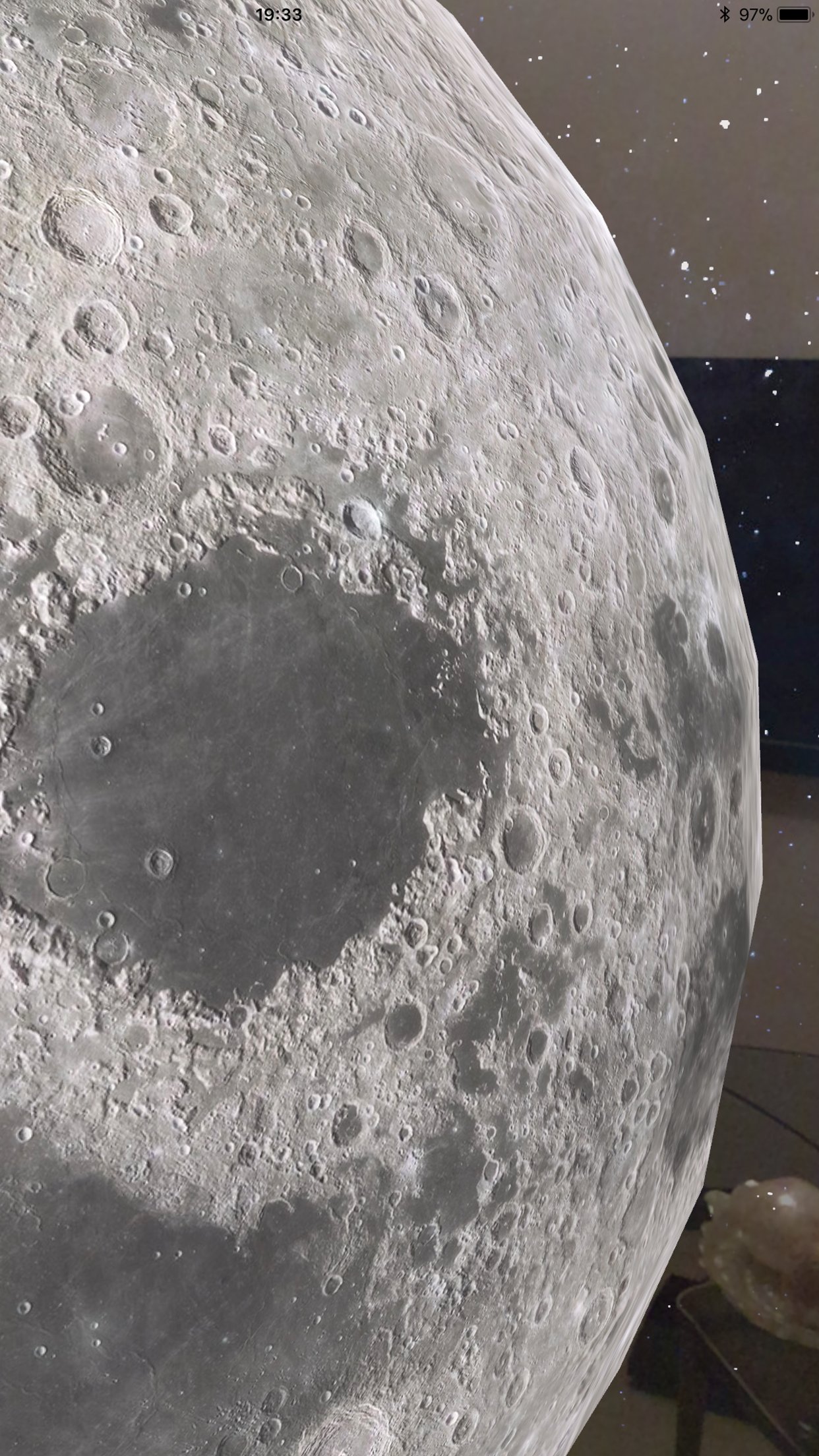
About AR Solar System PRO
"AR Solar System" turns your device into a telescope in augmented reality for the observation of the planets of the Solar System.
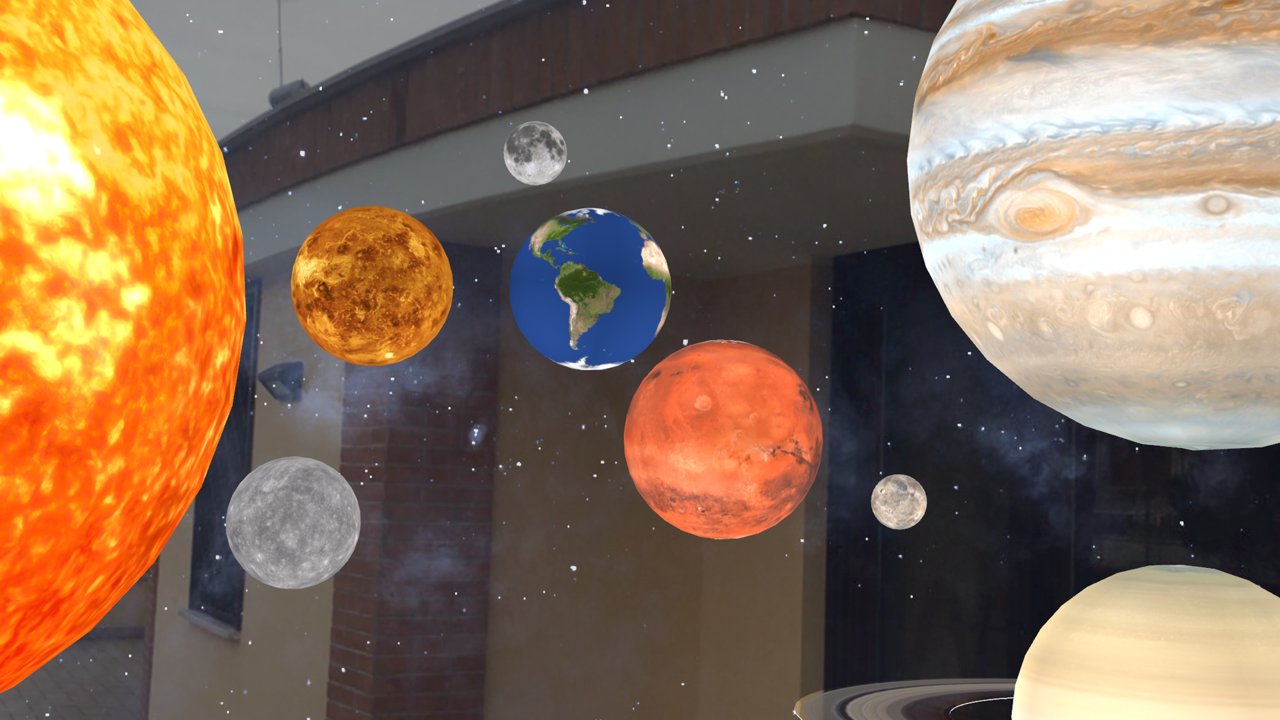
Choose and place a planet or several planets in the scene: in your home (in the air, on the floor, on a table, on a wall, on any horizontal surface) or outside the home (ex. open sky)...
Observe the planets of our Solar System as you've never seen them before!
The planets available for observation are:
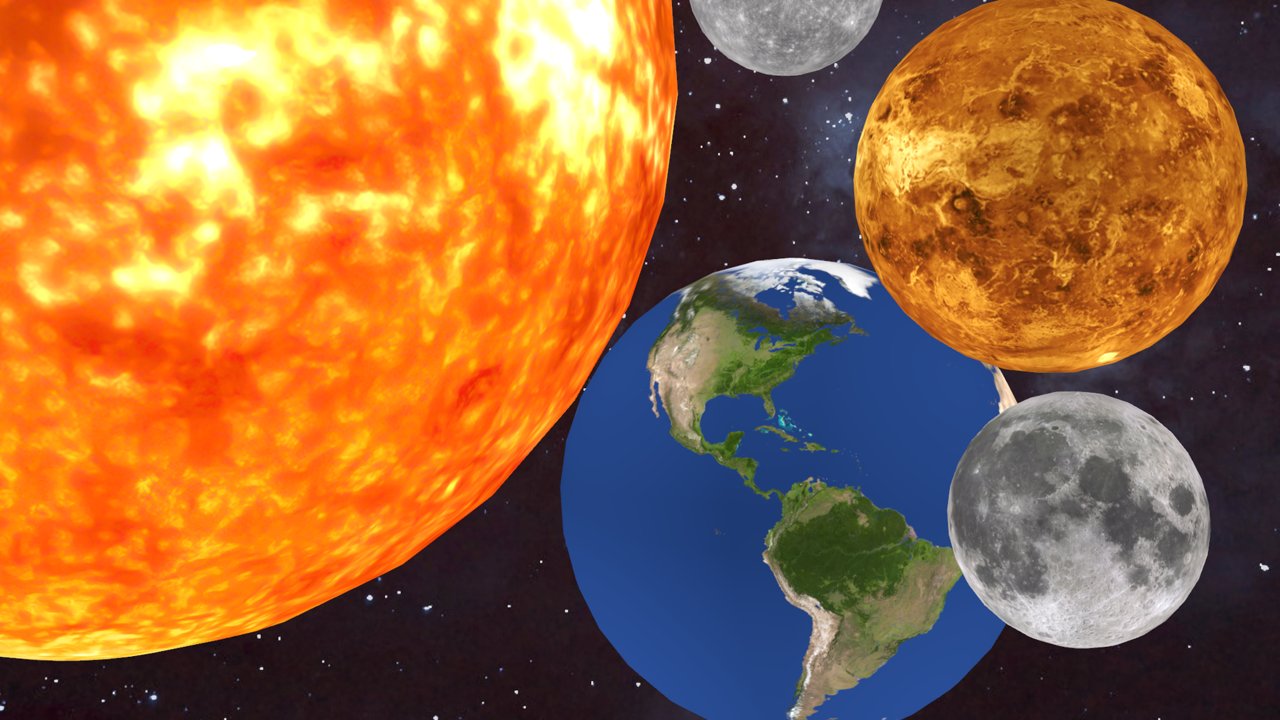
Sun, Mercury, Venus, Earth, Moon, Mars, Ceres, Jupiter, Saturn, Uranus, Neptune, Pluto, Haumea, Makemake, Eris
The software uses the information available on the planets of the Solar System to animate the rotations of the planets: every second corresponds to one hour, each planet rotates at the real speed, in the direction of real rotation.
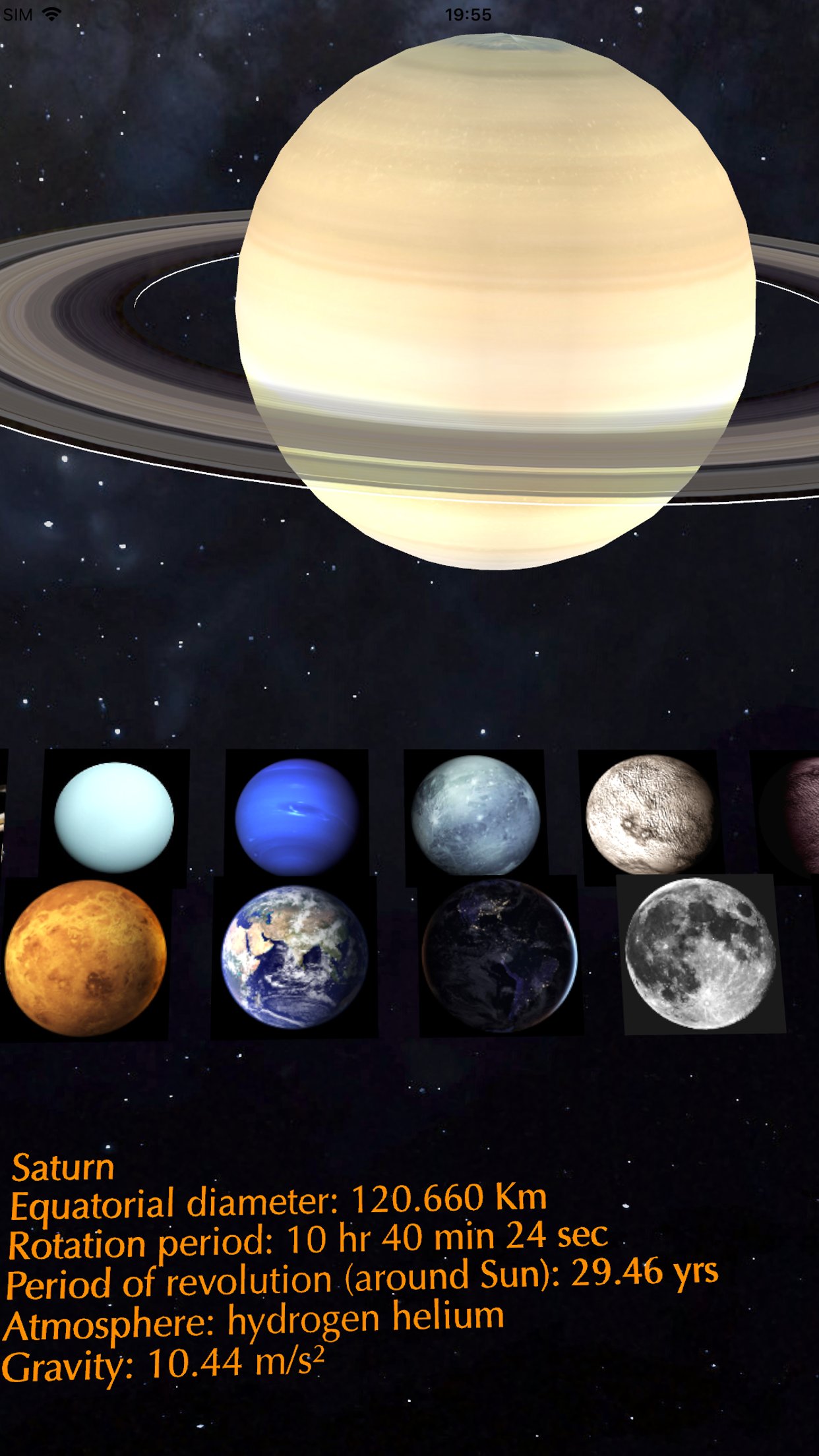
For each planet data are available such as size, rotation period, period of revolution, type of atmosphere, gravity, etc...
Walk in the scene with your legs moving between the planets (like travel in space) and observe them with your device like a telescope:
- approaching the planet you will see more details such as craters, valleys, plains, mountain ranges, etc...
- moving away from the planet, you will see the planet entirely or more planets together
- turning around the planet you can see the side of interest or simulate the flight of a spaceship orbiting the planet
- by moving over or under the planet you will be able to observe its poles
- etc…
Interacting manually with the planets you can:
- Move the planet in the real scene (pan gesture: dragging a finger on the planet)
- Enlarge and shrink the planet (pinch gesture: pinching the planet)
- Rotate the planet around its axis of rotation (rotation gesture: rotating the planet with two fingers); manual rotation deactivates the automatic one
- Remove the planet from the scene (long press gesture: holding a finger on the planet for half a second)
- Add a new planet to the scene by touching the desired position (using horizontal plane in real world or feature points)
- Select a planet from the scene and display its characteristics (double tap gesture: tap a planet twice with a finger)
Background of the scene:
in the presence of light in the real world the milky way and the stars (deep space) are projected as the background of the planets on the walls of your house or in the sky if you are outdoors;
in the absence of light (or covering the camera with a finger) moving in the scene will seem to travel in deep space (virtual reality feature… the real world will be removed from the scene).
Useful for all those who love to observe the planets of the Solar System in every detail, for teachers, scholars, students, astronomers, etc...
UNIVERSAL APP:
- You pay only once and run on all your devices
License: Commercial
Choose and place a planet or several planets in the scene: in your home (in the air, on the floor, on a table, on a wall, on any horizontal surface) or outside the home (ex. open sky)...
Observe the planets of our Solar System as you've never seen them before!
The planets available for observation are:
Sun, Mercury, Venus, Earth, Moon, Mars, Ceres, Jupiter, Saturn, Uranus, Neptune, Pluto, Haumea, Makemake, Eris
The software uses the information available on the planets of the Solar System to animate the rotations of the planets: every second corresponds to one hour, each planet rotates at the real speed, in the direction of real rotation.
For each planet data are available such as size, rotation period, period of revolution, type of atmosphere, gravity, etc...
Walk in the scene with your legs moving between the planets (like travel in space) and observe them with your device like a telescope:
- approaching the planet you will see more details such as craters, valleys, plains, mountain ranges, etc...
- moving away from the planet, you will see the planet entirely or more planets together
- turning around the planet you can see the side of interest or simulate the flight of a spaceship orbiting the planet
- by moving over or under the planet you will be able to observe its poles
- etc…
Interacting manually with the planets you can:
- Move the planet in the real scene (pan gesture: dragging a finger on the planet)
- Enlarge and shrink the planet (pinch gesture: pinching the planet)
- Rotate the planet around its axis of rotation (rotation gesture: rotating the planet with two fingers); manual rotation deactivates the automatic one
- Remove the planet from the scene (long press gesture: holding a finger on the planet for half a second)
- Add a new planet to the scene by touching the desired position (using horizontal plane in real world or feature points)
- Select a planet from the scene and display its characteristics (double tap gesture: tap a planet twice with a finger)
Background of the scene:
in the presence of light in the real world the milky way and the stars (deep space) are projected as the background of the planets on the walls of your house or in the sky if you are outdoors;
in the absence of light (or covering the camera with a finger) moving in the scene will seem to travel in deep space (virtual reality feature… the real world will be removed from the scene).
Useful for all those who love to observe the planets of the Solar System in every detail, for teachers, scholars, students, astronomers, etc...
UNIVERSAL APP:
- You pay only once and run on all your devices
License: Commercial
| Release info | New Release on Jul 03, 2025 |
|---|---|
| Release notes | - Minor bugs fixed |
| Listing data | App Store |
Reviews
No reviews yet. Be the first to review AR Solar System PRO.
Used AR Solar System PRO? Tell other visitors what you thought.
Log in to write a reviewOther products by this publisher
- "No Distractions" for YouTube 4.10 ----
- #Bible 11.5 "Incredible App - My sister shared this app with me a few weeks ago and it is truly incredible.
- #filmphotography 1.4.2 So, you decided to shoot on film?
- % Percentage Calculator Pro 1.41 This is the Pro version of % Percentage Calculator.
- (beat) for iOS 0.5.9 An elegant Fountain screenwriting app, created by a screenwriter for screenwriters.
Most viewed iOS Photo & Video
-
1
 AI Video Generator 2.0.2
Vixel – AI Video Generator
AI Video Generator 2.0.2
Vixel – AI Video Generator
-
2
 Infuse 8.5.8
Infuse: Enterprise provides the same great features as the standard version of Infuse and includes permanent access to all Pro features via a traditional paid app.
Infuse 8.5.8
Infuse: Enterprise provides the same great features as the standard version of Infuse and includes permanent access to all Pro features via a traditional paid app.
-
3
 CapCut 19.9.0
CapCut offers easy-to-use video editing functions, in-APP fonts and effects, advanced features such as keyframe animation, smooth slow-motion, chroma key, and stabilization, to help you capture and snip moments.
CapCut 19.9.0
CapCut offers easy-to-use video editing functions, in-APP fonts and effects, advanced features such as keyframe animation, smooth slow-motion, chroma key, and stabilization, to help you capture and snip moments.
-
4
 Ai Photo 1.1.2
AI Photo Retouch – BG Eraser
Ai Photo 1.1.2
AI Photo Retouch – BG Eraser
-
5
 TouchSiren Delta 3.1
--------------------------------------------------------------
TouchSiren Delta 3.1
--------------------------------------------------------------
-
6
 JLab 1.4.2
Compatible Models:
JLab 1.4.2
Compatible Models:
-
7
 Sci-Fi Keyboard 3.0
Make your keyboard a Sci-Fi input panel.
Sci-Fi Keyboard 3.0
Make your keyboard a Sci-Fi input panel.
-
8
 Locket Widget 2.70.0
Locket is a widget that shows live photos from your best friends, right to your Home Screen.
Locket Widget 2.70.0
Locket is a widget that shows live photos from your best friends, right to your Home Screen.
-
9
 CNU 3.0.12
CNU?????????????????????,???????????????
CNU 3.0.12
CNU?????????????????????,???????????????
-
10
 Emoji Maker 3.11.3
Emoji Up is an emoji maker that lets you create your own custom emojis.
Emoji Maker 3.11.3
Emoji Up is an emoji maker that lets you create your own custom emojis.
Most downloaded iOS Photo & Video
-
1
Infuse 8.5.8
Infuse: Enterprise provides the same great features as the standard version of Infuse and includes permanent access to all Pro features via a traditional paid app.
-
2
 DJI Fly 1.21.18
DJI Fly is designed to help pilots fly drones with ease.
DJI Fly 1.21.18
DJI Fly is designed to help pilots fly drones with ease.
-
3
 Analog Radio 3.0
The iPhone and iPad devices don't have the FM/AM radio antenna installed.
Analog Radio 3.0
The iPhone and iPad devices don't have the FM/AM radio antenna installed.
-
4
 ReelyGo 1.1.41
ReelyGo: Your Daily Drama Escape
ReelyGo 1.1.41
ReelyGo: Your Daily Drama Escape
-
5
 SSS IPTV, Simple, Smart Super 1.0.2
An Easiest way to watch TV Online or Movies or Series, Bring your Own list M3u,
SSS IPTV, Simple, Smart Super 1.0.2
An Easiest way to watch TV Online or Movies or Series, Bring your Own list M3u,
-
6
 TurboCollage Automatic 1.2.4
#1 Easy automatic photo collage maker for iPhone & iPad.
TurboCollage Automatic 1.2.4
#1 Easy automatic photo collage maker for iPhone & iPad.
-
7
 AGAIN. Rehearsal Notes 2.0.1
AGAIN. is the rehearsal app that remembers why the band stopped — and, new in Version 2, who said what in a writing session or a table read.
AGAIN. Rehearsal Notes 2.0.1
AGAIN. is the rehearsal app that remembers why the band stopped — and, new in Version 2, who said what in a writing session or a table read.
-
8
 Treblo 1.6.0
Make songs with the world's best AI music model.
Treblo 1.6.0
Make songs with the world's best AI music model.
-
9
 Koala FX 1.0.2
*** IMPORTANT! Koala FX is an Audio Unit Effect plugin (AUv3) which requires a compatible host or DAW to work such as Garageband, Beat Maker 3, AUM etc ***
Koala FX 1.0.2
*** IMPORTANT! Koala FX is an Audio Unit Effect plugin (AUv3) which requires a compatible host or DAW to work such as Garageband, Beat Maker 3, AUM etc ***
-
10
 Rozeta Sequencer Suite 1.3.16
Rozeta is a suite of MIDI sequencers and controllers that lets you explore a new, freeform approach to sequencing and controlling mobile music apps.
Rozeta Sequencer Suite 1.3.16
Rozeta is a suite of MIDI sequencers and controllers that lets you explore a new, freeform approach to sequencing and controlling mobile music apps.