
16downloads
2this week
FreeCommercial
0reviews
Screenshots
About AfterFocus
PC World: "5 essential iOS apps for photographers"
AppAdvice: "AfterFocus Brings DSLR-Like Photography To Your iPhone"
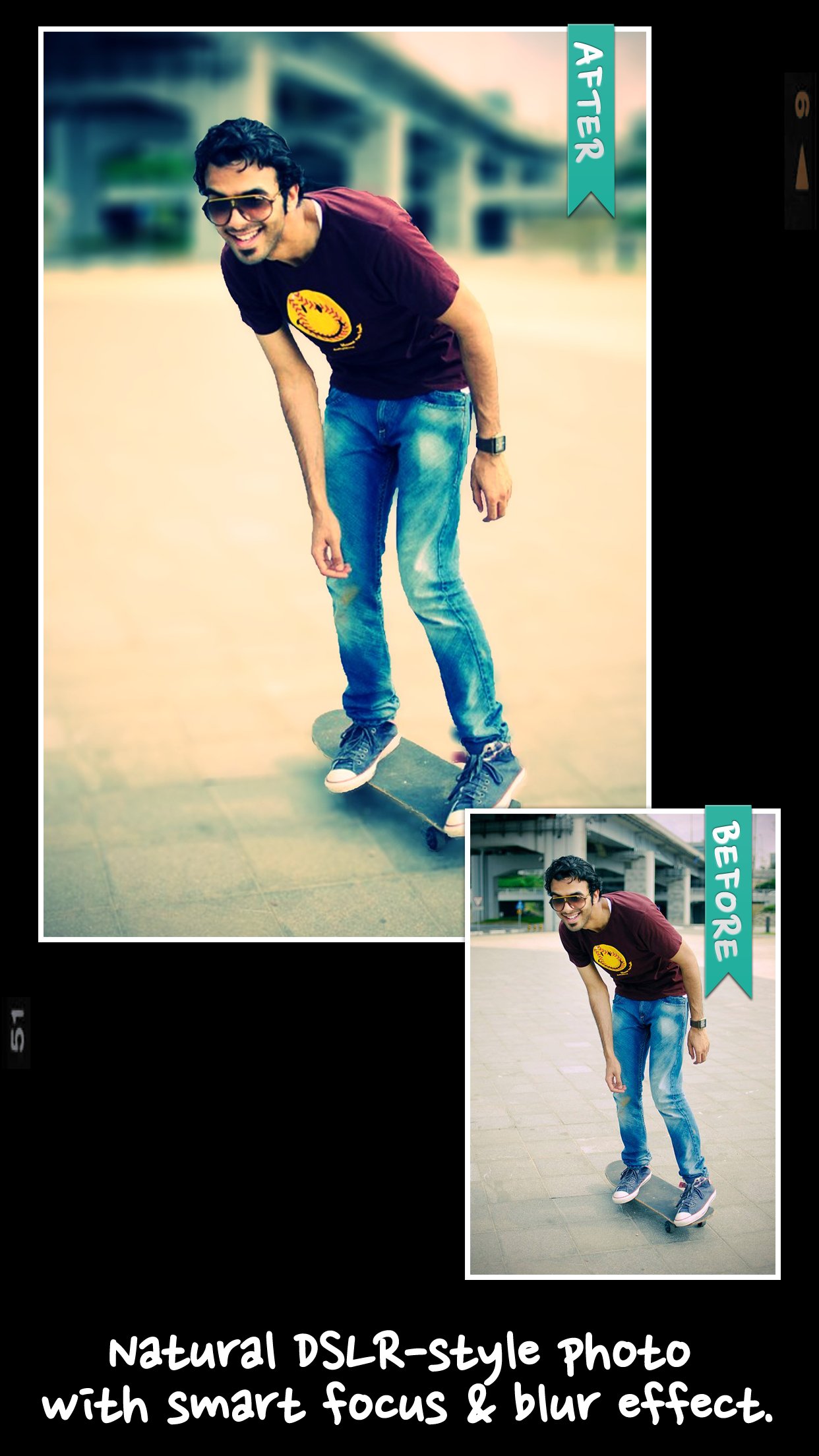
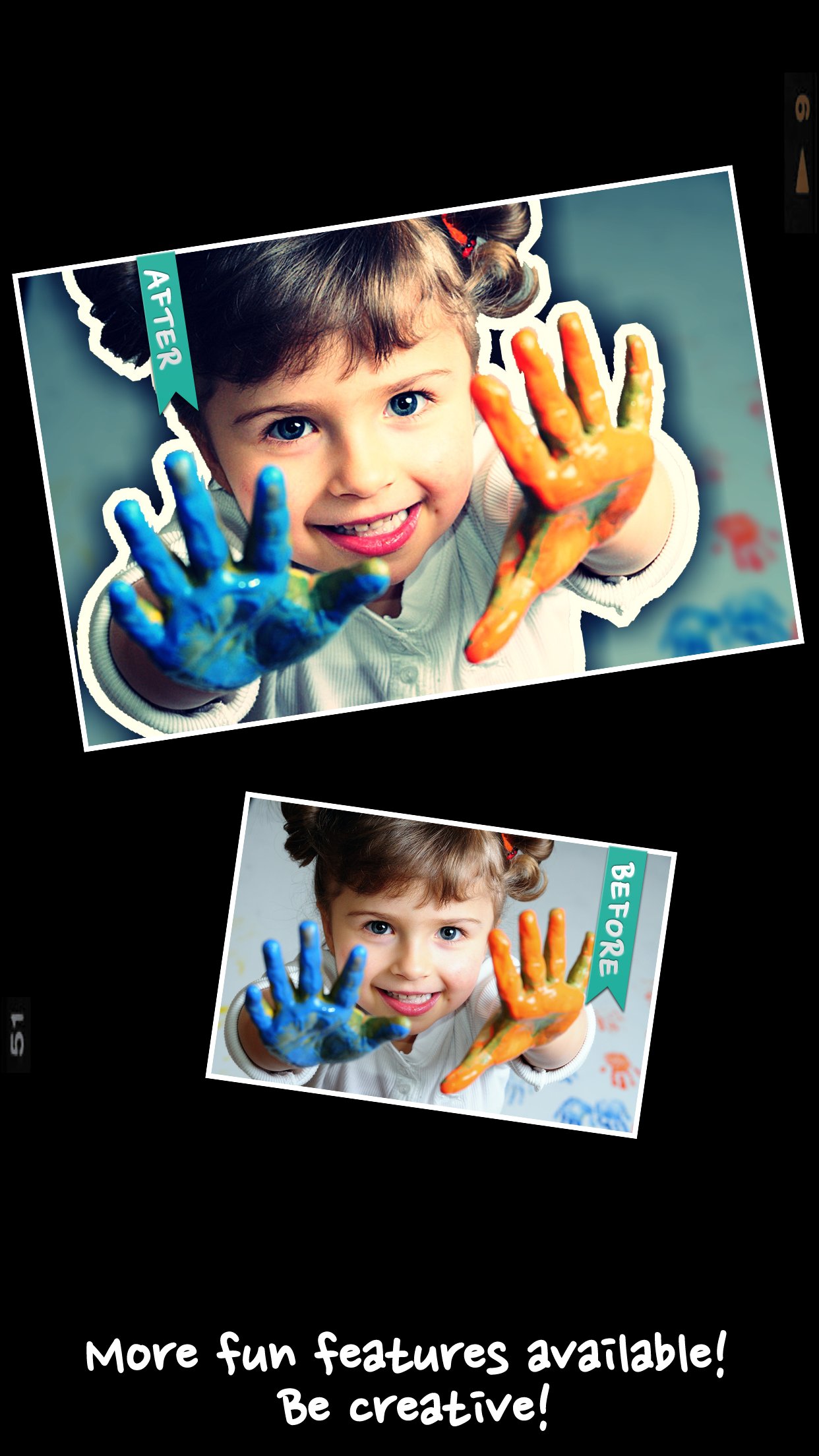
With AfterFocus, you can create DSLR-style background blurred photo by simply selecting focus area. Also, various filter effects offer you to create the most natural and realistic photo.
Selecting a focus area more precisely, you can achieve more natural and professional image.
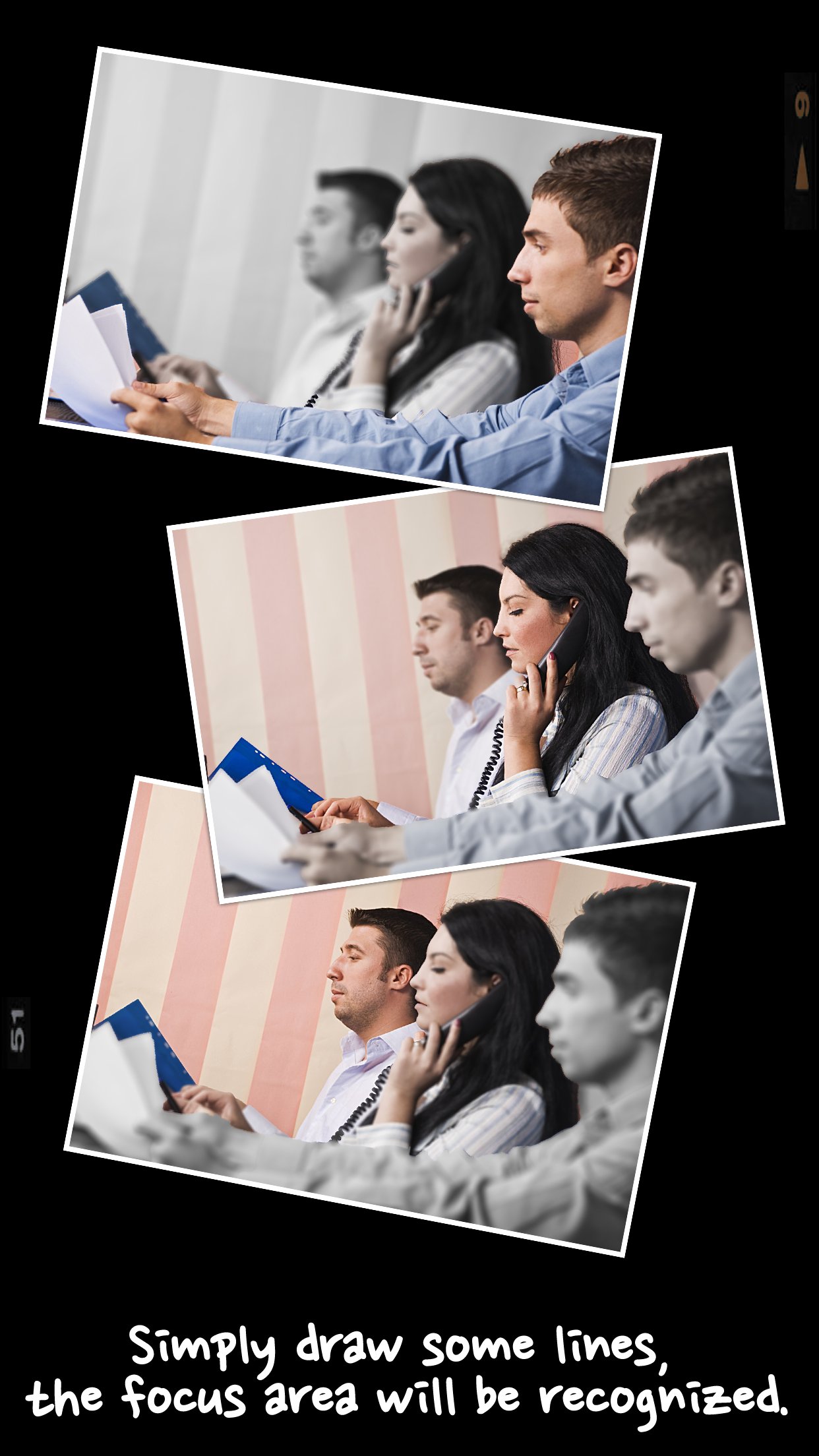
Just mark the areas you want, AfterFocus automatically recognizes the focus area precisely even for an object with complex shapes.
This auto function allows you to work faster on smart phones with small screen.
Also, background blur effect of AfterFocus gives a photo the realistic look between the edge of the background and the focus area.
With our realistic filter effects, you will enjoy photographing and photo editing even more, and share them on SNS easily.
1. Smart focus area selection
Simply draw some lines inside a focus area and the background, then AfterFocus will automatically recognize the focus area. You can also select the area with traditional finger painting.
2. Background Blur effect
You can create the most realistic blur effect with various aperture styles just like DSLR camera.
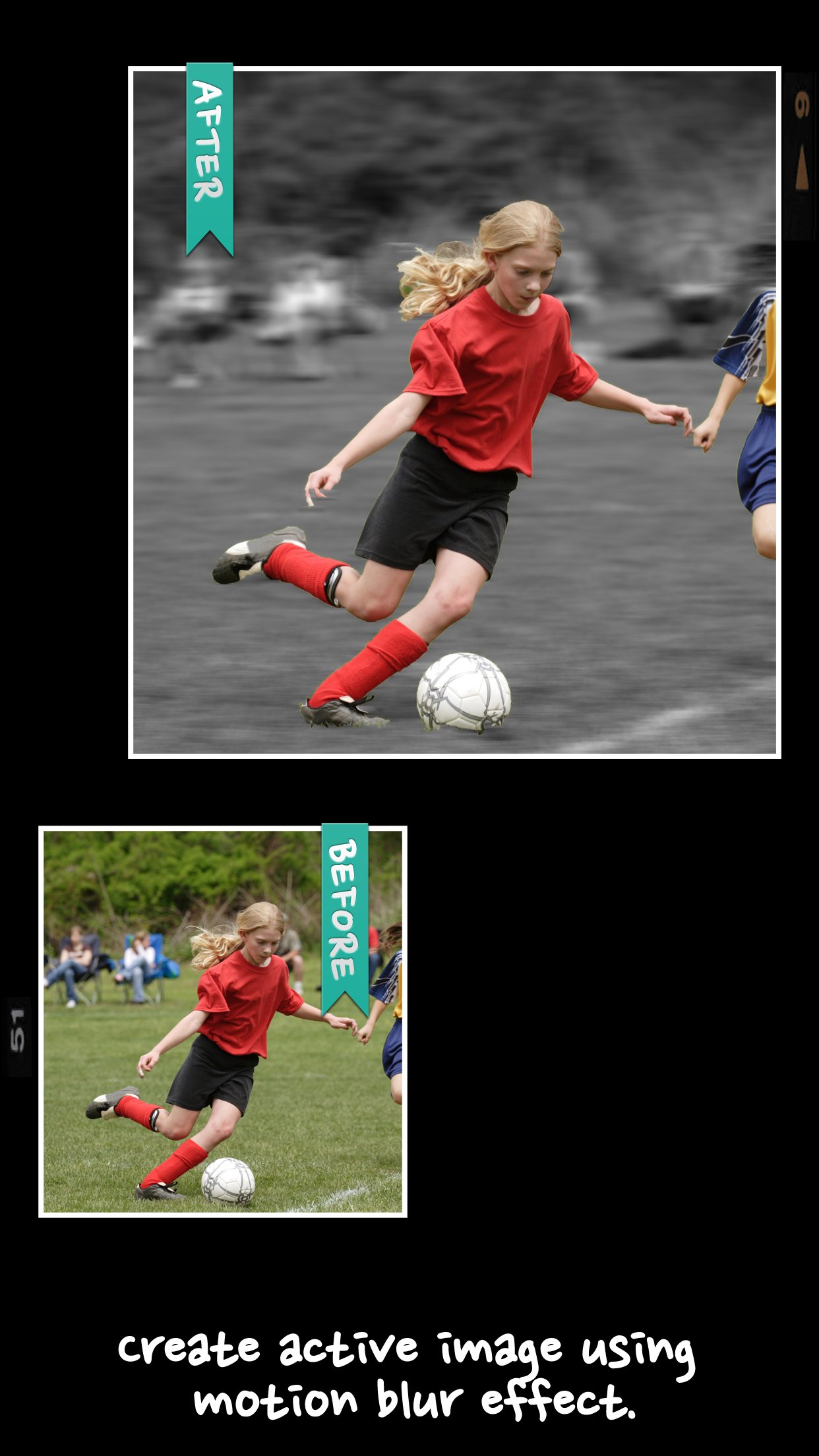
To emphasize that certain things move, Motion blur effect is also available.
3. Filter effect
AfterFocus offers from basic effects to professional effects like Cross Process without looking artificial.
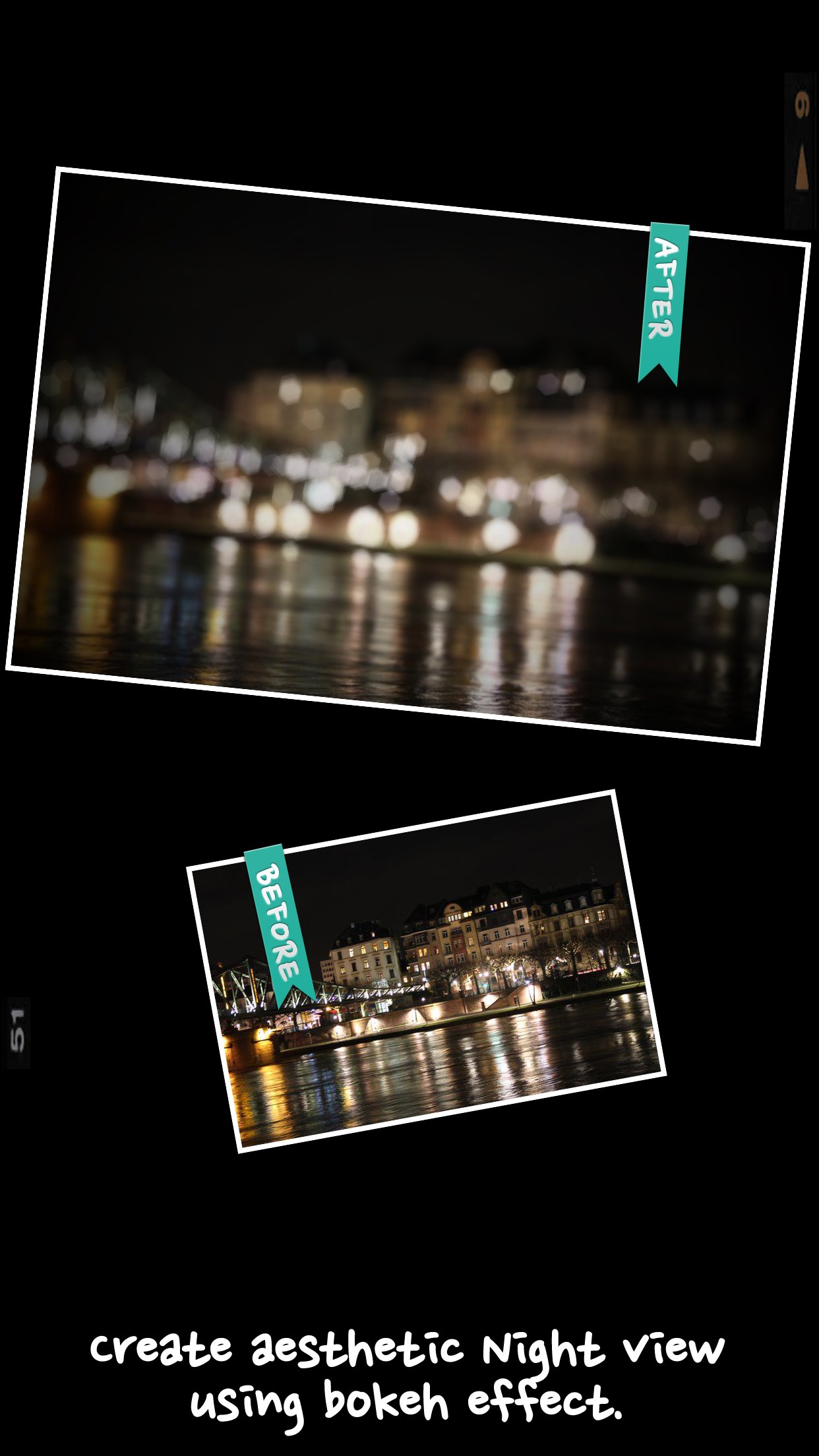
Also, you can emphasize the spot light on the background using Bokeh effect.
4. Double photo
Take a picture of one object and move slightly to the right to take another picture of the same object, and it will analyze the images and recognize the nearest object, so there is no need to draw the focus area.
(Make sure that the background and the distance of the object are far enough and have clear texture to get a great result.)
5. Easy share
You can share through e-mails and SNS easily and simply.
Please, visit and like [link removed]
Thank you!
License: Commercial
| Release info | New Release on Dec 05, 2016 |
|---|---|
| Release notes | fix bugs in setting screen |
| Listing data | App Store |
Reviews
No reviews yet. Be the first to review AfterFocus.
Used AfterFocus? Tell other visitors what you thought.
Log in to write a reviewOther products by this publisher
- "No Distractions" for YouTube 4.10 ----
- #Bible 11.6.1 "Incredible App - My sister shared this app with me a few weeks ago and it is truly incredible.
- #filmphotography 1.4.2 So, you decided to shoot on film?
- #LookBusy Fake Calendar Events 1.0.6 Look Busy scans your work calendar for open time slots and fills them with realistic-looking (but secretly fake) work events.
- #Small Talk Is Canceled 1.0.2 #Small Talk Is Canceled — Conversations That Matter
Most viewed iOS Photo & Video
-
1
 ShortDiShow 2.0
Drama Quest Island — An offline interactive short-drama adventure.
-
2
 Face Witness 1.0.4
FaceWitness lets you create a face by putting together individual features.
-
3
 Infuse 8.5.11
Infuse: Enterprise provides the same great features as the standard version of Infuse and includes permanent access to all Pro features via a traditional paid app.
-
4
 AI Video Generator 2.0.3
Vixel – AI Video Generator
- 5 #filmphotography 1.4.2 So, you decided to shoot on film?
-
6
 CapCut 20.3.0
CapCut is an all-in-one video editing solution that offers essential editing features, creative effects, AI tools, filters, stickers, and fonts, and a wide range of video templates to empower users to easily create incredible videos regardless of th…
-
7
 OPlayer 4.8
Play all your videos directly without having to convert them!
-
8
 Ai Photo 1.2.0
AI Photo Retouch – BG Eraser
-
9
 Necrometer II 1.3
Necrometer II is a paranormal investigation companion designed for ghost hunters and researchers.
-
10
 Pop Dot Comics 1.48
Create a comic worthy of the Sunday newspaper or your favorite pulp-fiction cover.
Most downloaded iOS Photo & Video
-
1
 DJI Fly 1.21.18
DJI Fly is designed to help pilots fly drones with ease.
-
2
Infuse 8.5.11
Infuse: Enterprise provides the same great features as the standard version of Infuse and includes permanent access to all Pro features via a traditional paid app.
-
3
 TurboCollage Automatic 1.2.4
#1 Easy automatic photo collage maker for iPhone & iPad.
-
4
 ReelyGo 1.1.60
ReelyGo: Your Daily Drama Escape
-
5
 Analog Radio 3.0
The iPhone and iPad devices don't have the FM/AM radio antenna installed.
-
6
 Rozeta Sequencer Suite 1.3.16
Rozeta is a suite of MIDI sequencers and controllers that lets you explore a new, freeform approach to sequencing and controlling mobile music apps.
-
7
 AGAIN. Rehearsal Notes 2.0.1
AGAIN. is the rehearsal app that remembers why the band stopped — and, new in Version 2, who said what in a writing session or a table read.
-
8
Pop Dot Comics 1.48
Create a comic worthy of the Sunday newspaper or your favorite pulp-fiction cover.
-
9
 Treblo 1.6.6
Make songs with the world's best AI music model.
-
10
 Sun Scout 1.5.0
If your work or play requires sunlight, Sun Scout is built for you.