
AcuDesign 3.2
Janome’s AcuDesign Embroidery App allows you to purchase, edit, import and export designs from your iOS mobile device.
Download
101.12 MB
20downloads
1this week
FreeCommercial
0reviews
Screenshots
About AcuDesign
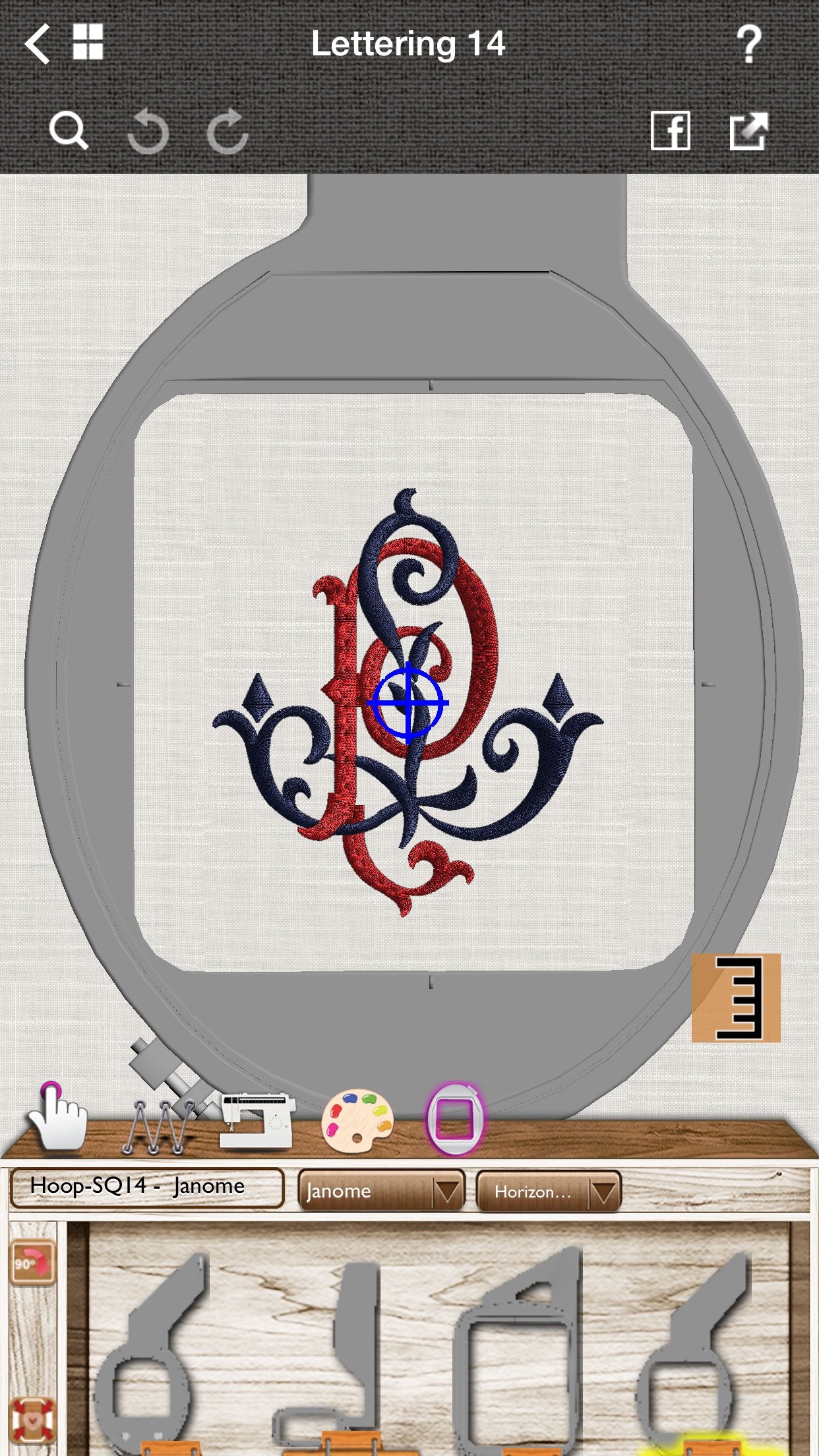
Janome’s AcuDesign Embroidery App allows you to purchase, edit, import and export designs from your iOS mobile device. Includes 650 embroidery designs.
Import, export, print and edit your own collection of designs or purchased designs from your favorite Retailer or online, in all supported embroidery formats.
Scale your designs, change thread colors, fabric type and automatically adjust the density of embroidery designs. AcuDesign can save designs in multiple file formats to work with your machine.
Preview designs in Photorealistic preview and stitching simulation to ensure perfection every time. Share your designs with your friends on Facebook with one click.
Use your iOS device as a portable library, with automatic sync to iCloud and Dropbox!
Exports to Artistic Edge WiFi cutter
Lettering capability (in-app purchase) with 20 high-quality scalable pre-digitized fonts.
AcuDesign Features
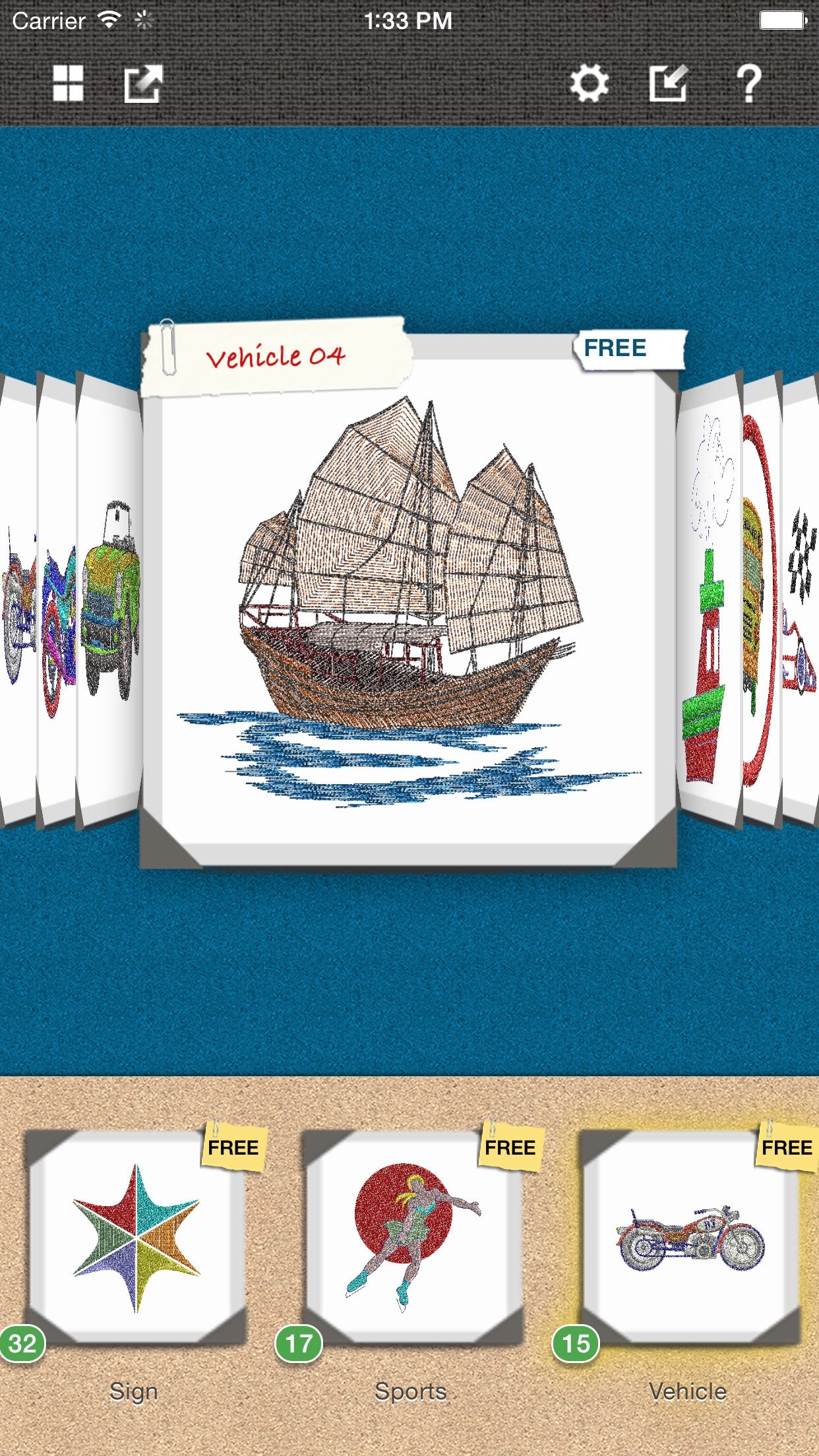
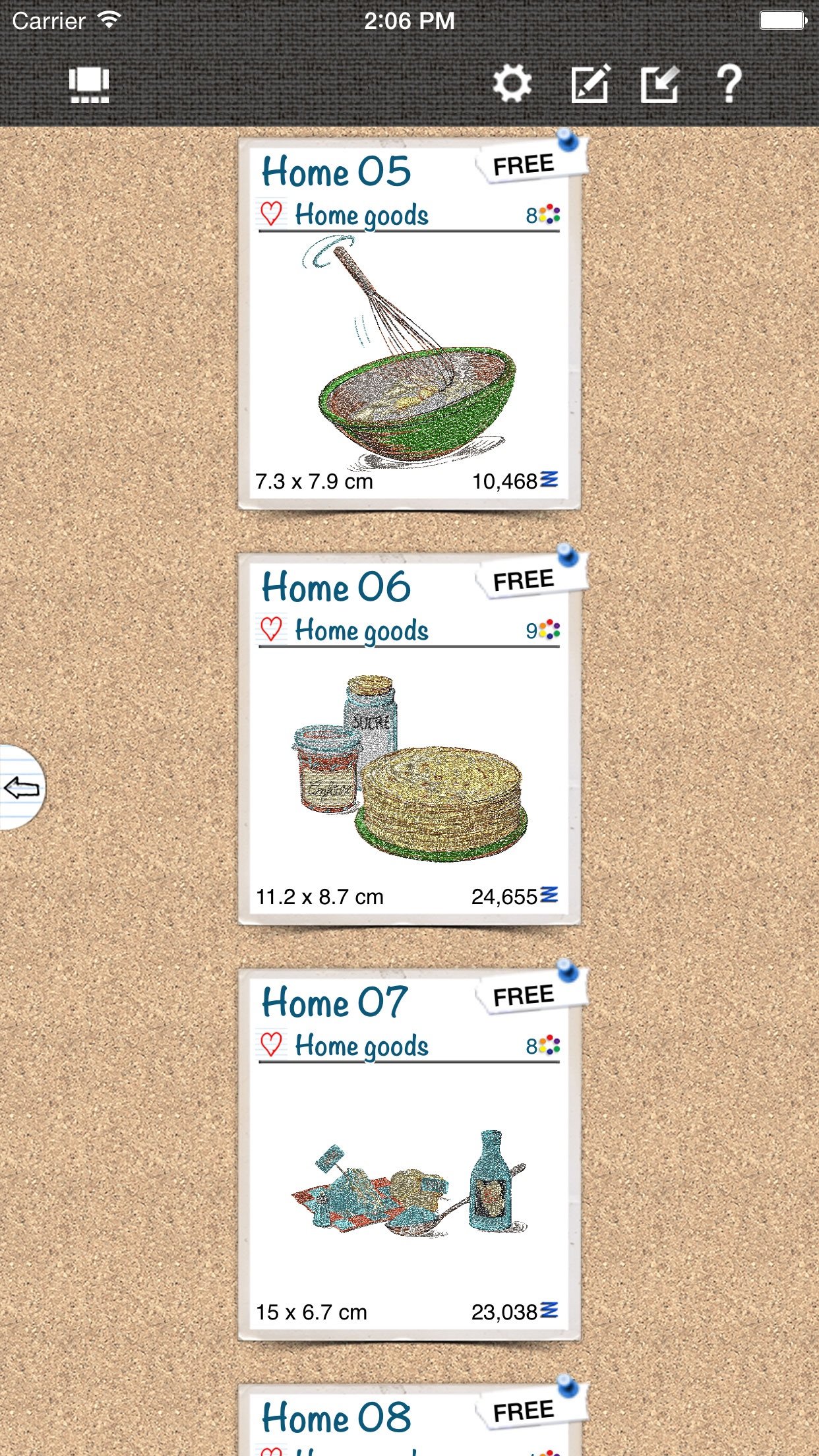
Embroidery Browser
* Many free embroidery designs for download
* Complete collection of embroidery designs to purchase through the Apple Store
* Filter, sort and search embroidery designs
* Select multiple designs and export them to stitch file and optionally ZIP them together
* Show the embroidery designs grouped either by package or by category
* US and Metric measurement system
* iCloud® connection to sync purchases between machines
* Dropbox® sync to display and export files
Embroidery Viewer
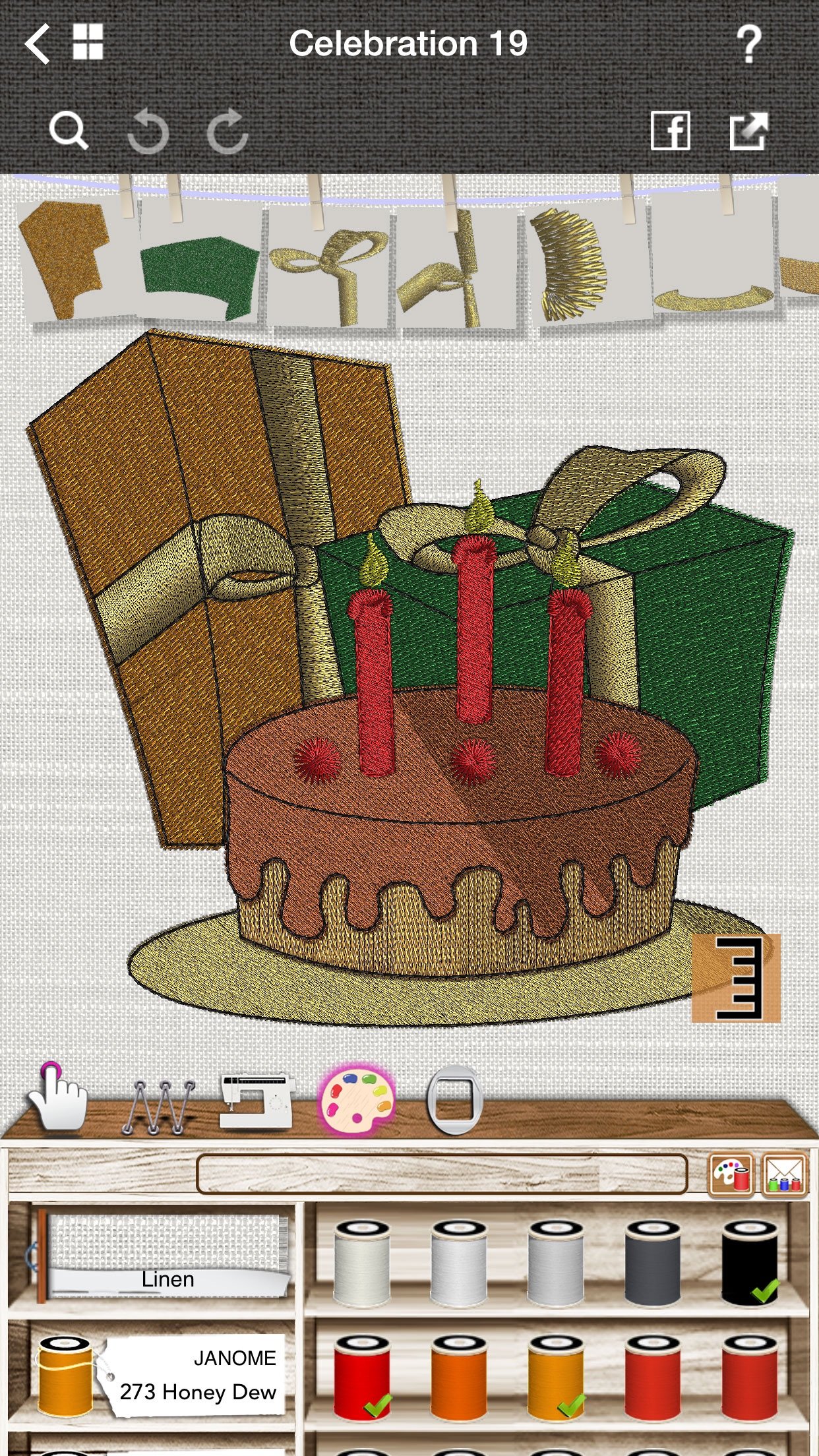
* 3D photorealistic preview of the embroidery design
* Photorealistic, real-time simulation of the stitching process, with machine speed adjustment option and “move frame” ability; the sound of the machine can be muted or its volume adjusted from the Preferences.
* Measure tool that allows you to measure your designs
* Ability to change thread colors from a complete collection of thread color palettes (all major manufacturers)
* Representation of the "shiny" effect of rayon/polyester thread, according to the move of the iPhone/iPod or iPad.
* Change fabric type and fabric color for better preview of the final embroidery result.
* Send the thread information that you will use in the specific design by email, add the quantity you need and use it as shopping list.
* Show the design in the embroidery hoop and re-center it if necessary
* Rename a design and add/edit tags
Import and Export the following formats:
* (.jef, .jef+, .jpx, .sew) Janome®
* (.vp3) Hursqvarna Viking®/Pfaff®
* (.exp) Bernina®/Melco® expanded
* (.pec, .pes) Brother®/Babylock®
* (.dst) Tajima®
* (.xxx) Singer®
* (.shv) Viking® D1 (import only)
* (.pcm, .pcs) Pfaff®
* Export to Edge WiFi cutter
Embroidery Editor
* Ability to Undo and Redo any change you make
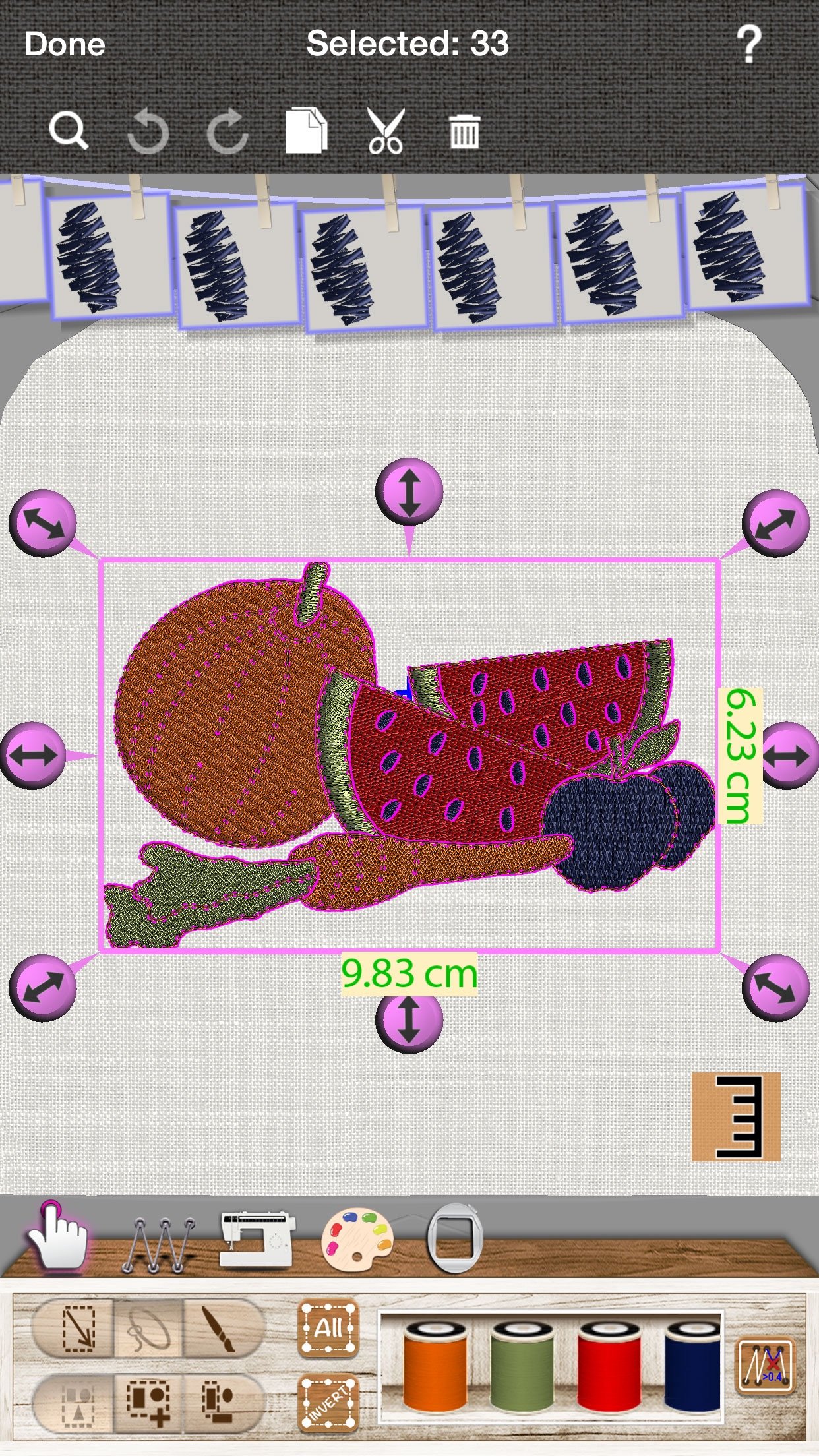
* Scale, rotate or slant the design with automatic stitch density adjustment
* Add, move or delete stitches
* Add or remove color changes and thread trims
* Change the embroidery sequence of a design, using sequence manager
* Auto-fit a design to the size of the hoop
We support the following ways to output designs:
* To Dropbox®
* To WebDAV account (AirStash® device or any web hosting plan that supports such protocol)
* To FTP account (TP-LINK® Router with USB host, iUSBport®, Gigastone WPD®, or connect to a web ftp account or to local ftp account)
* By email
* To AirPrint compatible printers
* Post to Facebook
* As an image to any other App (like Twitter, Pinterest, Camera roll etc.)
License: Commercial
Import, export, print and edit your own collection of designs or purchased designs from your favorite Retailer or online, in all supported embroidery formats.
Scale your designs, change thread colors, fabric type and automatically adjust the density of embroidery designs. AcuDesign can save designs in multiple file formats to work with your machine.
Preview designs in Photorealistic preview and stitching simulation to ensure perfection every time. Share your designs with your friends on Facebook with one click.
Use your iOS device as a portable library, with automatic sync to iCloud and Dropbox!
Exports to Artistic Edge WiFi cutter
Lettering capability (in-app purchase) with 20 high-quality scalable pre-digitized fonts.
AcuDesign Features
Embroidery Browser
* Many free embroidery designs for download
* Complete collection of embroidery designs to purchase through the Apple Store
* Filter, sort and search embroidery designs
* Select multiple designs and export them to stitch file and optionally ZIP them together
* Show the embroidery designs grouped either by package or by category
* US and Metric measurement system
* iCloud® connection to sync purchases between machines
* Dropbox® sync to display and export files
Embroidery Viewer
* 3D photorealistic preview of the embroidery design
* Photorealistic, real-time simulation of the stitching process, with machine speed adjustment option and “move frame” ability; the sound of the machine can be muted or its volume adjusted from the Preferences.
* Measure tool that allows you to measure your designs
* Ability to change thread colors from a complete collection of thread color palettes (all major manufacturers)
* Representation of the "shiny" effect of rayon/polyester thread, according to the move of the iPhone/iPod or iPad.
* Change fabric type and fabric color for better preview of the final embroidery result.
* Send the thread information that you will use in the specific design by email, add the quantity you need and use it as shopping list.
* Show the design in the embroidery hoop and re-center it if necessary
* Rename a design and add/edit tags
Import and Export the following formats:
* (.jef, .jef+, .jpx, .sew) Janome®
* (.vp3) Hursqvarna Viking®/Pfaff®
* (.exp) Bernina®/Melco® expanded
* (.pec, .pes) Brother®/Babylock®
* (.dst) Tajima®
* (.xxx) Singer®
* (.shv) Viking® D1 (import only)
* (.pcm, .pcs) Pfaff®
* Export to Edge WiFi cutter
Embroidery Editor
* Ability to Undo and Redo any change you make
* Scale, rotate or slant the design with automatic stitch density adjustment
* Add, move or delete stitches
* Add or remove color changes and thread trims
* Change the embroidery sequence of a design, using sequence manager
* Auto-fit a design to the size of the hoop
We support the following ways to output designs:
* To Dropbox®
* To WebDAV account (AirStash® device or any web hosting plan that supports such protocol)
* To FTP account (TP-LINK® Router with USB host, iUSBport®, Gigastone WPD®, or connect to a web ftp account or to local ftp account)
* By email
* To AirPrint compatible printers
* Post to Facebook
* As an image to any other App (like Twitter, Pinterest, Camera roll etc.)
License: Commercial
| Release info | New Release on Jan 21, 2022 |
|---|---|
| Release notes | Fix compatibility issues for iOS 15 |
| Listing data | App Store |
Reviews
No reviews yet. Be the first to review AcuDesign.
Used AcuDesign? Tell other visitors what you thought.
Log in to write a reviewOther products by this publisher
- "No Distractions" for YouTube 4.10 ----
- #Bible 11.6.1 "Incredible App - My sister shared this app with me a few weeks ago and it is truly incredible.
- #filmphotography 1.4.2 So, you decided to shoot on film?
- $quirrel 1.5.1 $quirrel Budget & Finance helps you plan each paycheck, track spending, manage debt, and see what is safe to spend before the next payday.
- % Percentage Calculator Pro 1.41 This is the Pro version of % Percentage Calculator.
Most viewed iOS Productivity
-
1
 WordPress 27.4
Manage or create your WordPress blog or website right from your iOS device: create and edit posts and pages, upload your favorite photos and videos, view stats and reply to comments.
- 2 Voice Translator - Alive 1.6 Translation app that turns your iPhone into an interpreter instantly.
-
3
 Claude by Anthropic 1.261113.19
Meet Claude, your AI problem solver and thinking partner.
-
4
 Life360 26.44.0
Whether at home, online, or on the move, our comprehensive family safety features bring peace of mind to your loved ones AND help safeguard your personal belongings.
-
5
 WristMemo 2.0
WristMemo turns your Apple Watch into an all-day voice recorder.
- 6 "No Distractions" for YouTube 4.10 ----
-
7
 Colicine 1.3.0
Have you ever been there—
- 8 (beat) for iOS 0.5.10 An elegant Fountain screenwriting app, created by a screenwriter for screenwriters.
-
9
 DeepSeek 2.8.0
Experience seamless interaction with DeepSeek's official AI assistant for free!
-
10
 Howbout 16.7.2
The shared calendar for friends, couples, and family
Most downloaded iOS Productivity
- 1 Voice Translator - Alive 1.6 Translation app that turns your iPhone into an interpreter instantly.
-
2
DeepSeek 2.8.0
Experience seamless interaction with DeepSeek's official AI assistant for free!
-
3
 SessionsAI 1.2.1
Sessions AI is a private AI workspace that runs entirely on your iPhone, iPad, or Mac.
-
4
 Voices AI 1.16.15
Discover Voices, the premier voice transformation app designed exclusively for iOS.
-
5
 Block Distracting Websites 1.11
"It's a great way to save time, and stop browsing Reddit when you should be doing coursework."
-
6
 Plot Digitizer 1.4.1
Plot Digitizer is an app to extract numerical data from plot images.
-
7
 Google Docs 1.2026.46102
Create, edit, and collaborate on online documents with the Google Docs app.
-
8
 MyHyundai with Bluelink 5.4.5
The MyHyundai app makes getting information about your Hyundai vehicle easier than ever.
-
9
 Pixy Mood Tracker 1.110.0
Track your mood, one pixel at a time.
-
10
 Chatbot App 9.2.8
Chatbot App brings advanced AI models together in one intuitive app for writing, learning, coding, creativity, and productivity.