A Nice Morphing Clock for Me 3.5.8
A Nice Morphing Clock for Me - Show Me Geek Cute Flip Clock & Task Alarm
Download
159.45 MB
0downloads
0this week
FreeCommercial
0reviews
Screenshots
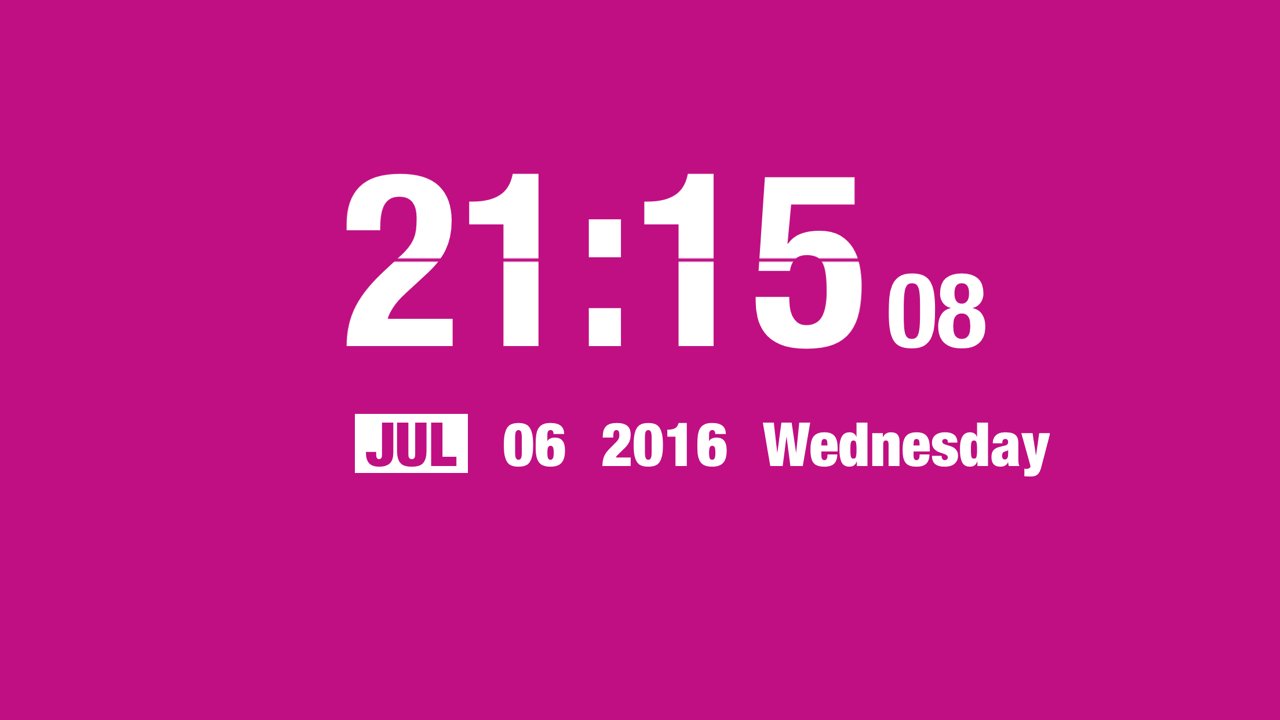
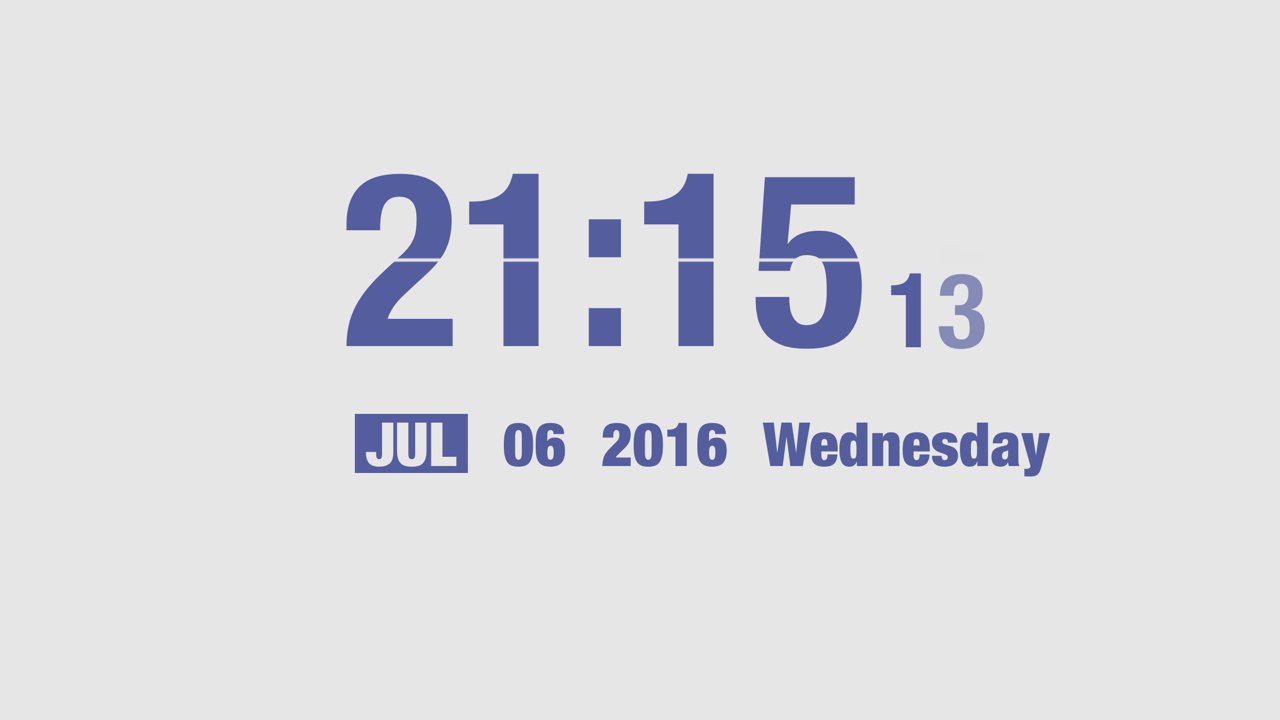
About A Nice Morphing Clock for Me
A Nice Morphing Clock for Me - Show Me Geek Cute Flip Clock & Task Alarm
"A happy encounter is less than a long untiring stay.
Being happy with first sight is less than with a long stay."
Simplest Always Best...
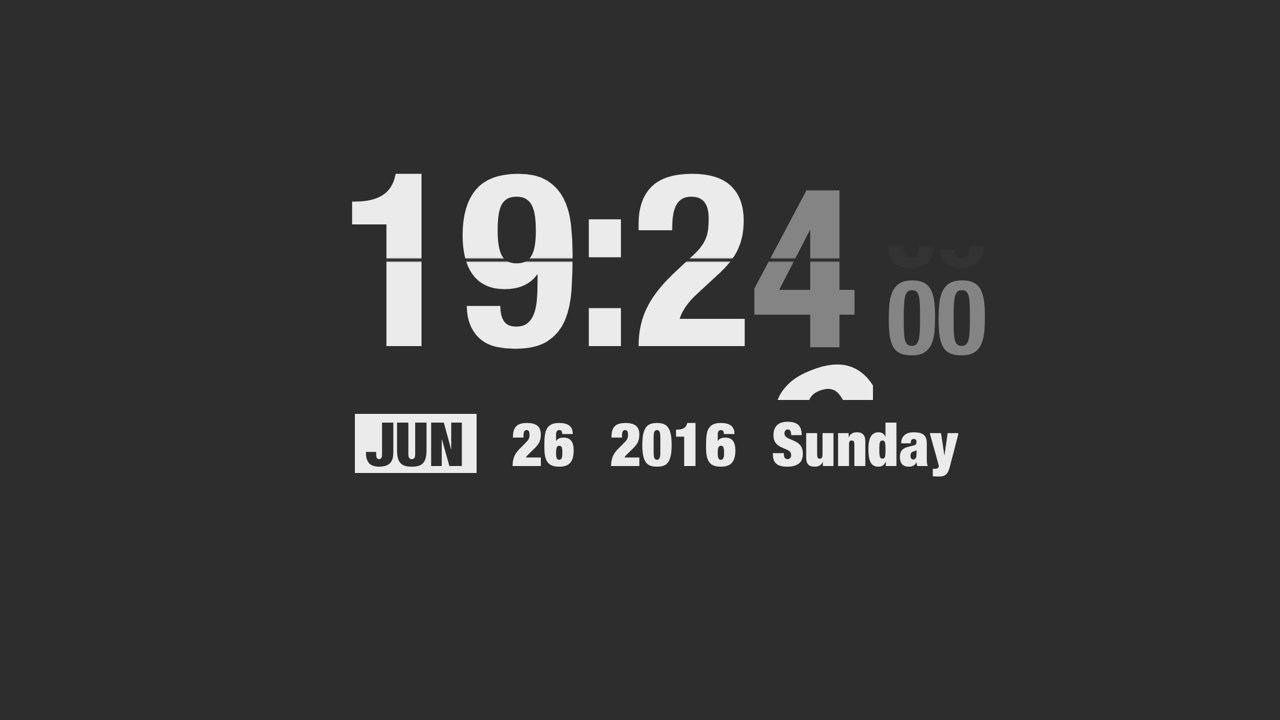
Morphing Clock designed to be awesome as bed or work desk partner.
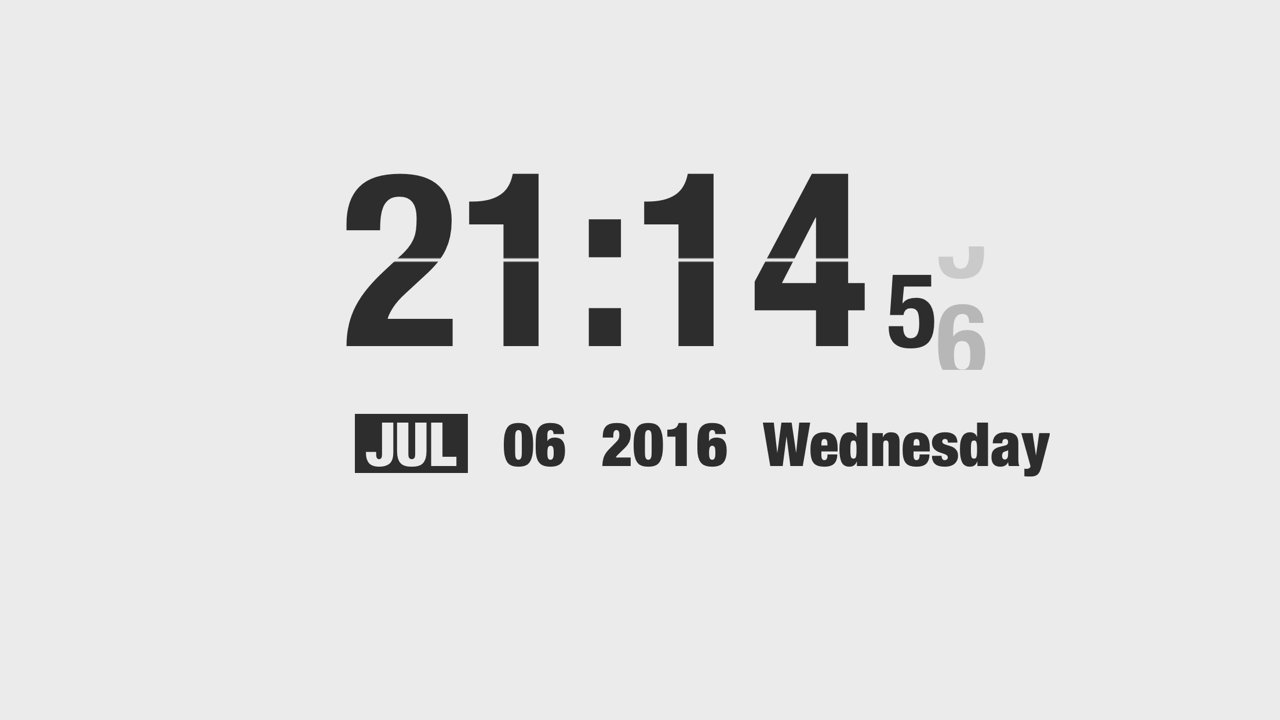
Morphing Clock add new style flip clock with Dark/Light/Boy/Girl, try to pan the left or right screen edge to switch them. If you are an beautiful girl, maybe the Girl mode is your best choice.
Support Clock Effect Type:
o Scale Effect
o Evaporate Effect
o Fall Effect
o Sparkle Effect
Now, you can customize color scheme or set the alarm clock in the App by accessing menu with long press gesture or three-finger tap gesture.
Also you can remember the color scheme your last choice now by switching to color memory state. And if you would not like to lock screen after the lock screen time settings of your system, now support a ban on the lock screen.
?????? Someone installed my App on the old iPhone 5 and put it on the wall. It looks good. Maybe this is the life solution you are looking for. Watch the video here:
[link removed]
latest updates:
1. new feature: portrait mode support, try to set up it at menu "Other Params", you may find something different.
2. new feature: whether show 24 hours now you can switch it with your own heart.
3. new feature: classic flip mode support, the function can be unlocked after paying, both landscape mode and portrait mode support.
4. new feature: font size adjust support, tap screen to adjust it. however, in landscape mode, you can only do that after hide the Second also the Date & Weekend; portrait mode without this restriction.
5. optimization: when you hide the Second also the Date & Weekend, old version layout seems unfriendly, now it's ok.
6. optimization: more power saving.
7. new feature: double click the headset pause button to tell the current time. Sometimes, when you're running or driving, you would like to get current time without fetching your phone out. You can try to use this feature. You just have to double click the pause key of headset, the App will tell you the current time by headset.
8. option to hide second, however, it's not perfect now, I will optimize it in later version.
9. option to hide date & weekend, however, it's not perfect now, I will optimize it in later version.
10. iPhone X support.
11. optimize the user experience of dragging the left screen edge for the previous color scheme.
12. with tutorial for beginner.
13. support color scheme and memory function (the default), when you switch to color memory state, the next time you open the App will show the color scheme of your last choice, no longer have to drag each switch to their favorite color scheme; of course, if you do not want to use this feature, too you can switch to a non color memory state.
14. to support a ban on the lock screen (non default), when you switch to prohibit the lock screen, the App does not lock the screen after the lock screen time settings of your system, but has been lit, the App has made the consumption optimization and test of good power; if you do not love this pattern, you can not use.
15. for the user does not like the default color scheme, the App brings you the custom color matching function, the function can be unlocked after paying, unlock you can enjoy DIY belong to your own color scheme.
16. new task alarm clock function, you can now set the alarm clock in the App, of course, all this does not affect your original user experience, and quickly try it! (some task scenes need to be paid to unlock.)
17. Introduced a brand-new clock style "LumaSwing".
18. Introduced "My Study Room".
License: Commercial
"A happy encounter is less than a long untiring stay.
Being happy with first sight is less than with a long stay."
Simplest Always Best...
Morphing Clock designed to be awesome as bed or work desk partner.
Morphing Clock add new style flip clock with Dark/Light/Boy/Girl, try to pan the left or right screen edge to switch them. If you are an beautiful girl, maybe the Girl mode is your best choice.
Support Clock Effect Type:
o Scale Effect
o Evaporate Effect
o Fall Effect
o Sparkle Effect
Now, you can customize color scheme or set the alarm clock in the App by accessing menu with long press gesture or three-finger tap gesture.
Also you can remember the color scheme your last choice now by switching to color memory state. And if you would not like to lock screen after the lock screen time settings of your system, now support a ban on the lock screen.
?????? Someone installed my App on the old iPhone 5 and put it on the wall. It looks good. Maybe this is the life solution you are looking for. Watch the video here:
[link removed]
latest updates:
1. new feature: portrait mode support, try to set up it at menu "Other Params", you may find something different.
2. new feature: whether show 24 hours now you can switch it with your own heart.
3. new feature: classic flip mode support, the function can be unlocked after paying, both landscape mode and portrait mode support.
4. new feature: font size adjust support, tap screen to adjust it. however, in landscape mode, you can only do that after hide the Second also the Date & Weekend; portrait mode without this restriction.
5. optimization: when you hide the Second also the Date & Weekend, old version layout seems unfriendly, now it's ok.
6. optimization: more power saving.
7. new feature: double click the headset pause button to tell the current time. Sometimes, when you're running or driving, you would like to get current time without fetching your phone out. You can try to use this feature. You just have to double click the pause key of headset, the App will tell you the current time by headset.
8. option to hide second, however, it's not perfect now, I will optimize it in later version.
9. option to hide date & weekend, however, it's not perfect now, I will optimize it in later version.
10. iPhone X support.
11. optimize the user experience of dragging the left screen edge for the previous color scheme.
12. with tutorial for beginner.
13. support color scheme and memory function (the default), when you switch to color memory state, the next time you open the App will show the color scheme of your last choice, no longer have to drag each switch to their favorite color scheme; of course, if you do not want to use this feature, too you can switch to a non color memory state.
14. to support a ban on the lock screen (non default), when you switch to prohibit the lock screen, the App does not lock the screen after the lock screen time settings of your system, but has been lit, the App has made the consumption optimization and test of good power; if you do not love this pattern, you can not use.
15. for the user does not like the default color scheme, the App brings you the custom color matching function, the function can be unlocked after paying, unlock you can enjoy DIY belong to your own color scheme.
16. new task alarm clock function, you can now set the alarm clock in the App, of course, all this does not affect your original user experience, and quickly try it! (some task scenes need to be paid to unlock.)
17. Introduced a brand-new clock style "LumaSwing".
18. Introduced "My Study Room".
License: Commercial
| Release info | New Release on Oct 15, 2026 |
|---|---|
| Release notes | For a long time, the developer has been open-minded to accept and consider your feedback. As a result, I have corrected some of your feedback problems and adopted some suggestions. - New: LumaSwing adds three new appearances: Lamplit Study, Luminous Hour, and Quiet Glow. - Added initial iPhone Duo support with an improved full-screen experience. - Fixed task alarm scenes not appearing full screen or being covered by the menu. - Fixed background and animation layout issues in the Solar System task scene. - Improved the side menu layout in iPad Split View. - Improved event link handling and overall stability. The developer says that: A Nice morphing clock, shows me a geek cute flip clock & task alarm. The design is minimal, clean, modern and smooth. Supports customize the color scheme and with nice operation gestures. It's good choice to put it on the bedside and desktop as a digital clock. Nowadays, peoples would not like to have computers at home, then using the iPad or iPhone as clock should be environmentally friendly and perfect. The app can't be used as a screen saver when the screen is locked. In the process of using, you need to run the app all the time. it can set and disable the function of locking the screen, that is, keep the device on, and you need to open it in the app's setting. After settings, the system will not automatically turn off the screen when the app is running, which brings you an immersive experience which is similar to the effect of screensaver. In fact, due to system limitations, iOS does not support the so-called native screensaver function, so you do not have to work hard to find the so-called screensaver application. Therefore, before downloading, understand the content of app, read relevant strategies and tutorials, so as to avoid any psychological gap between the actual and the expected after downloading. In addition, you need to understand the payment mode of the app. The payment mode of the app is not a traditional buy-out |
| Listing data | App Store |
Reviews
No reviews yet. Be the first to review A Nice Morphing Clock for Me.
Used A Nice Morphing Clock for Me? Tell other visitors what you thought.
Log in to write a reviewOther products by this publisher
- "No Distractions" for YouTube 4.10 ----
- #Bible 11.6 "Incredible App - My sister shared this app with me a few weeks ago and it is truly incredible.
- #filmphotography 1.4.2 So, you decided to shoot on film?
- $quirrel 1.5.1 $quirrel Budget & Finance helps you plan each paycheck, track spending, manage debt, and see what is safe to spend before the next payday.
- % Percentage Calculator Pro 1.41 This is the Pro version of % Percentage Calculator.
Most viewed iOS Productivity
-
1
 WordPress 27.4
Manage or create your WordPress blog or website right from your iOS device: create and edit posts and pages, upload your favorite photos and videos, view stats and reply to comments.
- 2 Voice Translator - Alive 1.6 Translation app that turns your iPhone into an interpreter instantly.
-
3
 Claude by Anthropic 1.261109.19
Meet Claude, your AI problem solver and thinking partner.
- 4 "No Distractions" for YouTube 4.10 ----
- 5 (beat) for iOS 0.5.10 An elegant Fountain screenwriting app, created by a screenwriter for screenwriters.
-
6
 Life360 26.43.0
Whether at home, online, or on the move, our comprehensive family safety features bring peace of mind to your loved ones AND help safeguard your personal belongings.
-
7
 DeepSeek 2.7.5
Experience seamless interaction with DeepSeek's official AI assistant for free!
-
8
 WristMemo 2.0
WristMemo turns your Apple Watch into an all-day voice recorder.
-
9
 Howbout 16.7.0
The shared calendar for friends, couples, and family
-
10
 Plot Digitizer 1.4.1
Plot Digitizer is an app to extract numerical data from plot images.
Most downloaded iOS Productivity
- 1 Voice Translator - Alive 1.6 Translation app that turns your iPhone into an interpreter instantly.
-
2
DeepSeek 2.7.5
Experience seamless interaction with DeepSeek's official AI assistant for free!
-
3
 SessionsAI 1.2.1
Sessions AI is a private AI workspace that runs entirely on your iPhone, iPad, or Mac.
-
4
 Voices AI 1.16.15
Discover Voices, the premier voice transformation app designed exclusively for iOS.
-
5
 Block Distracting Websites 1.11
"It's a great way to save time, and stop browsing Reddit when you should be doing coursework."
-
6
Plot Digitizer 1.4.1
Plot Digitizer is an app to extract numerical data from plot images.
-
7
 Google Docs 1.2026.45104
Create, edit, and collaborate on online documents with the Google Docs app.
-
8
 Pixy Mood Tracker 1.110.0
Track your mood, one pixel at a time.
-
9
 VPN 2.61.0
VPN - Super Unlimited Proxy is a free VPN and proxy app for iPhone, iPad, Mac and Apple Vision Pro.
-
10
 MyHyundai with Bluelink 5.4.5
The MyHyundai app makes getting information about your Hyundai vehicle easier than ever.