
8downloads
0this week
FreeCommercial
0reviews
Screenshots
About XIAOTE
Compatible with iPhone and Apple Watch.
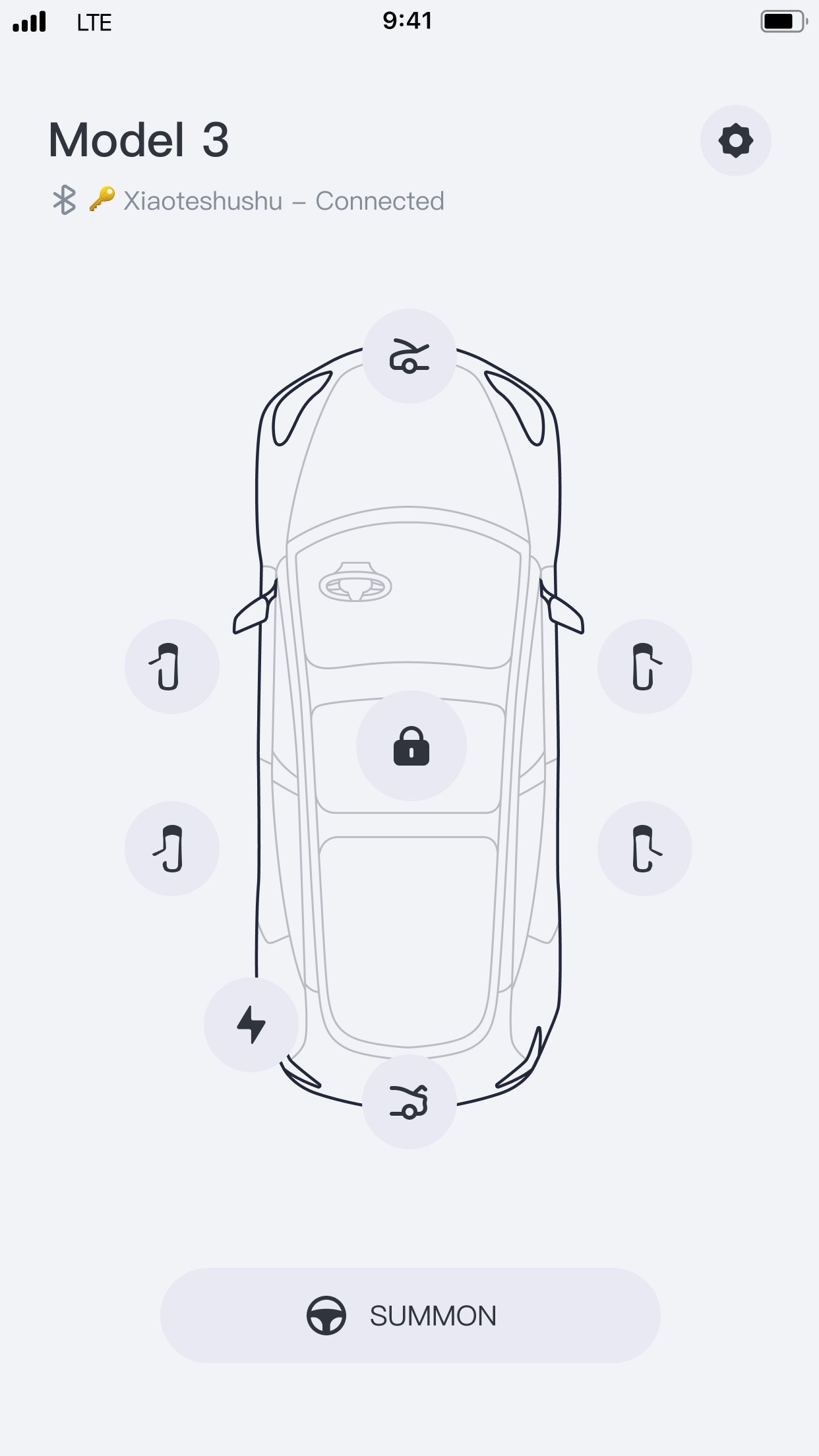
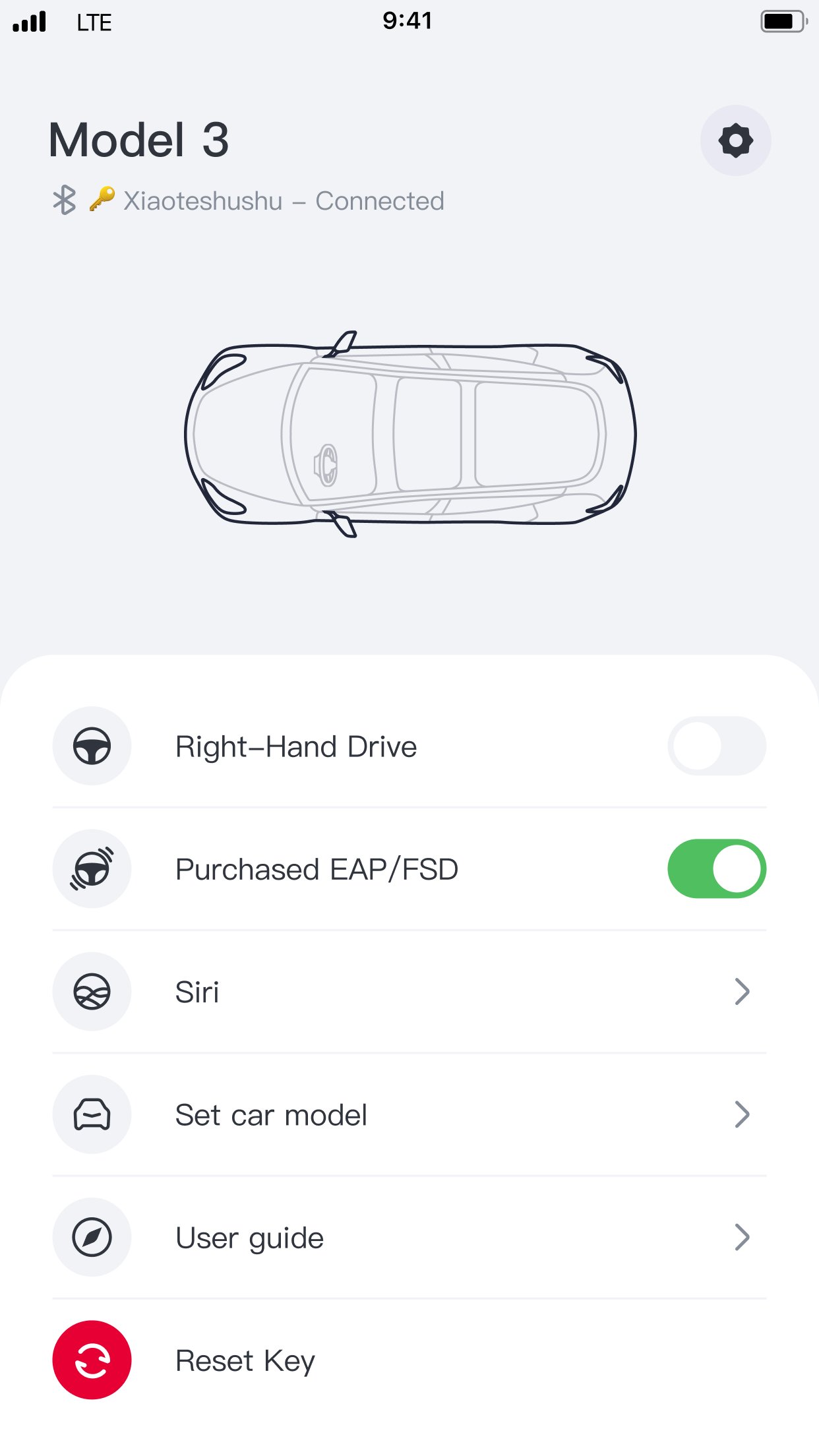
Xiatoe Keyfob (Tesla Key Fob for Apple Watch) functions just like the official Tesla key fob, which only requires Bluetooth for full functionality. The app does NOT require an internet connection or your Telsa credentials. We would NOT collect or store your personal information and data.
Supported vehicles: All Tesla Model 3 and Model Y, 2021 or later Model S and Model X
1. How do I pair Xiaote Keyfob? Please keep your Apple watch screen facing you during the process and make sure the screen is awake at all times. Sit in the driver's seat and put the car in Park. Open Xiaote Keyfob on your Apple Watch, and click on the Pair button. Grant Bluetooth permission by selecting OK. Select the vehicle with your Bluetooth key ID. ( You may see multiple vehicles if there are more than one Tesla vehicles around you. Please go to your iPhone Settings > Bluetooth, you'll see a connected device with an 18-digit alphanumeric name, which is your Bluetooth key ID.)
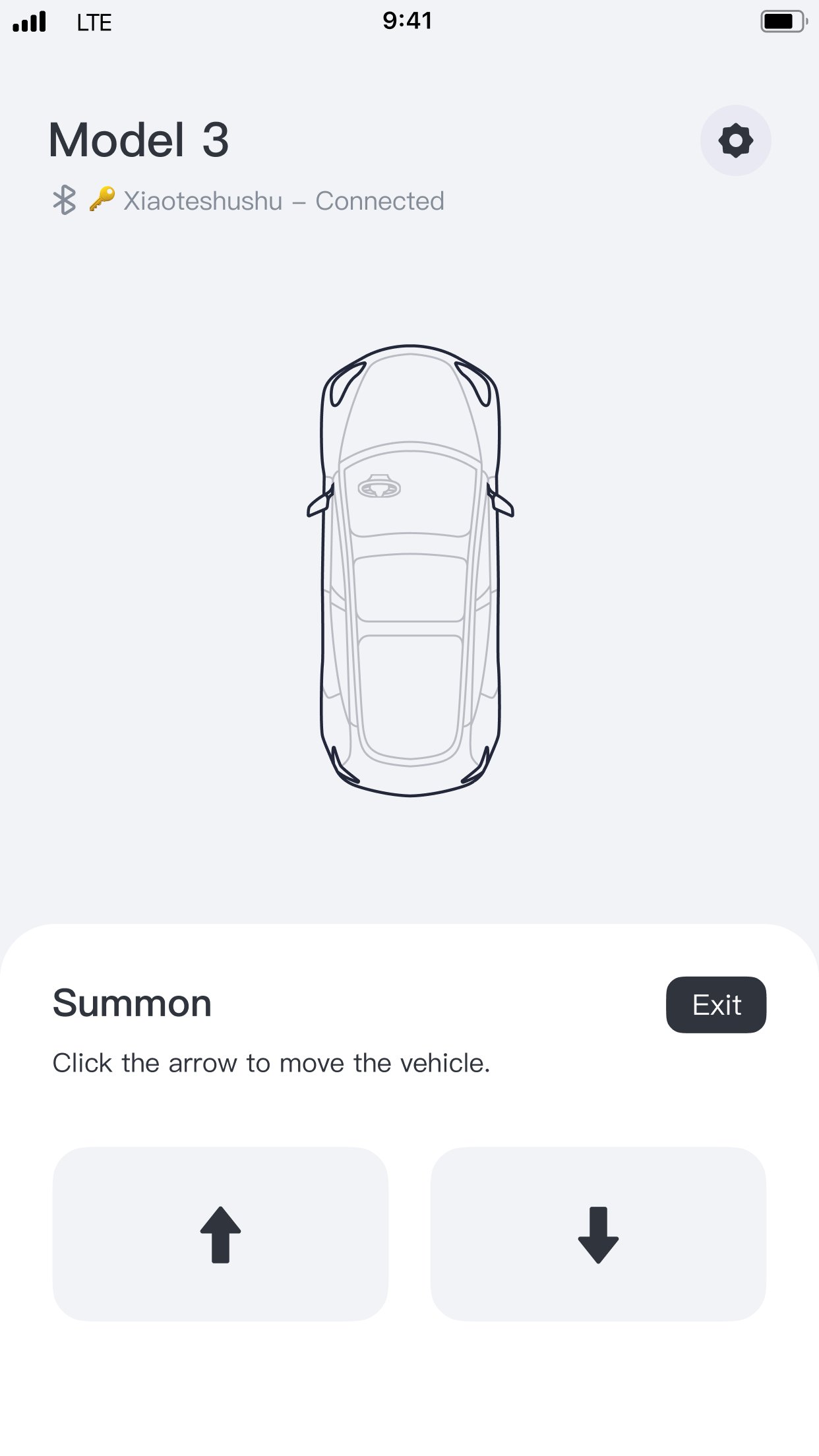
2. How do I operate Summon with Xiaote Keyfob? Please make sure Enhanced Auto Pilot (EAP) or Full Self-Driving (FSD) is enabled on your vehicle. Touch Controls > Autopilot > Customize Summon and set Require Continuous Press to No. After setting up the vehicle, click Summon on the watch, and within 5 seconds after the vehicle enters the double flashing light mode, click the button to move forward or backward. (Note: Please pay attention to the surrounding environment when using it, and be ready to stop the vehicle movement at any time.)
3. Can I pair multiple vehicles with Xiaote Keyfob? Not yet. The functionality is still in development and will be enabled with future updates. If you need to pair your Apple watch with another vehicle, please remove the currently paired vehicle and start the pairing process with another vehicle.
4. Does Xiaote Keyfob support automatic locking and unlocking? Automatic locking and unlocking are not fully supported. This is due to the limitations on Watch OS background processing, once the app is closed, the Bluetooth signal would be stopped. You would have to open the app on your Apple Watch for Xiaote Keyfob to function. Once the app is started, you could use it just like a normal Tesla key fob, as intended.
5. Would Xiaote Keyfob interfere with my phone key or key fob? No. Tesla allows simultaneous connections with multiple keys, they would not interfere with each other.
6. How to unpair Xiaote Keyfob? Touch Controls > Locks and remove the Apple watch keyfob from the list. Uninstall Xiaote Keyfob if needed.7. How to redownload or update Xiaote Keyfob on my Apple watch? Go to the App Store app on your Apple Watch (NOT on your iPhone), scroll to the bottom of the page, click Account > Purchased or Updates, find the app in the list and click to redownload or update.
License: Commercial
Xiatoe Keyfob (Tesla Key Fob for Apple Watch) functions just like the official Tesla key fob, which only requires Bluetooth for full functionality. The app does NOT require an internet connection or your Telsa credentials. We would NOT collect or store your personal information and data.
Supported vehicles: All Tesla Model 3 and Model Y, 2021 or later Model S and Model X
1. How do I pair Xiaote Keyfob? Please keep your Apple watch screen facing you during the process and make sure the screen is awake at all times. Sit in the driver's seat and put the car in Park. Open Xiaote Keyfob on your Apple Watch, and click on the Pair button. Grant Bluetooth permission by selecting OK. Select the vehicle with your Bluetooth key ID. ( You may see multiple vehicles if there are more than one Tesla vehicles around you. Please go to your iPhone Settings > Bluetooth, you'll see a connected device with an 18-digit alphanumeric name, which is your Bluetooth key ID.)
2. How do I operate Summon with Xiaote Keyfob? Please make sure Enhanced Auto Pilot (EAP) or Full Self-Driving (FSD) is enabled on your vehicle. Touch Controls > Autopilot > Customize Summon and set Require Continuous Press to No. After setting up the vehicle, click Summon on the watch, and within 5 seconds after the vehicle enters the double flashing light mode, click the button to move forward or backward. (Note: Please pay attention to the surrounding environment when using it, and be ready to stop the vehicle movement at any time.)
3. Can I pair multiple vehicles with Xiaote Keyfob? Not yet. The functionality is still in development and will be enabled with future updates. If you need to pair your Apple watch with another vehicle, please remove the currently paired vehicle and start the pairing process with another vehicle.
4. Does Xiaote Keyfob support automatic locking and unlocking? Automatic locking and unlocking are not fully supported. This is due to the limitations on Watch OS background processing, once the app is closed, the Bluetooth signal would be stopped. You would have to open the app on your Apple Watch for Xiaote Keyfob to function. Once the app is started, you could use it just like a normal Tesla key fob, as intended.
5. Would Xiaote Keyfob interfere with my phone key or key fob? No. Tesla allows simultaneous connections with multiple keys, they would not interfere with each other.
6. How to unpair Xiaote Keyfob? Touch Controls > Locks and remove the Apple watch keyfob from the list. Uninstall Xiaote Keyfob if needed.7. How to redownload or update Xiaote Keyfob on my Apple watch? Go to the App Store app on your Apple Watch (NOT on your iPhone), scroll to the bottom of the page, click Account > Purchased or Updates, find the app in the list and click to redownload or update.
License: Commercial
| Release info | New Release on Sep 15, 2026 |
|---|---|
| Release notes | Added watchOS 27 compatibility and fixed an issue that prevented the Apple Watch app from opening on newer systems. |
| Listing data | App Store |
Reviews
No reviews yet. Be the first to review XIAOTE.
Used XIAOTE? Tell other visitors what you thought.
Log in to write a reviewOther products by this publisher
- "No Distractions" for YouTube 4.10 ----
- #Bible 11.6 "Incredible App - My sister shared this app with me a few weeks ago and it is truly incredible.
- #filmphotography 1.4.2 So, you decided to shoot on film?
- $quirrel 1.5.1 $quirrel Budget & Finance helps you plan each paycheck, track spending, manage debt, and see what is safe to spend before the next payday.
- % Percentage Calculator Pro 1.41 This is the Pro version of % Percentage Calculator.
Most viewed iOS Lifestyle
-
1
 Shefa Gold 1.6.2.5
More than 100 new and delicious Hallelu-Yah chants to exalt and bless and celebrate the simple fact of existence.
-
2
 UltiPro 3.0
Ulti Servives is your one stop destination for your day by day services.
-
3
 Light Language Grid Creator 6.2.9
Light Language Grid Creator lets you create Grids with 3D shapes and colours, then export them as images.
-
4
 CHAI 2.198
Our app revolutionizes the way we interact with AI chatbots.
-
5
 CopperKnob 2.1.1
CopperKnob is an App which allows you to browse over 185,000 line dance stepsheets from the CopperKnob website.
-
6
 Roomba Home 3.3.2
The Roomba® Home App is compatible with Roomba® 100, 200, 400, 500, 700, 800, and Mini series robots sold after March 2025.
-
7
 Booksy for Customers 26.11.0600
Self-care, on your schedule.
-
8
 12 Steps Companion 3.0.8
First developed in 2008, 12 Steps Companion was the world’s first recovery app.
-
9
 Amazon Alexa 2.2.785556.0
Use the Amazon Alexa app to manage Alexa-enabled devices, control music playback, view shopping lists on the go, keep track of upcoming reminders, check on active timers and much more.
-
10
 Tesla 4.62.5
The Tesla app puts owners in direct communication with their vehicles and energy products anytime, anywhere.
Most downloaded iOS Lifestyle
-
1
Light Language Grid Creator 6.2.9
Light Language Grid Creator lets you create Grids with 3D shapes and colours, then export them as images.
-
2
 Pieceful 3.1.0
Capture briefly. Remember deeply.
-
3
UltiPro 3.0
Ulti Servives is your one stop destination for your day by day services.
-
4
 Core Values 1.0.1
Core Values: Find Yours is a guided self-reflection exercise that helps you identify your top five values that matter most to you.
-
5
 Flush Toilet Finder Pro 26.4.6
Flush Toilet Finder Pro is the quickest, simplest way of finding a public bathroom or restroom.
-
6
CHAI 2.198
Our app revolutionizes the way we interact with AI chatbots.
-
7
 Electronic Rosary 4.0.3
The Rosary (from Latin rosarium, meaning "rose garden") is a traditional Catholic devotion.
-
8
CopperKnob 2.1.1
CopperKnob is an App which allows you to browse over 185,000 line dance stepsheets from the CopperKnob website.
-
9
 Joguman Daily Calendar 1.0.14
New drawings every day, and every day feels brand new.
-
10
 RUMlogNG2Go 7.07
RUMlog is a contact logging tool for amateur radio, very similar and log file compatible to the Mac logger RUMlogNG.