10downloads
5this week
FreeCommercial
0reviews
Screenshots
About Wrench Notes
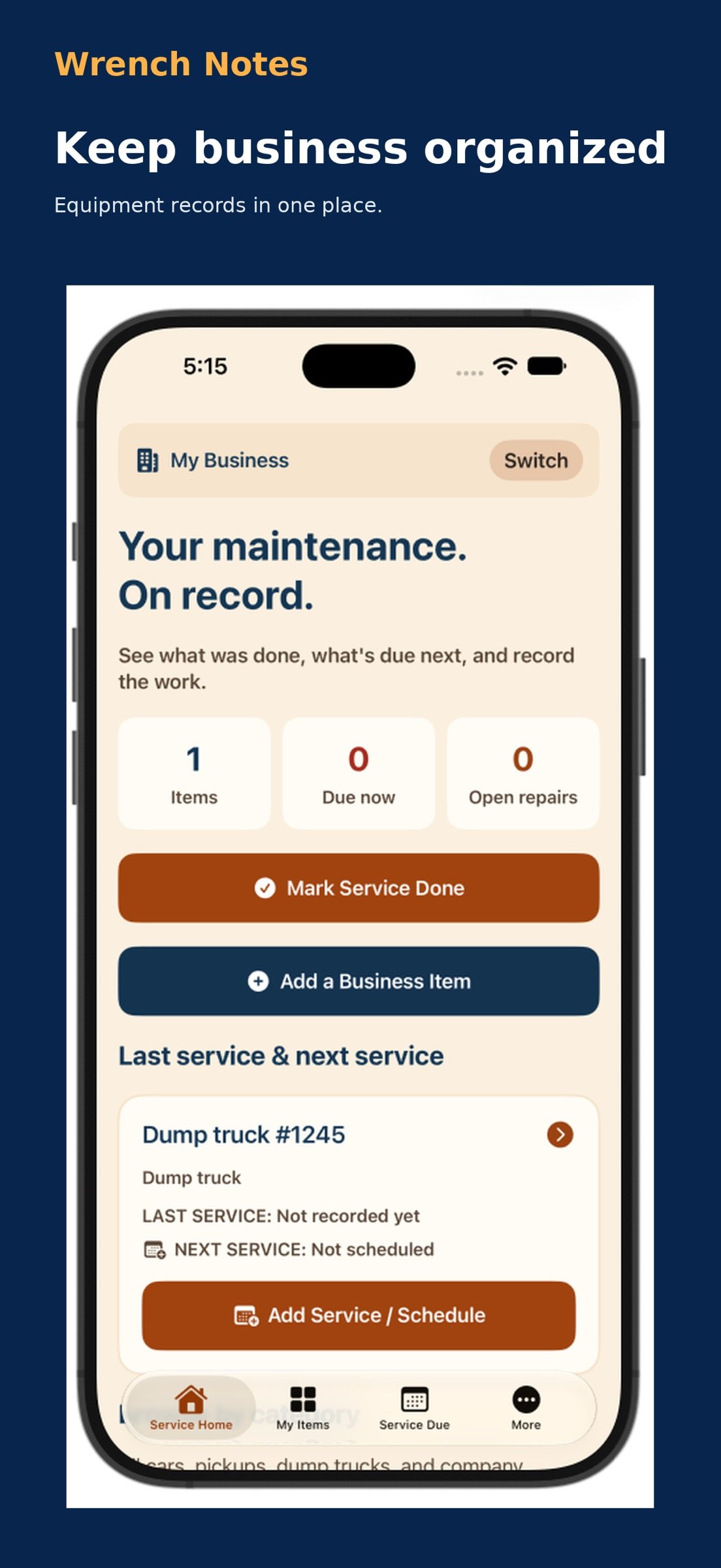
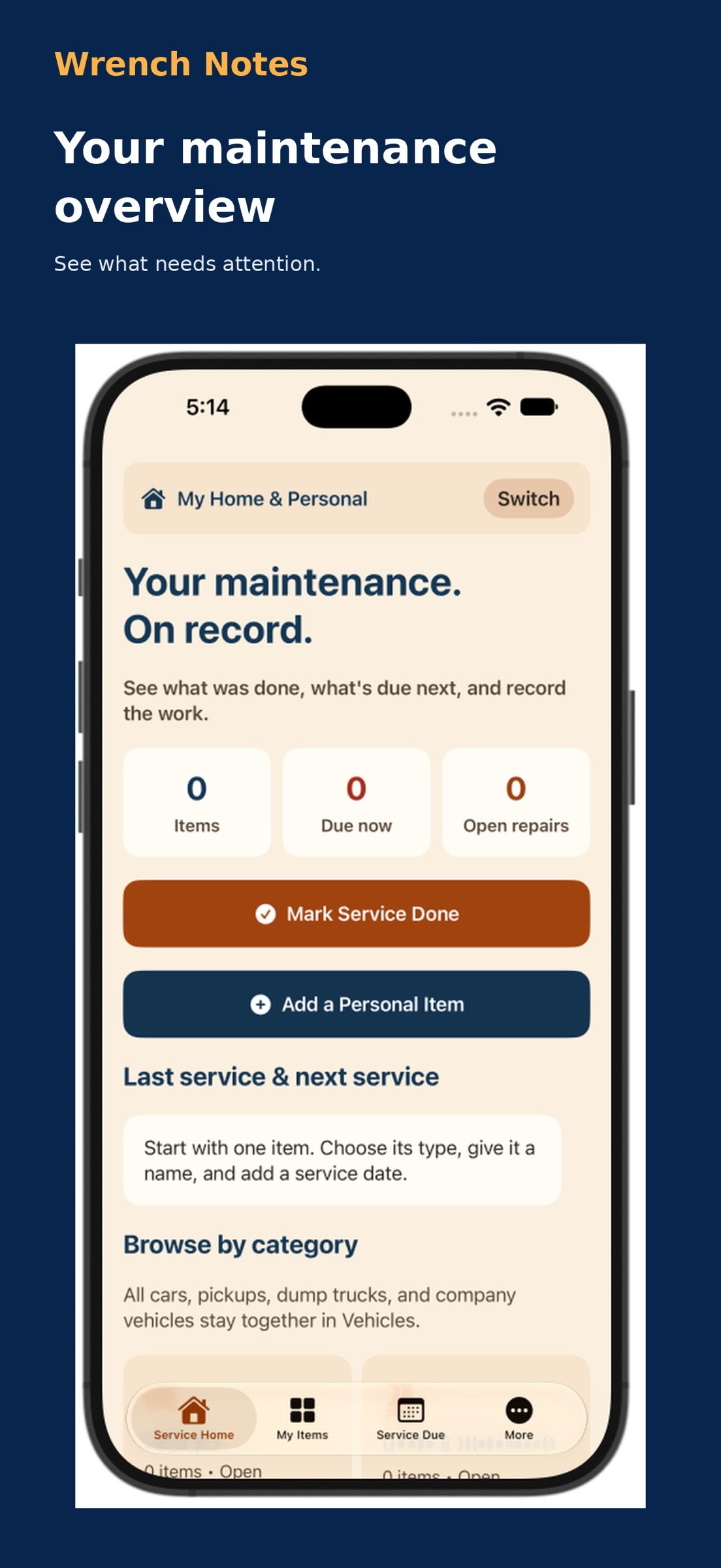
Your maintenance. On record.
Wrench Notes helps you organize equipment details, maintenance schedules, service history, and repairs for the things you depend on at home and at work.
From trucks and boats to lawn mowers, air conditioners, appliances, and power tools, keep the information you need together on your iPhone or iPad.
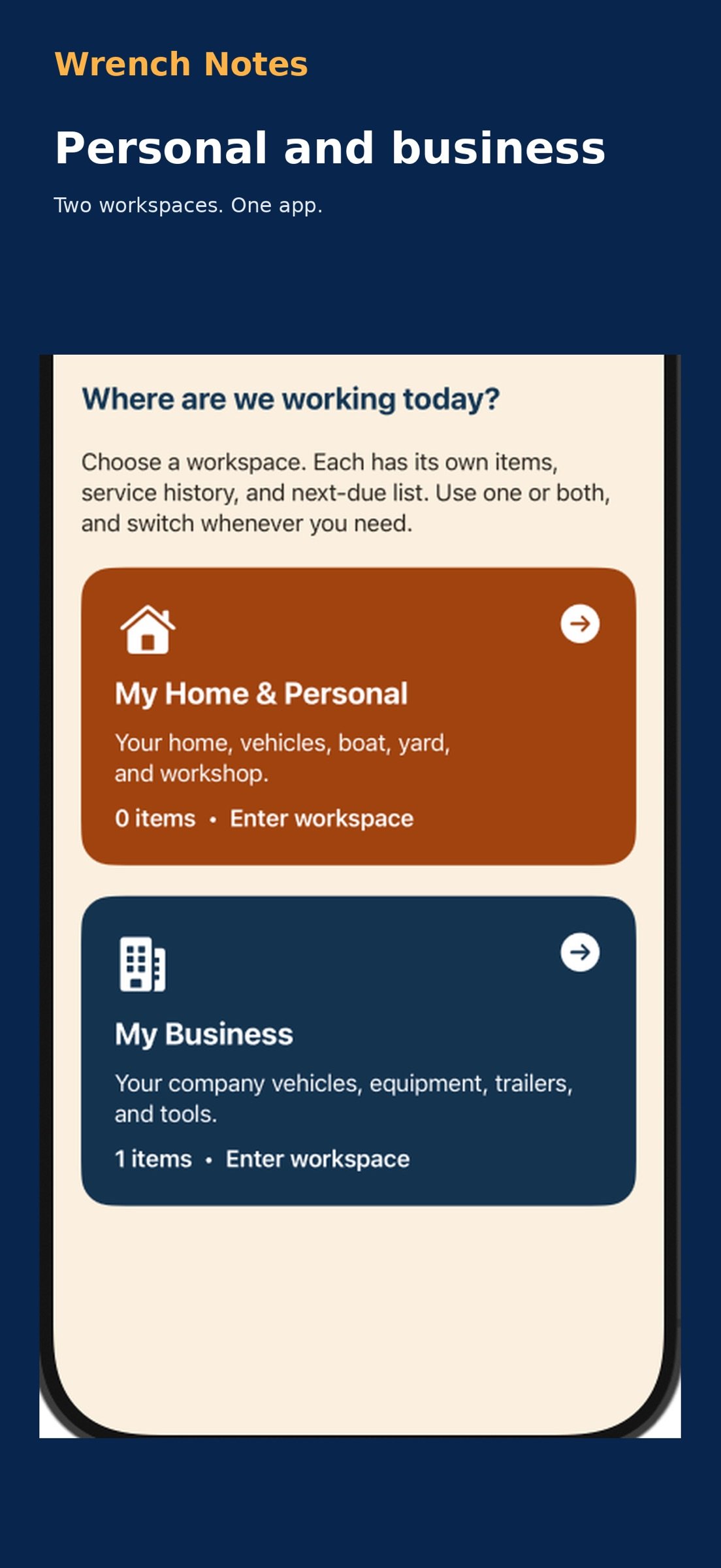
PERSONAL AND BUSINESS WORKSPACES
Keep home and business equipment organized in separate workspaces, each with its own items and service-due list.
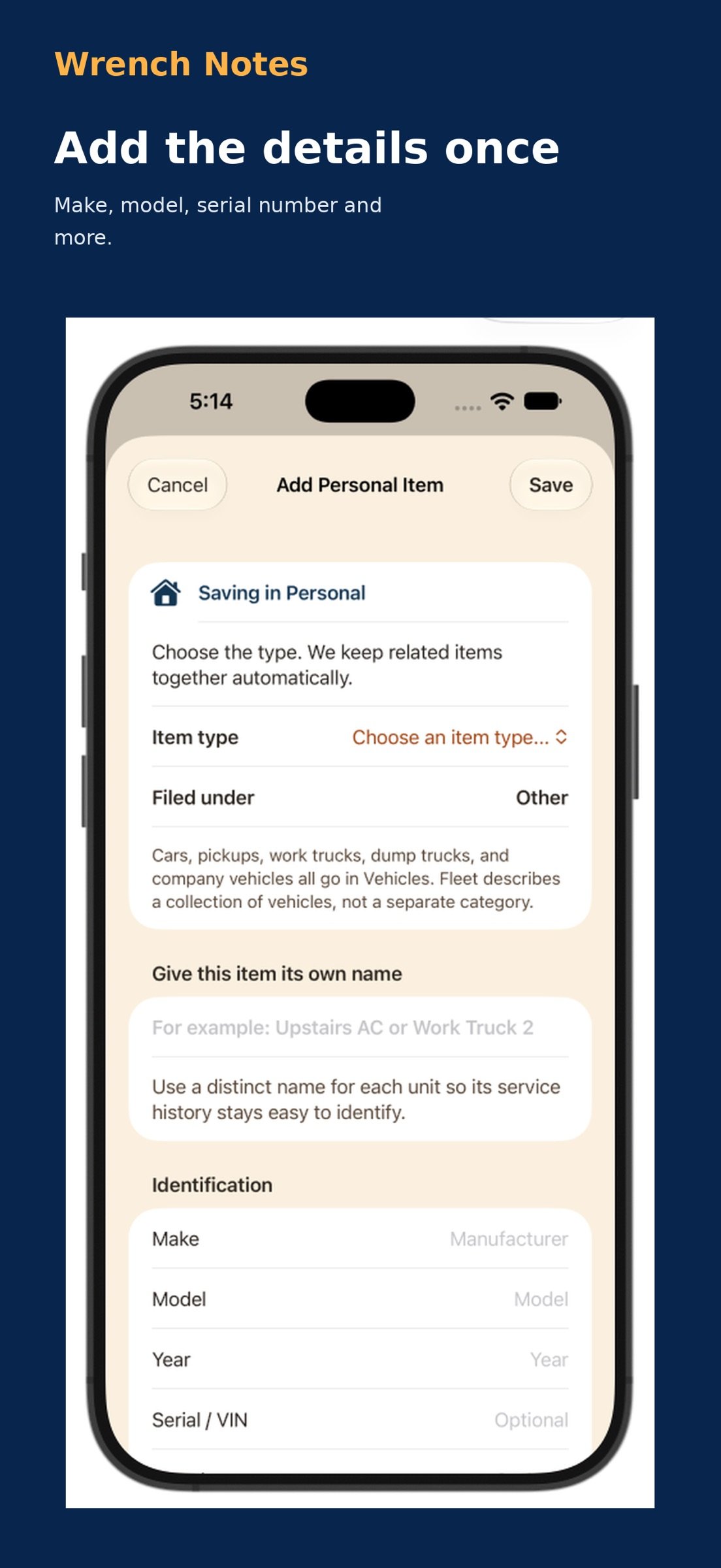
EQUIPMENT DETAILS
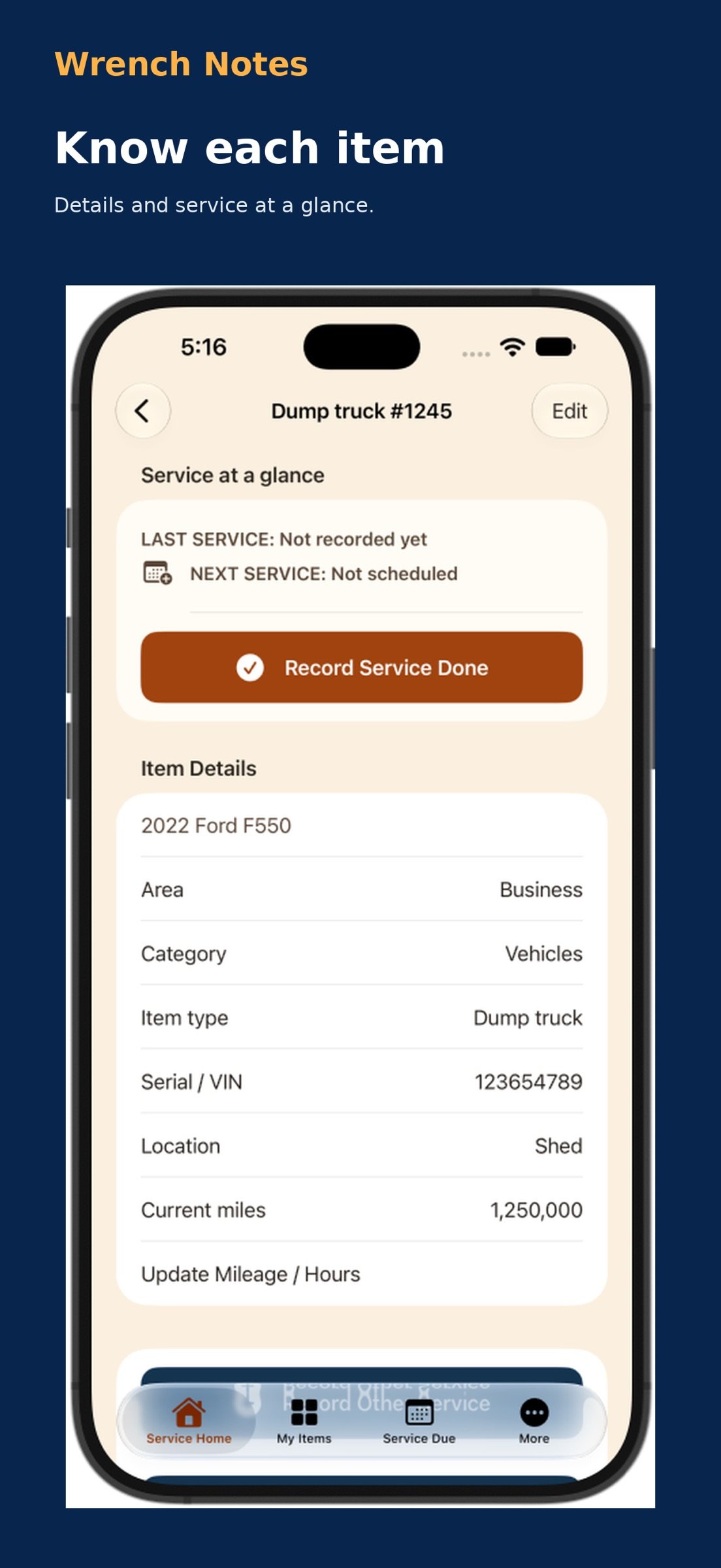
Save names, makes, models, years, serial numbers, locations, photos, and notes. Track mileage or operating hours where needed.
SERVICE SCHEDULES
Schedule maintenance by date, mileage, operating hours, or a combination. Set repeat intervals and use Mark Service Done to record completed work and advance repeating schedules.
MAINTENANCE AND REPAIR HISTORY
Record service dates, providers, costs, meter readings, and work details. Document breakdowns, describe the repair, and mark issues resolved. Attach photos or PDF receipts to work records.
DATE REMINDERS
Enable optional local notifications for scheduled service dates. Mileage and operating-hour schedules depend on readings you enter.
PDF AND EXCEL EXPORTS
Create a printable PDF list or an Excel workbook with separate Items, Service Schedules, and Work History sheets. Choose Personal, Business, or All Items.
FULL BACKUP AND RESTORE
Export both workspaces, including records, schedules, photos, and PDF attachments. Restore from a saved backup when needed. Restoring replaces records in both workspaces. PDF and Excel reports are not restorable backups.
RESEARCH WITH YOUR PREFERRED AI
Copy a prepared research prompt into an AI service you choose. Review suggestions before adding useful information to your records. The app does not automatically send your records to an AI provider.
LOCAL RECORDKEEPING
No account required. No advertising or third-party analytics. Records are stored locally on your device. You choose when to export or share them. Automatic synchronization between devices is not provided.
Designed for iPhone and iPad running iOS or iPadOS 17 or later.
Provided by Solution Specialists, LLC.
License: Commercial
Wrench Notes helps you organize equipment details, maintenance schedules, service history, and repairs for the things you depend on at home and at work.
From trucks and boats to lawn mowers, air conditioners, appliances, and power tools, keep the information you need together on your iPhone or iPad.
PERSONAL AND BUSINESS WORKSPACES
Keep home and business equipment organized in separate workspaces, each with its own items and service-due list.
EQUIPMENT DETAILS
Save names, makes, models, years, serial numbers, locations, photos, and notes. Track mileage or operating hours where needed.
SERVICE SCHEDULES
Schedule maintenance by date, mileage, operating hours, or a combination. Set repeat intervals and use Mark Service Done to record completed work and advance repeating schedules.
MAINTENANCE AND REPAIR HISTORY
Record service dates, providers, costs, meter readings, and work details. Document breakdowns, describe the repair, and mark issues resolved. Attach photos or PDF receipts to work records.
DATE REMINDERS
Enable optional local notifications for scheduled service dates. Mileage and operating-hour schedules depend on readings you enter.
PDF AND EXCEL EXPORTS
Create a printable PDF list or an Excel workbook with separate Items, Service Schedules, and Work History sheets. Choose Personal, Business, or All Items.
FULL BACKUP AND RESTORE
Export both workspaces, including records, schedules, photos, and PDF attachments. Restore from a saved backup when needed. Restoring replaces records in both workspaces. PDF and Excel reports are not restorable backups.
RESEARCH WITH YOUR PREFERRED AI
Copy a prepared research prompt into an AI service you choose. Review suggestions before adding useful information to your records. The app does not automatically send your records to an AI provider.
LOCAL RECORDKEEPING
No account required. No advertising or third-party analytics. Records are stored locally on your device. You choose when to export or share them. Automatic synchronization between devices is not provided.
Designed for iPhone and iPad running iOS or iPadOS 17 or later.
Provided by Solution Specialists, LLC.
License: Commercial
| Release info | New Release on Oct 21, 2026 |
|---|---|
| Listing data | App Store |
Reviews
No reviews yet. Be the first to review Wrench Notes.
Used Wrench Notes? Tell other visitors what you thought.
Log in to write a reviewOther products by this publisher
- "No Distractions" for YouTube 4.10 ----
- #Bible 11.6 "Incredible App - My sister shared this app with me a few weeks ago and it is truly incredible.
- #filmphotography 1.4.2 So, you decided to shoot on film?
- $quirrel 1.5.1 $quirrel Budget & Finance helps you plan each paycheck, track spending, manage debt, and see what is safe to spend before the next payday.
- % Percentage Calculator Pro 1.41 This is the Pro version of % Percentage Calculator.
Most viewed iOS Utilities
-
1
 Device Lab 1.8.5
Device Lab ??????????????????????? App,?????????????????????????????????,????????????????????????
-
2
 APTV 2.4.9
APTV,?????????????? IPTV M3U???,?????????????????
-
3
 VibeSDR 11.0.16
VibeSDR is a mobile-first software-defined radio (SDR) receiver — and far more than a single-server client.
-
4
 DXClock 4.0.0
Connect, collaborate, and operate smarter with DX Clock — the ultimate meeting place for amateur radio operators.
-
5
 Ally Pro 1.4.0
Ally Pro – Amiibo & NFC Tool gives advanced collectors complete control over their Amiibo library.
-
6
 ECHOCAT 1.5.2
ECHOCAT is the iPhone and iPad companion for POTACAT, the desktop app for amateur radio operators chasing Parks on the Air (POTA), Summits on the Air (SOTA), Worldwide Bunkers on the Air (WWBOTA), Tiles on the Air and DX.
-
7
 iNetTools 11.0
iNetTools Pro is the Pro Version of iNetTools.
-
8
 DRC 2.0.1
A simple to use app to help calculate any dilution ratio.
-
9
 RigCalc 1.0
RigCalc puts the everyday drilling calculations you need on the rig floor, in the mud pit, or in the office into one fast, offline app.
-
10
 Demod 1.6
Demod turns your iPhone into a software-defined radio receiver.
Most downloaded iOS Utilities
-
1
 Rat And Mouse Sound Repeller 2.8
Keep mice and rats away overnight with ultrasonic waves and predator sounds.
-
2
Demod 1.6
Demod turns your iPhone into a software-defined radio receiver.
-
3
 Screen Mirroring With Miracast 2.0
Turn your iPhone into a complete TV companion.
-
4
 Guardio 2026.105.1
Guardio protects every part of your digital life: your devices, identity, accounts, and activity, so you can browse, shop, text, and bank online with confidence.
-
5
 Fontcase 2.0.1
Fontcase is an app that lets you install custom fonts on iOS and iPadOS.
-
6
 PickerFull 9.18
Export colors from photos as HEX, PDF, RGB, HSB/HSV, HSBA, HSL, LUV, LCH, YUV, YCBCR, YIQ, CMYK, Grayscale, XYZ, L*a*b* (CIE), CSSVAR, SASSVAR, CSSHSL, CSSRGB, AndroidXML, FlutterDart, UnityColor32, Float, Objective-C, Swift, SwiftLiteral, SwiftUI
-
7
DRC 2.0.1
A simple to use app to help calculate any dilution ratio.
-
8
 DuckDuckGo, optional Duck.ai 7.245.0
At DuckDuckGo, we believe the best way to protect your personal information from hackers, scammers, and privacy-invasive companies is to stop it from being collected at all.
-
9
 PDF Reader 1.3.1
Turbo PDF: Scanner & Editor is a highly reliable scanner application that effectively transforms your smartphone into a robust PDF scanner.
-
10
RigCalc 1.0
RigCalc puts the everyday drilling calculations you need on the rig floor, in the mud pit, or in the office into one fast, offline app.