
1downloads
1this week
FreeCommercial
0reviews
Screenshots
About Wingman
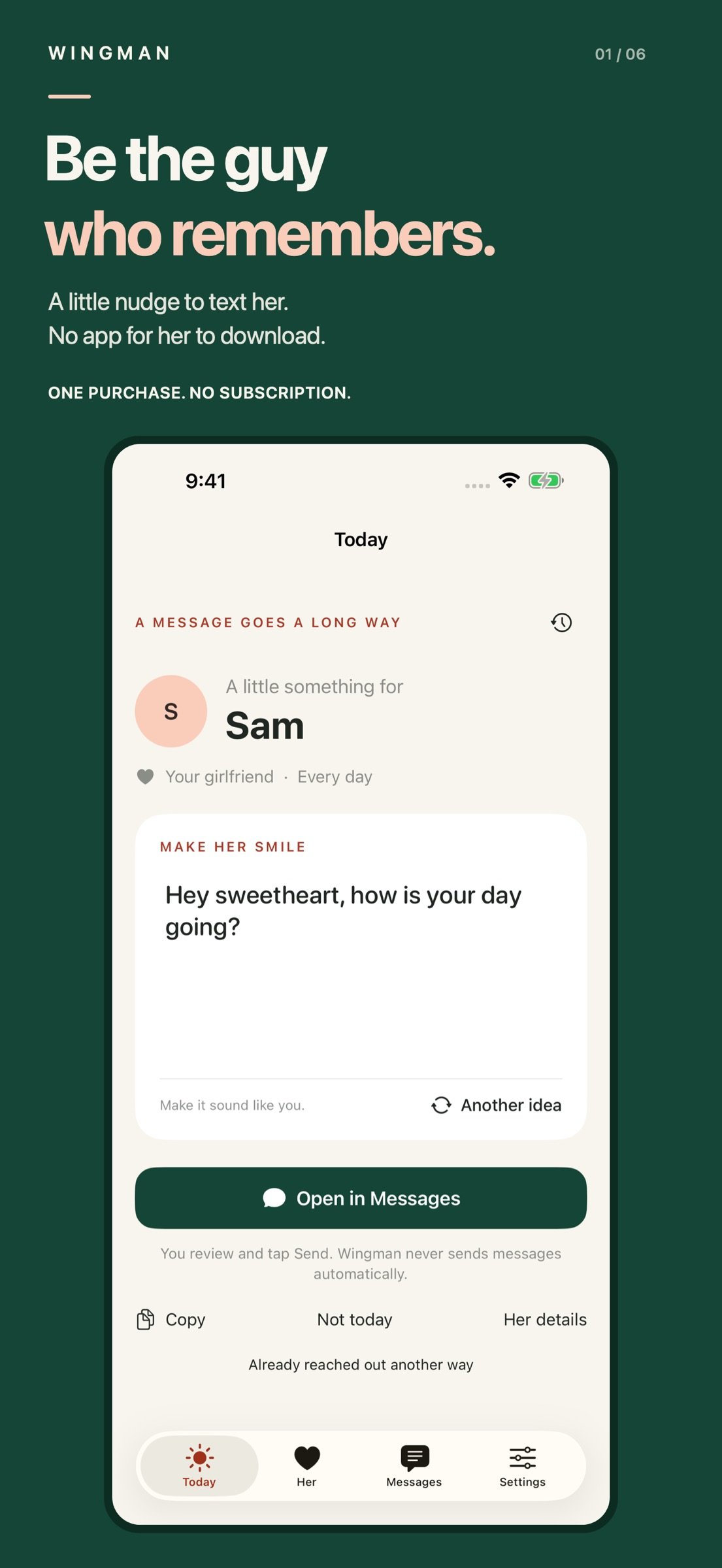
Be the guy who remembers to reach out. Even when the day gets away from you.
Wingman helps you turn “I should text her” into a message that sounds like you. Get a nudge, start with an idea, and make it personal. She doesn’t have to download Wingman or create an account.
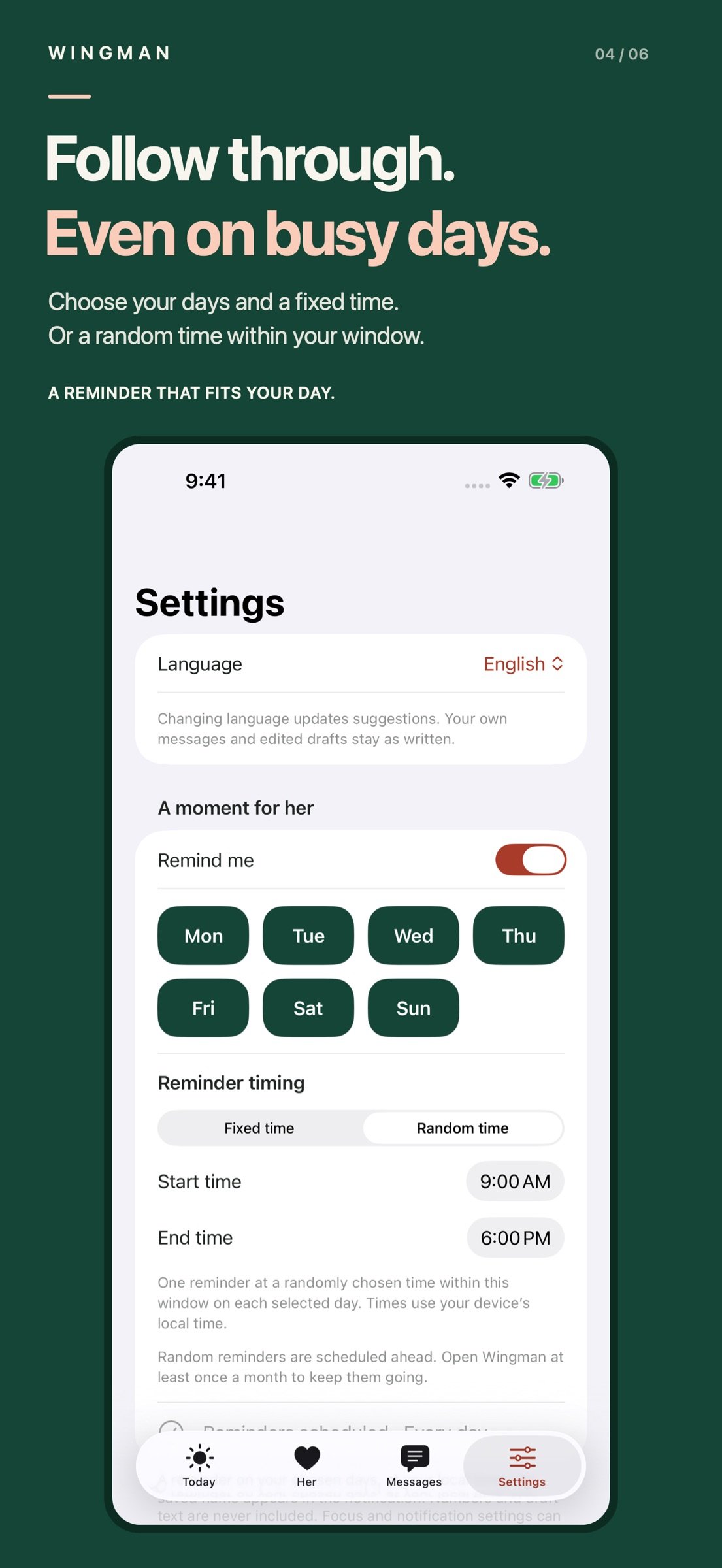
A LITTLE HELP FOLLOWING THROUGH
Choose your reminder days and a time that fits your life. Prefer a little variety? Pick a daily time window and get one reminder at a randomly chosen time on each selected day. Pause reminders whenever you need.
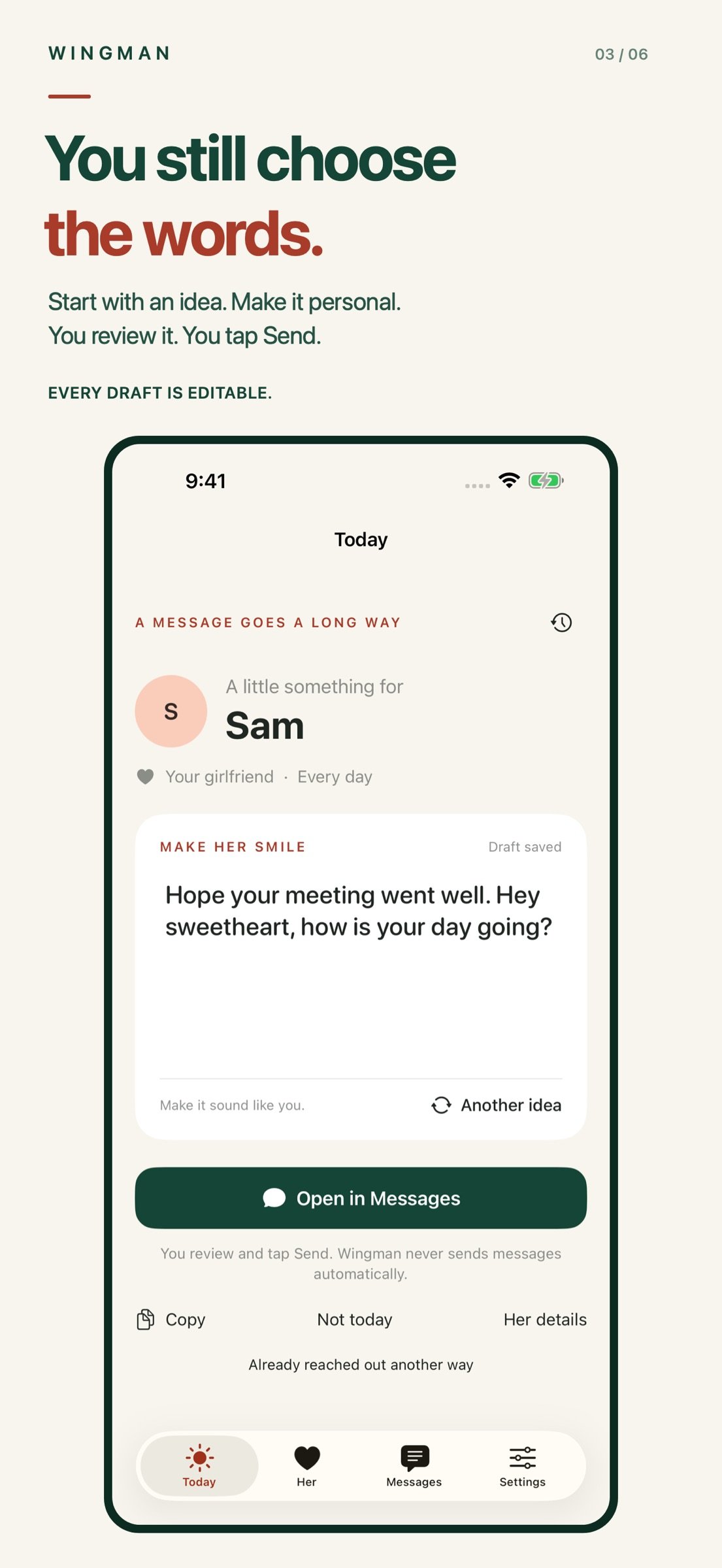
YOU STILL CHOOSE THE WORDS
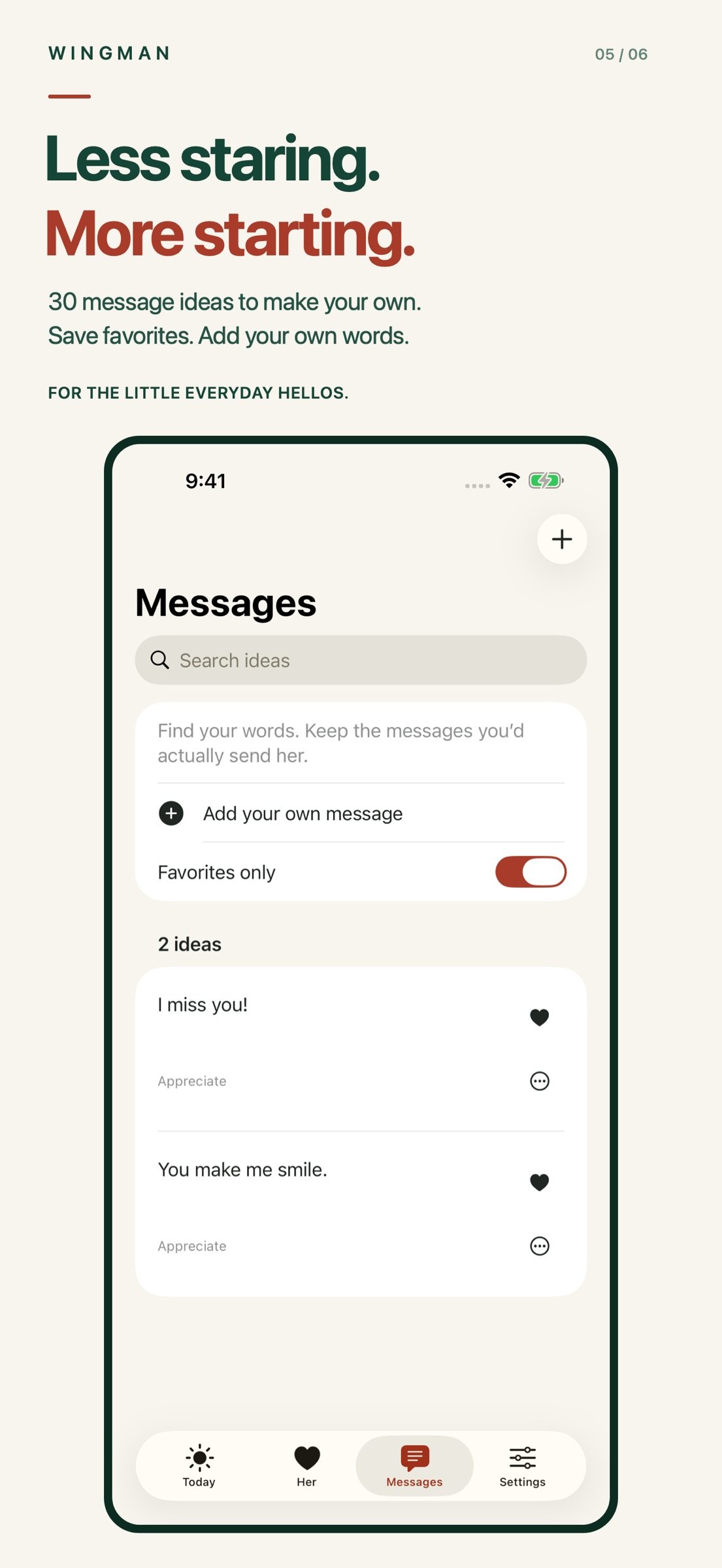
Start with one of 30 message ideas, edit the draft, or write your own. Save favorites and keep the suggestions you’d actually send. A starting point for your words, not a replacement for them.
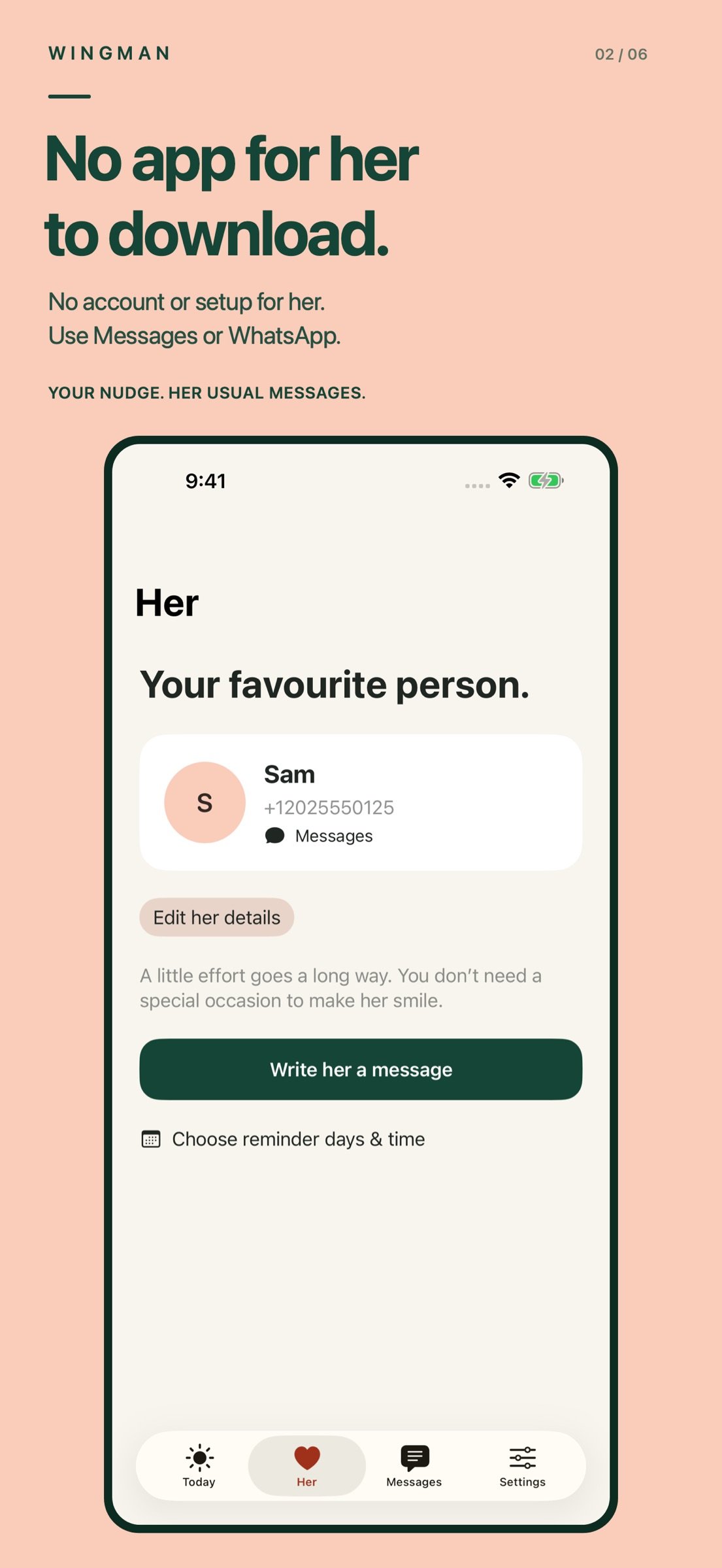
SHE GETS A MESSAGE. NOT AN INVITATION TO AN APP.
Choose Messages or WhatsApp, review your words, and tap Send yourself. Or copy your draft to use elsewhere. Wingman never sends automatically.
ONE PURCHASE. NO SUBSCRIPTION.
All current features are included. No Wingman account, ads, or tracking. Her details, your drafts, and your activity are stored on your device until you choose to share them. Device backups and clipboard settings may apply.
FOUR LANGUAGES
Use the interface and message ideas in English, Spanish, French, or Brazilian Portuguese. Your own messages and edited drafts stay as you wrote them.
A small message. A little more often. A simple way to show you’re thinking of her.
Reminders require notification permission. Random reminders are scheduled ahead; open Wingman at least once a month to keep them going. Focus and notification settings can affect delivery. Messages requires a configured iPhone; WhatsApp requires the app and a valid recipient account. Carrier or data charges may apply. Wingman does not read your conversations or verify delivery.
Support: adimehra1@gmail.com
A MESSAGE ON YOUR HOME SCREEN
Add the Wingman widget in small, medium or large size. Use the arrows to browse enabled message ideas, then tap to open the selected words for your saved recipient in WhatsApp or the Messages composer. Your edited drafts stay intact. You review and tap Send yourself.
License: Commercial
Wingman helps you turn “I should text her” into a message that sounds like you. Get a nudge, start with an idea, and make it personal. She doesn’t have to download Wingman or create an account.
A LITTLE HELP FOLLOWING THROUGH
Choose your reminder days and a time that fits your life. Prefer a little variety? Pick a daily time window and get one reminder at a randomly chosen time on each selected day. Pause reminders whenever you need.
YOU STILL CHOOSE THE WORDS
Start with one of 30 message ideas, edit the draft, or write your own. Save favorites and keep the suggestions you’d actually send. A starting point for your words, not a replacement for them.
SHE GETS A MESSAGE. NOT AN INVITATION TO AN APP.
Choose Messages or WhatsApp, review your words, and tap Send yourself. Or copy your draft to use elsewhere. Wingman never sends automatically.
ONE PURCHASE. NO SUBSCRIPTION.
All current features are included. No Wingman account, ads, or tracking. Her details, your drafts, and your activity are stored on your device until you choose to share them. Device backups and clipboard settings may apply.
FOUR LANGUAGES
Use the interface and message ideas in English, Spanish, French, or Brazilian Portuguese. Your own messages and edited drafts stay as you wrote them.
A small message. A little more often. A simple way to show you’re thinking of her.
Reminders require notification permission. Random reminders are scheduled ahead; open Wingman at least once a month to keep them going. Focus and notification settings can affect delivery. Messages requires a configured iPhone; WhatsApp requires the app and a valid recipient account. Carrier or data charges may apply. Wingman does not read your conversations or verify delivery.
Support: adimehra1@gmail.com
A MESSAGE ON YOUR HOME SCREEN
Add the Wingman widget in small, medium or large size. Use the arrows to browse enabled message ideas, then tap to open the selected words for your saved recipient in WhatsApp or the Messages composer. Your edited drafts stay intact. You review and tap Send yourself.
License: Commercial
| Release info | Update on Nov 21, 2026 |
|---|---|
| Release notes | Keep a little something for her on your Home Screen. Add the new Wingman widget, browse enabled message ideas with the arrows, then tap to open your selected text in WhatsApp or the Messages composer. Your saved recipient and preferred app are used automatically. Your edited drafts stay intact. Available in small, medium and large sizes. |
| Listing data | App Store |
Reviews
No reviews yet. Be the first to review Wingman.
Used Wingman? Tell other visitors what you thought.
Log in to write a reviewOther products by this publisher
- "No Distractions" for YouTube 4.10 ----
- #Bible 11.6.1 "Incredible App - My sister shared this app with me a few weeks ago and it is truly incredible.
- #filmphotography 1.4.2 So, you decided to shoot on film?
- $quirrel 1.5.1 $quirrel Budget & Finance helps you plan each paycheck, track spending, manage debt, and see what is safe to spend before the next payday.
- % Percentage Calculator Pro 1.41 This is the Pro version of % Percentage Calculator.
Most viewed iOS Lifestyle
-
1
 Shefa Gold 1.6.2.5
More than 100 new and delicious Hallelu-Yah chants to exalt and bless and celebrate the simple fact of existence.
-
2
 Light Language Grid Creator 6.4.1
Light Language Grid Creator lets you create Grids with 3D shapes and colours, then export them as images.
-
3
 UltiPro 3.0
Ulti Servives is your one stop destination for your day by day services.
-
4
 CHAI 2.198
Our app revolutionizes the way we interact with AI chatbots.
-
5
 Anker eufy 6.1.31
The new all-in-one eufy app that designed to bring together all your favorite eufy products—eufy Security, eufy Clean, eufy Baby, eufy Life, and eufy Pet—into one seamless platform.
-
6
 Joguman Daily Calendar 1.0.14
New drawings every day, and every day feels brand new.
-
7
 Tesla 4.63.0
The Tesla app puts owners in direct communication with their vehicles and energy products anytime, anywhere.
-
8
 CopperKnob 2.1.1
CopperKnob is an App which allows you to browse over 185,000 line dance stepsheets from the CopperKnob website.
-
9
 Booksy for Customers 26.11.1600
Self-care, on your schedule.
-
10
 12 Steps Companion 3.0.9
First developed in 2008, 12 Steps Companion was the world’s first recovery app.
Most downloaded iOS Lifestyle
-
1
Light Language Grid Creator 6.4.1
Light Language Grid Creator lets you create Grids with 3D shapes and colours, then export them as images.
-
2
 Pieceful 3.1.0
Capture briefly. Remember deeply.
-
3
UltiPro 3.0
Ulti Servives is your one stop destination for your day by day services.
-
4
Joguman Daily Calendar 1.0.14
New drawings every day, and every day feels brand new.
-
5
 Electronic Rosary 4.0.3
The Rosary (from Latin rosarium, meaning "rose garden") is a traditional Catholic devotion.
-
6
 Core Values 1.0.1
Core Values: Find Yours is a guided self-reflection exercise that helps you identify your top five values that matter most to you.
-
7
 Santa Christmas Snowing 1.1.0
Experience the magic of Christmas right on your wrist!
-
8
CHAI 2.198
Our app revolutionizes the way we interact with AI chatbots.
-
9
CopperKnob 2.1.1
CopperKnob is an App which allows you to browse over 185,000 line dance stepsheets from the CopperKnob website.
-
10
 Flush Toilet Finder Pro 26.4.6
Flush Toilet Finder Pro is the quickest, simplest way of finding a public bathroom or restroom.