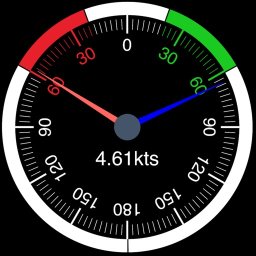
WilhelmSK 1.18.0
WilhelmSK is a highly customizable display, monitoring and control dashboard for your boat.
Download
117.53 MB
15downloads
3this week
FreeCommercial
0reviews
Screenshots
About WilhelmSK
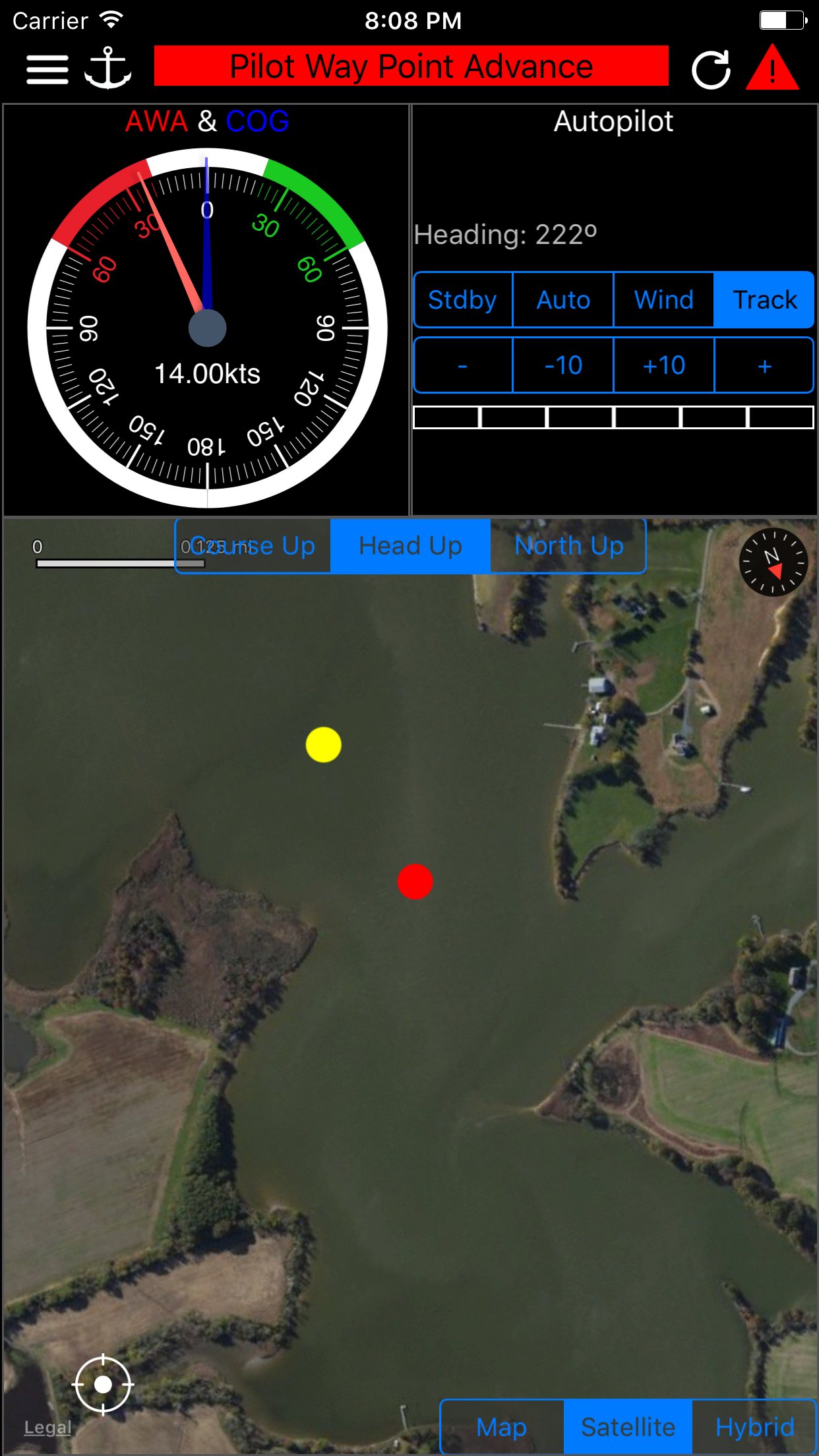
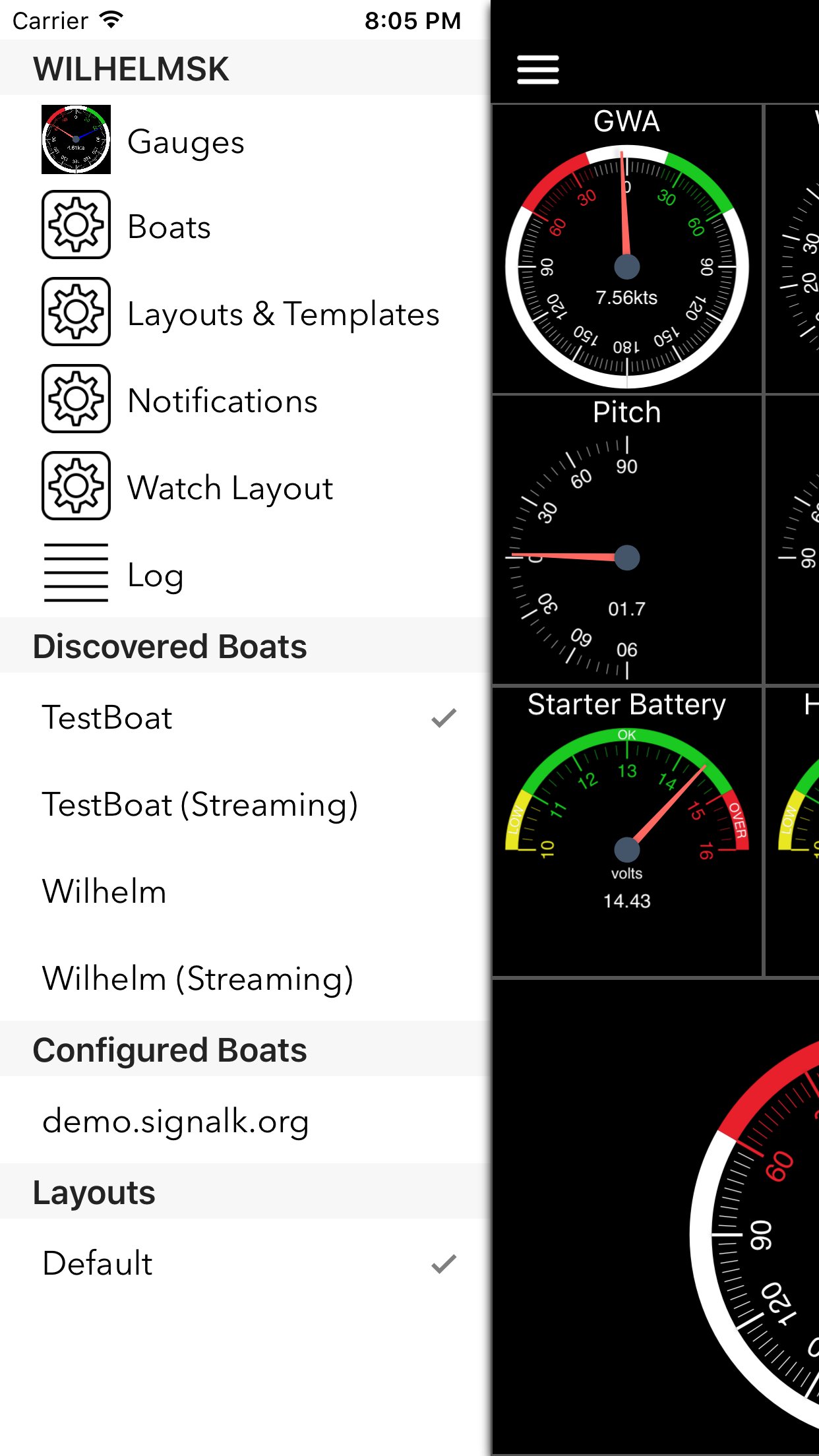
WilhelmSK is a highly customizable display, monitoring and control dashboard for your boat.
WilhelmSK works best wth Signal K Server .
It can also connect directly to some devices:
º NMEA 0183 over TCP or UDP. (from for example, Digital Yacht's Smart WLN10)
º Any modern Navico (Lowrance, Simnet or B&G) GoFree MFDs
º NMEA 2000 via Yacht Device's YDWG-02, YDEN
º NMEA 2000 via Actisense W2k-1 or W2K-2
º Victron Venus GX or CCGX
º Victron VRM
º Chetco SeaSmart Devices
º Chetco HelmSmart
RayMarine and Simrad/B&G Auto Pilot Support (via node-server or the YDWG only, W2K-1)
º View or change current mode
º View current target heading or Wind direction
º Change target heading or Wind direction
Alarms and Notifications
º View list of current current alarms
º Push notification support *
º Setup server side alarms *
º Set an anchor alarm with the push of a button *
Navionics Maps
If you already have the Navionics Boating application with an active subscription, you can now use the same Navionics charts in WilhelmSK. Ensure you are a registered user with Navionics and have a Username and Password. If you have not registered, go to the Navionics Boating App’s Main Menu, click on the top “Me” option and then click Login. In WilhelmSK click the login button on the bottom right of the map and enter your Navionics login information.
Features:
- Raymarine MFD: display and interact with a RayMarine MFD (discovered via Bonjour)
- Fusion stereo (control zone volumes, source input, play, pause etc.)
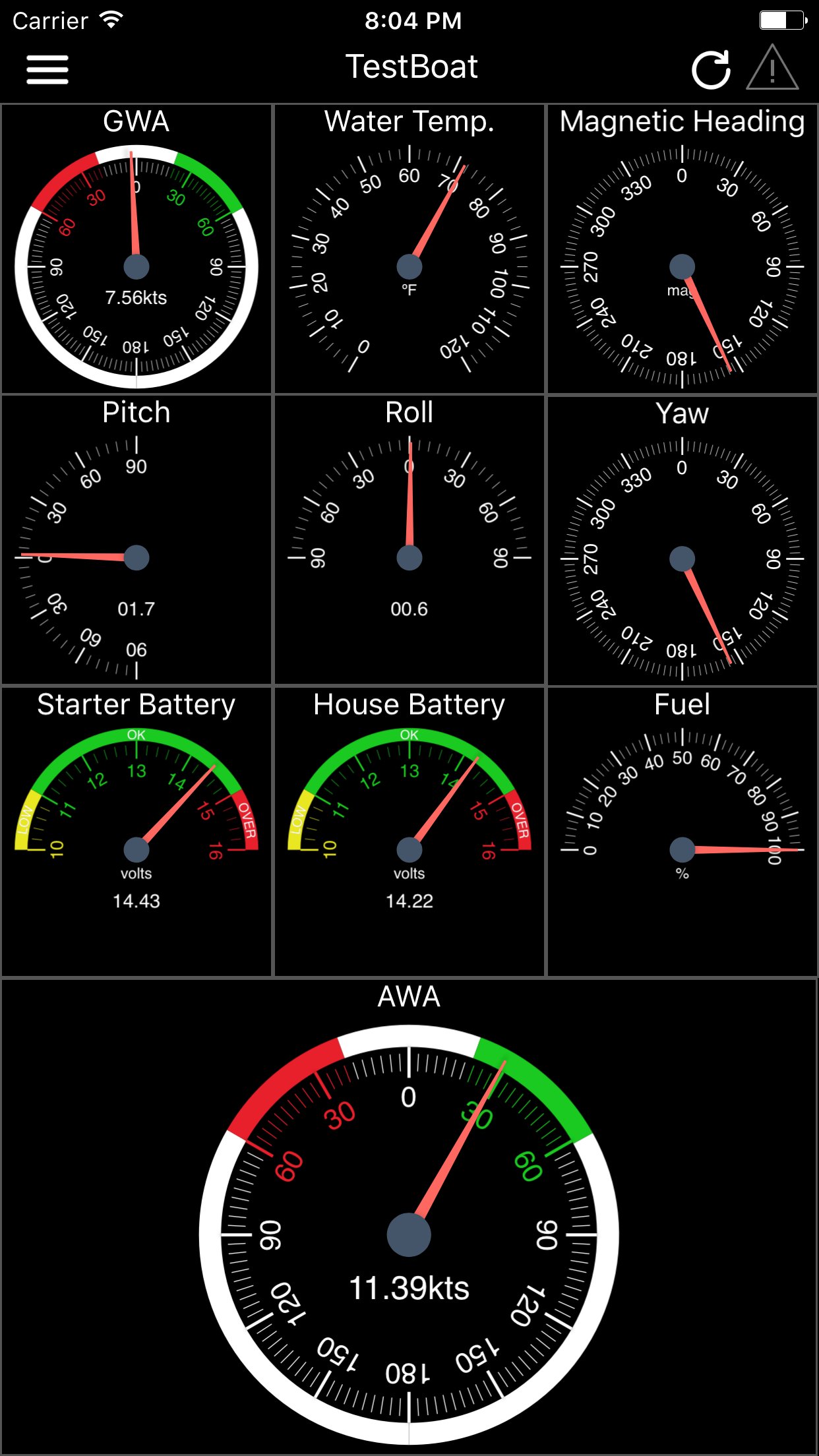
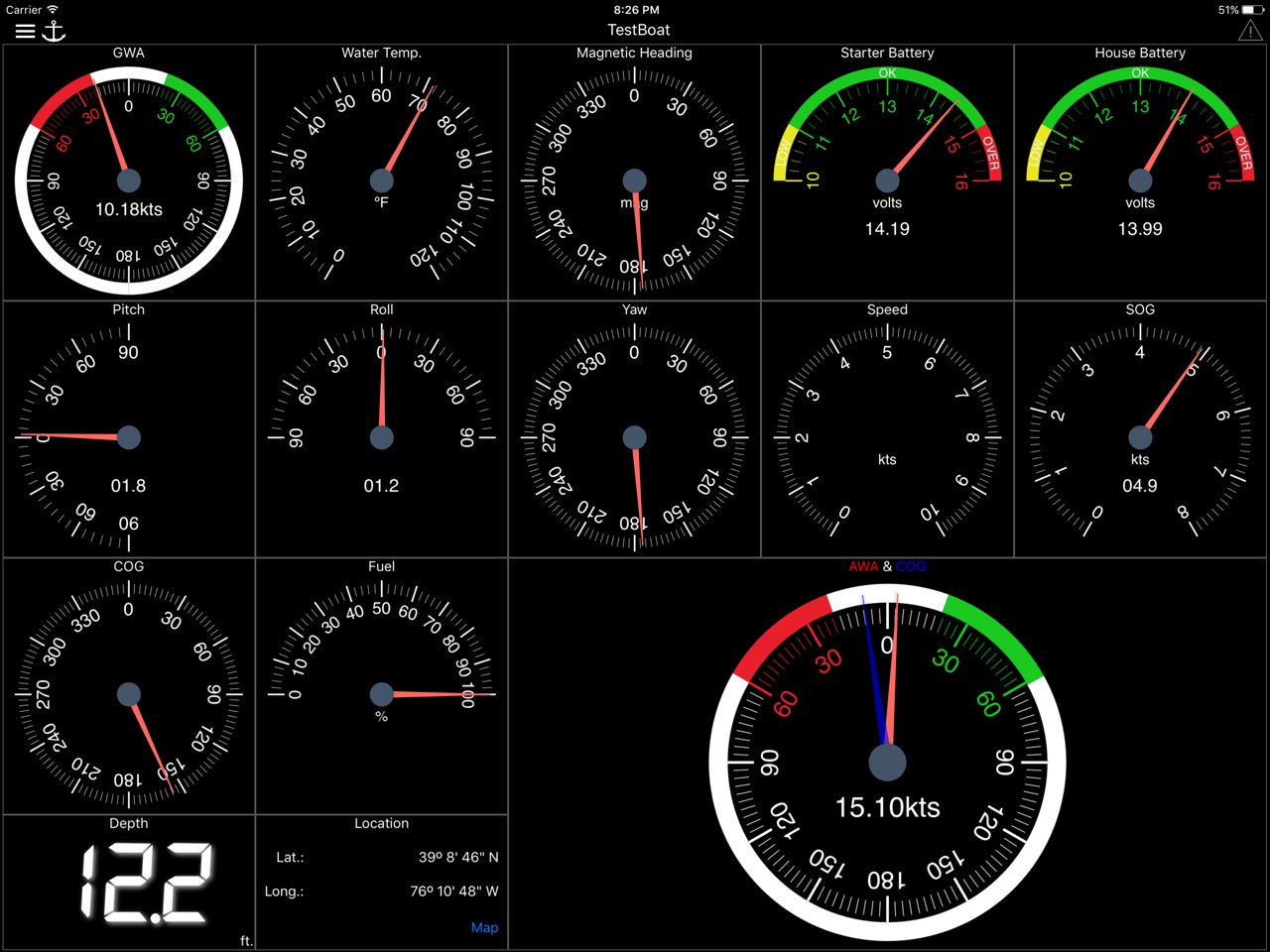
- Create a gauge for any value available via SignalK
- Sophisticated anchor alarm (requires node server and signalk-anchoralarm-plugin)
- Customize gauge display using SignalK meta.zones
- Customize gauge range, min/max, etc.
- Save custom gauges to node server or the cloud for use on other devices
- Wind Angle gauges can optionaly be rotated so that they always point ot the bow of the boat, regaurless of device positioning
- Place gauges by long pressing on a gauge and choosing a differnt one
- Make a gauge full screen by double tapping
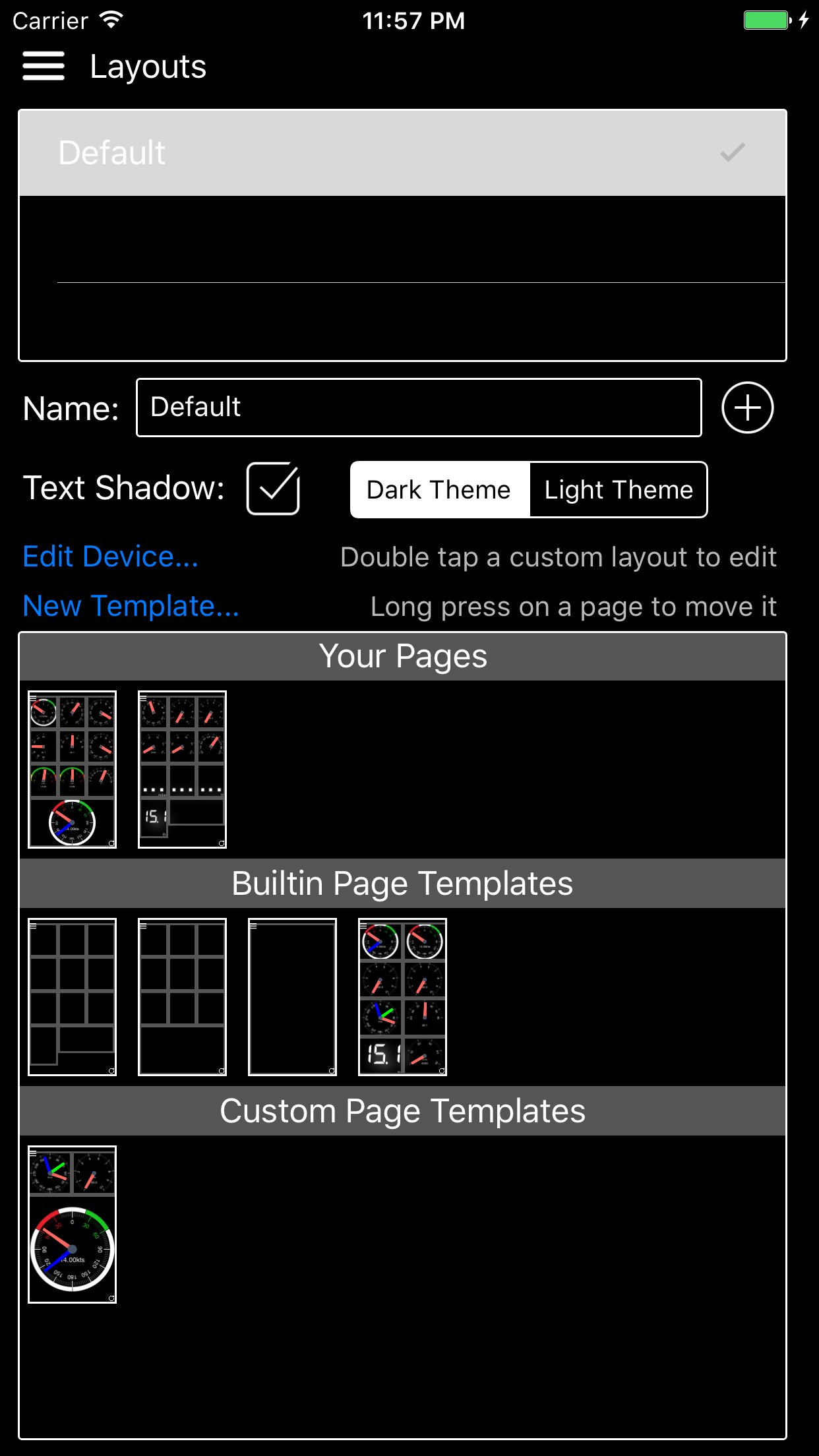
- Multiple layout support. Create a differnt layout for Steaming, Sailing, Home Monitoring, etc.
- Customize the nuber of pages and their layout
- Manuall connection configuration synced accross devices via iCloud
- Automatic connection selection based on current ip (usefull when Bonjour is not available and you have multiple boats)
- Two themes, dark and light
- Animated gauge needles
- iPad Slideover and Split View support (Your gauge configuration can be customized for these views)
- Connections can be configured to be refreshed manually or at a specific time interval
- Design your own custom gauge templates
- Share your custom templates via Air Drop, eMail, Text, etc.
- Edit ApplyTV or other device layouts and templates remotely using your iPhone or iPad
- Most gauges can be configured to be digital or analog
- Enter the SignalK path and title for any gauge to show data not supported by default
- Displays AIS targets in the Map views
- Configure node server plugins inside of the app
- IP and RTSP camera display
* Some advanced features require signalk-server-node and special plugins installed. Setup Instructions at [link removed]
License: Commercial
WilhelmSK works best wth Signal K Server .
It can also connect directly to some devices:
º NMEA 0183 over TCP or UDP. (from for example, Digital Yacht's Smart WLN10)
º Any modern Navico (Lowrance, Simnet or B&G) GoFree MFDs
º NMEA 2000 via Yacht Device's YDWG-02, YDEN
º NMEA 2000 via Actisense W2k-1 or W2K-2
º Victron Venus GX or CCGX
º Victron VRM
º Chetco SeaSmart Devices
º Chetco HelmSmart
RayMarine and Simrad/B&G Auto Pilot Support (via node-server or the YDWG only, W2K-1)
º View or change current mode
º View current target heading or Wind direction
º Change target heading or Wind direction
Alarms and Notifications
º View list of current current alarms
º Push notification support *
º Setup server side alarms *
º Set an anchor alarm with the push of a button *
Navionics Maps
If you already have the Navionics Boating application with an active subscription, you can now use the same Navionics charts in WilhelmSK. Ensure you are a registered user with Navionics and have a Username and Password. If you have not registered, go to the Navionics Boating App’s Main Menu, click on the top “Me” option and then click Login. In WilhelmSK click the login button on the bottom right of the map and enter your Navionics login information.
Features:
- Raymarine MFD: display and interact with a RayMarine MFD (discovered via Bonjour)
- Fusion stereo (control zone volumes, source input, play, pause etc.)
- Create a gauge for any value available via SignalK
- Sophisticated anchor alarm (requires node server and signalk-anchoralarm-plugin)
- Customize gauge display using SignalK meta.zones
- Customize gauge range, min/max, etc.
- Save custom gauges to node server or the cloud for use on other devices
- Wind Angle gauges can optionaly be rotated so that they always point ot the bow of the boat, regaurless of device positioning
- Place gauges by long pressing on a gauge and choosing a differnt one
- Make a gauge full screen by double tapping
- Multiple layout support. Create a differnt layout for Steaming, Sailing, Home Monitoring, etc.
- Customize the nuber of pages and their layout
- Manuall connection configuration synced accross devices via iCloud
- Automatic connection selection based on current ip (usefull when Bonjour is not available and you have multiple boats)
- Two themes, dark and light
- Animated gauge needles
- iPad Slideover and Split View support (Your gauge configuration can be customized for these views)
- Connections can be configured to be refreshed manually or at a specific time interval
- Design your own custom gauge templates
- Share your custom templates via Air Drop, eMail, Text, etc.
- Edit ApplyTV or other device layouts and templates remotely using your iPhone or iPad
- Most gauges can be configured to be digital or analog
- Enter the SignalK path and title for any gauge to show data not supported by default
- Displays AIS targets in the Map views
- Configure node server plugins inside of the app
- IP and RTSP camera display
* Some advanced features require signalk-server-node and special plugins installed. Setup Instructions at [link removed]
License: Commercial
| Release info | New Release on Jun 08, 2026 |
|---|---|
| Release notes | * Update watch units preferences on the fly when changed on the phone * Support Head Up and Course Up in Navionics Maps * Add silence/ack/clear buttons to Alerts List * In app documentation source picker + external docs repo * Add option to display the value on Sliders * Support rangeMin, rangeMax, stepSize for sliders * Limit path selection for switch gauges * Fix permissions errors when sharing layouts, etc. * General stability and performance improvements * Notes/POIs working again on Maps using V2 API * Remove Active Captain support * Fix keyboard hiding fields on connection settings * Fix, send boolean instead of 0 or 1 for switches if the incoming value is boolean * Show connection errors on the Watch * Removed ODB II Support * Add back the old Thermostat Gauge * Only light up top bar alarm indicator if there are un-acked alarms * Fix freshness indicator red on Electrical Overview because of hidden sections * Fix shortcuts and widgets crashing if no connection is selected Introducing Widgets! * Widgets are available on * Home Screen, * Lock Screen (including the line obove the time), * StandBy Mode * Today View Shortcuts allowing buttons in Control Center, Automations, Siri Support * Set A Multi Switch (set victron inverter on, charge only, etc) * Flip A Switch (turn a switch on or off) * Toggale A Switch (taggle the switch state) * Launch WilhelmSK * Drop/Set/Raise Anchor * Control a fusion stereo * Send a PUT to any path * Get the value of a path * Control the state and heading of an autopilot, advance waypoint Builtin Siri Commands * "Drop the anchor in WilhelmSK" * "Raise the anchor in WilhelmSK" * "Set the anchor in WilhelmSK" * "Tack to port in WilhelmSK" * "Tack to starboard in WilhelmSK" * "Toggle the [switch displayName] in WilhelmSK" * "Turn the Autipilot Ten Degrees To Port in WilhelmSK" * "Turn the Autipilot One Degree To Starboard in WilhelmSK" You can c |
| Listing data | App Store |
Reviews
No reviews yet. Be the first to review WilhelmSK.
Used WilhelmSK? Tell other visitors what you thought.
Log in to write a reviewOther products by this publisher
- "No Distractions" for YouTube 4.10 ----
- #Bible 11.6 "Incredible App - My sister shared this app with me a few weeks ago and it is truly incredible.
- #filmphotography 1.4.2 So, you decided to shoot on film?
- $quirrel 1.5.1 $quirrel Budget & Finance helps you plan each paycheck, track spending, manage debt, and see what is safe to spend before the next payday.
- % Percentage Calculator Pro 1.41 This is the Pro version of % Percentage Calculator.
Most viewed iOS Navigation
-
1
 Compass App 1.0.5
Find your direction with style.
-
2
 CARFACE Car Widgets & Lyrics 1.2.0
Make every drive feel more personal with CarFace.
-
3
 iGlide Lite 2.9.66
NaviLogic iGlide - the Soaring Navigation app for iOS
-
4
 Open Road 1.2
Open Road is the one driving app for your iPhone.
-
5
 Turo 26.45.0
Turo is a better car rental app for travelers who want to rent a car without the rental counter.
-
6
 Kruger Birding by Firefinch 7.6.0
Go birding in South Africa's foremost birding spot: the world renowned Kruger National Park!
-
7
 Fly Delta 7.17.3
Welcome to Fly Delta, Delta’s award winning iOS app.
-
8
 Amtrak 6.1.8
Discover the convenience of traveling with Amtrak.
-
9
 Lyft 2026.43.3
Get where you’re going with Lyft.
-
10
 Waymo 156
Get there with The World’s Most Experienced Driver™
Most downloaded iOS Navigation
-
1
 Live Traffic 2.4
Navigate the globe with live traffic updates, satellite views, and location tools that make every journey clearer, smarter, and more confident from the very first tap.
-
2
 Peru’s Best 2.5
PERU’S BEST is the ideal travel guide to this extraordinary country.
-
3
 Pocket Luach Deluxe 60058
Pocket Luach Deluxe is a Jewish calendar, zmanim, Siddur, Tehillim, and personal-event companion for iPhone, iPad, and Apple Watch.
-
4
 Grand Egyptian Museum (GEM) 0.1.060
You could call this a coincidence but the acronym of the Grand Egyptian Museum is an apt title for the GEM, which is truly one!
-
5
 Outdoor Photography Magazine 7.2.10
Outdoor Photography is the magazine for photographers who are passionate about being out in wild places, seeing inspiring nature and having great adventures.
-
6
 Passeporté 1.3.2
Passeporté reads the NFC chip in your biometric passport or national eID card, verifies its authenticity, and stores the data securely on your device.
-
7
 Great Circle Map 1.7.5
A globe you can turn in any direction, including straight over the poles.
-
8
 UK Map 4.12
* Unlimited free map downloads based on Ordnance Survey® OpenData, at 1:25,000 and 1:10,000 scales, and now also paid map downloads at 1:50,000, 1:25,000 and 1:10,000 scales, just like the paper maps.
-
9
 Cell Phone Towers World Map 1.1.6
219 countres !! The world's largest Database of Cell & Net Towers
-
10
 Connecticut-Parks & Trails 1.0
App Feature