
Volume Control: Quiet Dial 1.8.0
Volume buttons broken? Minimum too loud? Slider goes below it. Phones, tablets.
Download
2.86 MB
22downloads
1this week
FreeFreeware
0reviews
Screenshots
About Volume Control: Quiet Dial
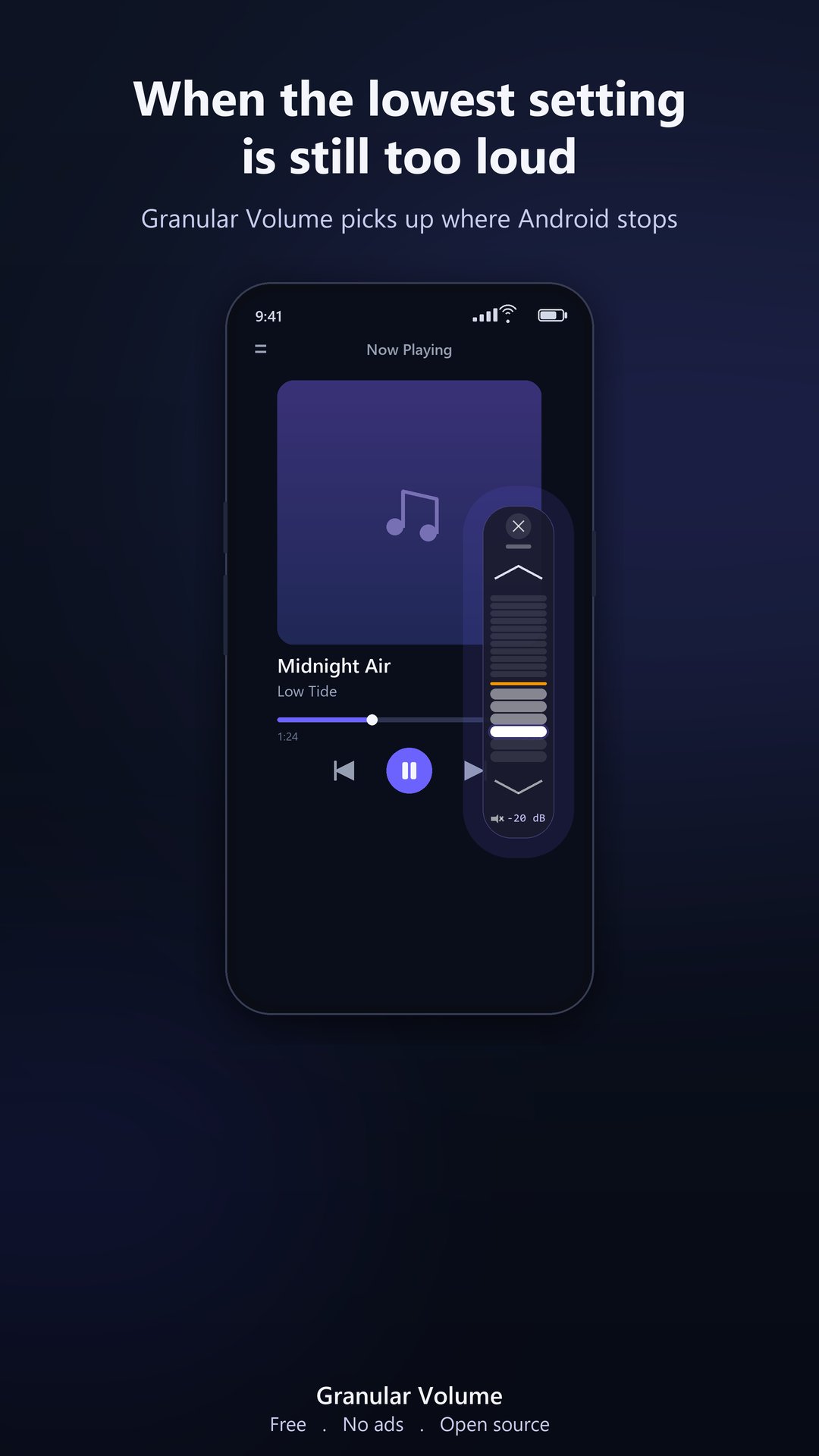
Is your Android volume still too loud even at the lowest setting, in media, ringtones, or notifications? Your phone or tablet stops at its hardware minimum. Granular Volume goes below it.
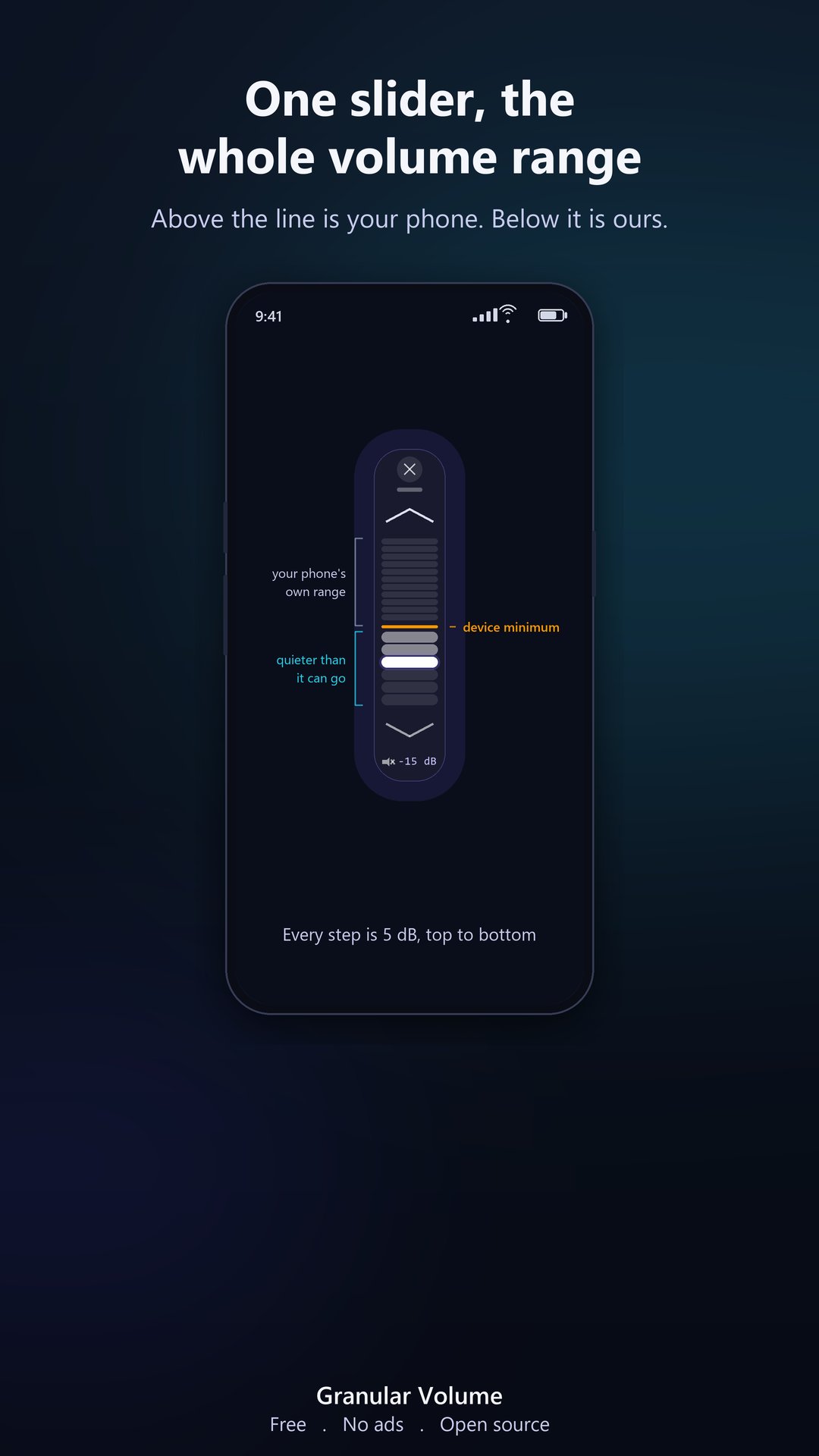
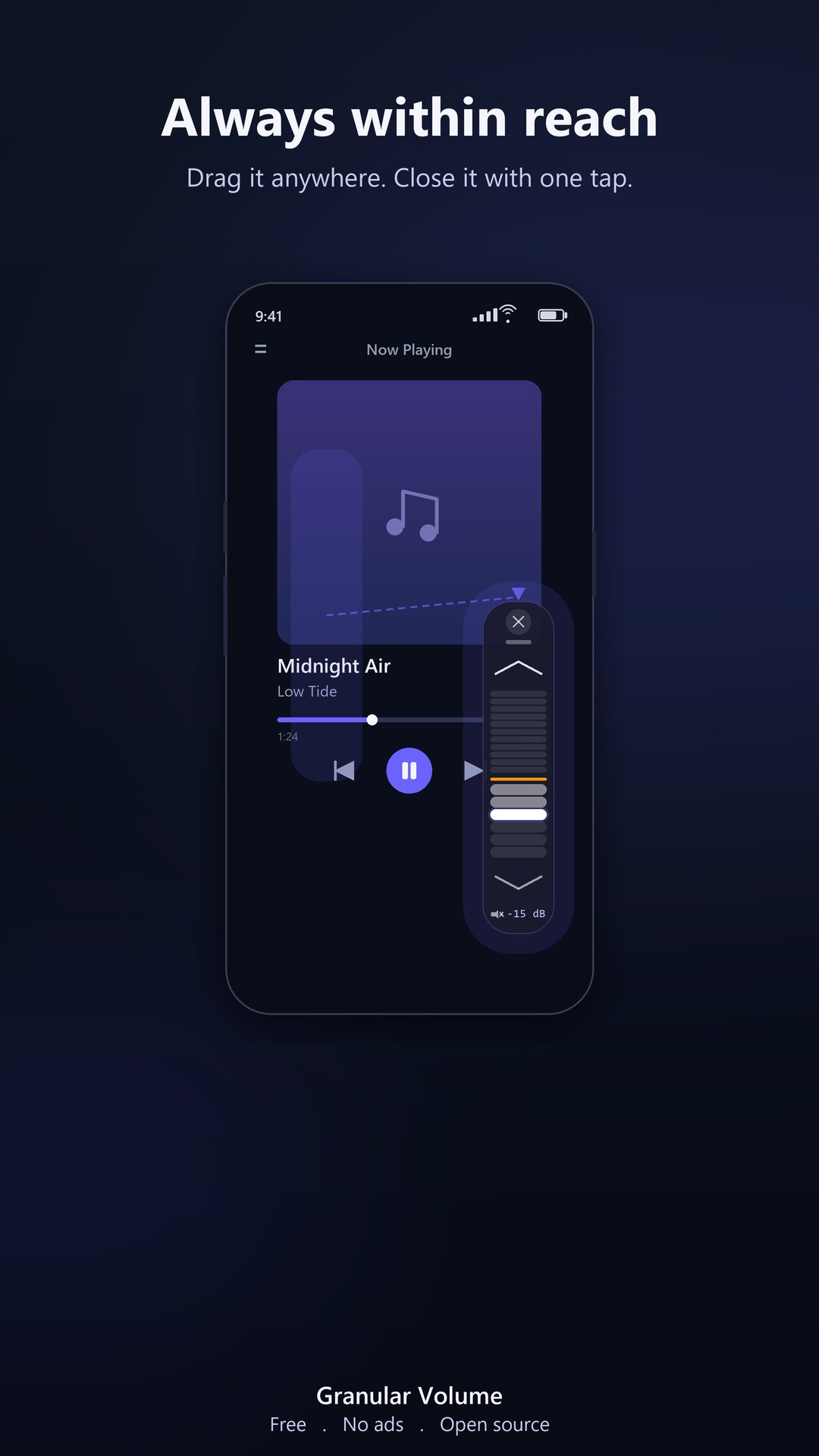
A small floating control appears above any app, with your whole volume range on one slider: normal system volume above your device's minimum line, and a quiet zone below it, six steps of 5 dB down to a full 30 dB under the hardware minimum. Drag it anywhere, tuck it to an edge, close it when done. Your position is saved.
This is a convenience utility, not hearing protection equipment. Actual loudness depends on your device and headphones, so use good judgment with volume changes.
LOWER THAN YOUR PHONE OR TABLET ALLOWS
Granular Volume is built for the quiet end: it reduces volume below the lowest step your device's hardware allows, using Android's audio engine, on phones and tablets alike. No root required. No system volume panel replacement. No ads, no account, no internet permission at all. The quiet zone is the heart of the app, and the same slider covers your normal range too.
WHEN YOUR VOLUME BUTTONS ARE BROKEN OR NOT WORKING
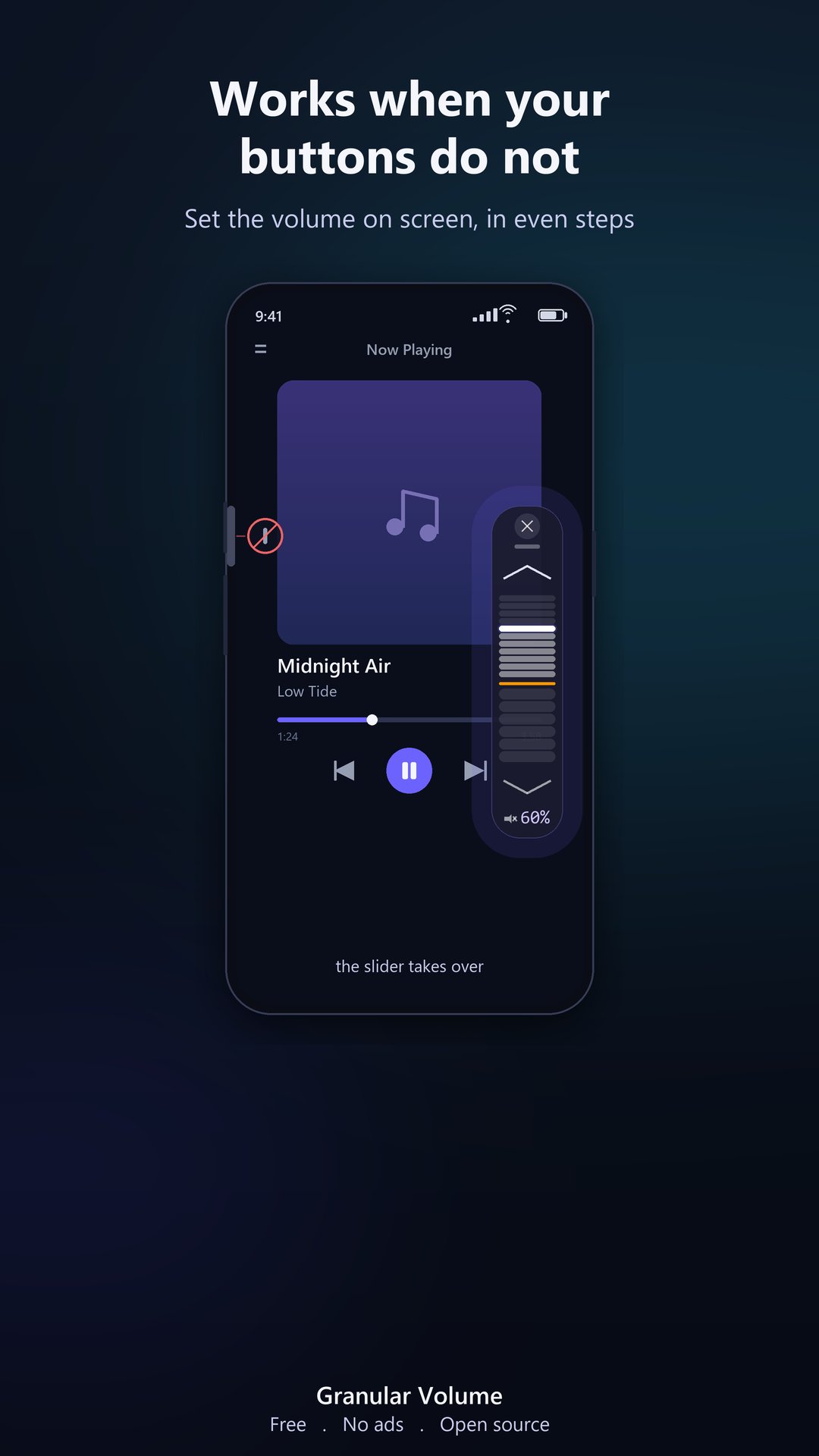
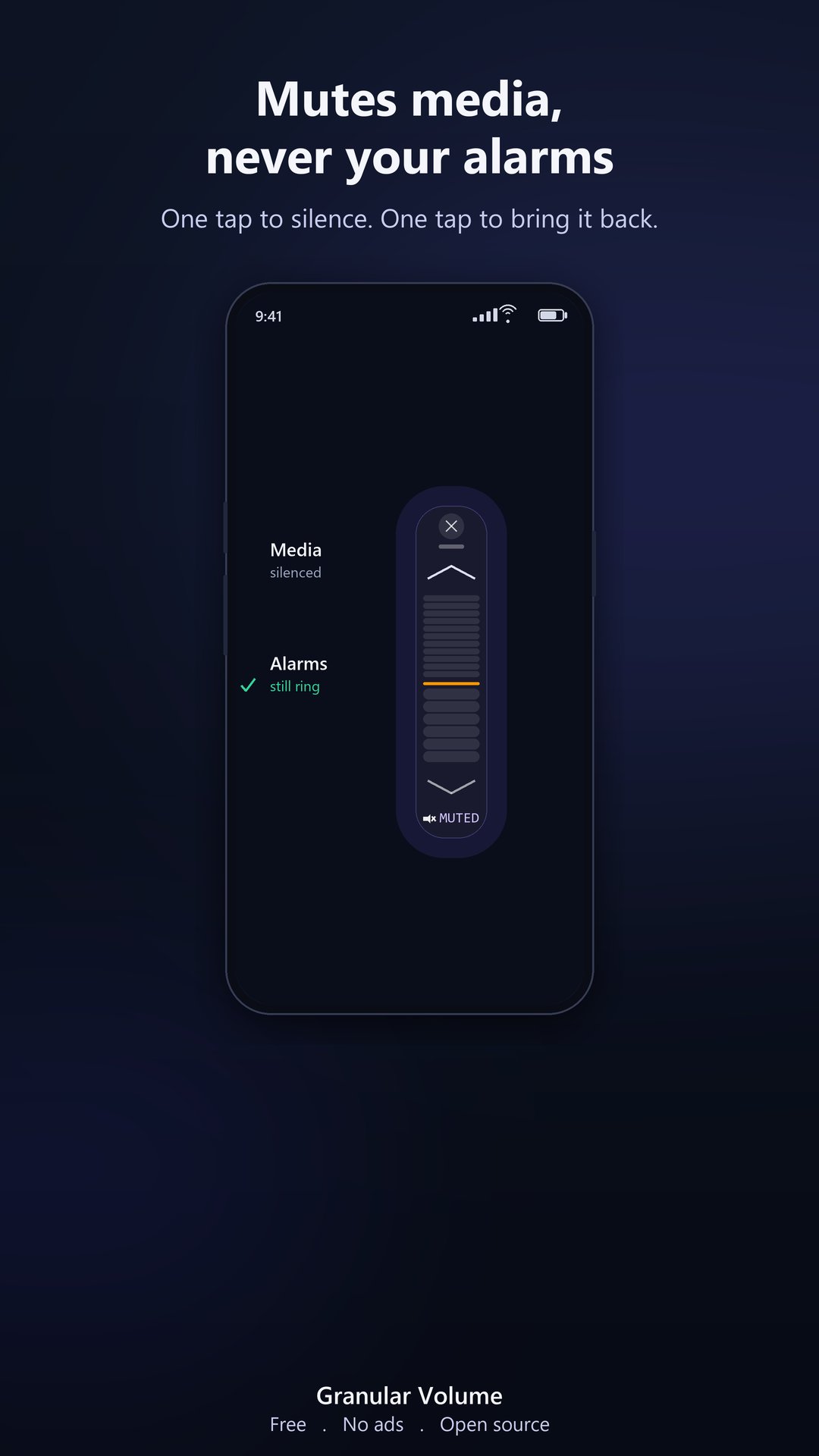
Volume buttons wear out, stiffen, stop responding, or sit under a case. The dial is an on-screen volume control that stands in for them. Above the line marking your device's minimum, it sets normal system volume: tap a bar or the arrows for louder and quieter, in even 5 dB steps built from your own device's volume curve. Below the line it keeps going, quieter than the phone allows. Mute leaves alarms alone, but the quiet steps lower alarms and ringtones too.
BUILT FOR TABLETS TOO
On some tablets the lowest volume is even louder than on a phone, depending on the model. Granular Volume works the same way on Android tablets, so tablet users get the same quiet floor.
A FLOATING VOLUME CONTROL, ALWAYS IN REACH
The control lives above whatever you are doing. Open any app, start any audio, and it is there when you need it. Drag it anywhere, or tuck it to an edge between uses. One tap closes it. Your last position is remembered next time.
QUICK SETTINGS TILE
Swipe down, tap once. After the first setup, turn the control on and off from the Quiet Dial tile in Quick Settings. No shortcuts to set up, no widgets to place.
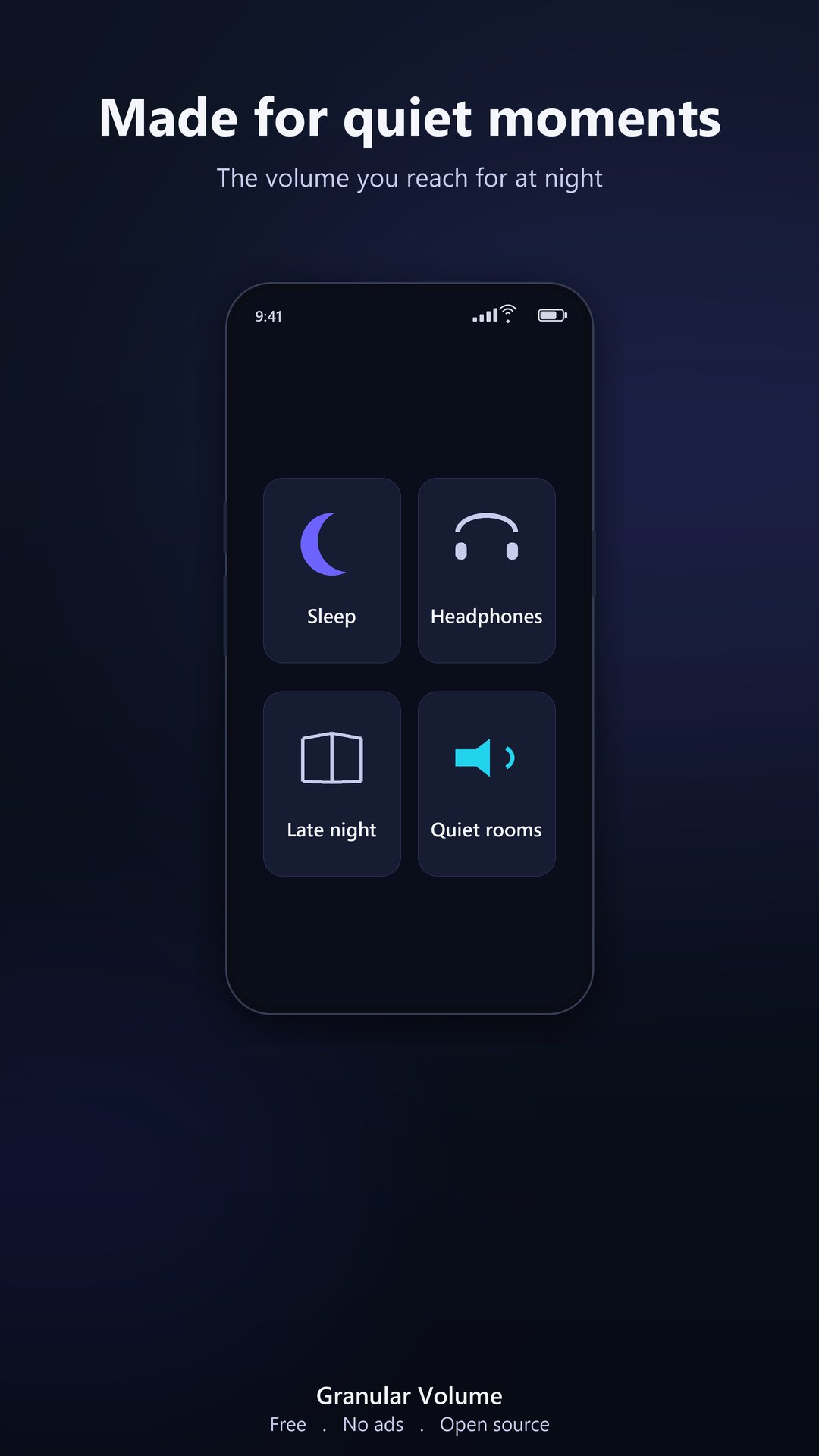
MADE FOR QUIET MOMENTS
- App calls such as WhatsApp, on phones that play them through the media output, which varies by phone. Regular phone calls never do: Android carries those on a separate path that no app can lower further, so there the control gives you your phone's own steps and the quiet steps are shown dimmed
- Sensitive IEMs and high-sensitivity headphones, where even step 1 is too loud
- Tablet speakers and headphones, where on some models the minimum step is even louder than on a phone
- White noise or lullabies for a sleeping baby, kept barely audible
- Late-night listening next to a sleeping partner
- Quiet rooms, libraries, open offices, and meditation
- ASMR and relaxation audio at a comfortable level
- Hearing aids and amplified devices where minimum system volume is too strong
DESIGNED TO STAY OUT OF THE WAY
Granular Volume does not take over your volume keys: they keep working, and inside the quiet zone the dial folds their presses into its own finer scale. It does not replace your system volume panel and it does not add an equalizer suite you did not ask for. It sits quietly on top as an overlay and changes one thing: the level, from normal volume all the way below your hardware minimum.
PRIVATE, OPEN SOURCE
This F-Droid build is free and complete: every step is included, permanently, with nothing withheld and nothing to buy. On Google Play the app comes with a seven-day trial of everything, after which the control needs a one-time purchase. No ads. No tracking. No internet permission, so the app cannot connect to anything. No account, no sign in, no analytics. Open source under the GPL-3.0 license.
PERMISSIONS, EXPLAINED
- Display over other apps: required to show the floating vol
License: GPL-3.0-only
| Release info | Update on Nov 01, 2026 |
|---|---|
| Release notes | Quiet Dial 1.8.0 (versionCode 61). Source release; the app is installed from Google Play. Bigger keys, and no sudden jump from a slip of the finger. Added • A tap on a rung more than two bars above the current level moves one bar and pulses the rung; a second tap on the same rung within two seconds goes all the way. Lowering is never held back, and the up key is unchanged. • When another app takes the audio effect the quiet steps use, the app says so once on screen, and in the notification and on the info sheet for as long as it lasts. When the effect comes back the level is written again. The app does not fight for it: the priority stays the lowest, it may be an equalizer the person chose. • One more silent notification for someone whose control still holds its level three days after the free week ended and who has not opened a sheet since. Once per install, and never for a buyer. Changed • The up and down keys are 56x40 dp (were 48x30), and the 6 dp gap under the up key belongs to it. The rung stack is 72 dp (was 84), and the dial is 12 dp taller. • The app's "Write to us" link goes to support@granularvolume.com. • Once the free week is over, every touch on the dial opens the purchase sheet, as it did up to 1.7.7. The once-a-day limit, the short line between openings and the "Turn the dial off" button on the sheet are gone, and the texts about the end of the free week say "locked" again. Fixed • The dial or its edge tab stayed on screen while Google's review card was up, which Google's guidelines do not allow. It now steps aside for as long as the card runs and returns to the same place. Full history: CHANGELOG.md |
| Listing data | F-Droid |
Reviews
No reviews yet. Be the first to review Volume Control: Quiet Dial.
Used Volume Control: Quiet Dial? Tell other visitors what you thought.
Log in to write a reviewOther products by this publisher
- "No Distractions" for YouTube 4.10 ----
- #Bible 11.6.1 "Incredible App - My sister shared this app with me a few weeks ago and it is truly incredible.
- #filmphotography 1.4.2 So, you decided to shoot on film?
- #LookBusy Fake Calendar Events 1.0.6 Look Busy scans your work calendar for open time slots and fills them with realistic-looking (but secretly fake) work events.
- #Small Talk Is Canceled 1.0.2 #Small Talk Is Canceled — Conversations That Matter
Most viewed Android Music & Audio
-
1
 Fogwave 1.0.18
Enjoy Lithuanian radio in one tap, with a calm, ad-free listening experience.
- 2 Podcini.A - Extensible media instrument 12.20.1 Your premier podcast/media instrument, now extensible, capable of YouTubing
-
3
 AA-AuralListen Podcatcher 1.3.6
Private, ad-free podcast app – audio only, no account, all data on your phone
- 4 Reverb 0.1.3-rc3 Rolling audio recorder for Android
- 5 Practice Suite 2.1.6 The Swiss army knife of musicians
- 6 Ad-Free 4.0 AdBlocker for Spotify
- 7 Binaural Beat 1.1 Binaural beat generator with the classic SBaGen engine and ambient backgrounds
- 8 Dhwani - Volume Control 1.4.0 Restore system volume controls on devices with broken volume buttons.
-
9
 OpenDrummer - Drum Loops v1.1
Drum loops in different styles and tempos.
- 10 Metronome 2.2.1 A simple and elegant metronome
Most downloaded Android Music & Audio
-
1
 VolumeLockr 1.9.1
Volume locker
-
2
 Blankee 1.1.6
Ambient sound mixer for android inspired by blanket
- 3 Ambio: Focus Timer & Sounds 2.1.5 Blend up to 3 of 12 ambient sounds into a focus soundscape you build yourself
- 4 Dhwani - Volume Control 1.4.0 Restore system volume controls on devices with broken volume buttons.
-
5
 Clavier Tuner 0.7.3
Piano tuning from the piano in front of you: measured, not assumed
-
6
 Patch Pilot 2.1
Manage presets on your hardware synth over USB, straight from your phone
- 7 Floating Mute 4.0.1 Quickly mute and unmute your device.
-
8
 LiveTempo 1.1.4
Manage song playlists with BPM references for live performances
-
9
 Title Track 0.5
A recorder for music memos.
-
10
 BeatBridge: Bluetooth Music 1.0.85
Auto-play music when your Bluetooth car, headphones, or speakers connect.