9downloads
3this week
FreeFreeware
0reviews
Screenshots
About UniRemote:Universal TV Remote
One powerful remote control for all TVs!
Your TV controller is getting lost? Or do you simply want to have an easy control of your TV? Maybe you want to open the apps and channels quickly? If so, you’re in luck - remote control application can help to remove these problems from your life.
UniRemote·Universal TV Control lifts your TV-watching experience!
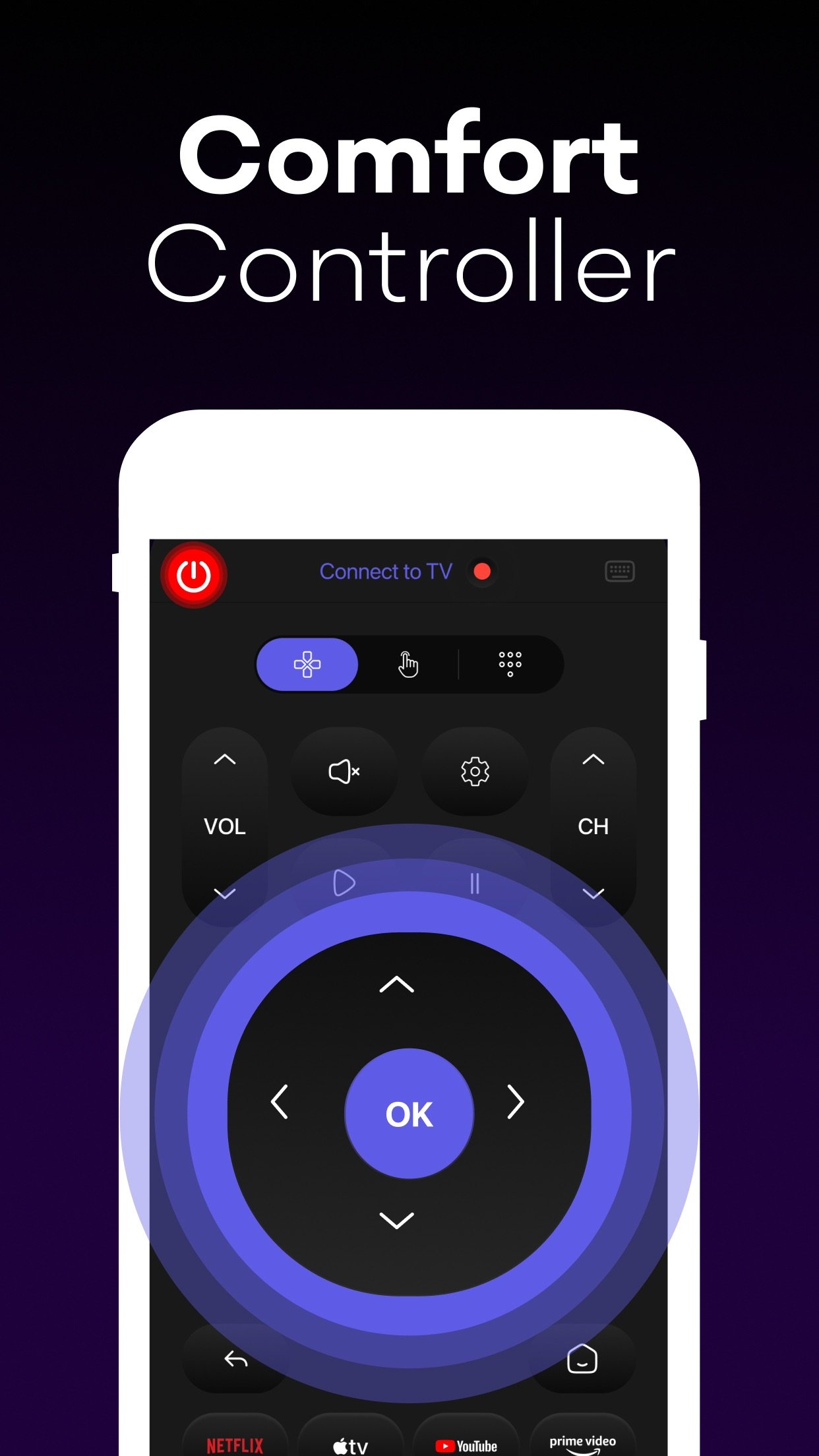
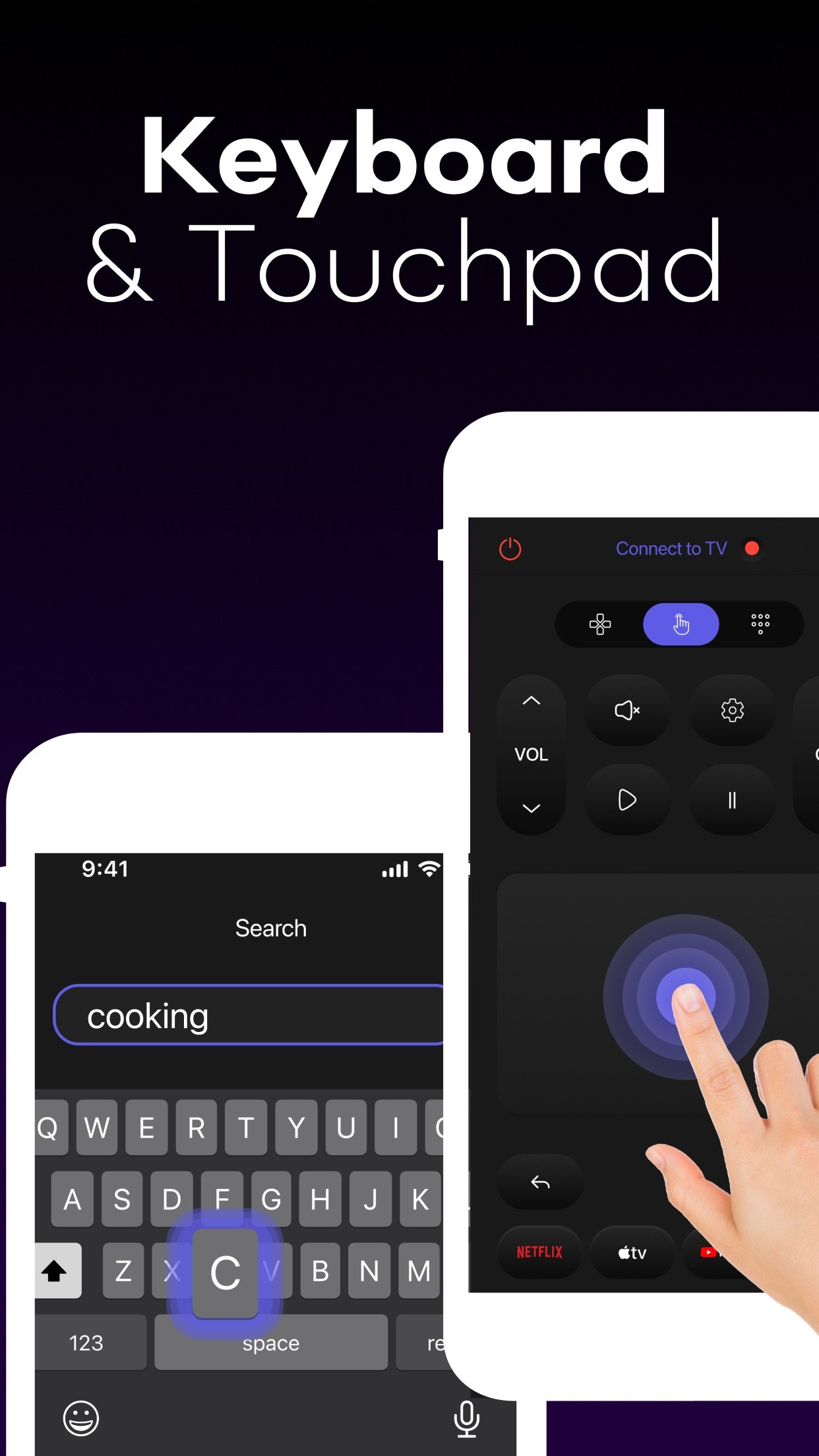
It allows you to control your TV from your iPhone. It duplicates the main functions of a traditional remote control, enabling you to manage everything: channels, volume, navigation menu, and other controls (Play/Pause/Stop, etc.) with D-pad, Touchpad, and Numpad.
You only need to connect your iPhone and your TV to the same Wi-Fi network—your phone’s touchscreen will become a comprehensive control panel.
KEY FEATURES:
- Intuitive interface: Extended remote control functionality with responsive touchpad, quick keyboard search, default browser access and more.
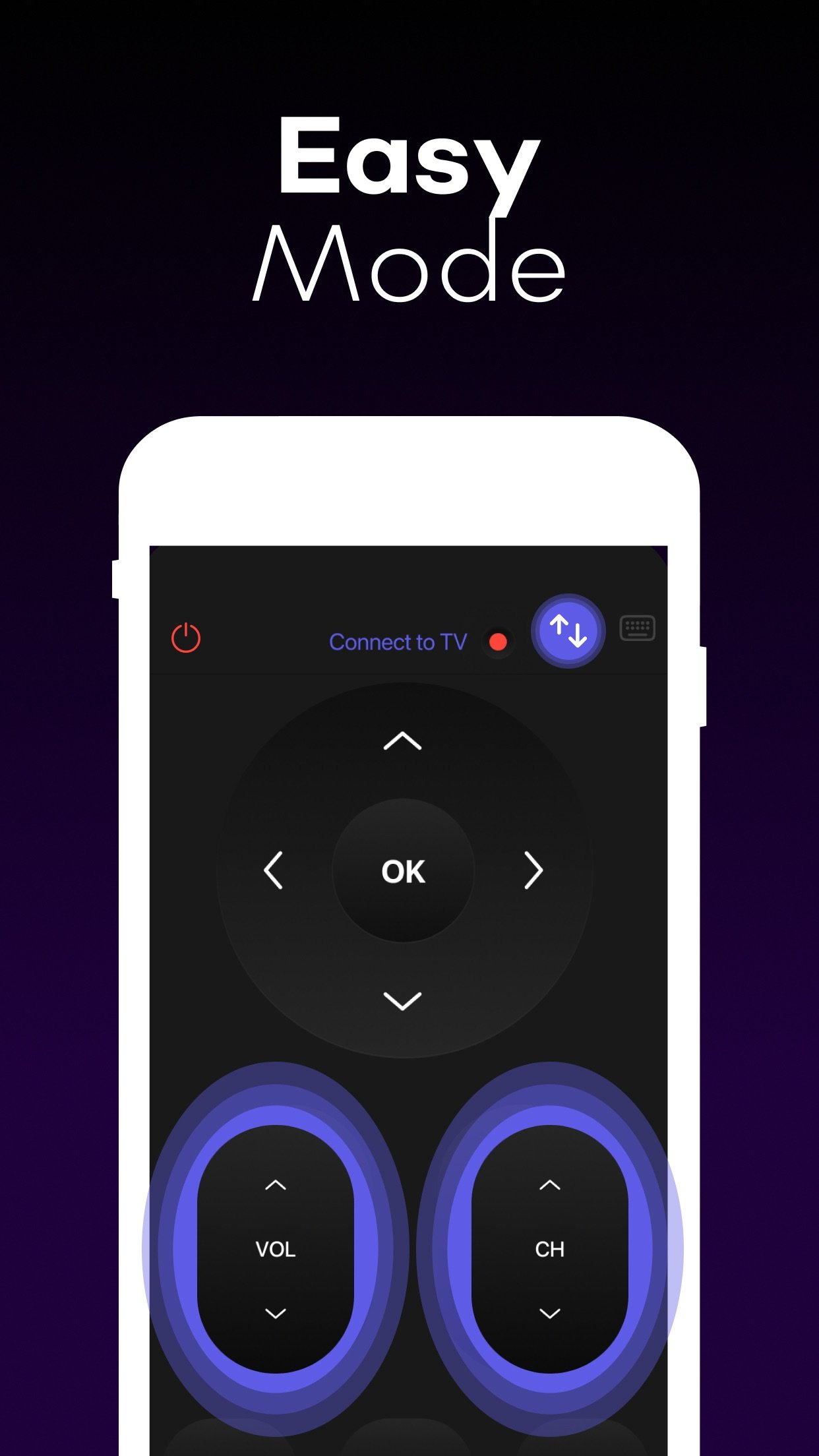
- Easy Mode: Allows to customize and simplify the remote screen with bigger-sized navigation and volume controls.
- Automatic setup: The app automatically detects TVs on your network, allowing you to control via your phone.
- Haptic feedback: Provides a satisfying vibration for a realistic feel.
- Media casting: Cast photos and videos from your phone with a few clicks.
- Multi-device support: Connect and switch between multiple TV devices without effort.
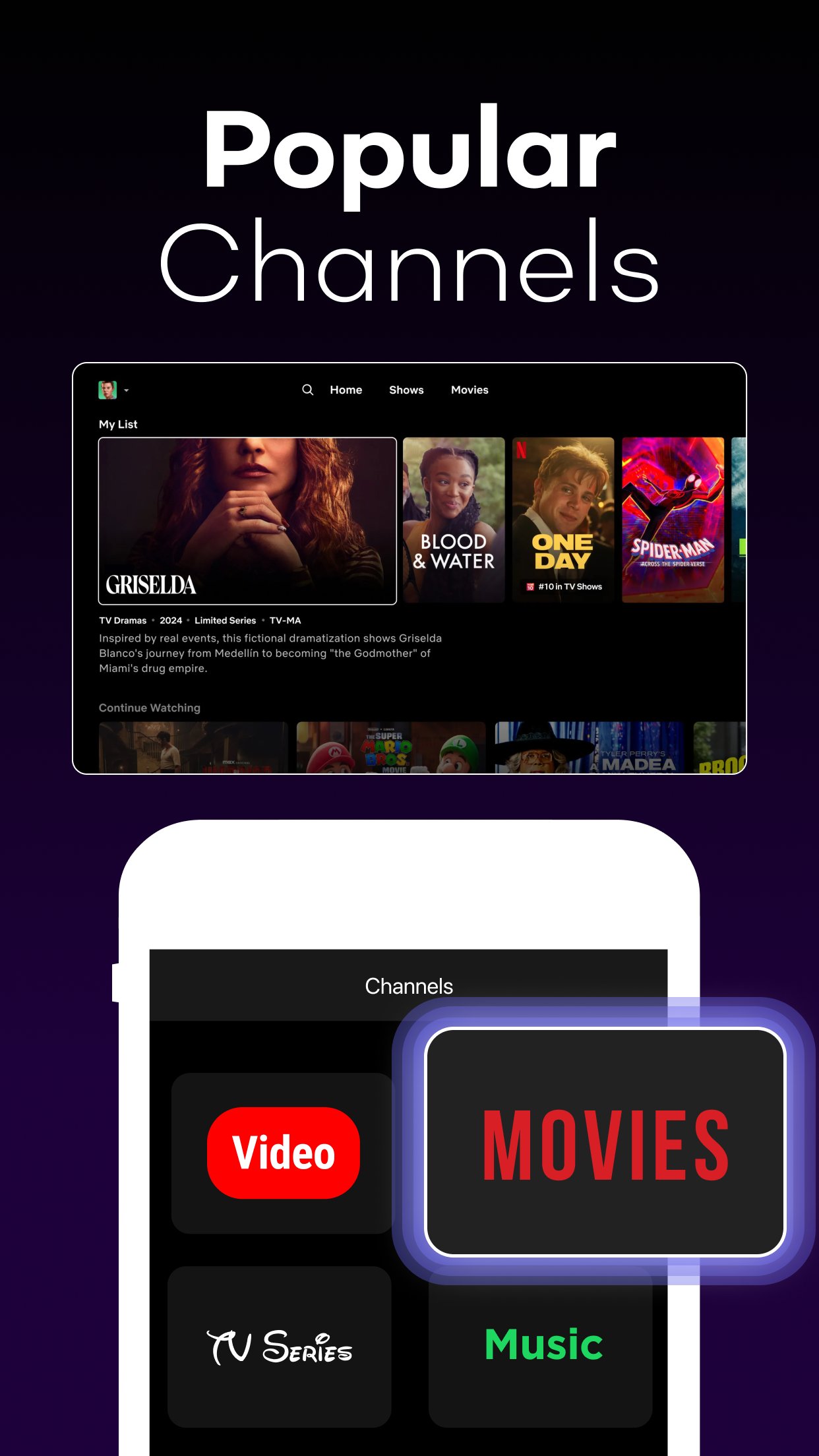
UniRemote·Universal TV Control is a fully functional mobile version of a traditional TV remote. You can stay on the couch with no need to find or buy a new remote if it’s lost. You can browse your favorite shows, movies, and programs using your phone right after the app syncs with your device. It's a smart technology for a more comfortable life!
Disclaimer:
UniRemote·Universal TV Control is NOT the official application of Samsung, LG, Sony, Philips, Panasonic, and other brands and is NOT affiliated with these or other companies.
Troubleshooting Note:
- For Smart TV devices: Make sure your TV device and iPhone are connected to the same Wifi network.
- For IR (infrared) TVs: Your smartphone must have a built-in Infrared (IR) feature to use the app as a remote control.
Premium:
To receive full access to Universal Remote TV ControlUniRemote·Universal TV Control features, you will need to subscribe to Premium.
Subscription Information:
Payment will be charged to iTunes Account at confirmation of purchase.
Subscription automatically renews unless auto-renew is turned off at least 24-hours before the end of the current period.
The cost of the renewal depends on your subscription plan.
Subscriptions may be managed and auto-renewal can be turned off in the user’s Account Settings.
Any unused portion of a free trial period (if offered) will be forfeited when you purchase a premium subscription during the free trial period.
Terms of Use: [link removed]
Privacy Policy: [link removed]
Your TV controller is getting lost? Or do you simply want to have an easy control of your TV? Maybe you want to open the apps and channels quickly? If so, you’re in luck - remote control application can help to remove these problems from your life.
UniRemote·Universal TV Control lifts your TV-watching experience!
It allows you to control your TV from your iPhone. It duplicates the main functions of a traditional remote control, enabling you to manage everything: channels, volume, navigation menu, and other controls (Play/Pause/Stop, etc.) with D-pad, Touchpad, and Numpad.
You only need to connect your iPhone and your TV to the same Wi-Fi network—your phone’s touchscreen will become a comprehensive control panel.
KEY FEATURES:
- Intuitive interface: Extended remote control functionality with responsive touchpad, quick keyboard search, default browser access and more.
- Easy Mode: Allows to customize and simplify the remote screen with bigger-sized navigation and volume controls.
- Automatic setup: The app automatically detects TVs on your network, allowing you to control via your phone.
- Haptic feedback: Provides a satisfying vibration for a realistic feel.
- Media casting: Cast photos and videos from your phone with a few clicks.
- Multi-device support: Connect and switch between multiple TV devices without effort.
UniRemote·Universal TV Control is a fully functional mobile version of a traditional TV remote. You can stay on the couch with no need to find or buy a new remote if it’s lost. You can browse your favorite shows, movies, and programs using your phone right after the app syncs with your device. It's a smart technology for a more comfortable life!
Disclaimer:
UniRemote·Universal TV Control is NOT the official application of Samsung, LG, Sony, Philips, Panasonic, and other brands and is NOT affiliated with these or other companies.
Troubleshooting Note:
- For Smart TV devices: Make sure your TV device and iPhone are connected to the same Wifi network.
- For IR (infrared) TVs: Your smartphone must have a built-in Infrared (IR) feature to use the app as a remote control.
Premium:
To receive full access to Universal Remote TV ControlUniRemote·Universal TV Control features, you will need to subscribe to Premium.
Subscription Information:
Payment will be charged to iTunes Account at confirmation of purchase.
Subscription automatically renews unless auto-renew is turned off at least 24-hours before the end of the current period.
The cost of the renewal depends on your subscription plan.
Subscriptions may be managed and auto-renewal can be turned off in the user’s Account Settings.
Any unused portion of a free trial period (if offered) will be forfeited when you purchase a premium subscription during the free trial period.
Terms of Use: [link removed]
Privacy Policy: [link removed]
| Release info | Update on Nov 13, 2026 |
|---|---|
| Release notes | This update includes performance improvements and minor bug fixes. If you have questions or need assistance, please contact our support team at support@kanatom.com |
| Listing data | App Store |
Reviews
No reviews yet. Be the first to review UniRemote:Universal TV Remote.
Used UniRemote:Universal TV Remote? Tell other visitors what you thought.
Log in to write a reviewOther products by this publisher
- "No Distractions" for YouTube 4.10 ----
- #Bible 11.6 "Incredible App - My sister shared this app with me a few weeks ago and it is truly incredible.
- #filmphotography 1.4.2 So, you decided to shoot on film?
- $quirrel 1.5.1 $quirrel Budget & Finance helps you plan each paycheck, track spending, manage debt, and see what is safe to spend before the next payday.
- % Percentage Calculator Pro 1.41 This is the Pro version of % Percentage Calculator.
Most viewed iOS Utilities
-
1
 Device Lab 1.8.5
Device Lab ??????????????????????? App,?????????????????????????????????,????????????????????????
-
2
 APTV 2.4.9
APTV,?????????????? IPTV M3U???,?????????????????
-
3
 VibeSDR 11.0.16
VibeSDR is a mobile-first software-defined radio (SDR) receiver — and far more than a single-server client.
-
4
 DXClock 4.0.0
Connect, collaborate, and operate smarter with DX Clock — the ultimate meeting place for amateur radio operators.
-
5
 Ally Pro 1.4.0
Ally Pro – Amiibo & NFC Tool gives advanced collectors complete control over their Amiibo library.
-
6
 ECHOCAT 1.5.2
ECHOCAT is the iPhone and iPad companion for POTACAT, the desktop app for amateur radio operators chasing Parks on the Air (POTA), Summits on the Air (SOTA), Worldwide Bunkers on the Air (WWBOTA), Tiles on the Air and DX.
-
7
 iNetTools 11.0
iNetTools Pro is the Pro Version of iNetTools.
-
8
 DRC 2.0.1
A simple to use app to help calculate any dilution ratio.
-
9
 RigCalc 1.0
RigCalc puts the everyday drilling calculations you need on the rig floor, in the mud pit, or in the office into one fast, offline app.
-
10
 Demod 1.6
Demod turns your iPhone into a software-defined radio receiver.
Most downloaded iOS Utilities
-
1
 Rat And Mouse Sound Repeller 2.8
Keep mice and rats away overnight with ultrasonic waves and predator sounds.
-
2
Demod 1.6
Demod turns your iPhone into a software-defined radio receiver.
-
3
 Screen Mirroring With Miracast 2.0
Turn your iPhone into a complete TV companion.
-
4
 Guardio 2026.105.1
Guardio protects every part of your digital life: your devices, identity, accounts, and activity, so you can browse, shop, text, and bank online with confidence.
-
5
 Fontcase 2.0.1
Fontcase is an app that lets you install custom fonts on iOS and iPadOS.
-
6
 PickerFull 9.18
Export colors from photos as HEX, PDF, RGB, HSB/HSV, HSBA, HSL, LUV, LCH, YUV, YCBCR, YIQ, CMYK, Grayscale, XYZ, L*a*b* (CIE), CSSVAR, SASSVAR, CSSHSL, CSSRGB, AndroidXML, FlutterDart, UnityColor32, Float, Objective-C, Swift, SwiftLiteral, SwiftUI
-
7
DRC 2.0.1
A simple to use app to help calculate any dilution ratio.
-
8
 DuckDuckGo, optional Duck.ai 7.245.0
At DuckDuckGo, we believe the best way to protect your personal information from hackers, scammers, and privacy-invasive companies is to stop it from being collected at all.
-
9
 PDF Reader 1.3.1
Turbo PDF: Scanner & Editor is a highly reliable scanner application that effectively transforms your smartphone into a robust PDF scanner.
-
10
RigCalc 1.0
RigCalc puts the everyday drilling calculations you need on the rig floor, in the mud pit, or in the office into one fast, offline app.