
Type Nine 3.0.0
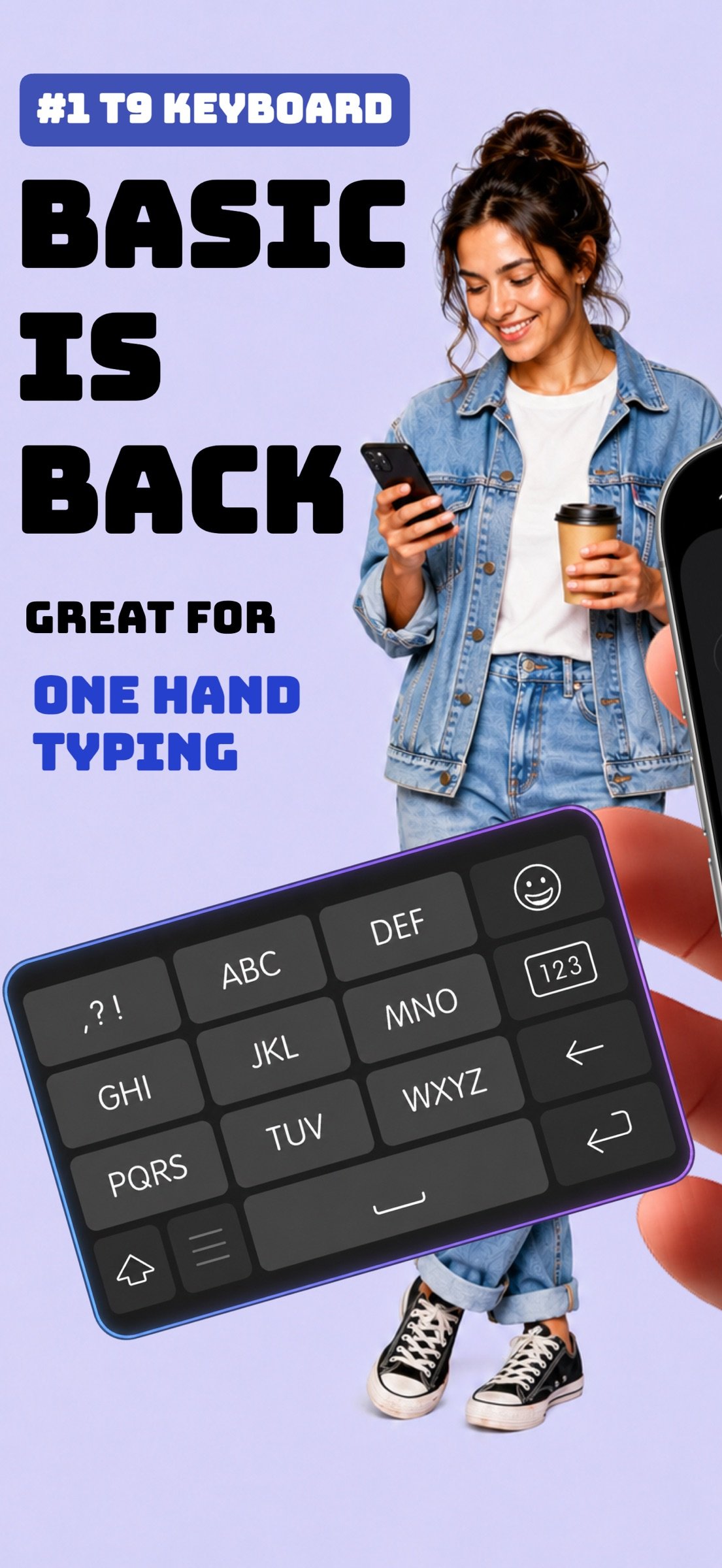
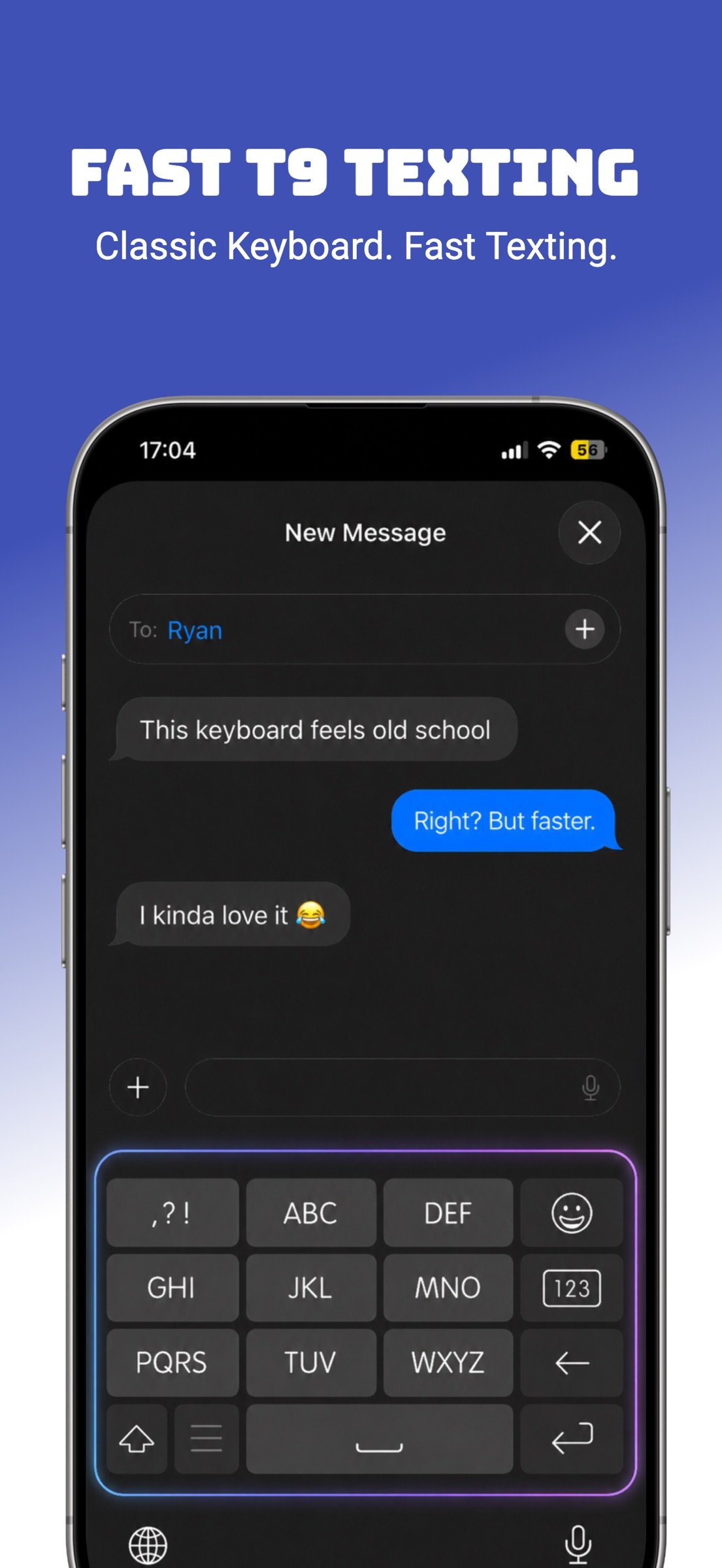
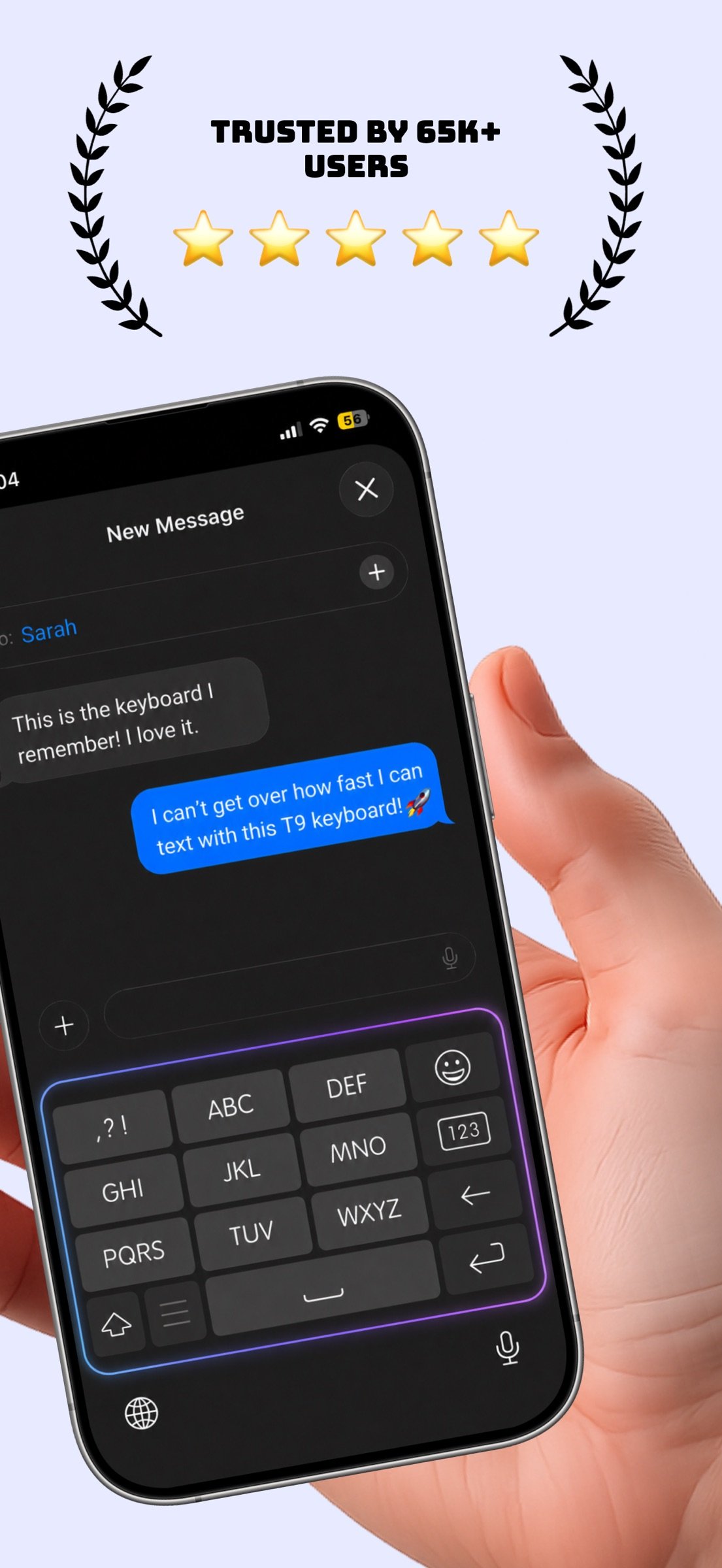
Type Nine brings classic T9-style typing to your iPhone with a retro phone keyboard built for fast, private, one-handed texting.
Download
37.59 MB
19downloads
3this week
FreeCommercial
0reviews
Screenshots
About Type Nine
Type Nine brings classic T9-style typing to your iPhone with a retro phone keyboard built for fast, private, one-handed texting.
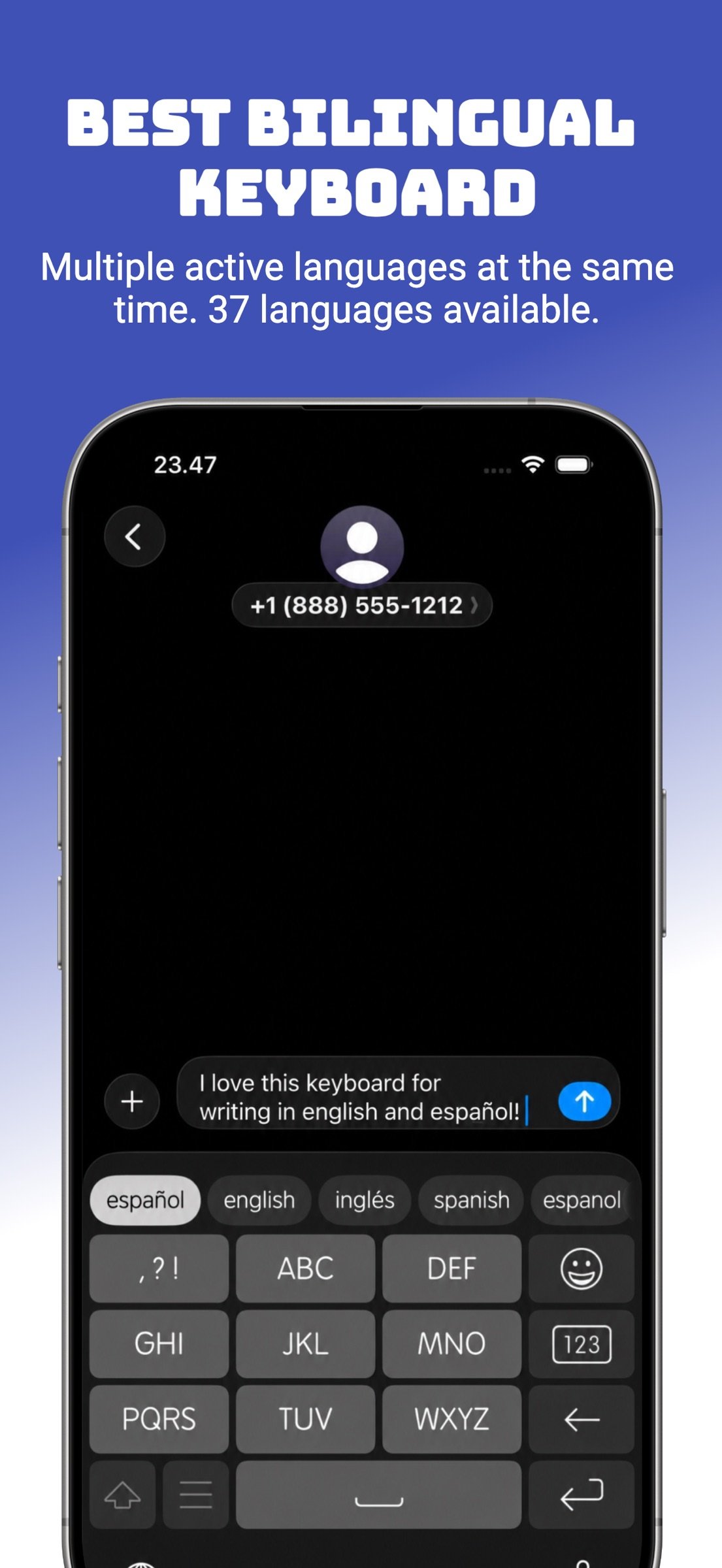
Remember when texting felt simple? Type Nine reimagines the old-school phone keypad for modern iPhone users — combining the familiar 3x4 T9 keyboard layout with smart predictions, swipe gestures, personalization, themes, and privacy-first design.
Whether you miss classic phone texting, want a simpler iPhone keyboard, prefer one-handed typing, or just want something different from the standard touchscreen keyboard, Type Nine gives you a clean, fast, nostalgic way to type.
WHY PEOPLE LOVE TYPE NINE
• Classic T9-style keyboard layout
Type with a familiar phone keypad inspired by the keyboards many of us grew up with.
• Fast one-handed typing
The compact keypad layout makes it easy to text with one hand, whether you are walking, commuting, holding coffee, or multitasking.
• Smart word predictions
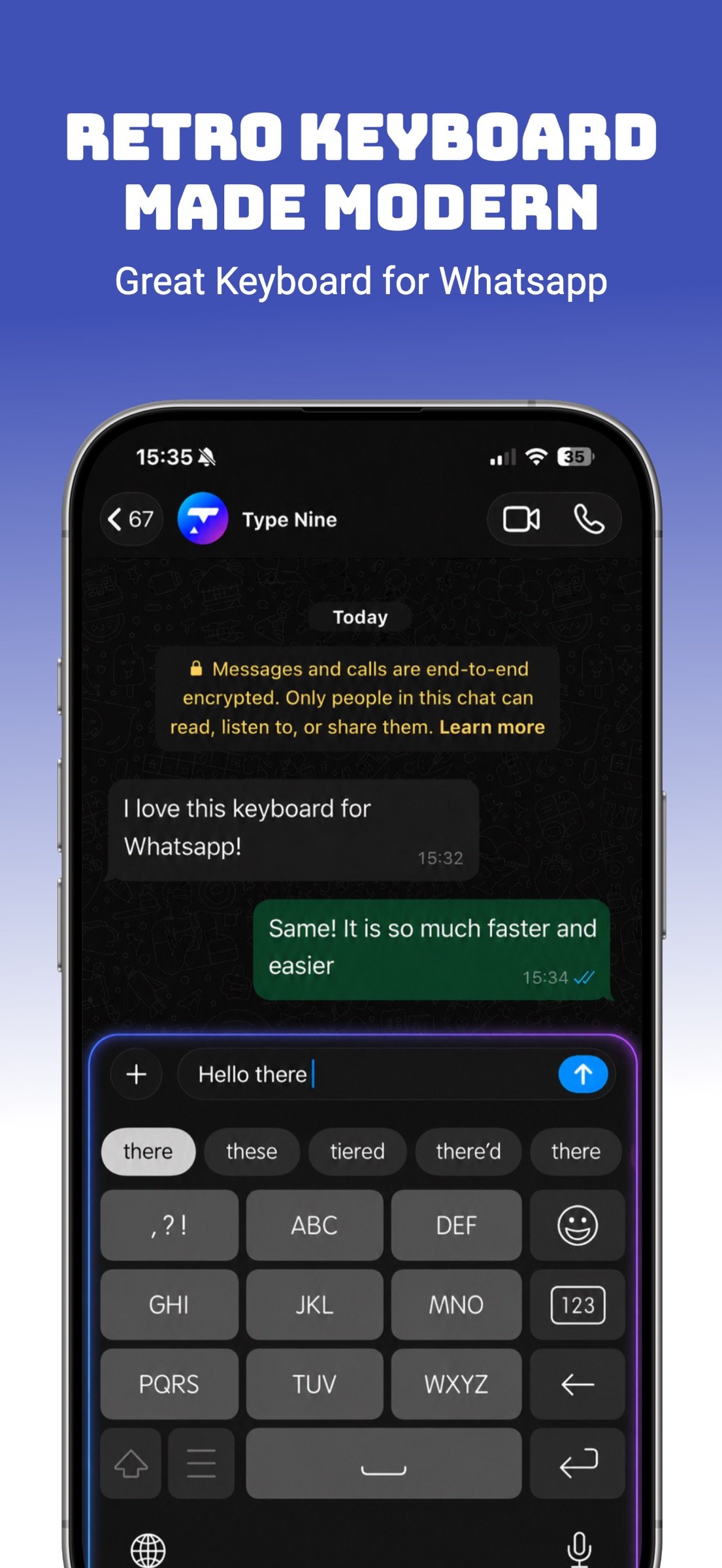
Type Nine suggests words as you type, helping you write faster with fewer taps.
• Automatic language detection
Type Nine can suggest words from multiple languages at the same time, so you do not need to constantly switch keyboards while typing.
• Swipe typing with a keypad
Type Nine combines a classic keypad layout with swipe-style movement for a modern typing experience.
• Personal word learning
When you manually type a word that is not in the dictionary, Type Nine can remember it and adapt to the words you use most.
• Private by design
Type Nine does not collect your personal data. Your typing stays yours.
• VoiceOver support
Type Nine was built with accessibility in mind and can be a helpful alternative keyboard for VoiceOver users.
• Custom themes and colors
Personalize your keyboard with different visual styles and make your iPhone feel more like your own.
• Emojis, cursor movement, deletion, and more
Type Nine includes the everyday keyboard tools you expect, rebuilt around a simple keypad experience.
A RETRO KEYBOARD FOR MODERN TEXTING
Type Nine is more than a nostalgia app. It is a practical alternative iPhone keyboard for people who want a faster, simpler, more personal way to text.
Use Type Nine for:
• Text messages
• iMessage
• WhatsApp
• Telegram
• Notes
• Email
• Social apps
• Everyday typing across your iPhone
OLD-SCHOOL FEEL. NEW-SCHOOL EASE.
Type Nine gives you the feeling of classic phone texting with the flexibility of a modern iPhone keyboard.
It is ideal for people who:
• Miss old phone keyboards
• Want a retro keyboard for iPhone
• Prefer T9-style typing
• Like one-handed texting
• Want a simpler keyboard layout
• Care about privacy
• Want a keyboard that feels different
• Use multiple languages
• Want customizable themes
• Prefer a keypad over a full QWERTY layout
TEXT LIKE IT’S FUN AGAIN
Typing on a phone used to feel simple, fast, and satisfying. Type Nine brings that feeling back — with a modern keyboard experience designed for today’s iPhone.
Download Type Nine and bring back the classic T9 keyboard experience.
BASIC IS BACK
License: Commercial
| Release info | New Release on Jul 09, 2026 |
|---|---|
| Release notes | - Design updated for iOS 26 - Added Farsi - Added all new Emojis - Added haptic feedback - Fixed bugs in main app tutorials - Fixed bug around dictionary updates - Improve performance and memory |
| Listing data | App Store |
Reviews
No reviews yet. Be the first to review Type Nine.
Used Type Nine? Tell other visitors what you thought.
Log in to write a reviewOther products by this publisher
- "No Distractions" for YouTube 4.10 ----
- #Bible 11.6.1 "Incredible App - My sister shared this app with me a few weeks ago and it is truly incredible.
- #filmphotography 1.4.2 So, you decided to shoot on film?
- #LookBusy Fake Calendar Events 1.0.6 Look Busy scans your work calendar for open time slots and fills them with realistic-looking (but secretly fake) work events.
- #Small Talk Is Canceled 1.0.2 #Small Talk Is Canceled — Conversations That Matter
Most viewed iOS Utilities
-
1
 Device Lab 1.9.1
Device Lab is an on-device reference and toolkit for your hardware — hardware monitoring, spec references, chip and device comparisons, system information, and practical utilities, so you can understand and manage the devices you use with more struc…
-
2
 APTV 2.4.10
APTV,?????????????? IPTV M3U???,?????????????????
-
3
 V2Box 10.2.0
V2box - VPN Internet network proxy , Supports multiple proxy protocols, such as Shadowsocks, V2ray, Vmess, Trojan , SSH , Socks, Ping Tunnel, Hysteria2, DNSTT, Wireguard
-
4
 VibeSDR 11.0.16
VibeSDR is a mobile-first software-defined radio (SDR) receiver — and far more than a single-server client.
-
5
 ECHOCAT 1.6.0
ECHOCAT is the iPhone and iPad companion for POTACAT, the desktop app for amateur radio operators chasing Parks on the Air (POTA), Summits on the Air (SOTA), Worldwide Bunkers on the Air (WWBOTA), Tiles on the Air and DX.
-
6
 Nextin 1.4.2
Nextin is a subscription-based configuration and connection tool designed to simplify the setup process and improve everyday usability.
-
7
 Ally Pro 1.4.0
Ally Pro – Amiibo & NFC Tool gives advanced collectors complete control over their Amiibo library.
-
8
 Demod 1.6
Demod turns your iPhone into a software-defined radio receiver.
-
9
 DXClock 4.0.0
Connect, collaborate, and operate smarter with DX Clock — the ultimate meeting place for amateur radio operators.
-
10
 DuckDuckGo, optional Duck.ai 7.247.0
At DuckDuckGo, we believe the best way to protect your personal information from hackers, scammers, and privacy-invasive companies is to stop it from being collected at all.
Most downloaded iOS Utilities
-
1
 Rat And Mouse Sound Repeller 2.8
Keep mice and rats away overnight with ultrasonic waves and predator sounds.
-
2
Demod 1.6
Demod turns your iPhone into a software-defined radio receiver.
-
3
 Guardio 2026.111.3
Protect your identity, accounts, and online activity from scams and digital threats with Guardio.
-
4
 Screen Mirroring With Miracast 2.0
Turn your iPhone into a complete TV companion.
-
5
 Fontcase 2.0.1
Fontcase is an app that lets you install custom fonts on iOS and iPadOS.
-
6
 ParkenDD 2.0.2
ParkenDD shows a list of available public parking lots in several cities.
-
7
 Passepartout, VPN Client 3.12.8
Protect your online privacy with Passepartout, a smart VPN client seamlessly integrated with iOS, macOS, iPadOS, and tvOS.
-
8
 PickerFull 9.18
Export colors from photos as HEX, PDF, RGB, HSB/HSV, HSBA, HSL, LUV, LCH, YUV, YCBCR, YIQ, CMYK, Grayscale, XYZ, L*a*b* (CIE), CSSVAR, SASSVAR, CSSHSL, CSSRGB, AndroidXML, FlutterDart, UnityColor32, Float, Objective-C, Swift, SwiftLiteral, SwiftUI
-
9
 Royal TSi 2.5.4
Royal TSi provides easy and secure access to your remote systems (RDP, VNC, SSH, etc.) by allowing you to open your Royal TS documents created with Royal TSX (for macOS) or Royal TS (for Windows).
-
10
 Universal TV Remote Control* 2.6.9
Control your Smart TV effortlessly with iMote — the ultimate universal remote control for TV.