
Tiny Computers 1.2
Ten miniature machines from decades of computing sit on the table in front of you, each with a working screen and a keyboard you can type on.
Download
405.18 MB
7downloads
2this week
FreeCommercial
0reviews
Screenshots
About Tiny Computers
Ten miniature machines from decades of computing sit on the table in front of you, each with a working screen and a keyboard you can type on. Spend a little time with an old favourite, or discover the computer your parents grew up with.
Some computers stay with you long after you stop using them. Now there's room for them on your desk again.
EXPLORE THE COLLECTION
Ten computers are ready to play with, inspired by the Macintosh, Commodore 64, IBM PC, Amiga 500, Windows 95, ThinkPad, iMac G3, iBook G3, PowerBook G4 and Windows XP.
TYPE, DRAW AND PLAY
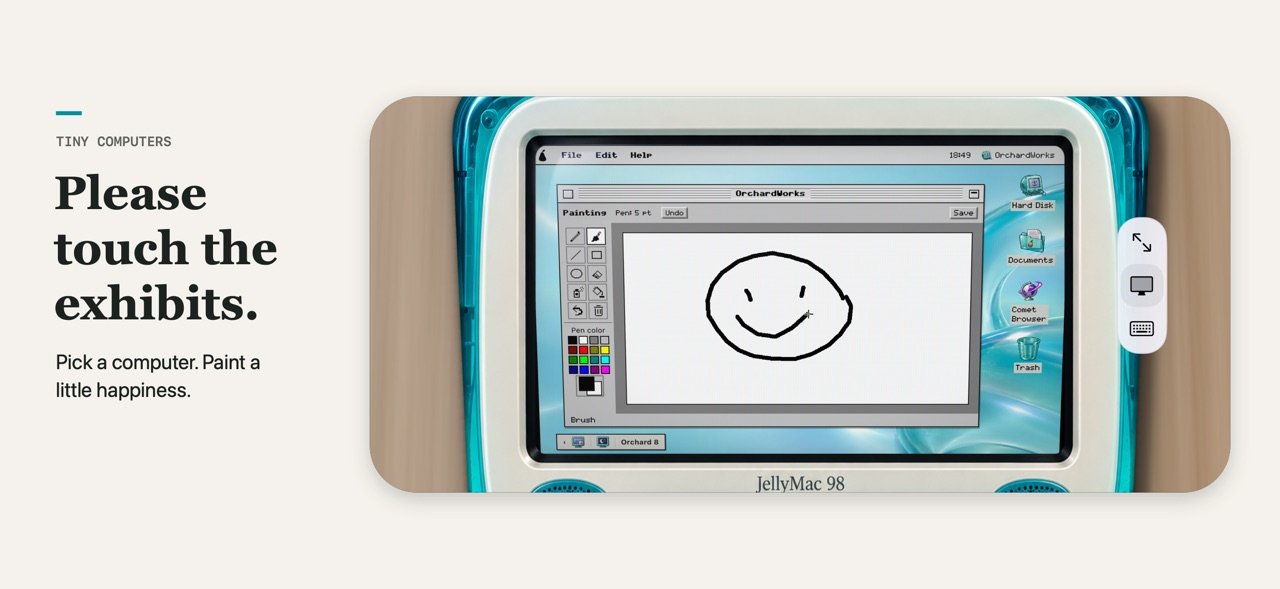
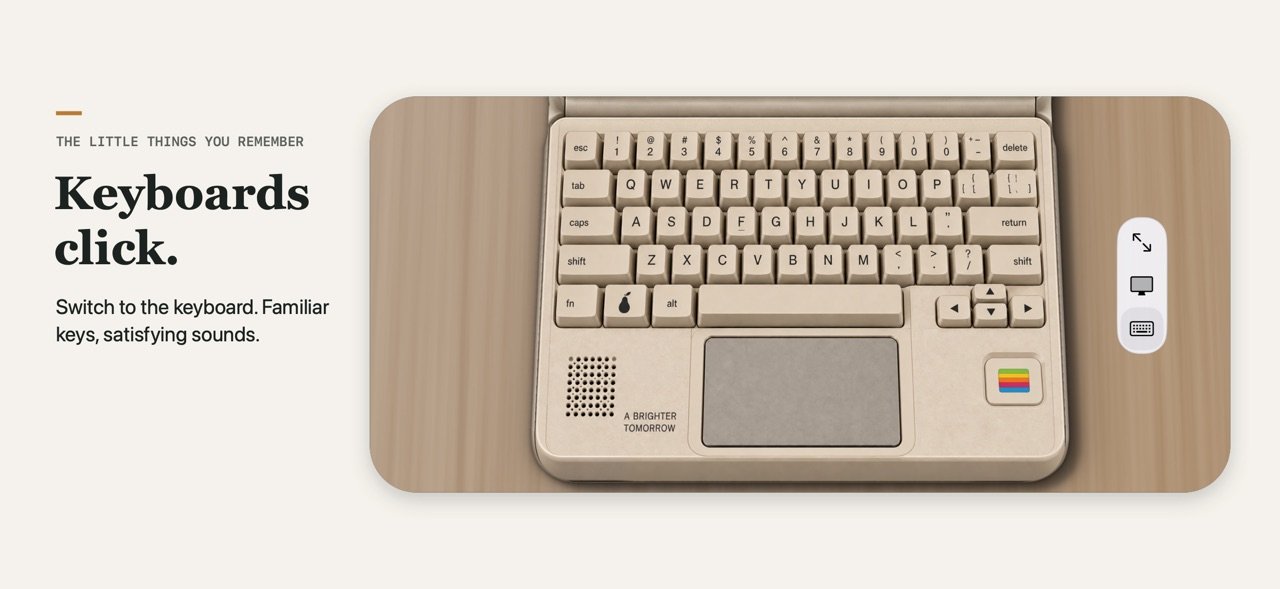
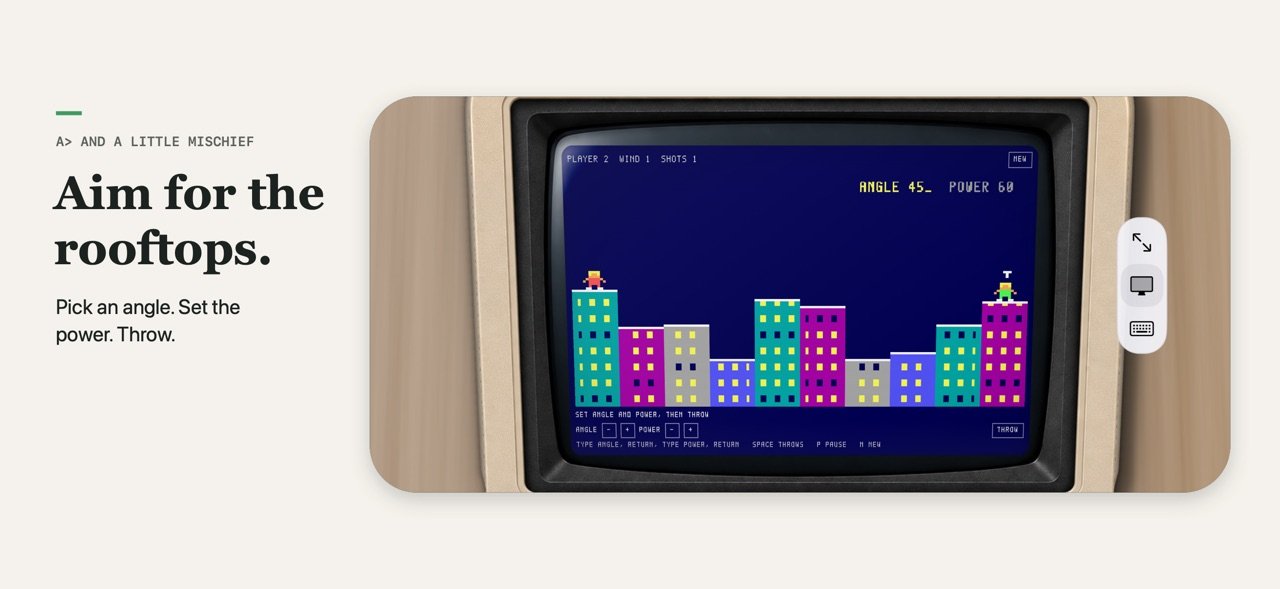
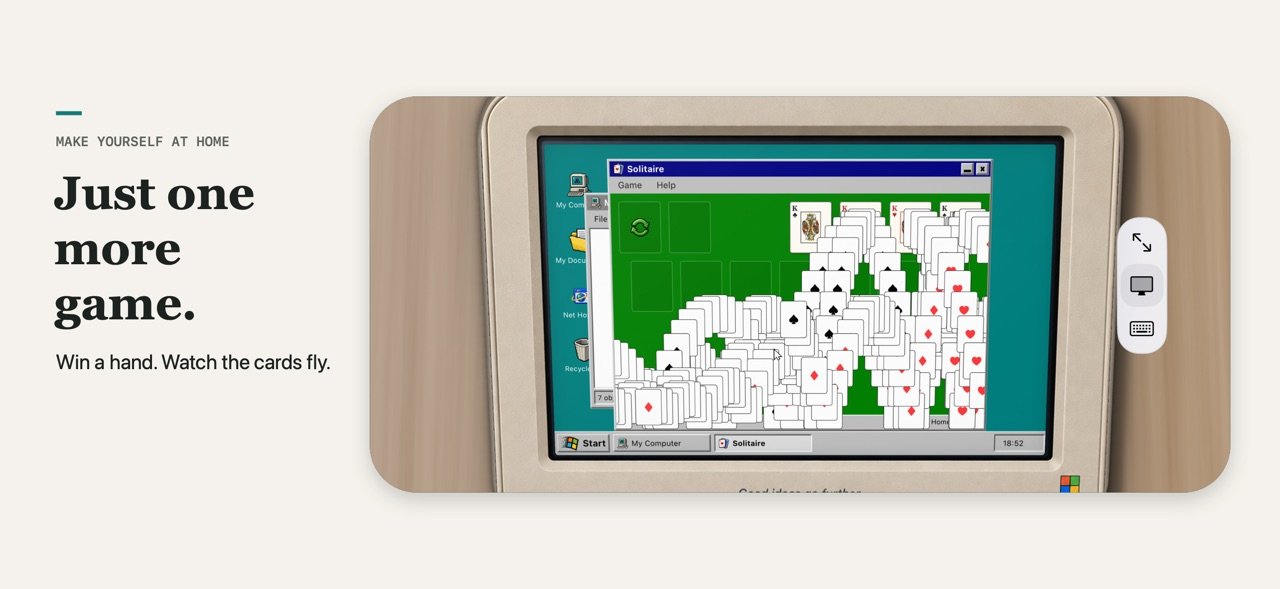
Enjoy clicking keyboards, working command lines, paint programs, floppy disks and familiar desktop games. Open windows, write a note, draw something small and explore each computer's personality. Type 10 PRINT on the Commodore, run BASICA ROOFTOP at the DOS prompt, or load BRICKS from the Amiga's floppy. Occasionally, even Windows crashes.
FIFTY NOSTALGIC SECRETS
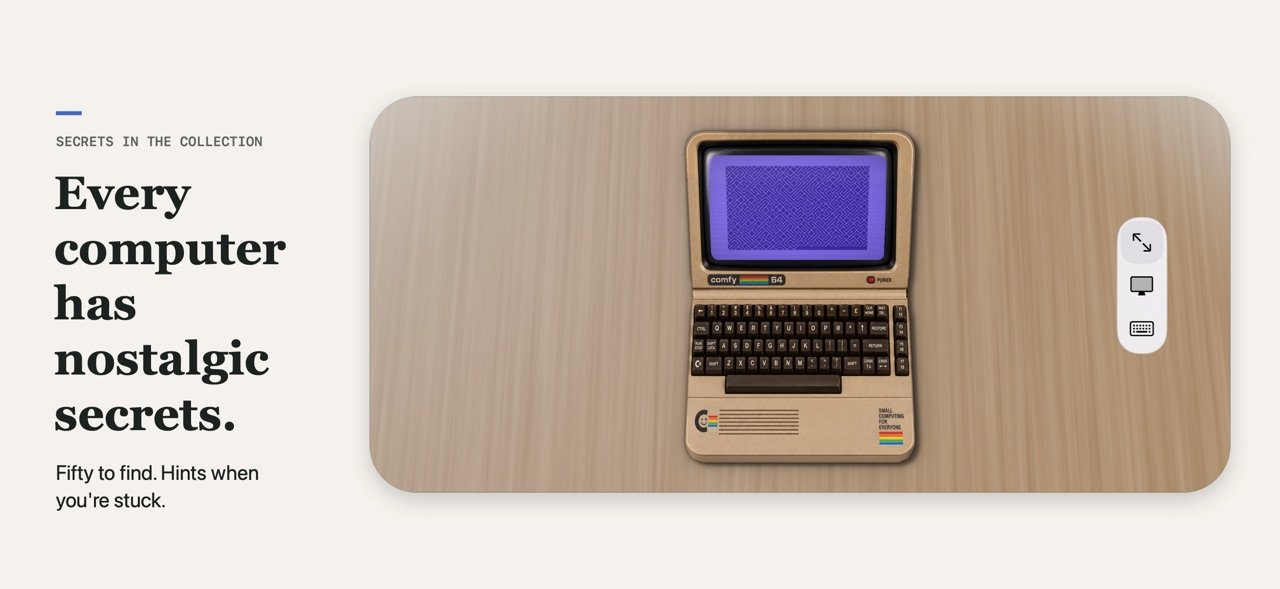
Every computer hides five nostalgic secrets: pieces of real computing history, a hidden game and, where its era had them, screen savers. Turn on the Hot Dog Stand colour scheme, ask the 1541 for its directory, meet Rover, or fill a 1984 Mac's memory until the bomb appears. Each computer's page in the collection keeps track of what you've found. Stuck? Open a hint, one at a time: what it is, where to look, then exactly what to do.
ON IPHONE AND IPAD
Each computer appears on your screen as a real little machine resting on an oak table, with its own case, keys and controls. On iPad, the whole computer is in front of you. On iPhone, turn sideways to see the whole machine, then zoom into its screen or its keyboard.
ON IPHONE DUO, IT BECOMES THE COMPUTER
iPhone Duo is the special case. Fold your Duo into tabletop mode and the phone itself transforms into the computer: the screen stands up above and a working keyboard lies flat below, so you hold and type on the machine itself. Close your Duo to browse the collection and choose your next exhibit.
All ten computers are included. No ads, subscriptions or in-app purchases.
License: Commercial
Some computers stay with you long after you stop using them. Now there's room for them on your desk again.
EXPLORE THE COLLECTION
Ten computers are ready to play with, inspired by the Macintosh, Commodore 64, IBM PC, Amiga 500, Windows 95, ThinkPad, iMac G3, iBook G3, PowerBook G4 and Windows XP.
TYPE, DRAW AND PLAY
Enjoy clicking keyboards, working command lines, paint programs, floppy disks and familiar desktop games. Open windows, write a note, draw something small and explore each computer's personality. Type 10 PRINT on the Commodore, run BASICA ROOFTOP at the DOS prompt, or load BRICKS from the Amiga's floppy. Occasionally, even Windows crashes.
FIFTY NOSTALGIC SECRETS
Every computer hides five nostalgic secrets: pieces of real computing history, a hidden game and, where its era had them, screen savers. Turn on the Hot Dog Stand colour scheme, ask the 1541 for its directory, meet Rover, or fill a 1984 Mac's memory until the bomb appears. Each computer's page in the collection keeps track of what you've found. Stuck? Open a hint, one at a time: what it is, where to look, then exactly what to do.
ON IPHONE AND IPAD
Each computer appears on your screen as a real little machine resting on an oak table, with its own case, keys and controls. On iPad, the whole computer is in front of you. On iPhone, turn sideways to see the whole machine, then zoom into its screen or its keyboard.
ON IPHONE DUO, IT BECOMES THE COMPUTER
iPhone Duo is the special case. Fold your Duo into tabletop mode and the phone itself transforms into the computer: the screen stands up above and a working keyboard lies flat below, so you hold and type on the machine itself. Close your Duo to browse the collection and choose your next exhibit.
All ten computers are included. No ads, subscriptions or in-app purchases.
License: Commercial
| Release info | Update on Nov 04, 2026 |
|---|---|
| Release notes | Fifty nostalgic secrets to find - along with hints to help you find them (and a reminder for how to use terminals!) A much better Tiny Computers on iPad and iPhone. |
| Listing data | App Store |
Reviews
No reviews yet. Be the first to review Tiny Computers.
Used Tiny Computers? Tell other visitors what you thought.
Log in to write a reviewOther products by this publisher
- "No Distractions" for YouTube 4.10 ----
- #Bible 11.6 "Incredible App - My sister shared this app with me a few weeks ago and it is truly incredible.
- #filmphotography 1.4.2 So, you decided to shoot on film?
- $quirrel 1.5.1 $quirrel Budget & Finance helps you plan each paycheck, track spending, manage debt, and see what is safe to spend before the next payday.
- % Percentage Calculator Pro 1.41 This is the Pro version of % Percentage Calculator.
Most viewed iOS Photo & Video
-
1
 ShortDiShow 2.0
Drama Quest Island — An offline interactive short-drama adventure.
-
2
 Infuse 8.5.10
Infuse: Enterprise provides the same great features as the standard version of Infuse and includes permanent access to all Pro features via a traditional paid app.
-
3
 AI Video Generator 2.0.2
Vixel – AI Video Generator
-
4
 OPlayer 4.8
Play all your videos directly without having to convert them!
-
5
 Necrometer II 1.2
Necrometer II is a paranormal investigation companion designed for ghost hunters and researchers.
-
6
 CapCut 20.1.0
CapCut offers easy-to-use video editing functions, in-APP fonts and effects, advanced features such as keyframe animation, smooth slow-motion, chroma key, and stabilization, to help you capture and snip moments.
-
7
 Ai Photo 1.1.2
AI Photo Retouch – BG Eraser
-
8
 Treblo 1.6.0
Make songs with the world's best AI music model.
-
9
 TouchSiren Delta 3.1
--------------------------------------------------------------
-
10
 CNU 3.0.12
CNU?????????????????????,???????????????
Most downloaded iOS Photo & Video
-
1
Infuse 8.5.10
Infuse: Enterprise provides the same great features as the standard version of Infuse and includes permanent access to all Pro features via a traditional paid app.
-
2
 DJI Fly 1.21.18
DJI Fly is designed to help pilots fly drones with ease.
-
3
 Analog Radio 3.0
The iPhone and iPad devices don't have the FM/AM radio antenna installed.
-
4
 TurboCollage Automatic 1.2.4
#1 Easy automatic photo collage maker for iPhone & iPad.
-
5
 ReelyGo 1.1.42
ReelyGo: Your Daily Drama Escape
-
6
 AGAIN. Rehearsal Notes 2.0.1
AGAIN. is the rehearsal app that remembers why the band stopped — and, new in Version 2, who said what in a writing session or a table read.
-
7
 Rozeta Sequencer Suite 1.3.16
Rozeta is a suite of MIDI sequencers and controllers that lets you explore a new, freeform approach to sequencing and controlling mobile music apps.
-
8
Treblo 1.6.0
Make songs with the world's best AI music model.
-
9
 Pop Dot Comics 1.48
Create a comic worthy of the Sunday newspaper or your favorite pulp-fiction cover.
-
10
 SSS IPTV, Simple, Smart Super 1.0.2
An Easiest way to watch TV Online or Movies or Series, Bring your Own list M3u,