10downloads
2this week
FreeCommercial
0reviews
Screenshots
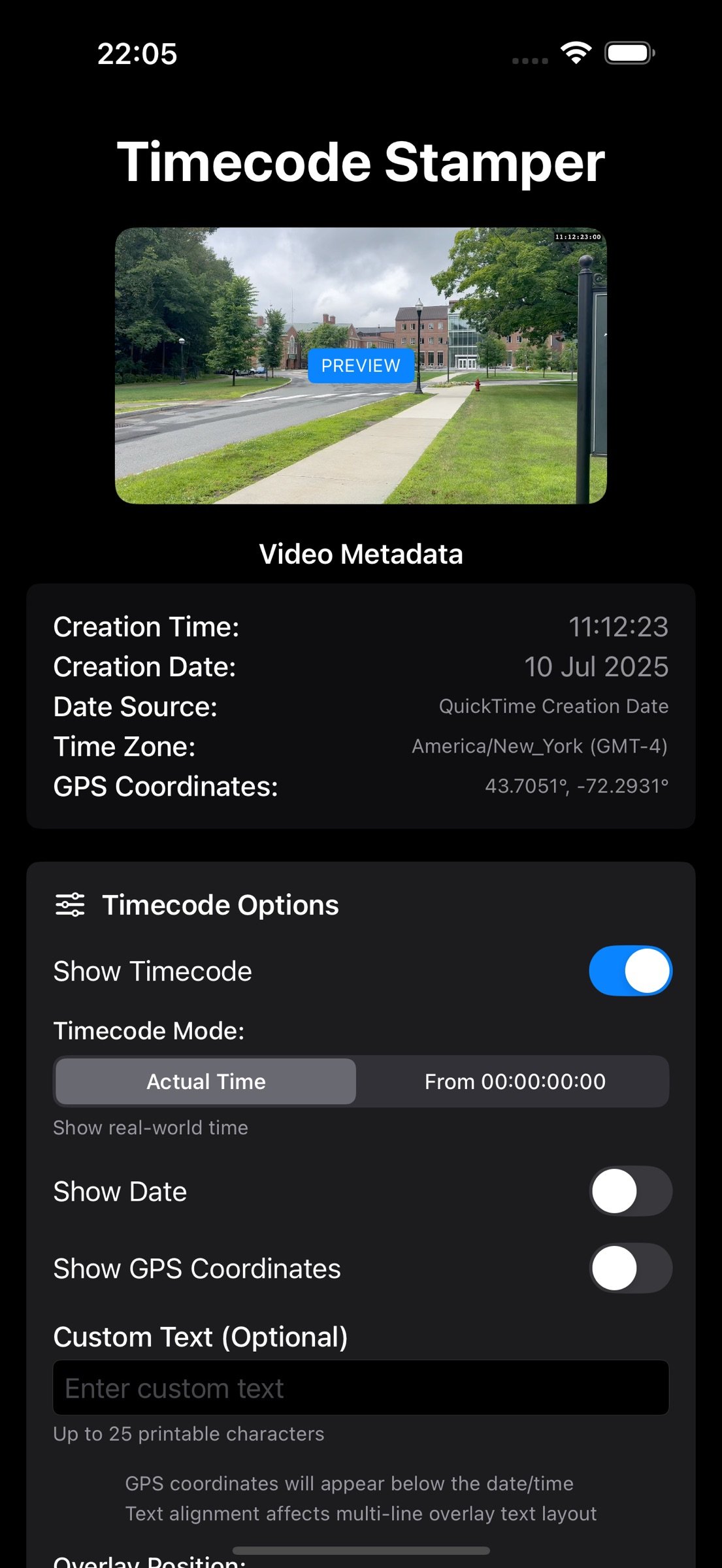
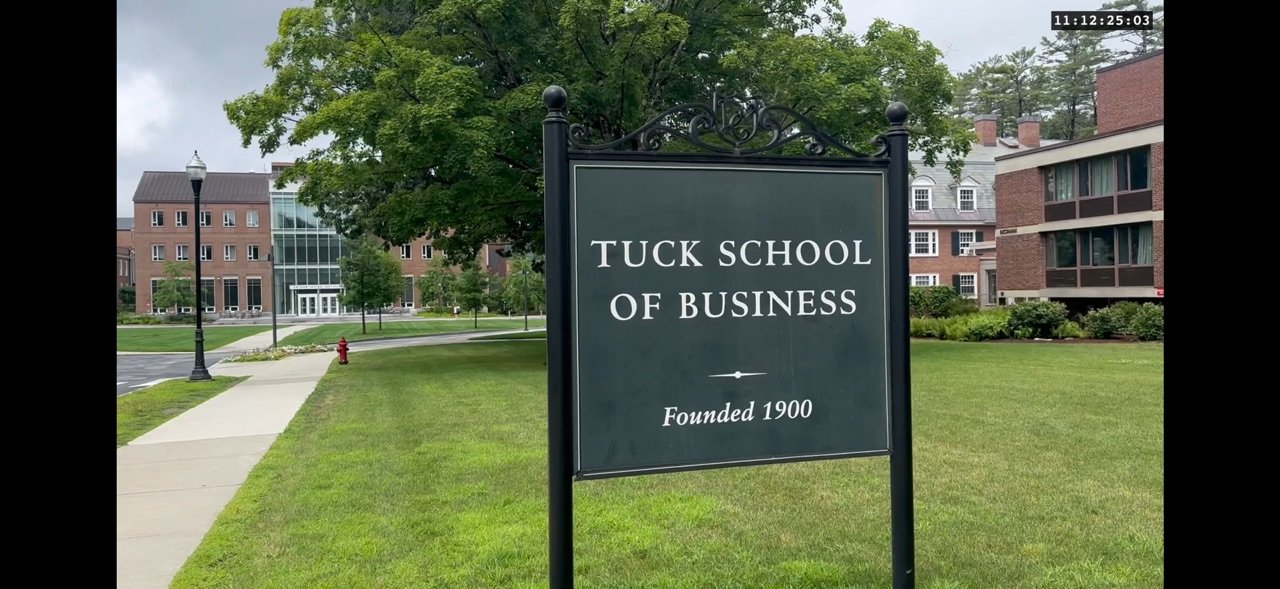
About Timecode Stamper
Transform your videos with professional timecode overlays
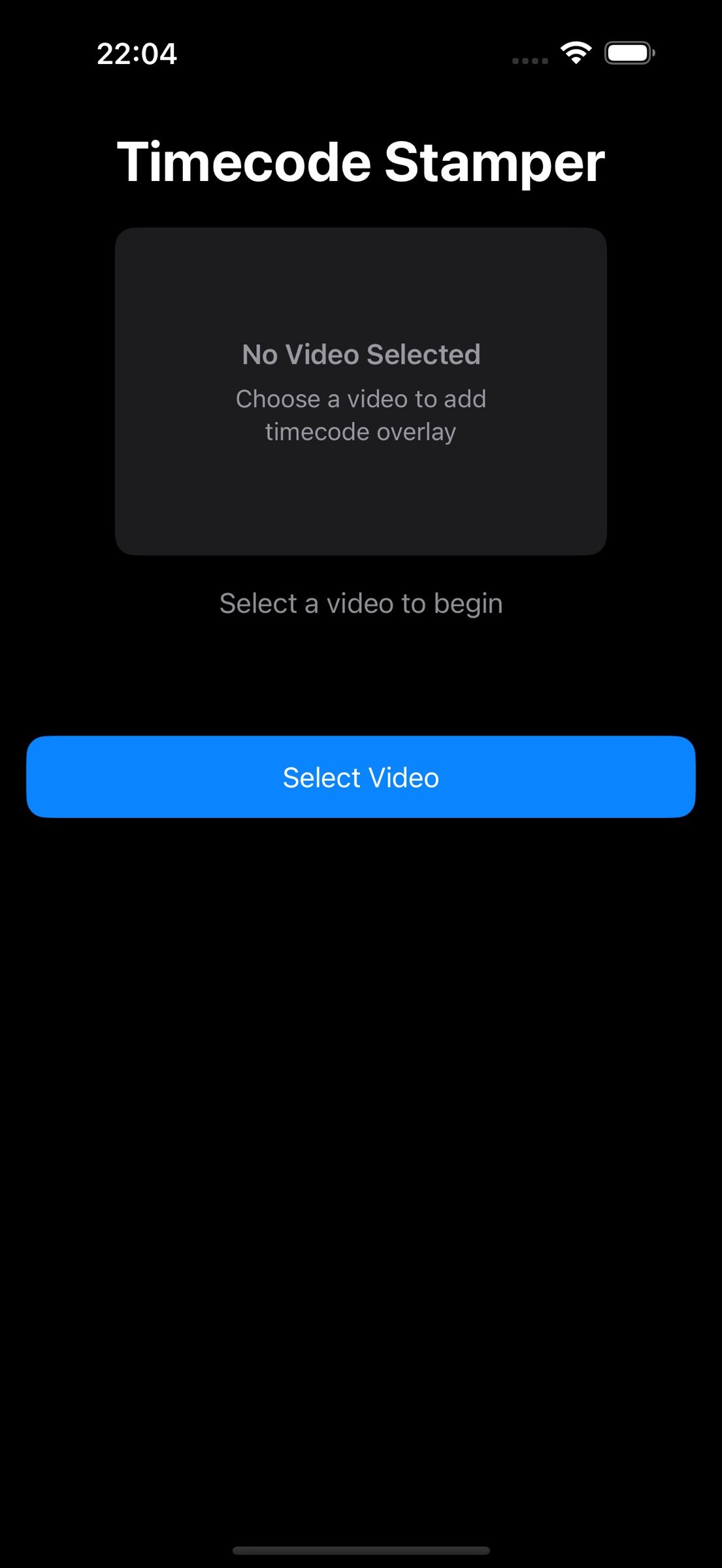
Timecode Stamper is the ultimate tool for adding precise, customizable timecode overlays to your videos. Perfect for filmmakers, content creators, researchers, and anyone who needs accurate time references in their footage.
KEY FEATURES
Professional Timecode Options
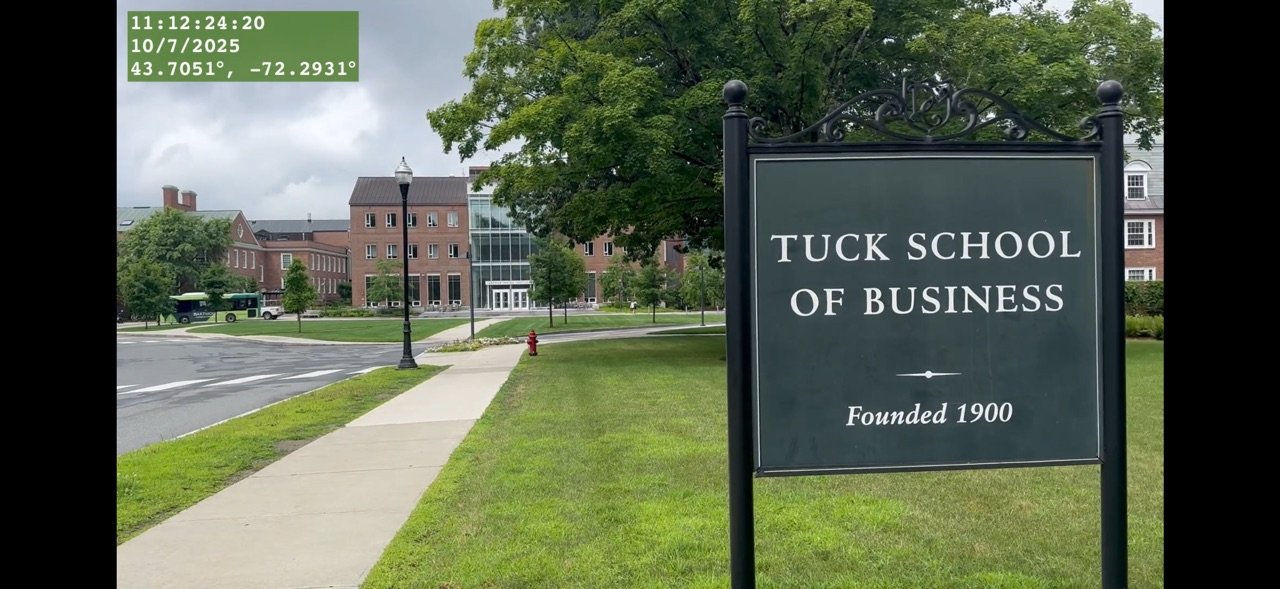
- Actual time display - shows real-world timestamps
- From-zero mode - starts counting from 00:00:00:00
- Automatic frame rate detection for precise accuracy
- Support for various video formats and frame rates
Complete Customization
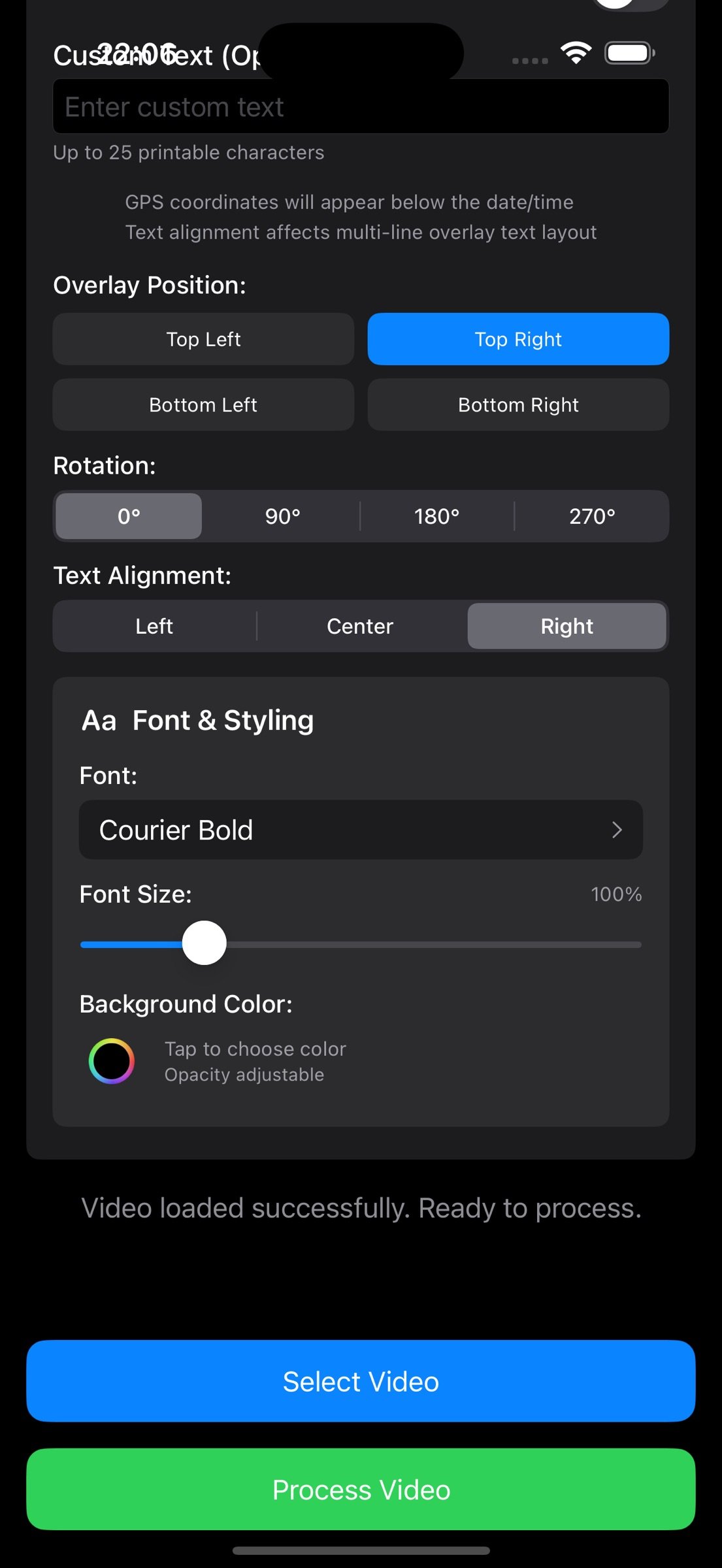
- Choose from 15+ professional fonts optimized for video
- Adjustable font size (50% to 300% scaling)
- Custom background colors with opacity control
- Four corner positioning options
- 360 degree rotation capability (0, 90, 180, 270 degrees)
- Left, center, or right text alignment
Rich Metadata Integration
- Automatic extraction of video creation date and time
- GPS coordinates overlay (when available)
- Time zone detection and display
- Custom text overlay (up to 25 characters)
- Comprehensive metadata preview
Smart Video Processing
- Real-time preview before processing
- Preserves original video quality
- Maintains audio synchronization
- Progress tracking with percentage display
- Automatic save to Photos library
Universal Design
- Optimized layouts for iPhone and iPad
- Intuitive touch controls
- Modern, clean interface
- Comprehensive font selection with live preview
PERFECT FOR
- Film & Video Production - Add professional timecode for editing reference
- Content Creation - Timestamp your footage for easy organization
- Research & Documentation - Precise time references for analysis
- Security & Surveillance - Add timestamps to recorded footage
- Sports Analysis - Frame-accurate timing for performance review
- Education - Create time-referenced instructional videos
HOW IT WORKS
1. Select any video from your Photos library
2. Customize your timecode appearance and position
3. Preview the overlay in real-time
4. Process your video with professional quality
5. Save the timestamped video back to Photos
TECHNICAL EXCELLENCE
- Built with cutting-edge SwiftUI and AVFoundation
- Supports all modern iOS video formats
- Intelligent metadata extraction from various sources
- Frame-accurate timecode generation
- High-quality video export with no compression loss
Requirements: iOS 18.0 or later. Compatible with iPhone and iPad.
Privacy: Timecode Stamper only accesses videos you specifically select. No data is collected or transmitted. All processing happens locally on your device.
Start creating professional timestamped videos today with Timecode Stamper!
License: Commercial
Timecode Stamper is the ultimate tool for adding precise, customizable timecode overlays to your videos. Perfect for filmmakers, content creators, researchers, and anyone who needs accurate time references in their footage.
KEY FEATURES
Professional Timecode Options
- Actual time display - shows real-world timestamps
- From-zero mode - starts counting from 00:00:00:00
- Automatic frame rate detection for precise accuracy
- Support for various video formats and frame rates
Complete Customization
- Choose from 15+ professional fonts optimized for video
- Adjustable font size (50% to 300% scaling)
- Custom background colors with opacity control
- Four corner positioning options
- 360 degree rotation capability (0, 90, 180, 270 degrees)
- Left, center, or right text alignment
Rich Metadata Integration
- Automatic extraction of video creation date and time
- GPS coordinates overlay (when available)
- Time zone detection and display
- Custom text overlay (up to 25 characters)
- Comprehensive metadata preview
Smart Video Processing
- Real-time preview before processing
- Preserves original video quality
- Maintains audio synchronization
- Progress tracking with percentage display
- Automatic save to Photos library
Universal Design
- Optimized layouts for iPhone and iPad
- Intuitive touch controls
- Modern, clean interface
- Comprehensive font selection with live preview
PERFECT FOR
- Film & Video Production - Add professional timecode for editing reference
- Content Creation - Timestamp your footage for easy organization
- Research & Documentation - Precise time references for analysis
- Security & Surveillance - Add timestamps to recorded footage
- Sports Analysis - Frame-accurate timing for performance review
- Education - Create time-referenced instructional videos
HOW IT WORKS
1. Select any video from your Photos library
2. Customize your timecode appearance and position
3. Preview the overlay in real-time
4. Process your video with professional quality
5. Save the timestamped video back to Photos
TECHNICAL EXCELLENCE
- Built with cutting-edge SwiftUI and AVFoundation
- Supports all modern iOS video formats
- Intelligent metadata extraction from various sources
- Frame-accurate timecode generation
- High-quality video export with no compression loss
Requirements: iOS 18.0 or later. Compatible with iPhone and iPad.
Privacy: Timecode Stamper only accesses videos you specifically select. No data is collected or transmitted. All processing happens locally on your device.
Start creating professional timestamped videos today with Timecode Stamper!
License: Commercial
| Release info | New Release on Jul 16, 2026 |
|---|---|
| Release notes | • Batch processing now correctly applies your chosen time and date formats - 12/24-hour and date style settings are honored on every video in the queue. • More reliable overlay rendering across a wider range of video formats, with sharper, correctly-aligned timecodes. • Improved stability when adjusting overlay settings while a video is processing. • Enhanced privacy: reduced location-related diagnostic logging. • General bug fixes and performance improvements. |
| Listing data | App Store |
Reviews
No reviews yet. Be the first to review Timecode Stamper.
Used Timecode Stamper? Tell other visitors what you thought.
Log in to write a reviewOther products by this publisher
- "No Distractions" for YouTube 4.10 ----
- #Bible 11.6 "Incredible App - My sister shared this app with me a few weeks ago and it is truly incredible.
- #filmphotography 1.4.2 So, you decided to shoot on film?
- $quirrel 1.5.1 $quirrel Budget & Finance helps you plan each paycheck, track spending, manage debt, and see what is safe to spend before the next payday.
- % Percentage Calculator Pro 1.41 This is the Pro version of % Percentage Calculator.
Most viewed iOS Photo & Video
-
1
 ShortDiShow 2.0
Drama Quest Island — An offline interactive short-drama adventure.
-
2
 Infuse 8.5.10
Infuse: Enterprise provides the same great features as the standard version of Infuse and includes permanent access to all Pro features via a traditional paid app.
-
3
 AI Video Generator 2.0.2
Vixel – AI Video Generator
-
4
 OPlayer 4.8
Play all your videos directly without having to convert them!
-
5
 Necrometer II 1.2
Necrometer II is a paranormal investigation companion designed for ghost hunters and researchers.
-
6
 CapCut 20.1.0
CapCut offers easy-to-use video editing functions, in-APP fonts and effects, advanced features such as keyframe animation, smooth slow-motion, chroma key, and stabilization, to help you capture and snip moments.
-
7
 Ai Photo 1.1.2
AI Photo Retouch – BG Eraser
-
8
 Treblo 1.6.0
Make songs with the world's best AI music model.
-
9
 TouchSiren Delta 3.1
--------------------------------------------------------------
-
10
 CNU 3.0.12
CNU?????????????????????,???????????????
Most downloaded iOS Photo & Video
-
1
Infuse 8.5.10
Infuse: Enterprise provides the same great features as the standard version of Infuse and includes permanent access to all Pro features via a traditional paid app.
-
2
 DJI Fly 1.21.18
DJI Fly is designed to help pilots fly drones with ease.
-
3
 Analog Radio 3.0
The iPhone and iPad devices don't have the FM/AM radio antenna installed.
-
4
 TurboCollage Automatic 1.2.4
#1 Easy automatic photo collage maker for iPhone & iPad.
-
5
 ReelyGo 1.1.42
ReelyGo: Your Daily Drama Escape
-
6
 AGAIN. Rehearsal Notes 2.0.1
AGAIN. is the rehearsal app that remembers why the band stopped — and, new in Version 2, who said what in a writing session or a table read.
-
7
 Rozeta Sequencer Suite 1.3.16
Rozeta is a suite of MIDI sequencers and controllers that lets you explore a new, freeform approach to sequencing and controlling mobile music apps.
-
8
Treblo 1.6.0
Make songs with the world's best AI music model.
-
9
 Pop Dot Comics 1.48
Create a comic worthy of the Sunday newspaper or your favorite pulp-fiction cover.
-
10
 SSS IPTV, Simple, Smart Super 1.0.2
An Easiest way to watch TV Online or Movies or Series, Bring your Own list M3u,