
Timecard Pro 2.4.1
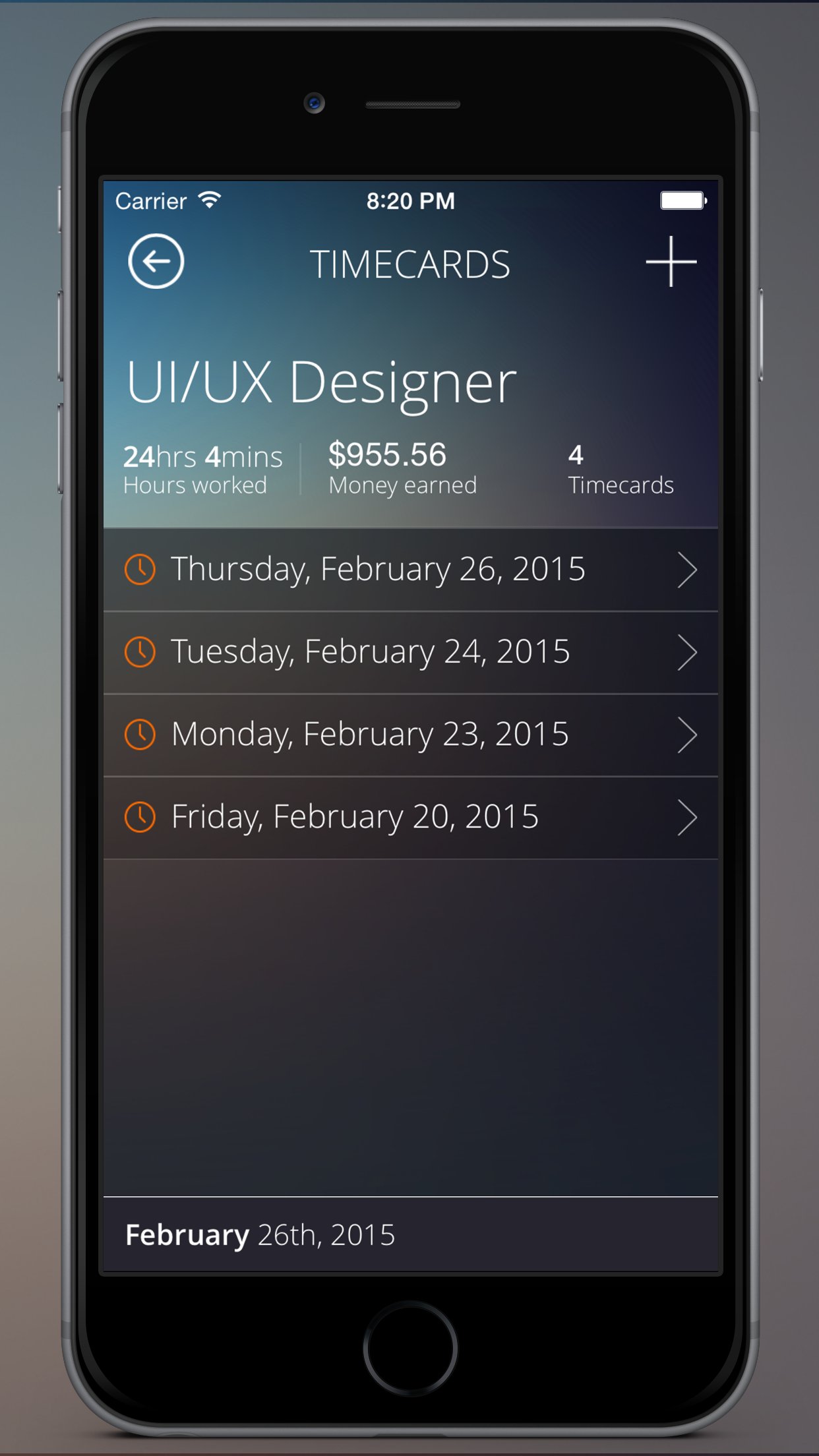
Timecard Pro is a multi-use app to keep track of your hours worked and your work schedule.
Download
57.34 MB
24downloads
4this week
FreeCommercial
0reviews
Screenshots
About Timecard Pro
Timecard Pro is a multi-use app to keep track of your hours worked and your work schedule. It's great for freelance workers, employers to track their employees, or for anyone who wants to see a live view of how much money they're earning. The possibilities of utilizing the app are endless.
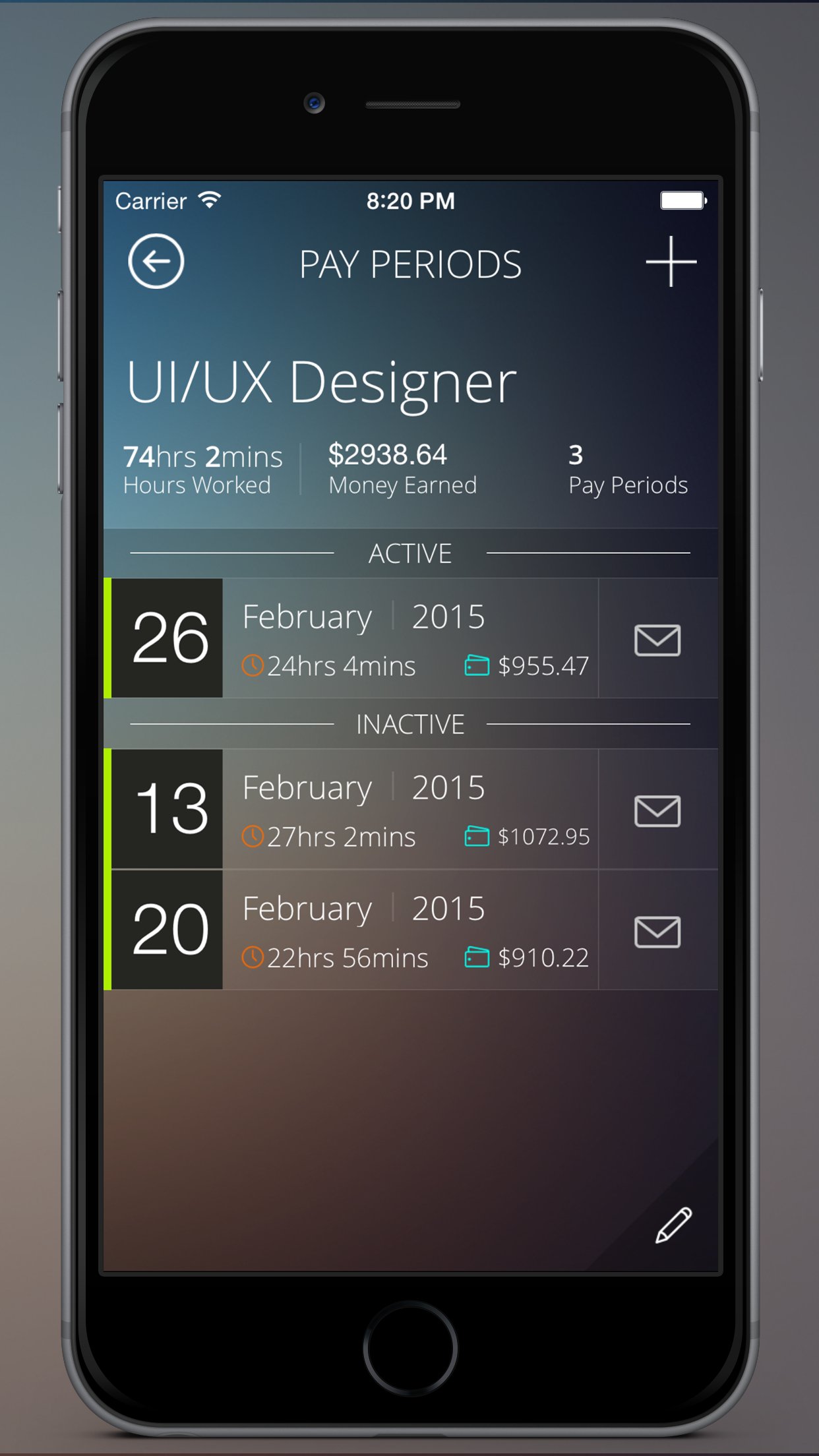
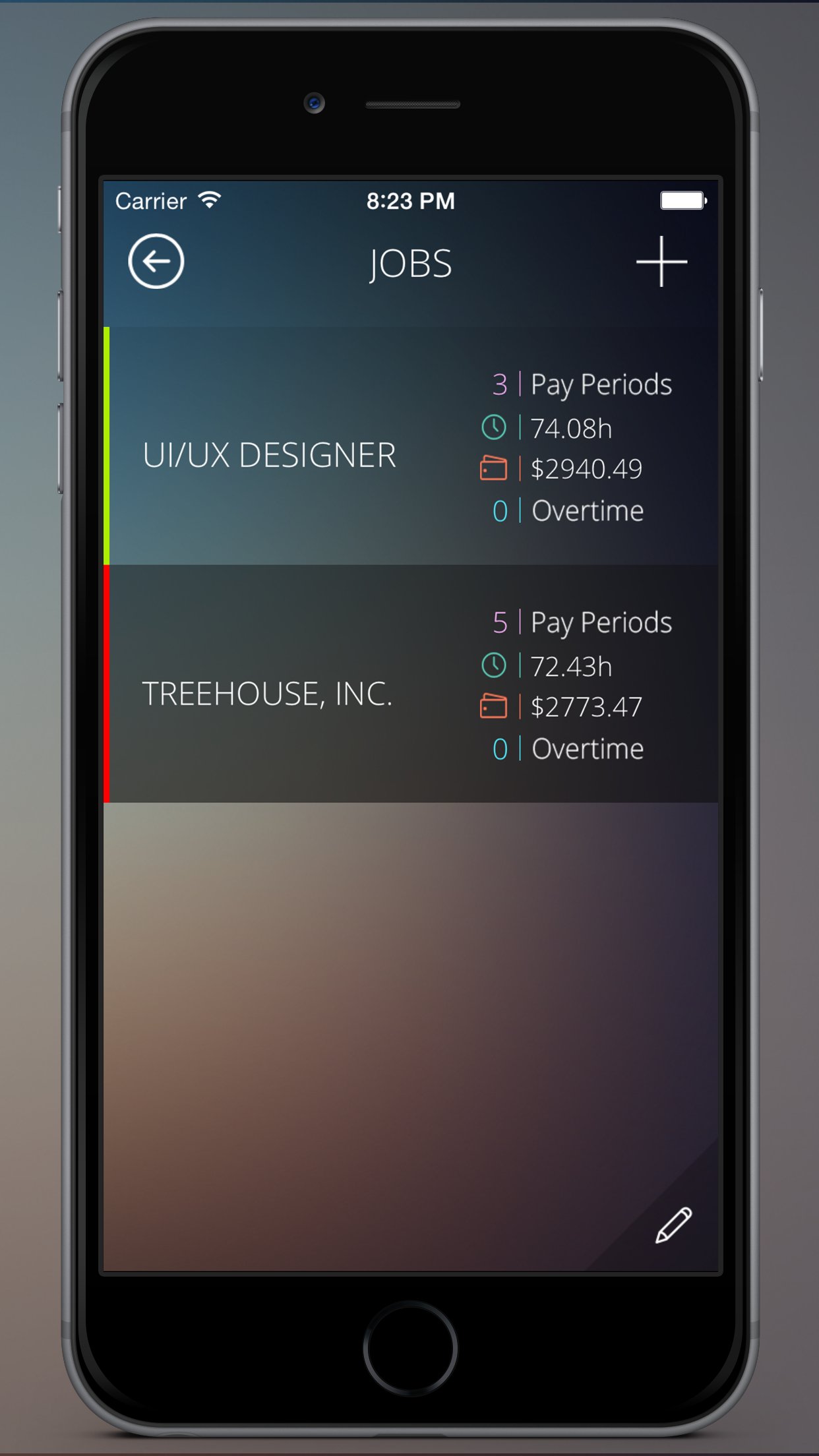
Simply add your Job(s) or employees, and then clock in and out whenever needed. At the end of your pay period, you can export your timecards and email a report to your boss or client. Need to clock into multiple jobs, and have a different hourly rate for each? Not a problem, Timecard Pro can handle all of this without breaking a sweat.
-----------------------------------------
What our users are saying:
"I love it...Life is easy now"
"Top Notch, Solid, & Reliable...Click & Forget"
"Design and Navigation Success!"
-----------------------------------------
Features:
- Apple Watch app is here! Clock in, take breaks, and clock out right from your wrist, plus watch face complications that show your shift at a glance.
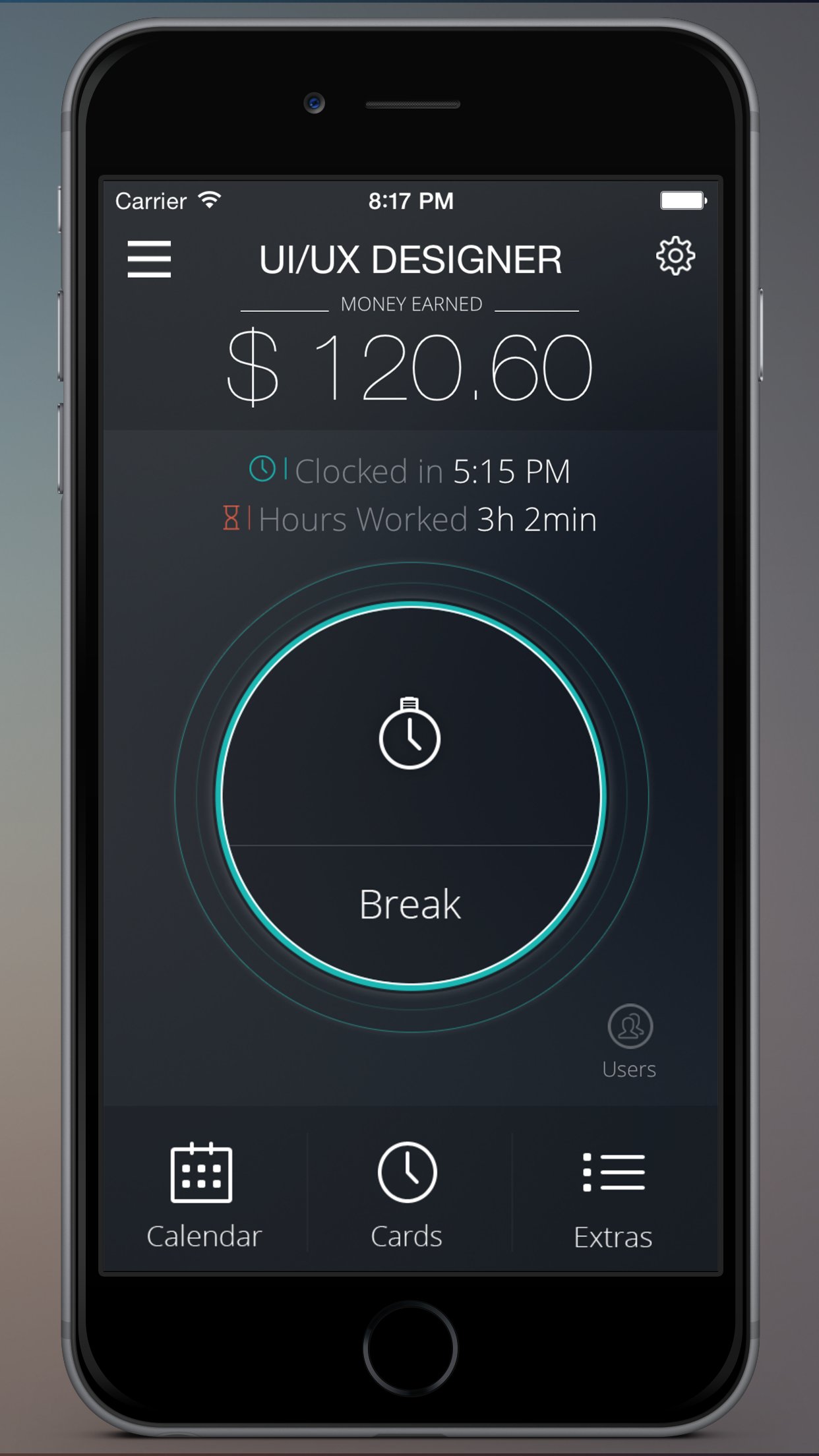
- Easy to use, intuitive interface. Simple, single touch "Clock in/Clock Out" dial for on-the-go time tracking.
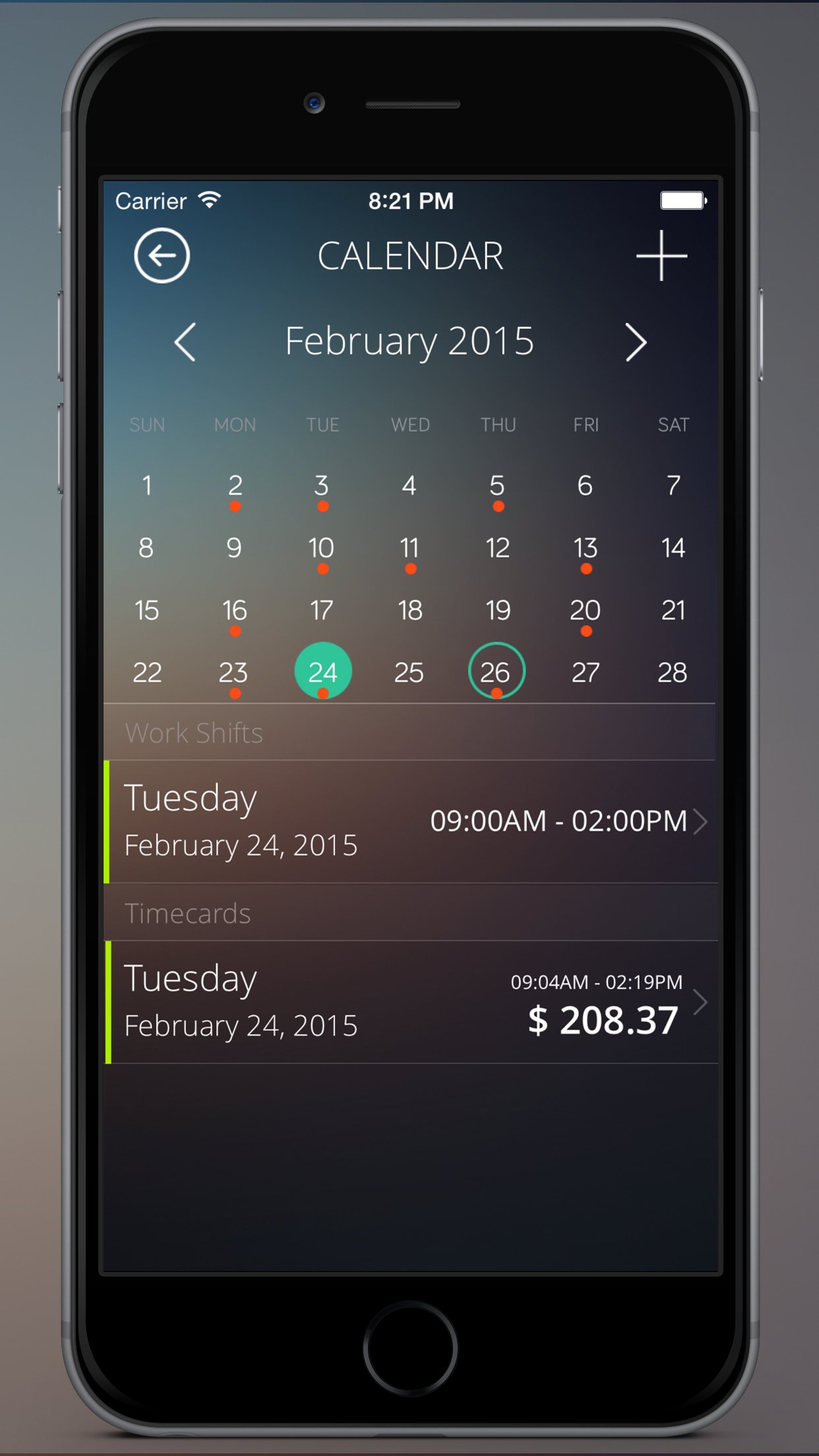
- Calendar section allows you to add your work shifts, with push reminders for when you work, as well as the ability to manually add timecards, and view all of the days you worked or have work scheduled.
- Users: Add unlimited users within the app, all with their own separate data. Protect each user data with a password lock.
- Reports page lets you export multiple Pay Periods, regardless of job, all in the same email with Text, CSV, and PDF export options.
- 2 Data Backup options, including Email Export, and a built-in 'Restore Data' section.
- Main display shows money earned, clocked-in time, and how many hours you've worked.
- Use the menu button on the homepage, to quickly select the job/employee you need to clock into.
- Clock into multiple jobs/employees at the same time.
- Icon badge indicator shows how many jobs you're currently clocked into.
- Calculate both daily and weekly overtime hours at the same time.
- Remain clocked in, even if you turn your phone off! No need to keep the app open.
- Manually add individual days that you’ve missed.
- Manually edit timecards to change clocked in/out times, add notes, etc...
- Add notes for each job or day, and include them in your exported timecard (setting turned on by default).
- Change Currency Symbol for your specific region.
- Passcode lock: require a passcode or Face ID to access app.
- Automatic 24hr mode detected.
- Manually sync data between multiple devices, using the backup options.
- 2 themes (Dark or Light).
- Updated and optimized for iOS 27.
- Live Activities & Dynamic Island support.
- Home Screen & Lock Screen widgets.
- Control Center, Lock Screen, and Action Button support.
And many MANY more features to come!
iPad version:
- Completely designed for the iPad, in landscape mode. With a split screen multi-task feature, you can constantly see the home page on the left to clock in/out of jobs as needed, while you navigate the rest of the app on the right side of the screen.
*In-App Purchase:
- Invoices: Create invoices from pay periods, and manually add items (expenses, mileage, etc...). A beautifully designed invoice will be created, in which a PDF version can be emailed, printed, saved to your Dropbox, or shared.
Note to Employers:
Employers can add Employees under the "Jobs" page instead of entering job names. You can then use the menu from the Home Page to select your employee once they arrive at work, just like a 'job'. Each employee can be set up with a different hourly rate, having their own timecards, etc...
We love to hear your suggestions!
Without your ideas, we can't shape this app into what YOU need.
Please email us at: support@eveleighstudios.com
**Before leaving negative feedback, please contact us to see if we can help you with your concerns. Emails are typically responded to within 24 hours.
License: Commercial
| Release info | Update on Nov 14, 2026 |
|---|---|
| Release notes | What's New in Timecard Pro 2.4.1: • This update fixes an issue where a message saying "your data couldn’t be opened" might display if you were clocked in, and then restarted your phone. What's New in Timecard Pro 2.4: Home Screen widgets: • Two new widgets: Classic, and Hours & Earnings. • Clock in, clock out and take breaks right from the widget, with a quick confirm step so you don't clock out by accident. • Choose which job each widget shows, or have it follow the app. Lock Screen widgets: • See your shift at a glance: time on the clock, a 12-hour ring, or your current shift with the time you clocked in. Control Center, Lock Screen and Action Button: • New Clock In / Out and Break buttons you can add to Control Center, the bottom of your Lock Screen, or the Action Button on iPhone 15 Pro and later. Quick actions: • Press and hold the app icon to clock in, clock out, start or end a break, add a note, or add a day or shift. • Undo a clock in or out right after you make it. Live Activity: • An updated glass look that matches the widgets, with cleaner rows that are easier to read. Reports: • Report PDFs now print on standard US Letter pages. • Shifts are no longer split across page breaks. Fixes: • Restoring a backup gave new shifts the same number as older timecards. • With more than one account, a job could be clocked in under the wrong account. • The Earnings widget showed $0.00 while you were off the clock. • Add Day and Add Job now fit properly on iPhones with a Home button. Have suggestions? Email us at support@eveleighstudios.com |
| Listing data | App Store |
Reviews
No reviews yet. Be the first to review Timecard Pro.
Used Timecard Pro? Tell other visitors what you thought.
Log in to write a reviewOther products by this publisher
- "No Distractions" for YouTube 4.10 ----
- #Bible 11.6.1 "Incredible App - My sister shared this app with me a few weeks ago and it is truly incredible.
- #filmphotography 1.4.2 So, you decided to shoot on film?
- #LookBusy Fake Calendar Events 1.0.6 Look Busy scans your work calendar for open time slots and fills them with realistic-looking (but secretly fake) work events.
- #Small Talk Is Canceled 1.0.2 #Small Talk Is Canceled — Conversations That Matter
Most viewed iOS Business
-
1
 Navy Federal Credit Union 2026.10.2
Bank easy with the Navy Federal mobile app!
-
2
 Paycom 8.0.16
If you or your company use Paycom’s HR and software, the Paycom app helps you manage everyday HR and payroll tasks in one place — like checking your schedule, requesting time off and reviewing your pay.
-
3
 Entrust Identity 26.4.0
The Entrust Identity mobile application is the new Entrust mobile platform for delivering strong identity credentials to both employee and consumer users.
- 4 % Percentage Calculator Pro 1.41 This is the Pro version of % Percentage Calculator.
-
5
 Intune Company Portal 5.2610.0
Microsoft Intune helps organizations manage access to corporate apps, data, and resources.
-
6
 Budget-Beacon 1.5
Budget Beacon connects to your Apple Wallet to help you understand and manage your spending.
-
7
 ParkNYC Powered by Flowbird 2.2.1
Have you ever been late to an important meeting and you can’t find a parking spot?
-
8
 Shopify 11.2646.0
Shopify: build your online store, sell anywhere, run your business
- 9 $quirrel 1.5.1 $quirrel Budget & Finance helps you plan each paycheck, track spending, manage debt, and see what is safe to spend before the next payday.
-
10
 MiniVAN Touch 9.4.7
miniVAN Touch is a mobile canvassing application that integrates with websites provided by NGP VAN.
Most downloaded iOS Business
-
1
ParkNYC Powered by Flowbird 2.2.1
Have you ever been late to an important meeting and you can’t find a parking spot?
-
2
Budget-Beacon 1.5
Budget Beacon connects to your Apple Wallet to help you understand and manage your spending.
-
3
 Business Timesheet 6.0
Are you looking for timesheet to track the work hours spent on hourly, daily or weekly basis accurately?
-
4
 Rocket.Chat 4.78.1
Rocket.Chat Secure CommsOS™ is a communication platform that unifies messaging, voice, video, AI, and mission-critical applications—ensuring uncompromising security, compliance, and operational efficiency for governments, defense, and critical infra…
-
5
 Simple Budget Envelopes 2.2.1
An incredibly simple app, perfect for keeping track of how much money remains in your budget.
-
6
 Receivable Payment Ledger2026 1.1
Payment Ledger is a fully offline accounts receivable management tool for small businesses, shops, wholesalers, and salespeople who need to track customer debts and payment progress.
-
7
 Cvent Events 2.9.0
Cvent Events is your place to easily plan out your event experience, find where you need to go next, network with other attendees, and learn more about sponsors and exhibitors.
-
8
 Power Apps 3.26112.10
Get Power Apps to conveniently access your work or school apps no matter where you are: at home, on the road, in the field, off-campus, at the airport, or at the beach – anywhere life takes you.
-
9
 Vola 4.9.02
Vola is the only cash advance app built for Real-Time Payments (RTP).
-
10
 Checkbook Pro 3.3.5
An easy & quick way to manage your daily finances, Checkbook Pro keeps track of your credit card charges, cash expenditures...etc.