
25downloads
5this week
FreeCommercial
0reviews
Screenshots
About Tempo Training
We wanted to create this app as intuitive as possible. We want you to be able to focus on your workout and not bother with counting or anything else.
How to:
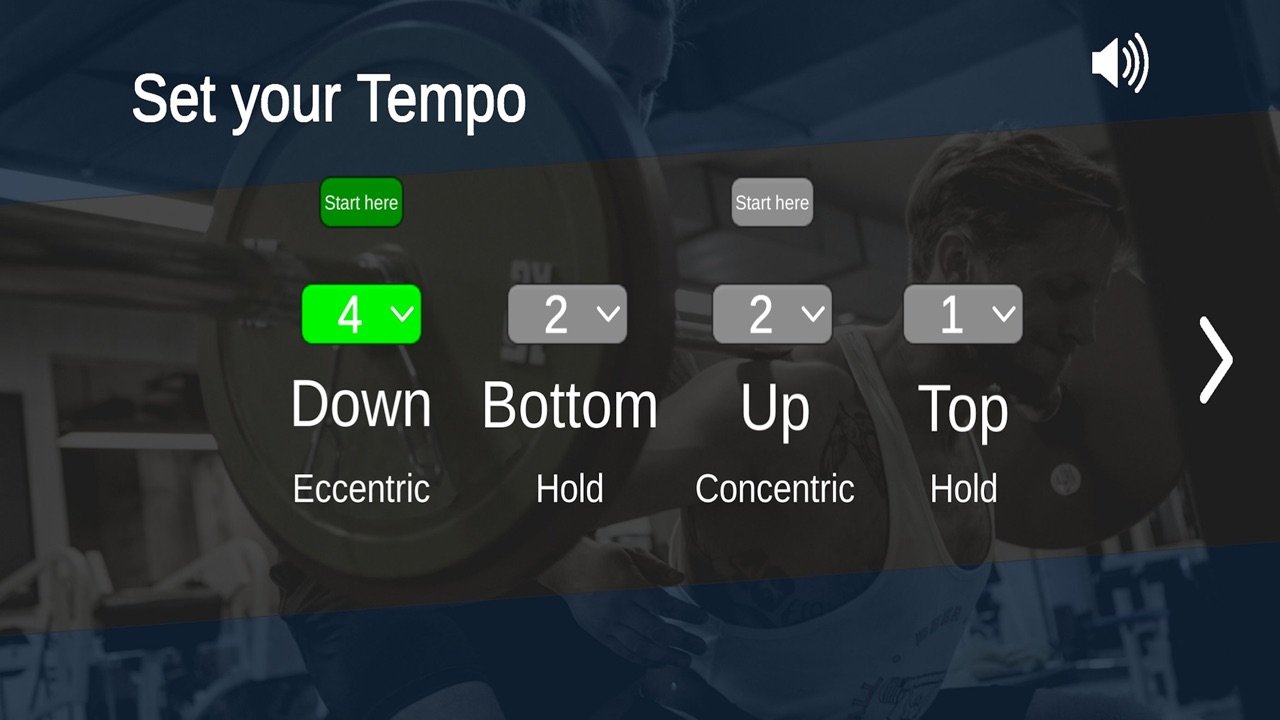
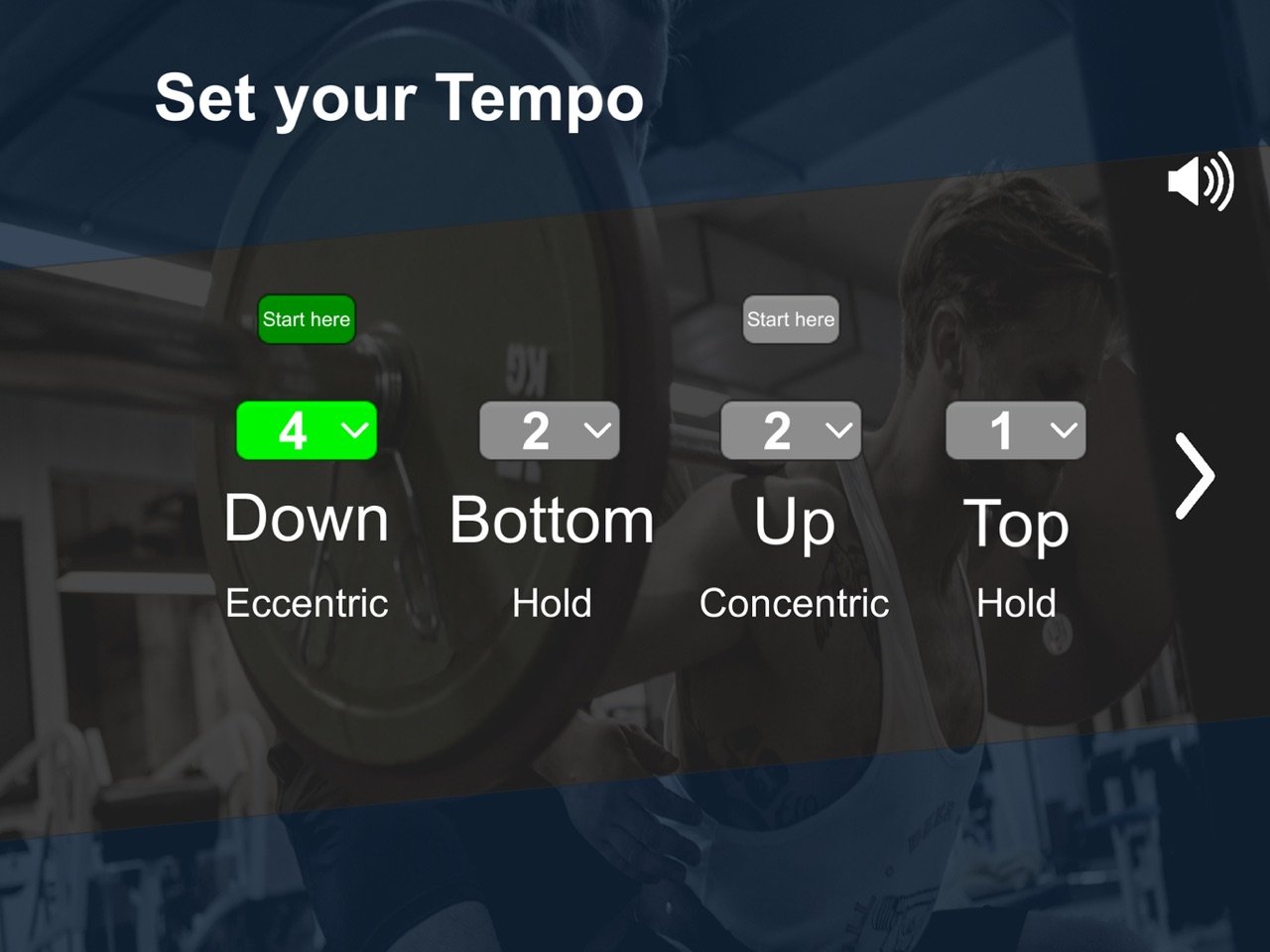
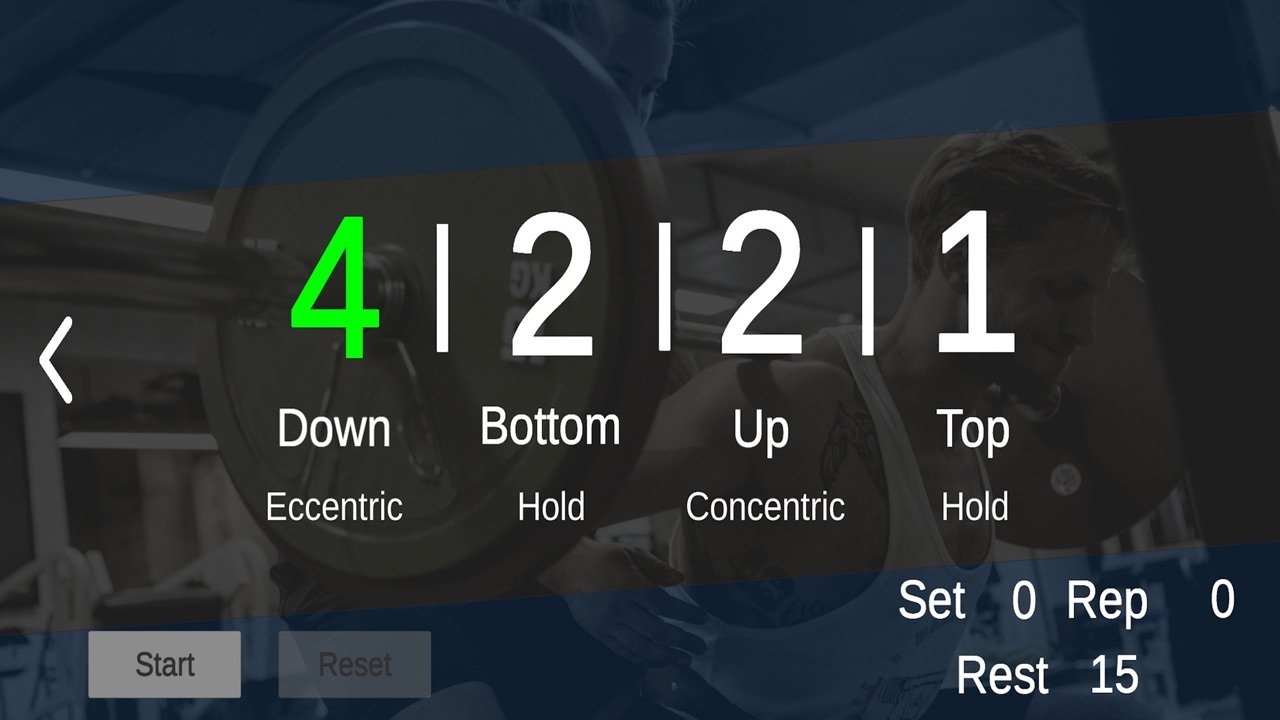
First: Set your Tempo.
You have four numbers/counts. They are always in the same order.
1. Eccentric/DOWN - you lowering the weight e.g. Squat from standing to the bottom.
2. Bottom/HOLD - you pausing at your lowest position.
3. Concentric/UP - you standing up with the weight.
4. Top/HOLD - you fully extended/standing with the weight.
Second: Set where you want to start the movement.
In a Squat or a Bench Press you start from a standing or extended position.
Therefore your counts will start with the „DOWN" command.
In a Deadlift or Pull up you have to lift the weight or pull yourself up first!
Therefore your counts will start with the „UP" command.
The starting phase number will be highlighted in green.
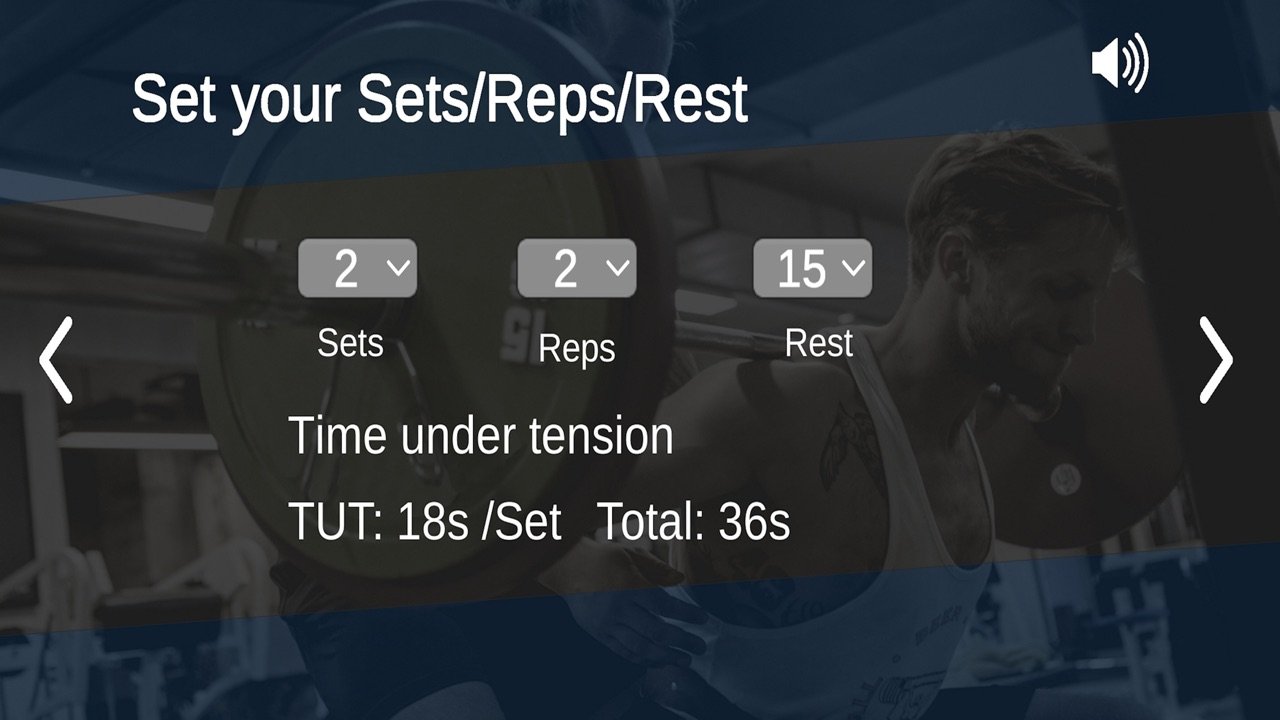
Third: Set your Sets/Reps/Rest
Here you will see the time under tension for each set and for the total workout.
That’s it! Easy peasy lemon squeezy!
Pro Tips:
„SKIP“
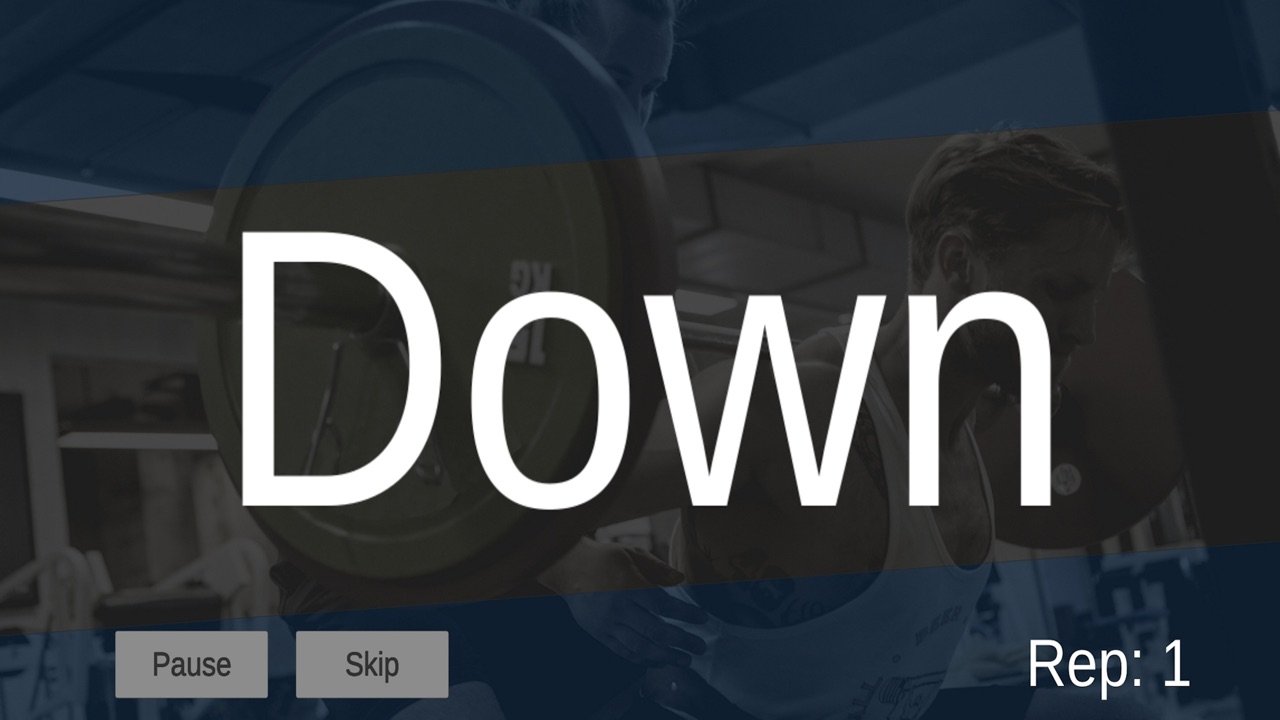
if you don’t manage to fulfill your reps in a set, just hit „SKIP“ and the set ist done. The „Rest Time“ you set before will automatically start after hitting „SKIP“. On the Pause screen you will see your actual set and reps.
Varying Reps in a workout
Let’s say you don’t want to do the classic 5 x 12 Reps.
Something more fancy like 7 - 11 - 15 - 11- 7 Reps.
Just set your Reps to „15“ your highest rep number of the workout and then just „SKIP“ every set after you did your target reps.
Acoustic and optic output:
Mute or don’t mute ;-)
You will hear the commands like this:
DOWN and UP with up to three seconds will be seen or heard as DOWN-DOWN-DOWN or UP-UP-UP.
From a four second count it will be like this:
DONW - 2 - 3 - 4 or UP - 2 - 3 - 4
The „HOLDs“ either BOTTOM or TOP will always be just seen or heard as „HOLD“ no matter how long you want to hold.
License: Commercial
| Release info | New Release on Jan 18, 2021 |
|---|---|
| Release notes | Minor fixes |
| Listing data | App Store |
Reviews
No reviews yet. Be the first to review Tempo Training.
Used Tempo Training? Tell other visitors what you thought.
Log in to write a reviewOther products by this publisher
- "No Distractions" for YouTube 4.10 ----
- #Bible 11.6.1 "Incredible App - My sister shared this app with me a few weeks ago and it is truly incredible.
- #filmphotography 1.4.2 So, you decided to shoot on film?
- #LookBusy Fake Calendar Events 1.0.6 Look Busy scans your work calendar for open time slots and fills them with realistic-looking (but secretly fake) work events.
- #Small Talk Is Canceled 1.0.2 #Small Talk Is Canceled — Conversations That Matter
Most viewed iOS Sports
-
1
 ZephyrAir 1.5.4
ZEPHYRAIR — Stop Guessing...
-
2
 VolleyWrite Buddy 2.4
The VolleyWrite Buddy connects to the Windows version (for now) of VolleyWrite via bluetooth or WiFi.
-
3
 RallyCam 1.0.7
Never lose a great point again.
-
4
 Draft Edge 1.1.2
STOP FOLLOWING THE EXPERTS.
-
5
 TCS Toronto WaterfrontMarathon 5.2
The TCS Toronto Waterfront Marathon is Canada’s premier running event and the grand finale of the Canada Running Series.
-
6
 FlyBox 6.5
FlyBox is your personal fly fishing reference and collection manager for iPhone, iPad, and Mac.
-
7
 Fox Magnet 1.0
On the edge of the field you're sitting on the ground in camouflage with a distressed rabbit decoy in front of you.
-
8
 Adult 1-6 4.0
Learn to Skate USA, the premier source for all things figure skating, has teamed up with Rink Tank Interactive to bring you the ' Learn to Skate USA 'Skate Coach' app series for iOS!
-
9
 ESPN 8.30.1
All of ESPN. All in One Place.
-
10
 Spectrum SportsNet 5.0.1
Stay connected with the Lakers, Dodgers, and Sparks with the Spectrum SportsNet app!
Most downloaded iOS Sports
-
1
 Coyote Magnet 2.1
Coyote Magnet puts 79 full-quality predator sounds in your pocket, recorded clean and organized the way a hunt actually unfolds.
-
2
ZephyrAir 1.5.4
ZEPHYRAIR — Stop Guessing...
-
3
Draft Edge 1.1.2
STOP FOLLOWING THE EXPERTS.
-
4
TCS Toronto WaterfrontMarathon 5.2
The TCS Toronto Waterfront Marathon is Canada’s premier running event and the grand finale of the Canada Running Series.
-
5
Adult 1-6 4.0
Learn to Skate USA, the premier source for all things figure skating, has teamed up with Rink Tank Interactive to bring you the ' Learn to Skate USA 'Skate Coach' app series for iOS!
-
6
Spectrum SportsNet 5.0.1
Stay connected with the Lakers, Dodgers, and Sparks with the Spectrum SportsNet app!
-
7
 100 Climbs of Italy 4.3
The 100 greatest Cycling Climbs of Italy App is an indispensable tool if you’re planning a cycling trip to Italy.
-
8
 ESPN Fantasy Sports & More 9.13.0
With the #1 fantasy sports app, fantasy sports are always in-season.
-
9
VolleyWrite Buddy 2.4
The VolleyWrite Buddy connects to the Windows version (for now) of VolleyWrite via bluetooth or WiFi.
-
10
 Playing Time 1.8
If you coach sports, or are a parent of a child involved in youth sports, you know how difficult it can be to keep track of how much playing time each player is getting.