0downloads
0this week
FreeCommercial
0reviews
Screenshots
About Tapkeep
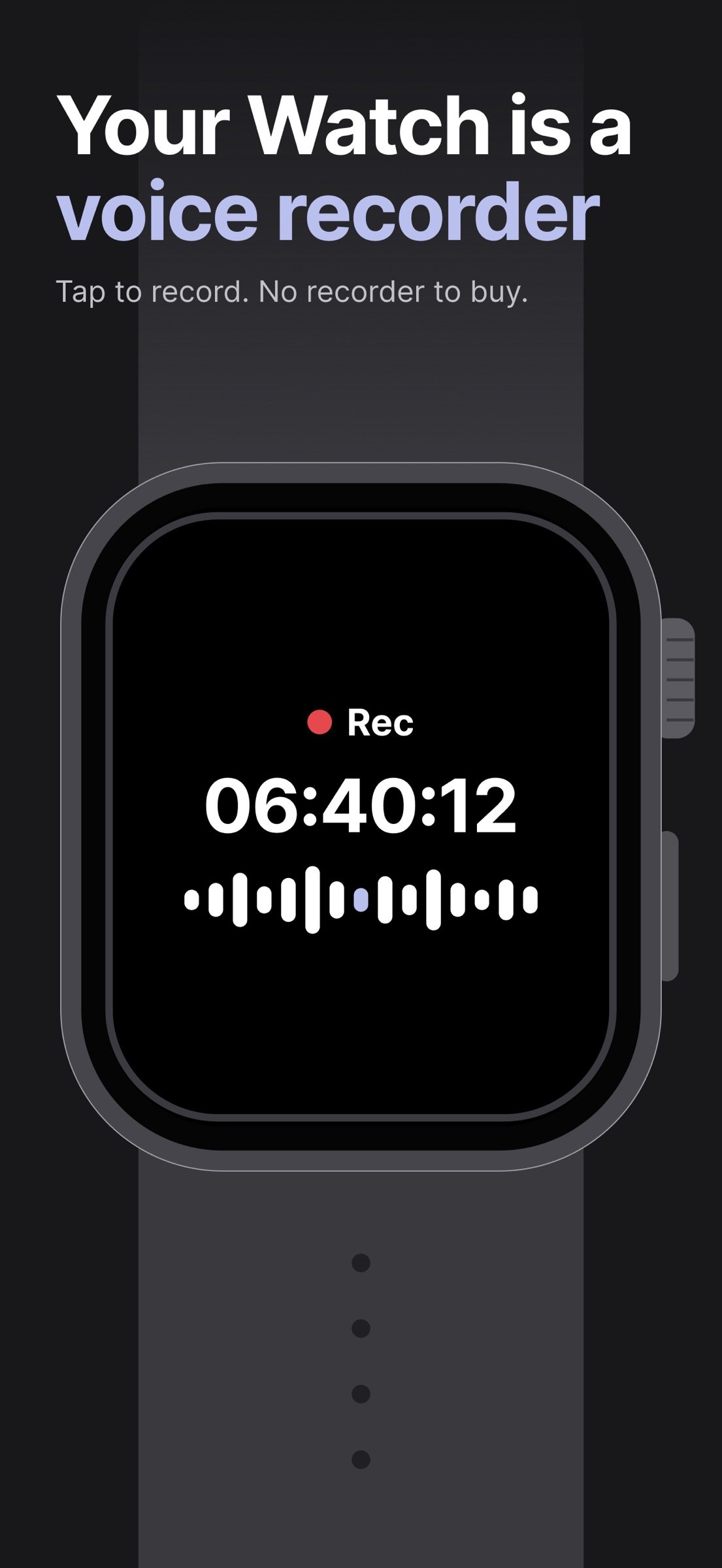
Your Apple Watch is your voice recorder. Tap once and the whole day is recorded, then turned into text on your iPhone, split into conversations and titled for you.
What got decided in a meeting. The book a friend mentioned. An idea you had on a walk. Two days later it's gone. Tapkeep keeps it, and brings it back when you search a word or ask a question.
ONE TAP ON YOUR WATCH
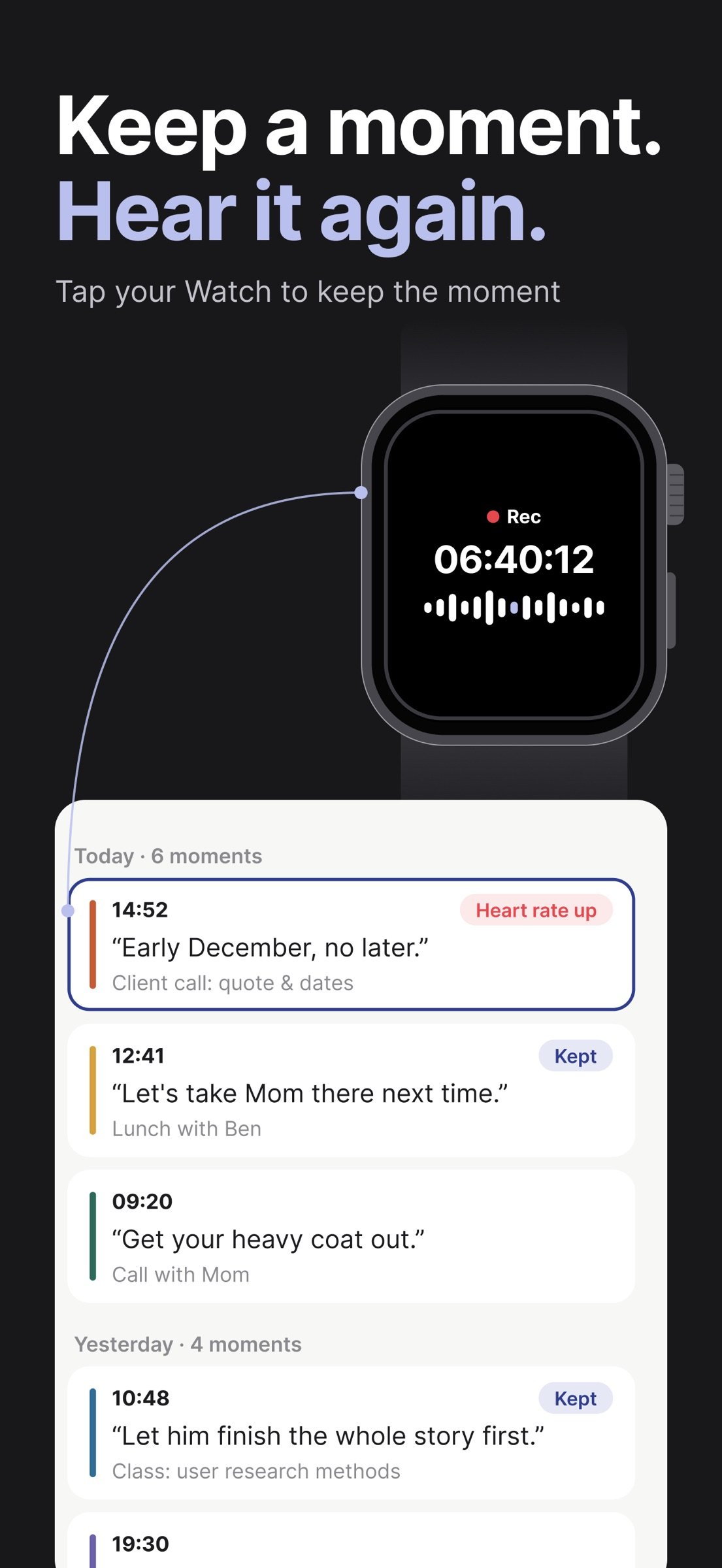
The Watch app is a single screen. Tap to start, and it keeps recording with the screen off. Hear something worth keeping? Tap again to keep that moment. Hold to stop. Add it to your watch face to see how long it's been recording, or keep a moment straight from the Smart Stack. It stops when you go to sleep and starts again at the time you set.
NO WATCH? USE YOUR IPHONE
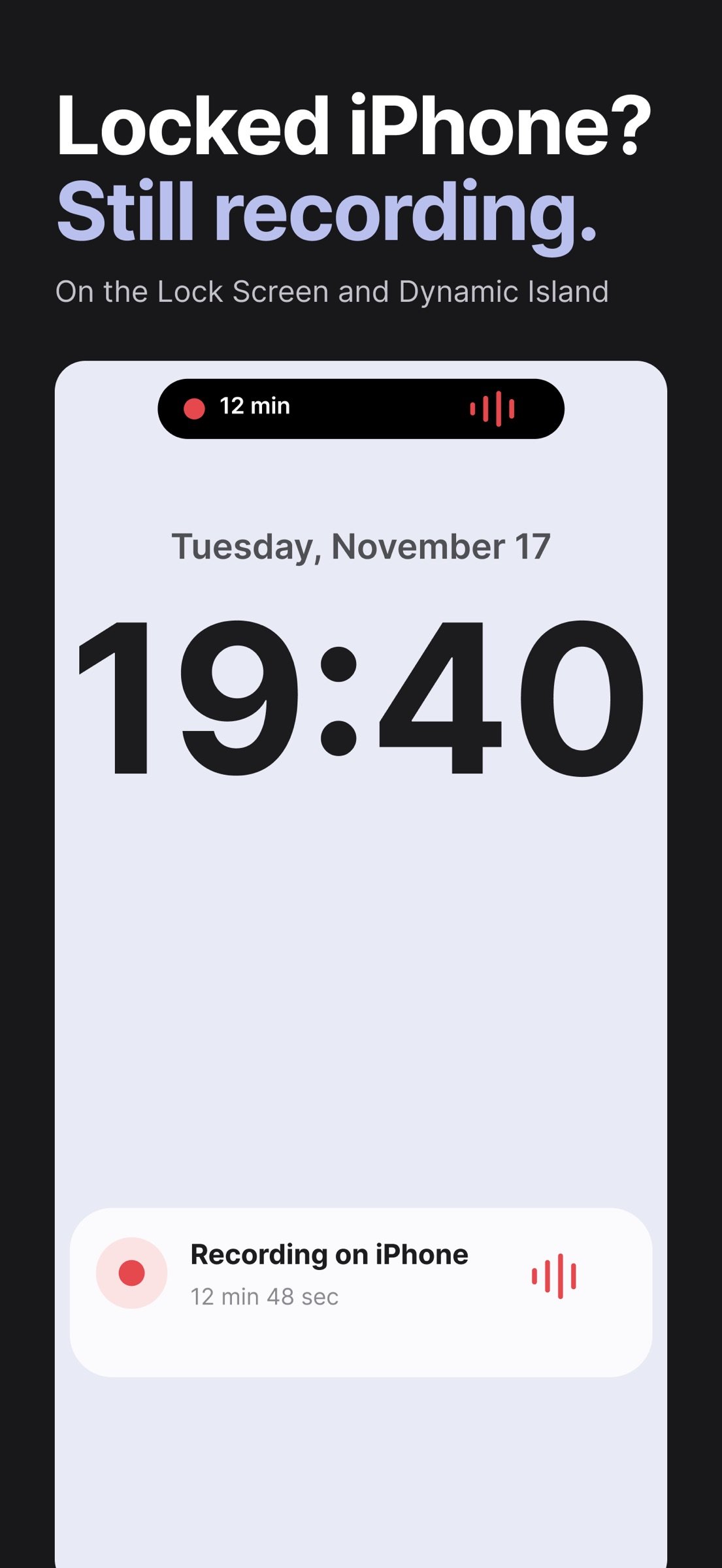
Tap Record on iPhone. It keeps going when the phone is locked, and shows on the Lock Screen and in the Dynamic Island. You can also import older recordings from Files or Voice Memos.
TEXT, SPLIT INTO CONVERSATIONS
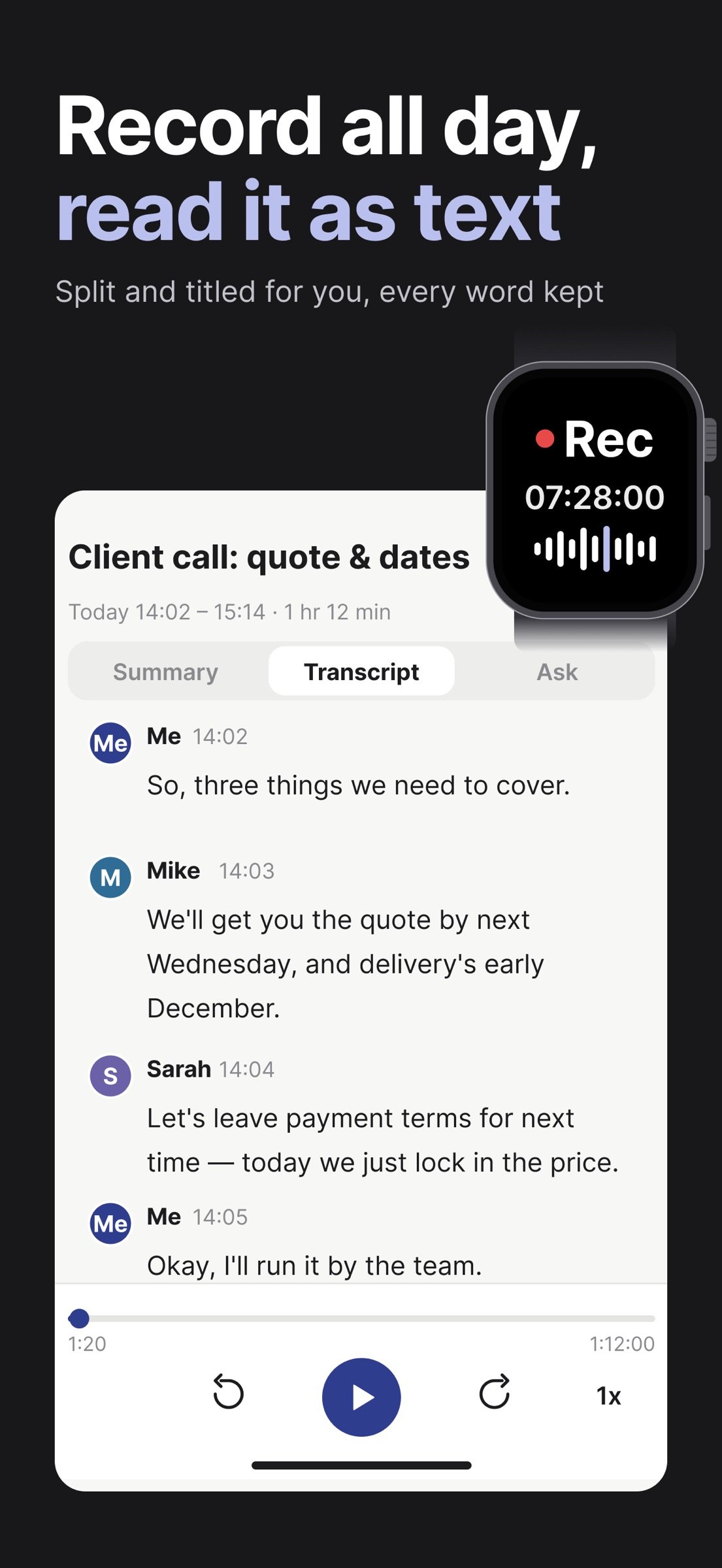
Recordings become text on your iPhone, split by conversation. Each one gets a title and a short summary: who came up and what was decided. Every line has a time; tap a line to hear it from there. Fix a wrong word, split a long one, merge two short ones.
FORGOT WHAT WAS SAID? ASK
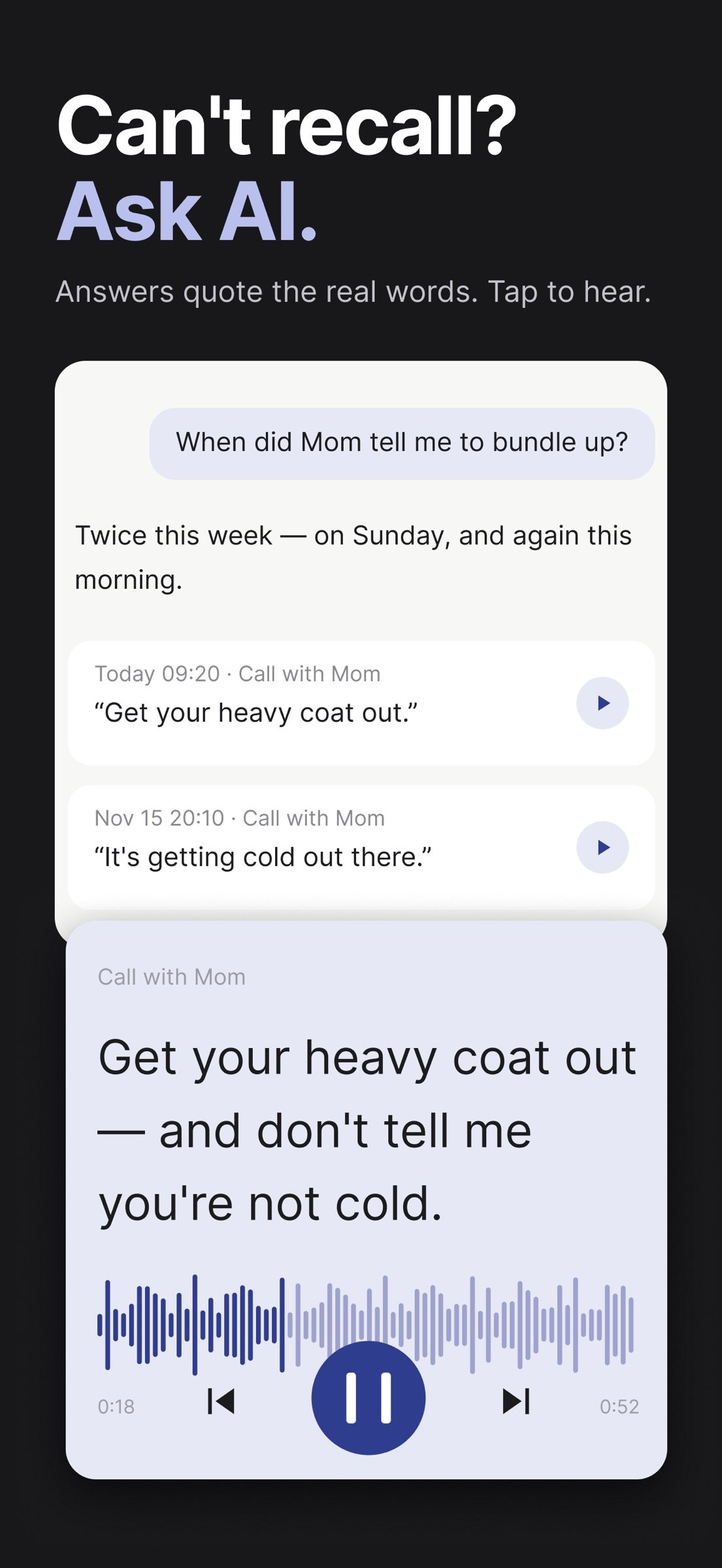
"What date did we settle on for the quote last week?" Ask, and the answer quotes the real words. Tap to jump back to that line. Ask about today, this week, or one conversation. Or just search, by word, by meaning, or by person.
KEEP A MOMENT
Tap your Watch while recording and the audio around it is kept as a moment. Find moments by person or tag, play them in the voices that said them, or share one as a short video with the original audio.
A JOURNAL EVERY DAY
What you said is written up the same day, and every line in the journal plays back the original audio. Weekly and monthly look-backs too.
PEOPLE AROUND YOU
Voices you hear often are grouped on your iPhone. It asks once who that is, then uses their name in transcripts and journals. Voice data stays on this iPhone, and deleting a person deletes it.
HEART RATE AND PLACES
Turn on Heart Rate & Places to read heart rate, sleep, and steps from Apple Health, read-only. Moments when your heart rate rose, and where you were, show on that recording.
EXPORT FOR AI ON YOUR COMPUTER
Export one day or several as a single document, ready for the AI tools on your computer.
YOUR RECORDINGS STAY WITH YOU
Audio is stored on your Watch and iPhone. For transcription it is sent to our transcription service and not kept afterward; turn this off in Settings to transcribe on your iPhone instead. Text goes to AI only if you agree, and we don't keep it. No account, no ads, no tracking. Export everything or delete it all, any time.
Pay once. No subscription.
WHO WRITES YOUR JOURNAL
The first time you open the app, it asks once whether to let AI write your journal (iOS 18.4 or later). If you turn it on, your transcribed text, your questions and the things it remembers pass through our server to the AI that writes journals and answers. We don't keep them. Audio, heart rate and location are never sent. Usage limits apply.
If you'd rather not, or on an earlier iOS, add your own API key in Settings (DeepSeek, Qwen, OpenAI, or a custom address). Text goes straight to that service, at its prices.
Without either there's no journal or Ask. Recording, transcription and search still work. Change it anytime in Settings.
Recording on Apple Watch requires Series 6, SE (2nd generation), Ultra or later with watchOS 11, paired with an iPhone on iOS 18 or later. Without a Watch, record on your iPhone. Calls, Siri and alarms can interrupt recording, and battery and storage can affect it. Please tell people before you record them, and get their consent where the law requires it.
Generative AI used for journals and answers: DeepSeek. AI writing can contain mistakes. Operator: Wuxi Huaxiaoman Technology Co.,Ltd
License: Commercial
| Release info | New Release on Nov 19, 2026 |
|---|---|
| Release notes | Recording no longer cuts out: after a call, a WeChat video call or Siri, it picks up again by itself, and keeps going with the phone locked. Clothes rubbing and wind no longer turn into stray words, and playback cleans up noise and evens out volume. Besides a racing heart, a tense hour is marked too. Tap it to hear what was said. The Watch shows how many pieces have reached your iPhone, and the time recorded is big in the middle. |
| Listing data | App Store |
Reviews
No reviews yet. Be the first to review Tapkeep.
Used Tapkeep? Tell other visitors what you thought.
Log in to write a reviewOther products by this publisher
- "No Distractions" for YouTube 4.10 ----
- #Bible 11.6.1 "Incredible App - My sister shared this app with me a few weeks ago and it is truly incredible.
- #filmphotography 1.4.2 So, you decided to shoot on film?
- #LookBusy Fake Calendar Events 1.0.6 Look Busy scans your work calendar for open time slots and fills them with realistic-looking (but secretly fake) work events.
- #Small Talk Is Canceled 1.0.2 #Small Talk Is Canceled — Conversations That Matter
Most viewed iOS Lifestyle
-
1
 Shefa Gold 1.6.2.5
More than 100 new and delicious Hallelu-Yah chants to exalt and bless and celebrate the simple fact of existence.
-
2
 Light Language Grid Creator 6.4.1
Light Language Grid Creator lets you create Grids with 3D shapes and colours, then export them as images.
-
3
 UltiPro 3.0
Ulti Servives is your one stop destination for your day by day services.
-
4
 CHAI 2.198
Our app revolutionizes the way we interact with AI chatbots.
-
5
 Joguman Daily Calendar 1.0.14
New drawings every day, and every day feels brand new.
-
6
 Anker eufy 6.1.41
The new all-in-one eufy app that designed to bring together all your favorite eufy products—eufy Security, eufy Clean, eufy Baby, eufy Life, and eufy Pet—into one seamless platform.
-
7
 Tesla 4.63.0
The Tesla app puts owners in direct communication with their vehicles and energy products anytime, anywhere.
-
8
 Booksy for Customers 26.11.2000
Self-care, on your schedule.
-
9
 12 Steps Companion 3.0.9
First developed in 2008, 12 Steps Companion was the world’s first recovery app.
-
10
 CopperKnob 2.1.1
CopperKnob is an App which allows you to browse over 185,000 line dance stepsheets from the CopperKnob website.
Most downloaded iOS Lifestyle
-
1
Light Language Grid Creator 6.4.1
Light Language Grid Creator lets you create Grids with 3D shapes and colours, then export them as images.
-
2
 Pieceful 3.1.0
Capture briefly. Remember deeply.
-
3
UltiPro 3.0
Ulti Servives is your one stop destination for your day by day services.
-
4
Joguman Daily Calendar 1.0.14
New drawings every day, and every day feels brand new.
-
5
 Electronic Rosary 4.0.3
The Rosary (from Latin rosarium, meaning "rose garden") is a traditional Catholic devotion.
-
6
 Core Values 1.0.1
Core Values: Find Yours is a guided self-reflection exercise that helps you identify your top five values that matter most to you.
-
7
 Santa Christmas Snowing 1.1.0
Experience the magic of Christmas right on your wrist!
-
8
 SeedStead 1.1
SeedStead helps you know when to start seeds, direct sow, and transplant based on your garden’s ZIP code and local frost dates.
-
9
 Horoscope $ 7.0.15
Experience astrology without limits.
-
10
CHAI 2.198
Our app revolutionizes the way we interact with AI chatbots.