4downloads
1this week
FreeCommercial
0reviews
Screenshots
About Talking Speedometer
A TALKING VERSION OF ANOTHER SPEEDOMETER. DOWNLOAD OUR FREE SPEEDOMETER TO TRY OUT THE KEY FEATURES.
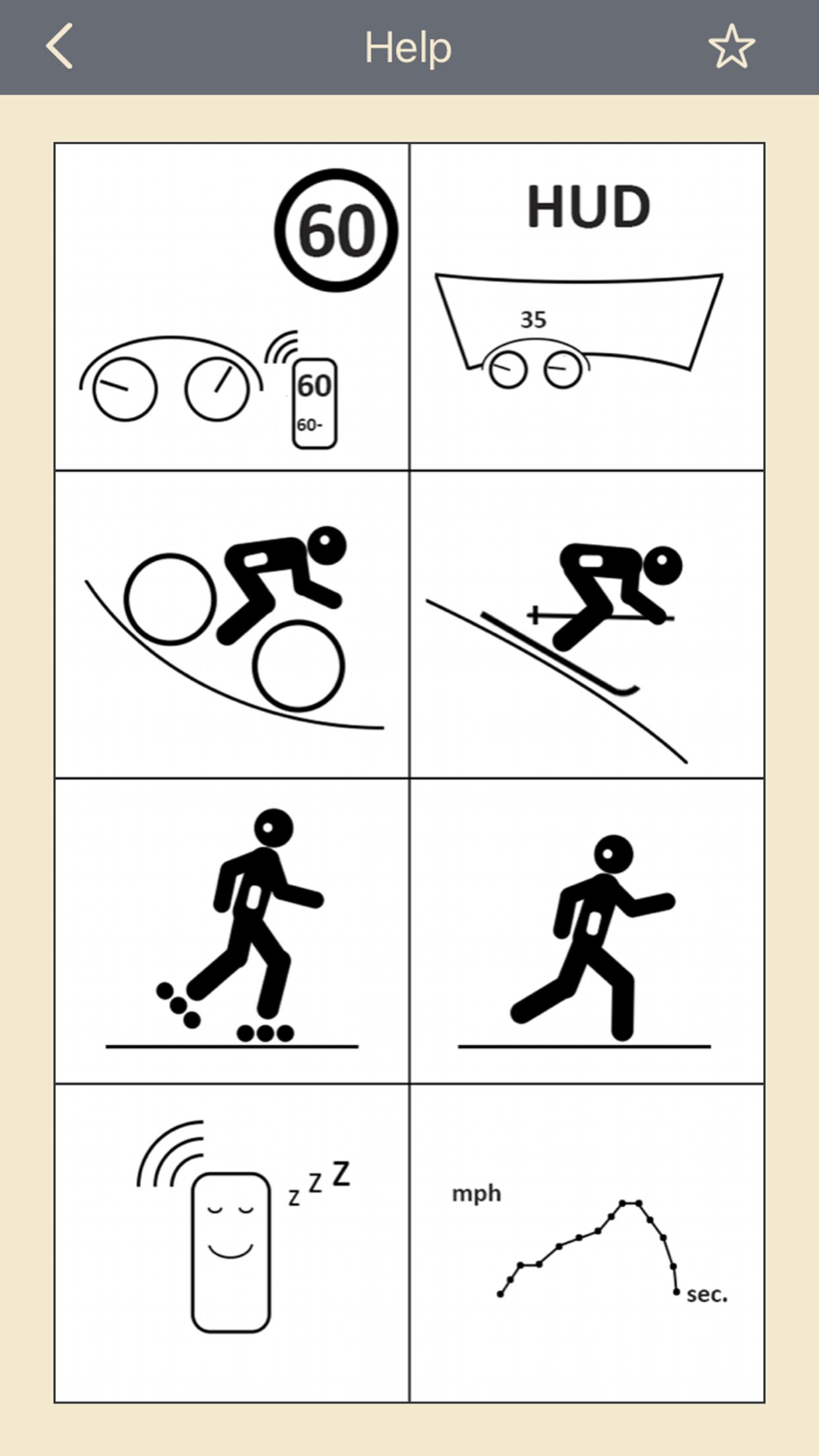
1. Voice cues to notify you when you reach the selected speed. About 25* languages supported. Receive speed voice cues while listening to music.
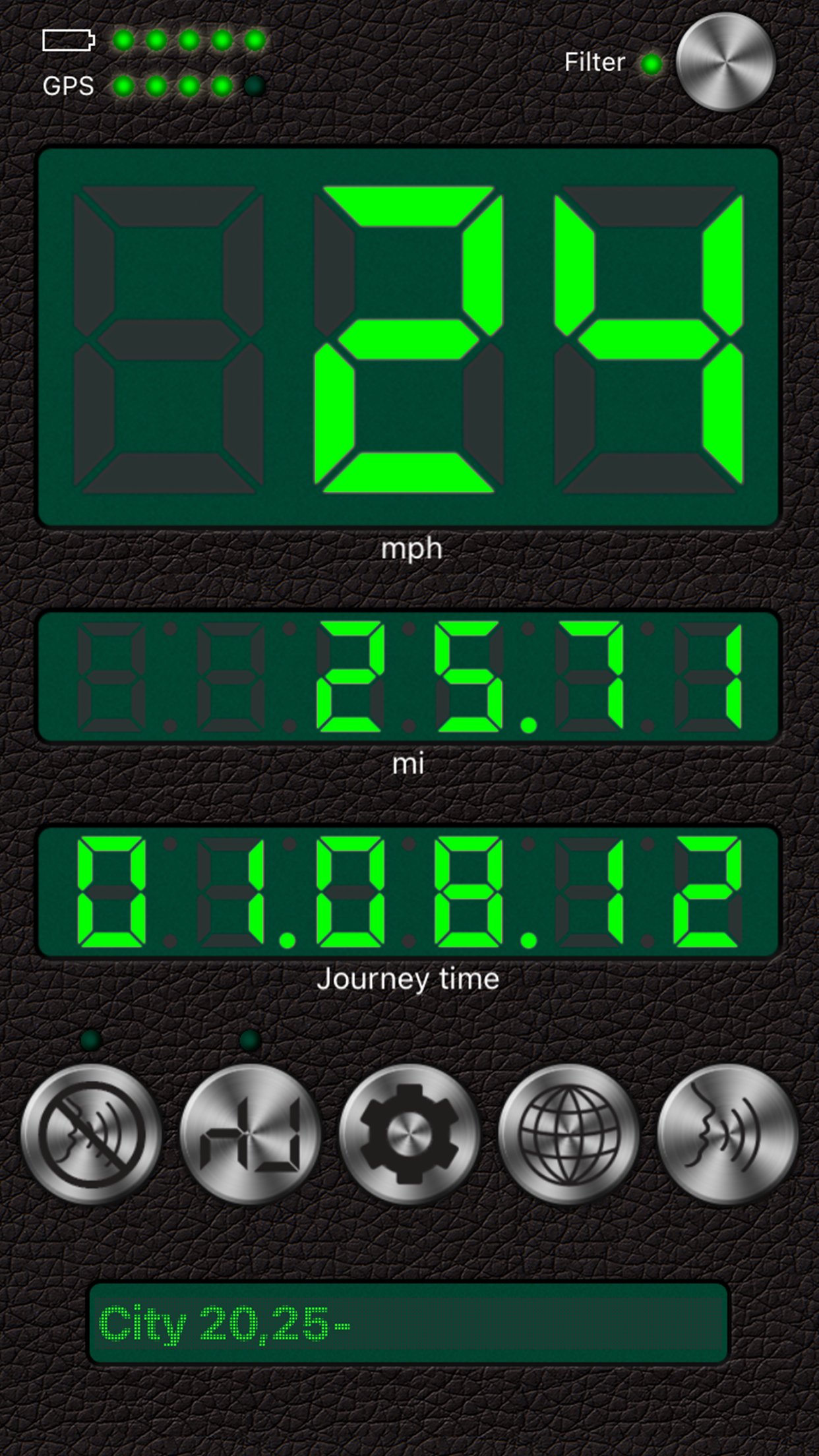
2. Speed data filtering. Readings with the filter on are more inert than those with the filter off though. THE FILTER MUST BE ON WHEN CYCLING, JOGGING OR WALKING.
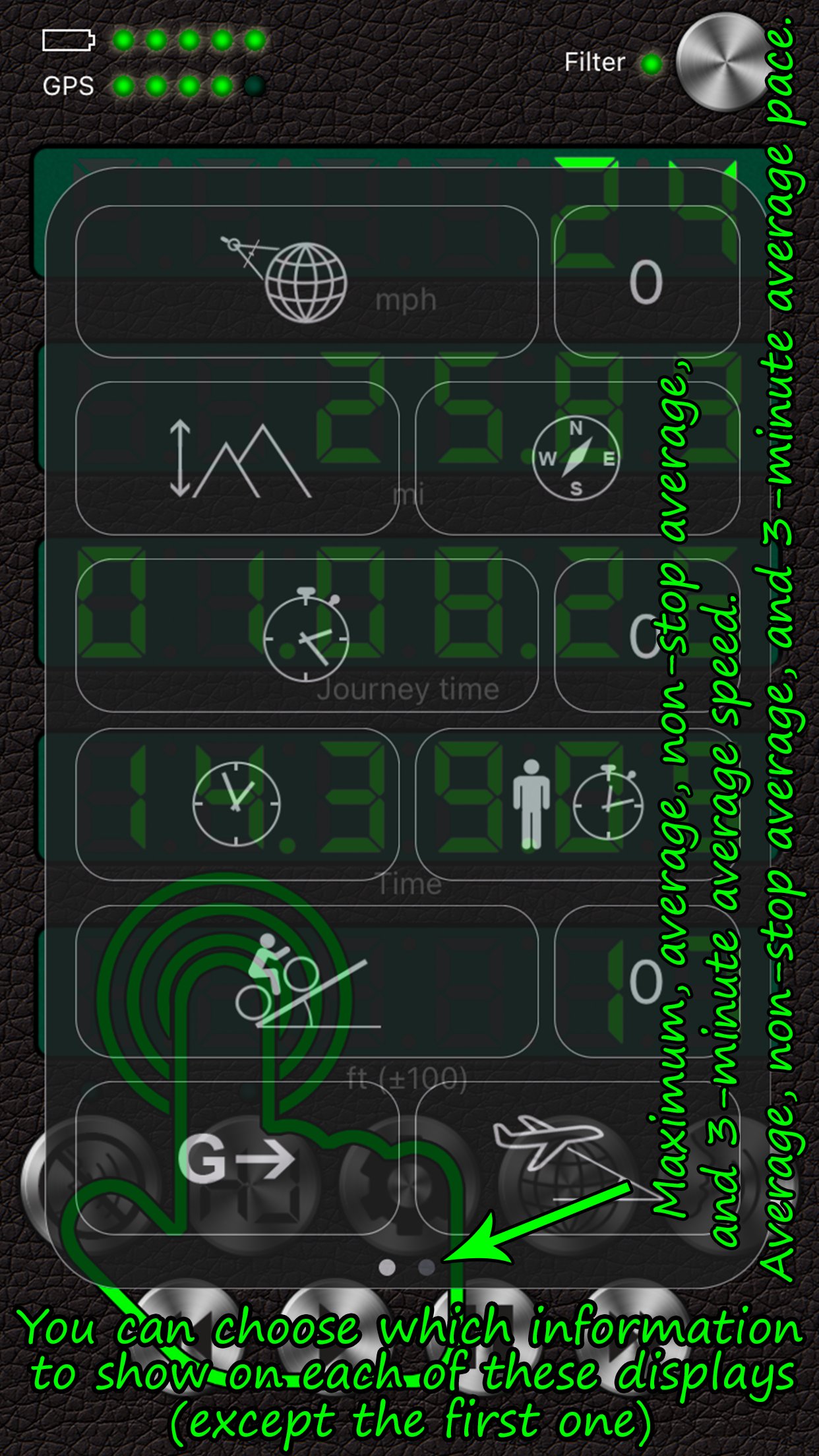
3. The G-meter. Get APPROXIMATE acceleration calculated based on your speed variation. Why use the GPS G-meter: no need to keep your iPhone in a fixed position or connect it to your vehicle's computer system, which means speed readings can be taken discreetly, for example, during a test drive. Taking a number of readings compensates lesser accuracy. Acceleration is calculated only when the filter is off. Acceleration cannot be measured near tall buildings, in the mountains or woods.
4. Large, well-lit digits
5. HUD (the speed is displayed in the windscreen reflection at night time or in cloudy weather)
6. Background mode. Continued use of GPS running in the background can dramatically decrease battery life.
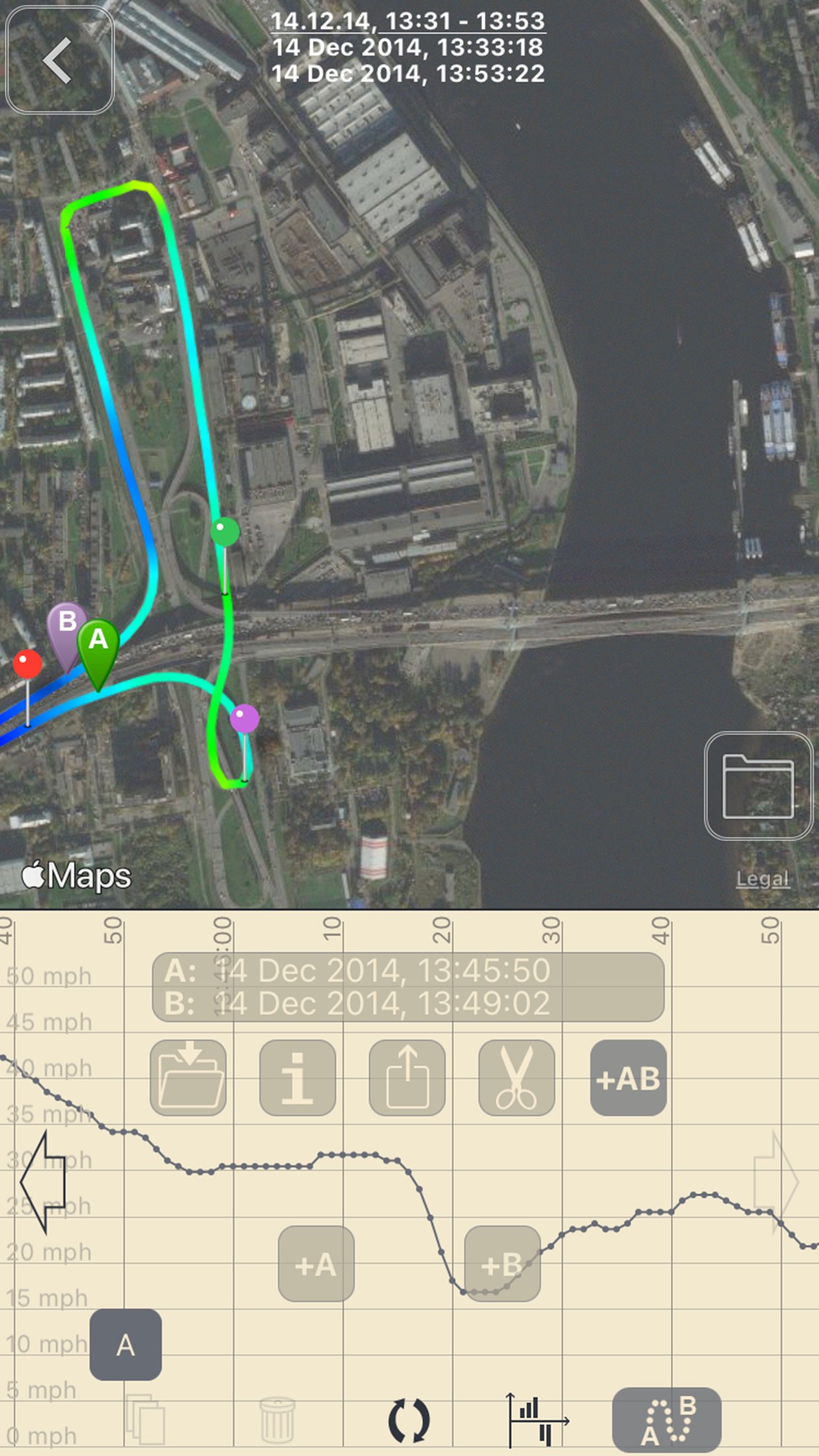
7. Speed and acceleration graphs
8. Odometer
9. Altimeter
10. Time, journey duration, and current stop duration. The current stop duration will be reset after 20 seconds of motion.
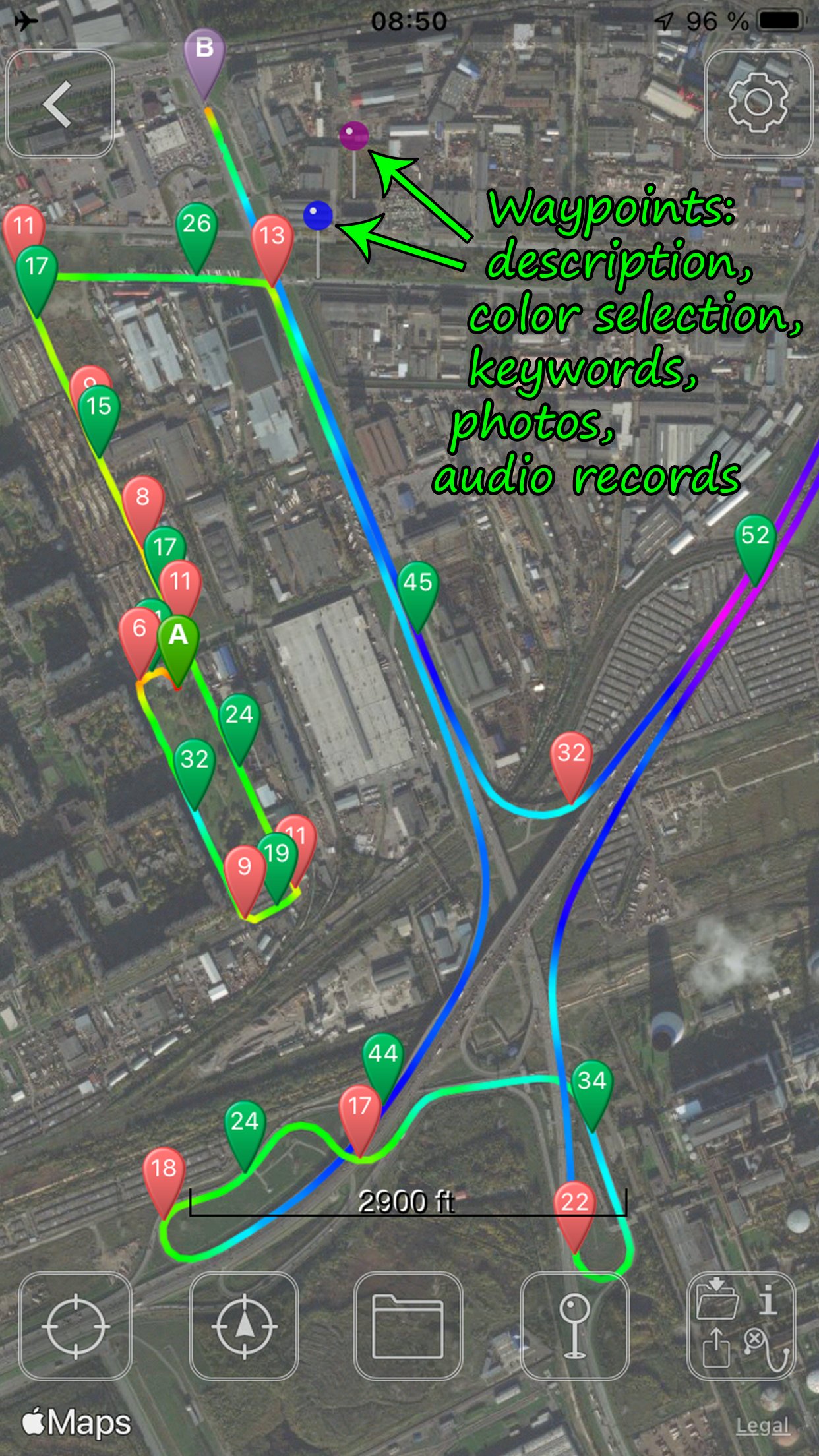
11. See tracks on the map
12. Save tracks
13. Compass
14. Angle of incline (inclinometer)
15. Aircraft descent/climb angle
16. Get detailed stats for any part of your journey
17. Export your journey to a KMZ or GPX file
18. Export track statistics table to a CSV file
19. Load and show your route (journey plan) on the map together with a track. To do this, create a route, using a special online service (such as GPX Editor - [link removed], The online GPX file editor - [link removed], Track drawing websites - [link removed]) on your desktop, and export it as a GPX (KML, CSV) file. The file name must begin with "Route". Using iTunes, transfer the file into the app (OR use the "Files" app). Following this, you will be able to select your route at the bottom of your track list. Now you can easily travel following your route line, even without loading a map.
20. Export and import files via iTunes and email
21. Waypoints (description, color selection, keywords, photos, audio records)
22. A single waypoint database with a filter option
23. Music controls
24. No annoying ads
25. Vintage design
Why use voice cues:
1. Get notified if you have gone over the speed limit.
2. Voice cues allow novice drivers to find out their current speed without taking their eyes off the road.
3. Control your speed, even when you have limited or no access to your phone's screen, for example, when you are out jogging, roller-skating, cycling or skiing.
4. Keep your speed under control when you are driving at high speeds , as taking your eyes off the road can be highly dangerous.
5. Control your speed discreetly by using headphones.
Voice cues rules:
o "50,80-" -- Receive voice cues once the speed goes over or under 50 and each time it changes after hitting the 80 mark.
o "+25,-30" -- Receive voice cues once the speed hits the 25 mark (when speeding up) and when it goes below 30 (while slowing down).
o "10-20" like "10,11,12,...19,20".
o "0-10-60,70-5-" -- Detailed cues, such as "0,10,20,...60,70,75,80,85,90,...".
o "-10-10-40,+70-5-" -- Detailed cues, such as "-10, -20, -30, -40, +70, +75, +80, +85, +90,...".
o You can use rules for sound signals (for example "55!! 60!!!"). But then the rules for pronouncing the speed will not work.
[link removed]
* -- English, Deutsch, ???, Espanol, Francais, Italiano, ???????, ???????, ???, Nederlands, Portugues, Polski, ????????, Bahasa Indonesia, Svenska, Turkce, ???, Magyar, Cestina, Dansk, Suomi, Romana ...
License: Commercial
| Release info | Update on Nov 19, 2026 |
|---|---|
| Release notes | The app has been updated only to answer new age rating questions. |
| Listing data | App Store |
Reviews
No reviews yet. Be the first to review Talking Speedometer.
Used Talking Speedometer? Tell other visitors what you thought.
Log in to write a reviewOther products by this publisher
- "No Distractions" for YouTube 4.10 ----
- #Bible 11.6.1 "Incredible App - My sister shared this app with me a few weeks ago and it is truly incredible.
- #filmphotography 1.4.2 So, you decided to shoot on film?
- #LookBusy Fake Calendar Events 1.0.6 Look Busy scans your work calendar for open time slots and fills them with realistic-looking (but secretly fake) work events.
- #Small Talk Is Canceled 1.0.2 #Small Talk Is Canceled — Conversations That Matter
Most viewed iOS Health & Fitness
-
1
 Cal AI 26.46.1
HOW TO USE CAL AI:
-
2
 HealthPatch 1.0.3
Take Full Control of Your Apple Health Workout Data
-
3
 Stromno 1.3.2
Stromno app allows you easily broadcast your heart rate data from Apple Watch and show it on live stream.
-
4
 Environments 1.7
Environments is a historic catalog of long form field recordings created for the way you live.
-
5
 Dysphagia 2.3
Excellent visual tool to aid professionals in educating patients and families about swallowing disorders.
-
6
 I am 7.10.0
How many negative thoughts have been repeating in your mind?
-
7
 Health Exporter & Shortcuts 1.7.0
Your Apple Health data is yours, but it stays locked inside your iPhone.
-
8
 Periodic Timer + 4.8
Keep track of time without being distracted by the device!
-
9
 AllTrails 26.11.30
Whether you hike, bike, run, or walk, AllTrails is your companion and guide to the outdoors.
-
10
 Fitness Test Pro Elite 3.5.6
Fitness Test Pro Elite is a fitness test calculator for the Army, Navy, Air Force, Marine Corps, Coast Guard and special operations screening tests.
Most downloaded iOS Health & Fitness
-
1
HealthPatch 1.0.3
Take Full Control of Your Apple Health Workout Data
-
2
Stromno 1.3.2
Stromno app allows you easily broadcast your heart rate data from Apple Watch and show it on live stream.
-
3
 Fitness Data Sync 1.2
Tired of subscriptions just to sync your own fitness data?
-
4
 TonalBloom Sound Bath 1.0
TonalBloom turns your iPhone into a tactile sound bath instrument with singing bowl tones, warm drones, shimmer controls, and saved local patches.
-
5
 Adrian James 5.0.2019010401
Adrian James 6 Pack Abs Workout has become an international sensation.
-
6
Fitness Test Pro Elite 3.5.6
Fitness Test Pro Elite is a fitness test calculator for the Army, Navy, Air Force, Marine Corps, Coast Guard and special operations screening tests.
-
7
 Stelo by Dexcom 3.3.2
Welcome to the revolution in personalized glucose health.
-
8
 BrainWave 11.0.2
Advanced Binaural Brainwave Entrainment combined with Ambient Music, Nature Sounds, Other Audio Apps or your own iTunes Music.
-
9
 Epic Haiku & Limerick 12.1
Haiku provides authorized clinical users of Epic’s Electronic Health Record with secure access to clinic schedules, hospital patient lists, health summaries, test results and notes.
-
10
 Flo Cycle & Period Tracker 10.11.1
Flo Health is a science-backed cycle, ovulation, pregnancy, and period tracker with over 570 million downloads worldwide.*