
Tag My Spool 2.8.1
NFC & RFID Filament Tag Reader, Writer & Spool Tracker for 3D Printers.
Download
54.99 MB
35downloads
6this week
FreeCommercial
0reviews
Screenshots
About Tag My Spool
NFC & RFID Filament Tag Reader, Writer & Spool Tracker for 3D Printers.
Tag My Spool lets you read, write, and manage NFC filament spool tags effortlessly -- so your 3D printer always knows what material it's working with. Whether you're labeling PLA, PETG, TPU, ABS, or specialty filaments, Tag My Spool keeps your entire filament inventory organized with precise data tracking and instant tag access.
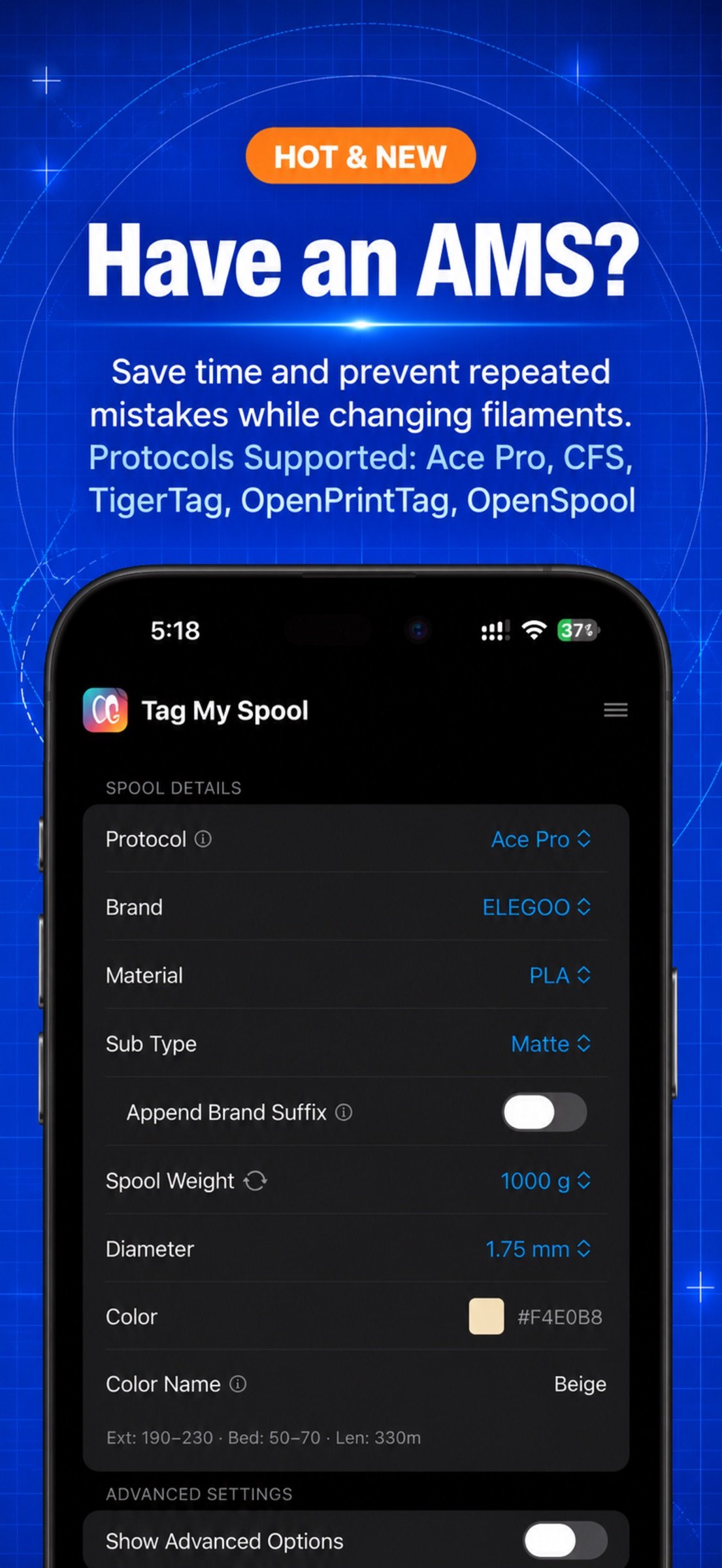
The ultimate NFC spool manager and filament organizer -- compatible with Anycubic ACE Pro, TigerTag, OpenSpool, and OpenPrintTag.
# Key Features
- Smart Spool Manager -- create and write detailed NFC tags for your filament spools
- Save presets for material type, sub-type, color, brand, filament diameter, spool weight, and temperatures
- Manage brands, material types, sub-types, spool weights, and filament diameters in settings
- Instantly read existing NFC or RFID tags to view stored filament data
- Label Printer -- print or export spool labels with full customization: arrange fields, bold, italics, and border control
# Protocol Support
- ACE Pro -- full support for all fields including bed temperature, spool weight, diameter, and length. Along with a unique way to allow custom brand filaments to match!
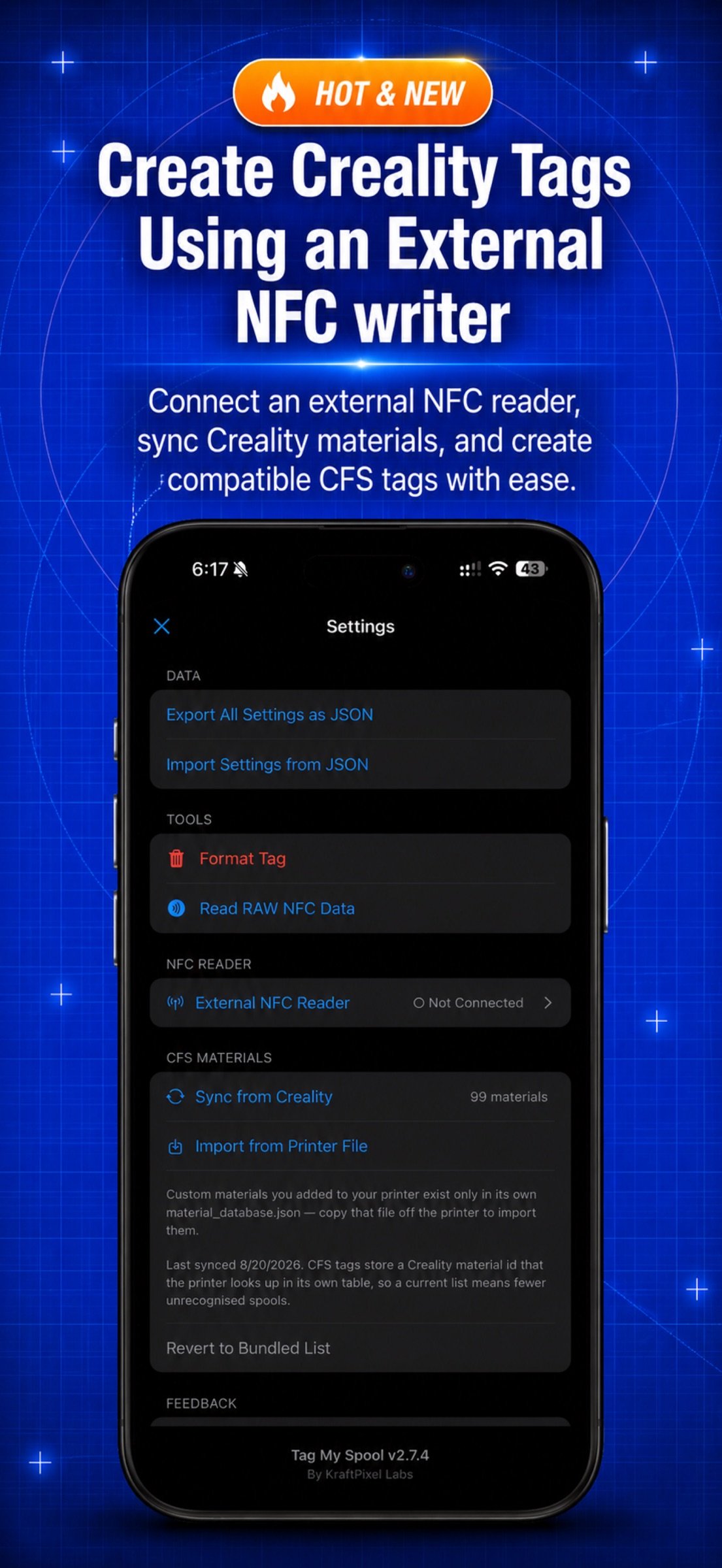
- Creality CFS [new] -- via an external NFC card writer ACR1555U. There is support for entering custom material ID manually for now.
- OpenSpool -- JSON-based NFC standard (material, color, brand, hotend temperature)
- OpenPrintTag -- binary CBOR NFC standard with basic field support (material, brand, sub-type, color, temp, weight, diameter, HueForge TD)
- TigerTag -- binary NTAG21x protocol with basic field support (material, brand, sub-type, color, temp, weight, diameter, HueForge TD)
# Advanced Material Settings
- Record temperature ranges (Hotend & Bed) for each filament material
- Set filament diameter and spool length in meters
- Set TD (Transmission Distance) in Advanced Settings for OpenPrintTag, used by HueForge
- Assign a Spool ID (Spoolman-compatible) when using the OpenSpool protocol
# Filament Library & Database
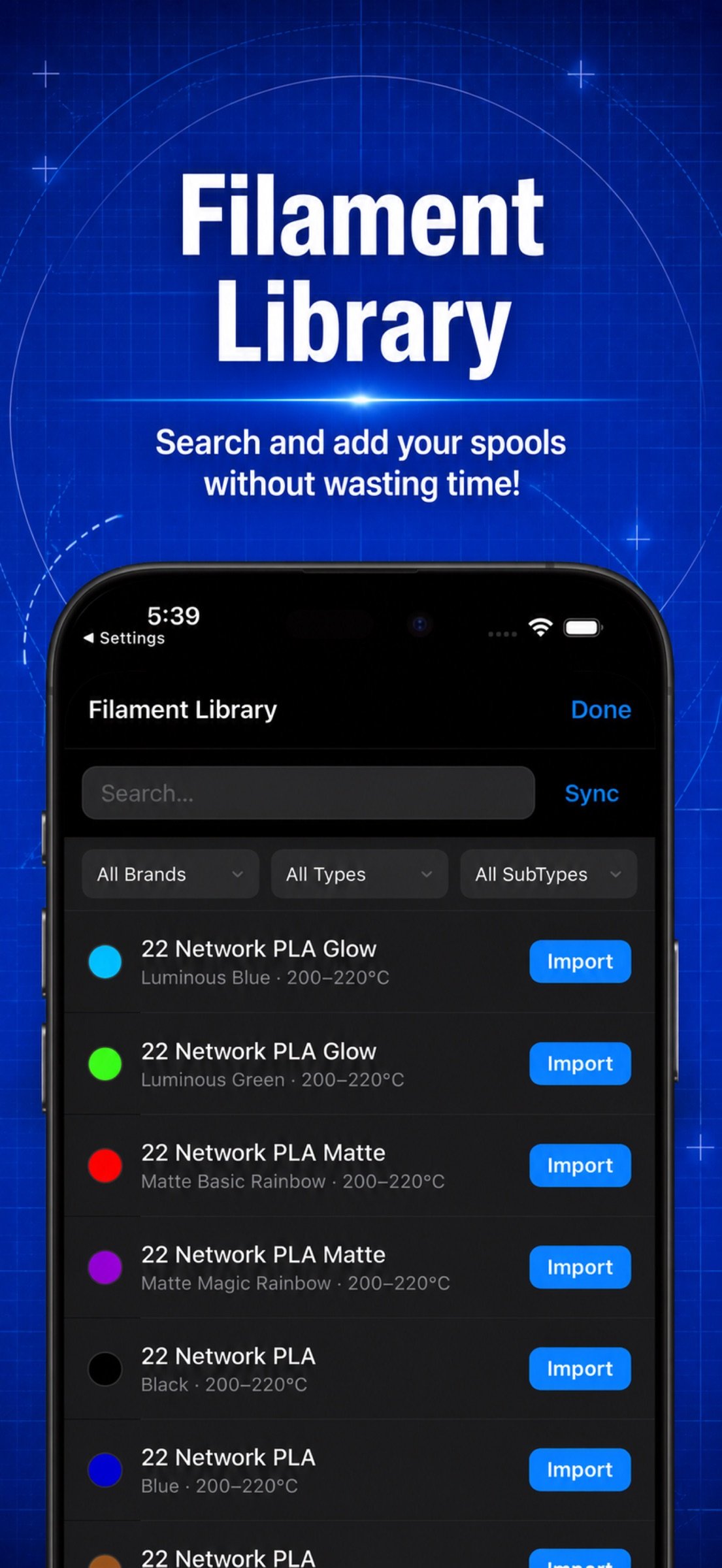
- Browse the Open Filament Database with thousands of community filament profiles
- Filter by brand, material type, and sub-type -- PLA, PETG, TPU, ABS, and more
- Import profiles directly into your saved tags with one tap
# Customization & Filament Organizer
- Define brand names, materials, sub-types, diameters, and spool weights (add, edit, or delete)
- Assign colors with a visual color picker and named colors for label printing
- Choose material type from a built-in list (PLA, PETG, ABS, and more)
- Configure bed and hotend temperatures, spool weight, and filament length per preset
# Save/Load Tags
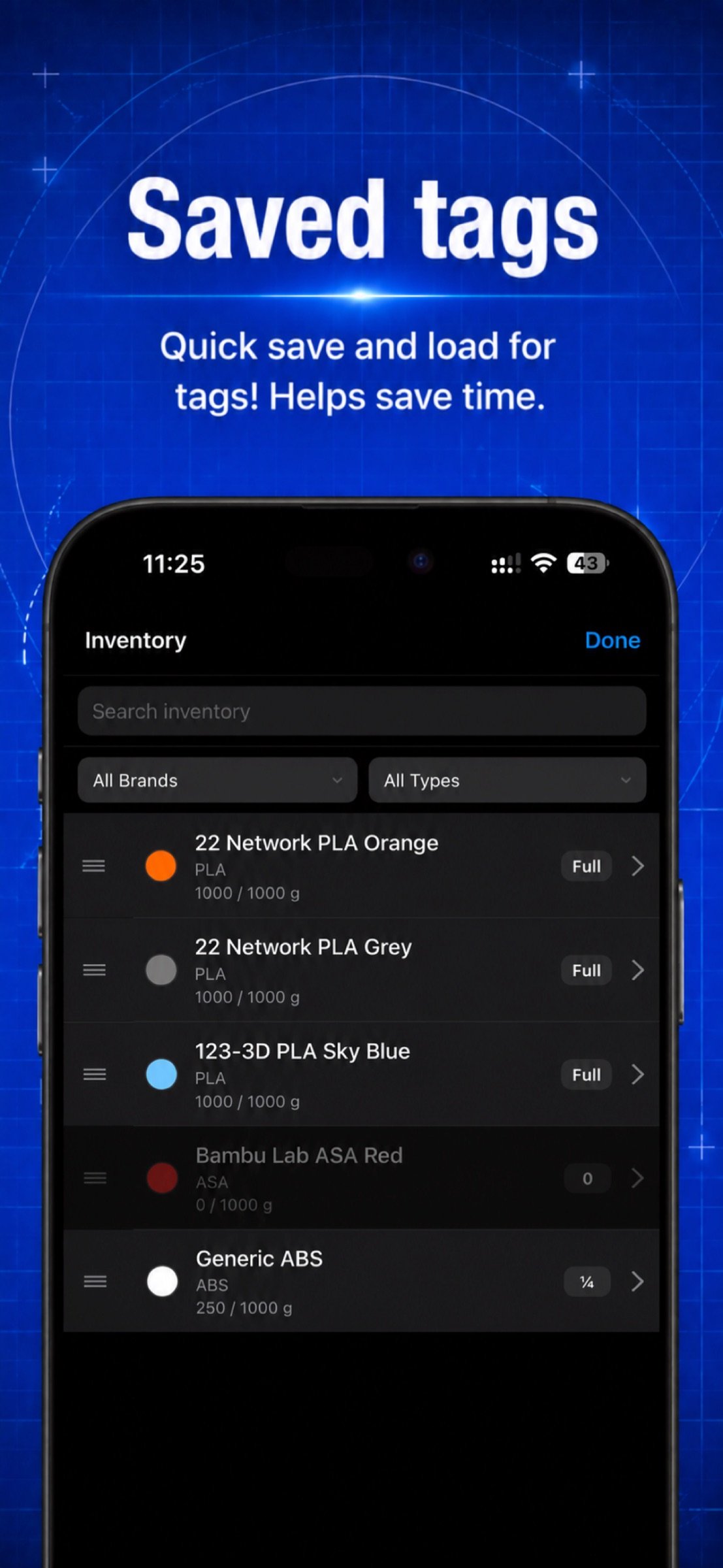
- Save and load tag configurations as presets for reuse
- Keep your filament tracker tidy with Saved Tags -- your full spool inventory in one place
# Backup & Restore
- Export your entire filament inventory (tags, brands, materials) as a JSON backup file
- Import backups to restore or transfer your data between devices
# Technical Highlights
- Full NFC tag reader and writer -- NTAG series compatible
- Tag formatting -- erase all data on a tag when needed
- Light/Dark mode support
- Data saved locally and synced to iCloud
- Works fully offline -- no cloud subscription required
- Language Support (Contact us to request support for your language)
# Perfect For
- 3D printing enthusiasts tracking multiple spool types
- Makers managing PLA, PETG, TPU, ABS, and specialty filaments
- Anyone using Anycubic ACE Pro, OpenSpool, or OpenPrintTag compatible spools
We accept feature requests and bug reports over email - details in the app.
Stay organised. Print smarter. Tag your spools.
License: Commercial
| Release info | Update on Nov 11, 2026 |
|---|---|
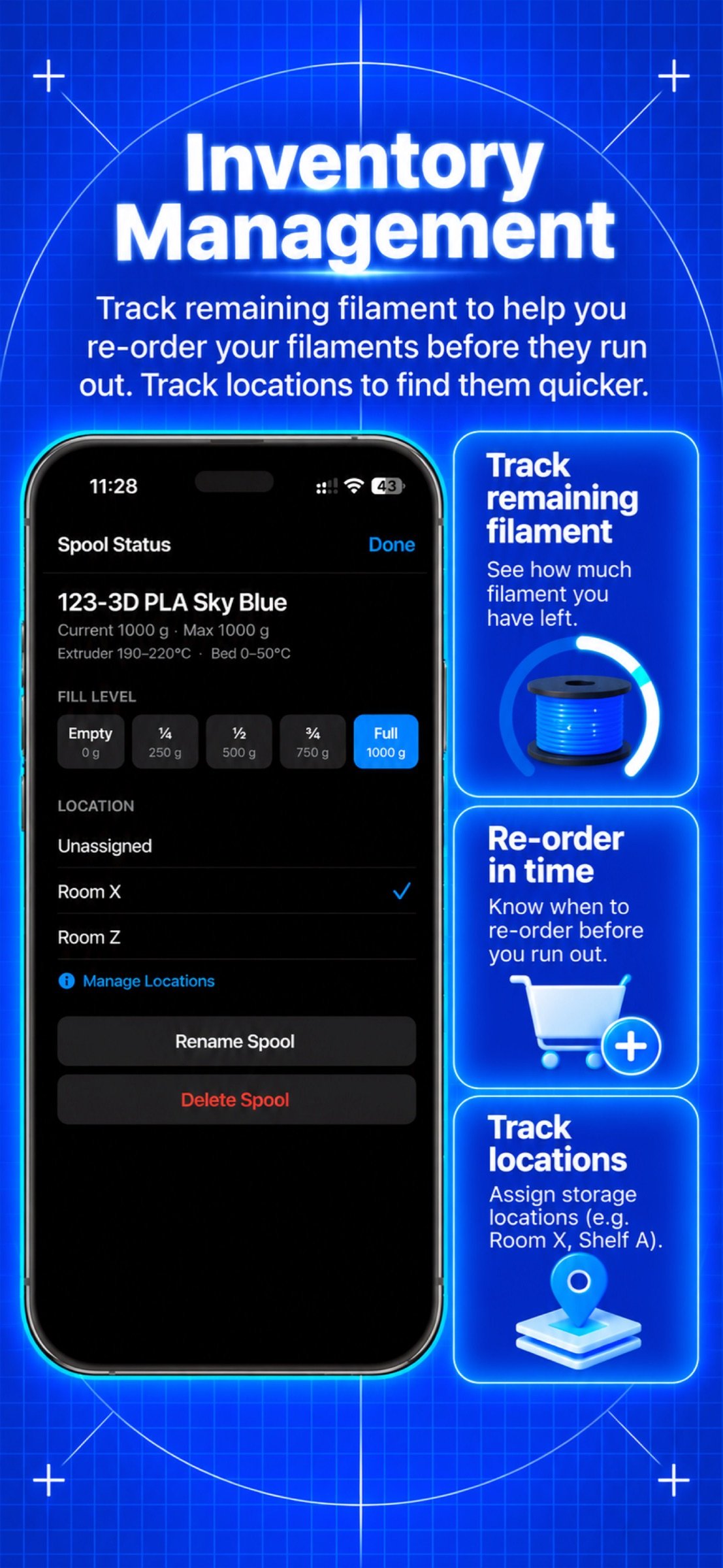
| Release notes | + Managing Inventory (Remaining filament & Location of filament spools) + Current weight in main screen for specific protocols. |
| Listing data | App Store |
Reviews
No reviews yet. Be the first to review Tag My Spool.
Used Tag My Spool? Tell other visitors what you thought.
Log in to write a reviewOther products by this publisher
- "No Distractions" for YouTube 4.10 ----
- #Bible 11.6.1 "Incredible App - My sister shared this app with me a few weeks ago and it is truly incredible.
- #filmphotography 1.4.2 So, you decided to shoot on film?
- #LookBusy Fake Calendar Events 1.0.6 Look Busy scans your work calendar for open time slots and fills them with realistic-looking (but secretly fake) work events.
- #Small Talk Is Canceled 1.0.2 #Small Talk Is Canceled — Conversations That Matter
Most viewed iOS Utilities
-
1
 Device Lab 1.9.2
Device Lab is an on-device reference and toolkit for your hardware — hardware monitoring, spec references, chip and device comparisons, system information, and practical utilities, so you can understand and manage the devices you use with more struc…
-
2
 V2Box 10.2.0
V2box - VPN Internet network proxy , Supports multiple proxy protocols, such as Shadowsocks, V2ray, Vmess, Trojan , SSH , Socks, Ping Tunnel, Hysteria2, DNSTT, Wireguard
-
3
 APTV 2.4.10
APTV,?????????????? IPTV M3U???,?????????????????
-
4
 VibeSDR 11.0.17
VibeSDR is a mobile-first software-defined radio (SDR) receiver — and far more than a single-server client.
-
5
 Nextin 1.4.2
Nextin is a subscription-based configuration and connection tool designed to simplify the setup process and improve everyday usability.
-
6
 ECHOCAT 1.6.0
ECHOCAT is the iPhone and iPad companion for POTACAT, the desktop app for amateur radio operators chasing Parks on the Air (POTA), Summits on the Air (SOTA), Worldwide Bunkers on the Air (WWBOTA), Tiles on the Air and DX.
-
7
 Ally Pro 1.4.0
Ally Pro – Amiibo & NFC Tool gives advanced collectors complete control over their Amiibo library.
-
8
 Demod 1.6
Demod turns your iPhone into a software-defined radio receiver.
-
9
 DXClock 4.0.0
Connect, collaborate, and operate smarter with DX Clock — the ultimate meeting place for amateur radio operators.
-
10
 DRC 2.0.1
A simple to use app to help calculate any dilution ratio.
Most downloaded iOS Utilities
-
1
 Rat And Mouse Sound Repeller 2.8
Keep mice and rats away overnight with ultrasonic waves and predator sounds.
-
2
Demod 1.6
Demod turns your iPhone into a software-defined radio receiver.
-
3
 Guardio 2026.111.3
Protect your identity, accounts, and online activity from scams and digital threats with Guardio.
-
4
 Screen Mirroring With Miracast 2.0
Turn your iPhone into a complete TV companion.
-
5
 Fontcase 2.0.1
Fontcase is an app that lets you install custom fonts on iOS and iPadOS.
-
6
 ParkenDD 2.0.2
ParkenDD shows a list of available public parking lots in several cities.
-
7
 PickerFull 9.18
Export colors from photos as HEX, PDF, RGB, HSB/HSV, HSBA, HSL, LUV, LCH, YUV, YCBCR, YIQ, CMYK, Grayscale, XYZ, L*a*b* (CIE), CSSVAR, SASSVAR, CSSHSL, CSSRGB, AndroidXML, FlutterDart, UnityColor32, Float, Objective-C, Swift, SwiftLiteral, SwiftUI
-
8
 Passepartout, VPN Client 3.12.8
Protect your online privacy with Passepartout, a smart VPN client seamlessly integrated with iOS, macOS, iPadOS, and tvOS.
-
9
 Royal TSi 2.5.4
Royal TSi provides easy and secure access to your remote systems (RDP, VNC, SSH, etc.) by allowing you to open your Royal TS documents created with Royal TSX (for macOS) or Royal TS (for Windows).
-
10
DRC 2.0.1
A simple to use app to help calculate any dilution ratio.