
SwingDraw 3.1.10
SwingDraw helps golfers of all levels analyze and improve their swing mechanics with visual path tracking, AI-powered body tracking, clubhead tracing, side-by-side comparison, and intuitive drawing annotation tools.
Download
97.12 MB
19downloads
1this week
FreeCommercial
0reviews
Screenshots

About SwingDraw
SwingDraw helps golfers of all levels analyze and improve their swing mechanics with visual path tracking, AI-powered body tracking, clubhead tracing, side-by-side comparison, and intuitive drawing annotation tools.
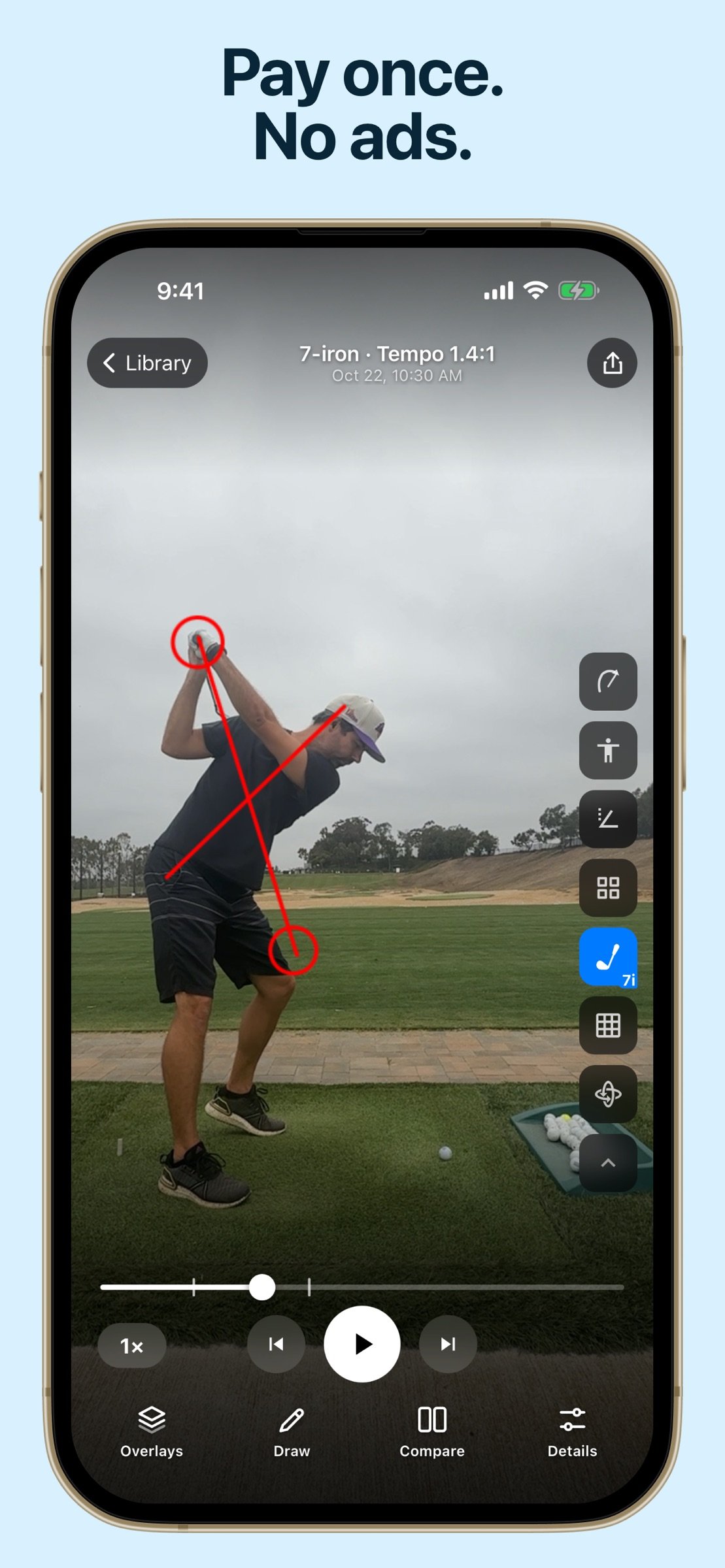
NO SUBSCRIPTIONS. NO ADS. NO FEATURE GATES. SwingDraw is a one-time purchase, so you get the full toolset without ongoing costs.
Record or import swing videos, review them frame by frame, draw swing plane lines and checkpoints, compare swings side by side, and export annotated images or videos.
SwingDraw makes it easy to:
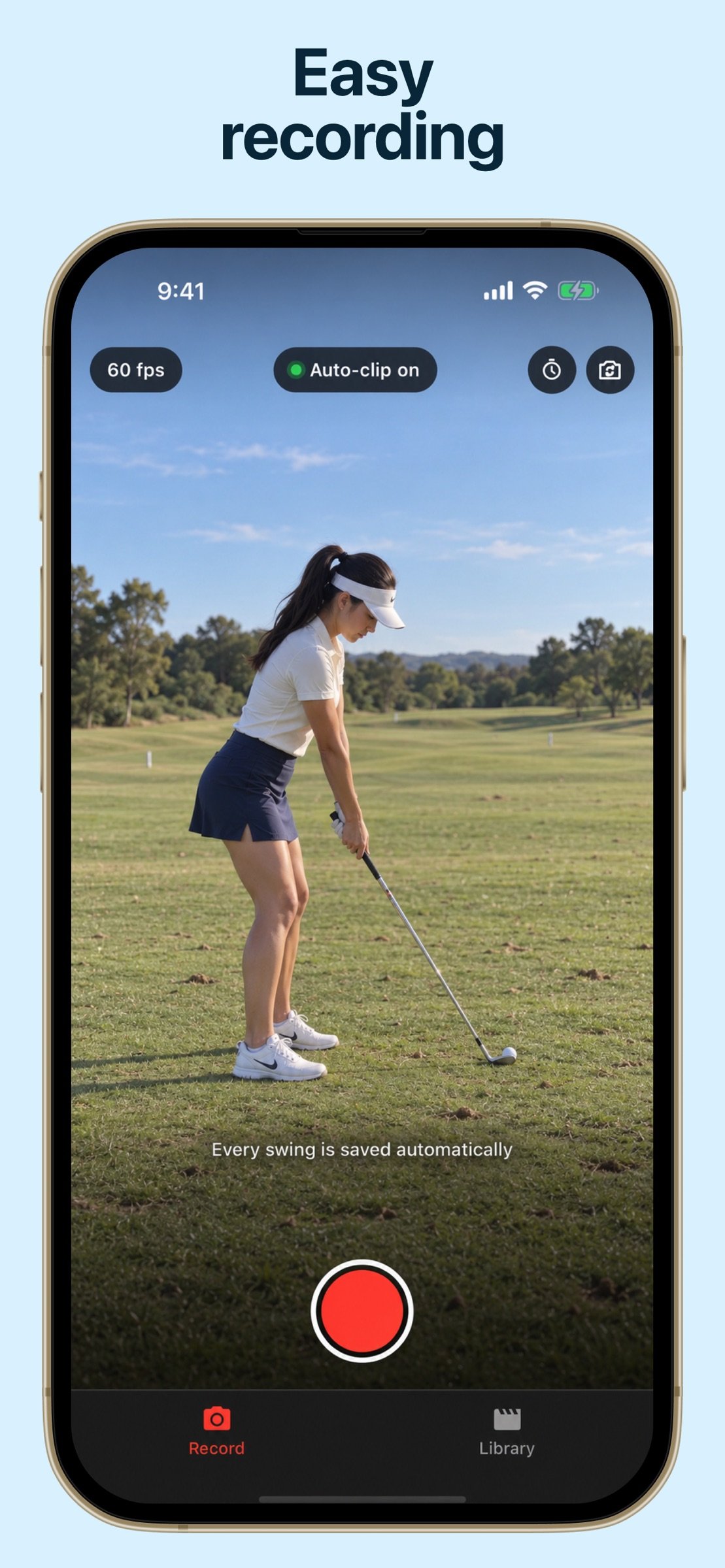
- Record or Import Swings: Capture swings with the in-app camera or import videos from your library
- Range Sessions: Record practice sessions, review detected clips, trim the action, and keep the swings that matter
- Swing Library: Save swings with thumbnail previews, annotations, metadata, and quick access for later review
- Bulk Import: Bring in multiple swing videos and organize them faster
- Favorites, Tags & Filters: Star your best swings, add custom tags, filter by club, and find past sessions quickly
- Draw Lines & Shapes: Add lines, circles, arrows, freehand marks, and alignment guides directly on video frames
- Movable Annotations: Drag drawings after placing them, then fine-tune lines and shapes with edit handles
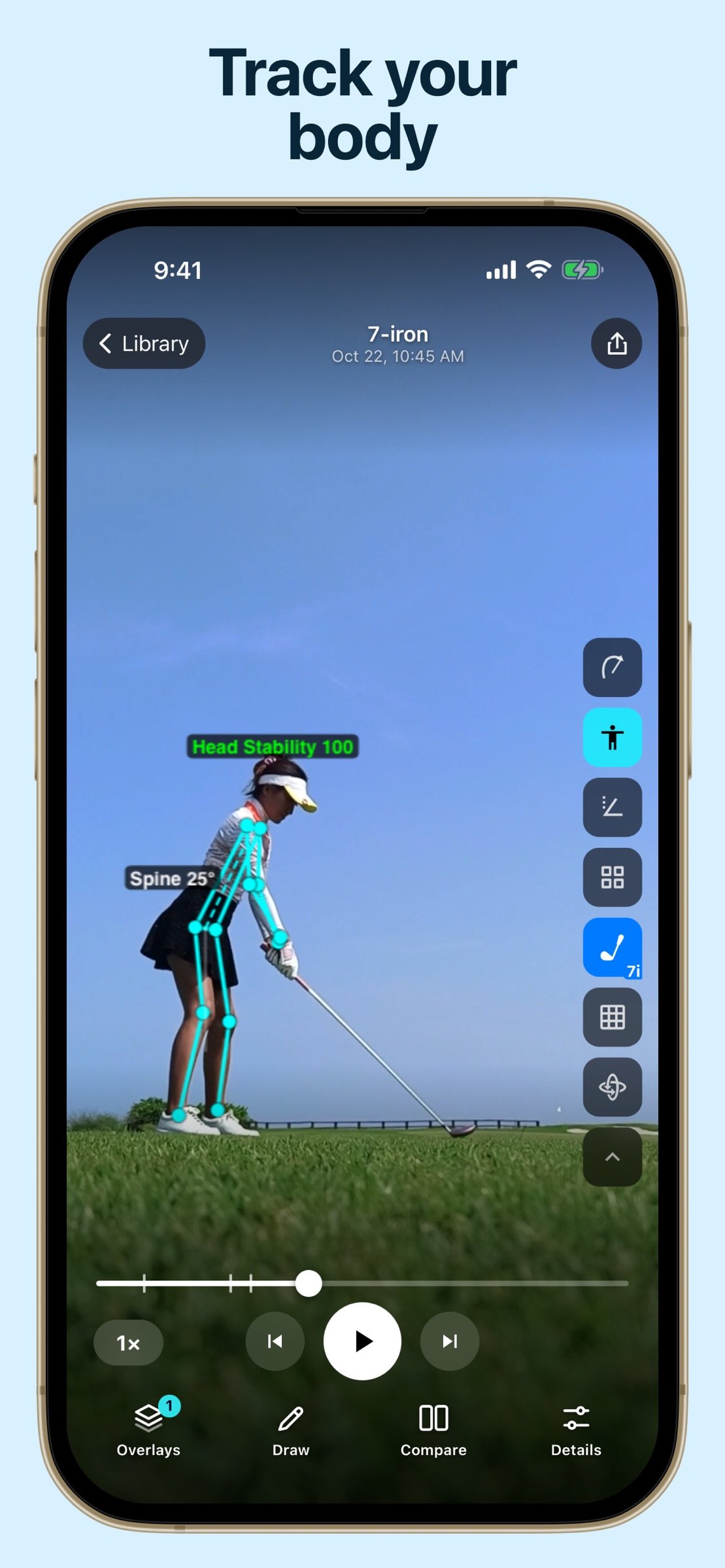
- AI Skeleton Overlay: Toggle automatic body tracking to highlight posture and positions throughout the swing
- Head Tracking: Visualize head stability, sway, dip, and drift through the motion
- Clubhead Path Tracking: Trace the clubhead through the swing and view motion paths across key phases
- Angle Measurements: Measure body, shaft, and position angles for more precise checkpoints
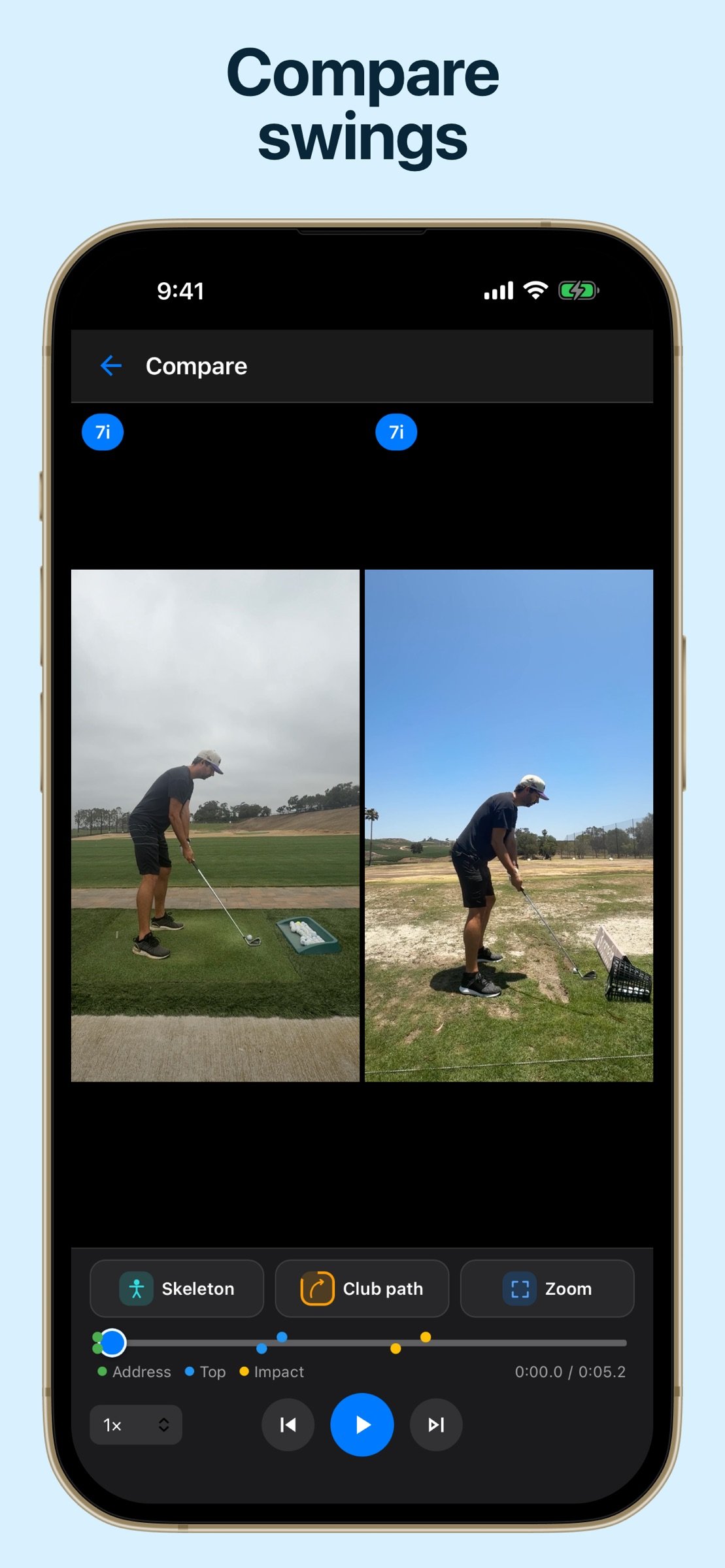
- Compare Swings: View two swings side by side, sync playback, step frame by frame, and compare changes over time
- Interactive View Controls: Pan, zoom, and rotate the video view so you can focus on setup, impact, or any detail that matters
- Slow-Motion Playback: Review swings in slow motion or frame by frame to catch subtle movements
- Save & Share: Export annotated images and videos to share with coaches, friends, or your own notes
Whether you're a beginner working on fundamentals, a dedicated player tracking progress, or a coach explaining swing changes, SwingDraw gives you professional-level visual feedback without expensive software or recurring subscription costs.
Improve your game on your terms with SwingDraw: the simple, powerful way to visualize, compare, and understand your golf swing.
License: Commercial
NO SUBSCRIPTIONS. NO ADS. NO FEATURE GATES. SwingDraw is a one-time purchase, so you get the full toolset without ongoing costs.
Record or import swing videos, review them frame by frame, draw swing plane lines and checkpoints, compare swings side by side, and export annotated images or videos.
SwingDraw makes it easy to:
- Record or Import Swings: Capture swings with the in-app camera or import videos from your library
- Range Sessions: Record practice sessions, review detected clips, trim the action, and keep the swings that matter
- Swing Library: Save swings with thumbnail previews, annotations, metadata, and quick access for later review
- Bulk Import: Bring in multiple swing videos and organize them faster
- Favorites, Tags & Filters: Star your best swings, add custom tags, filter by club, and find past sessions quickly
- Draw Lines & Shapes: Add lines, circles, arrows, freehand marks, and alignment guides directly on video frames
- Movable Annotations: Drag drawings after placing them, then fine-tune lines and shapes with edit handles
- AI Skeleton Overlay: Toggle automatic body tracking to highlight posture and positions throughout the swing
- Head Tracking: Visualize head stability, sway, dip, and drift through the motion
- Clubhead Path Tracking: Trace the clubhead through the swing and view motion paths across key phases
- Angle Measurements: Measure body, shaft, and position angles for more precise checkpoints
- Compare Swings: View two swings side by side, sync playback, step frame by frame, and compare changes over time
- Interactive View Controls: Pan, zoom, and rotate the video view so you can focus on setup, impact, or any detail that matters
- Slow-Motion Playback: Review swings in slow motion or frame by frame to catch subtle movements
- Save & Share: Export annotated images and videos to share with coaches, friends, or your own notes
Whether you're a beginner working on fundamentals, a dedicated player tracking progress, or a coach explaining swing changes, SwingDraw gives you professional-level visual feedback without expensive software or recurring subscription costs.
Improve your game on your terms with SwingDraw: the simple, powerful way to visualize, compare, and understand your golf swing.
License: Commercial
| Release info | Update on Nov 14, 2026 |
|---|---|
| Release notes | Minor fixes |
| Listing data | App Store |
Reviews
No reviews yet. Be the first to review SwingDraw.
Used SwingDraw? Tell other visitors what you thought.
Log in to write a reviewOther products by this publisher
- "No Distractions" for YouTube 4.10 ----
- #Bible 11.6 "Incredible App - My sister shared this app with me a few weeks ago and it is truly incredible.
- #filmphotography 1.4.2 So, you decided to shoot on film?
- $quirrel 1.5.1 $quirrel Budget & Finance helps you plan each paycheck, track spending, manage debt, and see what is safe to spend before the next payday.
- % Percentage Calculator Pro 1.41 This is the Pro version of % Percentage Calculator.
Most viewed iOS Sports
-
1
 VolleyWrite Buddy 2.4
The VolleyWrite Buddy connects to the Windows version (for now) of VolleyWrite via bluetooth or WiFi.
-
2
 ZephyrAir 1.5.4
ZEPHYRAIR — Stop Guessing...
-
3
 Draft Edge 1.1.2
STOP FOLLOWING THE EXPERTS.
-
4
 FlyBox 6.1
FlyBox is your personal fly fishing reference and collection manager for iPhone, iPad, and Mac.
-
5
 Fox Magnet 1.0
On the edge of the field you're sitting on the ground in camouflage with a distressed rabbit decoy in front of you.
-
6
 Avalanche Inclinometer 1.0.1
Avy savvy backcountry skiers and riders know that three things count when it comes to the terrain’s influence on avalanches: the slope, the elevation, and the (compass) aspect.
-
7
 TCS Toronto WaterfrontMarathon 5.2
The TCS Toronto Waterfront Marathon is Canada’s premier running event and the grand finale of the Canada Running Series.
-
8
 Adult 1-6 4.0
Learn to Skate USA, the premier source for all things figure skating, has teamed up with Rink Tank Interactive to bring you the ' Learn to Skate USA 'Skate Coach' app series for iOS!
-
9
 DraftKings 5.56.0
Now Live in All 50 States!
-
10
 ESPN 8.29.1
All of ESPN. All in One Place.
Most downloaded iOS Sports
-
1
 Coyote Magnet 2.1
Coyote Magnet puts 79 full-quality predator sounds in your pocket, recorded clean and organized the way a hunt actually unfolds.
-
2
TCS Toronto WaterfrontMarathon 5.2
The TCS Toronto Waterfront Marathon is Canada’s premier running event and the grand finale of the Canada Running Series.
-
3
Adult 1-6 4.0
Learn to Skate USA, the premier source for all things figure skating, has teamed up with Rink Tank Interactive to bring you the ' Learn to Skate USA 'Skate Coach' app series for iOS!
-
4
ZephyrAir 1.5.4
ZEPHYRAIR — Stop Guessing...
-
5
Draft Edge 1.1.2
STOP FOLLOWING THE EXPERTS.
-
6
 Spectrum SportsNet 5.0.1
Stay connected with the Lakers, Dodgers, and Sparks with the Spectrum SportsNet app!
-
7
VolleyWrite Buddy 2.4
The VolleyWrite Buddy connects to the Windows version (for now) of VolleyWrite via bluetooth or WiFi.
-
8
 100 Climbs of Italy 4.3
The 100 greatest Cycling Climbs of Italy App is an indispensable tool if you’re planning a cycling trip to Italy.
-
9
 ESPN Fantasy Sports & More 9.12.2
With the #1 fantasy sports app, fantasy sports are always in-season.
-
10
DraftKings 5.56.0
Now Live in All 50 States!