
Subjective Visual Vertical SVV 1.0
Subjective Visual Vertical turns your iPhone into a simple tool for checking how
Download
1.69 MB
11downloads
2this week
FreeCommercial
0reviews
Screenshots
About Subjective Visual Vertical SVV
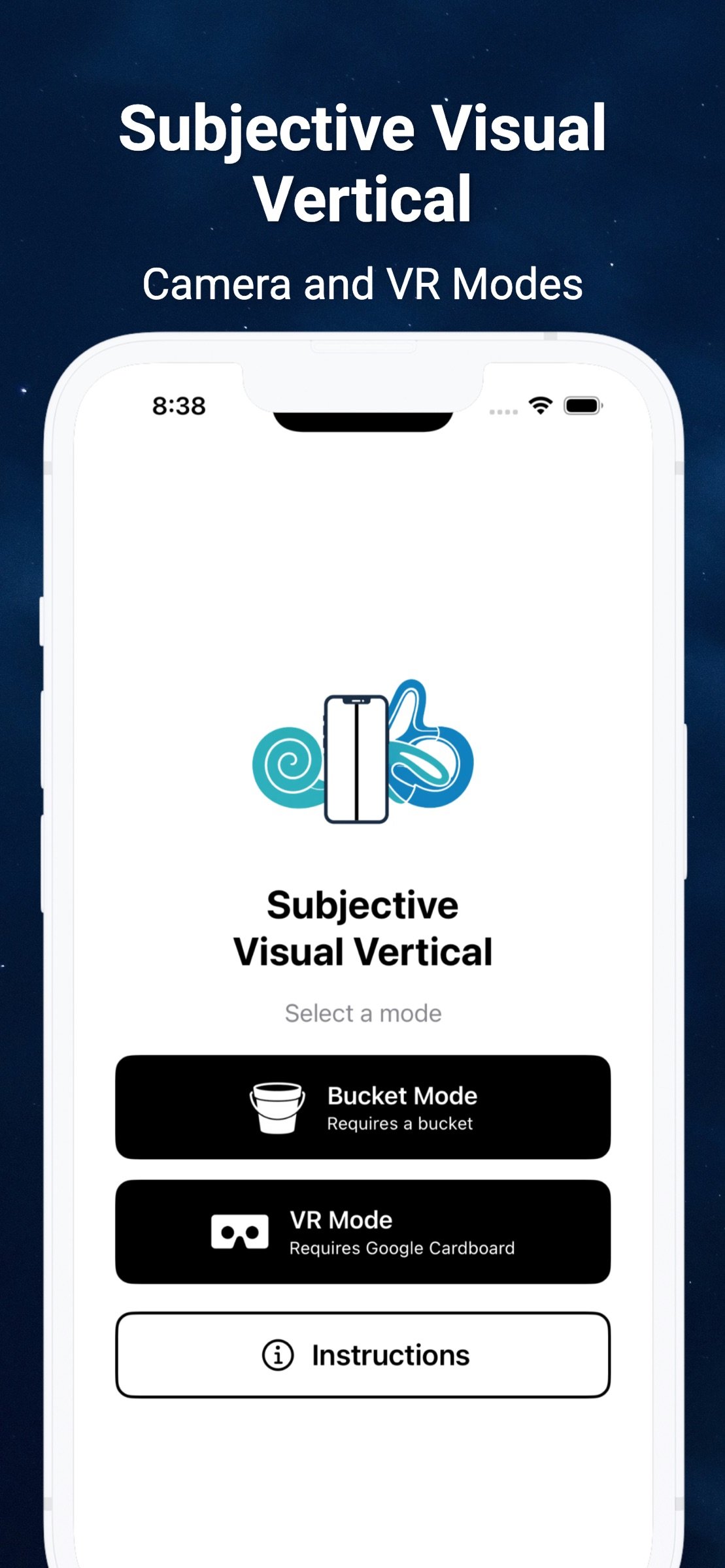
Subjective Visual Vertical turns your iPhone into a simple tool for checking how
well a person can set a line to true vertical using sight alone — a quick way to
screen for inner-ear (otolith) and balance differences.
The app shows a line and uses the phone's motion sensors to know which way is
truly vertical. The patient adjusts the line until it looks upright to them, and
the app reports how far that is from true vertical, in degrees.
TWO WAYS TO TEST
• Bucket mode — fix the phone inside the base of a bucket with reusable putty,
screen facing in. The patient holds the open rim to their face so the room is
hidden, then turns the bucket until the line looks straight.
• VR mode — drop the phone into a VR viewer or Google Cardboard. The line is
shown to each eye in a split view. The patient turns the line with on-screen
buttons or a Bluetooth remote and locks it in when it looks vertical.
FLEXIBLE TESTING
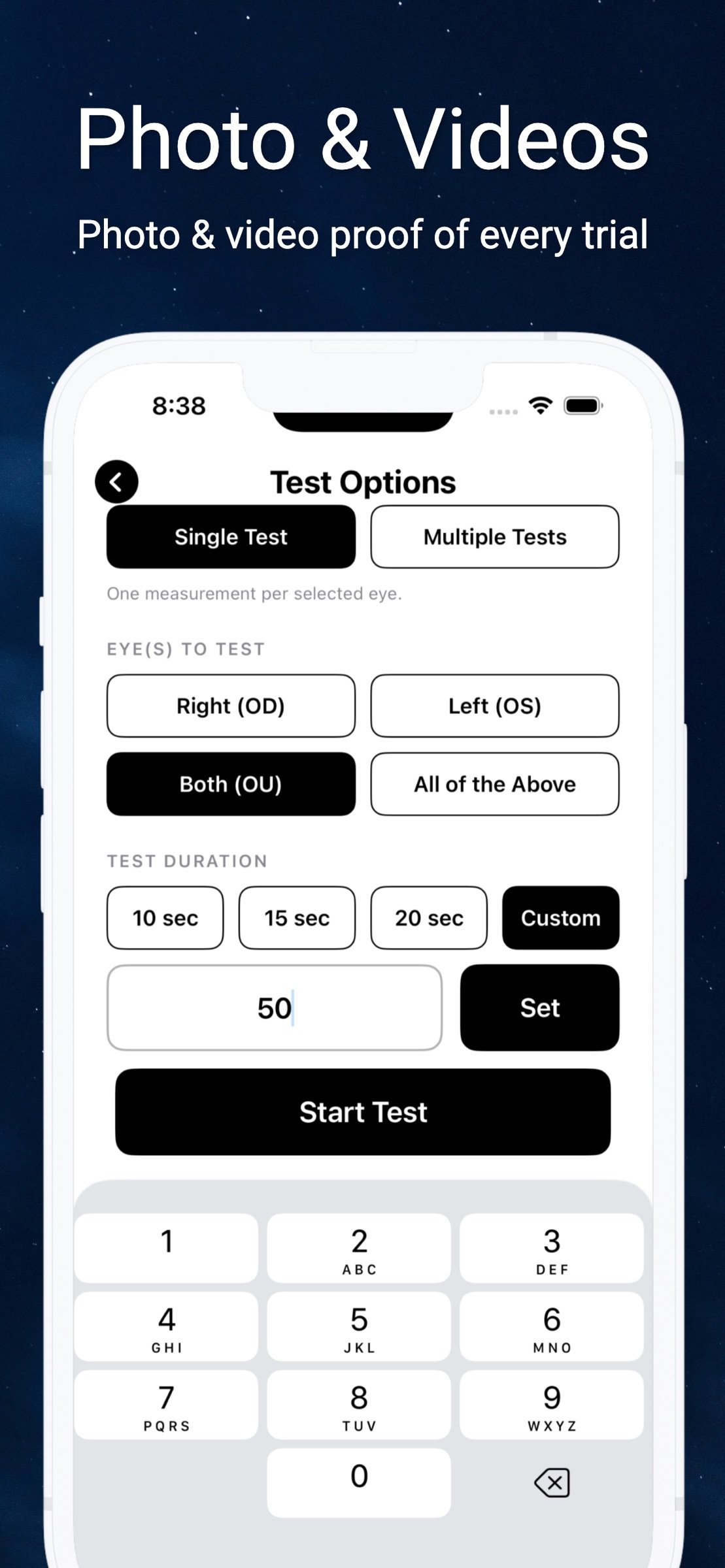
• Choose the right eye (OD), left eye (OS), both eyes (OU), or all in turn.
• Run a single measurement or repeat each condition several times.
• Set the trial length and the pause between trials.
• Repeated trials are averaged automatically, with the standard deviation shown.
CLEAR RESULTS
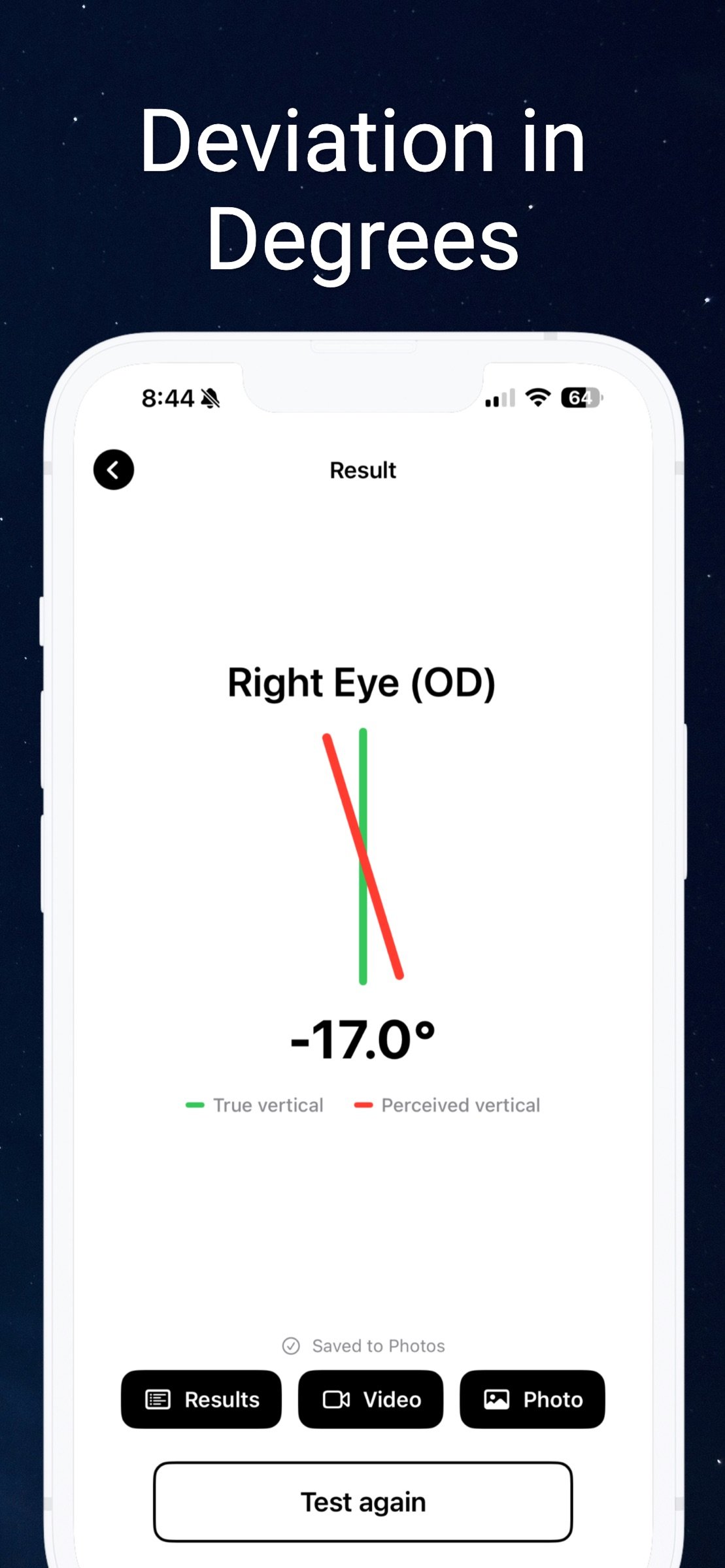
• See the deviation in degrees for each eye, with a simple diagram of the
perceived vs. true vertical.
• Share the numbers as text, with no image attached.
• In bucket mode you can record a photo or video of the trial with the true and
perceived vertical lines drawn over it, and a date-and-time label. Media is
saved to your own Photo Library.
• Customisable line and background colours.
• Right eye (OD) listed first, by convention.
• Works with a Bluetooth remote so the line can be turned while the phone is
sealed in a viewer.
• Everything runs on the device. No account, no sign-in, no tracking.
IMPORTANT
This app is for educational purposes only and should not be used for clinical
diagnosis or treatment decisions. It is not a medical device and has not been
validated for clinical use. Always consult qualified healthcare professionals
for medical advice.
License: Commercial
| Release info | New Release on Jun 16, 2026 |
|---|---|
| Listing data | App Store |
Reviews
No reviews yet. Be the first to review Subjective Visual Vertical SVV.
Used Subjective Visual Vertical SVV? Tell other visitors what you thought.
Log in to write a reviewOther products by this publisher
- "No Distractions" for YouTube 4.10 ----
- #Bible 11.6.1 "Incredible App - My sister shared this app with me a few weeks ago and it is truly incredible.
- #filmphotography 1.4.2 So, you decided to shoot on film?
- #LookBusy Fake Calendar Events 1.0.6 Look Busy scans your work calendar for open time slots and fills them with realistic-looking (but secretly fake) work events.
- #Small Talk Is Canceled 1.0.2 #Small Talk Is Canceled — Conversations That Matter
Most viewed iOS Health & Fitness
-
1
 Slim AI 1.12.0
Slim is an AI calorie tracker that counts calories and macros from one photo of your meal.
-
2
 Cal AI 26.46.1
HOW TO USE CAL AI:
-
3
 HealthPatch 1.0.3
Take Full Control of Your Apple Health Workout Data
-
4
 Stromno 1.3.2
Stromno app allows you easily broadcast your heart rate data from Apple Watch and show it on live stream.
-
5
 Health Exporter & Shortcuts 1.7.0
Your Apple Health data is yours, but it stays locked inside your iPhone.
-
6
 I am 7.11.0
How many negative thoughts have been repeating in your mind?
-
7
 Environments 1.7
Environments is a historic catalog of long form field recordings created for the way you live.
-
8
 Dysphagia 2.3
Excellent visual tool to aid professionals in educating patients and families about swallowing disorders.
-
9
 AllTrails 26.11.30
Whether you hike, bike, run, or walk, AllTrails is your companion and guide to the outdoors.
-
10
 Fitness Test Pro Elite 3.5.6
Fitness Test Pro Elite is a fitness test calculator for the Army, Navy, Air Force, Marine Corps, Coast Guard and special operations screening tests.
Most downloaded iOS Health & Fitness
-
1
HealthPatch 1.0.3
Take Full Control of Your Apple Health Workout Data
-
2
Stromno 1.3.2
Stromno app allows you easily broadcast your heart rate data from Apple Watch and show it on live stream.
-
3
 Adrian James 5.0.2019010401
Adrian James 6 Pack Abs Workout has become an international sensation.
-
4
 Fitness Data Sync 1.2
Tired of subscriptions just to sync your own fitness data?
-
5
Fitness Test Pro Elite 3.5.6
Fitness Test Pro Elite is a fitness test calculator for the Army, Navy, Air Force, Marine Corps, Coast Guard and special operations screening tests.
-
6
 TonalBloom Sound Bath 1.0
TonalBloom turns your iPhone into a tactile sound bath instrument with singing bowl tones, warm drones, shimmer controls, and saved local patches.
-
7
 Stelo by Dexcom 3.3.2
Welcome to the revolution in personalized glucose health.
-
8
 Epic Haiku & Limerick 12.1
Haiku provides authorized clinical users of Epic’s Electronic Health Record with secure access to clinic schedules, hospital patient lists, health summaries, test results and notes.
-
9
 BrainWave 11.0.2
Advanced Binaural Brainwave Entrainment combined with Ambient Music, Nature Sounds, Other Audio Apps or your own iTunes Music.
-
10
 VagusCalm 1.5.0
WHY VAGUSCALM?