
SR22 Companion 1.6
Weight & balance, live METAR and runway auto-fill, full POH performance and checklists — all from your airplane’s own handbook.
Download
10.90 MB
1downloads
1this week
FreeCommercial
0reviews
Screenshots
About SR22 Companion
Weight & balance, live METAR and runway auto-fill, full POH performance and checklists — all from your airplane’s own handbook. No ads. No subscriptions. No accounts. No gimmicks. SR22 Companion is a clean, fast calculator that turns the Cirrus SR22 Pilot’s Operating Handbook into numbers you can use — in seconds, with one hand, on the ramp.
SIMPLE ON PURPOSE
Type in fuel, people, bags and the weather, and read the answer. Big numbers, a dark cockpit-friendly screen, a green WITHIN LIMITS badge or a red alert, and nothing else in the way. No feed, no upsell, no “pro” tier. The app works fully offline and never sends your information anywhere; the one optional online feature is a Get METAR button that pulls an airport’s current weather and runway data from the National Weather Service. Your inputs are remembered between flights.
BUILT FOR YOUR AIRPLANE
Cirrus published four different SR22 handbooks with different weight limits, CG envelopes, fuel capacity, V-speeds and performance tables. Enter your serial number once and SR22 Companion uses the right one — analog/Avidyne, Perspective, and the 3600-lb Perspective and Perspective+ airplanes. Every limit, table, speed and checklist follows from that choice.
WEIGHT & BALANCE
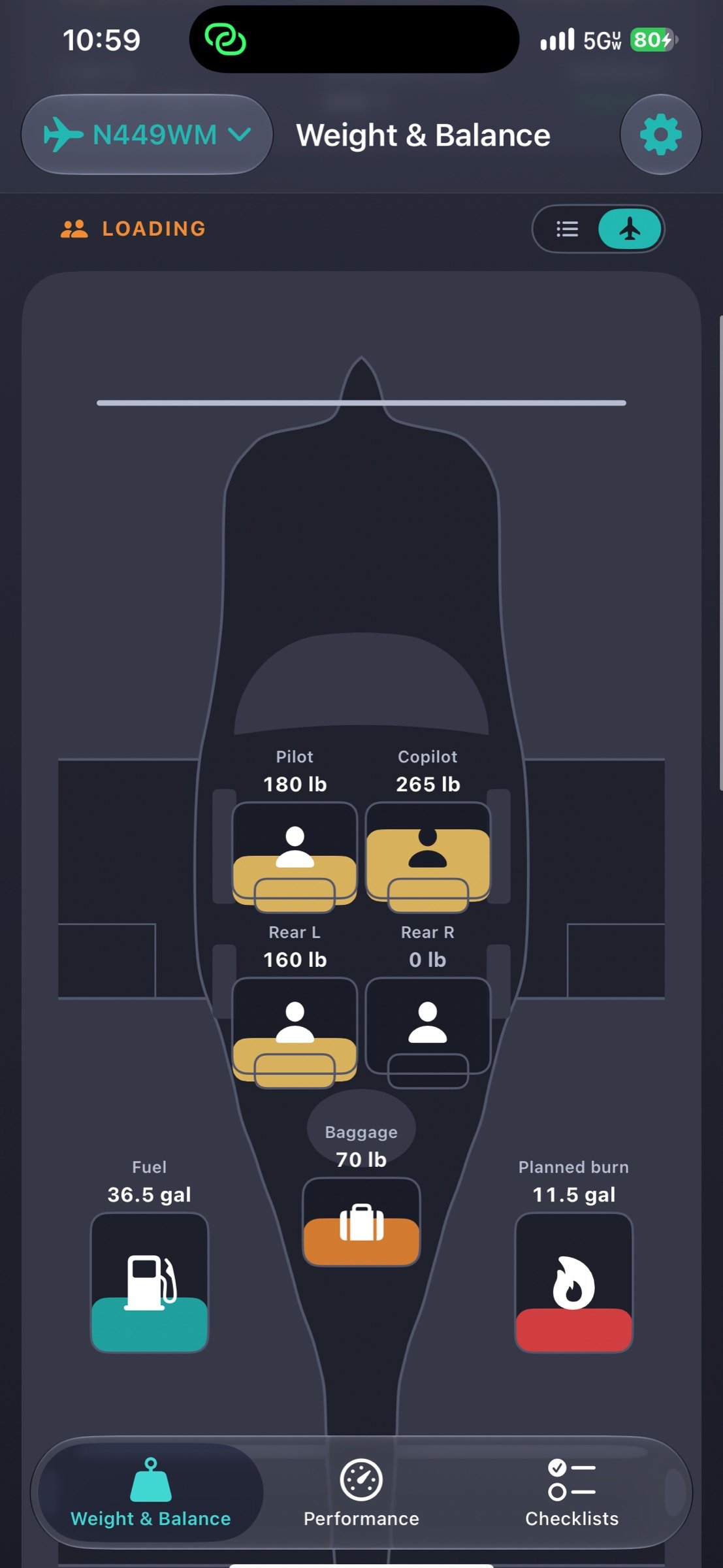
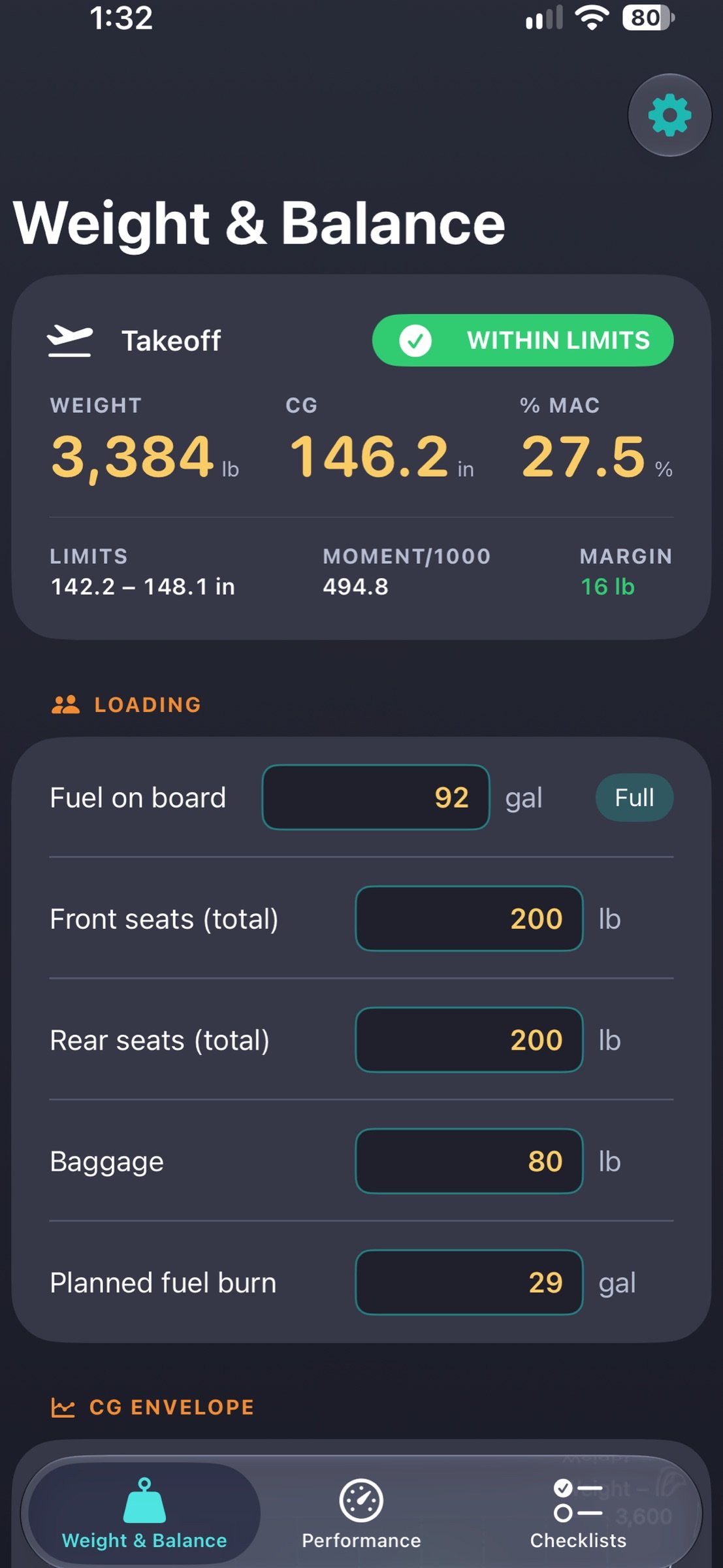
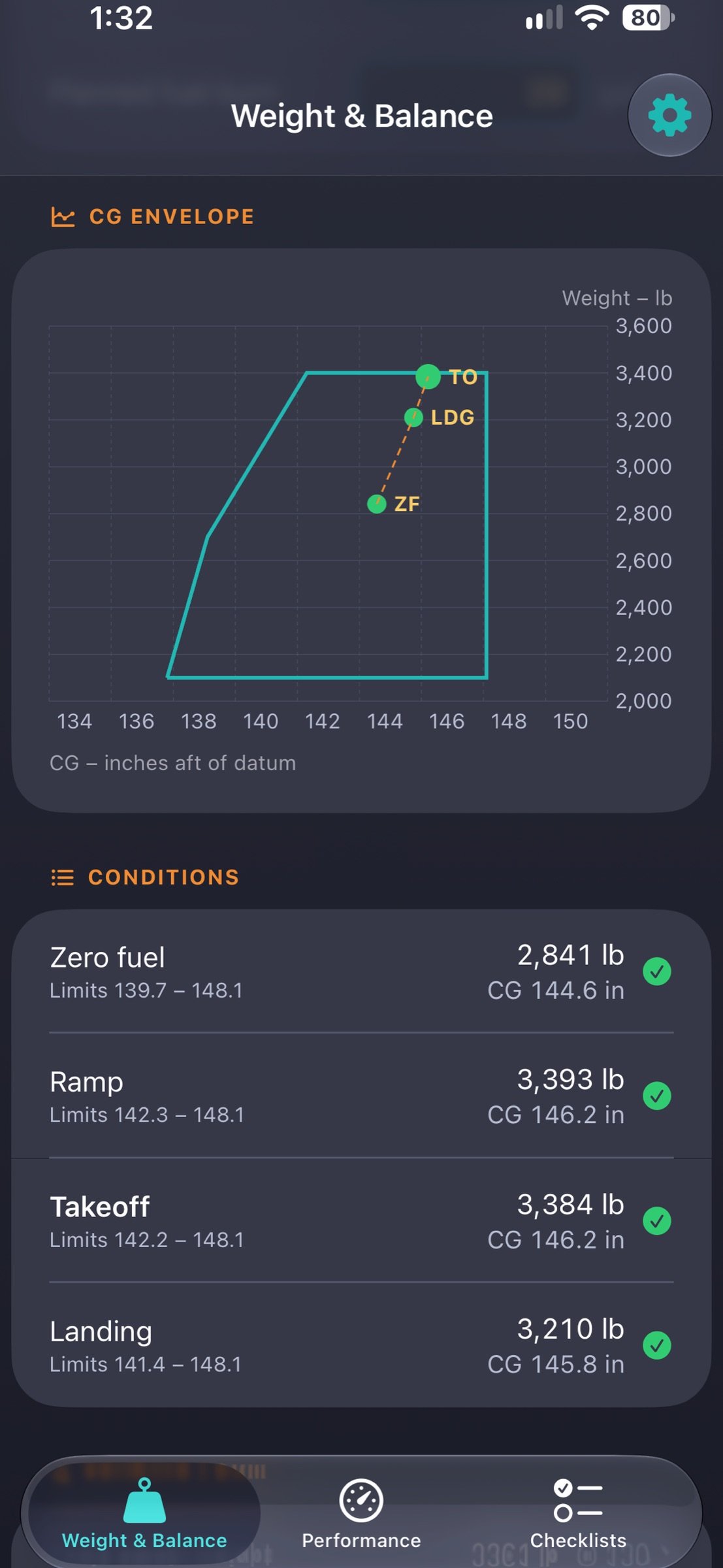
Fuel, front seats, rear seats, baggage, optional planned burn. Get zero-fuel, ramp, takeoff and landing weight and CG, percent MAC, moment and margin to max gross, checked against your handbook’s envelope and plotted on it.
PERFORMANCE WITH LIVE METAR
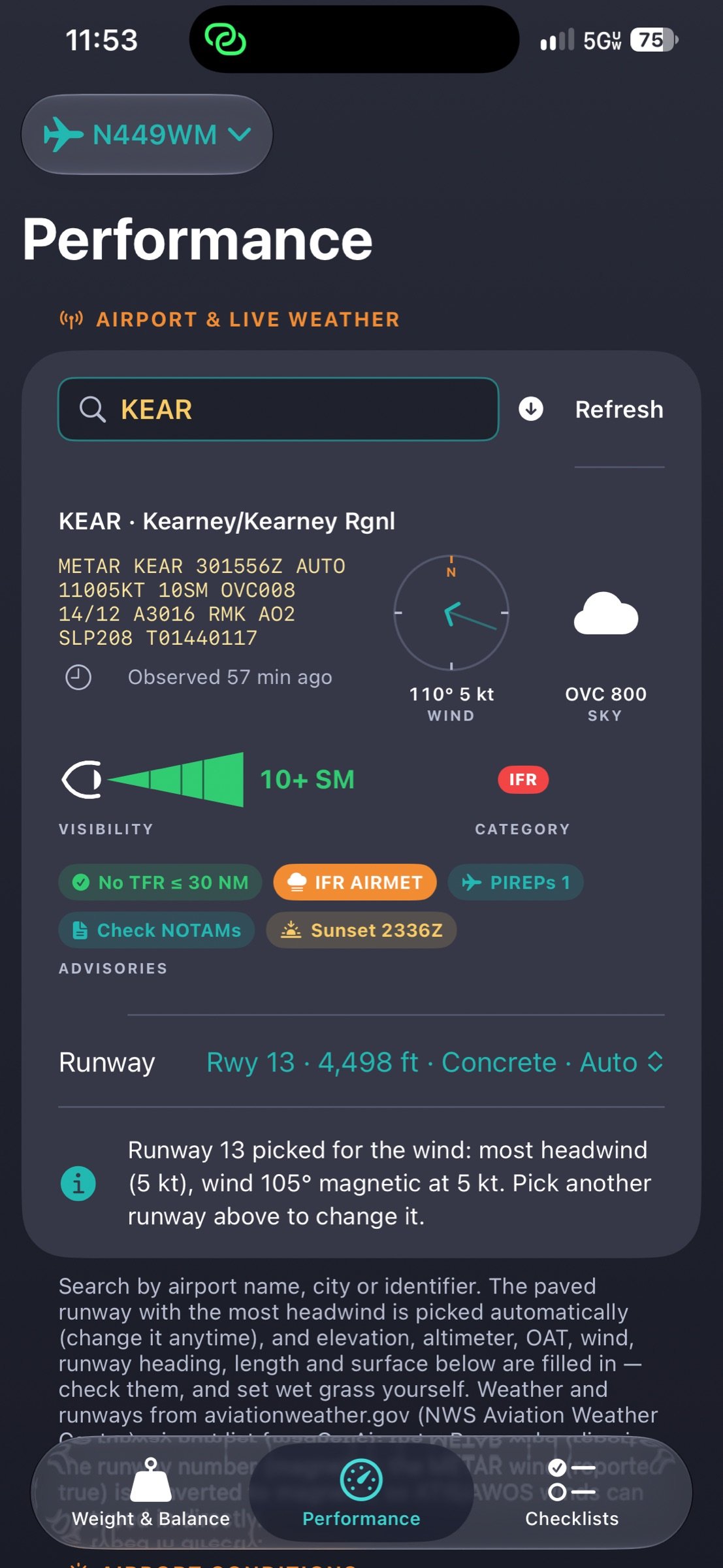
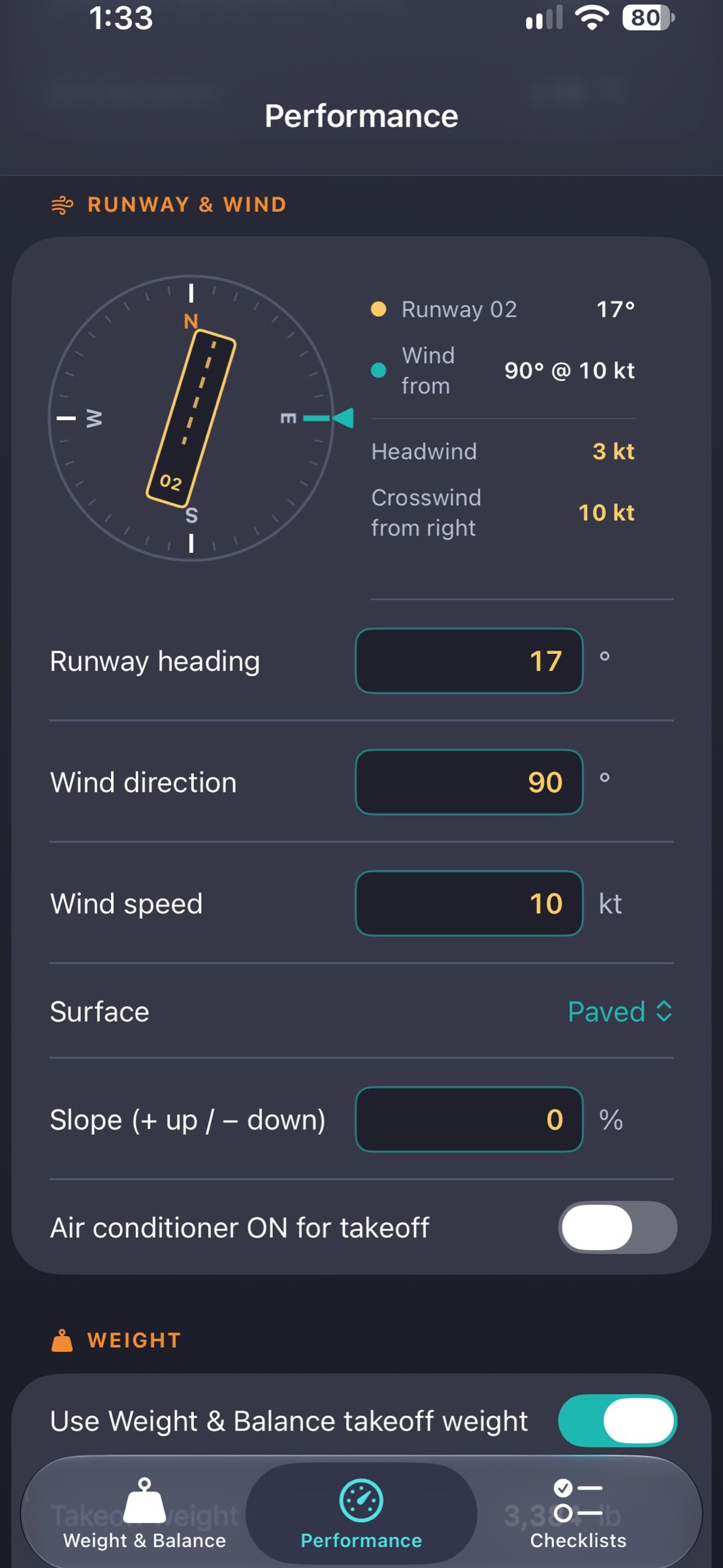
Type an airport identifier and tap Get METAR: elevation, altimeter, temperature, wind and the runway fill in from the current observation. See head/tail and crosswind on a compass rose, with gusts and the demonstrated crosswind limit flagged in red when exceeded. Then get pressure and density altitude, takeoff and landing distances against the available runway, climb, time/fuel/distance to cruise, the full POH cruise power table, and range. Every POH correction — wind, grass, slope, air conditioning — is applied for you.
CHECKLISTS & AIRCRAFT DATA
Normal, Emergency and Abnormal procedures transcribed from your handbook, with tap-to-check items and memory items highlighted just as they are in the POH, plus a quick-reference library of V-speeds, limits, markings and dimensions.
IMPORTANT DISCLAIMER — PLEASE READ
SR22 Companion is a planning and reference aid only. It is not a substitute for the FAA-approved Pilot’s Operating Handbook and Airplane Flight Manual, the airplane’s current Weight & Balance Record, or the judgment of a qualified pilot.
This app is not approved, certified, endorsed or reviewed by the FAA, any aviation authority, or Cirrus Aircraft. Cirrus and SR22 are trademarks of Cirrus Design Corporation, with which this app has no affiliation. Its data was transcribed from published handbooks by the developer and may contain errors, omissions, or differences from the handbook revision applicable to your airplane. Performance results are interpolated from published tables and may differ from the handbook and from your airplane’s actual performance. Weather data may be delayed or unavailable; confirm conditions from an official source.
The pilot in command is solely responsible for preflight planning, weight and balance, performance calculations and the safe operation of the aircraft. All figures must be verified against official sources before every flight. Checklists in this app are advisory only; the approved checklists carried in the aircraft are the only authoritative procedures. Do not use this app as the primary on-board checklist.
The app is provided “as is” without warranty of any kind. To the fullest extent permitted by law, the developer is not liable for any damages, including personal injury, death, property damage or loss of aircraft, arising from the use of or reliance on this app. You assume all risk. The complete disclaimer is presented in the app and must be accepted before use.
License: Commercial
| Release info | Update on Nov 23, 2026 |
|---|---|
| Release notes | TKS fluid in Weight & Balance: in Aircraft Settings > Options, set "Ice protection (TKS)" to Basic or FIKI and a TKS fluid entry appears in the loading, using the tank size, fluid weight and arm from the Cirrus ice protection supplement. Works in both the Data fields and the loading graphic. Add item: add your own loading lines, such as a portable oxygen bottle, with a weight and arm. Loading graphic: the number now grows while you drag a slider so it is easier to read. |
| Listing data | App Store |
Reviews
No reviews yet. Be the first to review SR22 Companion.
Used SR22 Companion? Tell other visitors what you thought.
Log in to write a reviewOther products by this publisher
- "No Distractions" for YouTube 4.10 ----
- #Bible 11.6.1 "Incredible App - My sister shared this app with me a few weeks ago and it is truly incredible.
- #filmphotography 1.4.2 So, you decided to shoot on film?
- #LookBusy Fake Calendar Events 1.0.6 Look Busy scans your work calendar for open time slots and fills them with realistic-looking (but secretly fake) work events.
- #Small Talk Is Canceled 1.0.2 #Small Talk Is Canceled — Conversations That Matter
Most viewed iOS Utilities
-
1
 Device Lab 1.9.1
Device Lab is an on-device reference and toolkit for your hardware — hardware monitoring, spec references, chip and device comparisons, system information, and practical utilities, so you can understand and manage the devices you use with more struc…
-
2
 APTV 2.4.10
APTV,?????????????? IPTV M3U???,?????????????????
-
3
 VibeSDR 11.0.16
VibeSDR is a mobile-first software-defined radio (SDR) receiver — and far more than a single-server client.
-
4
 V2Box 10.2.0
V2box - VPN Internet network proxy , Supports multiple proxy protocols, such as Shadowsocks, V2ray, Vmess, Trojan , SSH , Socks, Ping Tunnel, Hysteria2, DNSTT, Wireguard
-
5
 DXClock 4.0.0
Connect, collaborate, and operate smarter with DX Clock — the ultimate meeting place for amateur radio operators.
-
6
 Ally Pro 1.4.0
Ally Pro – Amiibo & NFC Tool gives advanced collectors complete control over their Amiibo library.
-
7
 Demod 1.6
Demod turns your iPhone into a software-defined radio receiver.
-
8
 ECHOCAT 1.6.0
ECHOCAT is the iPhone and iPad companion for POTACAT, the desktop app for amateur radio operators chasing Parks on the Air (POTA), Summits on the Air (SOTA), Worldwide Bunkers on the Air (WWBOTA), Tiles on the Air and DX.
-
9
 DuckDuckGo, optional Duck.ai 7.247.0
At DuckDuckGo, we believe the best way to protect your personal information from hackers, scammers, and privacy-invasive companies is to stop it from being collected at all.
-
10
 DRC 2.0.1
A simple to use app to help calculate any dilution ratio.
Most downloaded iOS Utilities
-
1
Demod 1.6
Demod turns your iPhone into a software-defined radio receiver.
-
2
 Rat And Mouse Sound Repeller 2.8
Keep mice and rats away overnight with ultrasonic waves and predator sounds.
-
3
 Guardio 2026.110.3
Protect your identity, accounts, and online activity from scams and digital threats with Guardio.
-
4
 Screen Mirroring With Miracast 2.0
Turn your iPhone into a complete TV companion.
-
5
 Fontcase 2.0.1
Fontcase is an app that lets you install custom fonts on iOS and iPadOS.
-
6
 ParkenDD 2.0.2
ParkenDD shows a list of available public parking lots in several cities.
-
7
 PickerFull 9.18
Export colors from photos as HEX, PDF, RGB, HSB/HSV, HSBA, HSL, LUV, LCH, YUV, YCBCR, YIQ, CMYK, Grayscale, XYZ, L*a*b* (CIE), CSSVAR, SASSVAR, CSSHSL, CSSRGB, AndroidXML, FlutterDart, UnityColor32, Float, Objective-C, Swift, SwiftLiteral, SwiftUI
-
8
 Passepartout, VPN Client 3.12.8
Protect your online privacy with Passepartout, a smart VPN client seamlessly integrated with iOS, macOS, iPadOS, and tvOS.
-
9
 Royal TSi 2.5.4
Royal TSi provides easy and secure access to your remote systems (RDP, VNC, SSH, etc.) by allowing you to open your Royal TS documents created with Royal TSX (for macOS) or Royal TS (for Windows).
-
10
 Universal TV Remote Control* 2.6.9
Control your Smart TV effortlessly with iMote — the ultimate universal remote control for TV.