Speed Tracker. Pro 6.9.8
Speed Tracker is the most elegant and unique combination of GPS speedometer and Trip computer in just one application.
Download
86.92 MB
2downloads
2this week
FreeCommercial
0reviews
Screenshots
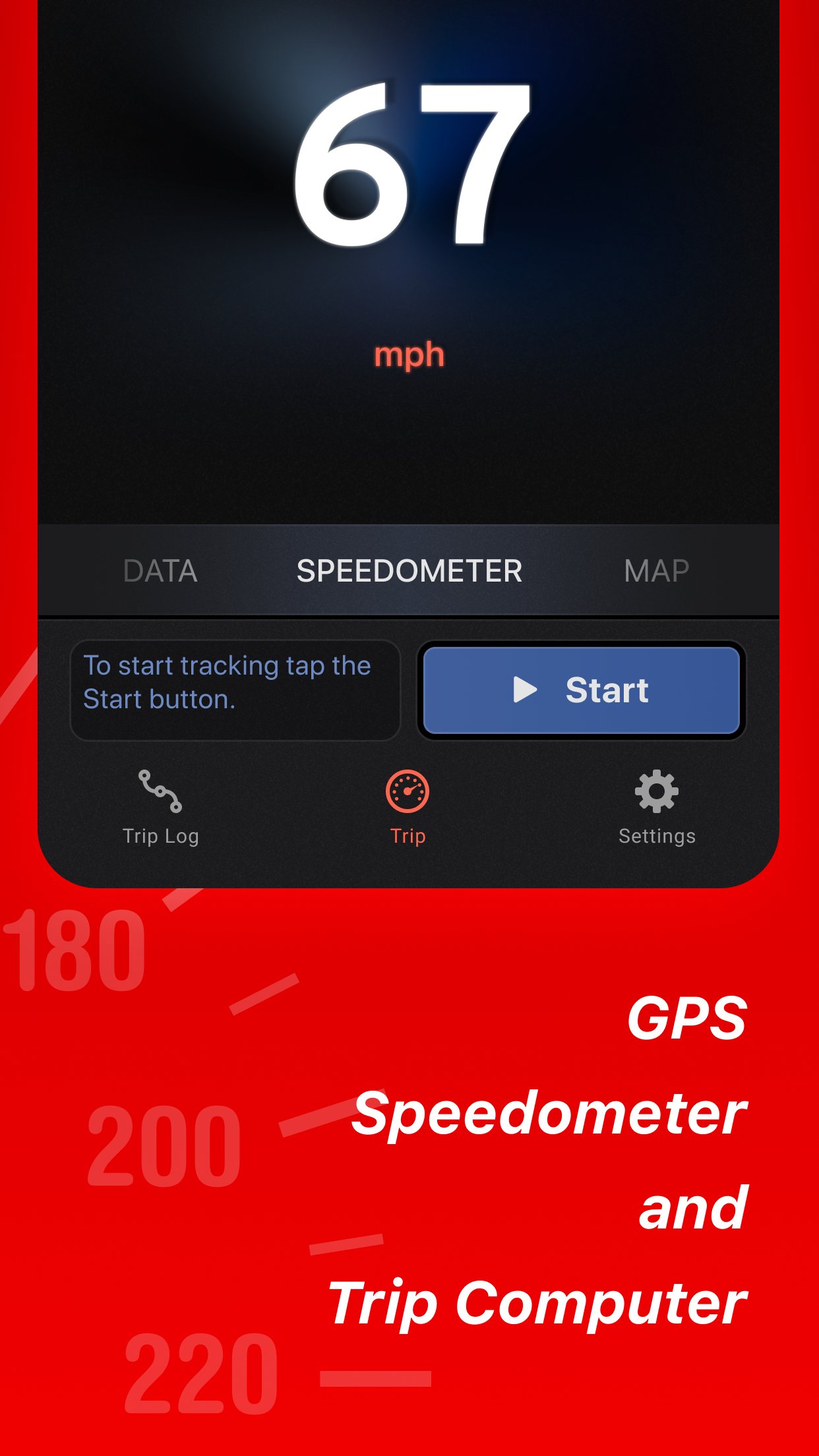
About Speed Tracker. Pro
Speed Tracker is the most elegant and unique combination of GPS speedometer and Trip computer in just one application.
Speed Tracker is YOUR answer to the eternal questions: What is my speed? What distance have I covered? How much time did I spend from work to home? How to share my trips with friends and relatives?
With lot of features built-in, Speed Tracker will help you to gather all the necessary trip statistics. Just start the application and it will let you record your speed, time, distance, heading, elevation and many more.
HUD
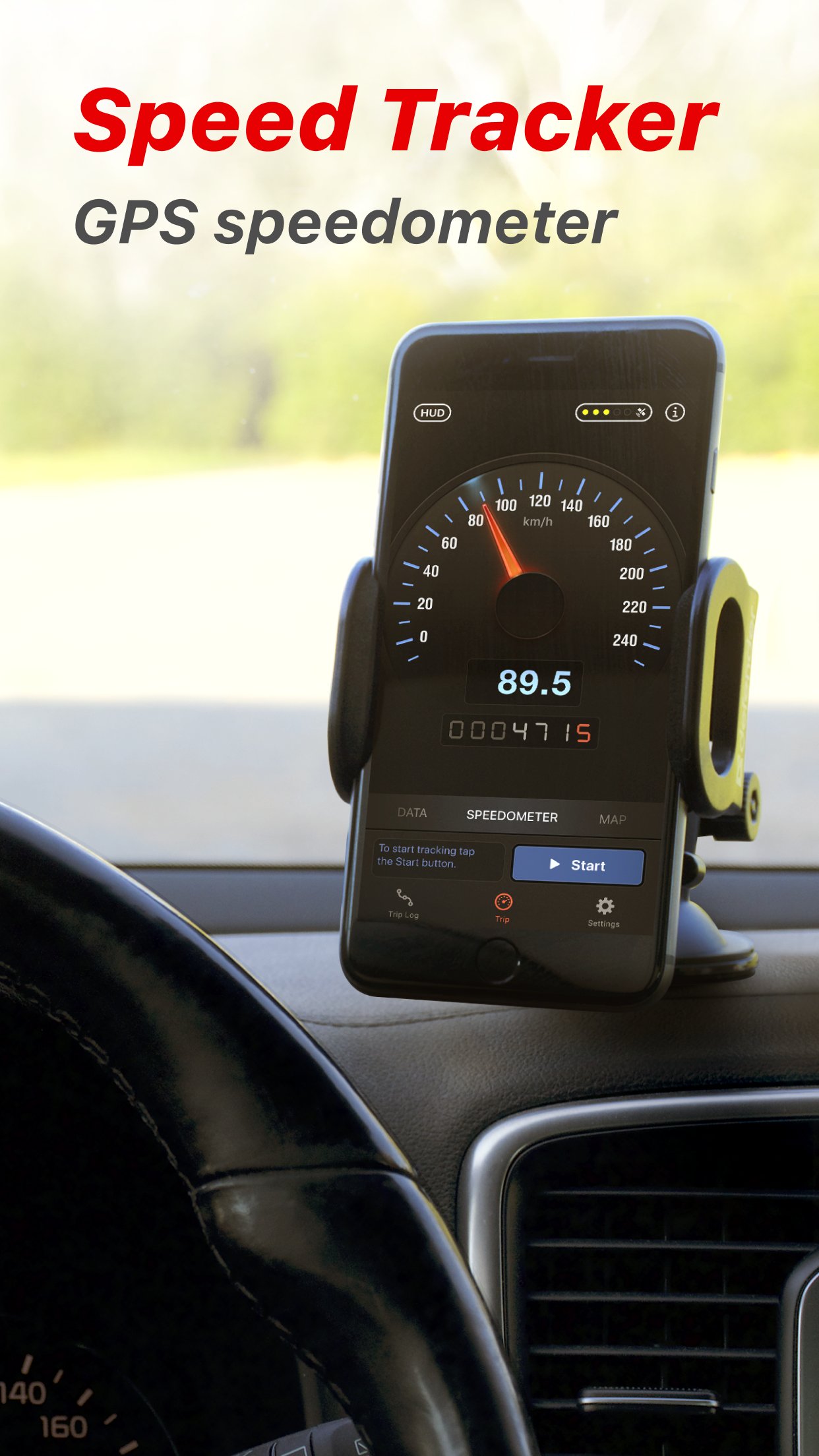
Head-up display – outstanding feature available ONLY in Speed Tracker application. Just enable HUD and put your iPhone or iPad under the windshield. Specially designed HUD interface will display the most accurate speed right on the windshield.
Map your trip.
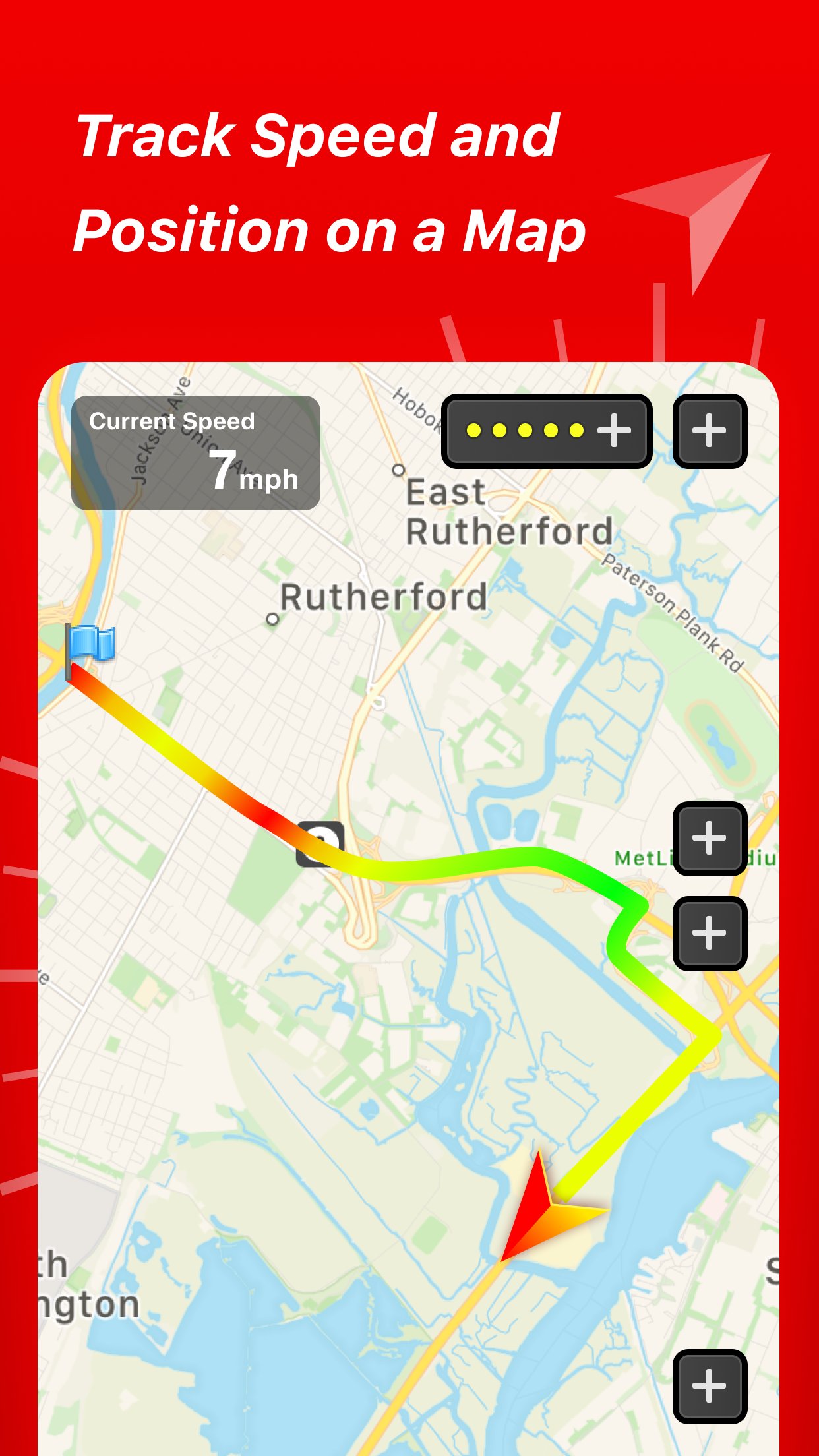
Built-in GPS tracker will help you not to get lost. You can always switch to navigation mode and check your current position on the map together with the track you’ve already traveled in Satellite or Hybrid view.
Trip Log
You don’t remember the trip or how much time does it take to visit your friends or the distance to your office? - Trip Log will help you!
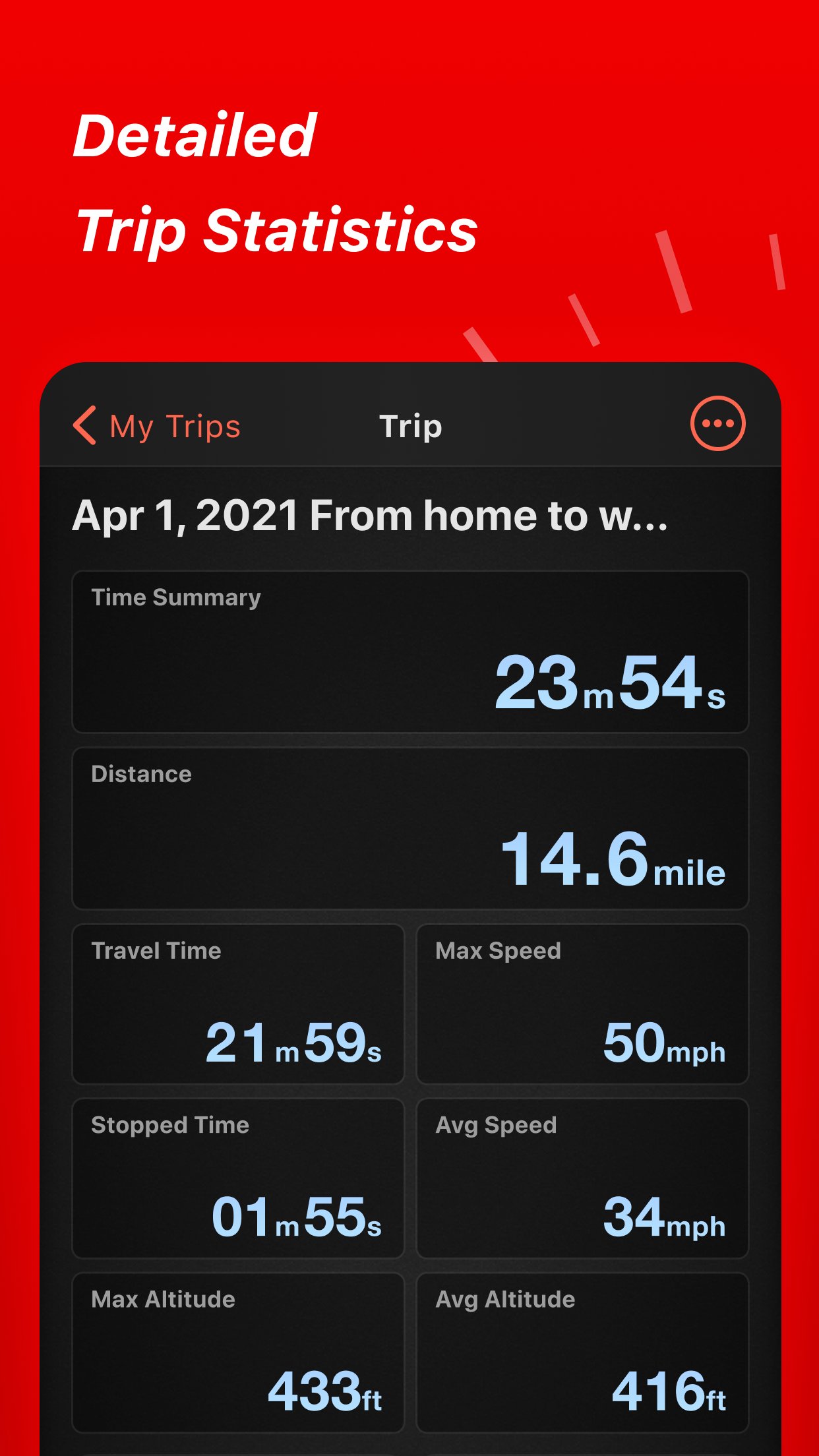
Trip Log records and saves the information within the application. You can easily have the access to ALL the trips with just one click. Inside the Trip Log you can check the trip on the map, see the speed, average speed, maximum speed, distance, total time and the detailed speed graph. Don't want to get lost in all the trips you have? Just name them the way you like. Want to share your driving experience or just compare your every day trips? With Trip Computer it’s easy as A, B, C.
Export all the trips in available formats (CSV, KML, GPX) or even share with your friends on Facebook, Twitter or via email.
Trip Computer
Track important trip statistics in real time. Average and Maximum speed, distance covered, moving and stopped time.
Dashboard Display Layout
Designed exclusively for iPad big screen it shows all the important trip information at a glance on a single screen and supports both portrait and landscape orientation. Full screen GPS Navigator Map mode is also available. Landscape mode allows you to mount your device horizontally on your car dashboard. If you prefer seeing things at wider angle then you find new landscape mode especially useful and practical.
Scalable Speedometer Dial
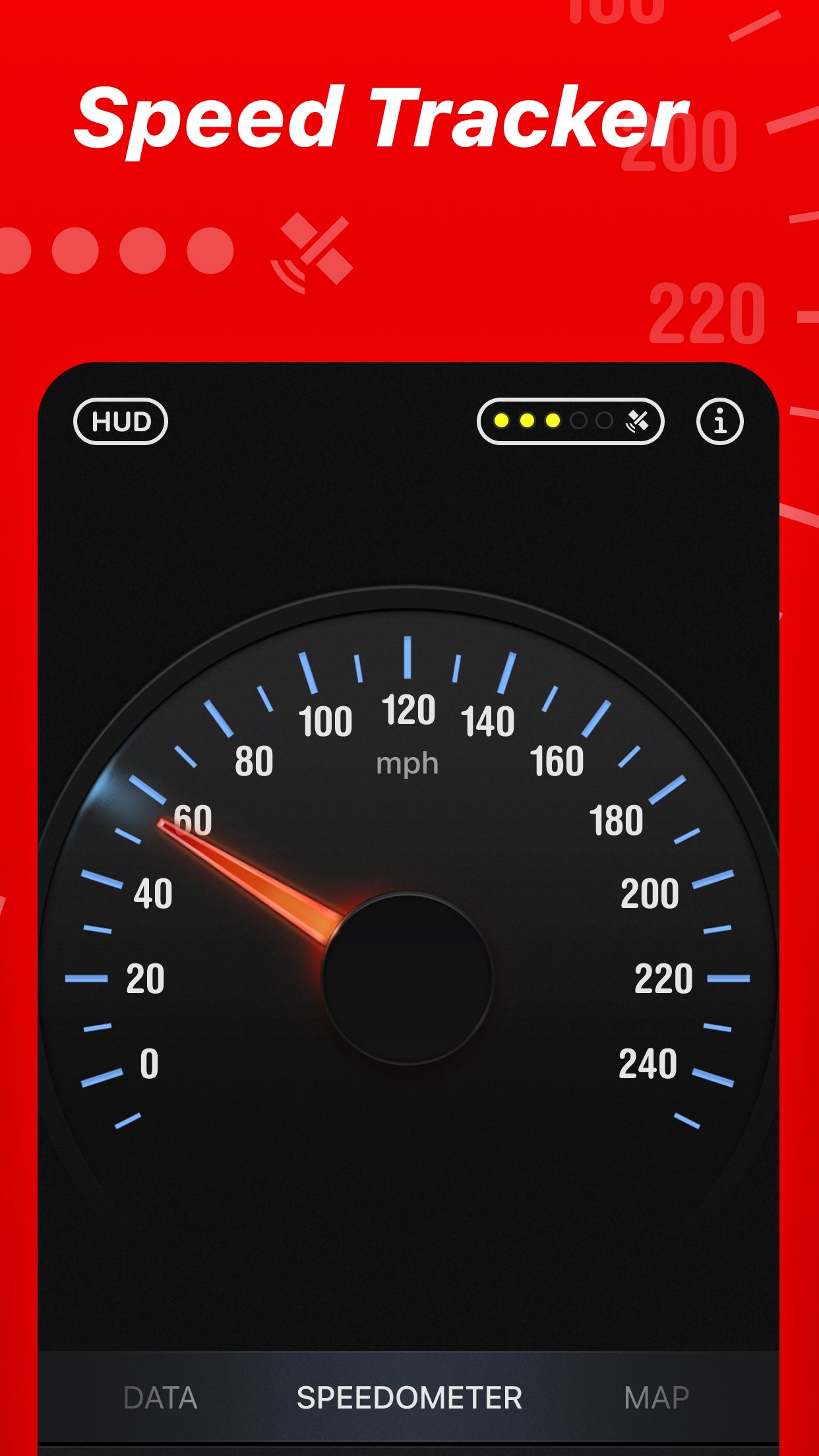
Speed Tracker features unique scalable speedometer dial. Select the maximum possible speed for you vehicle and watch your speed with greater precision either your are on a plain, train, car, bike, boat or bicycle
Statistics
All the aggregated data from the very first trip will be saved in one single place.
Automatic Stop Detection
Automatically identify either you are moving or standing and calculate your average speed basing on that. Generate trip report showing travel and stoppage time separately.
Support for Apple Watch.
Start and stop tracking and see your trip data on your wrist.
NOTE:
Speed Tracker is not compatible with WiFi only iPad or iPod touch.
Continued use of GPS running in the background can decrease battery life.
Data connection is required to see map.
Make sure that you have location services enabled for the application. To enable - Settings> General> Location Services
Privacy Policy: [link removed]
Terms of Use: [link removed]
License: Commercial
Speed Tracker is YOUR answer to the eternal questions: What is my speed? What distance have I covered? How much time did I spend from work to home? How to share my trips with friends and relatives?
With lot of features built-in, Speed Tracker will help you to gather all the necessary trip statistics. Just start the application and it will let you record your speed, time, distance, heading, elevation and many more.
HUD
Head-up display – outstanding feature available ONLY in Speed Tracker application. Just enable HUD and put your iPhone or iPad under the windshield. Specially designed HUD interface will display the most accurate speed right on the windshield.
Map your trip.
Built-in GPS tracker will help you not to get lost. You can always switch to navigation mode and check your current position on the map together with the track you’ve already traveled in Satellite or Hybrid view.
Trip Log
You don’t remember the trip or how much time does it take to visit your friends or the distance to your office? - Trip Log will help you!
Trip Log records and saves the information within the application. You can easily have the access to ALL the trips with just one click. Inside the Trip Log you can check the trip on the map, see the speed, average speed, maximum speed, distance, total time and the detailed speed graph. Don't want to get lost in all the trips you have? Just name them the way you like. Want to share your driving experience or just compare your every day trips? With Trip Computer it’s easy as A, B, C.
Export all the trips in available formats (CSV, KML, GPX) or even share with your friends on Facebook, Twitter or via email.
Trip Computer
Track important trip statistics in real time. Average and Maximum speed, distance covered, moving and stopped time.
Dashboard Display Layout
Designed exclusively for iPad big screen it shows all the important trip information at a glance on a single screen and supports both portrait and landscape orientation. Full screen GPS Navigator Map mode is also available. Landscape mode allows you to mount your device horizontally on your car dashboard. If you prefer seeing things at wider angle then you find new landscape mode especially useful and practical.
Scalable Speedometer Dial
Speed Tracker features unique scalable speedometer dial. Select the maximum possible speed for you vehicle and watch your speed with greater precision either your are on a plain, train, car, bike, boat or bicycle
Statistics
All the aggregated data from the very first trip will be saved in one single place.
Automatic Stop Detection
Automatically identify either you are moving or standing and calculate your average speed basing on that. Generate trip report showing travel and stoppage time separately.
Support for Apple Watch.
Start and stop tracking and see your trip data on your wrist.
NOTE:
Speed Tracker is not compatible with WiFi only iPad or iPod touch.
Continued use of GPS running in the background can decrease battery life.
Data connection is required to see map.
Make sure that you have location services enabled for the application. To enable - Settings> General> Location Services
Privacy Policy: [link removed]
Terms of Use: [link removed]
License: Commercial
| Release info | New Release on Oct 23, 2026 |
|---|---|
| Release notes | Minor bug fixes and performance improvements. |
| Listing data | App Store |
Reviews
No reviews yet. Be the first to review Speed Tracker. Pro.
Used Speed Tracker. Pro? Tell other visitors what you thought.
Log in to write a reviewOther products by this publisher
- "No Distractions" for YouTube 4.10 ----
- #Bible 11.6 "Incredible App - My sister shared this app with me a few weeks ago and it is truly incredible.
- #filmphotography 1.4.2 So, you decided to shoot on film?
- $quirrel 1.5.1 $quirrel Budget & Finance helps you plan each paycheck, track spending, manage debt, and see what is safe to spend before the next payday.
- % Percentage Calculator Pro 1.41 This is the Pro version of % Percentage Calculator.
Most viewed iOS Navigation
-
1
 Compass App 1.0.5
Find your direction with style.
-
2
 CARFACE Car Widgets & Lyrics 1.2.0
Make every drive feel more personal with CarFace.
-
3
 iGlide Lite 2.9.66
NaviLogic iGlide - the Soaring Navigation app for iOS
-
4
 Open Road 1.2
Open Road is the one driving app for your iPhone.
-
5
 Turo 26.45.0
Turo is a better car rental app for travelers who want to rent a car without the rental counter.
-
6
 Kruger Birding by Firefinch 7.6.0
Go birding in South Africa's foremost birding spot: the world renowned Kruger National Park!
-
7
 Amtrak 6.1.8
Discover the convenience of traveling with Amtrak.
-
8
 Fly Delta 7.17.3
Welcome to Fly Delta, Delta’s award winning iOS app.
-
9
 Uber 3.747.10000
Join the millions of riders who trust Uber for their everyday travel needs.
-
10
 Lyft 2026.43.3
Get where you’re going with Lyft.
Most downloaded iOS Navigation
-
1
 Live Traffic 2.4
Navigate the globe with live traffic updates, satellite views, and location tools that make every journey clearer, smarter, and more confident from the very first tap.
-
2
 Peru’s Best 2.5
PERU’S BEST is the ideal travel guide to this extraordinary country.
-
3
 Grand Egyptian Museum (GEM) 0.1.060
You could call this a coincidence but the acronym of the Grand Egyptian Museum is an apt title for the GEM, which is truly one!
-
4
 Pocket Luach Deluxe 60058
Pocket Luach Deluxe is a Jewish calendar, zmanim, Siddur, Tehillim, and personal-event companion for iPhone, iPad, and Apple Watch.
-
5
 Outdoor Photography Magazine 7.2.10
Outdoor Photography is the magazine for photographers who are passionate about being out in wild places, seeing inspiring nature and having great adventures.
-
6
 Passeporté 1.3.2
Passeporté reads the NFC chip in your biometric passport or national eID card, verifies its authenticity, and stores the data securely on your device.
-
7
 Great Circle Map 1.7.5
A globe you can turn in any direction, including straight over the poles.
-
8
 UK Map 4.12
* Unlimited free map downloads based on Ordnance Survey® OpenData, at 1:25,000 and 1:10,000 scales, and now also paid map downloads at 1:50,000, 1:25,000 and 1:10,000 scales, just like the paper maps.
-
9
 Cell Phone Towers World Map 1.1.6
219 countres !! The world's largest Database of Cell & Net Towers
-
10
 Connecticut-Parks & Trails 1.0
App Feature