
Speech Assistant AAC 6.1.2
Speech Assistant AAC is a text-to-speech app designed for people who are speech impaired, for example due to Aphasia, MND/ALS, Autism, Stroke, Cerebral Palsy or other speech problems.
Download
130.59 MB
21downloads
0this week
FreeCommercial
0reviews
Screenshots
About Speech Assistant AAC
Speech Assistant AAC is a text-to-speech app designed for people who are speech impaired, for example due to Aphasia, MND/ALS, Autism, Stroke, Cerebral Palsy or other speech problems.
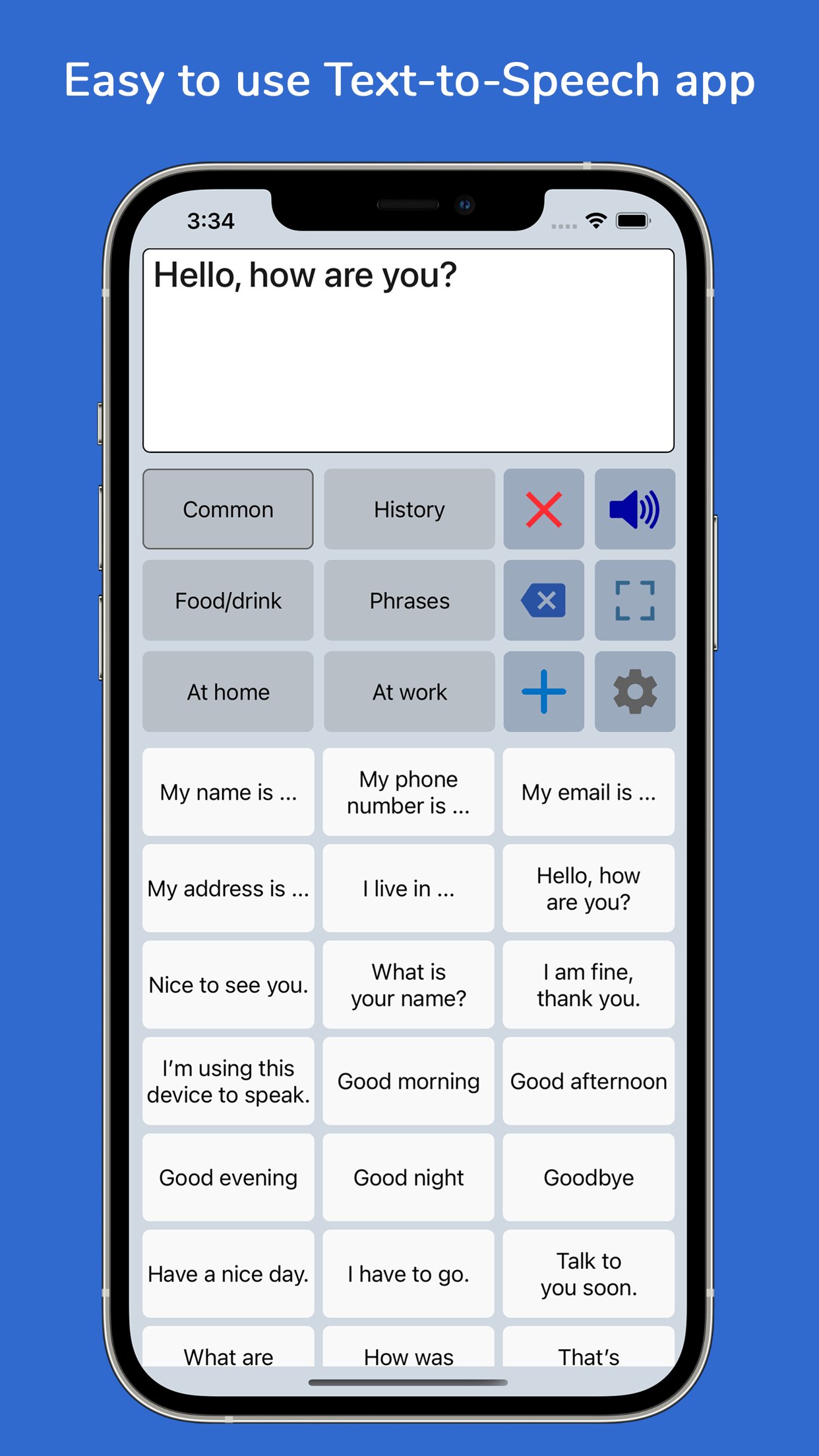
With the app you can create categories and save phrases on buttons for quick access and easy communication. You can also type messages using the iOS keyboard.
The app is affordable with a one-time payment and no subscription.
Key features
• Easy to use and fully customizable to your needs and preferences.
• Categories and subcategories to organize your phrases.
• History feature to quickly access previously entered phrases.
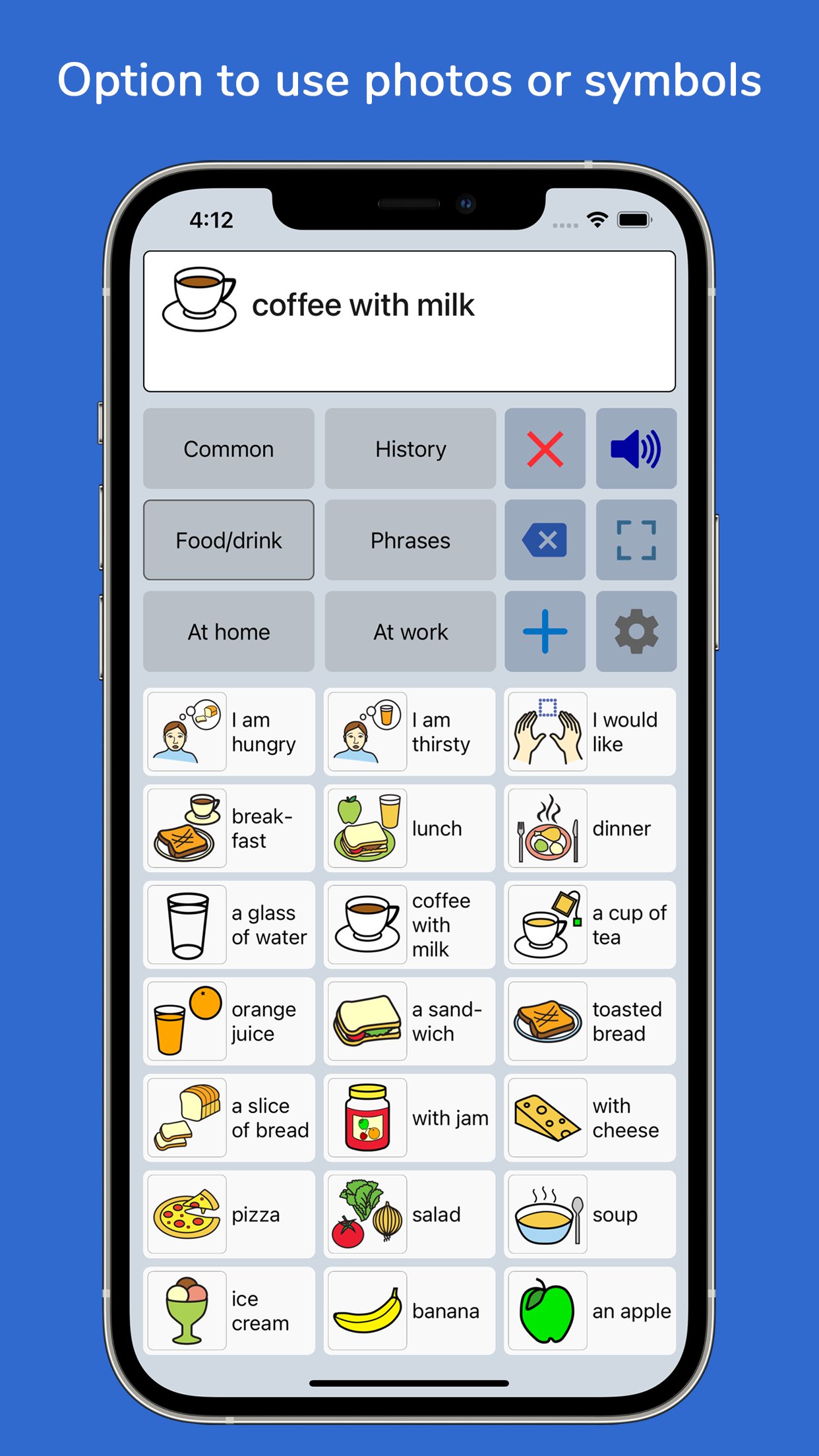
• Option to add symbols, emoji or photos to the buttons.
• Full screen mode to display your messages in large font.
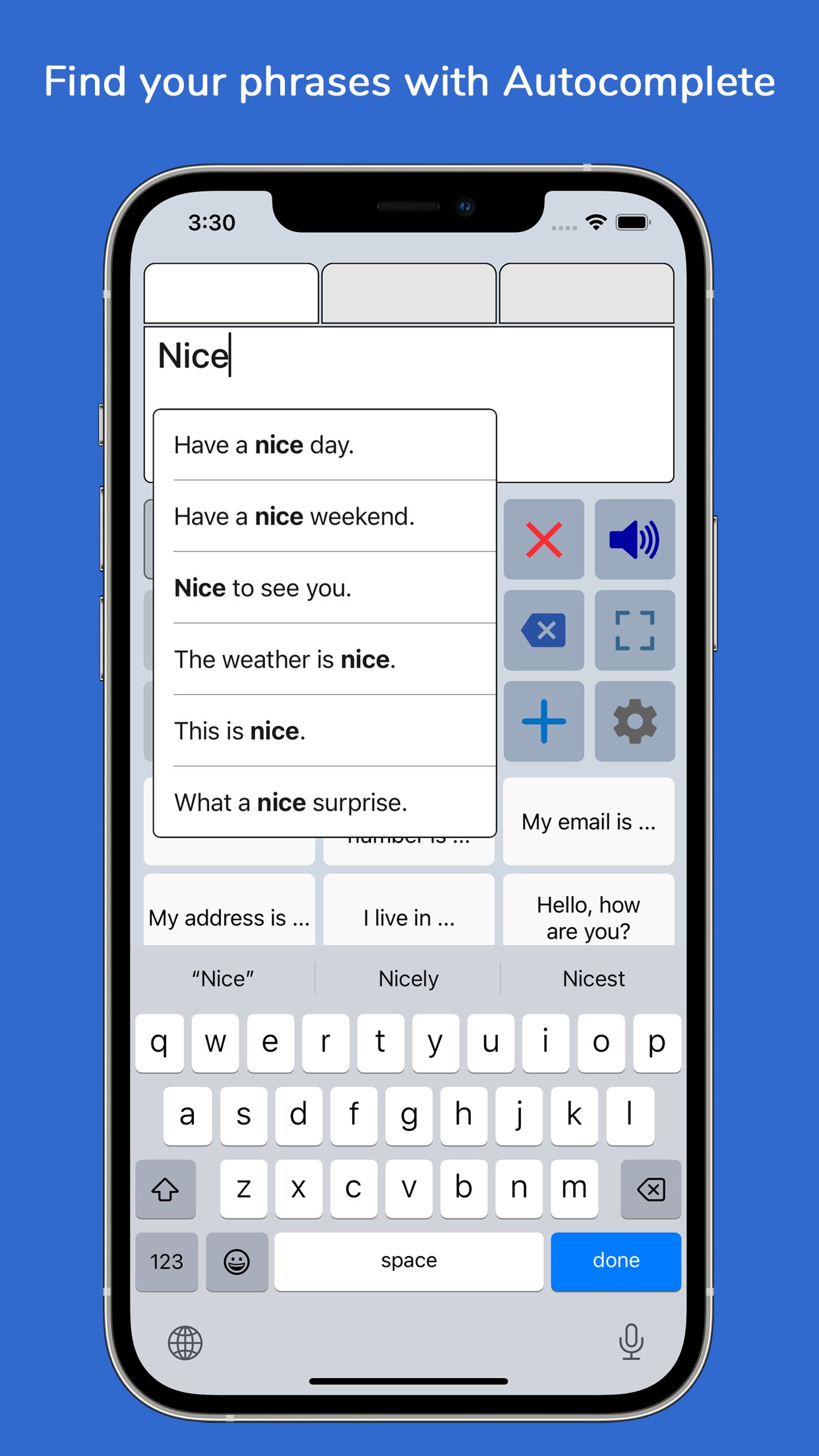
• Autocomplete feature to display phrase suggestions in a drop-down list.
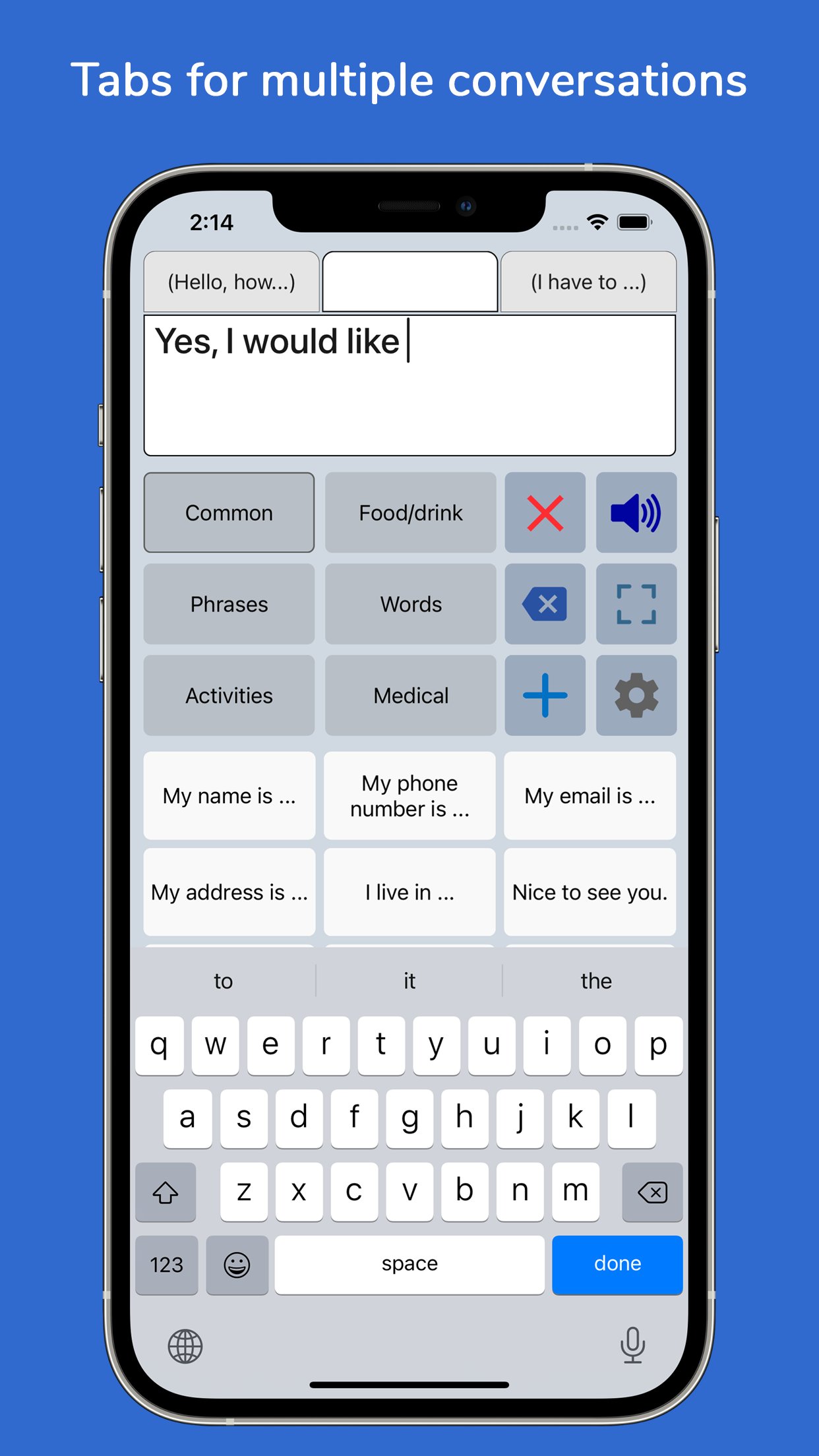
• Tabs for multiple conversations.
• Designed for iPhone and iPad, supports both portrait and landscape orientation.
• Supports Apple Watch.
• Backup to iCloud, Mail or AirDrop.
Voices
• You can choose a voice from any of the iOS system voices.
• Supports ElevenLabs voices, giving you the option to use highly realistic AI professional voice clones.
• Supports Apple's Personal Voice.
• Option to create voice recordings for the buttons and to import voice recordings.
Phone calls
• The app can also be used while making Phone and FaceTime calls.
• This works with iOS system voices and with iOS 18 also with ElevenLabs voices and regular recordings (app setting).
Categories and phrases
• Add, change or delete your own (sub)categories and phrases.
• You can create an unlimited number of categories to organize your phrases for quick access.
• Create user profiles with their own categories, phrases and settings for multi-language support or different individuals.
• Easily edit category and phrase buttons with a long press.
• With Backup to iCloud or AirDrop you can transfer your categories and phrases to another iPhone/iPad.
Fully Customizable
• The size of the buttons, the textbox and the text can be adjusted.
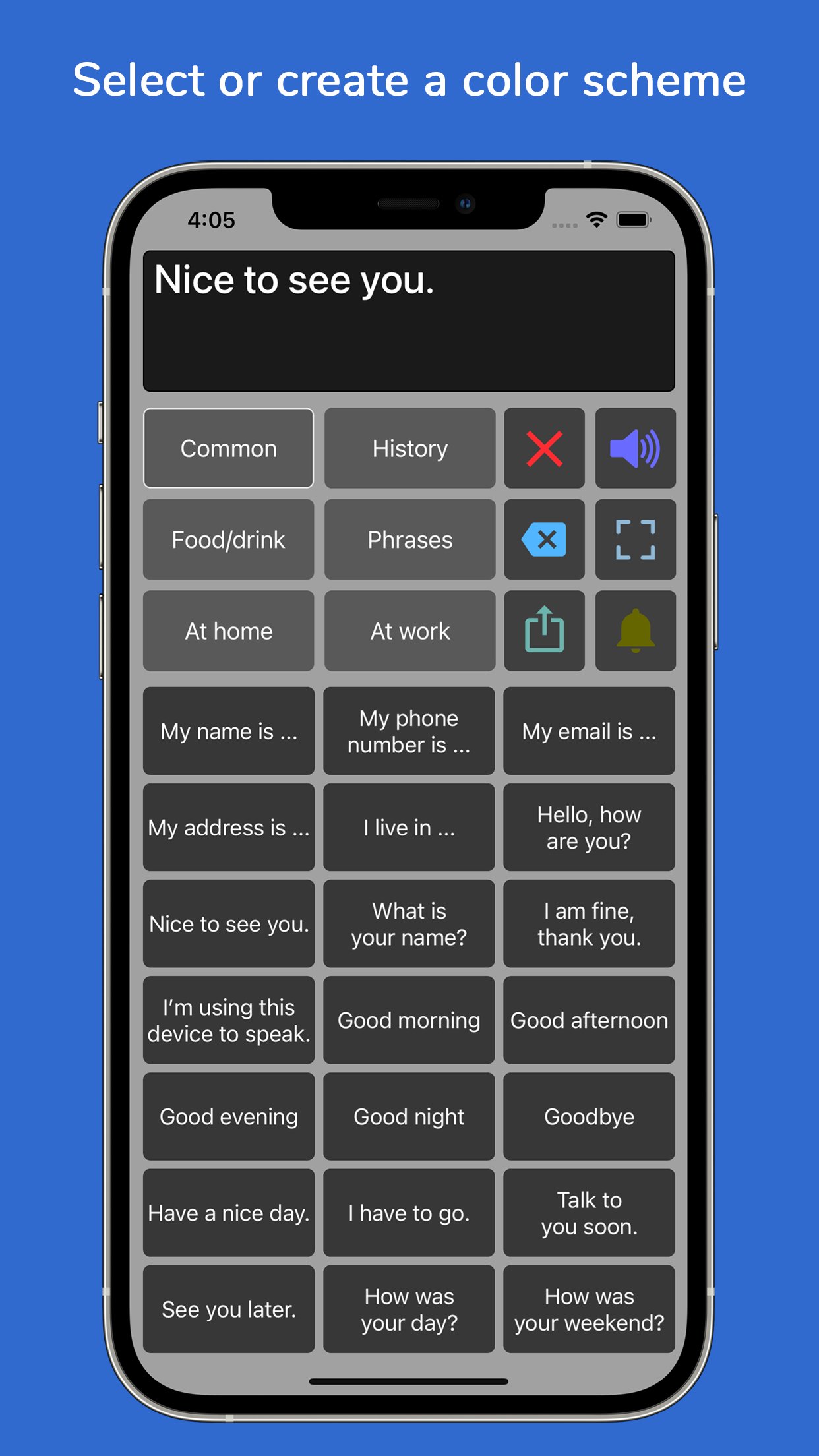
• The app has various color schemes and you can also create a personal color scheme.
• You can change the order of the buttons with drag and drop.
Full screen
• Show your message full screen with a very large font.
• Useful for communicating in a noisy environment.
• You can rotate the text to show your message to the person opposite of you.
Speech
• The rate and pitch of the speech can be adjusted.
• Option to speak each Word or Character directly while typing.
• Optional highlighting of the spoken words.
• Pause and resume speaking by tapping the speak button (optional setting).
Apple Watch
• The Watch app can especially be useful for communicating short messages.
• On the go, you don't have to pick up your phone and can quicky communicate with the app on your wrist.
Other features
• Button to share your message to mail, text and social media.
• Connect a bluetooth keyboard and create shortcuts for actions.
• A custom keyboard can be enabled in the settings with customizable size, color and layout.
• Abbreviations expansion to reduce keystrokes.
• Attention sound button on Main and Full screen.
• Option to select symbols from the set of 3400 Mulberry Symbols (mulberrysymbols.org).
About the app
• This app is developed by ASoft.
• The app does not collect any data, so all your conversations stay private.
• One-time payment, there is no subscription fee.
• The app has won an innovation award: The Vodafone Mobiles For Good Challenge.
• The app does not require an internet connection.
• For feedback or questions, please contact: speechassistant@asoft.nl.
• On www.asoft.nl you can find more information such as a user manual.
License: Commercial
With the app you can create categories and save phrases on buttons for quick access and easy communication. You can also type messages using the iOS keyboard.
The app is affordable with a one-time payment and no subscription.
Key features
• Easy to use and fully customizable to your needs and preferences.
• Categories and subcategories to organize your phrases.
• History feature to quickly access previously entered phrases.
• Option to add symbols, emoji or photos to the buttons.
• Full screen mode to display your messages in large font.
• Autocomplete feature to display phrase suggestions in a drop-down list.
• Tabs for multiple conversations.
• Designed for iPhone and iPad, supports both portrait and landscape orientation.
• Supports Apple Watch.
• Backup to iCloud, Mail or AirDrop.
Voices
• You can choose a voice from any of the iOS system voices.
• Supports ElevenLabs voices, giving you the option to use highly realistic AI professional voice clones.
• Supports Apple's Personal Voice.
• Option to create voice recordings for the buttons and to import voice recordings.
Phone calls
• The app can also be used while making Phone and FaceTime calls.
• This works with iOS system voices and with iOS 18 also with ElevenLabs voices and regular recordings (app setting).
Categories and phrases
• Add, change or delete your own (sub)categories and phrases.
• You can create an unlimited number of categories to organize your phrases for quick access.
• Create user profiles with their own categories, phrases and settings for multi-language support or different individuals.
• Easily edit category and phrase buttons with a long press.
• With Backup to iCloud or AirDrop you can transfer your categories and phrases to another iPhone/iPad.
Fully Customizable
• The size of the buttons, the textbox and the text can be adjusted.
• The app has various color schemes and you can also create a personal color scheme.
• You can change the order of the buttons with drag and drop.
Full screen
• Show your message full screen with a very large font.
• Useful for communicating in a noisy environment.
• You can rotate the text to show your message to the person opposite of you.
Speech
• The rate and pitch of the speech can be adjusted.
• Option to speak each Word or Character directly while typing.
• Optional highlighting of the spoken words.
• Pause and resume speaking by tapping the speak button (optional setting).
Apple Watch
• The Watch app can especially be useful for communicating short messages.
• On the go, you don't have to pick up your phone and can quicky communicate with the app on your wrist.
Other features
• Button to share your message to mail, text and social media.
• Connect a bluetooth keyboard and create shortcuts for actions.
• A custom keyboard can be enabled in the settings with customizable size, color and layout.
• Abbreviations expansion to reduce keystrokes.
• Attention sound button on Main and Full screen.
• Option to select symbols from the set of 3400 Mulberry Symbols (mulberrysymbols.org).
About the app
• This app is developed by ASoft.
• The app does not collect any data, so all your conversations stay private.
• One-time payment, there is no subscription fee.
• The app has won an innovation award: The Vodafone Mobiles For Good Challenge.
• The app does not require an internet connection.
• For feedback or questions, please contact: speechassistant@asoft.nl.
• On www.asoft.nl you can find more information such as a user manual.
License: Commercial
| Release info | Update on Nov 04, 2026 |
|---|---|
| Release notes | Minor improvements and fixes. |
| Listing data | App Store |
Reviews
No reviews yet. Be the first to review Speech Assistant AAC.
Used Speech Assistant AAC? Tell other visitors what you thought.
Log in to write a reviewOther products by this publisher
- "No Distractions" for YouTube 4.10 ----
- #Bible 11.6 "Incredible App - My sister shared this app with me a few weeks ago and it is truly incredible.
- #filmphotography 1.4.2 So, you decided to shoot on film?
- $quirrel 1.5.1 $quirrel Budget & Finance helps you plan each paycheck, track spending, manage debt, and see what is safe to spend before the next payday.
- % Percentage Calculator Pro 1.41 This is the Pro version of % Percentage Calculator.
Most viewed iOS Health & Fitness
-
1
 Cal AI 26.45.0
HOW TO USE CAL AI:
-
2
 HealthPatch 1.0.3
Take Full Control of Your Apple Health Workout Data
-
3
 Environments 1.7
Environments is a historic catalog of long form field recordings created for the way you live.
-
4
 Stromno 1.3.0
Stromno app allows you easily broadcast your heart rate data from Apple Watch and show it on live stream.
-
5
 Dysphagia 2.3
Excellent visual tool to aid professionals in educating patients and families about swallowing disorders.
-
6
 I am 7.9.0
How many negative thoughts have been repeating in your mind?
-
7
 AllTrails 26.11.21
Whether you hike, bike, run, or walk, AllTrails is your companion and guide to the outdoors.
-
8
 Fitness Test Pro Elite 3.5.6
Fitness Test Pro Elite is a fitness test calculator for the Army, Navy, Air Force, Marine Corps, Coast Guard and special operations screening tests.
-
9
 Periodic Timer + 4.8
Keep track of time without being distracted by the device!
-
10
 2026 Long Beach Marathon 3.2.2
Long Beach Marathon app is for race day tracking to receive turn-by-turn instructions and for your friends and family to track your progress in real-time.
Most downloaded iOS Health & Fitness
-
1
HealthPatch 1.0.3
Take Full Control of Your Apple Health Workout Data
-
2
Stromno 1.3.0
Stromno app allows you easily broadcast your heart rate data from Apple Watch and show it on live stream.
-
3
 Fitness Data Sync 1.2
Tired of subscriptions just to sync your own fitness data?
-
4
 Adrian James 5.0.2019010401
Adrian James 6 Pack Abs Workout has become an international sensation.
-
5
 TonalBloom Sound Bath 1.0
TonalBloom turns your iPhone into a tactile sound bath instrument with singing bowl tones, warm drones, shimmer controls, and saved local patches.
-
6
 BrainWave 11.0.2
Advanced Binaural Brainwave Entrainment combined with Ambient Music, Nature Sounds, Other Audio Apps or your own iTunes Music.
-
7
Fitness Test Pro Elite 3.5.6
Fitness Test Pro Elite is a fitness test calculator for the Army, Navy, Air Force, Marine Corps, Coast Guard and special operations screening tests.
-
8
 Epic Haiku & Limerick 11.9.3
Haiku provides authorized clinical users of Epic’s Electronic Health Record with secure access to clinic schedules, hospital patient lists, health summaries, test results and notes.
-
9
 Flo Cycle & Period Tracker 10.10.0
Flo Health is a science-backed cycle, ovulation, pregnancy, and period tracker with over 570 million downloads worldwide.*
-
10
 VagusCalm 1.5.0
WHY VAGUSCALM?