16downloads
5this week
FreeCommercial
0reviews
Screenshots
About SpectrumView Plus
SPECTRUMVIEW PLUS
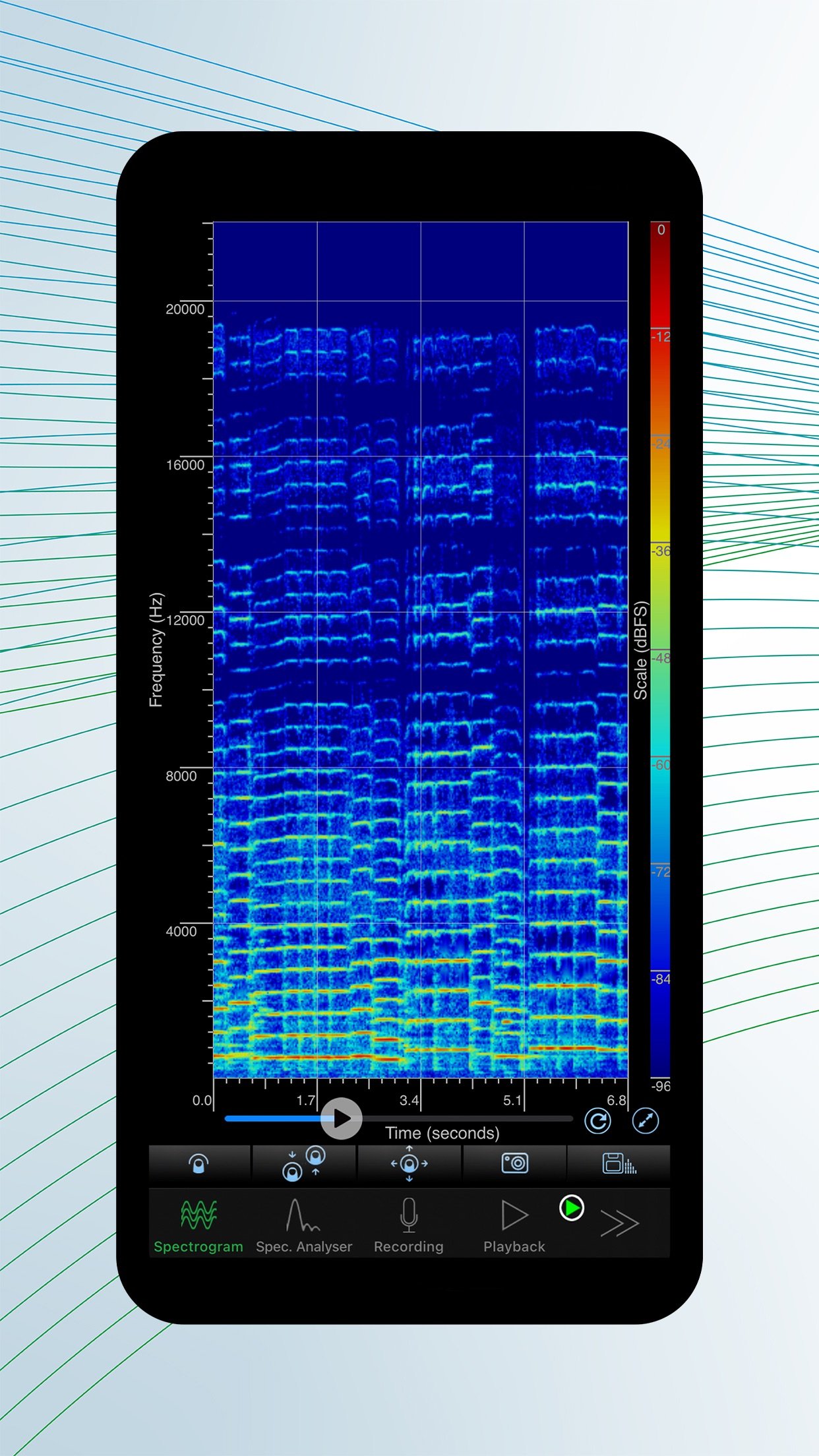
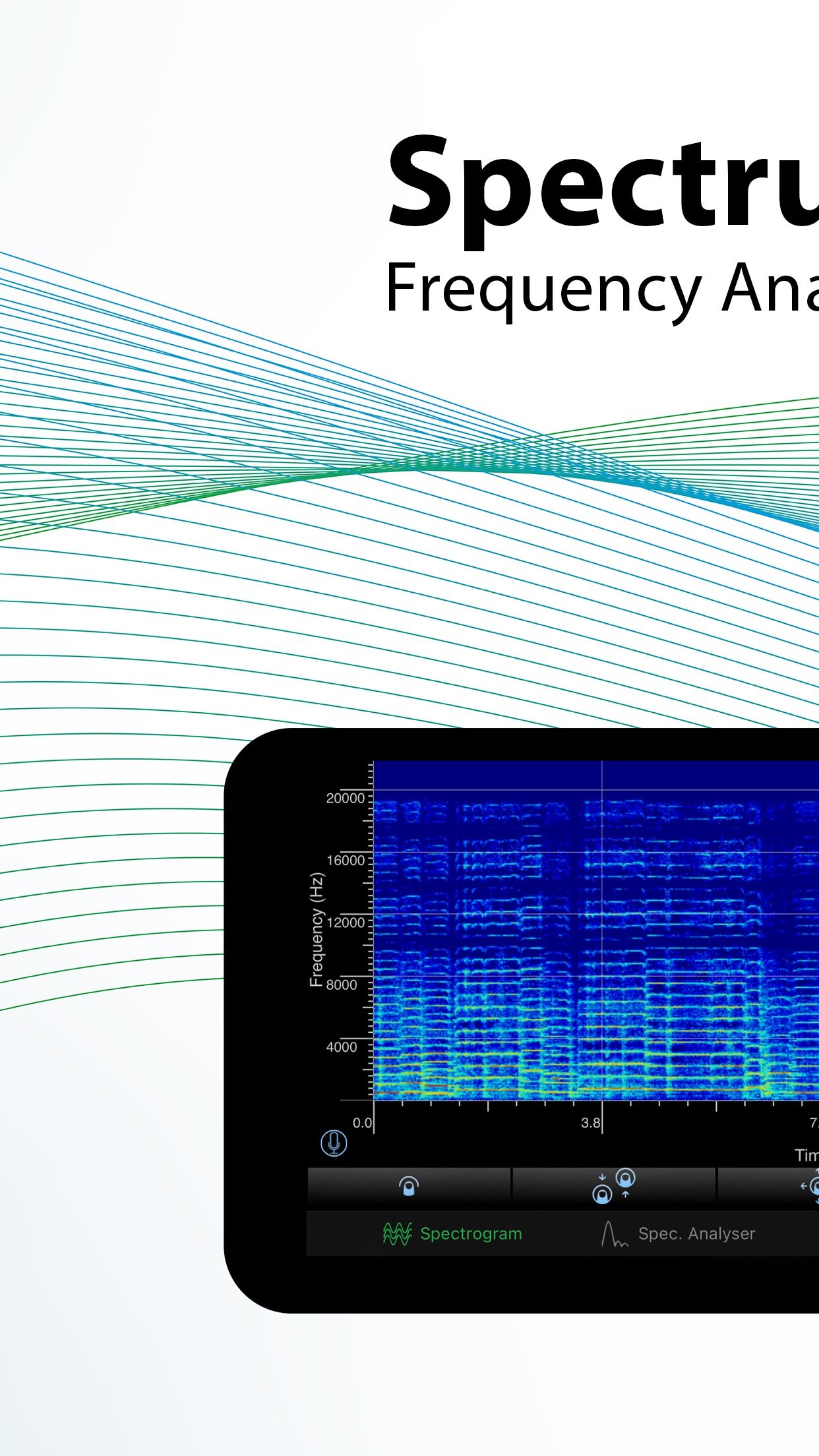
Visualise, in real time, the frequencies that you can hear around you and even those you cannot with SpectrumView Plus, your dynamic audio companion for iPhone, iPad, and iPod Touch.
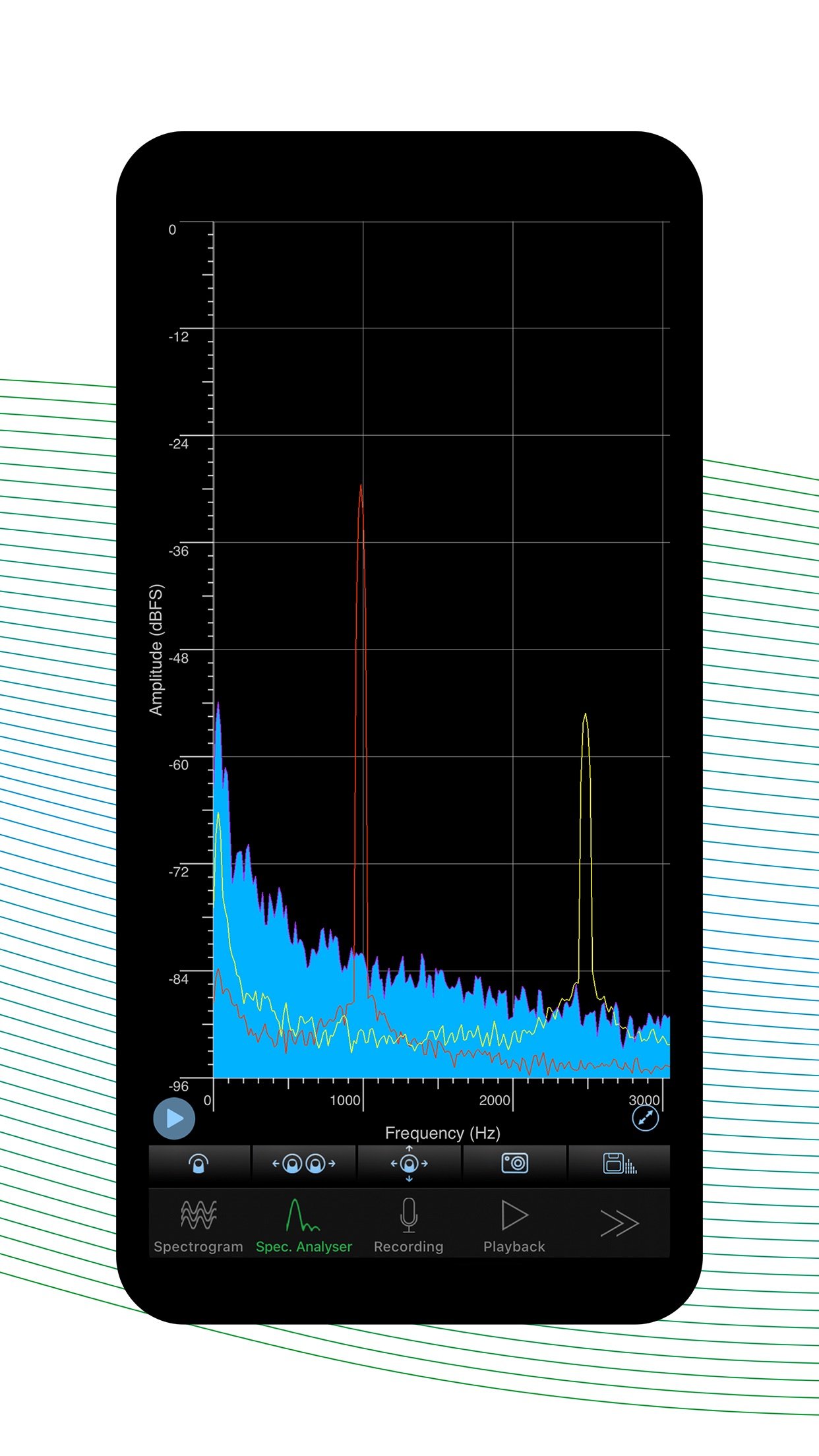
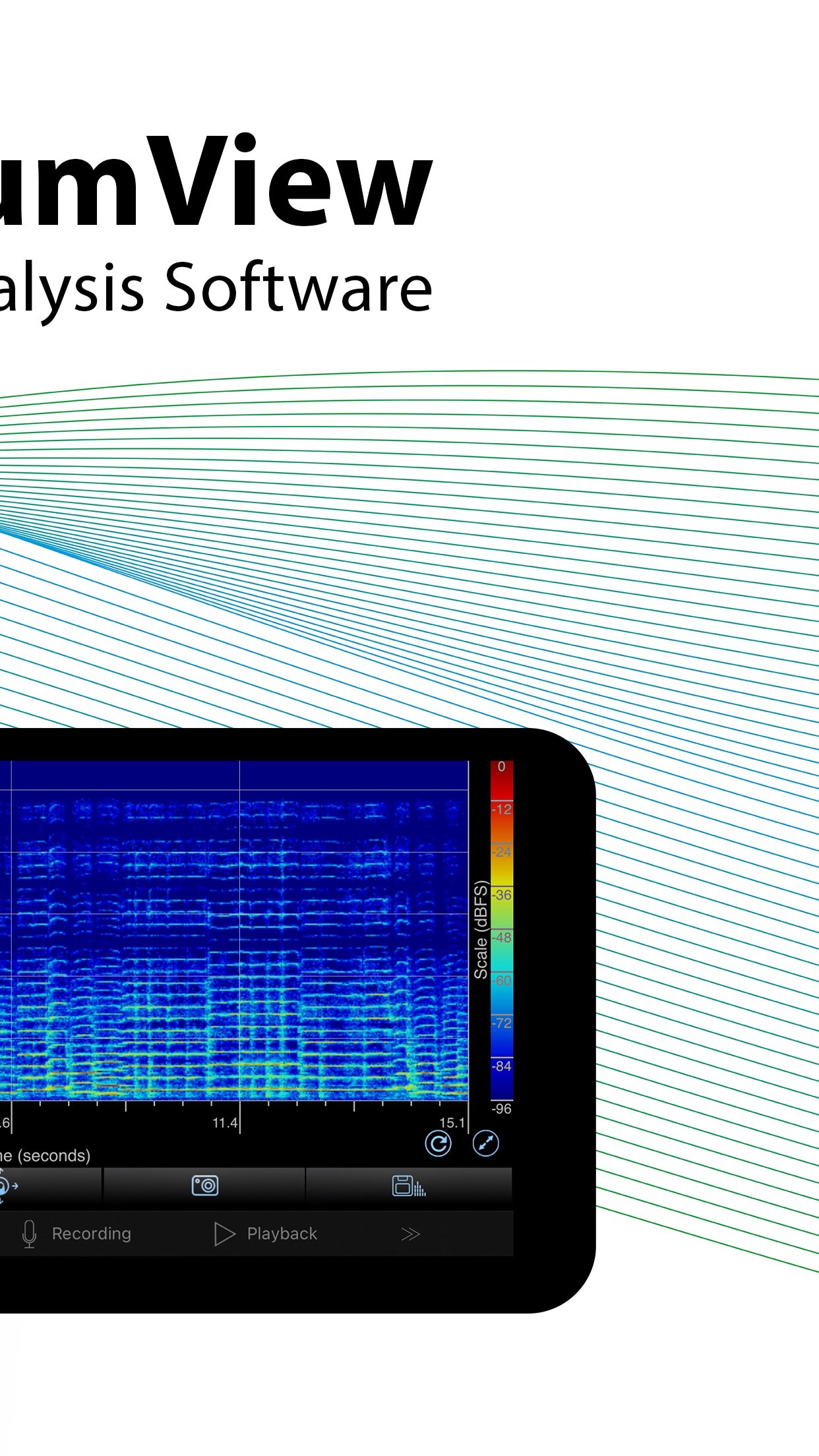
SpectrumView provides a high-quality, real-time spectrogram and spectrum analyser display, with a configurable sample rate and frequency resolution. You can use this application to measure the highest tones you can sing, obtain visual feedback of the frequencies in your speech, identify an annoying sound, calibrate musical instruments and all sorts of acoustic analysis.
Here's what it can do for you:
· Refresh Spectrogram. Allows users to refresh the spectrogram so that it clears the spectrogram that had already been displayed.
· Change min and max scale. Allows users to set their own minimum and maximum scale value on the spectrogram and spectrum analyser view, in both linear and log scale.
· Set Recording filename. Recording filenames are editable and the suffix can be set to have an incremental value or date/time.
· Generate snapshot of the spectrum data from playback and live recordings.
· Access recordings and snapshots using the "Files" app. All the data can be easily accessible using the "Files" app that is available from iOS 11.
· Web File Transfer. Allows you to access your files from another device using a web browser.
· Logarithmic scale. Allows you to set either linear or logarithmic frequency scales in the Spectrogram and Spectrum Analyser views.
· Peak hold. Allows you to freeze and hold the peaks of the frequency envelope (three holds in three distinct colours) in Spectrum Analyser mode.
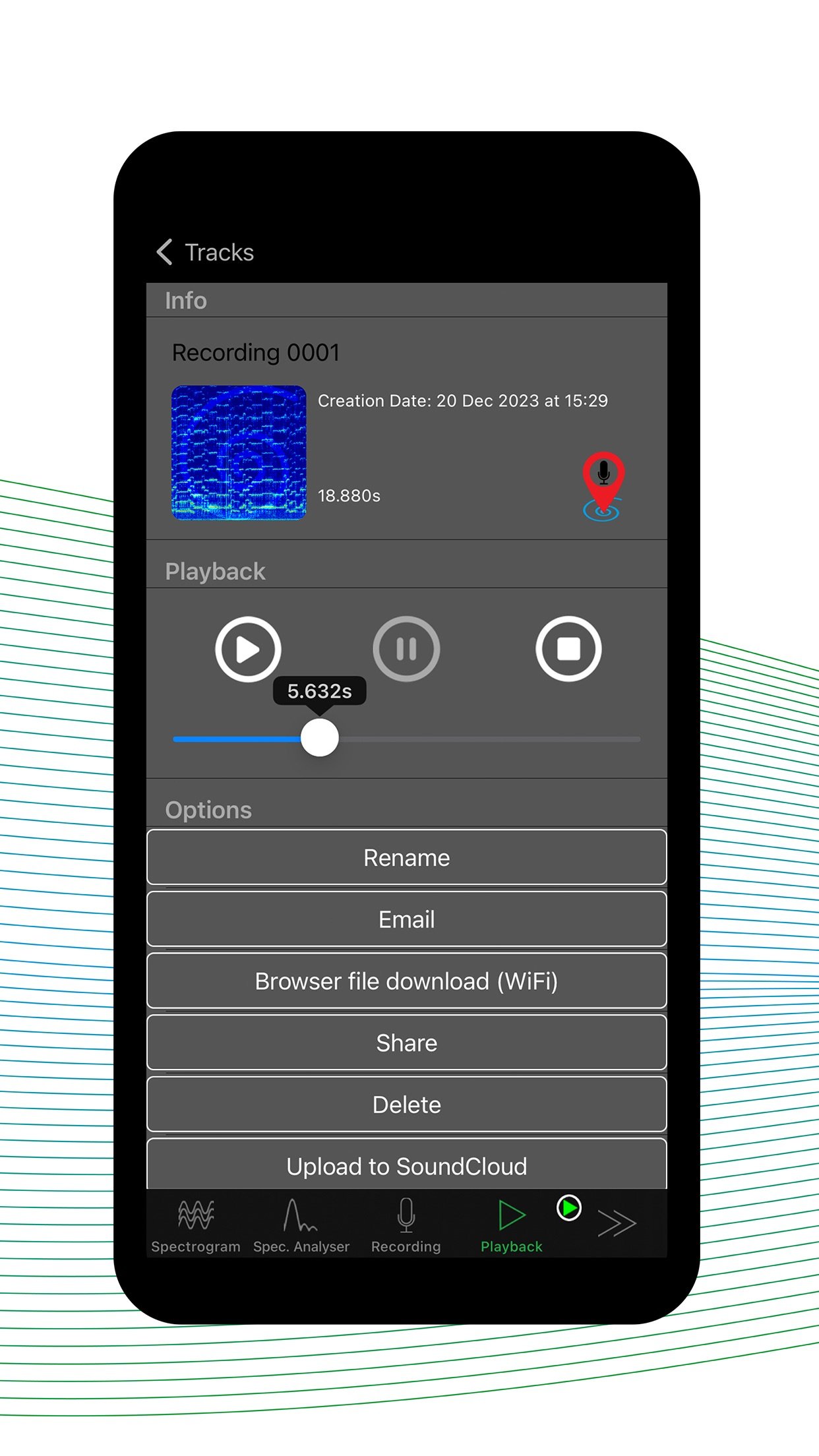
· Save location. Never forget where a clip was recorded – uses the devices location services.
· Auto lock disabled. During playback and recordings auto lock is disabled to prevent the device from automatically locking (if enabled), for uninterrupted recording/playback
· Multiple selectable sample rates from 8,000 Hz to 48,000 Hz
· High-frequency resolution with configurable signal analysis window lengths or Fast Fourier Transform (FFT) orders.
· Sound intensity represented using a colour spectrum scale from -96 dBFS to 0 dBFS.
· Frequency Pinch-to-Zoom. Allows you to zoom into the frequency space to look at a specific tone or frequency.
· Recording and Playback of Audio Files. Provides a fully functional audio recorder that allows you to record, pause and play back files in high-quality, uncompressed, wave format.
· Tap Data Cursor. Allows taps on any part of the Spectrogram or Spectrum Analyser display to obtain the exact frequency in Hertz (Hz) and level in decibels (dB) at that point.
· Musical Notes or Frequency Display on Tap. Selectable frequency or musical pitch notation to obtain the cent-accurate musical note e.g. A4 (22), when the display is tapped.
· Live Spectrogram and Spectrum Analyser Views of Recorded Files. Files recorded can be played back and the Spectrogram and Spectrum Analyser modes can be used to review the audio.
· Sharing Recorded Files by Email or iTunes File-sharing.
· High Quality Screenshots.
· *Improved* Soundcloud support. Audio files can be uploaded to or downloaded from Soundcloud as well as being able to post audio to Facebook.
· *NEW* Import audio from videos in your device library.
· Fullscreen mode. Hide the menu at the bottom of the screen to get even more of the screen dedicated to frequency analysis.
· Selectable spectrogram colour scales. You can now select one of 7 colour scales for your spectrogram.
· Selectable window functions. You can now see the window function options provided.
· Apply gain. A maximum of 24dB gain can be applied to make ‘hard to see’ details easier to view.
· Open In. Audio files can be directly opened in SpectrumView. View files sent by email directly in SpectrumView.
License: Commercial
Visualise, in real time, the frequencies that you can hear around you and even those you cannot with SpectrumView Plus, your dynamic audio companion for iPhone, iPad, and iPod Touch.
SpectrumView provides a high-quality, real-time spectrogram and spectrum analyser display, with a configurable sample rate and frequency resolution. You can use this application to measure the highest tones you can sing, obtain visual feedback of the frequencies in your speech, identify an annoying sound, calibrate musical instruments and all sorts of acoustic analysis.
Here's what it can do for you:
· Refresh Spectrogram. Allows users to refresh the spectrogram so that it clears the spectrogram that had already been displayed.
· Change min and max scale. Allows users to set their own minimum and maximum scale value on the spectrogram and spectrum analyser view, in both linear and log scale.
· Set Recording filename. Recording filenames are editable and the suffix can be set to have an incremental value or date/time.
· Generate snapshot of the spectrum data from playback and live recordings.
· Access recordings and snapshots using the "Files" app. All the data can be easily accessible using the "Files" app that is available from iOS 11.
· Web File Transfer. Allows you to access your files from another device using a web browser.
· Logarithmic scale. Allows you to set either linear or logarithmic frequency scales in the Spectrogram and Spectrum Analyser views.
· Peak hold. Allows you to freeze and hold the peaks of the frequency envelope (three holds in three distinct colours) in Spectrum Analyser mode.
· Save location. Never forget where a clip was recorded – uses the devices location services.
· Auto lock disabled. During playback and recordings auto lock is disabled to prevent the device from automatically locking (if enabled), for uninterrupted recording/playback
· Multiple selectable sample rates from 8,000 Hz to 48,000 Hz
· High-frequency resolution with configurable signal analysis window lengths or Fast Fourier Transform (FFT) orders.
· Sound intensity represented using a colour spectrum scale from -96 dBFS to 0 dBFS.
· Frequency Pinch-to-Zoom. Allows you to zoom into the frequency space to look at a specific tone or frequency.
· Recording and Playback of Audio Files. Provides a fully functional audio recorder that allows you to record, pause and play back files in high-quality, uncompressed, wave format.
· Tap Data Cursor. Allows taps on any part of the Spectrogram or Spectrum Analyser display to obtain the exact frequency in Hertz (Hz) and level in decibels (dB) at that point.
· Musical Notes or Frequency Display on Tap. Selectable frequency or musical pitch notation to obtain the cent-accurate musical note e.g. A4 (22), when the display is tapped.
· Live Spectrogram and Spectrum Analyser Views of Recorded Files. Files recorded can be played back and the Spectrogram and Spectrum Analyser modes can be used to review the audio.
· Sharing Recorded Files by Email or iTunes File-sharing.
· High Quality Screenshots.
· *Improved* Soundcloud support. Audio files can be uploaded to or downloaded from Soundcloud as well as being able to post audio to Facebook.
· *NEW* Import audio from videos in your device library.
· Fullscreen mode. Hide the menu at the bottom of the screen to get even more of the screen dedicated to frequency analysis.
· Selectable spectrogram colour scales. You can now select one of 7 colour scales for your spectrogram.
· Selectable window functions. You can now see the window function options provided.
· Apply gain. A maximum of 24dB gain can be applied to make ‘hard to see’ details easier to view.
· Open In. Audio files can be directly opened in SpectrumView. View files sent by email directly in SpectrumView.
License: Commercial
| Release info | New Release on Jan 25, 2024 |
|---|---|
| Release notes | SpectrumView Plus 2.4.2 (2.4.35) Update: - Import audio from videos in your device library - Improved SoundCloud compatibility - Improved sharing with other apps like Whatsapp - Various bug fixes |
| Listing data | App Store |
Reviews
No reviews yet. Be the first to review SpectrumView Plus.
Used SpectrumView Plus? Tell other visitors what you thought.
Log in to write a reviewOther products by this publisher
- "No Distractions" for YouTube 4.10 ----
- #Bible 11.6 "Incredible App - My sister shared this app with me a few weeks ago and it is truly incredible.
- #filmphotography 1.4.2 So, you decided to shoot on film?
- $quirrel 1.5.1 $quirrel Budget & Finance helps you plan each paycheck, track spending, manage debt, and see what is safe to spend before the next payday.
- % Percentage Calculator Pro 1.41 This is the Pro version of % Percentage Calculator.
Most viewed iOS Education
-
1
 Bible 11.36.0
Take God’s Word with you wherever you go with the free YouVersion Bible App.
- 2 #Bible 11.6 "Incredible App - My sister shared this app with me a few weeks ago and it is truly incredible.
-
3
 Yanilomo 1.2.0
Yanilomo is a crew board for shorts and student films.
-
4
 Bible Chat 5.1.5
Bible Chat: Built for Christians Who Want to Hear God in the Noise of Everyday Life
-
5
 Healthy Horse 5.1.0
Estimate your horse's body weight and ideal weight in seconds, using equations developed through University of Minnesota research.
-
6
 ClassLink LaunchPad 41.0.5
Your school or organization must have CLASSLINK LAUNCHPAD WEB EDITION for this app to work.
- 7 (How to) Pronounce PRO 1.5.6 This is a PRO version of (How to) Pronounce.
-
8
 Another Monster At the End... 7.2
This is an animated storybook app, which will humorously help teach your child early reading and logic skills.
-
9
 AntiqSnap 2.11.0
Discover the true value of your antiques with AntiqSnap – from ceramics and glassware to furniture, silverware, jewelry, and other antiques and collectibles.
-
10
 Translate Now 2026.11.9
Translate text, voice, and photos in 320+ languages.
Most downloaded iOS Education
-
1
Another Monster At the End... 7.2
This is an animated storybook app, which will humorously help teach your child early reading and logic skills.
-
2
 Sailing Reference 2.1.4
Sailing Reference is the comprehensive reference guide for all of your nautical navigation needs.
-
3
 Lost Person Behavior 1.0.9
The Lost Person Behavior App is based upon the Search and Rescue (SAR) international gold standard reference tool on where to look for lost and missing persons.
-
4
 Talking Thai English Dictionary+Phrasebook 2.3
Whether you're on a short trip to Thailand, working with Thais, or studying the Thai language in-depth, this is the one dictionary you can really use.
-
5
 Bible 4.6.0
Bible KJV - Daily Bible Verse is a free KJV Bible study tool that people read bible verse of the day, listen to the audio bible - the holy bible king james version, share and learn king james version bible.
-
6
Yanilomo 1.2.0
Yanilomo is a crew board for shorts and student films.
-
7
 Greek English Lexicon 1.0
A Greek–English Lexicon, commonly known as LSJ, is a standard lexicographical work of the Ancient Greek language.
-
8
 Pre-Trip 1.6
Prepare for your CDL pre-trip inspection with guided study, spoken practice, and realistic mock testing.
-
9
 TouchChat HD- AAC w/ WordPower 2026.3.0
TouchChat is a full-featured Augmentative and Alternative Communication (AAC) solution for individuals who have difficulty using their natural voice.
-
10
 Presidents vs. Aliens® 3.3
From the creator of Stack the States!