
SoundPull 1.6
Pull the sound out of your own videos, convert voice memos to MP3, and merge several recordings into one audio file.
Download
35.32 MB
20downloads
3this week
FreeCommercial
0reviews
Screenshots
About SoundPull
Pull the sound out of your own videos, convert voice memos to MP3, and merge several recordings into one audio file.
It all runs on the device and nothing gets sent anywhere. A single purchase covers everything, and there are no subscriptions or ads.
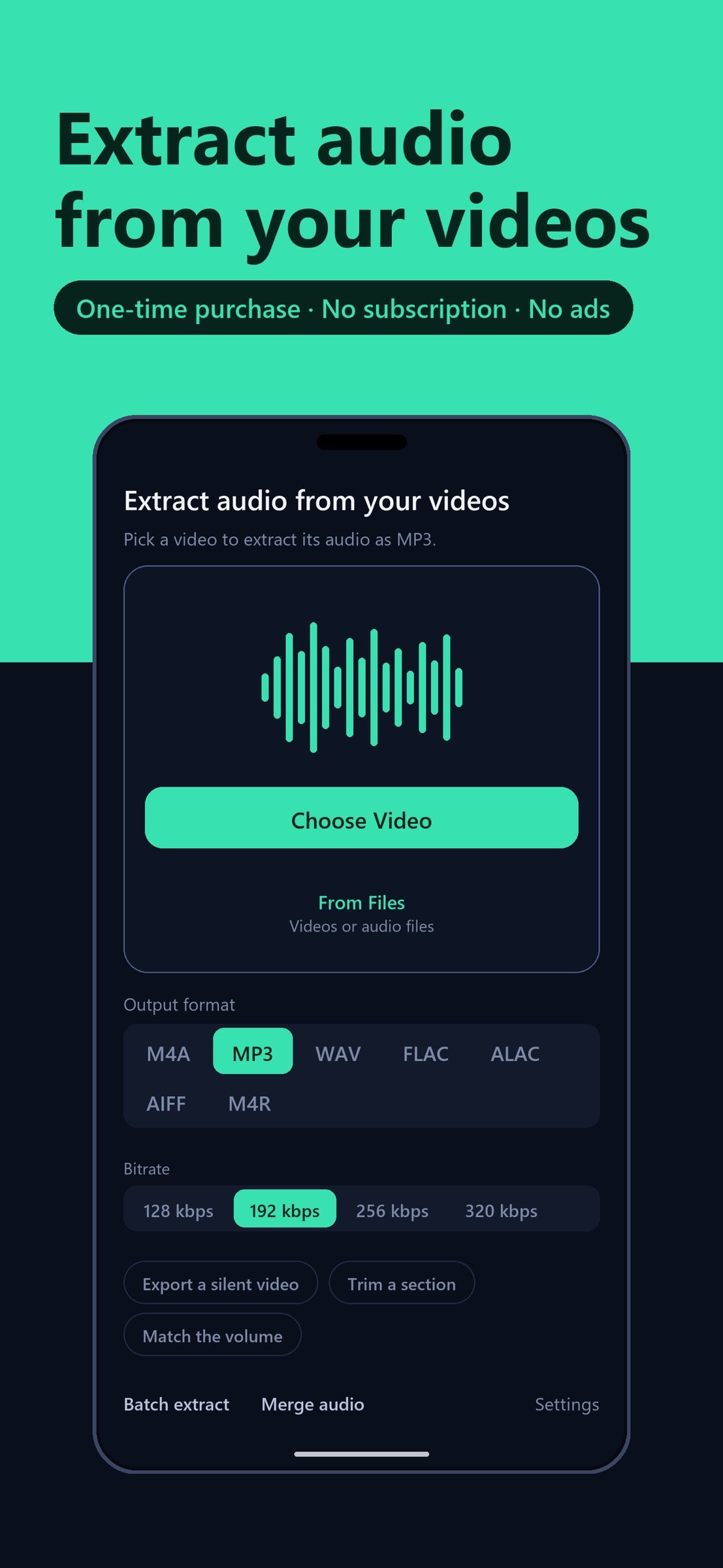
SoundPull extracts the sound from videos you own and saves it as MP3, M4A (AAC), WAV, FLAC, ALAC or AIFF. Recorded a lecture, an interview, a rehearsal, or a voice memo as a video? Get just the audio in a couple of taps — no uploads, no watermark, no ads.
WHY SOUNDPULL
- Fully on-device. The conversion runs on the phone in your hand; there is no server behind SoundPull and nothing to sign in to.
- Your choice of format. MP3, M4A (AAC) or WAV, plus lossless FLAC, ALAC and AIFF — whichever the app or device on the other end expects.
- Output quality. Pick a bitrate from 128 to 320 kbps for MP3 and M4A, or 44.1/48 kHz and 16/24-bit for WAV and the lossless formats. ALAC files are saved as .m4a.
- No watermark, no ads. The audio you get is just your audio.
- Fast. Extraction runs locally using Apple's own media engine.
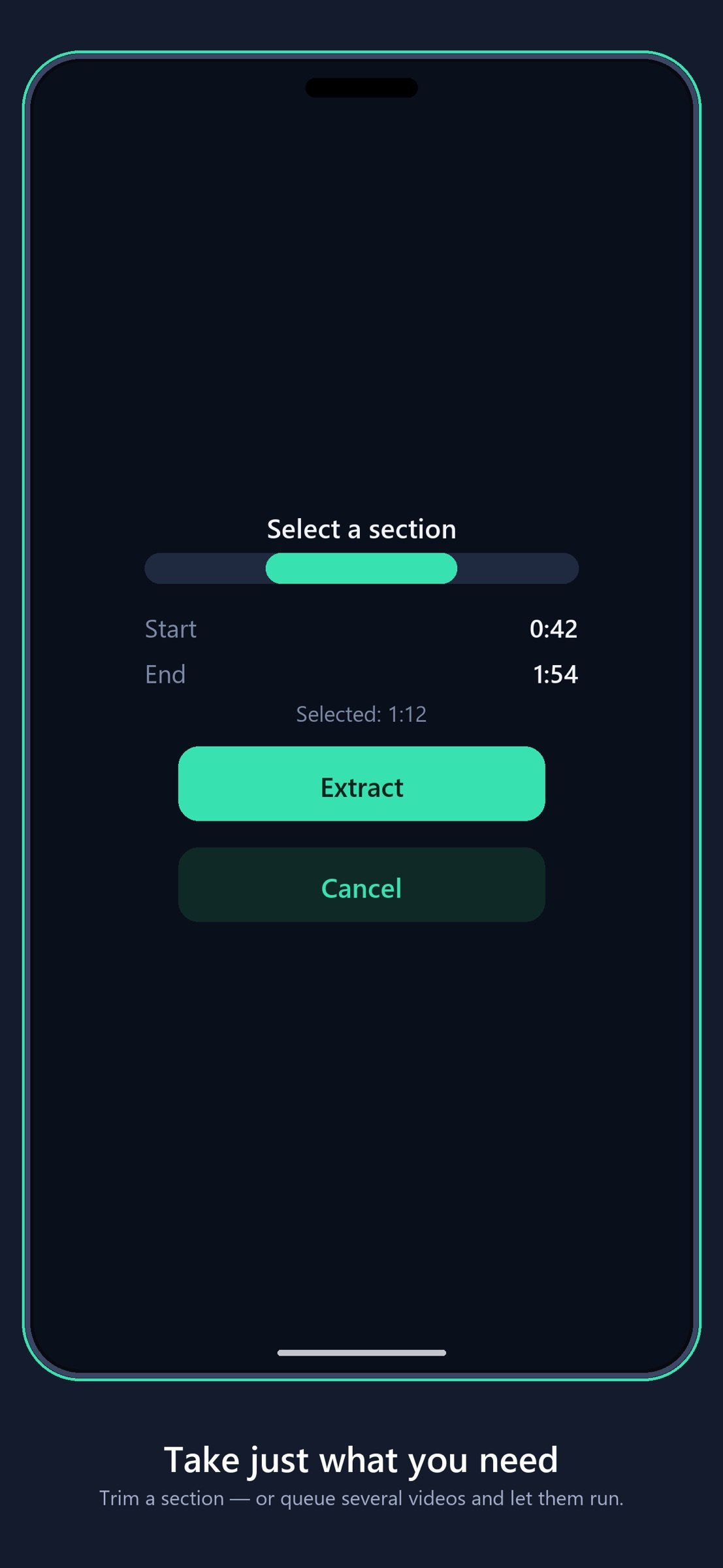
- Trim before extracting. Take just the section you need instead of the whole recording.
- Batch extraction. Queue several videos and let them run one after another.
- Ringtones. Export a section as M4R and set it as your ringtone through GarageBand.
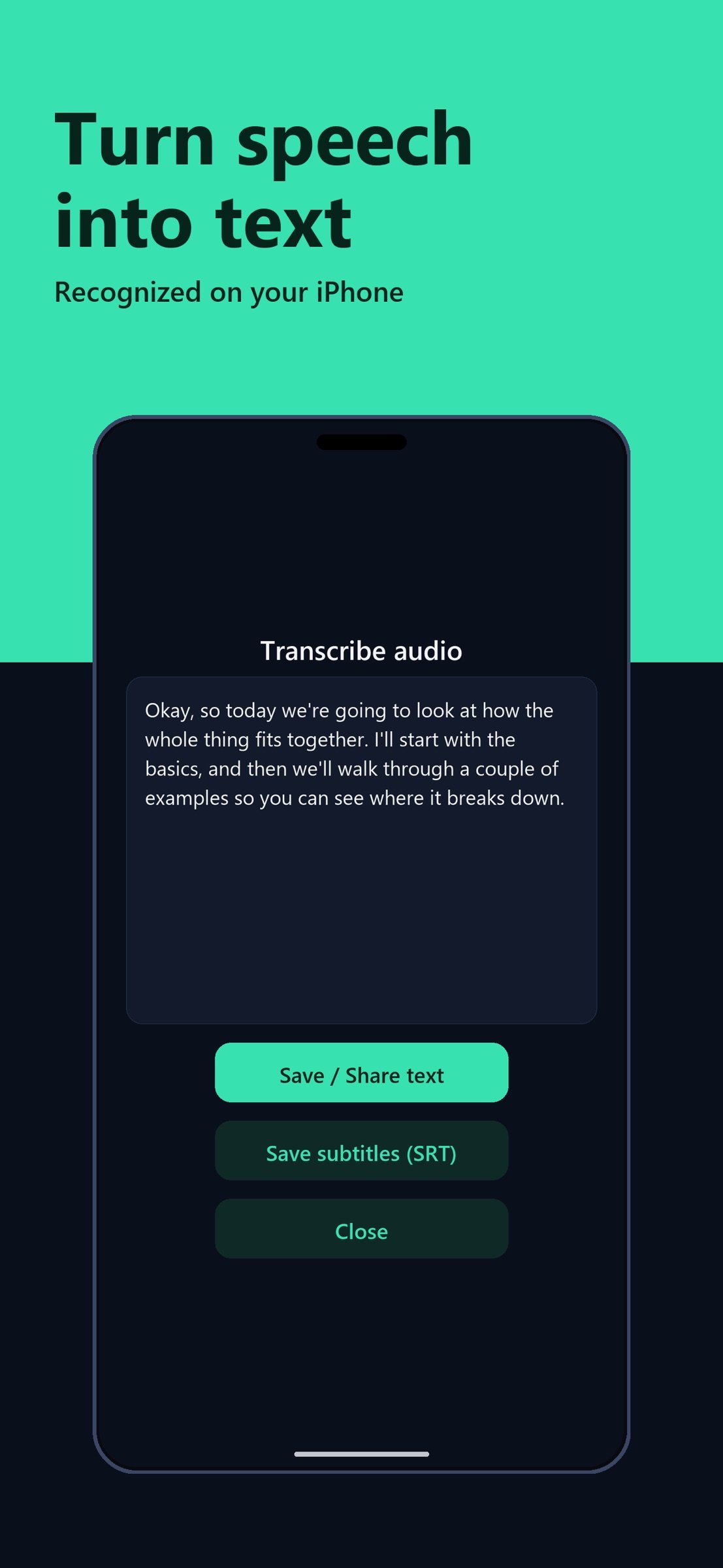
- Transcription. Turn the speech in a recording into text, recognized on your iPhone — so it keeps working with no connection at all.
- Silent video. Save the video itself with its audio track removed.
- Pick the audio track, and even out recordings that came out too quiet.
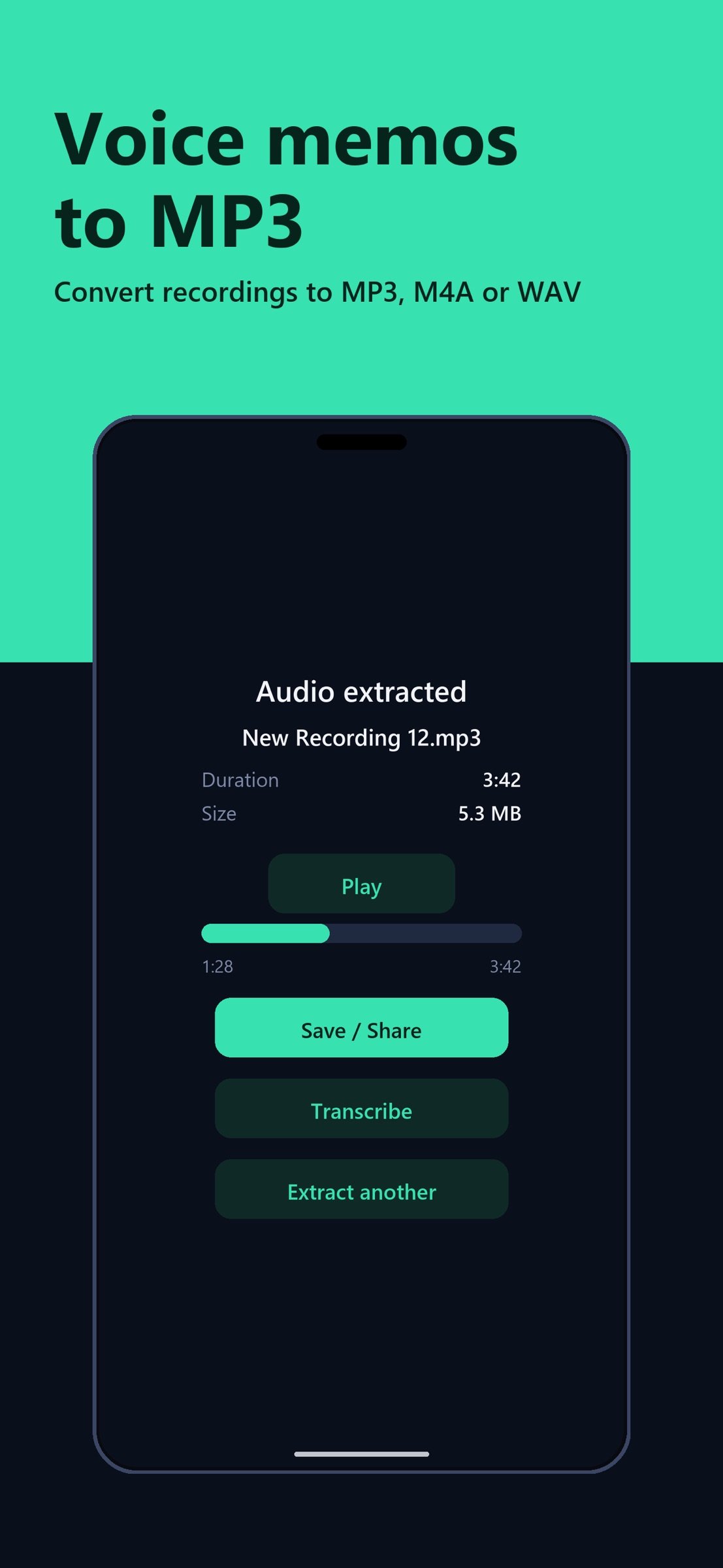
- Audio files, too. Convert M4A, MP3 and WAV recordings — voice memos included — to the format you need.
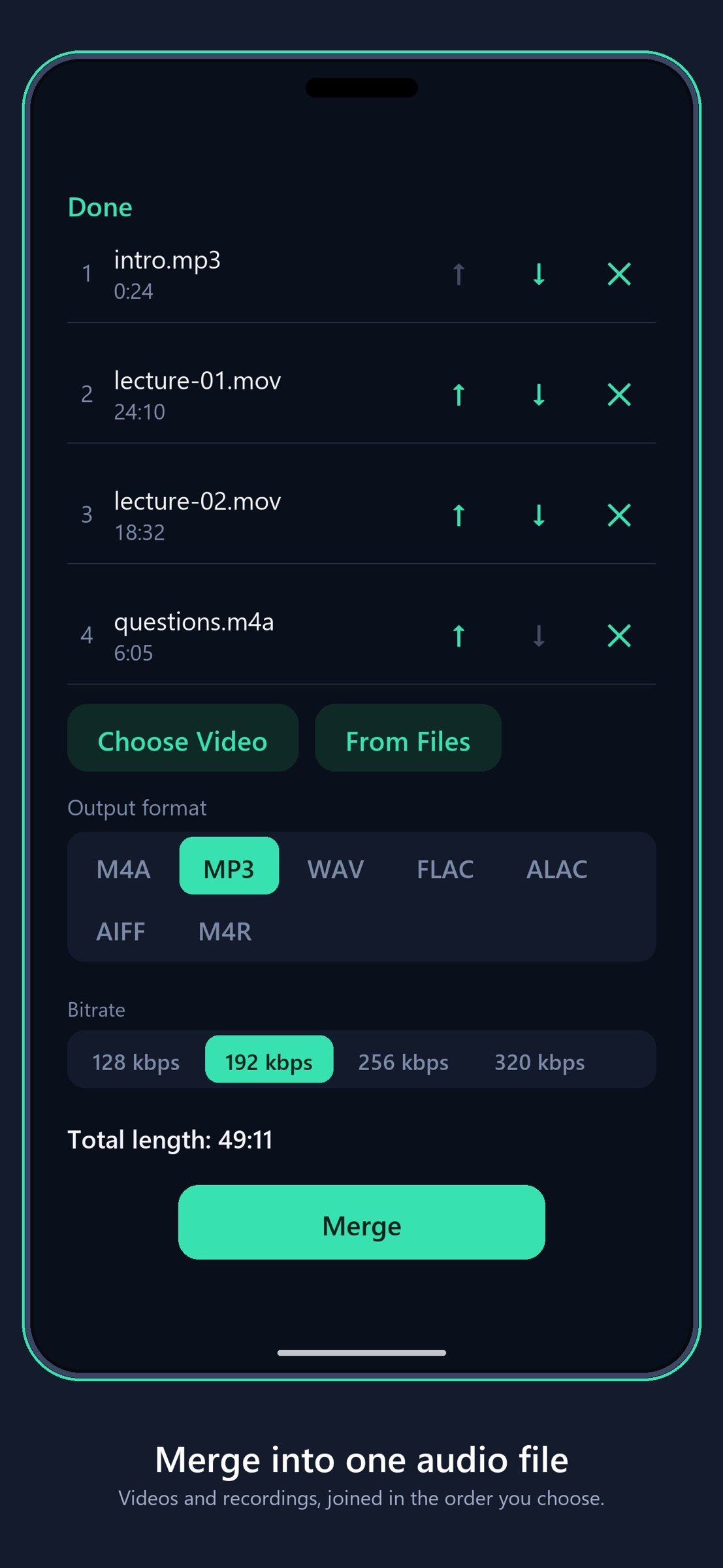
- Merge. Join several videos or recordings into one audio file, in the order you choose.
HOW IT WORKS
1. Pick a video from your photo library or Files — or send one to SoundPull from another app.
2. SoundPull pulls out the audio track on your device.
3. Listen to the result, then keep it in Files or hand it over to a different app.
WHAT PEOPLE USE IT FOR
- Lectures and classes filmed on a phone, turned into audio for the commute
- Interviews and meetings kept as small audio files instead of large video
- Music practice, rehearsals and live sets you recorded yourself
- Voice memos you accidentally captured as video
- Source material for a podcast or a video essay you are producing
- Language study — listening back to your own recordings without watching
WORKS WITH YOUR VIDEOS
SoundPull reads the video formats your iPhone already understands, including MP4, MOV and M4V files recorded on your device, screen recordings, and clips received through AirDrop, Files or other apps. If a video carries an audio track and iOS can read it, SoundPull can pull the sound out of it. Videos with no audio track are detected before extraction starts and explained in plain language, so you are never left staring at a failure you cannot interpret.
MADE FOR YOUR OWN CONTENT
SoundPull is for audio from videos you created or have the right to use — your recordings, your projects. It does not work with DRM-protected content and never bypasses copy protection.
ONE PURCHASE, THAT'S IT
Buy SoundPull once and everything is unlocked — unlimited extractions, forever. No subscription, no ads, no upsells.
PRIVATE BY DESIGN
Lectures, interviews and meetings often contain things that were never meant to leave the room. SoundPull has no server to send them to: your recordings are decoded and converted on the iPhone itself, and the app collects nothing about you or the files you open.
Turn your videos into audio you can actually use — with SoundPull.
License: Commercial
It all runs on the device and nothing gets sent anywhere. A single purchase covers everything, and there are no subscriptions or ads.
SoundPull extracts the sound from videos you own and saves it as MP3, M4A (AAC), WAV, FLAC, ALAC or AIFF. Recorded a lecture, an interview, a rehearsal, or a voice memo as a video? Get just the audio in a couple of taps — no uploads, no watermark, no ads.
WHY SOUNDPULL
- Fully on-device. The conversion runs on the phone in your hand; there is no server behind SoundPull and nothing to sign in to.
- Your choice of format. MP3, M4A (AAC) or WAV, plus lossless FLAC, ALAC and AIFF — whichever the app or device on the other end expects.
- Output quality. Pick a bitrate from 128 to 320 kbps for MP3 and M4A, or 44.1/48 kHz and 16/24-bit for WAV and the lossless formats. ALAC files are saved as .m4a.
- No watermark, no ads. The audio you get is just your audio.
- Fast. Extraction runs locally using Apple's own media engine.
- Trim before extracting. Take just the section you need instead of the whole recording.
- Batch extraction. Queue several videos and let them run one after another.
- Ringtones. Export a section as M4R and set it as your ringtone through GarageBand.
- Transcription. Turn the speech in a recording into text, recognized on your iPhone — so it keeps working with no connection at all.
- Silent video. Save the video itself with its audio track removed.
- Pick the audio track, and even out recordings that came out too quiet.
- Audio files, too. Convert M4A, MP3 and WAV recordings — voice memos included — to the format you need.
- Merge. Join several videos or recordings into one audio file, in the order you choose.
HOW IT WORKS
1. Pick a video from your photo library or Files — or send one to SoundPull from another app.
2. SoundPull pulls out the audio track on your device.
3. Listen to the result, then keep it in Files or hand it over to a different app.
WHAT PEOPLE USE IT FOR
- Lectures and classes filmed on a phone, turned into audio for the commute
- Interviews and meetings kept as small audio files instead of large video
- Music practice, rehearsals and live sets you recorded yourself
- Voice memos you accidentally captured as video
- Source material for a podcast or a video essay you are producing
- Language study — listening back to your own recordings without watching
WORKS WITH YOUR VIDEOS
SoundPull reads the video formats your iPhone already understands, including MP4, MOV and M4V files recorded on your device, screen recordings, and clips received through AirDrop, Files or other apps. If a video carries an audio track and iOS can read it, SoundPull can pull the sound out of it. Videos with no audio track are detected before extraction starts and explained in plain language, so you are never left staring at a failure you cannot interpret.
MADE FOR YOUR OWN CONTENT
SoundPull is for audio from videos you created or have the right to use — your recordings, your projects. It does not work with DRM-protected content and never bypasses copy protection.
ONE PURCHASE, THAT'S IT
Buy SoundPull once and everything is unlocked — unlimited extractions, forever. No subscription, no ads, no upsells.
PRIVATE BY DESIGN
Lectures, interviews and meetings often contain things that were never meant to leave the room. SoundPull has no server to send them to: your recordings are decoded and converted on the iPhone itself, and the app collects nothing about you or the files you open.
Turn your videos into audio you can actually use — with SoundPull.
License: Commercial
| Release info | Update on Nov 07, 2026 |
|---|---|
| Release notes | New in 1.6 - Save in lossless FLAC, ALAC or AIFF. ALAC files use the .m4a extension. - Choose the output quality right below the format: bitrate for MP3 and M4A, sample rate and bit depth for WAV, FLAC, ALAC and AIFF. - If you leave the new settings as they are, you get the same files as in 1.5. |
| Listing data | App Store |
Reviews
No reviews yet. Be the first to review SoundPull.
Used SoundPull? Tell other visitors what you thought.
Log in to write a reviewOther products by this publisher
- "No Distractions" for YouTube 4.10 ----
- #Bible 11.6.1 "Incredible App - My sister shared this app with me a few weeks ago and it is truly incredible.
- #filmphotography 1.4.2 So, you decided to shoot on film?
- $quirrel 1.5.1 $quirrel Budget & Finance helps you plan each paycheck, track spending, manage debt, and see what is safe to spend before the next payday.
- % Percentage Calculator Pro 1.41 This is the Pro version of % Percentage Calculator.
Most viewed iOS Utilities
-
1
 Device Lab 1.9.0
Device Lab is an on-device reference and toolkit for your hardware — hardware monitoring, spec references, chip and device comparisons, system information, and practical utilities, so you can understand and manage the devices you use with more struc…
-
2
 APTV 2.4.10
APTV,?????????????? IPTV M3U???,?????????????????
-
3
 VibeSDR 11.0.16
VibeSDR is a mobile-first software-defined radio (SDR) receiver — and far more than a single-server client.
-
4
 DXClock 4.0.0
Connect, collaborate, and operate smarter with DX Clock — the ultimate meeting place for amateur radio operators.
-
5
 Demod 1.6
Demod turns your iPhone into a software-defined radio receiver.
-
6
 V2Box 10.2.0
V2box - VPN Internet network proxy , Supports multiple proxy protocols, such as Shadowsocks, V2ray, Vmess, Trojan , SSH , Socks, Ping Tunnel, Hysteria2, DNSTT, Wireguard
-
7
 Ally Pro 1.4.0
Ally Pro – Amiibo & NFC Tool gives advanced collectors complete control over their Amiibo library.
-
8
 ECHOCAT 1.5.2
ECHOCAT is the iPhone and iPad companion for POTACAT, the desktop app for amateur radio operators chasing Parks on the Air (POTA), Summits on the Air (SOTA), Worldwide Bunkers on the Air (WWBOTA), Tiles on the Air and DX.
-
9
 iNetTools 11.0
iNetTools Pro is the Pro Version of iNetTools.
-
10
 DuckDuckGo, optional Duck.ai 7.246.0
At DuckDuckGo, we believe the best way to protect your personal information from hackers, scammers, and privacy-invasive companies is to stop it from being collected at all.
Most downloaded iOS Utilities
-
1
 Rat And Mouse Sound Repeller 2.8
Keep mice and rats away overnight with ultrasonic waves and predator sounds.
-
2
Demod 1.6
Demod turns your iPhone into a software-defined radio receiver.
-
3
 Guardio 2026.105.1
Guardio protects every part of your digital life: your devices, identity, accounts, and activity, so you can browse, shop, text, and bank online with confidence.
-
4
 Screen Mirroring With Miracast 2.0
Turn your iPhone into a complete TV companion.
-
5
 Fontcase 2.0.1
Fontcase is an app that lets you install custom fonts on iOS and iPadOS.
-
6
 ParkenDD 2.0.2
ParkenDD shows a list of available public parking lots in several cities.
-
7
 PickerFull 9.18
Export colors from photos as HEX, PDF, RGB, HSB/HSV, HSBA, HSL, LUV, LCH, YUV, YCBCR, YIQ, CMYK, Grayscale, XYZ, L*a*b* (CIE), CSSVAR, SASSVAR, CSSHSL, CSSRGB, AndroidXML, FlutterDart, UnityColor32, Float, Objective-C, Swift, SwiftLiteral, SwiftUI
-
8
 Royal TSi 2.5.4
Royal TSi provides easy and secure access to your remote systems (RDP, VNC, SSH, etc.) by allowing you to open your Royal TS documents created with Royal TSX (for macOS) or Royal TS (for Windows).
-
9
 Digi Voices 1.1.0
Digi Voice is a comprehensive digital radio client designed for licensed amateur radio operators, offering multi-protocol digital voice communication on iPhone, iPad, Mac, and Apple Watch.
-
10
 DRC 2.0.1
A simple to use app to help calculate any dilution ratio.