
Smart Mouse & Keyboard for Mac 2.1
See your Mac. Control it from your iPhone or iPad.
Download
2.81 MB
0downloads
0this week
FreeCommercial
0reviews
Screenshots
About Smart Mouse & Keyboard for Mac
See your Mac. Control it from your iPhone or iPad.
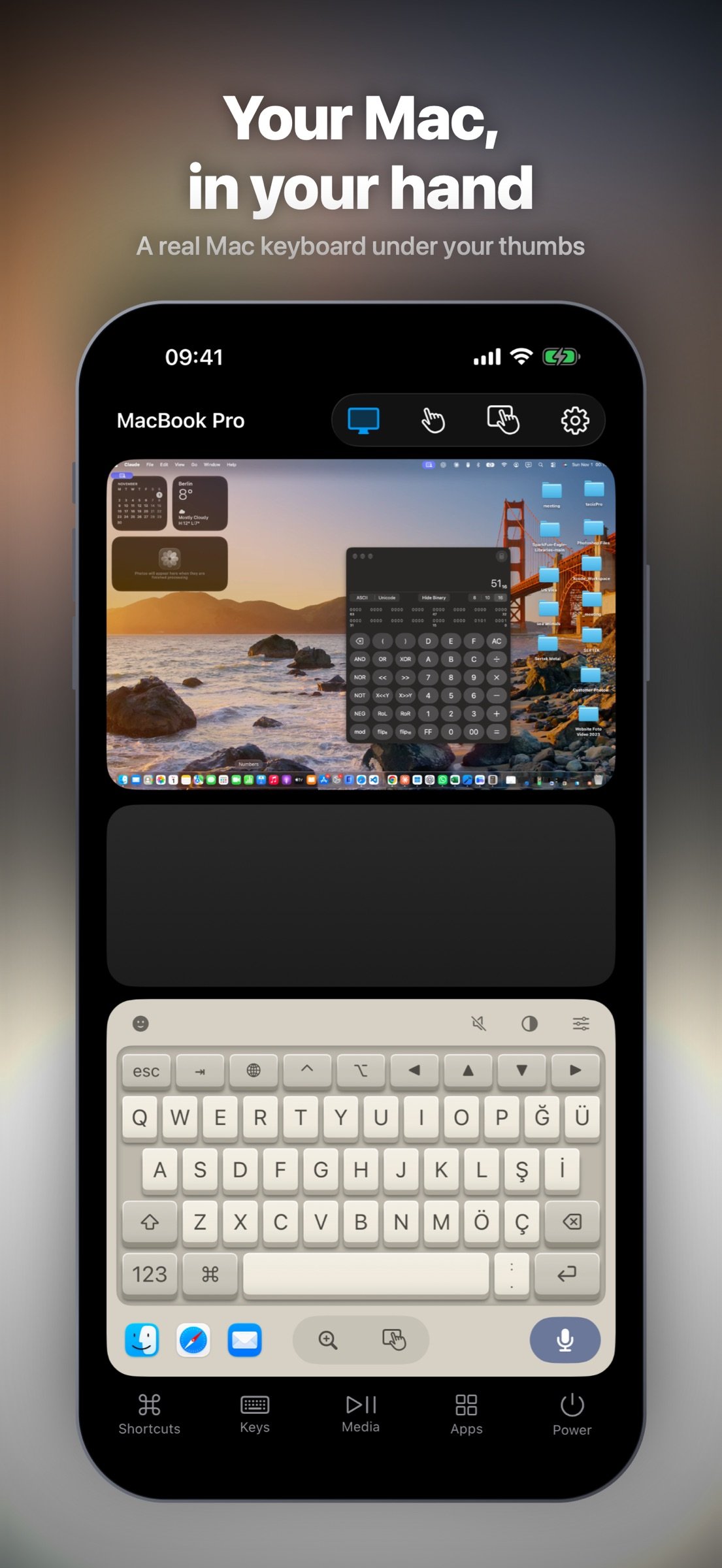
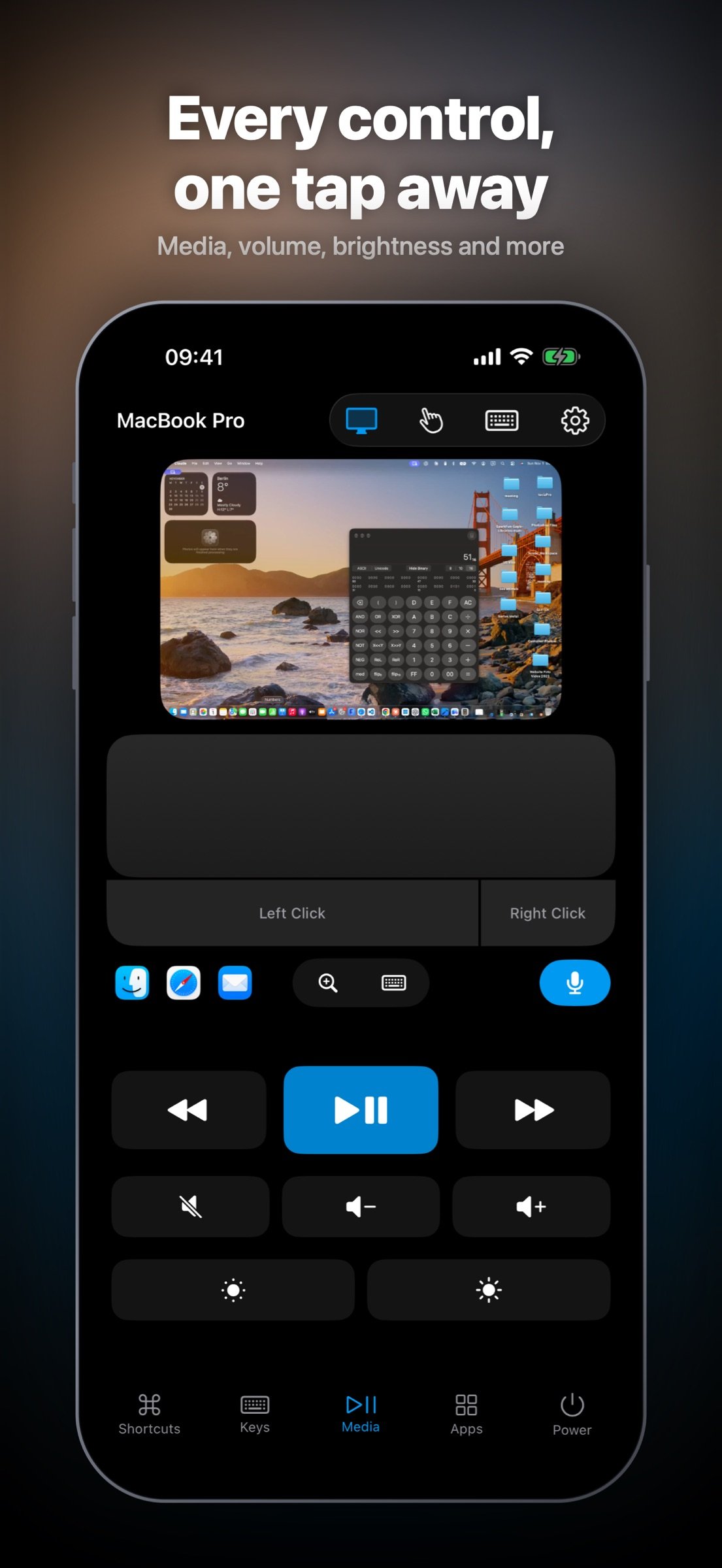
Turn your device into a remote control, wireless mouse and keyboard for your Mac. View the Mac's live screen, open apps, type and control playback from the sofa, your desk or across the room. Both devices connect over the same Wi-Fi network.
SEE AND CONTROL YOUR MAC
• View your Mac's screen directly on your device.
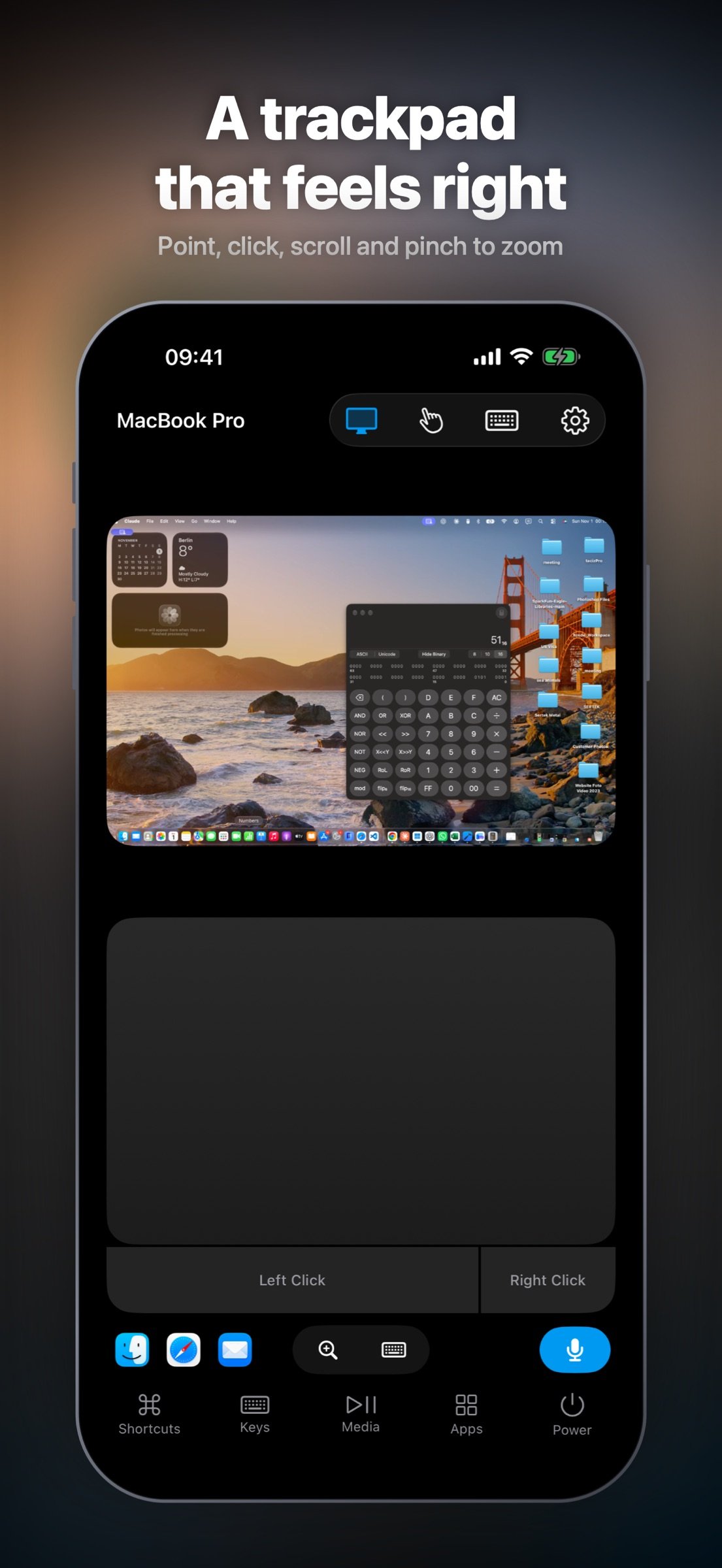
• Tap to click, drag items, scroll with two fingers and pinch to zoom into details.
• Use the trackpad for pointer control, right-clicks, scrolling and gestures.
A KEYBOARD THAT FEELS YOURS
• Type text and emoji with a full Mac-style keyboard, modifier keys, arrows and F1–F12.
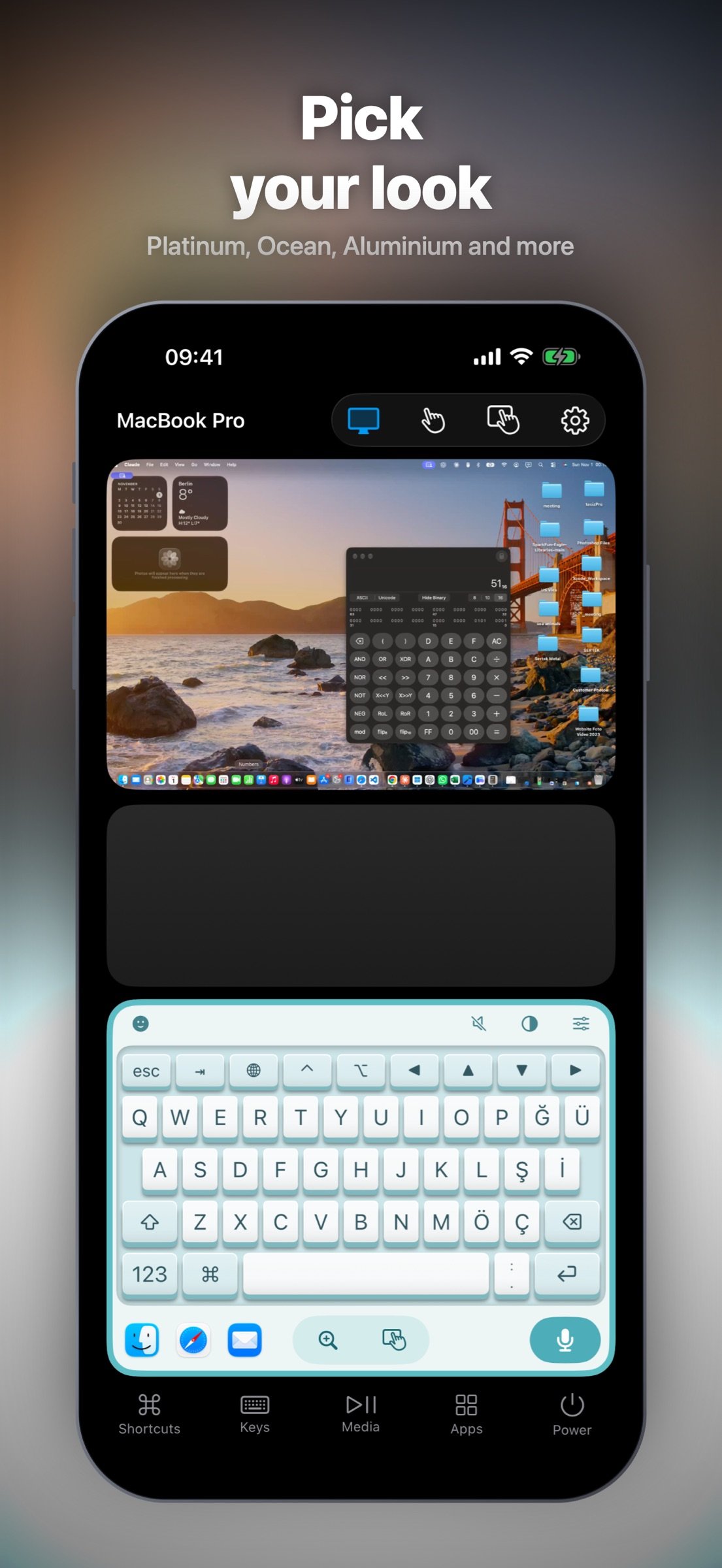
• Choose six styles: Dark, Light, Backlit, Platinum, Ocean and Aluminium.
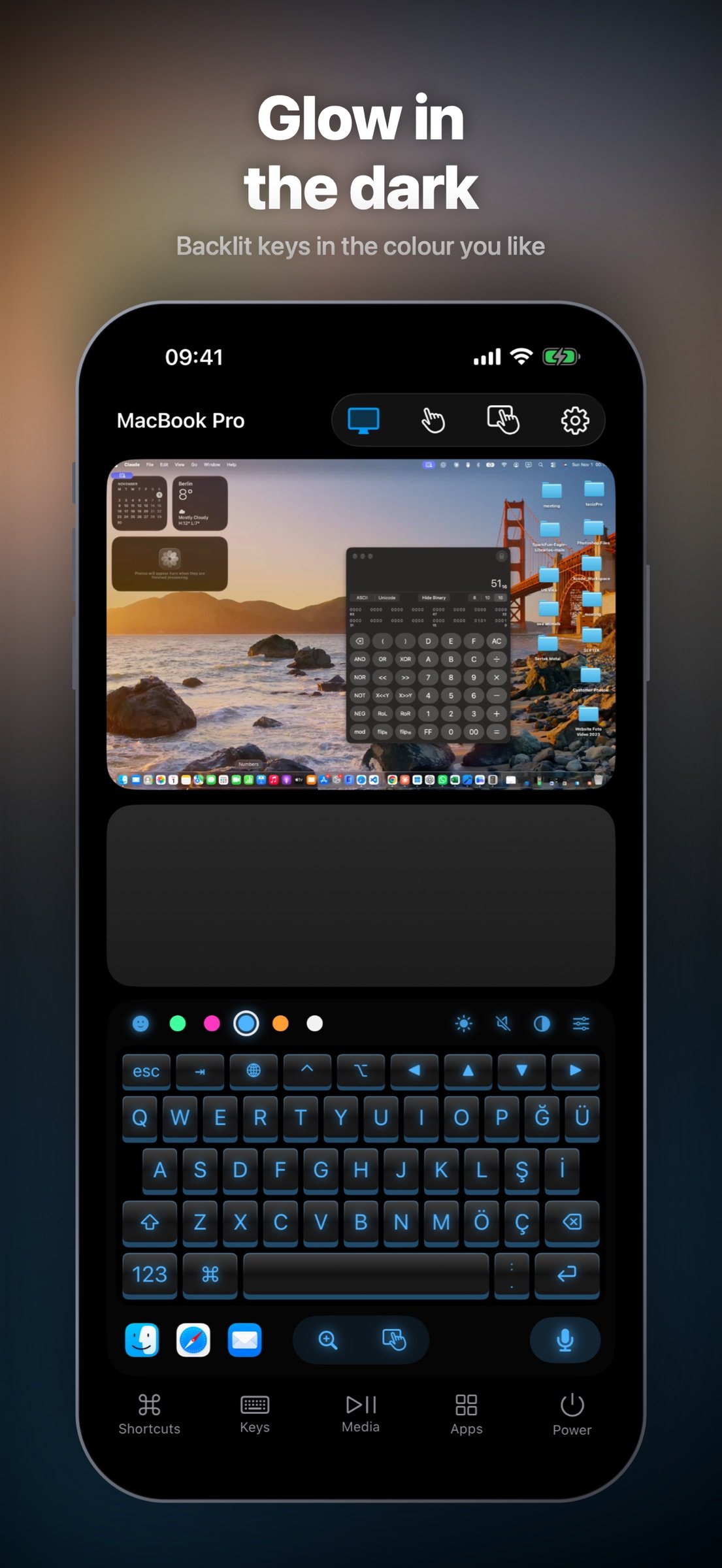
• Set the backlight colour and brightness. Add optional key sounds, 3D keys, key pop-ups and ripple lighting.
EVERYDAY CONTROLS, ONE TAP AWAY
• Open Mac apps from their icons and use shortcuts for copy, paste, undo, Spotlight and more.
• Control playback, volume, mute and display brightness.
• Lock or sleep your Mac. Restart, shut down and log out when enabled in the Mac companion.
MADE FOR YOUR SCREEN
Layouts for iPhone, iPad and iPhone Duo. On iPad, the live Mac screen and keyboard share an aligned workspace, with controls within easy reach.
PAIR ONCE, CONNECT SECURELY
Confirm the matching code on both devices. The connection between your device and Mac is encrypted. No account and no ads.
GET STARTED
Download the free Mouse companion for Mac from sebaexhibits.com/apps/mouse and open it. Connect both devices to the same Wi-Fi, choose your Mac and complete pairing. Allow Accessibility for input control and Screen Recording to view the Mac screen.
Requires the Mac companion on macOS 13 or later. Supports Apple silicon and Intel Macs.
License: Commercial
Turn your device into a remote control, wireless mouse and keyboard for your Mac. View the Mac's live screen, open apps, type and control playback from the sofa, your desk or across the room. Both devices connect over the same Wi-Fi network.
SEE AND CONTROL YOUR MAC
• View your Mac's screen directly on your device.
• Tap to click, drag items, scroll with two fingers and pinch to zoom into details.
• Use the trackpad for pointer control, right-clicks, scrolling and gestures.
A KEYBOARD THAT FEELS YOURS
• Type text and emoji with a full Mac-style keyboard, modifier keys, arrows and F1–F12.
• Choose six styles: Dark, Light, Backlit, Platinum, Ocean and Aluminium.
• Set the backlight colour and brightness. Add optional key sounds, 3D keys, key pop-ups and ripple lighting.
EVERYDAY CONTROLS, ONE TAP AWAY
• Open Mac apps from their icons and use shortcuts for copy, paste, undo, Spotlight and more.
• Control playback, volume, mute and display brightness.
• Lock or sleep your Mac. Restart, shut down and log out when enabled in the Mac companion.
MADE FOR YOUR SCREEN
Layouts for iPhone, iPad and iPhone Duo. On iPad, the live Mac screen and keyboard share an aligned workspace, with controls within easy reach.
PAIR ONCE, CONNECT SECURELY
Confirm the matching code on both devices. The connection between your device and Mac is encrypted. No account and no ads.
GET STARTED
Download the free Mouse companion for Mac from sebaexhibits.com/apps/mouse and open it. Connect both devices to the same Wi-Fi, choose your Mac and complete pairing. Allow Accessibility for input control and Screen Recording to view the Mac screen.
Requires the Mac companion on macOS 13 or later. Supports Apple silicon and Intel Macs.
License: Commercial
| Release info | New Release on Nov 02, 2026 |
|---|---|
| Release notes | Version 2.1 brings your Mac's screen into your hand. • Live Mac screen viewing and touch control, with clicking, dragging, scrolling and pinch-to-zoom. • Six keyboard styles, coloured backlighting and adjustable backlight brightness. • Optional key sounds, 3D keys, key pop-ups and ripple lighting. • Improved iPad layout with the Mac screen and keyboard aligned. • Expanded app localisation and updated translations. Update the Mac companion too: sebaexhibits.com/apps/mouse. Both devices must be on the same Wi-Fi network. |
| Listing data | App Store |
Reviews
No reviews yet. Be the first to review Smart Mouse & Keyboard for Mac.
Used Smart Mouse & Keyboard for Mac? Tell other visitors what you thought.
Log in to write a reviewOther products by this publisher
- "No Distractions" for YouTube 4.10 ----
- #Bible 11.5 "Incredible App - My sister shared this app with me a few weeks ago and it is truly incredible.
- #filmphotography 1.4.2 So, you decided to shoot on film?
- $quirrel 1.5.1 $quirrel Budget & Finance helps you plan each paycheck, track spending, manage debt, and see what is safe to spend before the next payday.
- % Percentage Calculator Pro 1.41 This is the Pro version of % Percentage Calculator.
Most viewed iOS Utilities
-
1
 Device Lab 1.8.4
Device Lab ??????????????????????? App,?????????????????????????????????,????????????????????????
-
2
 APTV 2.4.8
APTV,?????????????? IPTV M3U???,?????????????????
-
3
 VibeSDR 11.0.16
VibeSDR is a mobile-first software-defined radio (SDR) receiver — and far more than a single-server client.
-
4
 DXClock 4.0.0
Connect, collaborate, and operate smarter with DX Clock — the ultimate meeting place for amateur radio operators.
-
5
 DRC 2.0.1
A simple to use app to help calculate any dilution ratio.
-
6
 ECHOCAT 1.5.2
ECHOCAT is the iPhone and iPad companion for POTACAT, the desktop app for amateur radio operators chasing Parks on the Air (POTA), Summits on the Air (SOTA), Worldwide Bunkers on the Air (WWBOTA), Tiles on the Air and DX.
-
7
 iNetTools 11.0
iNetTools Pro is the Pro Version of iNetTools.
-
8
 Ally Pro 1.4.0
Ally Pro – Amiibo & NFC Tool gives advanced collectors complete control over their Amiibo library.
-
9
 Demod 1.5.1
Demod turns your iPhone into a software-defined radio receiver.
-
10
 Plague Inc 1.27.3
Enter the lab and develop your own custom scenarios for Plague Inc.
Most downloaded iOS Utilities
-
1
 Rat And Mouse Sound Repeller 2.8
Keep mice and rats away overnight with ultrasonic waves and predator sounds.
-
2
Demod 1.5.1
Demod turns your iPhone into a software-defined radio receiver.
-
3
 Screen Mirroring With Miracast 1.6
Turn your iPhone into a complete TV companion.
-
4
 Guardio 2026.105.1
Guardio protects every part of your digital life: your devices, identity, accounts, and activity, so you can browse, shop, text, and bank online with confidence.
-
5
 Fontcase 2.0.1
Fontcase is an app that lets you install custom fonts on iOS and iPadOS.
-
6
 PickerFull 9.18
Export colors from photos as HEX, PDF, RGB, HSB/HSV, HSBA, HSL, LUV, LCH, YUV, YCBCR, YIQ, CMYK, Grayscale, XYZ, L*a*b* (CIE), CSSVAR, SASSVAR, CSSHSL, CSSRGB, AndroidXML, FlutterDart, UnityColor32, Float, Objective-C, Swift, SwiftLiteral, SwiftUI
-
7
DRC 2.0.1
A simple to use app to help calculate any dilution ratio.
-
8
 Facemoji AI Emoji Keyboard 4.63
Facemoji Emoji Keyboard is a Free AI-Powered Custom Keyboard with Cool Fonts.
-
9
 RigCalc 1.0
RigCalc puts the everyday drilling calculations you need on the rig floor, in the mud pit, or in the office into one fast, offline app.
-
10
 Google 445.5
Download the Google app to find quick answers, explore your interests, and ask anything on your mind in any way.