
Simple Subway NYC 1.8
Simple Subway NYC shows New York City's subway on a real map of the city, plans your trip, and follows your ride.
Download
21.96 MB
13downloads
2this week
FreeCommercial
0reviews
Screenshots
About Simple Subway NYC
Simple Subway NYC shows New York City's subway on a real map of the city, plans your trip, and follows your ride.
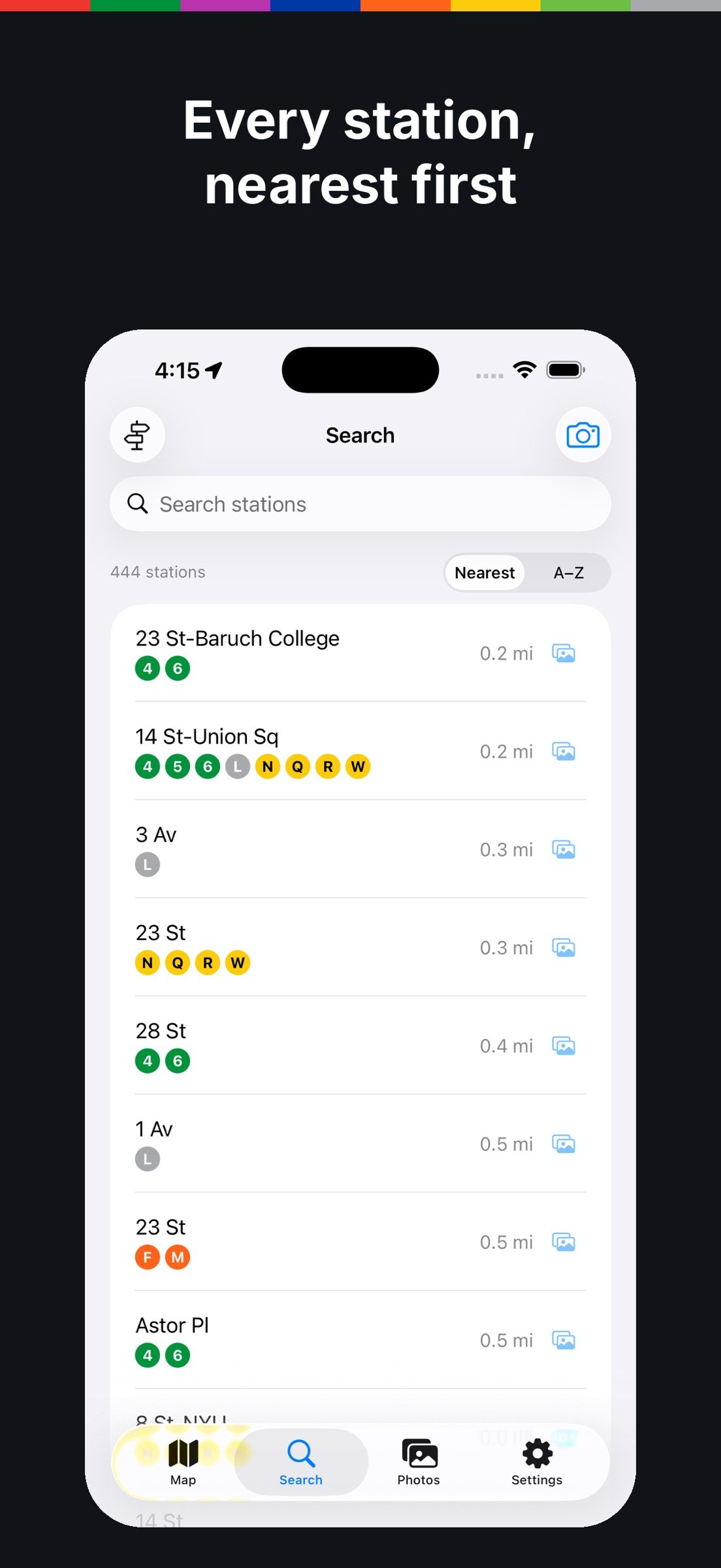
Every station sits where it really is, and every line is drawn from station to station in its familiar color, on top of an ordinary street map. You can see which neighborhood a station is in, which streets it's near, and how the lines run through the city.
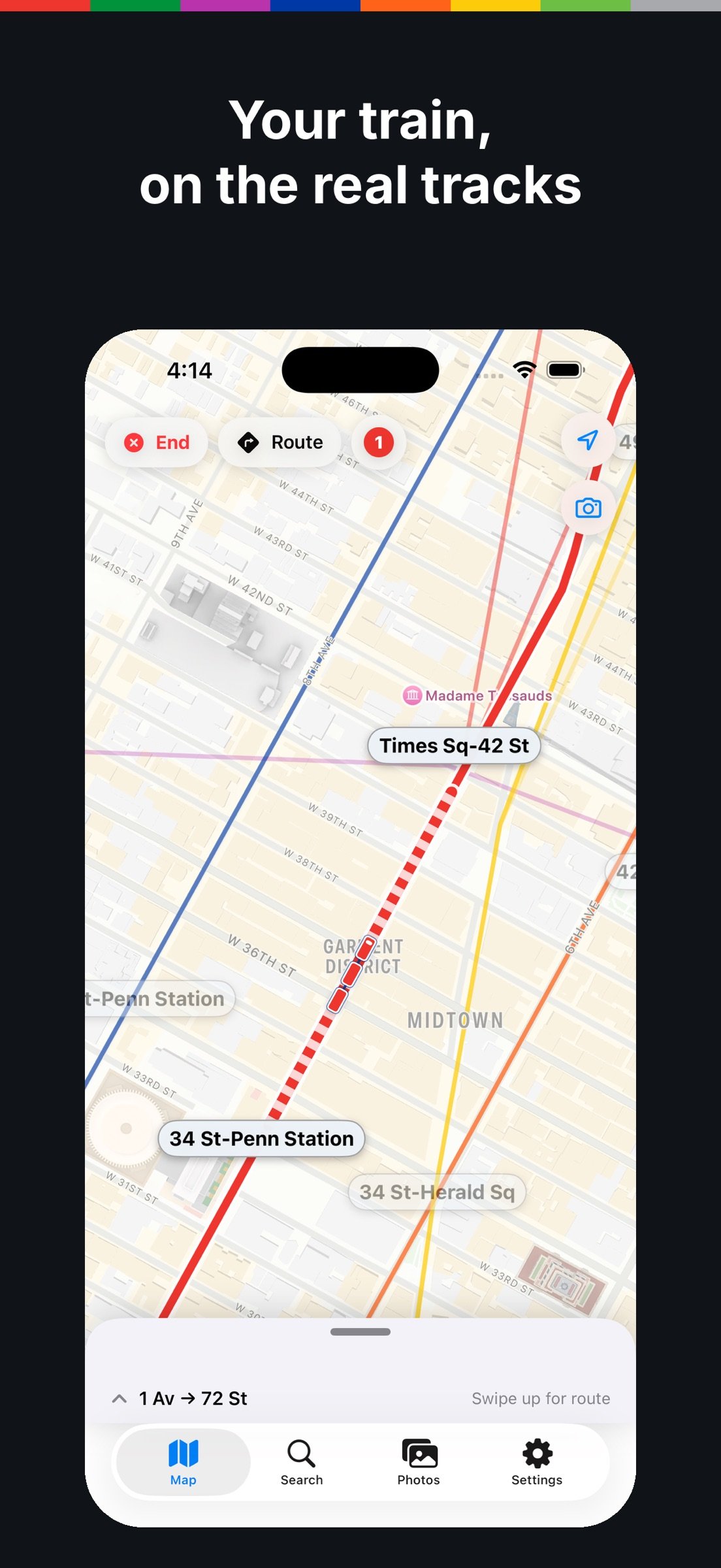
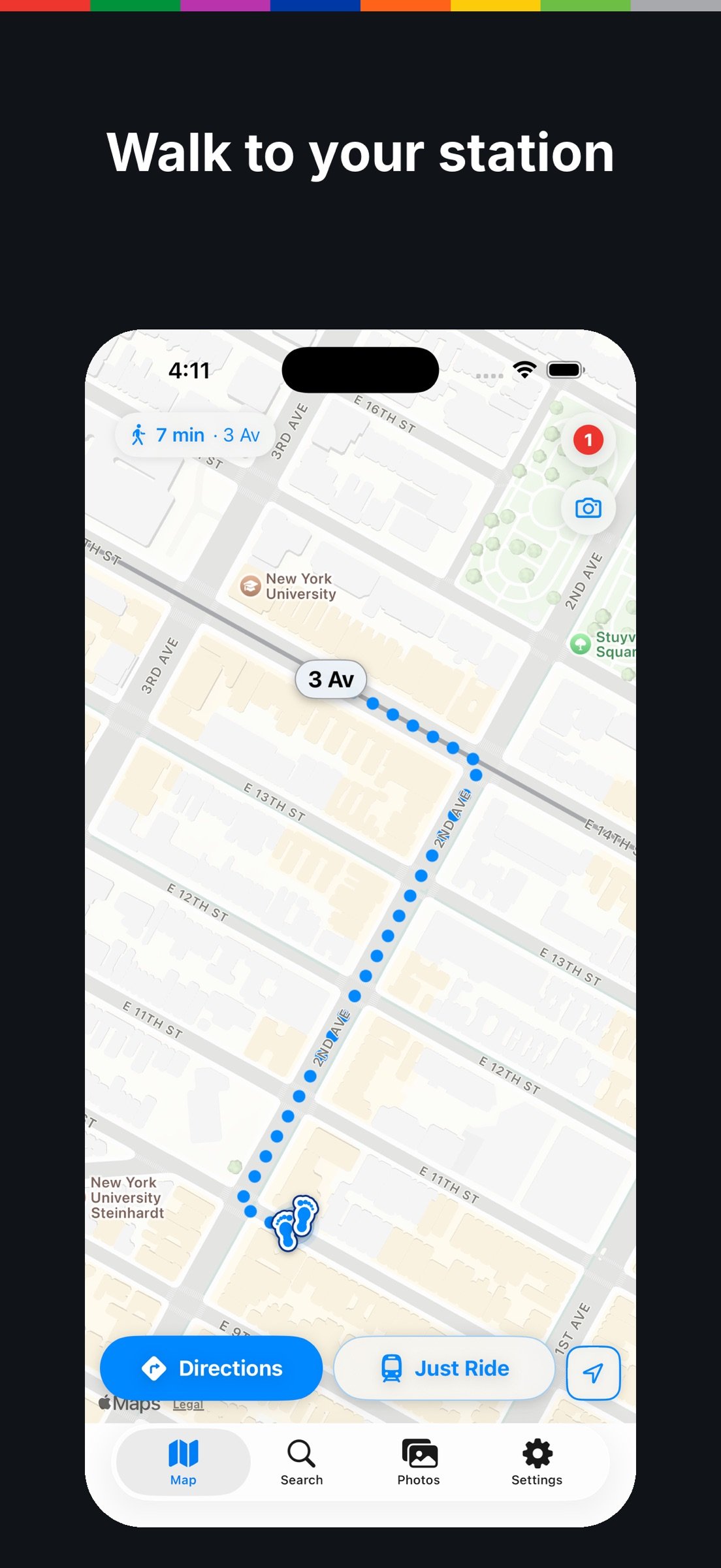
Follow yourself on the map: blue footprints while you walk to the station, then a little three-car train on the real tracks while you ride. Pick the exact train you're taking, set an Anchor station you return to, and switch the map between station names and line bullets.
MAP
• Large, easy-to-tap station buttons at their real locations, with their train badges
• Subway lines drawn in their familiar colors
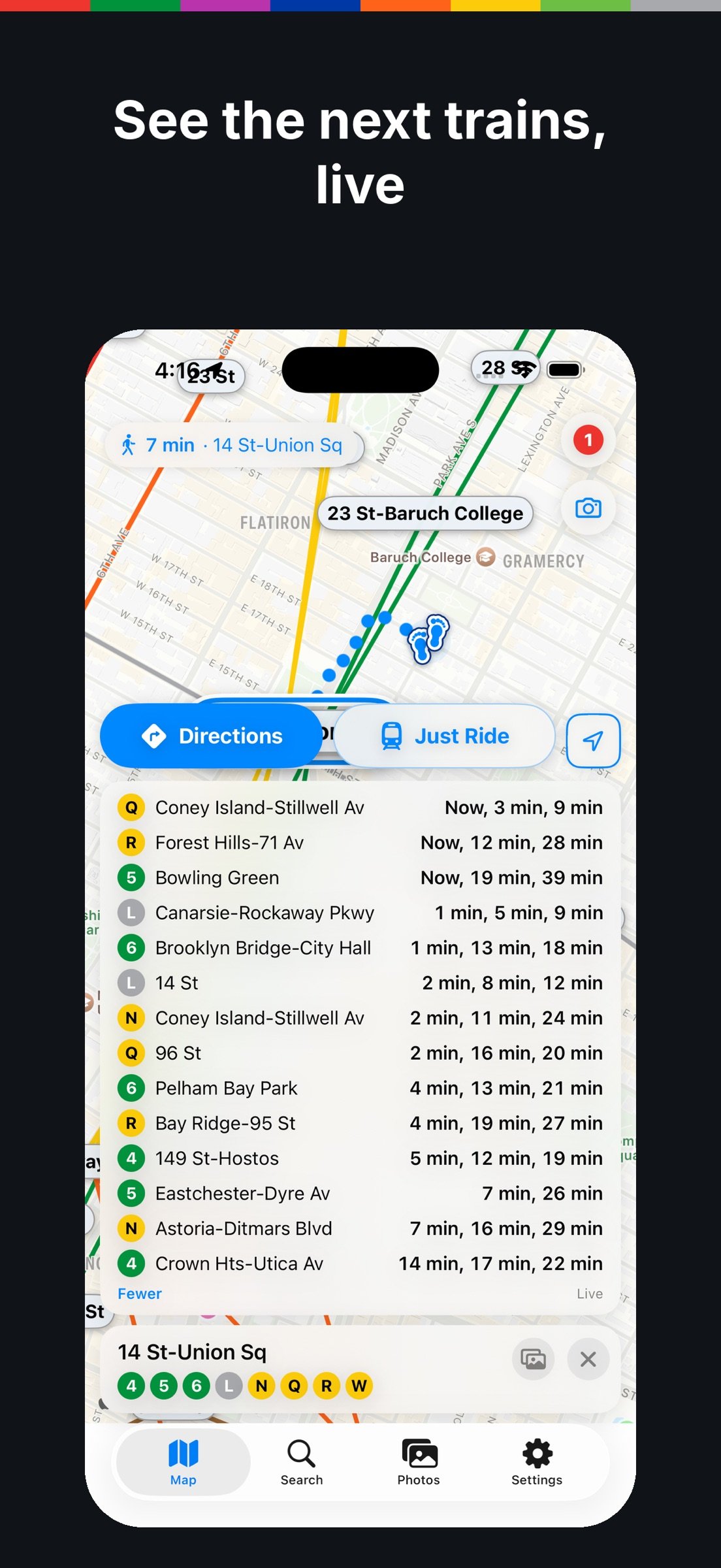
• Tap a station for every train that stops there and its next arrivals
• The next trains at the station you're near, from the MTA's real-time feeds
• Pinch and drag like any map, and tap the location button to see where you are
DIRECTIONS AND JOURNEYS
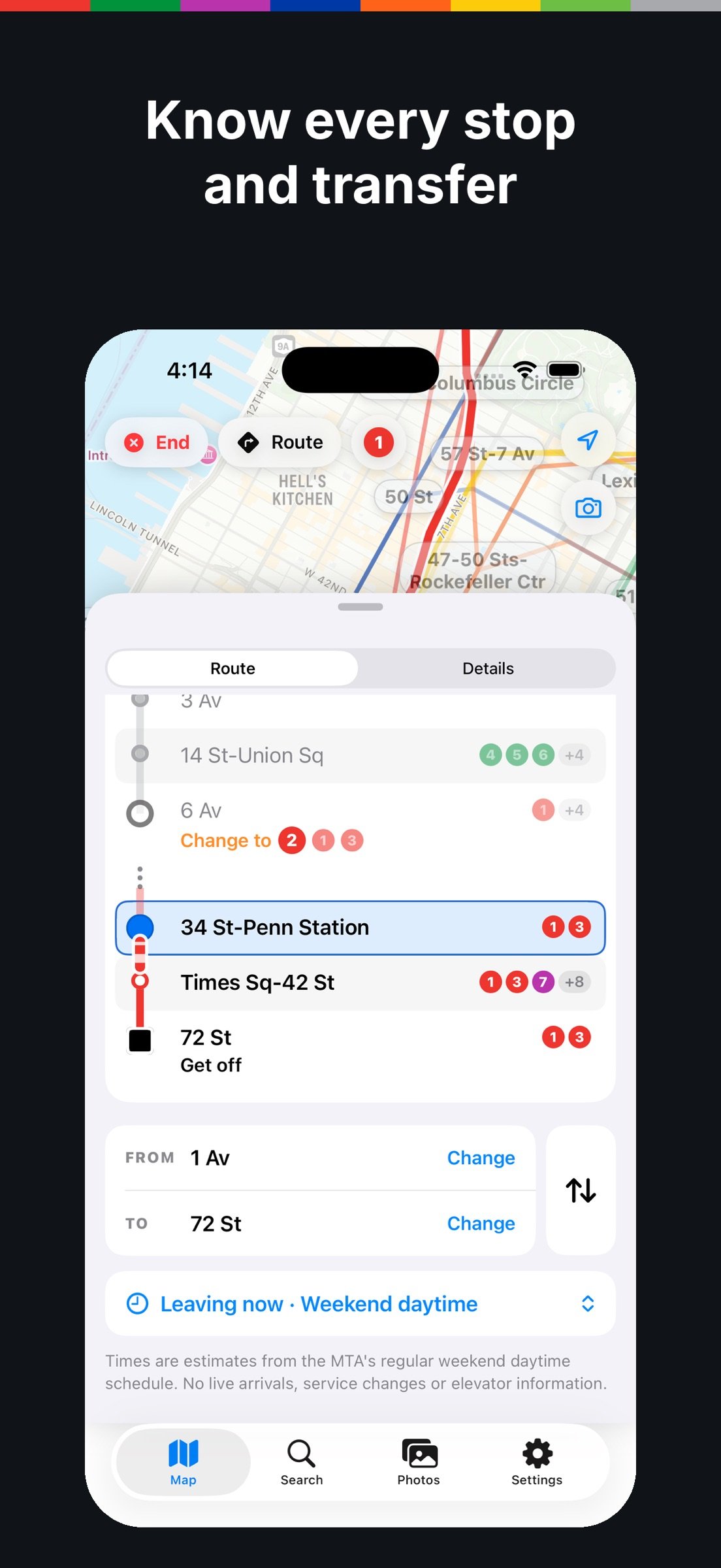
• Choose where you're going and get a subway route, with its trains, transfers and stops, drawn on the map
• Start the journey and the map follows your ride: each station is confirmed when your phone actually reaches it, with a gentle tap
• Swipe up for the itinerary: every stop and transfer, with the next trains for your ride
• A moving barber pole shows your direction of travel
• Just Ride: no destination needed. Board any train and the map follows along
SEARCH
• Search for any station by name, or list the stations nearest you
• Trips: save stations into your own trips and plan a route through them
• Public Trips: browse journeys shared by others, or share your own
PHOTOS
• A photo gallery of New York, organized by subway station
• Browse recent photos or by station, no account needed
• Add your own photos from the camera or your library; each one is filed under the subway station nearest to where it was taken
• Sign in with Apple to post, and choose a display name and emoji, or post anonymously
• Report any photo, or block a contributor
SIMPLE BY DESIGN
No ads. No tracking. No account needed for the map, directions, journeys or browsing photos. Location is optional. For the map, Search and following your ride it is used only on your iPhone and is never stored. If you post a photo, where you took it is used to choose the nearest station and is kept privately with the photo; others see only the station.
Underground, GPS is often unavailable. Simple Subway NYC shows only what your phone actually knows: it confirms a station when your phone reaches it and never pretends to know more. Arrival times come from the MTA's real-time feeds. The street map comes from Apple Maps; maps, arrivals and photos need an internet connection.
Station and route information is based on MTA open data. Simple Subway NYC is an independent app and is not affiliated with or endorsed by the Metropolitan Transportation Authority.
License: Commercial
| Release info | Update on Nov 23, 2026 |
|---|---|
| Release notes | NEW: See the next trains, not just the next one. • While you wait to board, tap "Next L · 2 min" to see the next few trains for your ride, with minutes, clock times and where each train is going. Only trains that will stop at your stop are listed. • Live MTA times, and said plainly when they aren't live: without a signal you'll see "not live" and when the times are from; too old, and no times are shown. • Indoors before a journey, the walk to your first station now shows too, faded until your phone has a good GPS fix. • The journey panel now fits larger text sizes. • Fixes and improvements. |
| Listing data | App Store |
Reviews
No reviews yet. Be the first to review Simple Subway NYC.
Used Simple Subway NYC? Tell other visitors what you thought.
Log in to write a reviewOther products by this publisher
- "No Distractions" for YouTube 4.10 ----
- #Bible 11.6.1 "Incredible App - My sister shared this app with me a few weeks ago and it is truly incredible.
- #filmphotography 1.4.2 So, you decided to shoot on film?
- #LookBusy Fake Calendar Events 1.0.6 Look Busy scans your work calendar for open time slots and fills them with realistic-looking (but secretly fake) work events.
- #Small Talk Is Canceled 1.0.2 #Small Talk Is Canceled — Conversations That Matter
Most viewed iOS Navigation
-
1
 Origin Ireland 4.0.2
The Origin Ireland App is your guide to exploring the ancient past of this fascinating island.
-
2
 Compass App 1.0.5
Find your direction with style.
-
3
 Open Road 1.2
Open Road is the one driving app for your iPhone.
-
4
 CARFACE Car Widgets & Lyrics 1.2.1
Make every drive feel more personal with CarFace.
-
5
 Turo 26.46.0
Turo is a better car rental app for travelers who want to rent a car without the rental counter.
-
6
 iGlide Lite 2.9.66
NaviLogic iGlide - the Soaring Navigation app for iOS
-
7
 Pocket Luach Deluxe 60058
Pocket Luach Deluxe is a Jewish calendar, zmanim, Siddur, Tehillim, and personal-event companion for iPhone, iPad, and Apple Watch.
-
8
 Fly Delta 7.17.3
Welcome to Fly Delta, Delta’s award winning iOS app.
-
9
 Lyft 2026.44.3
Get where you’re going with Lyft.
-
10
 Amtrak 6.1.8
Discover the convenience of traveling with Amtrak.
Most downloaded iOS Navigation
-
1
 Live Traffic 2.4
Navigate the globe with live traffic updates, satellite views, and location tools that make every journey clearer, smarter, and more confident from the very first tap.
-
2
 Peru’s Best 2.5
PERU’S BEST is the ideal travel guide to this extraordinary country.
-
3
 Grand Egyptian Museum (GEM) 0.1.060
You could call this a coincidence but the acronym of the Grand Egyptian Museum is an apt title for the GEM, which is truly one!
-
4
Pocket Luach Deluxe 60058
Pocket Luach Deluxe is a Jewish calendar, zmanim, Siddur, Tehillim, and personal-event companion for iPhone, iPad, and Apple Watch.
-
5
 Outdoor Photography Magazine 7.2.10
Outdoor Photography is the magazine for photographers who are passionate about being out in wild places, seeing inspiring nature and having great adventures.
-
6
 Passeporté 1.3.2
Passeporté reads the NFC chip in your biometric passport or national eID card, verifies its authenticity, and stores the data securely on your device.
-
7
 UK Map 4.12
* Unlimited free map downloads based on Ordnance Survey® OpenData, at 1:25,000 and 1:10,000 scales, and now also paid map downloads at 1:50,000, 1:25,000 and 1:10,000 scales, just like the paper maps.
-
8
 Great Circle Map 1.7.5
A globe you can turn in any direction, including straight over the poles.
-
9
 Connecticut-Parks & Trails 1.0
App Feature
-
10
 Cell Phone Towers World Map 1.1.6
219 countres !! The world's largest Database of Cell & Net Towers