Shooting Time 1.0
Shooting Time is built for one thing: Getting you on the trigger and telling you exactly when legal shooting time begins.
Download
23.25 MB
22downloads
10this week
FreeCommercial
0reviews
Screenshots
About Shooting Time
Shooting Time is built for one thing: Getting you on the trigger and telling you exactly when legal shooting time begins.
PRECISION ALARMS TIED TO REAL ASTRONOMICAL EVENTS
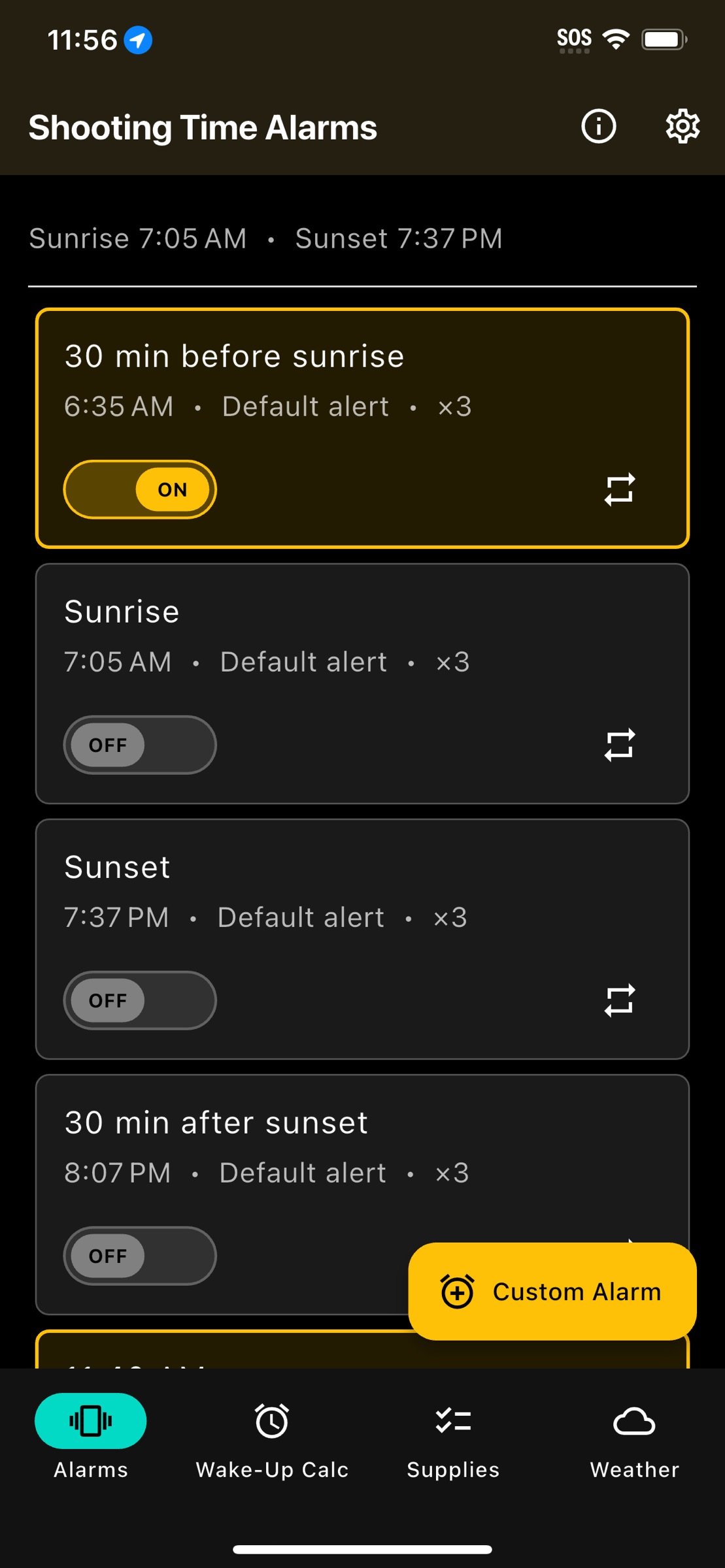
Set alarms for sunrise, sunset, 30 minutes before or after either, or build a fully custom rule (e.g. "20 minutes before sunrise"). Every alarm recalculates automatically for your exact location and the current date, so there's no manual adjusting as days get longer or shorter through the season.
WAKE-UP CALCULATOR
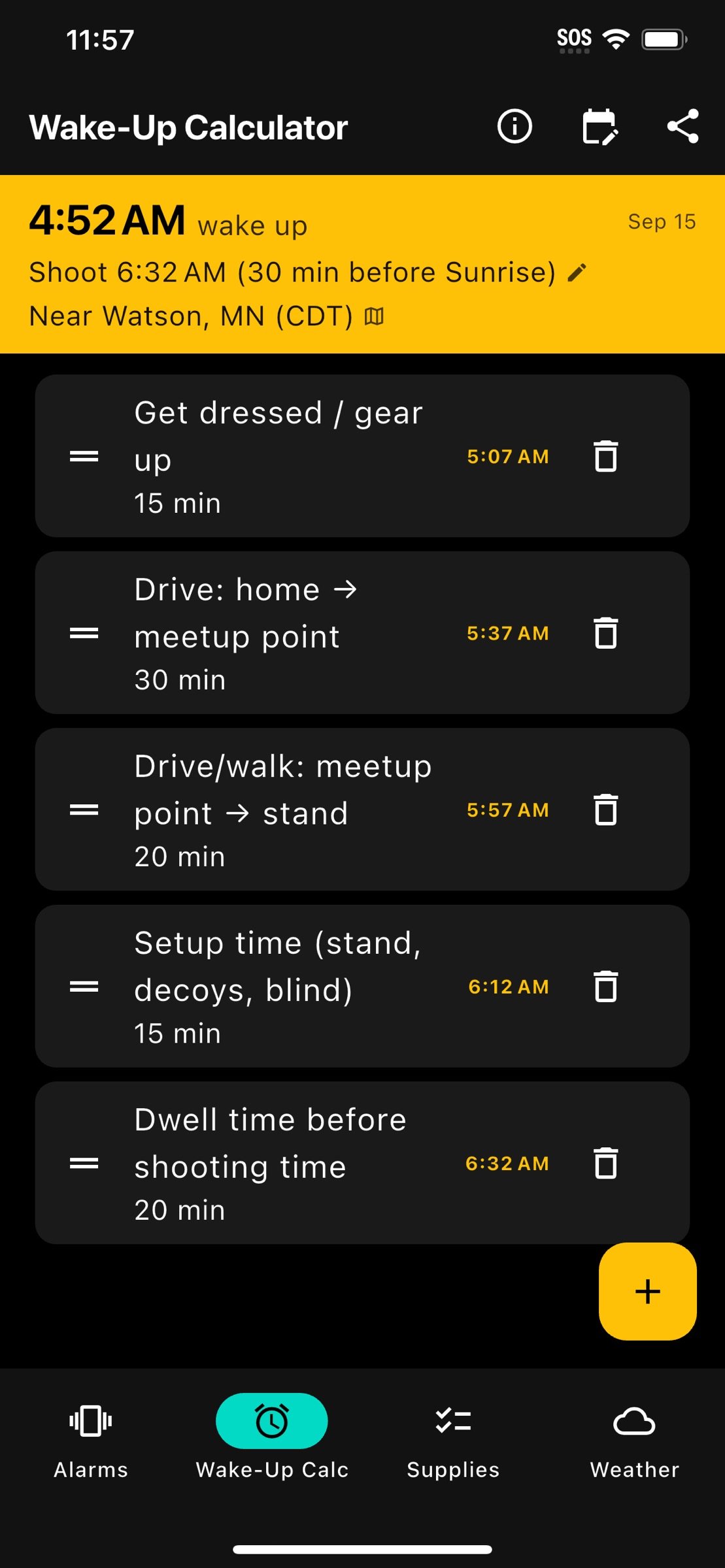
Work backward from when you need to be at your hunting location: enter your drive time and how long you need to get ready, and the app tells you exactly when to get out of bed.
SUPPLY CHECKLISTS
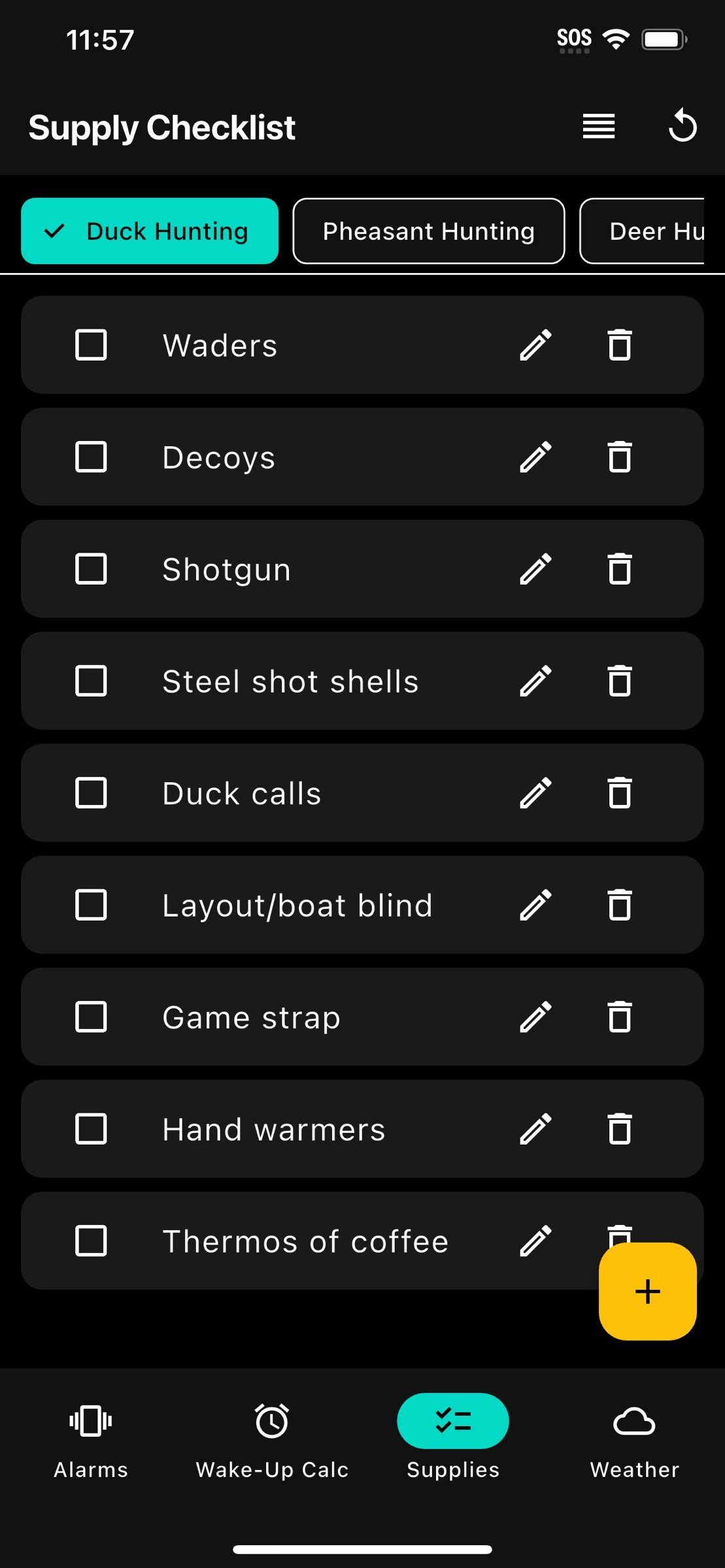
Built-in checklists for common hunt types (deer, duck, and more), fully editable. Add your own gear, add your own hunt types, and check items off as you pack. Your custom lists survive app updates.
HUNTING-SPECIFIC WEATHER
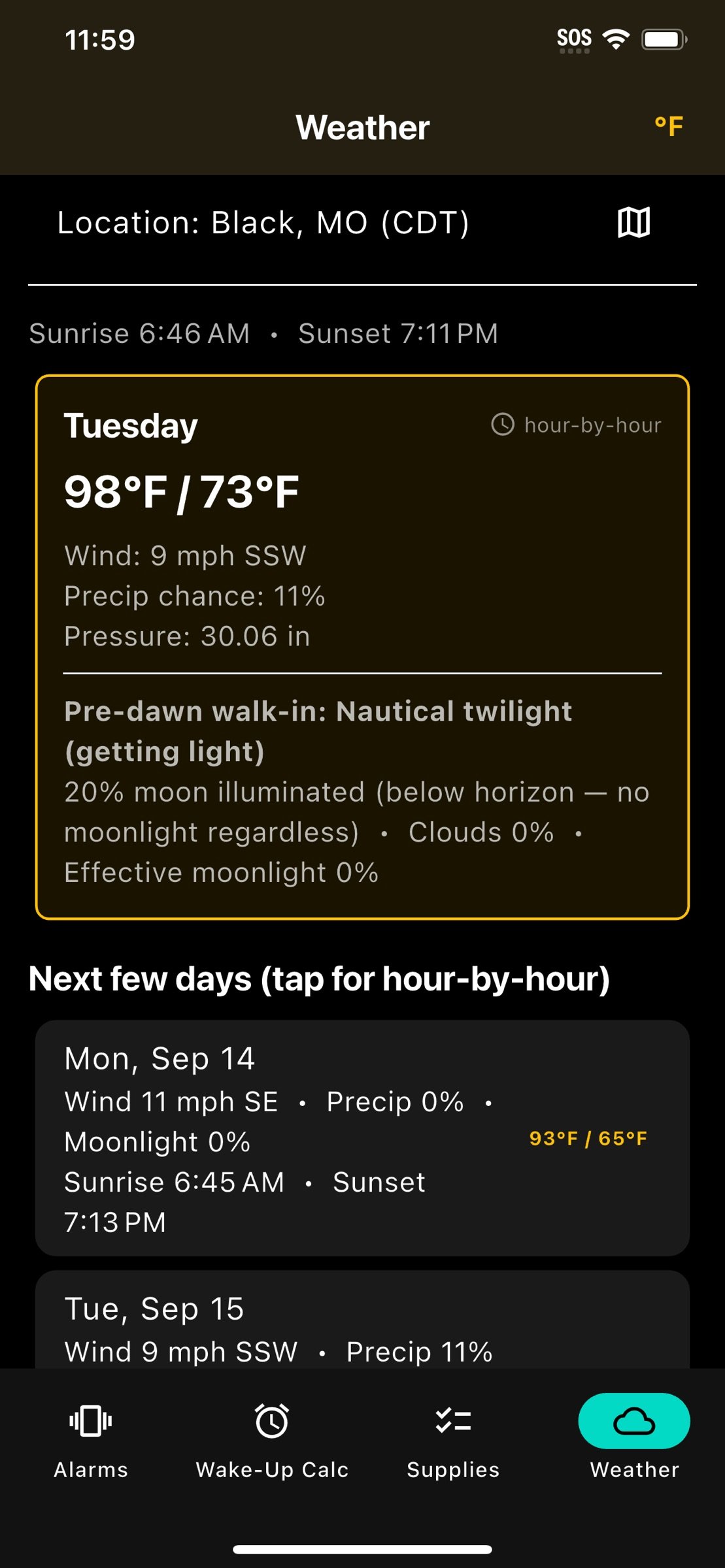
A 7-day and hourly forecast built only around what actually matters in the field: wind speed and direction, precipitation probability, and moonlight. That includes "effective moonlight," which accounts for cloud cover and how much ambient light the sun itself is still providing at dawn and dusk, not just the moon's phase.
HOME SCREEN WIDGET
See today's sunrise and sunset, plus a live countdown to your next alarm, right from your home screen — no need to open the app.
BUILT FOR HUNTERS, NOT TRACKED BY ANYONE
No account, no sign-in, no ads, and no analytics or tracking of any kind. Your alarms, presets, and checklists live only on your device.
NOTE
Always consult your local hunting regulations. While every attempt has been made to keep this app universally accurate, it's important to validate legal shooting time before you starting hunting. Take particular care if you're crossing time zones.
TIMEZONES
Using Shooting Time across timezones
If you're planning a hunt somewhere other than where you currently are, say you're home in Central time but the hunt is in Mountain time — here's what to know:
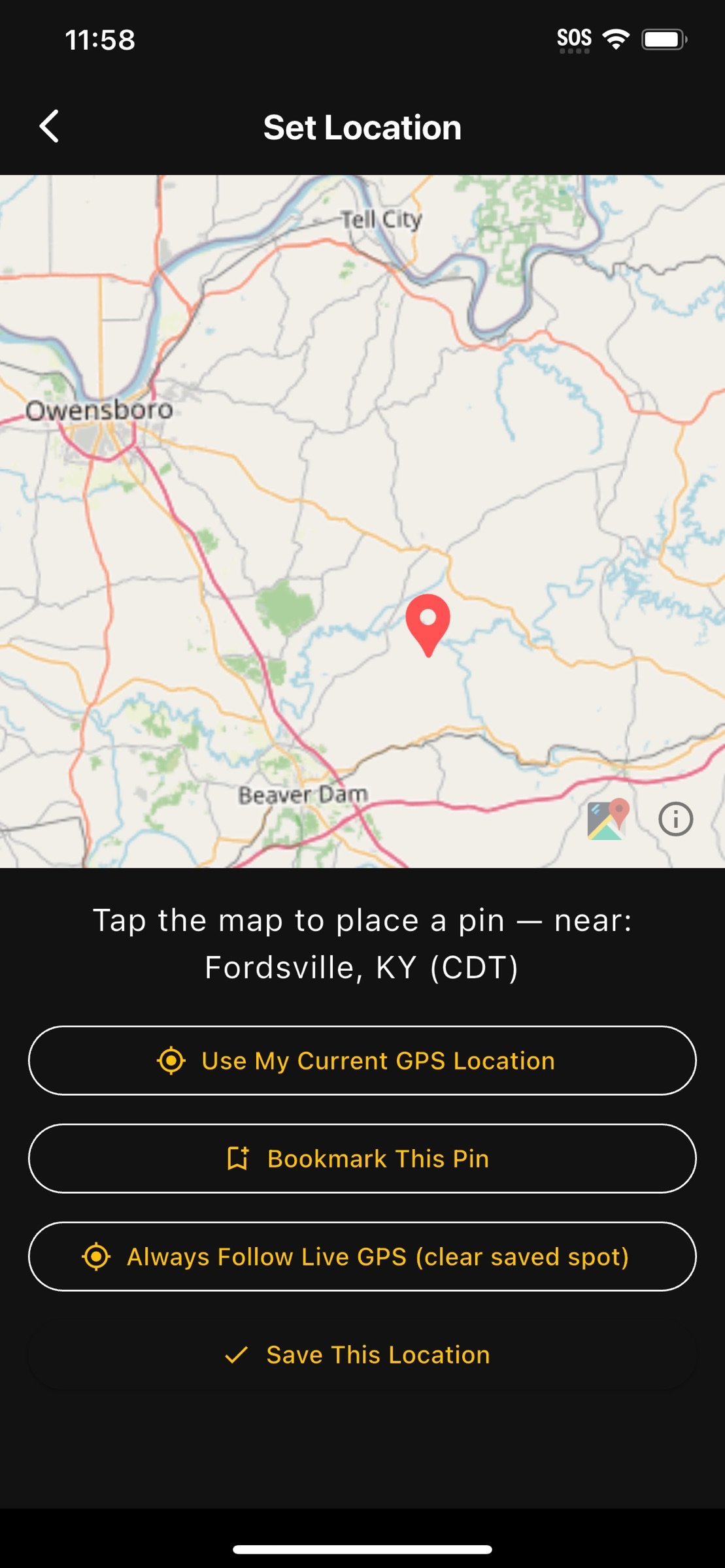
Always pin the actual hunting location, not your current one, using the map picker. All calculations (sunrise, sunset, and the wake-up calculator) are based on that pin's real coordinates, not your phone's location.
Trust the time shown on your own phone. The app always displays times using your phone's current clock, so while you're still in Central, a Mountain-time sunrise will show as a Central-time number (e.g., 7:00 AM Mountain shows as 8:00 AM on your screen). That's not a bug, it's the same real moment, just labeled with your current clock. Once you physically travel there and your phone's time zone auto-updates, the same alarm will correctly show and fire using local Mountain time. No need to change anything yourself.
Check the zone label next to your location (e.g., "Huron, SD (CDT)"). If that ever shows a different zone than the pin your phone is currently set to, that's your cue that displayed times are in your zone, not the pin's.
Leave your phone's time zone on automatic. If you manually lock your phone to a specific time zone instead of letting it auto-detect, times will stop tracking correctly once you actually arrive at the hunting location.
License: Commercial
| Release info | New Release on Sep 17, 2026 |
|---|---|
| Listing data | App Store |
Reviews
No reviews yet. Be the first to review Shooting Time.
Used Shooting Time? Tell other visitors what you thought.
Log in to write a reviewOther products by this publisher
- "No Distractions" for YouTube 4.10 ----
- #Bible 11.6.1 "Incredible App - My sister shared this app with me a few weeks ago and it is truly incredible.
- #filmphotography 1.4.2 So, you decided to shoot on film?
- #LookBusy Fake Calendar Events 1.0.6 Look Busy scans your work calendar for open time slots and fills them with realistic-looking (but secretly fake) work events.
- #Small Talk Is Canceled 1.0.2 #Small Talk Is Canceled — Conversations That Matter
Most viewed iOS Lifestyle
-
1
 Light Language Grid Creator 6.5.2
Light Language Grid Creator lets you create Grids with 3D shapes and colours, then export them as images.
-
2
 Shefa Gold 1.6.2.5
More than 100 new and delicious Hallelu-Yah chants to exalt and bless and celebrate the simple fact of existence.
-
3
 UltiPro 3.0
Ulti Servives is your one stop destination for your day by day services.
-
4
 Tesla 4.63.0
The Tesla app puts owners in direct communication with their vehicles and energy products anytime, anywhere.
-
5
 CHAI 2.198
Our app revolutionizes the way we interact with AI chatbots.
-
6
 Joguman Daily Calendar 1.0.14
New drawings every day, and every day feels brand new.
-
7
 Anker eufy 6.1.41
The new all-in-one eufy app that designed to bring together all your favorite eufy products—eufy Security, eufy Clean, eufy Baby, eufy Life, and eufy Pet—into one seamless platform.
-
8
 Booksy for Customers 26.11.2400
Self-care, on your schedule.
-
9
 Roomba Home 3.4.1
The Roomba® Home App is compatible with Roomba® 100, 200, 400, 500, 700, 800, and Mini series robots sold after March 2025.
-
10
 12 Steps Companion 3.1.0
First released in 2008, 12 Steps Companion is the world’s first recovery app - a reader, sobriety tracker, and recovery toolkit.
Most downloaded iOS Lifestyle
-
1
Light Language Grid Creator 6.5.2
Light Language Grid Creator lets you create Grids with 3D shapes and colours, then export them as images.
-
2
 Pieceful 3.1.0
Capture briefly. Remember deeply.
-
3
UltiPro 3.0
Ulti Servives is your one stop destination for your day by day services.
-
4
Joguman Daily Calendar 1.0.14
New drawings every day, and every day feels brand new.
-
5
 Electronic Rosary 4.0.3
The Rosary (from Latin rosarium, meaning "rose garden") is a traditional Catholic devotion.
-
6
 Core Values 1.0.1
Core Values: Find Yours is a guided self-reflection exercise that helps you identify your top five values that matter most to you.
-
7
 Santa Christmas Snowing 1.1.0
Experience the magic of Christmas right on your wrist!
-
8
 SeedStead 1.2
SeedStead helps you know when to start seeds, direct sow, and transplant based on your garden’s ZIP code and local frost dates.
-
9
 Candra 1.1.1
Whether you’re stepping onto a yoga mat, picking up a paintbrush, hitting the hiking trails, or discovering a new craft, Candra is your ultimate destination to meet like-minded enthusiasts and take your skills to the next level.
-
10
 Horoscope $ 7.0.15
Experience astrology without limits.