SensorLog 6.1
With SensorLog you can read sensor data from the iPhone, iPad and Apple Watch.
Download
3.97 MB
21downloads
3this week
FreeCommercial
0reviews
Screenshots
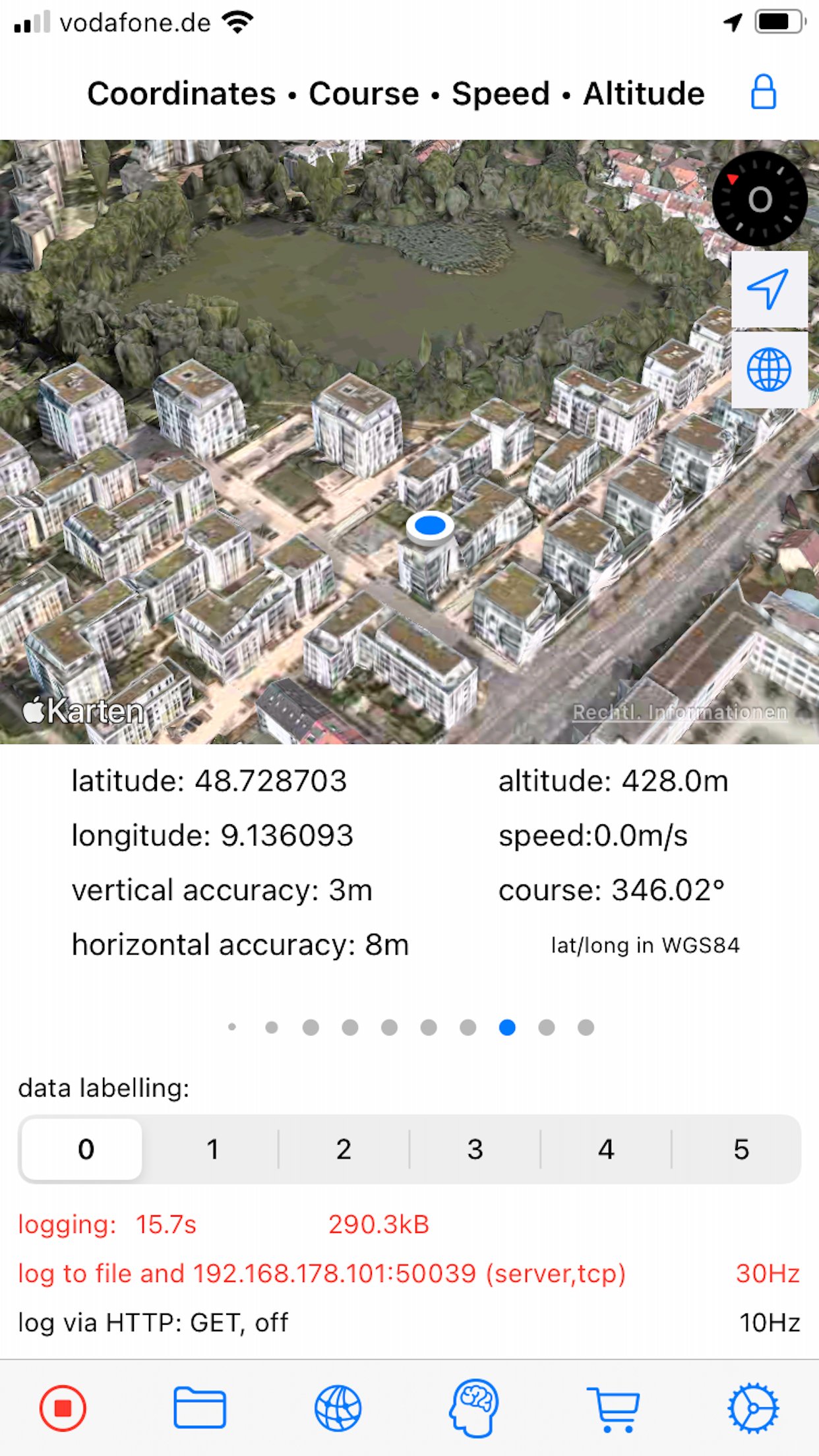
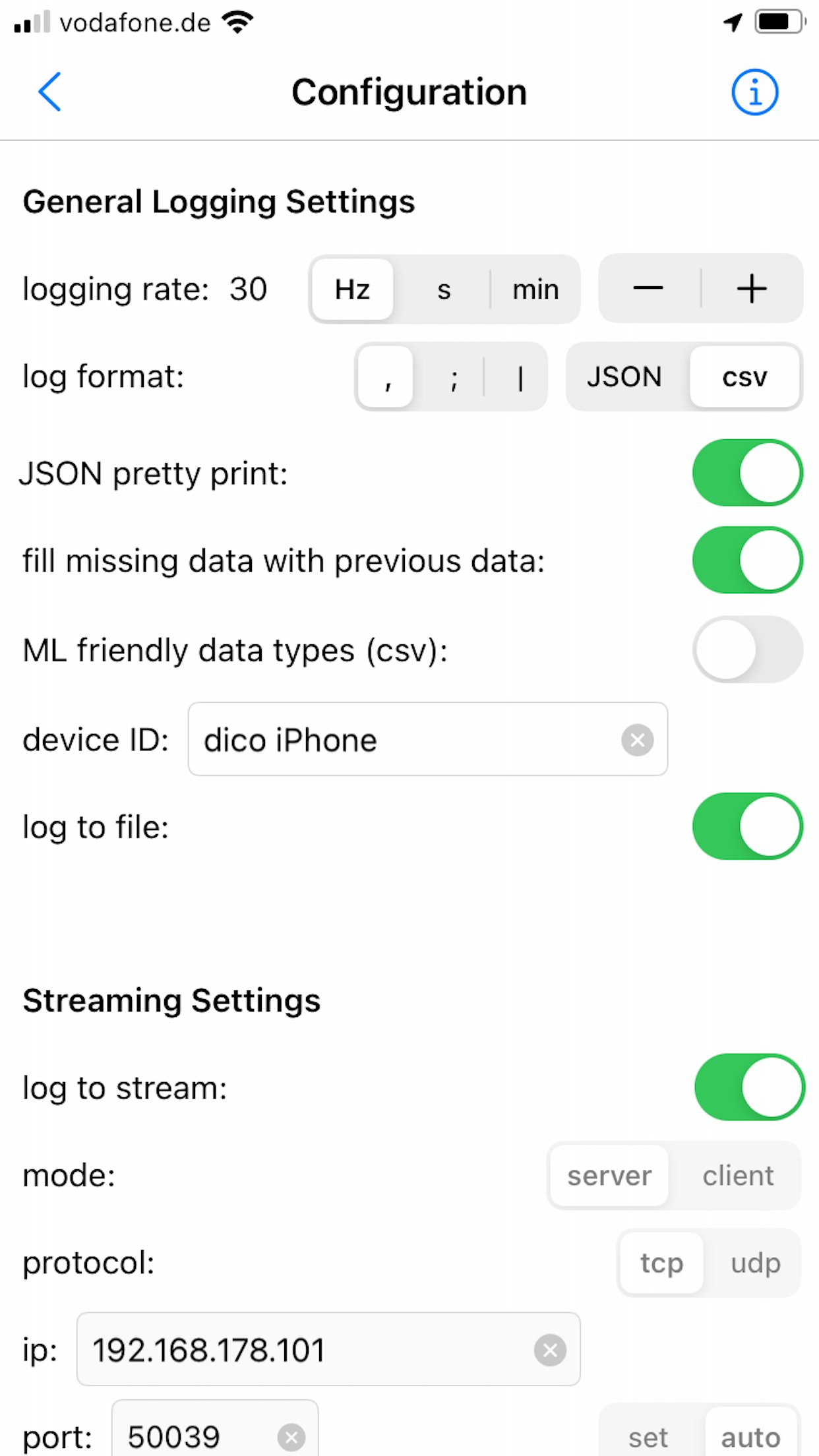
About SensorLog
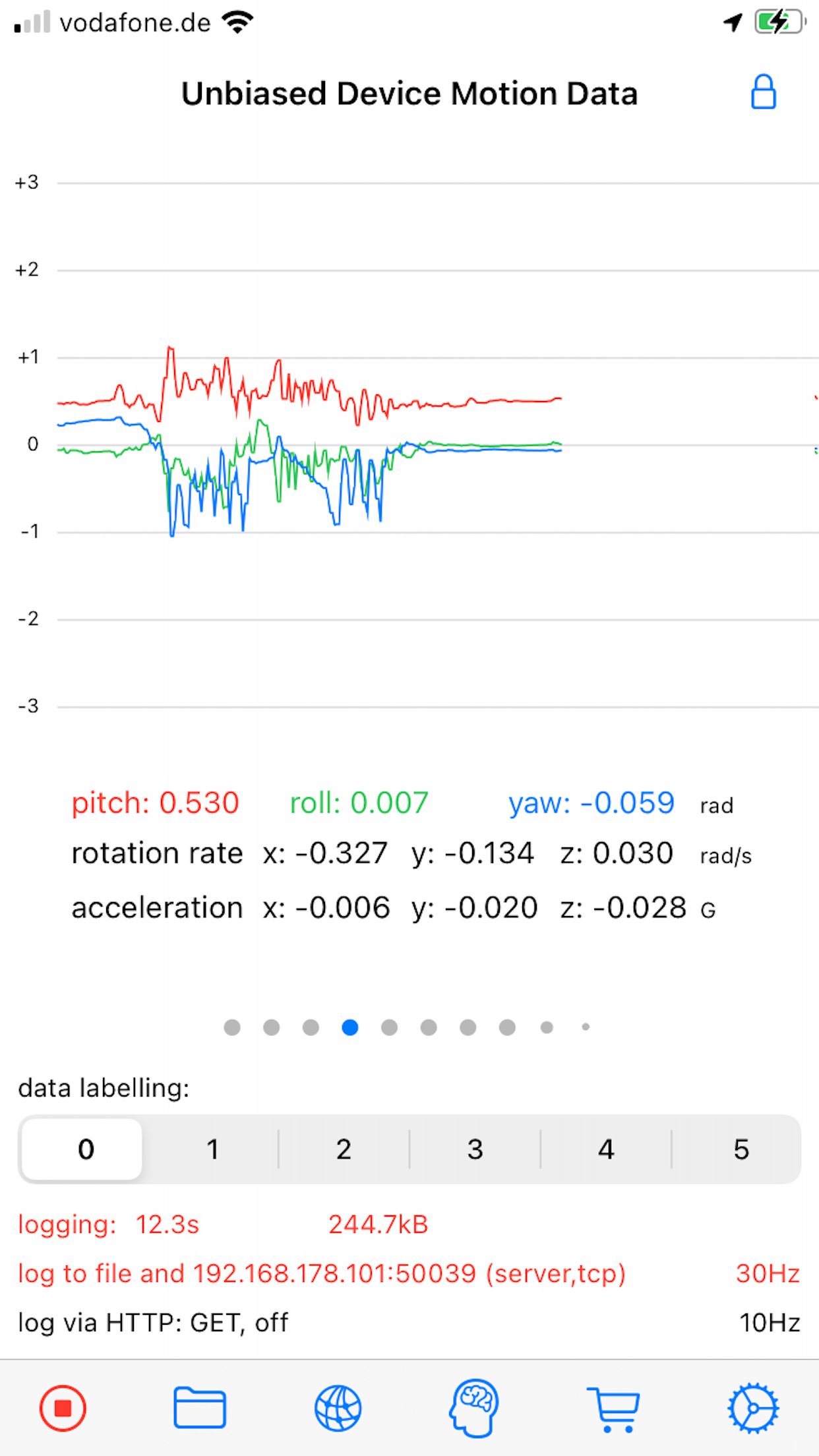
With SensorLog you can read sensor data from the iPhone, iPad and Apple Watch.
The sensor data can be saved as a file in CSV or JSON format, streamed via TCP/UDP or sent as an HTTP request.
The most important functions for iPhone and iPad:
- Sensor data can be recorded at up to 100Hz (depending on the iOS device version and sensor type).
- Sensor data can be streamed in server or client mode using TCP or UDP. Depending on the network speed and the server or client configuration used, this is possible with up to 100Hz.
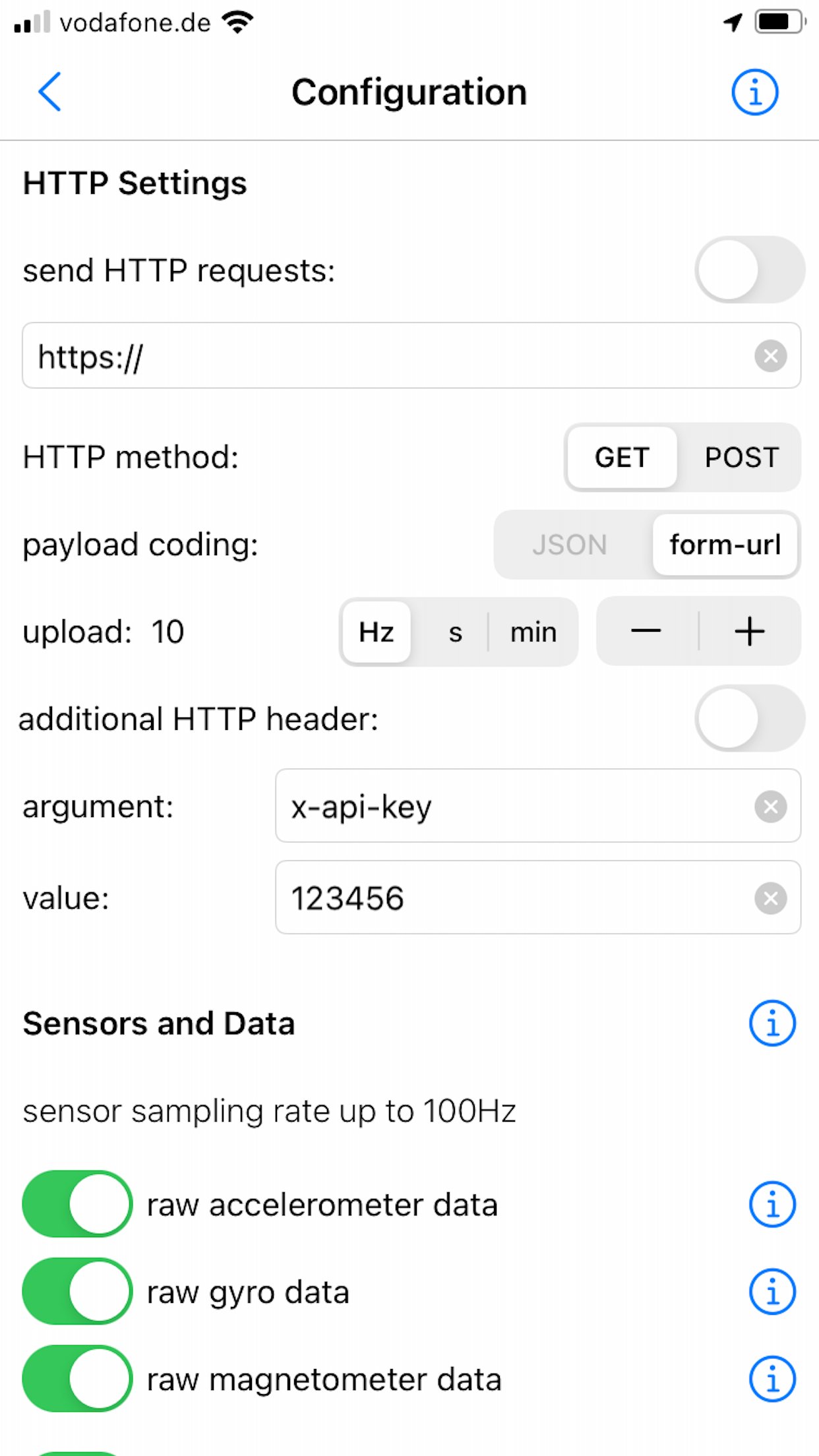
- Via HTTP(S) GET/POST request, sensor data in JSON format (POST) or form-url encoded (POST and GET) can be transmitted to a REST API with up to 20Hz.
- With the SensorLog Remote Client/Server function, an iPad or iPhone can connect as a SensorLog Remote Client to an iPhone or iPad, which takes on the role of SensorLog Remote Server. The client's sensor data can be visualized on the server, and the server can control the clients (start/stop logging, start/stop sending data).
- Logging can be started and stopped using Siri and shortcuts.
- SensorLog supports Core ML models created with Apple's Create ML app. Log data with SensorLog, train a model with the data in Create ML, load exported models in SensorLog and log the model prediction. Supported Create ML models are: Activity Classifier, Tabular Regressor and Tabular Classifier.
- If you have an Apple Watch, HealthKit data such as heart rate, energy used, sleep and movement data can be exported on the watch as a csv or json file and then transferred to your iPhone.
Sensor data iPhone / iPad:
For sample log files, please visit the SensorLog homepage (link App Support).
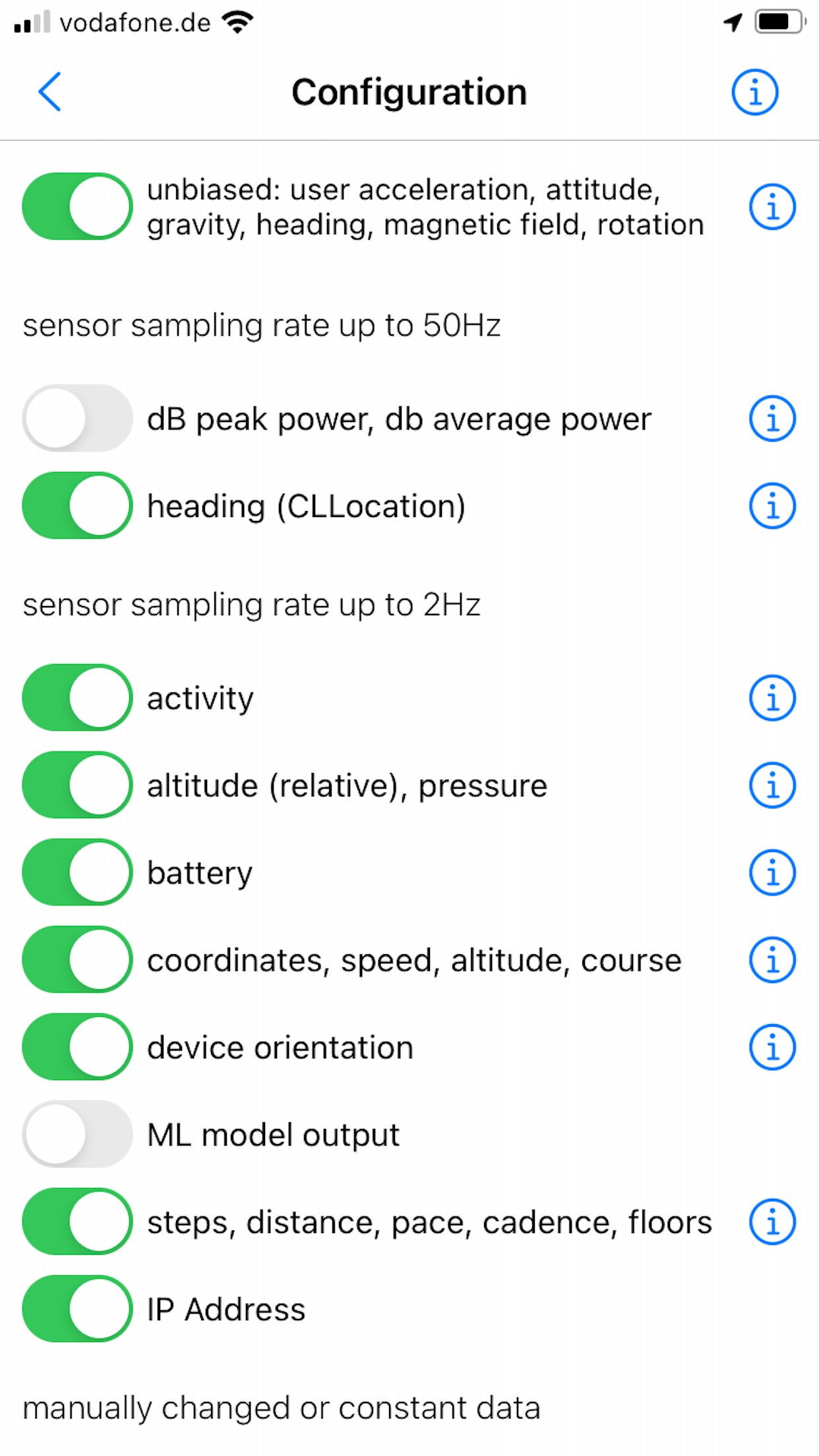
- CLLocation, CLHeading, CMAccelerometer, CMGyroData, CMMagnetometer, CMDeviceMotion, CMActivity, CMPedometer, CMAltimeter, WLAN and network provider IP addresses, device orientation, battery info, decibels.
The most important functions for Apple Watch:
- Logging Option 1: Logging duration up to 1 hour
Simultaneous logging of all selectable sensor data is supported in the background with up to 50Hz. Individual sensors can be logged with a higher frequency of up to 100Hz. Sending data via HTTP requests is supported.
- Logging option 2: Logging duration greater than 1 hour
In the background only logging of the accelerometer data with max. 50Hz is supported. In the foreground all sensor data with up to 100Hz. Sending data via HTTP requests is only supported when the app is in the foreground.
- Via HTTP(S) GET/POST request, sensor data can be transmitted to a REST API with up to 10Hz in JSON format (POST) or form-url encoded (POST and GET).
- The Health Store data feature off the SensorLog Watch app allows you to export HealthKit data like heart rate, energy burned, sleep, and movement data. This data is automatically recorded by your Watch and can be read out and exported by SensorLog as csv or json file and transferred to your iPhone.
- Logging can be started and stopped using Siri and Shortcuts.
Sensor Data Watch:
For sample log files, please visit the SensorLog homepage (link App Support).
- CLLocation, CMAccelerometer, CMDeviceMotion, CMActivity, CMPedometer, CMAltimeter, battery info
License: Commercial
The sensor data can be saved as a file in CSV or JSON format, streamed via TCP/UDP or sent as an HTTP request.
The most important functions for iPhone and iPad:
- Sensor data can be recorded at up to 100Hz (depending on the iOS device version and sensor type).
- Sensor data can be streamed in server or client mode using TCP or UDP. Depending on the network speed and the server or client configuration used, this is possible with up to 100Hz.
- Via HTTP(S) GET/POST request, sensor data in JSON format (POST) or form-url encoded (POST and GET) can be transmitted to a REST API with up to 20Hz.
- With the SensorLog Remote Client/Server function, an iPad or iPhone can connect as a SensorLog Remote Client to an iPhone or iPad, which takes on the role of SensorLog Remote Server. The client's sensor data can be visualized on the server, and the server can control the clients (start/stop logging, start/stop sending data).
- Logging can be started and stopped using Siri and shortcuts.
- SensorLog supports Core ML models created with Apple's Create ML app. Log data with SensorLog, train a model with the data in Create ML, load exported models in SensorLog and log the model prediction. Supported Create ML models are: Activity Classifier, Tabular Regressor and Tabular Classifier.
- If you have an Apple Watch, HealthKit data such as heart rate, energy used, sleep and movement data can be exported on the watch as a csv or json file and then transferred to your iPhone.
Sensor data iPhone / iPad:
For sample log files, please visit the SensorLog homepage (link App Support).
- CLLocation, CLHeading, CMAccelerometer, CMGyroData, CMMagnetometer, CMDeviceMotion, CMActivity, CMPedometer, CMAltimeter, WLAN and network provider IP addresses, device orientation, battery info, decibels.
The most important functions for Apple Watch:
- Logging Option 1: Logging duration up to 1 hour
Simultaneous logging of all selectable sensor data is supported in the background with up to 50Hz. Individual sensors can be logged with a higher frequency of up to 100Hz. Sending data via HTTP requests is supported.
- Logging option 2: Logging duration greater than 1 hour
In the background only logging of the accelerometer data with max. 50Hz is supported. In the foreground all sensor data with up to 100Hz. Sending data via HTTP requests is only supported when the app is in the foreground.
- Via HTTP(S) GET/POST request, sensor data can be transmitted to a REST API with up to 10Hz in JSON format (POST) or form-url encoded (POST and GET).
- The Health Store data feature off the SensorLog Watch app allows you to export HealthKit data like heart rate, energy burned, sleep, and movement data. This data is automatically recorded by your Watch and can be read out and exported by SensorLog as csv or json file and transferred to your iPhone.
- Logging can be started and stopped using Siri and Shortcuts.
Sensor Data Watch:
For sample log files, please visit the SensorLog homepage (link App Support).
- CLLocation, CMAccelerometer, CMDeviceMotion, CMActivity, CMPedometer, CMAltimeter, battery info
License: Commercial
| Release info | New Release on Nov 05, 2024 |
|---|---|
| Release notes | This app has been updated by Apple to prepare for watchOS 27 compatibility. No new features are included. bugfix resolving app crash |
| Listing data | App Store |
Reviews
No reviews yet. Be the first to review SensorLog.
Used SensorLog? Tell other visitors what you thought.
Log in to write a reviewOther products by this publisher
- "No Distractions" for YouTube 4.10 ----
- #Bible 11.6 "Incredible App - My sister shared this app with me a few weeks ago and it is truly incredible.
- #filmphotography 1.4.2 So, you decided to shoot on film?
- $quirrel 1.5.1 $quirrel Budget & Finance helps you plan each paycheck, track spending, manage debt, and see what is safe to spend before the next payday.
- % Percentage Calculator Pro 1.41 This is the Pro version of % Percentage Calculator.
Most viewed iOS Utilities
-
1
 Device Lab 1.8.4
Device Lab ??????????????????????? App,?????????????????????????????????,????????????????????????
-
2
 APTV 2.4.8
APTV,?????????????? IPTV M3U???,?????????????????
-
3
 VibeSDR 11.0.16
VibeSDR is a mobile-first software-defined radio (SDR) receiver — and far more than a single-server client.
-
4
 DXClock 4.0.0
Connect, collaborate, and operate smarter with DX Clock — the ultimate meeting place for amateur radio operators.
-
5
 DRC 2.0.1
A simple to use app to help calculate any dilution ratio.
-
6
 ECHOCAT 1.5.2
ECHOCAT is the iPhone and iPad companion for POTACAT, the desktop app for amateur radio operators chasing Parks on the Air (POTA), Summits on the Air (SOTA), Worldwide Bunkers on the Air (WWBOTA), Tiles on the Air and DX.
-
7
 iNetTools 11.0
iNetTools Pro is the Pro Version of iNetTools.
-
8
 Ally Pro 1.4.0
Ally Pro – Amiibo & NFC Tool gives advanced collectors complete control over their Amiibo library.
-
9
 Demod 1.5.1
Demod turns your iPhone into a software-defined radio receiver.
-
10
 Plague Inc 1.27.3
Enter the lab and develop your own custom scenarios for Plague Inc.
Most downloaded iOS Utilities
-
1
 Rat And Mouse Sound Repeller 2.8
Keep mice and rats away overnight with ultrasonic waves and predator sounds.
-
2
Demod 1.5.1
Demod turns your iPhone into a software-defined radio receiver.
-
3
 Screen Mirroring With Miracast 1.6
Turn your iPhone into a complete TV companion.
-
4
 Guardio 2026.105.1
Guardio protects every part of your digital life: your devices, identity, accounts, and activity, so you can browse, shop, text, and bank online with confidence.
-
5
 Fontcase 2.0.1
Fontcase is an app that lets you install custom fonts on iOS and iPadOS.
-
6
 PickerFull 9.18
Export colors from photos as HEX, PDF, RGB, HSB/HSV, HSBA, HSL, LUV, LCH, YUV, YCBCR, YIQ, CMYK, Grayscale, XYZ, L*a*b* (CIE), CSSVAR, SASSVAR, CSSHSL, CSSRGB, AndroidXML, FlutterDart, UnityColor32, Float, Objective-C, Swift, SwiftLiteral, SwiftUI
-
7
 Facemoji AI Emoji Keyboard 4.63
Facemoji Emoji Keyboard is a Free AI-Powered Custom Keyboard with Cool Fonts.
-
8
 PDF Reader 1.3.1
Turbo PDF: Scanner & Editor is a highly reliable scanner application that effectively transforms your smartphone into a robust PDF scanner.
-
9
DRC 2.0.1
A simple to use app to help calculate any dilution ratio.
-
10
 Google 446.3
Download the Google app to find quick answers, explore your interests, and ask anything on your mind in any way.