
79downloads
15this week
FreeFreeware
0reviews
Screenshots
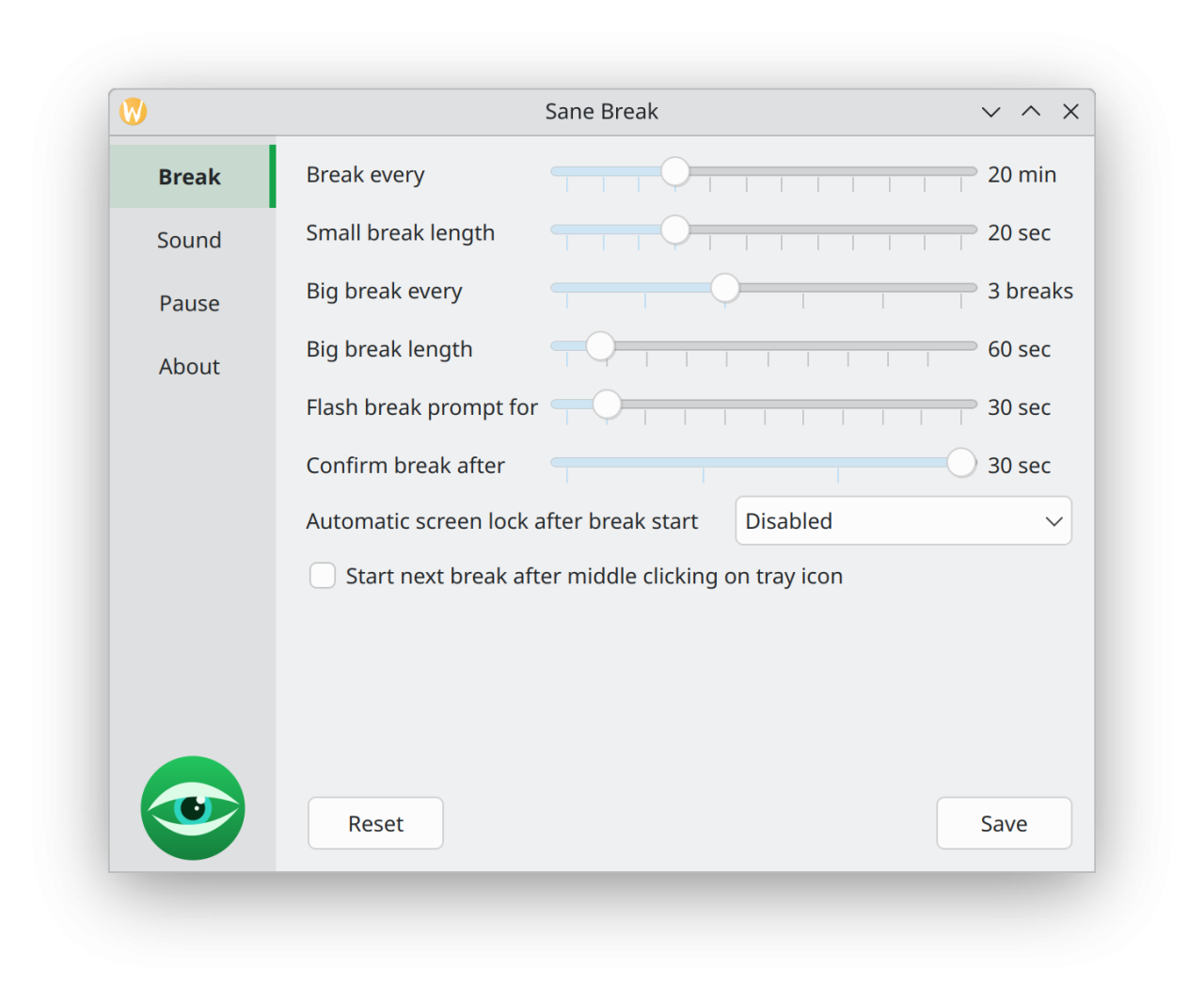
About Sane Break
NOTE: Sane Break works best with X11 and KDE Wayland. It works on GNOME but less optimal. It
also works on other Wayland compositors with wlr layer shell and idle notify protocols support.
The Flatpak version does not support pausing breaks when specific programs are running.
Sane Break is a cross-platform break reminder designed to help you take meaningful breaks without
disrupting your workflow. It allows you to take ownership of when to stop and break, and aims to
strike a balance between respecting your workflow and ensuring you take the breaks you need. Specifically,
Sane Break uses a two-phase system:
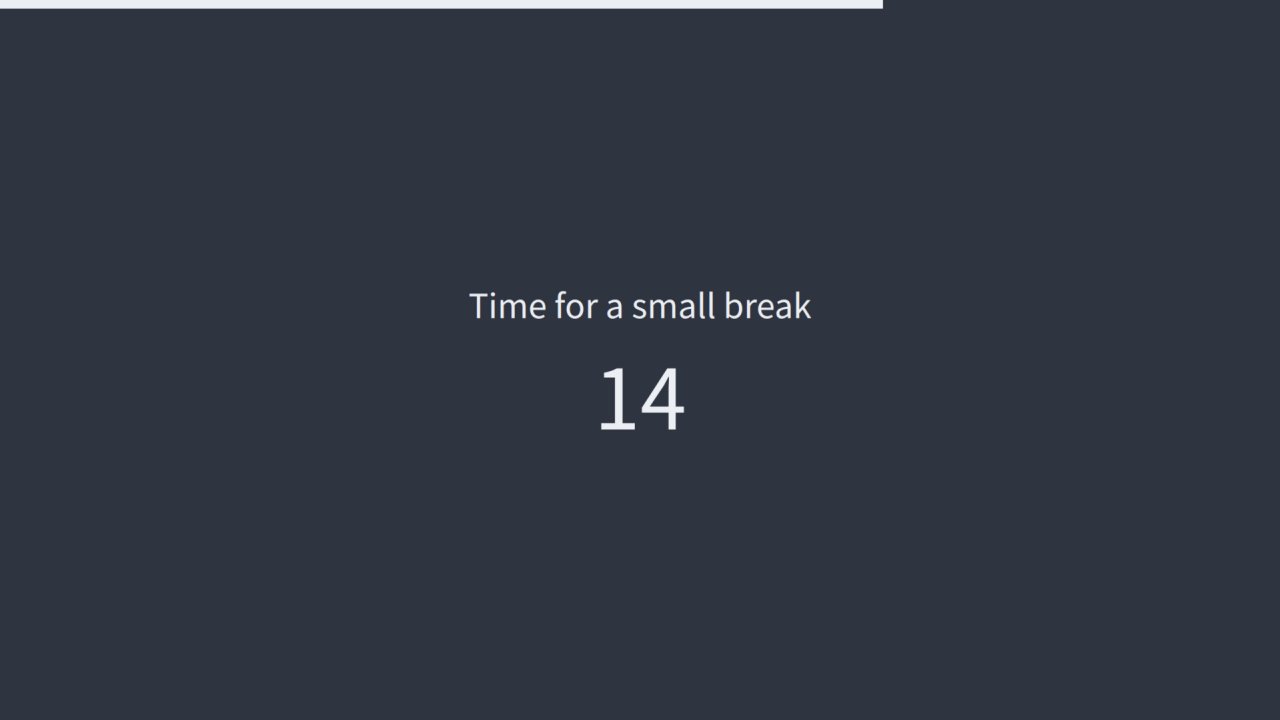
• Phase 1: A small, unobtrusive reminder that encourages you to find a good stopping point.
• Phase 2: The reminder grows to full screen during the actual break.
Transition to phase 2 happens when you stop working on your computer, or when you ignore the
reminder and keep working for too long.
License: GPL-3.0-or-later
| Release info | Update on Nov 03, 2026 |
|---|---|
| Release notes | What's new Features • pause media button during break (#178) • split break theme settings by break type (01ff74c) • enable screen lock in Flatpak builds (79e7643) Bug fixes • fix task bar shown during full screen on Windows (95362b6) Other improvements • use font icons for break window buttons (61a69ea) • clarify break message wording (02e4856) • fix AppImage build by adding PNG icon (6f0ba7a) --- Installation instructions: macOS Recommended installation method: bash brew install allanchain/tap/sane-break Alternatively, download sane-break-macos-x86_64.dmg if you are using an Intel Mac, or sane-break-macos-arm64.dmg if you are using Apple silicon. Open and install it. macOS 13 or newer are supported. Windows x86 version of Windows 10 or newer is supported. Older versions may be supported too. • Portable version: Download the sane-break-windows.zip extract it. Put the .exe executable anywhere you like. • Installer verions: Download the sane-break-windows.exe and run it. Linux For Debian-based distributions, there is a notoriously large number of derivatives, and many of them ship old versions of Qt and do not include the latest layer-shell-qt. It is impractical to create .deb packages for all of them, so we only provide support for Debian Bookworm and Trixie. (Unfortunately, Ubuntu LTS ships with a very old version of Qt and lacks layer-shell-qt.) The difference between Bookworm build and Trixie build is the layer shell support. If you are using a Debian-based distro and a Wayland compositor with layer shell protocol support (e.g. KDE Neon), you probably need the Debian Trixie build. Otherwise, the Bookworm build is good to go. For GNOME users, make sure to enable the GNOME shell extension with: bash gnome-extensions enable sane-break@allanchain.github.io AppImage version is experimental. It may or may not work on your machine. |
| Listing data | Flathub |
Reviews
No reviews yet. Be the first to review Sane Break.
Used Sane Break? Tell other visitors what you thought.
Log in to write a reviewOther products by this publisher
- "No Distractions" for YouTube 4.10 ----
- #Bible 11.6.1 "Incredible App - My sister shared this app with me a few weeks ago and it is truly incredible.
- #filmphotography 1.4.2 So, you decided to shoot on film?
- #LookBusy Fake Calendar Events 1.0.6 Look Busy scans your work calendar for open time slots and fills them with realistic-looking (but secretly fake) work events.
- #Small Talk Is Canceled 1.0.2 #Small Talk Is Canceled — Conversations That Matter
Most viewed Linux Utilities
-
1
 Press 0.4.0
Music library compressor
-
2
 Anytype 0.57.8-alpha
The everything app for those who celebrate trust and autonomy
- 3 vCard Studio 1.5.0 Contact management application
-
4
 Secrets 14.1
Manage your passwords
-
5
 SlimeVR 21.1.0
Accessible full-body tracking in VR
-
6
 openterfaceQT 0.5.33
App control openterface-Mini-KVM
-
7
 Tasks 0.3.1
Get things done
-
8
 Luna 1.1.6
An amazing calendar widget
-
9
 Barrier 2.4.0-5.15-23.08
Barrier - Share mouse and keyboard over the local network
-
10
 Greenery 1.0.0
Crypto bookkeeping wallet
Most downloaded Linux Utilities
-
1
 FormatLab 2026.11.3
Convert Video, Audio and Images
-
2
 Millisecond 0.2.3
Optimize for low latency
-
3
 VNote 4.14.1
A pleasant note-taking platform
-
4
 NeoRegex 3.2.0
Regular expression editor and tester.
-
5
openterfaceQT 0.5.33
App control openterface-Mini-KVM
-
6
 Vikunja 2.8.0
The open-source to-do app
-
7
 JRomManager 3.0.5
A Mame and Retrogaming Rom Manager
-
8
 Lenspect 1.0.7
Scan files for threats
-
9
 RustDiff 1.0.6
Semantic JSON, XML and SQL comparator
-
10
 QR Scanner 1.1.0
A QR code scanner/generator